What is a workflow?
Updated · By Robert Breen
A workflow is a saved set of connected steps that runs from start to finish: a trigger that starts it, then actions that read, change and send data. In n8n, a workflow is drawn on a canvas as nodes joined by lines, and you can save, share and reuse it.
Why it matters for a small business
A workflow is the thing you actually own when you automate something. It captures how a job gets done in your business, step by step, in a form that runs the same way on a busy Monday as on a holiday. Because it's saved, anyone can open it later and see exactly what happens to a booking request or a receipt, which beats a process that lives in one employee's head.
Workflows are also portable. An n8n workflow can be exported as a file and imported somewhere else, which is how template galleries work. So you rarely start from a blank canvas: someone has often built most of what you need, and your job is to point it at your accounts and your data.
In a real lesson: Find and Use n8n Templates
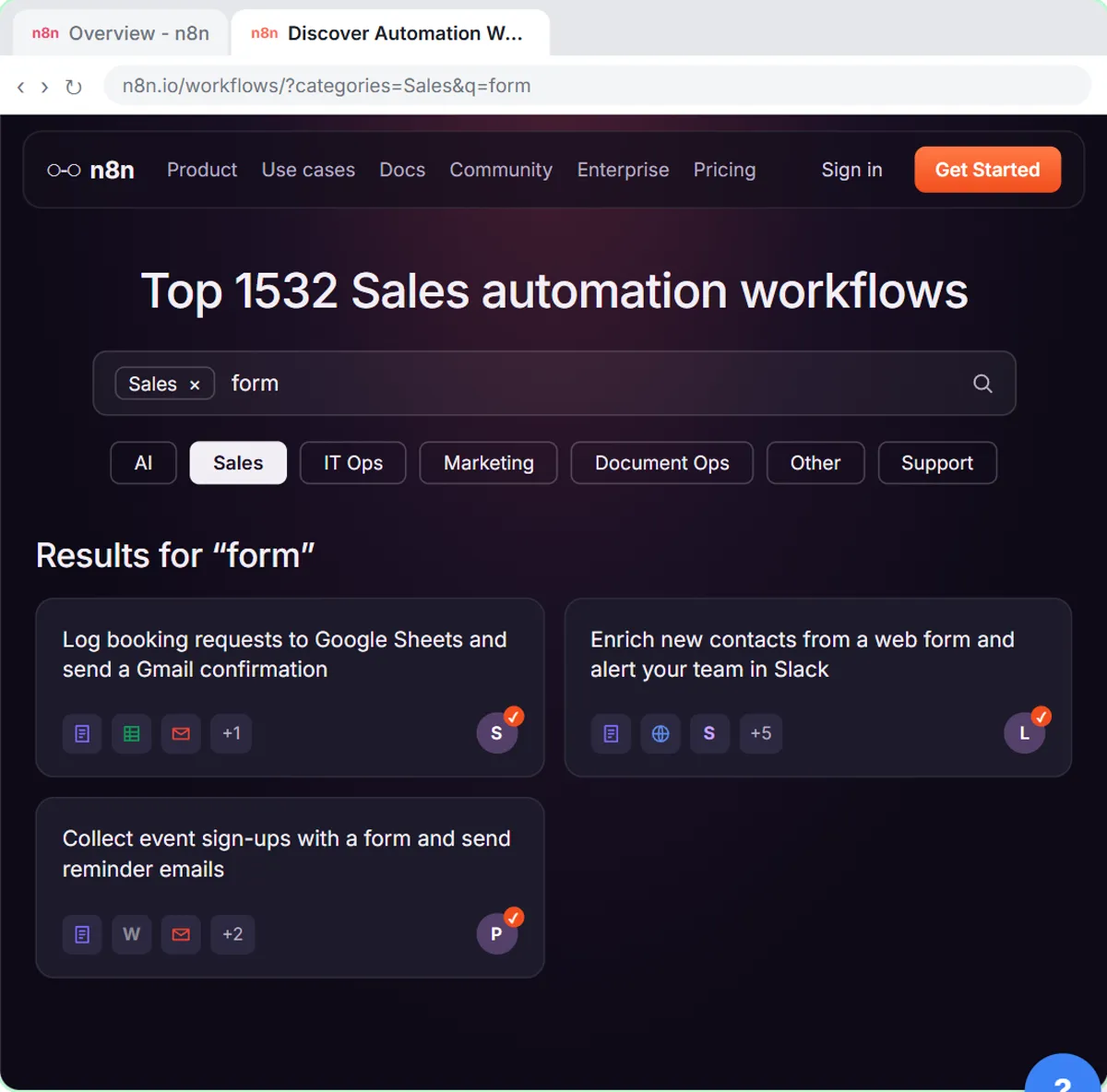
In the Find and Use n8n Templates lesson, you help Hillside Pet Grooming, a made-up grooming shop, get a booking workflow without building it. You open Templates, pick the Sales category, search for form, and choose Log booking requests to Google Sheets and send a Gmail confirmation. Use for free, then Import template to hillside-grooming.app.n8n.cloud, drops the whole workflow onto your canvas.
What arrives is a complete chain: a form trigger, an Append row in sheet step, a Send a message step, and a sticky note from the creator. It doesn't arrive working. The Set up template window has you connect Google Sheets and Gmail, then you open the Sheets step to choose Hillside Booking Requests and Sheet1, and rewrite the Gmail message in Hillside's own words.
The lesson also opens the workflow menu (the ··· next to the workflow name), which has Import from URL and Import from File. That is the clue to what a workflow really is: a file describing nodes, settings and connections that you can hand to someone else.
Try this lesson free or read the step-by-step guide.
Common confusions
Workflow vs execution
The workflow is the recipe; an execution is one time it was cooked. One published workflow can produce hundreds of executions, each with its own data and its own success or failure.
Saved vs published
Saving keeps your edits. Only a published workflow runs by itself when its trigger fires. Until then it runs only when you test it in the editor.
Workflow vs template
An n8n template is a workflow someone else built and shared. Once you import it, it's your workflow, and it needs your accounts and your data before it does anything useful.
Tips
- Name workflows after the job they do, like "Booking requests to Sheets", not after the tools inside.
- Use sticky notes on the canvas to explain why a step exists, for whoever opens it next.
- Expect to reconnect accounts after an import. Shared workflow files don't carry anyone's logins.
Related terms
Where you use it: free lessons
- Find and Use n8n Templates (n8n, 9 min)
- Daily Job Alerts: Email Each Tech Their Jobs from Google Sheets with n8n (n8n, 10 min)
- Lovable + n8n: Build a Web App with an AI Backend (Lovable and n8n, 15 min)
Prompt templates that use it
Frequently asked questions
- What is the difference between a workflow and an automation?
- An automation is the result, a task that runs itself. A workflow is the set of steps that produces it. In n8n you build automations as workflows.
- Can I copy an n8n workflow to another account?
- Yes. Copy or export it as JSON, then use Import from File or Import from URL in the workflow menu, or paste it onto an empty canvas. Connect your own accounts afterward.