Updated . Built against the tool’s current screens and checked step by step. How we check this lesson
ChatGPT's first answer is often close but not right: too long, the wrong tone, a vague claim, or a fact that sounds sure of itself and isn't true. In this free seven-minute lesson you fix a real-looking bad answer step by step: point at the exact problem, add constraints, ask ChatGPT to list its assumptions and the facts to check, check the one that matters with web search and cited sources, and start a new chat when it's time. You finish with a fix-it checklist you can use on any answer.
At a glance
| Question | Answer |
|---|---|
| What you build | Leave gaps in a prompt and ChatGPT fills them: a stiff paragraph, a made-up policy and a made-up fact. Point at the exact problem, add constraints, ask what it assumed, check the facts with cited sources, and know when to start fresh. |
| Tools | ChatGPT |
| Time | About 7 minutes, 24 steps in 7 parts |
| Level | Beginner, no coding needed |
| Cost | Free |
| Ways to learn it | Practice it step by step |
The 7 parts, in short
- The first draft: Click the message box, Paste a quick prompt, Send it.
- Point at the exact problem: Point at the exact problem, Send it.
- Add constraints: Add constraints, Send it.
- Ask what it assumed: Ask what it assumed, Send it.
- Check the facts: Ask for sources, Send it, Open a source, Check it says the same thing, and 3 more steps.
- Know when to start fresh: Start a new chat, Paste one clean prompt, Send it, Copy the text.
- Save your fix-it checklist: Open the Google Docs tab, Click below your templates, Add a heading, Paste the checklist.
Start here first: Prompt Writing 101: Role, Context, Task, Format (module 1 of Prompt Writing)
In the course: Part 2 · Better Prompts (Module 9 of the full course)
What you will build
You work as Dana, the owner of Juniper Lane Bakery, a small made-up bakery. She asks ChatGPT for an email to customers who ordered a custom cake: the pickup policy, what happens if they're late, and how long the cake stays fresh. But her prompt only gives the pickup hours and says "no placeholders", so ChatGPT fills the gaps. The late pickup paragraph reads like a legal notice, it makes up a "next business day" policy Dana never gave it, it ends on filler, and it says to enjoy the cake within 2–3 days, a fact Dana never gave it.
You fix it one message at a time until the email is short, friendly and true, then use what you learned to write a pickup reminder text in a fresh chat that comes out right the first time. Last, you save a six-step fix-it checklist, with blanks for your own details, to your Prompt Templates Google Doc.
Who this is for
This module is for small business owners and staff who use ChatGPT for customer emails, texts, policies and answers,. You don't need to know anything about AI.
It is part of the Prompt Writing Toolkit: short, practical lessons that use nothing but a chat window.
Why these fixes work
"Make it better" leaves ChatGPT to guess what's wrong. "The paragraph about picking up late is too formal" tells it exactly where to look and what to change. OpenAI's own prompting guide says the same thing: your first prompt doesn't need to be perfect; review the result, then ask for the specific change you want.
Constraints turn your taste into rules it can follow: a word limit, a reading level, what it must include and what to avoid. The guide also recommends including the audience or format when those details change what ChatGPT should produce.
Made-up facts are the dangerous part, because they sound exactly as confident as real ones. Asking ChatGPT to list its assumptions and the facts you should check brings them into the open. For anything that depends on facts from the outside world, ask it to use web search and cite sources, as OpenAI recommends, and then open at least one source yourself. A citation you never open proves nothing.
Stay in the same chat for small fixes. Start fresh with one clean prompt when the task changes.
How to use this in your business
Before anything goes to a customer, run down the checklist: any fee, price, date or promise you didn't give it? A claim that sounds nice but says nothing? A fact about safety, law, health or money you haven't checked yourself?
For facts about your own business, like prices, hours and policies, you are the source: give them to ChatGPT and tell it to use only those. For facts about the world, use sources you trust, like official government or industry sites, and open them.
How the interactive lesson works
Every step is shown first in the Watch panel with a short voice-over, then you do it yourself in Your turn, on a practice copy of ChatGPT and Google Docs. The yellow highlights are lesson hints, not part of ChatGPT. Nothing touches a real account.
Try it yourself, free
Reading the steps is a start. Doing them is how it sticks. The interactive module walks you through every click in a practice copy of ChatGPT, checks each step, and never touches your real accounts.
Start “How to Fix Bad ChatGPT Answers: Push Back, Add Constraints and Check Facts”Step by step: How to Fix Bad ChatGPT Answers: Push Back, Add Constraints and Check Facts
All 24 steps of the interactive module, in order. In the module you watch each one, then do it yourself in a practice copy that checks your work.
1. The first draft
- Click the message box. Click the message box at the bottom, where it says Ask ChatGPT.
Juniper Lane Bakery is a small, made-up bakery. The owner, Dana, wants an email for customers who ordered a custom cake: when to pick it up, what happens if they're late, and how long the cake stays fresh. Let's see what a quick prompt gets her, and how to fix what comes back.
- Paste a quick prompt. Paste in the prompt. It's a quick, everyday prompt. It asks for the late pickup policy and how long the cake stays fresh, but only gives the pickup days and hours, and ends with no placeholders. So ChatGPT has to fill the gaps itself.
This is the kind of quick prompt most of us write. It asks for the late pickup policy, and how long the cake stays fresh. But the only facts it gives are the pickup days and hours. And it says, no placeholders. So ChatGPT has to fill the gaps by itself.
Write a professional email to customers who ordered a custom cake from Juniper Lane Bakery. Cover our pickup policy, what happens if they pick up late, and how long the cake stays fresh. Pickup is Tuesday to Saturday, 10 a.m. to 6 p.m. Make it ready to send, no placeholders.
- Send it. Click the Send arrow.
Now send it.
2. Point at the exact problem
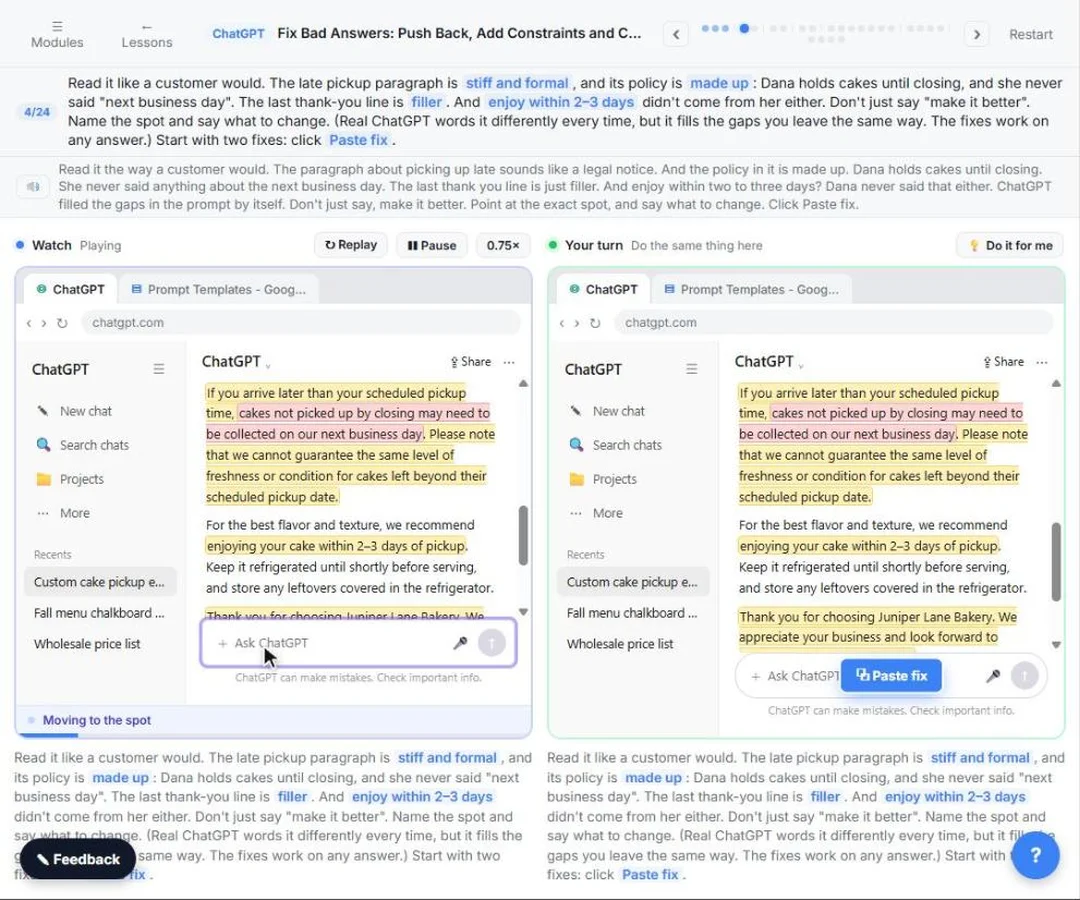
- Point at the exact problem. Read it like a customer would. The late pickup paragraph is stiff and formal, and its policy is made up: Dana holds cakes until closing, and she never said "next business day". The last thank-you line is filler. And enjoy within 2–3 days didn't come from her either. Don't just say "make it better". Name the spot and say what to change. (Real ChatGPT words it differently every time, but it fills the gaps you leave the same way. The fixes work on any answer.) Start with two fixes: Paste in the fix.
Read it the way a customer would. The paragraph about picking up late sounds like a legal notice. And the policy in it is made up. Dana holds cakes until closing. She never said anything about the next business day. The last thank you line is just filler. And enjoy within two to three days? Dana never said that either. ChatGPT filled the gaps in the prompt by itself. Don't just say, make it better. Point at the exact spot, and say what to change.
Two changes. The paragraph about picking up late is too formal. Rewrite it the way I'd talk to a regular customer. And fix the policy: we hold cakes until we close on the pickup day. If they can't make it, they can call us to set a new day.
- Send it. Click the Send arrow.
Send the fix.
3. Add constraints
- Add constraints. The late pickup part sounds like Dana now, and the policy is hers. But it's still long, the filler is still there, and so is the 2–3 days line. Give it rules: a word limit, an easy reading level, what it must include and what to avoid. Paste in the constraints.
Better. The late pickup part sounds like Dana now, and the policy is hers. But it's still long, and the filler is still there. So give it rules it can't miss. A word limit. Easy to read. What it must include, and what to avoid.
Now tighten it up:
- Under 100 words
- Easy to read: short sentences, everyday words
- Must include: pickup days and hours, that we hold cakes until closing, and to call us for a new day
- Avoid: filler like "We appreciate your business"
- Send it. Click the Send arrow.
Go ahead and send it.
4. Ask what it assumed
- Ask what it assumed. Short, plain and friendly. But one line is still a problem: enjoy your cake within 2–3 days. Dana never said that. Ask it to show what it assumed and what you should check. Paste in the question.
Much shorter, and easy to read. But look at the last line. Enjoy your cake within two to three days. Dana never said that. It kept a fact it made up in the first draft. So before you send anything, ask it what it assumed, and what you should check.
- Send it. Click the Send arrow.
Now send it.
5. Check the facts
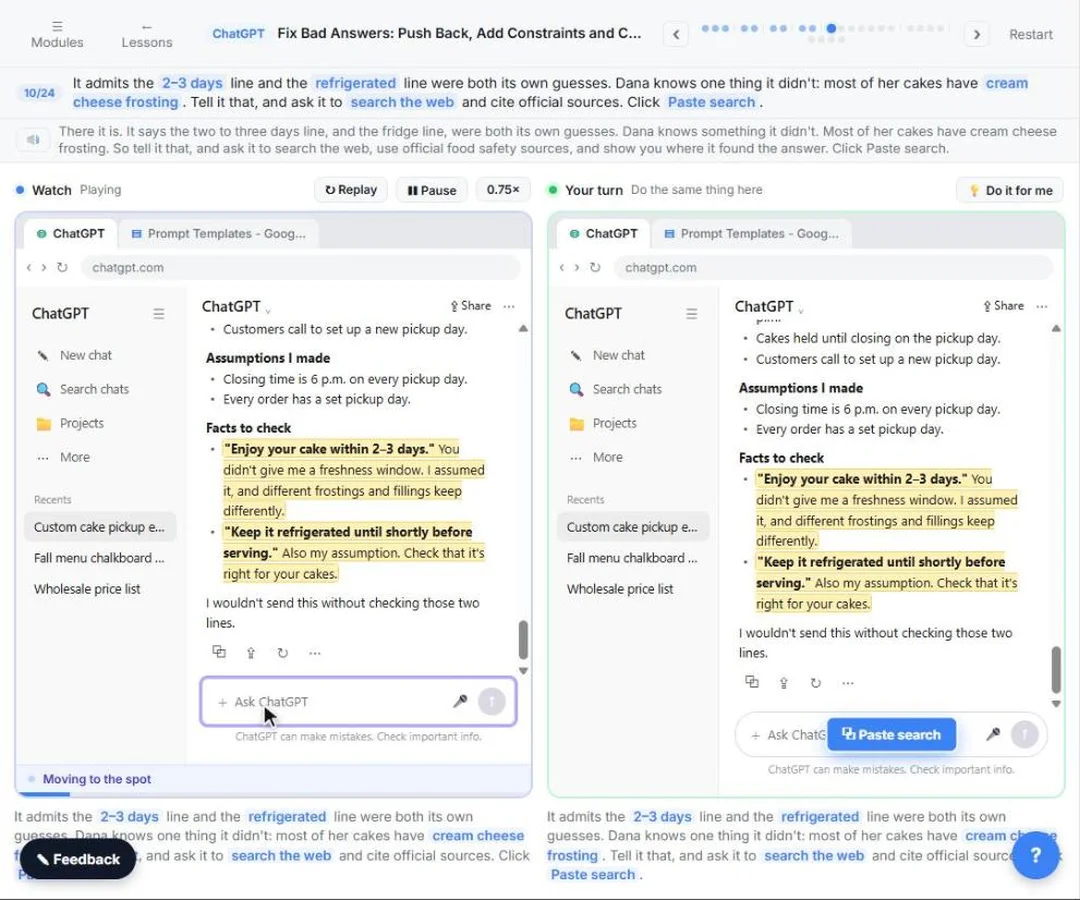
- Ask for sources. It admits the 2–3 days line and the refrigerated line were both its own guesses. Dana knows one thing it didn't: most of her cakes have cream cheese frosting. Tell it that, and ask it to search the web and cite official sources. Paste in the search.
There it is. It says the two to three days line, and the fridge line, were both its own guesses. Dana knows something it didn't. Most of her cakes have cream cheese frosting. So tell it that, and ask it to search the web, use official food safety sources, and show you where it found the answer.
Most of our cakes have cream cheese frosting. Search the web: how long can a cake with cream cheese frosting sit out at room temperature? Use official food safety sources, and cite them.
- Send it. Click the Send arrow.
Send the search.
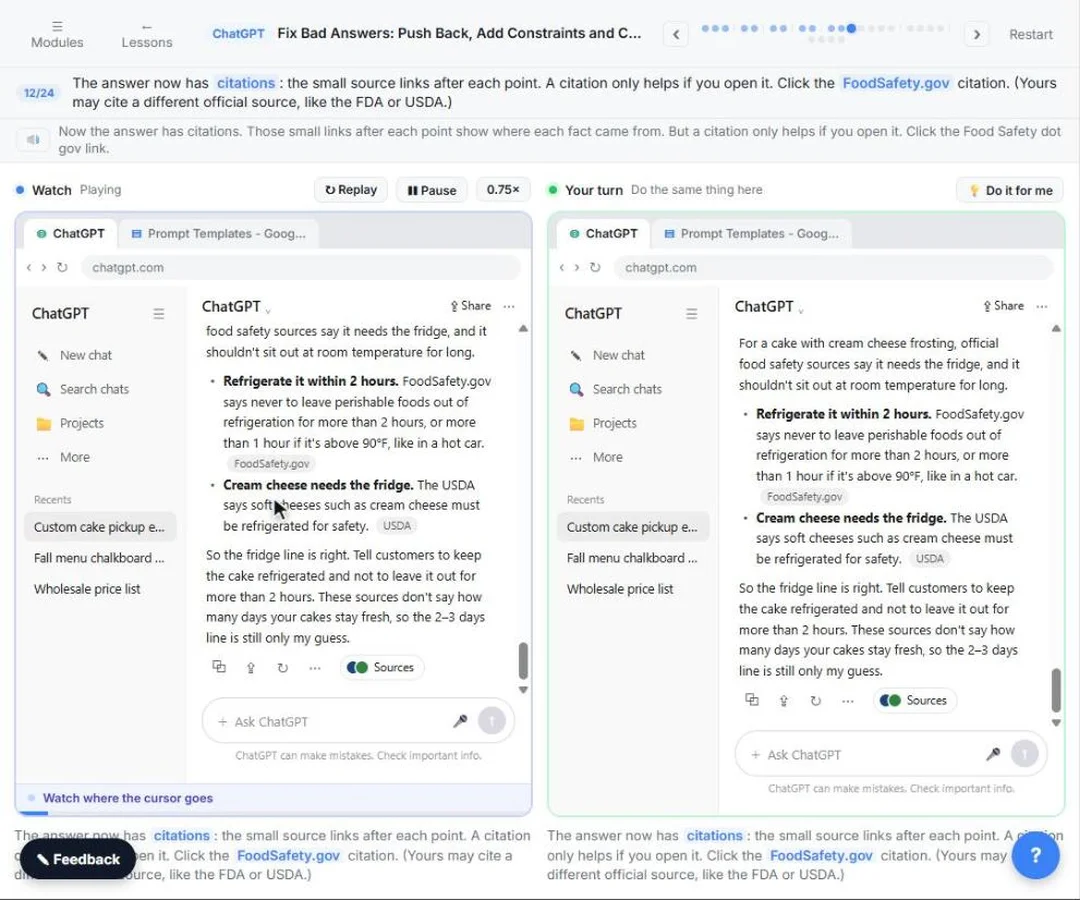
- Open a source. The answer now has citations: the small source links after each point. A citation only helps if you open it. Click the FoodSafety.gov citation. (Yours may cite a different official source, like the FDA or USDA.)
Now the answer has citations. Those small links after each point show where each fact came from. But a citation only helps if you open it.
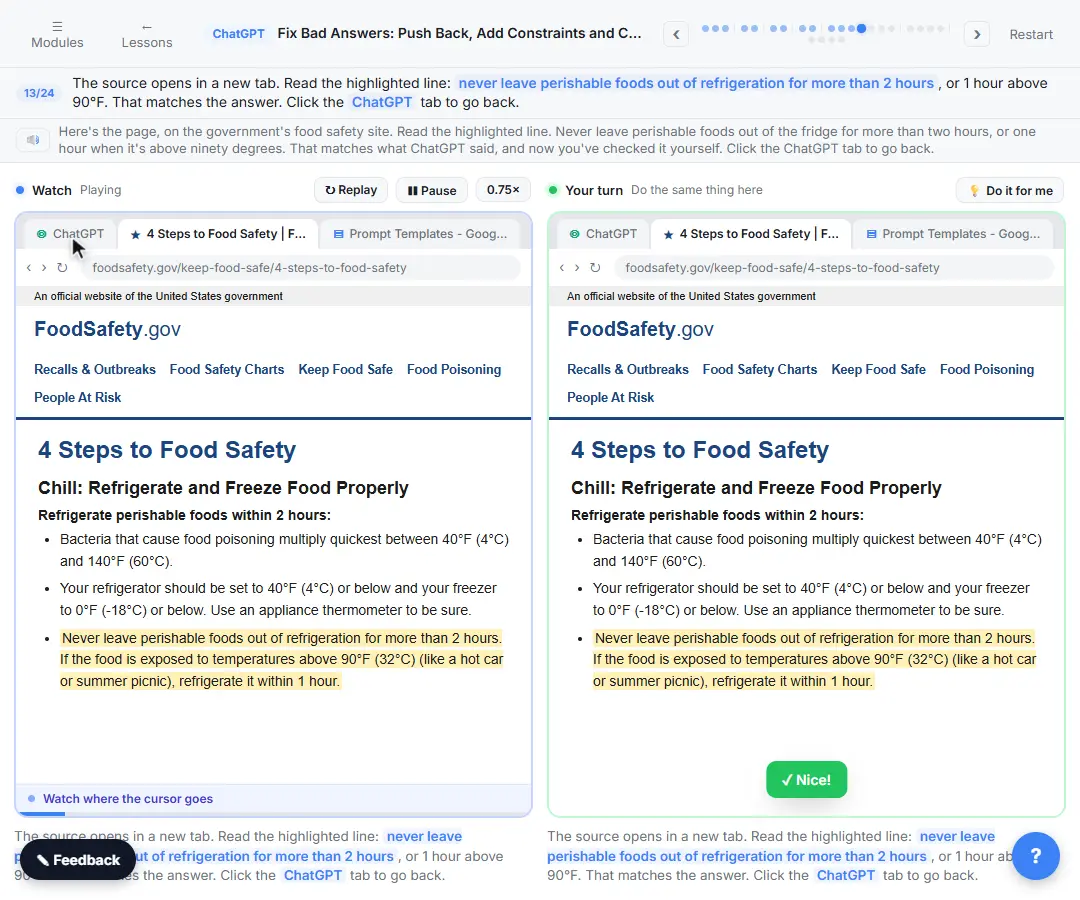
- Check it says the same thing. The source opens in a new tab. Read the highlighted line: never leave perishable foods out of refrigeration for more than 2 hours, or 1 hour above 90°F. That matches the answer. Click the ChatGPT tab to go back.
Here's the page, on the government's food safety site. Read the highlighted line. Never leave perishable foods out of the fridge for more than two hours, or one hour when it's above ninety degrees. That matches what ChatGPT said, and now you've checked it yourself.
- Fix it with the checked fact. Now put the checked fact in the email. Paste in the fix.
Now put the checked fact in the email. Take out the two to three days line, and tell customers to keep the cake in the fridge.
Update the email: take out the 2 to 3 days line. I can't promise that. Say our cream cheese frosting needs the fridge: keep the cake refrigerated, and don't leave it out for more than 2 hours (1 hour if it's above 90°F).
- Send it. Click the Send arrow.
Send the fix.
- Copy the email. Short, friendly, and every fact in it is one Dana gave it or one you checked. Click the Copy icon under the email.
That's one you can send. Short, friendly, and every fact in it is one Dana gave it, or one you checked yourself.
6. Know when to start fresh
- Start a new chat. For small fixes, stay in the same chat, like you just did. Start a new chat when you switch to a new task, or when it keeps bringing back something you already fixed. Dana's next job is a pickup reminder text. Click New chat in the sidebar.
For small fixes, stay in the same chat, like you just did. It remembers what you've already told it. But start a new chat when you switch to a different task, or when it keeps bringing back something you already fixed. Dana's next job is a pickup reminder text, so click New chat.
- Paste one clean prompt. Paste in the prompt. One clean prompt with everything you learned: the facts, including the one you checked, a word limit, the tone, and the last line: use only these facts, and ask instead of guessing.
Now write one clean prompt with everything you learned. The facts, including the one you checked. A word limit, and the tone. And the last line: use only these facts, and if you need something else, ask me instead of guessing.
Write a text reminding a customer that their custom cake from Juniper Lane Bakery is ready for pickup tomorrow.
Facts: pickup is 10 a.m. to 6 p.m., and we hold cakes until we close. Our cream cheese frosting needs the fridge: keep the cake refrigerated, and don't leave it out for more than 2 hours.
Under 40 words, friendly, everyday words.
Use only these facts. If you need something I didn't give you, ask me instead of guessing.
- Send it. Click the Send arrow.
Now send it.
- Copy the text. Right the first time: under 40 words, and every fact is one Dana gave it. Click the Copy icon.
Right the first time. Under forty words, and nothing made up.
7. Save your fix-it checklist
- Open the Google Docs tab. Save the fixes you just used as a checklist for any answer. Click the Google Docs tab at the top.
Last thing. Save what you just did as a checklist you can use on any answer.
- Click below your templates. This is your Prompt Templates doc. Click in the document, below what's already there.
This is your Prompt Templates doc.
- Add a heading. Paste in the heading to add: Fix-it checklist: when an answer is wrong
Give it a heading.
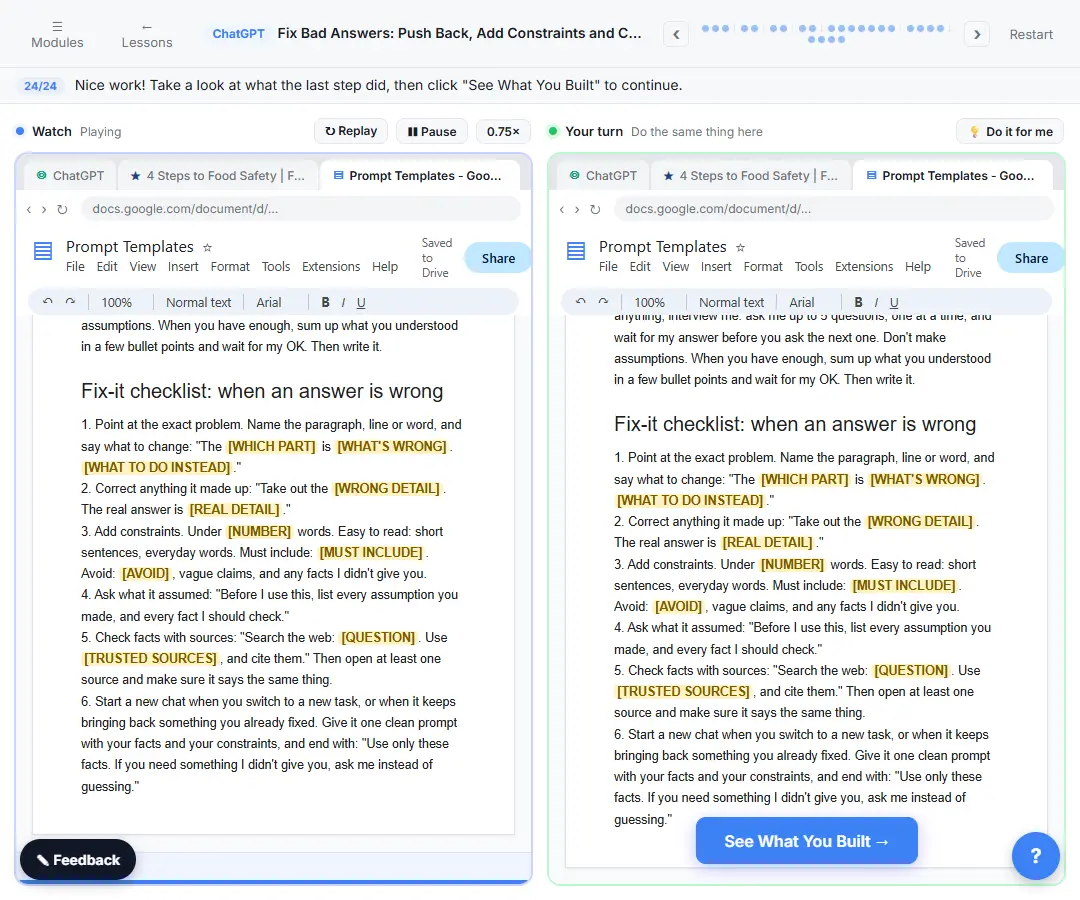
- Paste the checklist. Paste in the checklist. Six fixes, in the order you used them, with blanks for your own details.
Here is your fix-it checklist. Point at the exact problem. Correct what it made up. Add constraints. Ask what it assumed. Check facts with sources, and open one. And start fresh when you switch tasks.
1. Point at the exact problem. Name the paragraph, line or word, and say what to change: "The [WHICH PART] is [WHAT'S WRONG]. [WHAT TO DO INSTEAD]."
2. Correct anything it made up: "Take out the [WRONG DETAIL]. The real answer is [REAL DETAIL]."
3. Add constraints. Under [NUMBER] words. Easy to read: short sentences, everyday words. Must include: [MUST INCLUDE]. Avoid: [AVOID], vague claims, and any facts I didn't give you.
4. Ask what it assumed: "Before I use this, list every assumption you made, and every fact I should check."
5. Check facts with sources: "Search the web: [QUESTION]. Use [TRUSTED SOURCES], and cite them." Then open at least one source and make sure it says the same thing.
6. Start a new chat when you switch to a new task, or when it keeps bringing back something you already fixed. Give it one clean prompt with your facts and your constraints, and end with: "Use only these facts. If you need something I didn't give you, ask me instead of guessing."
Screenshots
Frequently asked questions
- Should I start a new chat or keep fixing in the same one?
- Keep fixing in the same chat for small changes, because it remembers what you've told it there. Start a new chat when you move to a different task, or when it keeps bringing back something you already fixed, and give it one clean prompt with your facts and rules.
- How do I get ChatGPT to show sources?
- Ask it to search the web and cite its sources. Answers that use web search can include citations; select one to open the source page, and check that it says what ChatGPT says it does.
- How long can a cake with cream cheese frosting sit out?
- The lesson checks this against FoodSafety.gov, which says never to leave perishable foods out of refrigeration for more than 2 hours, or 1 hour above 90°F, and the USDA, which says cream cheese must be refrigerated for safety. For your own products, follow official guidance and your local food safety rules.
- Is this lesson really free?
- Yes. Stepthrough is completely free, and the practice copy needs no accounts. To do it for real you need your own ChatGPT account; web search is available on the free plan.
More in Prompt Writing
 Prompt Writing 101: Role, Context, Task, Format
Ask ChatGPT for the same customer email twice, once vaguely and once with a four-part prompt, and see exactly why structure gets a better answer.
Free · Live ~8 min
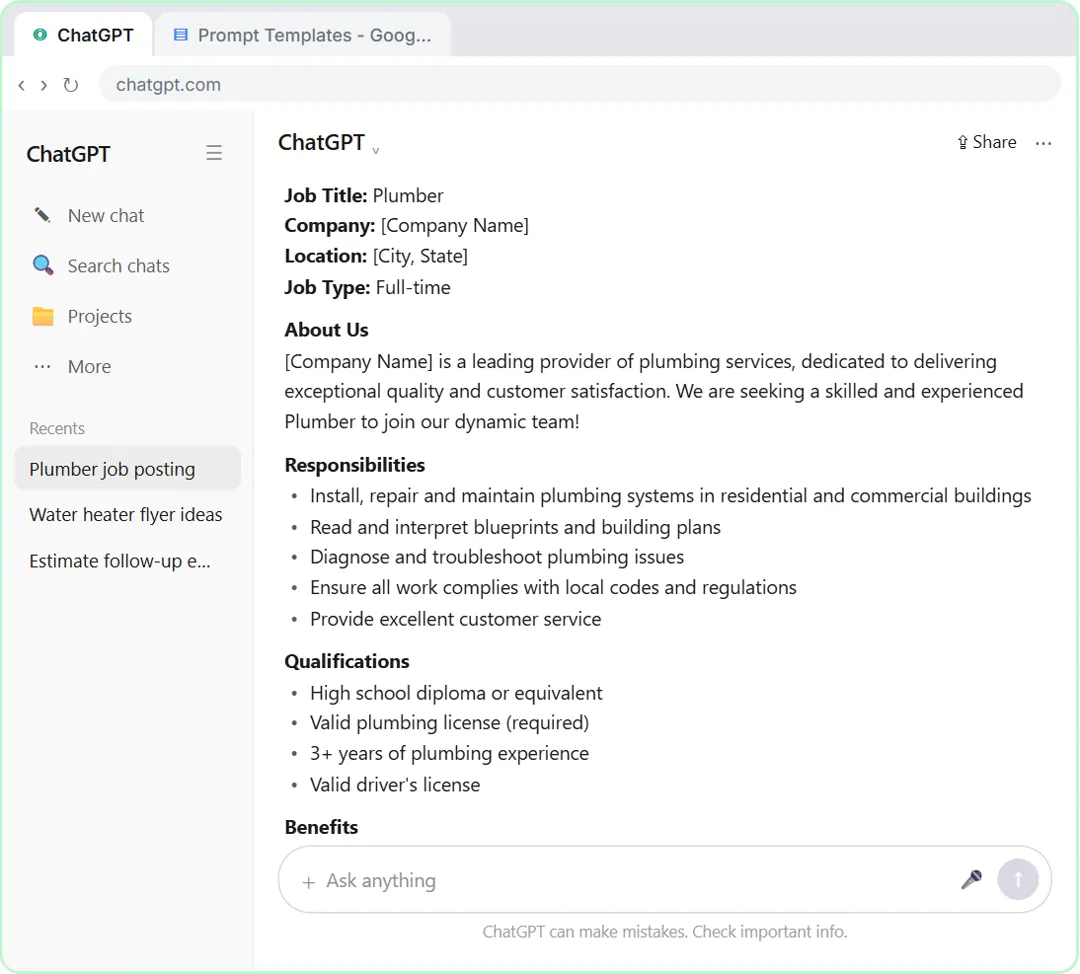 Make ChatGPT Ask You Questions First: The Interview Prompt
Ask for a job posting the quick way, then with the interview prompt: ChatGPT asks what it needs, one question at a time, and writes a posting you can actually use.
Free · Live ~6 min
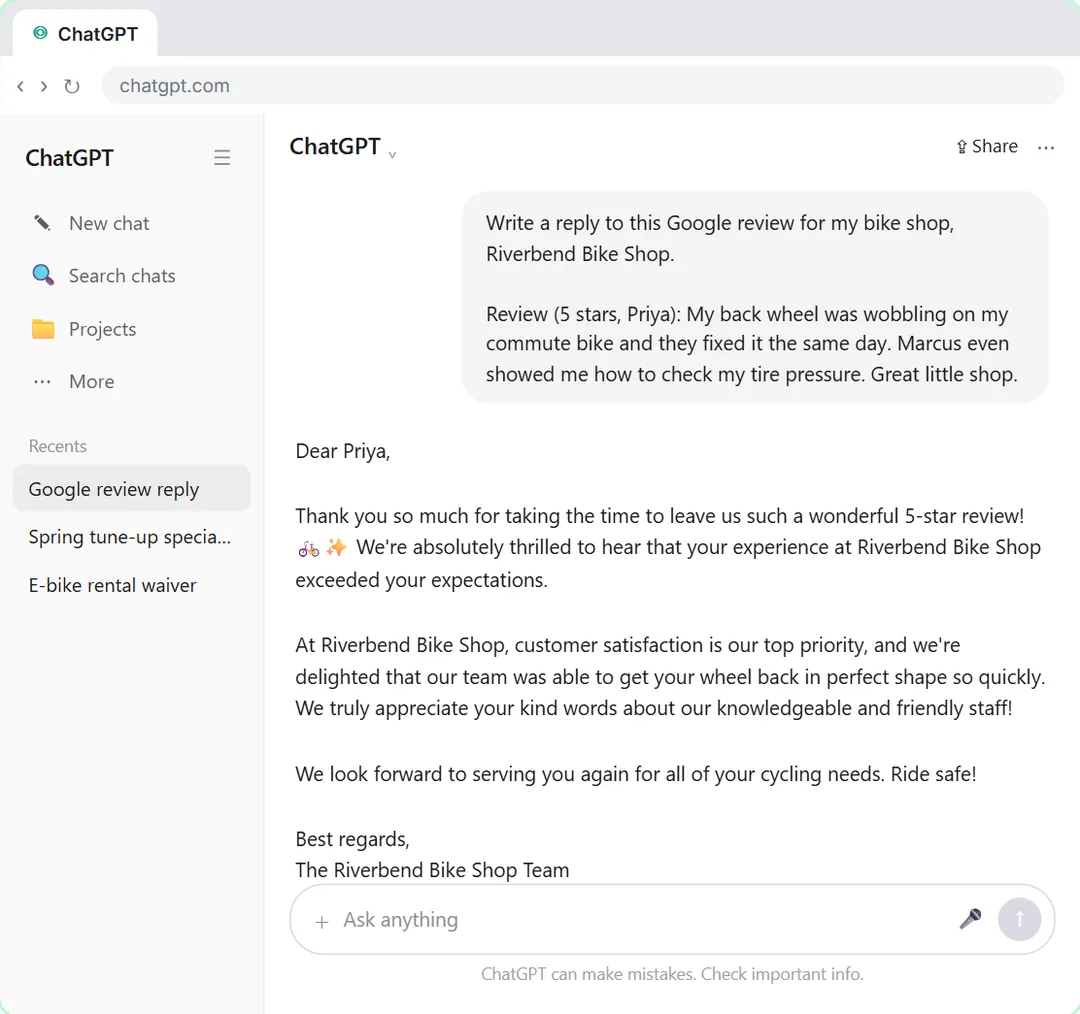 Give Examples: Few-Shot Prompts That Copy Your Style
Paste three of your real past replies into ChatGPT and get new Google review replies that sound like you, not like a template.
Free · Live ~6 min
All 6 modules in Prompt Writing
More ChatGPT tutorials
 Get Your Business Recommended by ChatGPT
Ask ChatGPT who it recommends in your town, see which pages it trusts, then use it to write an FAQ page and Business Profile copy that answer real customer questions.
Free · Live ~10 min
 Summarize a Meeting Transcript with ChatGPT
Paste a long meeting transcript into ChatGPT and get the decisions, an action items table with owners and due dates, and a follow-up email ready to send.
Free · Live ~9 min
 Reply Faster: Turn a Messy Customer Email Thread into a Clear, Friendly Reply
Turn a messy customer email thread into a clear, friendly reply: give ChatGPT the thread and your facts, check every promise, fix the tone, and send it from Gmail.
Free · Live ~9 min
 ChatGPT Projects: Keep Your Brand Voice, Files and Instructions in One Place
Set up a ChatGPT Project with your brand voice instructions, your price list and your style guide, so every new chat already knows your business.
Free · Live ~9 min
 Analyze a Spreadsheet with ChatGPT: Upload a CSV, Get a Chart and Three Takeaways
Upload a CSV of sales to ChatGPT, have it check the data first, ask your questions, get a chart you can download, and finish with the three takeaways that matter.
Free · Live ~10 min
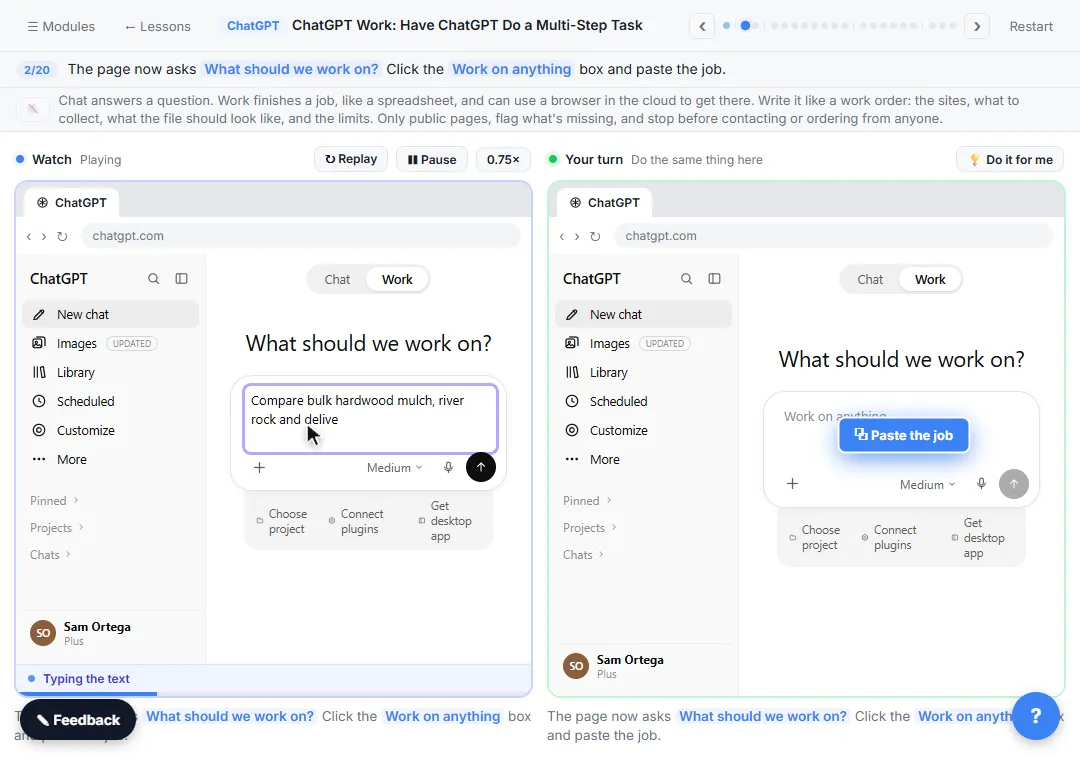 ChatGPT Work: Have ChatGPT Do a Multi-Step Task
Switch ChatGPT to Work, hand it a real job (compare three suppliers into a spreadsheet), approve the sites it opens, skip a login, answer its question, check the file…
Free · Live ~8 min
Terms in this lesson
Plain-English definitions, each with an example from a free lesson.