Updated . Built against the tool’s current screens and checked step by step. How we check this lesson
Ask ChatGPT for a complete marketing plan in one prompt and you often get a little of everything: vague customer groups, offers any business could run, one line per week and a post full of emoji. In this free prompt chaining lesson, a small café owner starts over and builds the plan in four small steps, checking and fixing each answer before building on it.
At a glance
| Question | Answer |
|---|---|
| What you build | Ask ChatGPT for a whole marketing plan in one prompt, then build a better one in four small steps: customers, offers, a calendar table and the posts. |
| Tools | ChatGPT |
| Time | About 7 minutes, 23 steps in 7 parts |
| Level | Beginner, no coding needed |
| Cost | Free |
| Ways to learn it | Practice it step by step |
The 7 parts, in short
- One giant prompt: Click the message box, Paste the giant prompt, Send it.
- Step 1: customers: Start a new chat, Paste step 1, Send it.
- Step 2: offers: Click the message box, Paste step 2, Send it.
- Step 3: calendar: Click the message box, Paste step 3, Send it.
- Fix one thing: Check the table, Paste the fix, Send it.
- Step 4: posts: Click the message box, Paste step 4, Send it, Copy the posts.
- Save the chain: Click the message box, Ask for a checklist, Send it, Copy the checklist.
Start here first: Prompt Writing 101: Role, Context, Task, Format (module 1 of Prompt Writing)
In the course: Part 2 · Better Prompts (Module 8 of the full course)
What you will learn
You will learn prompt chaining: splitting a big job into a series of smaller prompts, where the answer to one becomes the input to the next. You practice it on a job most small businesses put off, a 30-day marketing plan, for Juniper Lane Café, a made-up café between a college and an office park with slow afternoons, a $300 budget and an Instagram and Facebook page.
By the end you have compared a one-prompt plan with a chained one, pointed ChatGPT back at its own earlier answers, pasted a chosen idea into the next prompt, fixed two mistakes without starting over, and saved the chain as a reusable checklist.
Who this is for
This module is for owners, office managers and marketers who ask ChatGPT for big things, like a plan, a newsletter or a hiring process, and get answers that look complete but are too thin to use. No accounts are needed to practice. It is part of the Prompt Writing Toolkit and builds on Prompt Writing 101.
Why a chain beats one giant prompt
The giant prompt in the lesson has the same details as the chain. The difference is what you ask for at a time. When one prompt asks for customers, offers, a calendar and posts together, ChatGPT has to decide everything in one pass, and you only see the finished result.
A chain gives you those points. After each step you read the answer, make the decision that is yours to make (which customer to focus on, which offer fits your budget) and correct anything that is wrong before the next step uses it. Anthropic's prompting guide describes chaining as useful exactly when you need to inspect the intermediate outputs. OpenAI's ChatGPT prompting guide makes the same point about follow-ups: your first prompt does not need to be perfect, so review the result and ask for the specific change you want.
Two ways to pass an answer to the next step
- Refer to it in the same chat. ChatGPT can see the earlier messages in a conversation, so "number 2, the remote workers" or "from the table" is enough.
- Paste it in. Copy the exact part you want to build on, like the offer you picked, into the next prompt. It removes any doubt about which idea you mean, and it works in a new chat too.
- Either way, give each step one job, say what format you want back (a list, a table, captions under a word limit) and tell ChatGPT not to jump ahead.
How to fix one step without starting over
When an answer breaks one of your rules, do not rewrite the whole prompt. Say exactly what is wrong and what to change, like "we're closed Mondays, so move the Monday post to Tuesday", and add "keep everything else the same." ChatGPT then changes only those parts, and the work you already checked stays put. Before you post anything, check prices, days and menu items against what is real. ChatGPT can fill in details, like which pastry is in the photo, that you never gave it.
How to use this in your business
The checklist from the lesson works for next month's plan: change the blanks for your business, customers and budget. The same pattern works for any big job. For a newsletter, ask for topics, then an outline, then each section. For a hiring plan, ask for the role, then the posting, then the interview questions. One job per step, check each answer, and build on what you have checked.
Try it yourself, free
Reading the steps is a start. Doing them is how it sticks. The interactive module walks you through every click in a practice copy of ChatGPT, checks each step, and never touches your real accounts.
Start “Break Big Jobs into Steps: Prompt Chaining for a Marketing Plan”Step by step: Break Big Jobs into Steps: Prompt Chaining for a Marketing Plan
All 23 steps of the interactive module, in order. In the module you watch each one, then do it yourself in a practice copy that checks your work.
1. One giant prompt
- Click the message box. Click the message box at the bottom of ChatGPT.
Rosa owns Juniper Lane Café, and she wants a 30-day marketing plan. First, let's do what most people do: ask for the whole thing in one prompt.
- Paste the giant prompt. Paste in the prompt. It gives ChatGPT the café's details, then asks for everything at once: customers, offers, a calendar and all the posts.
This prompt has good details: hours, what the café sells, the slow afternoons, the budget. Then it asks for everything at once.
I own Juniper Lane Café, a small café between a college and an office park. We're open 7 am to 3 pm, closed Mondays, and sell coffee, breakfast sandwiches and pastries. Afternoons (1 to 3 pm) are slow. We post on Instagram and Facebook, and the budget is $300 for the month.

Write a complete 30-day marketing plan: target customers, offers, a content calendar, and all the social media posts.
- Send it. Click the send arrow.
2. Step 1: customers
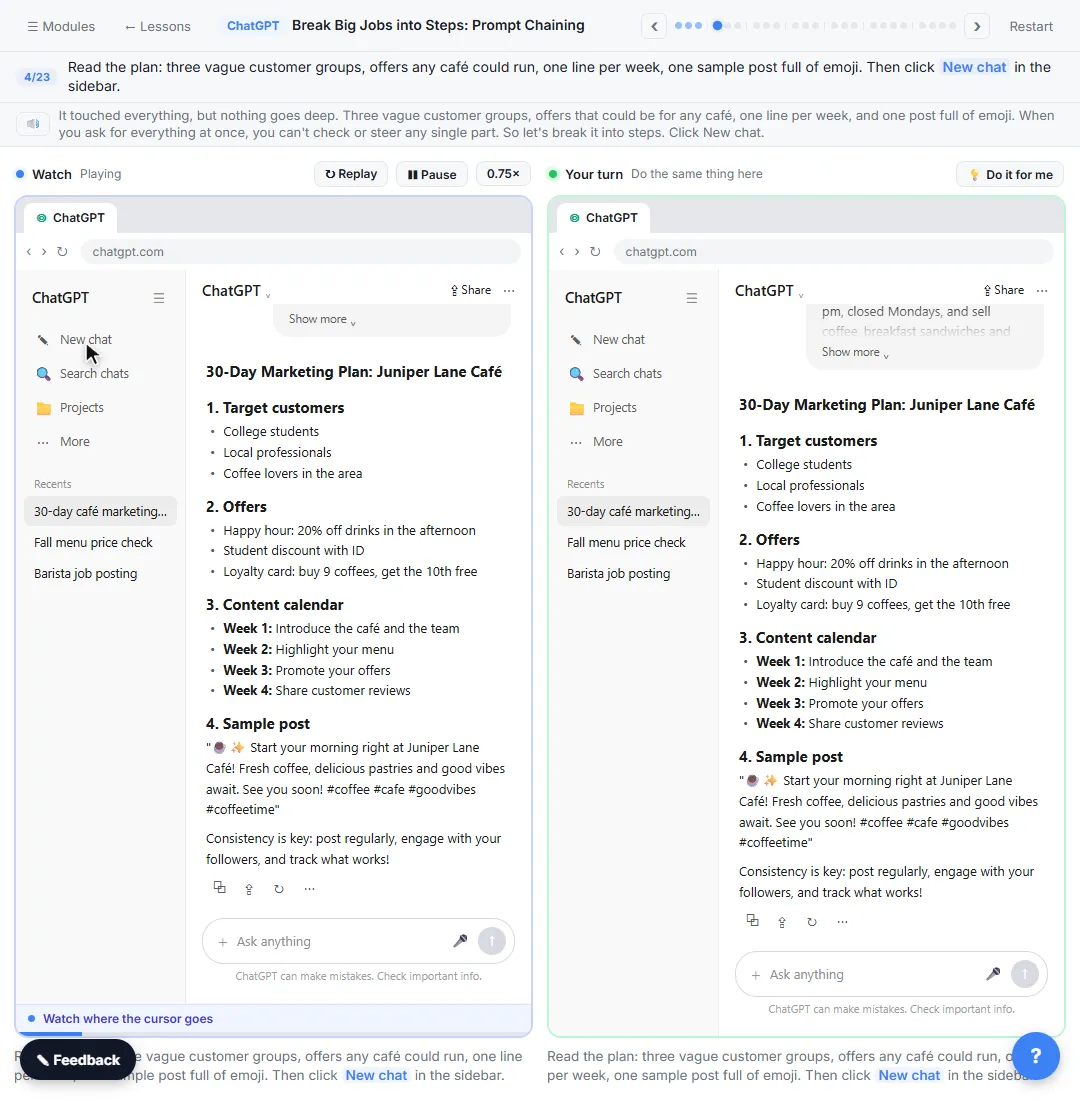
- Start a new chat. Read the plan: three vague customer groups, offers any café could run, one line per week, one sample post full of emoji. Then click New chat in the sidebar.
It touched everything, but nothing goes deep. Three vague customer groups, offers that could be for any café, one line per week, and one post full of emoji. When you ask for everything at once, you can't check or steer any single part. So let's break it into steps.
- Paste step 1. Paste in the step 1. Same café details, then only step 1: three customer types, and Don't write the plan yet.
A prompt chain is a series of small prompts, where each answer feeds the next one. Step one gives the same café details, but asks for one thing only: three customer types. The last line, don't write the plan yet, keeps ChatGPT from jumping ahead.
I own Juniper Lane Café, a small café between a college and an office park. We're open 7 am to 3 pm, closed Mondays, and sell coffee, breakfast sandwiches and pastries. Afternoons (1 to 3 pm) are slow. We post on Instagram and Facebook, and the budget is $300 for the month.

We'll build a 30-day marketing plan in steps. Step 1 only: give me 3 customer types we could win more of. For each one: who they are, when they'd come in, and what they care about most. Keep it short. Don't write the plan yet.
- Send it. Click the send arrow.
3. Step 2: offers
- Click the message box. Read the three customer types. Number 2, remote workers, fits the slow afternoons. Click the message box to keep going in the same chat.
Now each type says when they'd come in and what they care about. Remote workers stand out, because their hours match the slow afternoons. You don't need to repeat anything. In the same chat, ChatGPT can see its earlier answers.
- Paste step 2. Paste in the step 2. It refers to "number 2" from the last answer and asks for 5 offer ideas, each with why it fits and the rough cost.
Step two points back at the last answer: number two, the remote workers. It asks for five offer ideas for weekday afternoons, each with why it fits and what it costs.
Step 2: let's focus on number 2, the remote workers. Give me 5 offer or message ideas that would bring them in on weekday afternoons, 1 to 3 pm. For each: the idea in one line, why it fits them, and the rough cost to us. Stay within the $300 budget.
- Send it. Click the send arrow.
4. Step 3: calendar
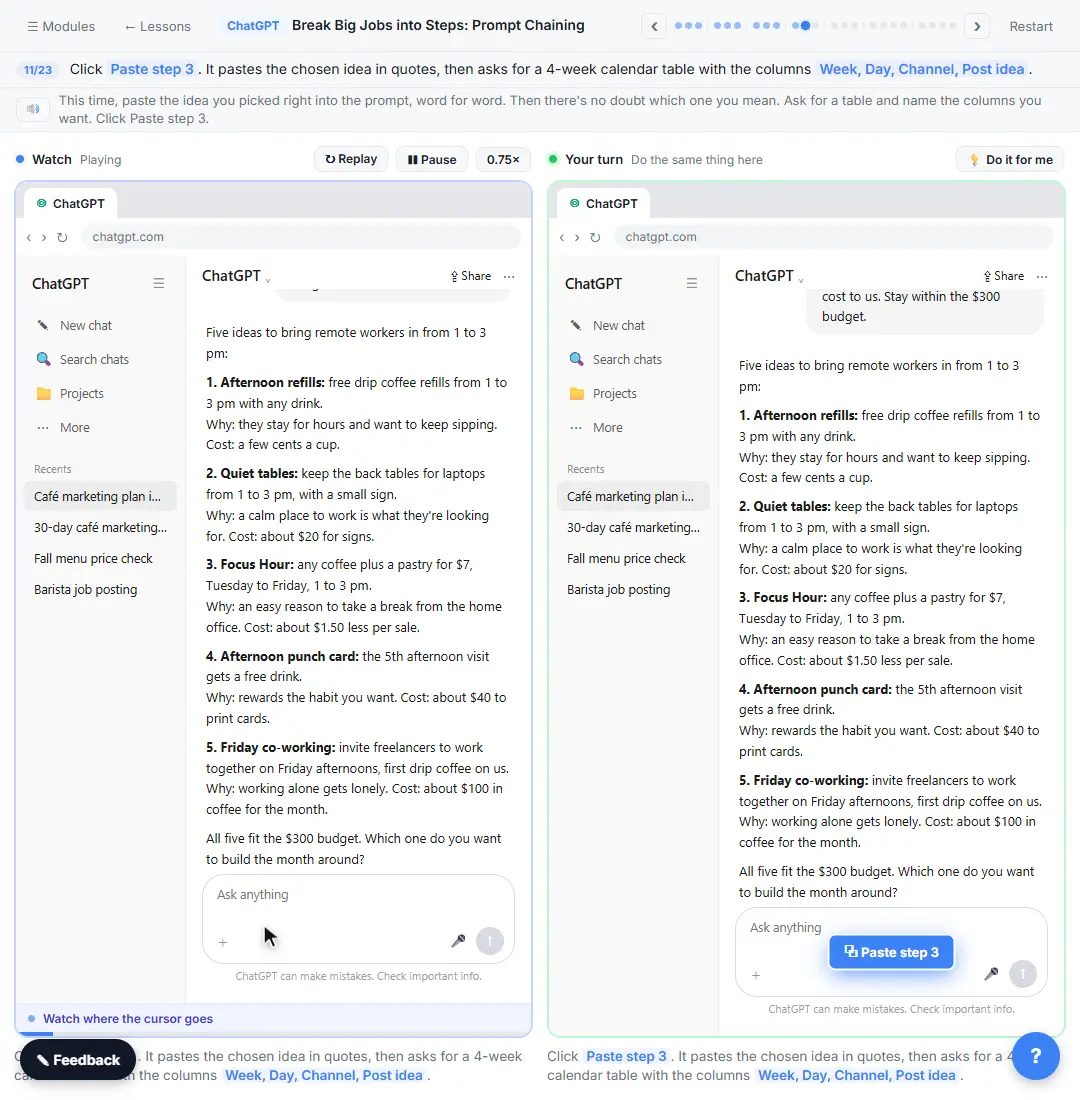
- Click the message box. Read the five ideas and their costs. Rosa picks idea 3, Focus Hour, to build the month around. Click the message box.
Five concrete ideas, each with a cost, and all inside the budget. This is where you decide, not ChatGPT. Rosa likes number three, Focus Hour: a coffee and a pastry for seven dollars in the afternoon.
- Paste step 3. Paste in the step 3. It pastes the chosen idea in quotes, then asks for a 4-week calendar table with the columns Week, Day, Channel, Post idea.
This time, paste the idea you picked right into the prompt, word for word. Then there's no doubt which one you mean. Ask for a table and name the columns you want.
Step 3: go with this one:
"Focus Hour: any coffee plus a pastry for $7, Tuesday to Friday, 1 to 3 pm."

Turn it into a 4-week calendar as a table with these columns: Week, Day, Channel, Post idea. Three posts a week.
- Send it. Click the send arrow.
5. Fix one thing
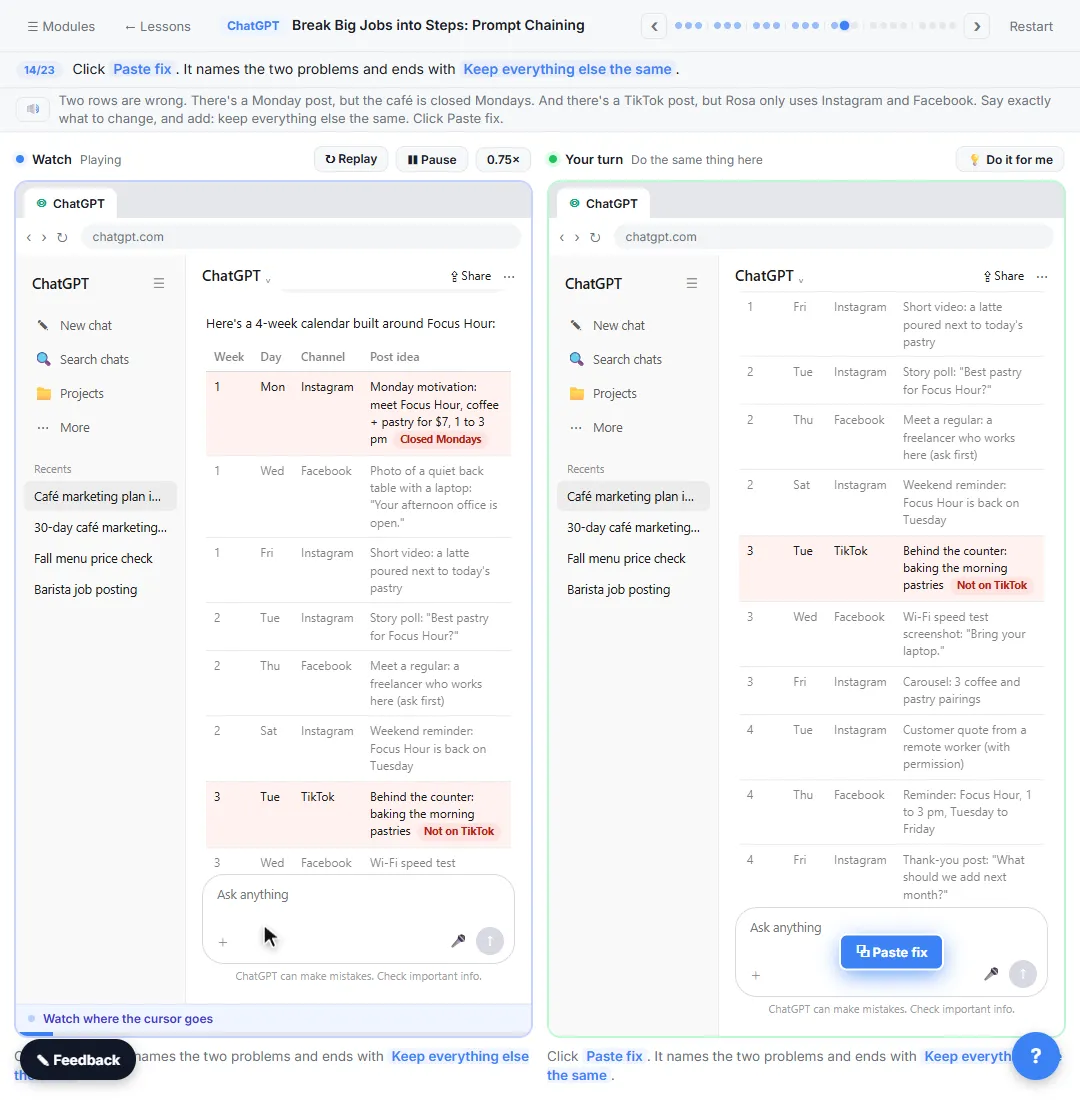
- Check the table. Read the table, then click it. The practice copy marks the two rows that break Rosa's rules. Real ChatGPT won't mark them, and your table may break different rules, so check every row.
Before you build on this, check it. That's the big win of going step by step.
- Paste the fix. Paste in the fix. It names the two problems and ends with Keep everything else the same.
Two rows are wrong. There's a Monday post, but the café is closed Mondays. And there's a TikTok post, but Rosa only uses Instagram and Facebook. Say exactly what to change, and add: keep everything else the same.
Two fixes. We're closed Mondays, so move the Monday post to Tuesday. And we don't use TikTok, so make that post Instagram. Keep everything else the same.
- Send it. Click the send arrow.
6. Step 4: posts
- Click the message box. Only the two flagged rows changed (shaded green in the practice copy). Click the message box for the last step.
Only those two rows changed, and the rest of the plan stayed put. Now for the last step: the actual posts.
- Paste step 4. Paste in the step 4. It asks for week 1's three posts from the table: a caption under 50 words, at most 2 hashtags, and what photo to take.
Step four asks for week one's posts from the table, with a word limit, a hashtag limit, and a note on what photo to take.
Step 4: write the 3 posts for week 1 from the table. For each one: the caption (under 50 words, friendly, no more than 2 hashtags) and one line on what photo or video to take.
- Send it. Click the send arrow.
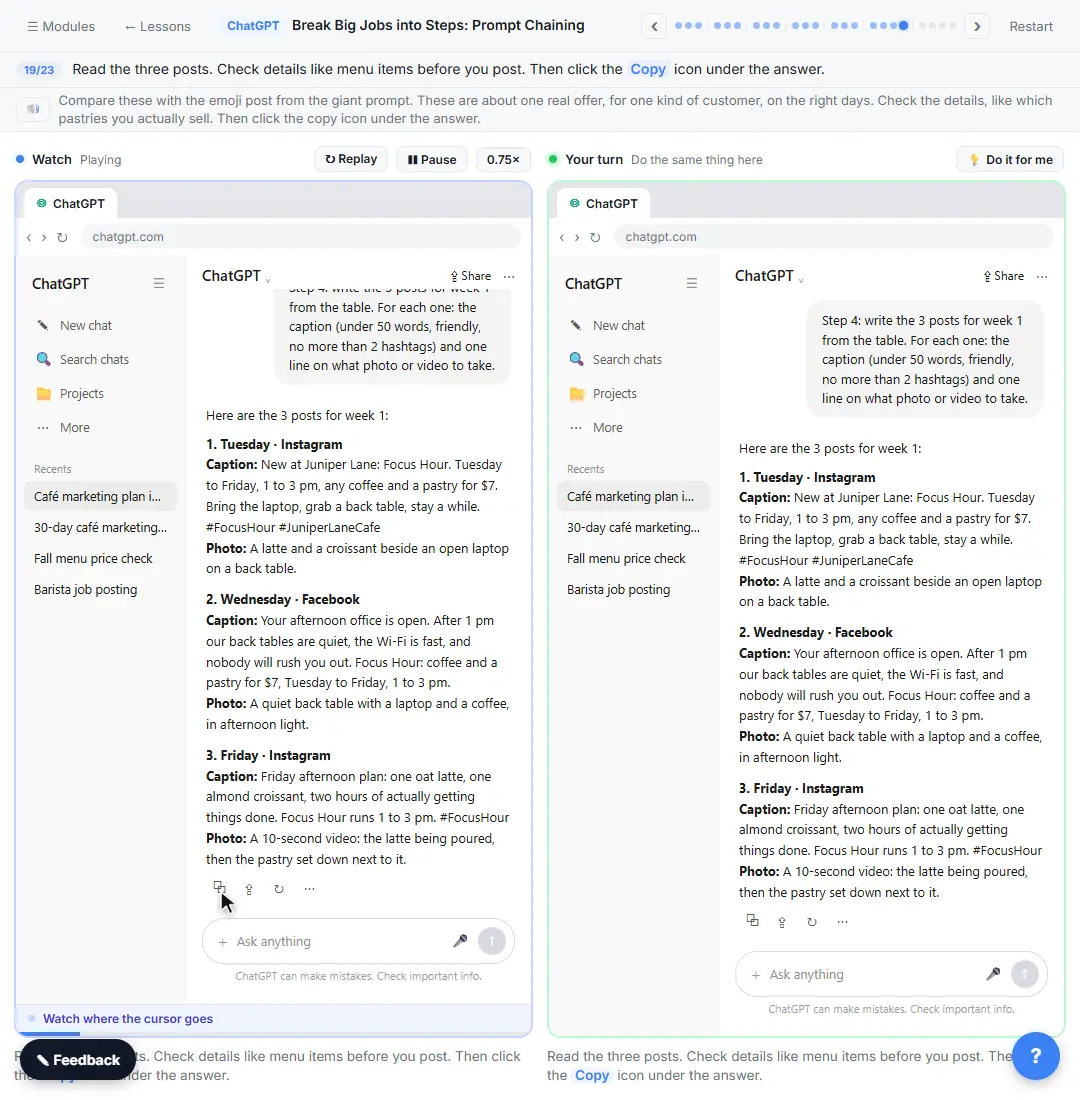
- Copy the posts. Read the three posts. Check details like menu items before you post. Then click the Copy icon under the answer.
Compare these with the emoji post from the giant prompt. These are about one real offer, for one kind of customer, on the right days. Check the details, like which pastries you actually sell.
7. Save the chain
- Click the message box. The posts are copied. Now click the message box to turn this chain into a checklist you can reuse.
The posts are copied, ready for Instagram and Facebook. One more thing: save this chain so you can run it again next month.
- Ask for a checklist. Paste in the request. It asks for the steps you just did as a reusable checklist with blanks in [BRACKETS].
Ask ChatGPT to turn the steps you just did into a checklist with blanks.
- Send it. Click the send arrow.
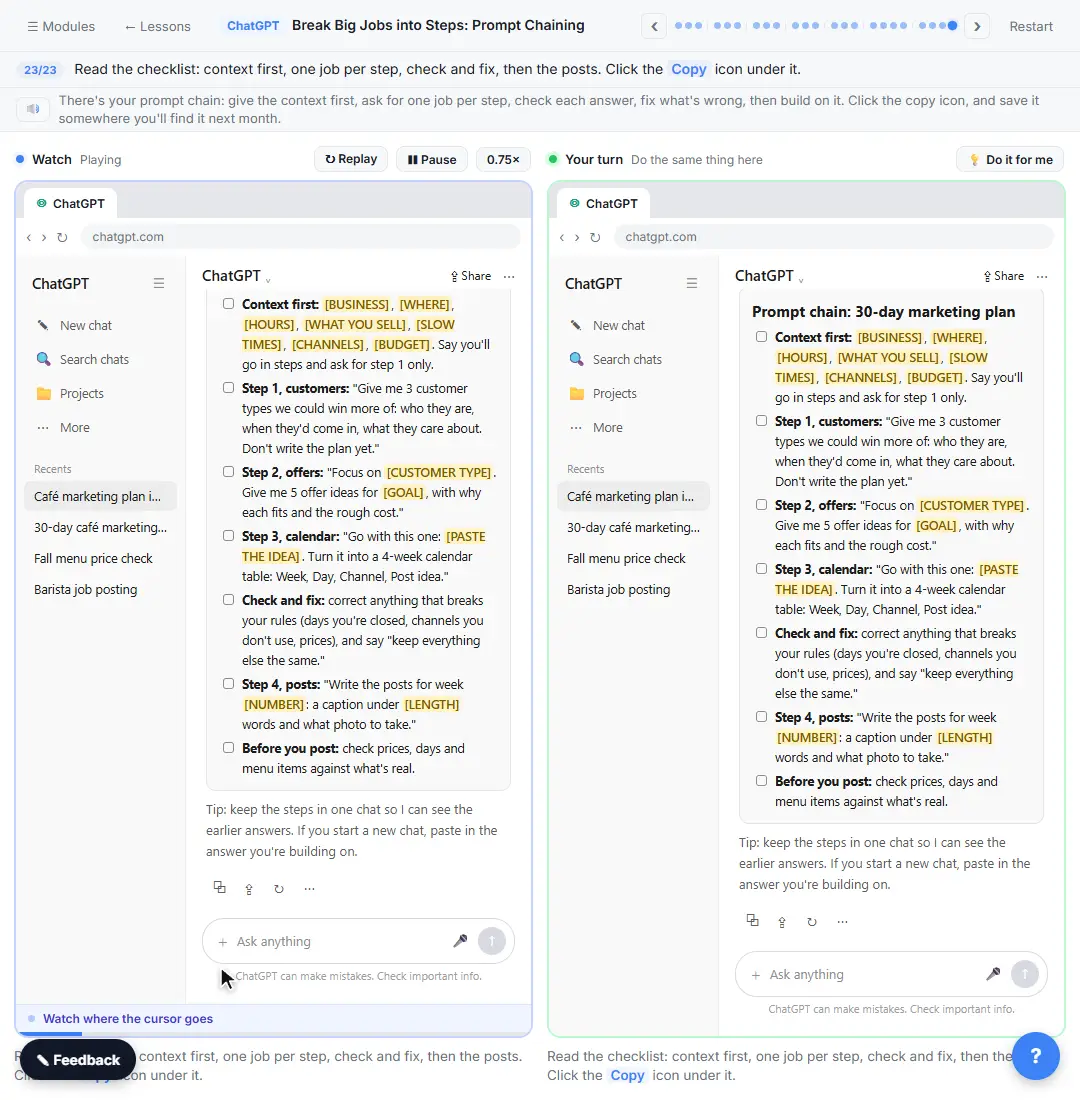
- Copy the checklist. Read the checklist: context first, one job per step, check and fix, then the posts. Click the Copy icon under it.
There's your prompt chain: give the context first, ask for one job per step, check each answer, fix what's wrong, then build on it.
Screenshots
Frequently asked questions
- What is prompt chaining?
- Prompt chaining means breaking a big task into a series of smaller prompts, where each answer feeds the next one. Instead of asking for a whole marketing plan at once, you ask for customer types, then offers for one of them, then a calendar, then the posts.
- Do I need to start a new chat for each step?
- No. Keeping the steps in one chat is easiest, because ChatGPT can see its earlier answers. If you do start a new chat, paste in the answer you are building on.
- How many steps should a prompt chain have?
- As many as the job has real decisions. For a marketing plan, four work well: customers, offers, calendar and posts.
- Why did ChatGPT add things I never asked for?
- When a detail is missing, ChatGPT fills it in, like a post on a day you are closed or a pastry you do not sell. Check each answer, then name the problem and say "keep everything else the same."
- Is this course really free?
- Yes. Stepthrough is completely free, and the practice copy needs no accounts. To do it for real you need a ChatGPT account; the free plan is enough for this technique.
More in Prompt Writing
 Prompt Writing 101: Role, Context, Task, Format
Ask ChatGPT for the same customer email twice, once vaguely and once with a four-part prompt, and see exactly why structure gets a better answer.
Free · Live ~8 min
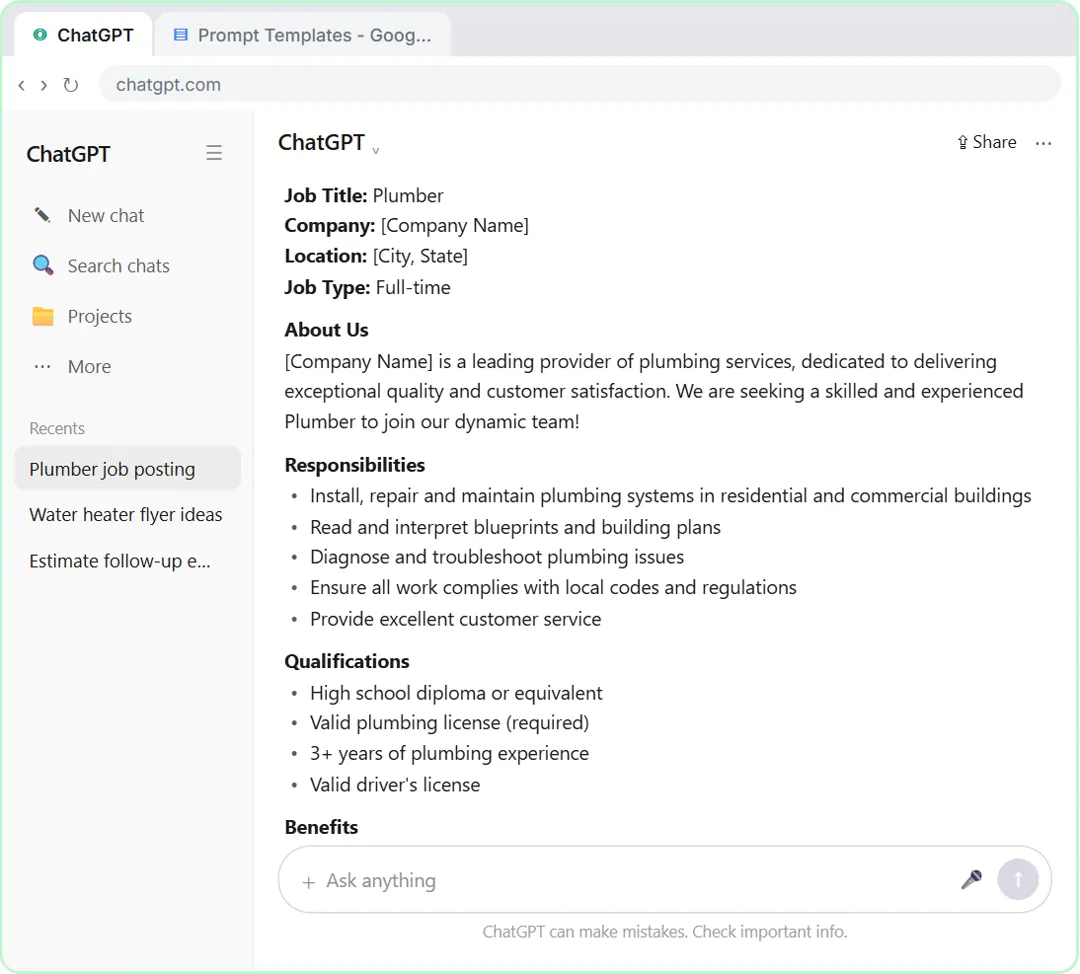 Make ChatGPT Ask You Questions First: The Interview Prompt
Ask for a job posting the quick way, then with the interview prompt: ChatGPT asks what it needs, one question at a time, and writes a posting you can actually use.
Free · Live ~6 min
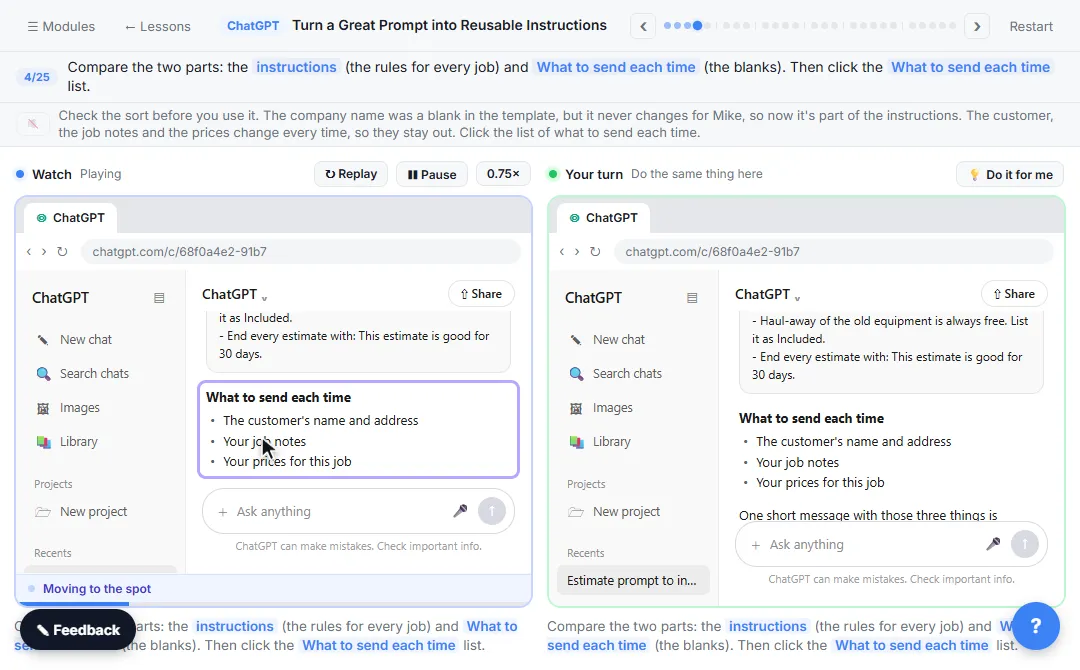 Turn a Great Prompt into Reusable Instructions
Take a prompt you paste every week, sort it into permanent rules and fill-in blanks, put the rules in a ChatGPT Project, and test it with a one-line request.
Free · Live ~7 min
All 6 modules in Prompt Writing
More ChatGPT tutorials
 Get Your Business Recommended by ChatGPT
Ask ChatGPT who it recommends in your town, see which pages it trusts, then use it to write an FAQ page and Business Profile copy that answer real customer questions.
Free · Live ~10 min
 Summarize a Meeting Transcript with ChatGPT
Paste a long meeting transcript into ChatGPT and get the decisions, an action items table with owners and due dates, and a follow-up email ready to send.
Free · Live ~9 min
 Reply Faster: Turn a Messy Customer Email Thread into a Clear, Friendly Reply
Turn a messy customer email thread into a clear, friendly reply: give ChatGPT the thread and your facts, check every promise, fix the tone, and send it from Gmail.
Free · Live ~9 min
 ChatGPT Projects: Keep Your Brand Voice, Files and Instructions in One Place
Set up a ChatGPT Project with your brand voice instructions, your price list and your style guide, so every new chat already knows your business.
Free · Live ~9 min
 Analyze a Spreadsheet with ChatGPT: Upload a CSV, Get a Chart and Three Takeaways
Upload a CSV of sales to ChatGPT, have it check the data first, ask your questions, get a chart you can download, and finish with the three takeaways that matter.
Free · Live ~10 min
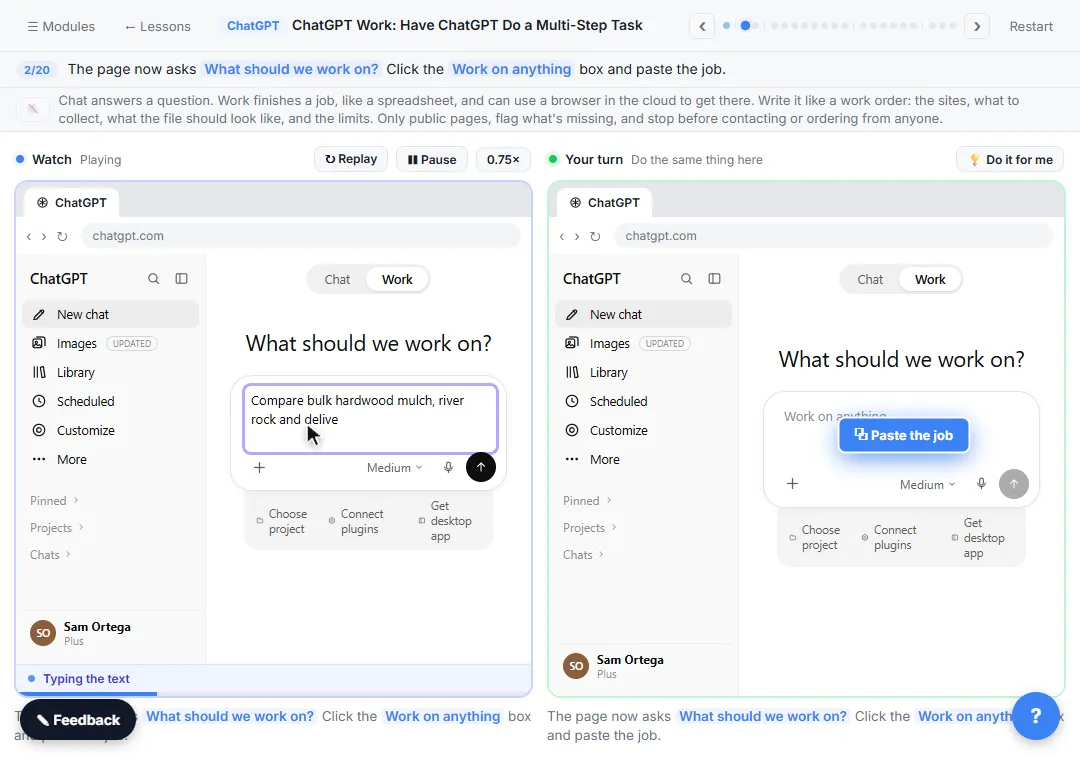 ChatGPT Work: Have ChatGPT Do a Multi-Step Task
Switch ChatGPT to Work, hand it a real job (compare three suppliers into a spreadsheet), approve the sites it opens, skip a login, answer its question, check the file…
Free · Live ~8 min
Terms in this lesson
Plain-English definitions, each with an example from a free lesson.