What does starting a new chat mean in ChatGPT?
Quick answer
Starting a new chat means opening a fresh conversation where the AI sees none of your earlier messages. Inside one chat, ChatGPT can see everything you both wrote. In a new chat, it starts from a blank page and only knows what you tell it, plus anything saved in memory if that is turned on.
Last updated
Take the free module →Module 5 of the free ChatGPT for Everyday Work course, about 9 minutes. No account needed.
Updated · By Robert Breen
Why it matters for a small business
The choice between a new chat and the same chat decides two costs. Stay in the same chat when your next request builds on the last answer and you save re-pasting facts. Start a new chat when the topic or the customer changes and you avoid carrying old details into new answers.
A simple rule from the free lesson: keep going when it builds, start fresh when it changes. Memory can still carry some details between chats, so do not rely on a new chat as a privacy wall. See ChatGPT memory and Temporary Chat.
New chat or same chat?
| Situation | Choose | Why |
|---|---|---|
| The customer changes the headcount on the same quote | Same chat | ChatGPT already has the facts |
| You need a text message for the same customer | Same chat | It uses the updated numbers |
| A different customer needs a quote | New chat | Old details cannot leak into the new answer |
The rows come from the free stop-losing-context lesson.
In a real lesson: Stop Losing Context: When to Start a New Chat vs Keep Going using ChatGPT
In the free Stop Losing Context lesson, an office manager quotes Oakwood Library (a made-up customer) for a staff breakfast. The library changes its headcount from 80 to 100. She tells ChatGPT in the same chat, and the quote is redone without pasting anything again. A text to Sam then uses the new headcount.
Then a different customer, Pine Ridge Rotary, needs a quote. She clicks New chat, attaches that customer's facts file and sends the request. Nothing about the library comes along. The lesson says to check the numbers against the fact sheet either way.
Try this lesson free or read the step-by-step guide.
Common confusions
New chat vs Temporary Chat
A new chat is saved in your history like any other. A Temporary Chat does not appear in your history and ignores memory. They solve different problems.
New chat vs deleting the old one
Opening a new chat leaves the old one where it was, with everything in it. Cleaning up is a separate step, covered in the clear-history lesson.
Tips
- One customer, one chat. Name the chat after the customer so you can find it.
- Put the facts in the chat you are using. Do not count on ChatGPT remembering across chats.
Related terms
More AI assistants terms
Where you use it: free lessons
- Stop Losing Context: When to Start a New Chat vs Keep Going using ChatGPT (ChatGPT, 9 min)
- Clear Client Data Out of ChatGPT Before It Becomes a Problem: Delete Chats, Clear Memory and Use Temporary Chat (ChatGPT, 10 min)
- Start Here: How Stepthrough Works (Stepthrough, 2 min)
- Prompt Writing 101: Role, Context, Task, Format (ChatGPT, 8 min)
Watch it in a free lesson: ChatGPT Projects: Keep Your Brand Voice, Files and Instructions in One Place
 3:29
3:29ChatGPT Projects: Your Brand Voice in One Place: video walkthrough
Set up a ChatGPT Project with your brand voice instructions, your price list and your style guide, so every new chat already knows your business. The whole lesson narrated step by step, recorded in Stepthrough’s simulated practice environment.
Prompt templates that use it
Visual guides
New chat in a few slides, with the same guide written out as text.
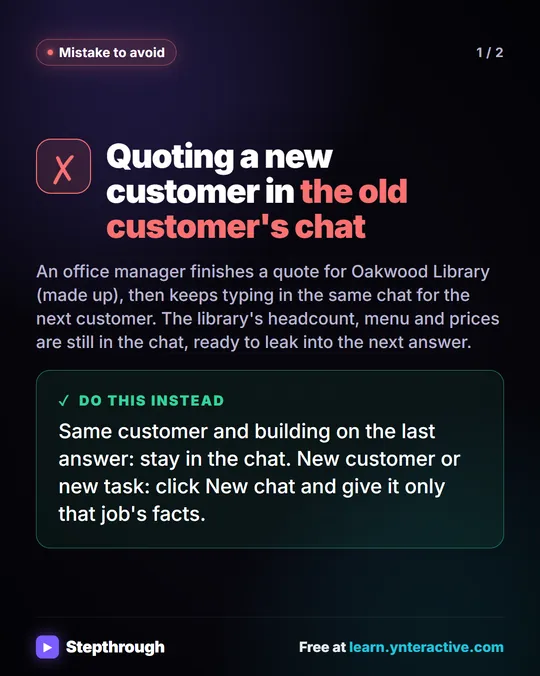 Mistake: One ChatGPT Chat for Every Customer
A visual guide to a common ChatGPT mistake: quoting a second customer in the first customer's chat. Start a new chat for each customer.
Mistake to avoid 2 slides
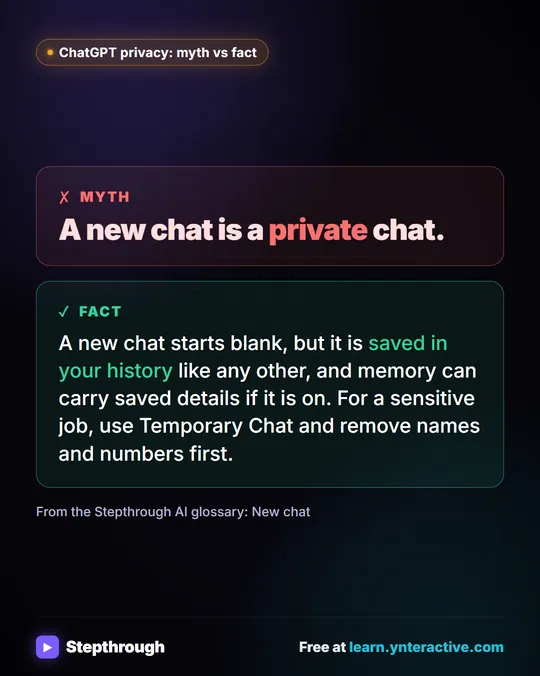 Myth: A New ChatGPT Chat Is a Private Chat
Myth vs fact: a new ChatGPT chat is saved like any other and memory can carry details. For a sensitive job, use Temporary Chat and remove names first.
Myth vs fact One graphic
Frequently asked questions
- Does ChatGPT remember my old chats in a new chat?
- Not automatically. A new chat starts blank. If memory is turned on in your settings, ChatGPT may carry some saved details between chats, so do not rely on it for work facts.
- Is a new chat private?
- No. It is a normal saved chat. Use Temporary Chat for a sensitive one-off job, and remove names and numbers you do not need.