What is Temporary Chat in ChatGPT?
Updated · By Robert Breen
Temporary Chat is a ChatGPT mode for one-off conversations that don't appear in your chat history, don't use or add to memory, and aren't used to train OpenAI's models. When you close it, the conversation is gone from your account.
Why it matters for a small business
Some tasks shouldn't leave a trail in your account: a one-time sensitive reply, a question about a staff matter, a quick test of a prompt you don't want shaping later answers. Temporary Chat gives you a clean slate that doesn't remember you and isn't remembered.
It is not a privacy shield for client data. Anything you paste still goes to OpenAI, and OpenAI says it may keep a copy for a limited time for safety reasons. The habit that actually protects people is leaving out details the task doesn't need, in whatever mode you use.
In a real lesson: Reply Faster to Claim-Status Emails: ChatGPT for Independent Insurance Agencies
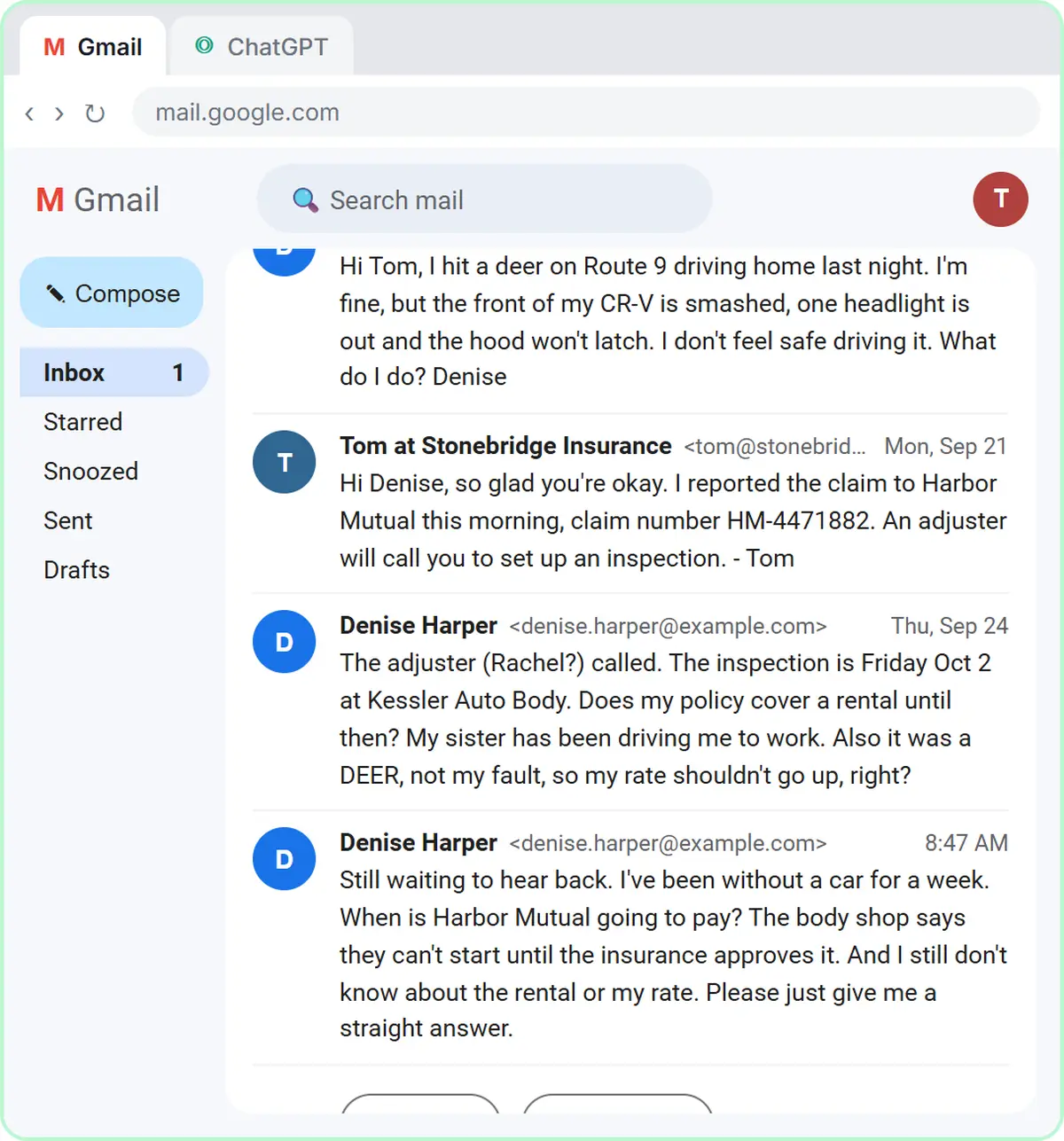
Stepthrough has no lesson on Temporary Chat. The claim-status reply lesson is the kind of work where people reach for it. You're at Stonebridge Insurance Agency, a made-up independent agency, answering Denise Harper, whose CR-V hit a deer. She wants a payment date, a rental, and a promise her rate won't go up.
When you copy her thread, the lesson tells you to leave out anything private, like a driver's license number or a date of birth. The facts you paste include the agency's rule: explain what the policy shows and who decides, and never promise payment dates, amounts, coverage decisions or rates on the carrier's behalf. The check step then catches the rate promise and a rental line that skips the limit of $40 a day, up to $1,200 for the claim.
A Temporary Chat would keep Denise's thread out of your history and memory. It would not make pasting a license number safe. Trimming the thread and following your agency's AI policy does that part.
Try this lesson free or read the step-by-step guide.
Common confusions
Temporary Chat vs turning off training
Temporary Chat covers one conversation. The training setting in ChatGPT data controls applies to all your chats.
Temporary Chat vs deleting a chat
Deleting removes a normal chat from your history afterward, but memory may already have picked something up from it. Temporary Chat never adds to history or memory in the first place.
Tips
- Turn on Temporary Chat before you paste anything; switching later doesn't change what you already sent.
- Copy anything you need to keep, like the final reply, before you close it.
- Still remove names, numbers and details the task doesn't need, as covered under PII.
Related terms
Where to learn more
Frequently asked questions
- Can I get a Temporary Chat back after closing it?
- No. It isn't saved to your chat history, so copy anything you need before you close it.
- Is Temporary Chat safe for client data?
- It reduces what stays in your account, but the data still goes to OpenAI. Follow your company's AI policy and remove private details before you paste.