Updated . Built against the tool’s current screens and checked step by step. How we check this lesson
A beginner JavaScript walkthrough in the free JSFiddle: fetch contact data from a free practice API and show name, company and email in a table, typing every line yourself.
At a glance
| Question | Answer |
|---|---|
| What you build | A beginner JavaScript walkthrough in the free JSFiddle: fetch contact data from a free practice API and show name, company and email in a table, typing every line yourself. |
| Tools | JSFiddle |
| Time | About 12 minutes, 9 steps in 3 parts |
| Level | Beginner, no coding needed |
| Cost | Free |
| Ways to learn it | Practice it step by step |
The 3 parts, in short
- Look at the data: Find the fields you need.
- Fetch it: A heading and an empty table, The address and the table, Fetch the data.
- Build the table: Header row and a loop, One row per contact, Call it, Tidy the code, and 1 more step.
Start here first: JavaScript: An Instant Quote Calculator for Your Website (module 1 of JavaScript)
What you'll build
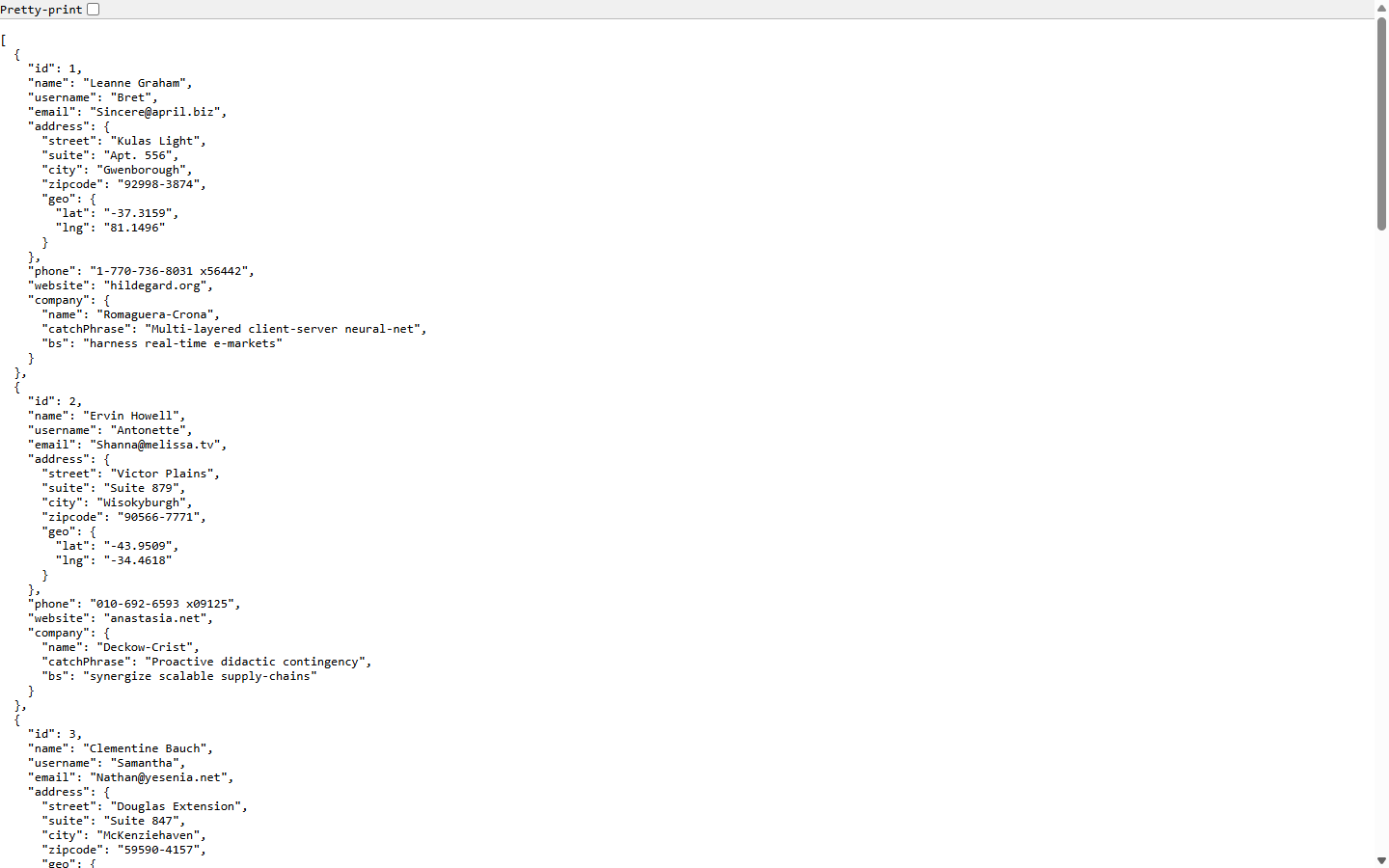
Most business tools, from CRMs to accounting apps, share their data through an API: a web address that answers with data instead of a page. A sales assistant who copies contacts from the CRM into a spreadsheet by hand every week can let ten lines of JavaScript do it. In this lesson you fetch ten made-up contacts from JSONPlaceholder, a free practice API, and show them in a table in JSFiddle. You type every line yourself.
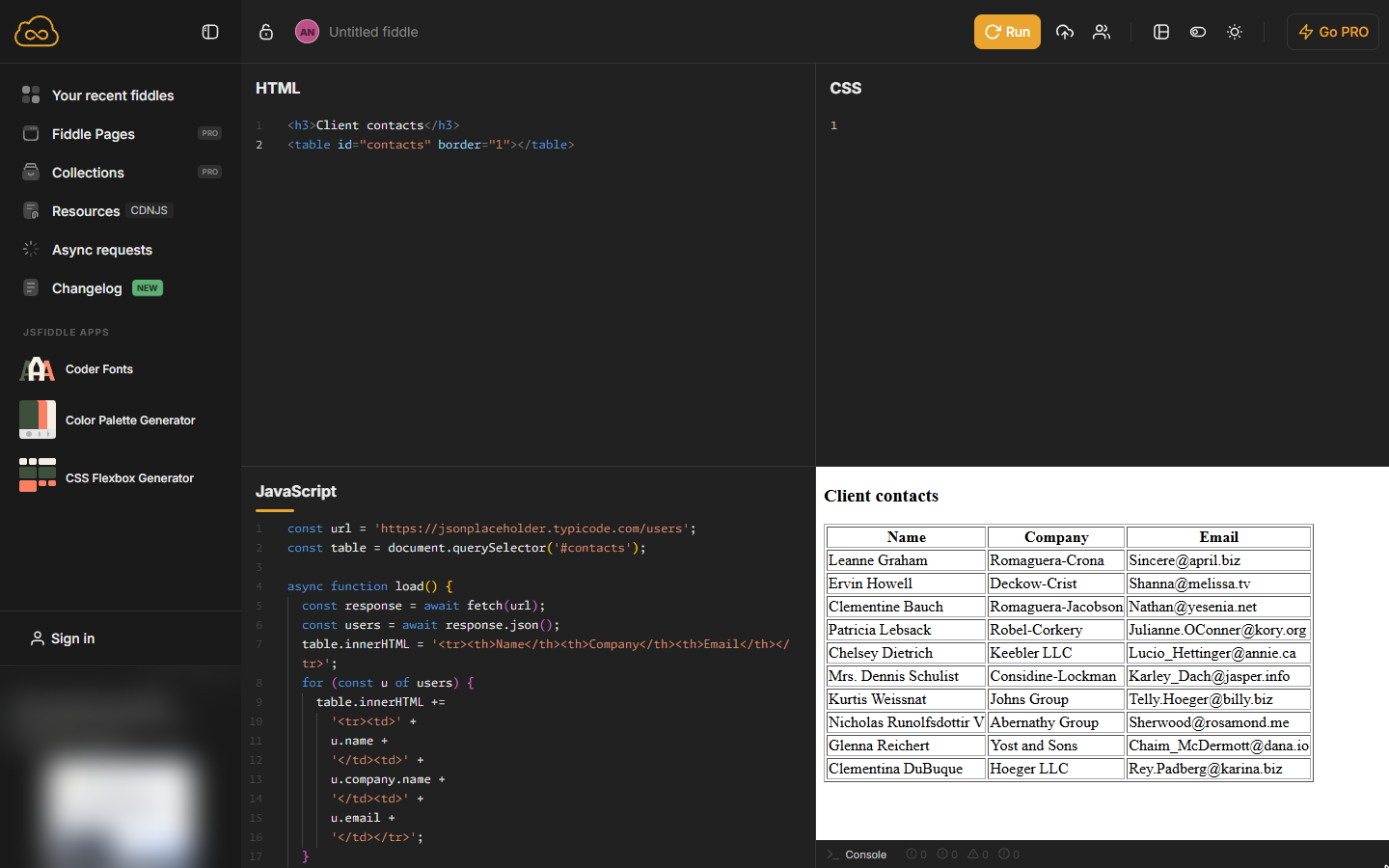
Ten contacts, each with a name, a company and an email, read from an API and written into a table by your own code. A real CRM API works the same way, plus a key that proves who you are. Do it in JSFiddle yourself: the lesson page has the checklist.
- Tools: JSFiddle
- Time: about 12 minutes, 9 steps in 3 chapters
- Level: beginner, no coding needed
- Price: free
Practice first, then build it for real
Practice copy built from real JSFiddle screens (jsfiddle.net, captured 24 October 2026). Every line of code in it was typed and run there. The business and its numbers are made up; the ad box on the left is blurred. To build it for real you need your own JSFiddle account, and some services charge once you use them for real work, so check each tool's current pricing.
Try it yourself, free
Reading the steps is a start. Doing them is how it sticks. The interactive module walks you through every click in a practice copy of JSFiddle, checks each step, and never touches your real accounts.
Start “JavaScript: Pull Contacts from an API into a Table”Step by step: JavaScript: Pull Contacts from an API into a Table
All 9 steps of the interactive module, in order. In the module you watch each one, then do it yourself in a practice copy that checks your work.
1. Look at the data
- Find the fields you need. This is jsonplaceholder.typicode.com/users opened in the browser: ten made-up users as JSON, the format almost every API answers in. Each user has a name, an email and, inside company, a company name. Click the "company" line.
This is a free practice API. Each user has a name, an email, and a company with its own name.
2. Fetch it
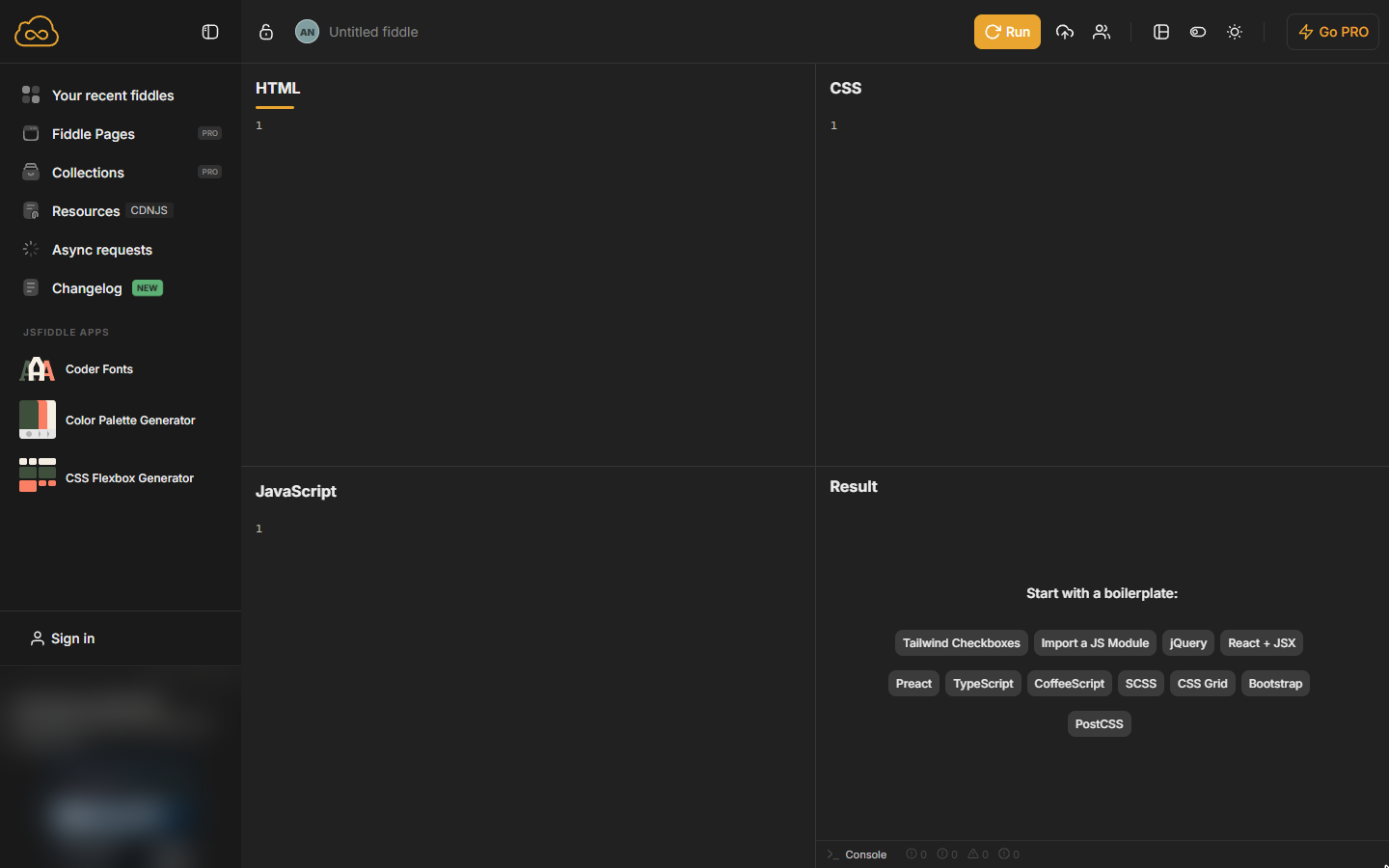
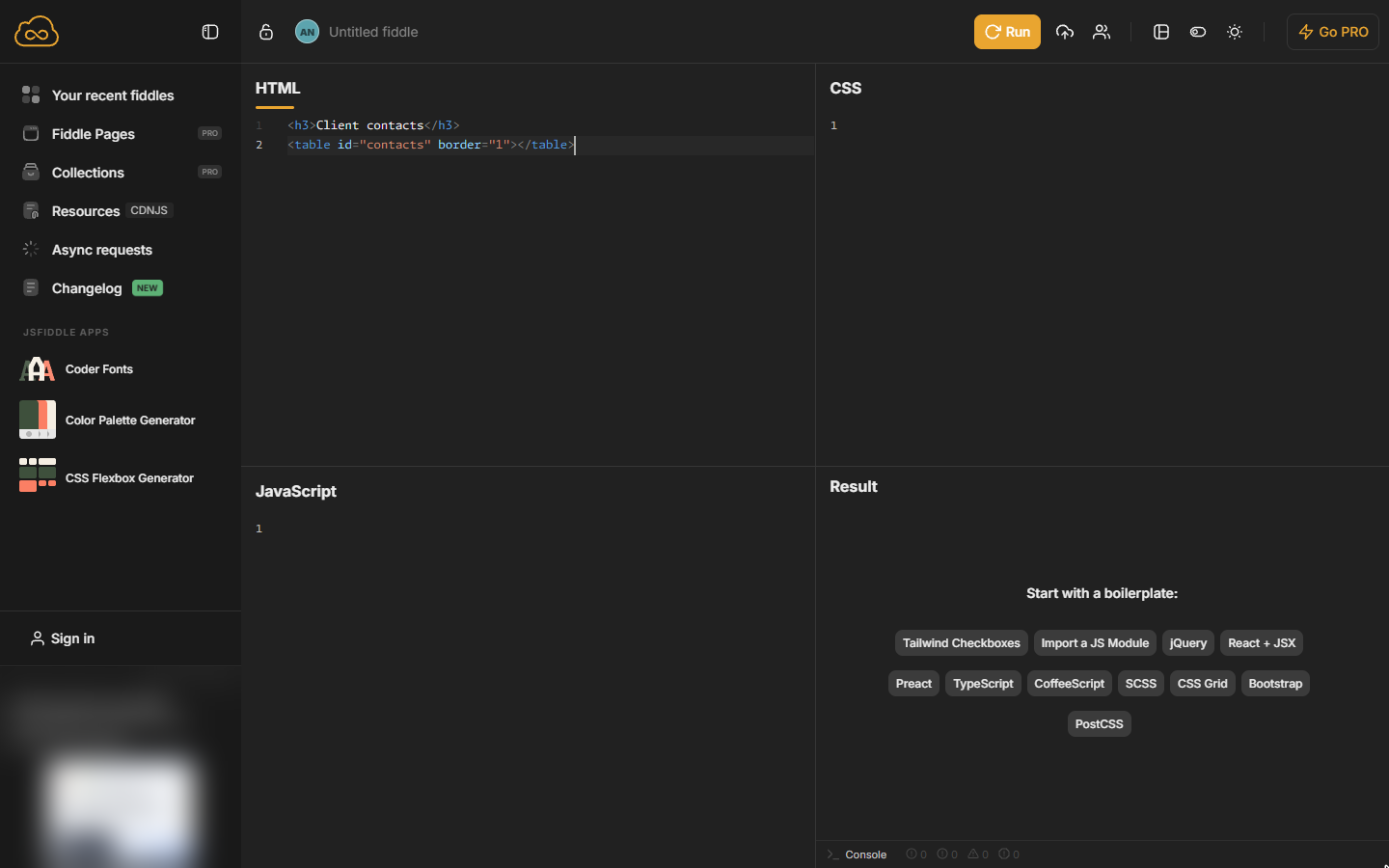
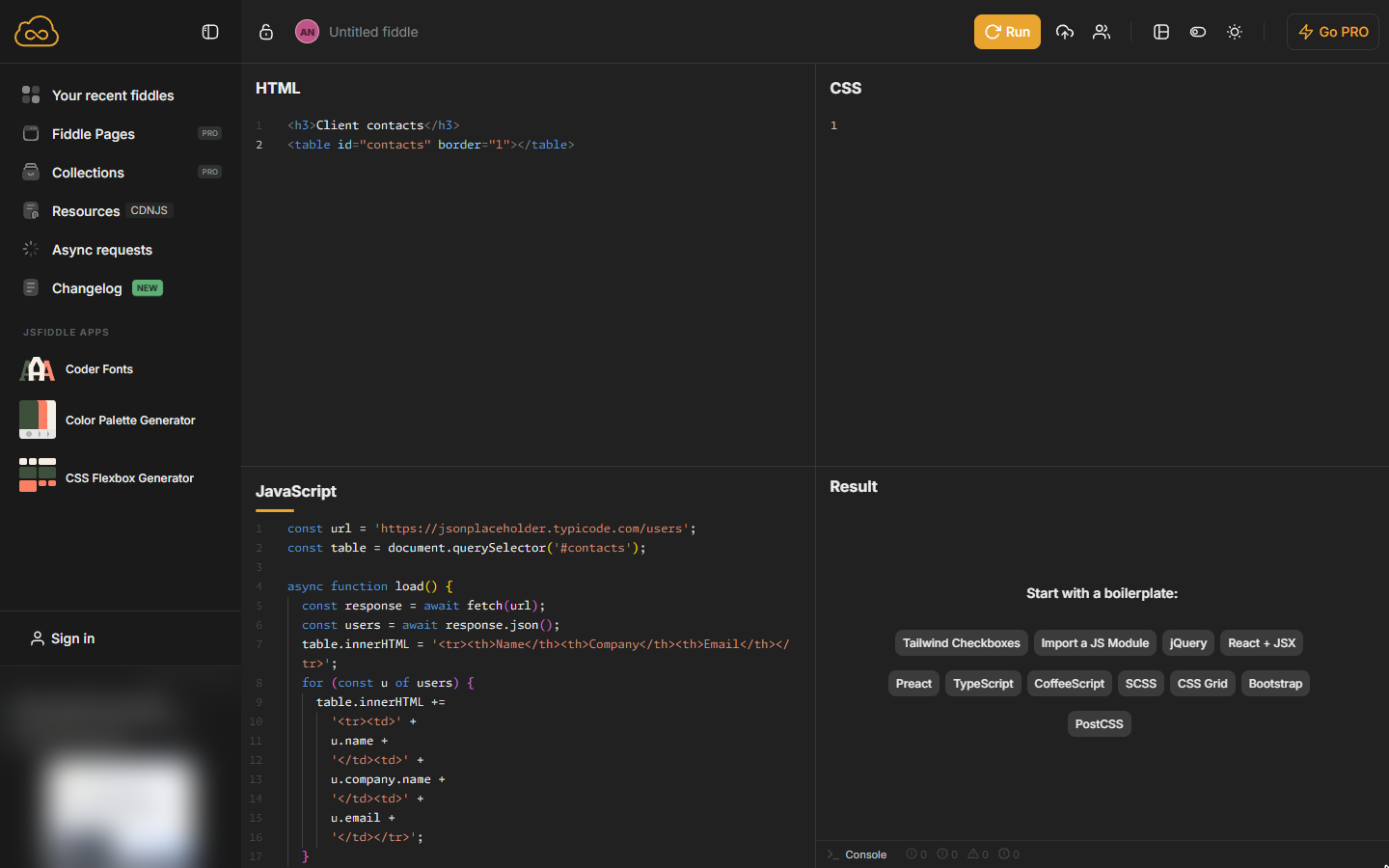
- A heading and an empty table. Open jsfiddle.net (no account needed). In the HTML panel type a heading and an empty table. JSFiddle often adds the closing tag for you as you type; if you end up with a doubled one or a stray >, delete it.
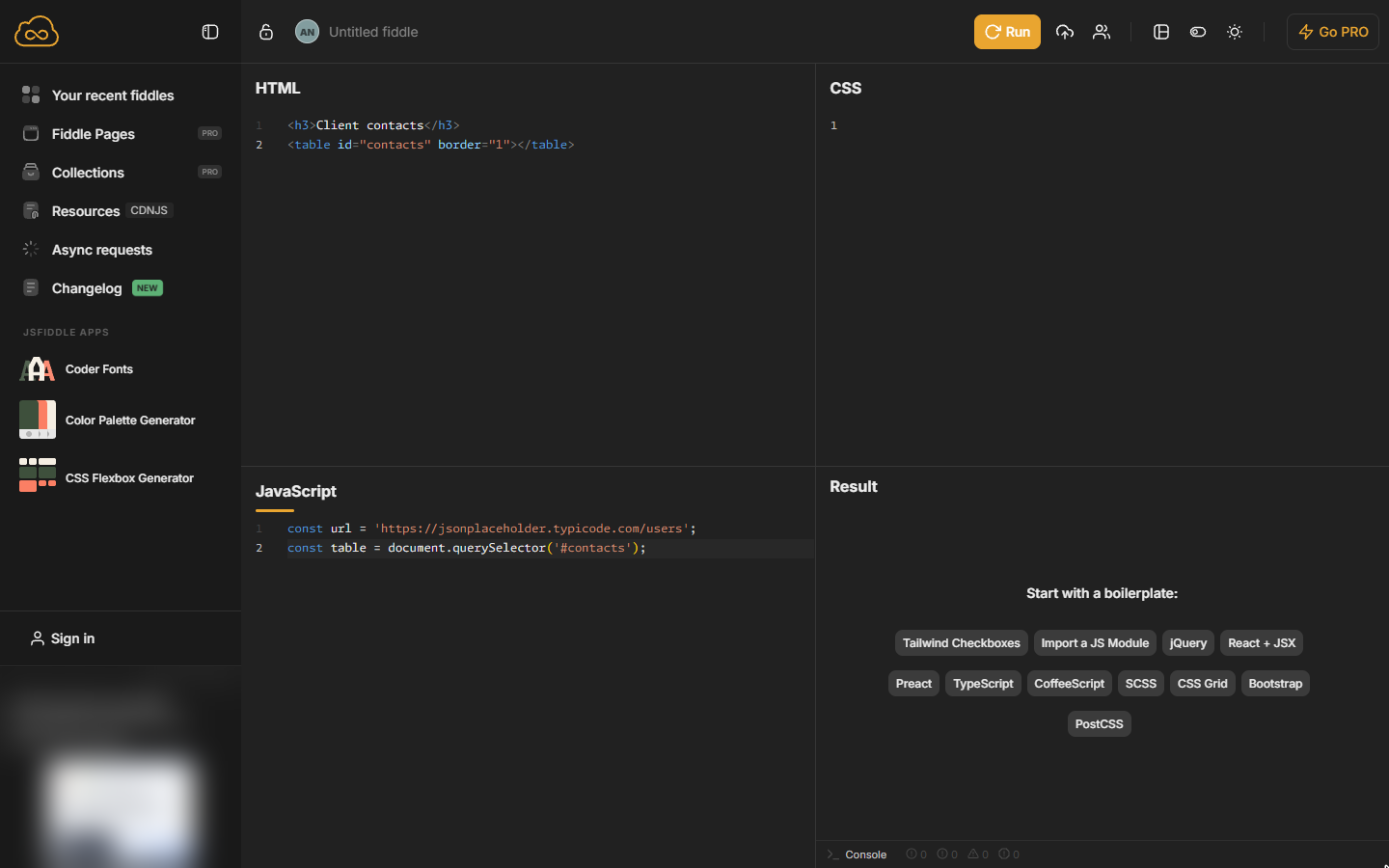
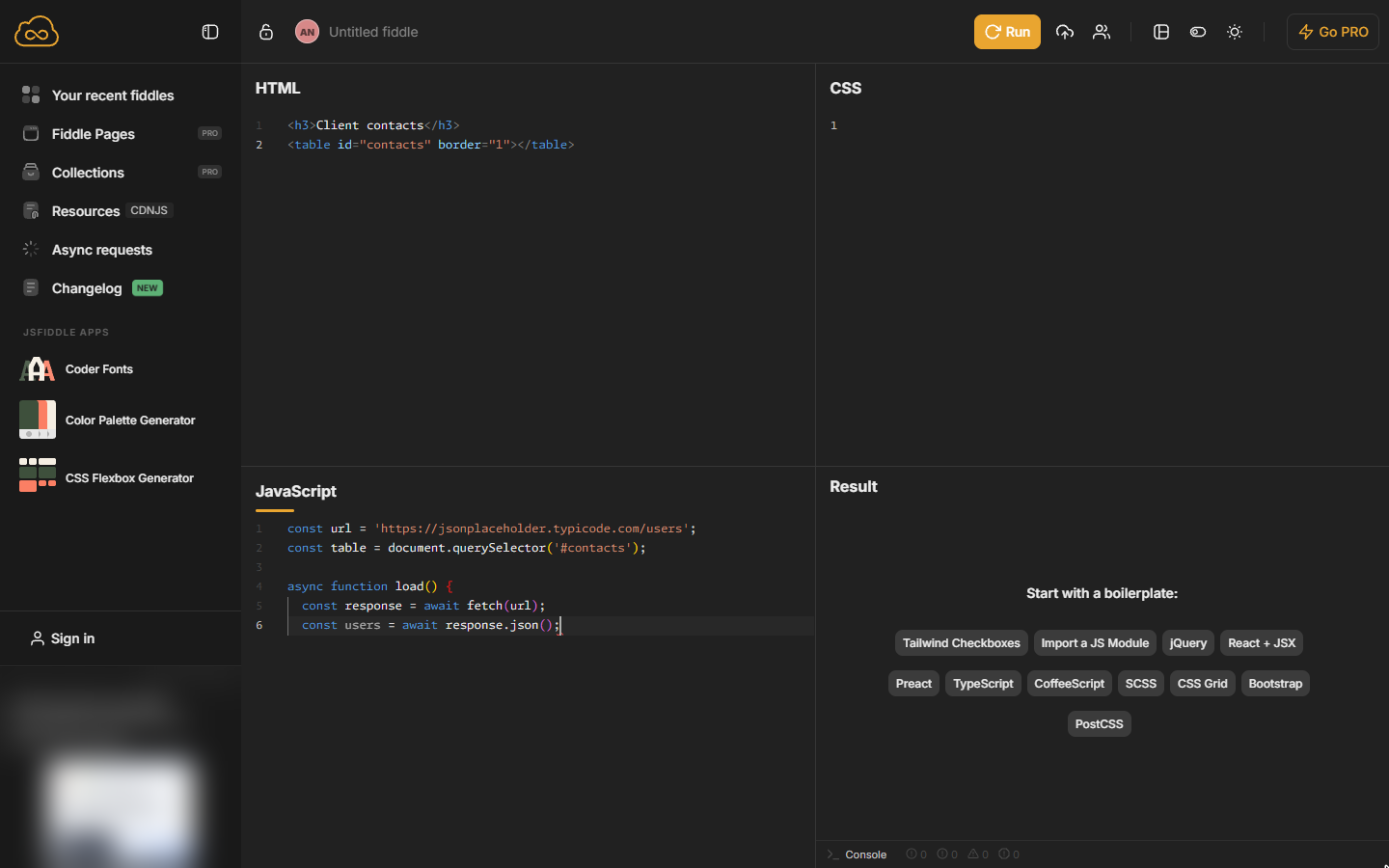
- The address and the table. In the JavaScript panel type the API address and find the table.
- Fetch the data. Leave a blank line. fetch asks the address for the data; await waits for the answer; .json() turns it into a list you can use.
Fetch asks the address for the data, await waits for the answer, and json turns it into a list.
3. Build the table
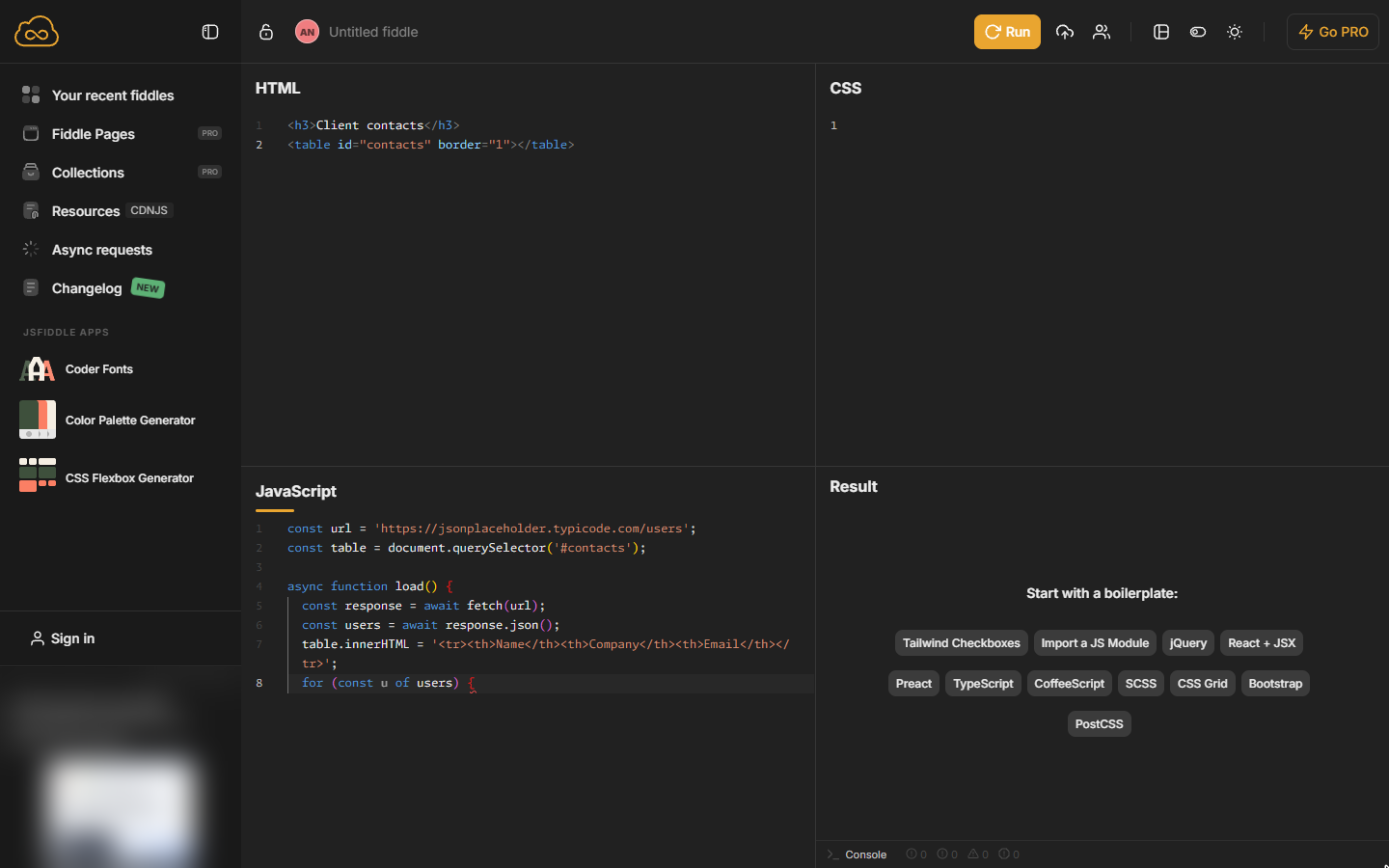
- Header row and a loop. Write the header row, then start a loop that runs once for each user.
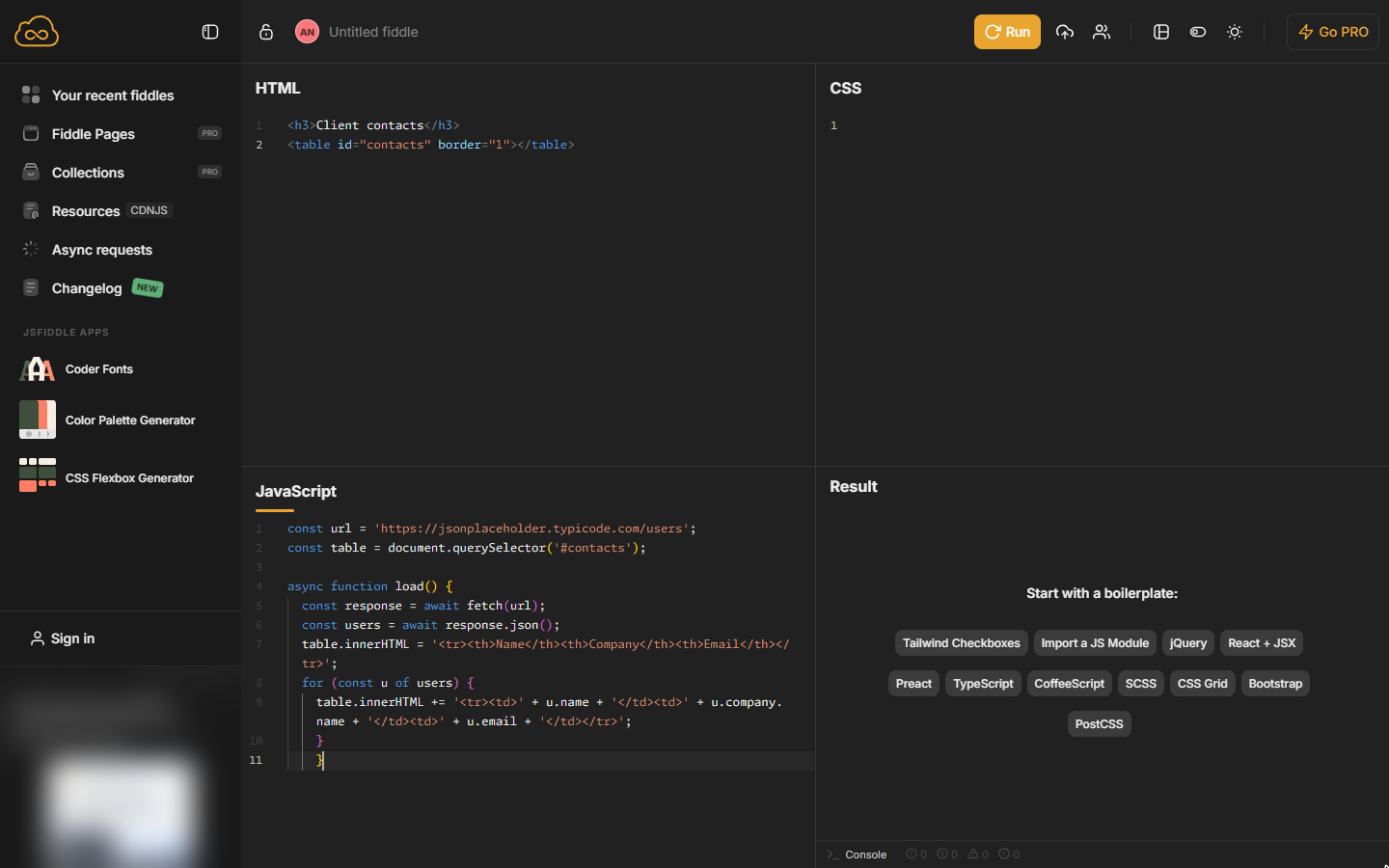
- One row per contact. Add a row with the three fields, then close the loop and the function. u.company.name reaches inside company for its name.
Add one row per user with the name, the company name and the email. Then close the loop and the function.
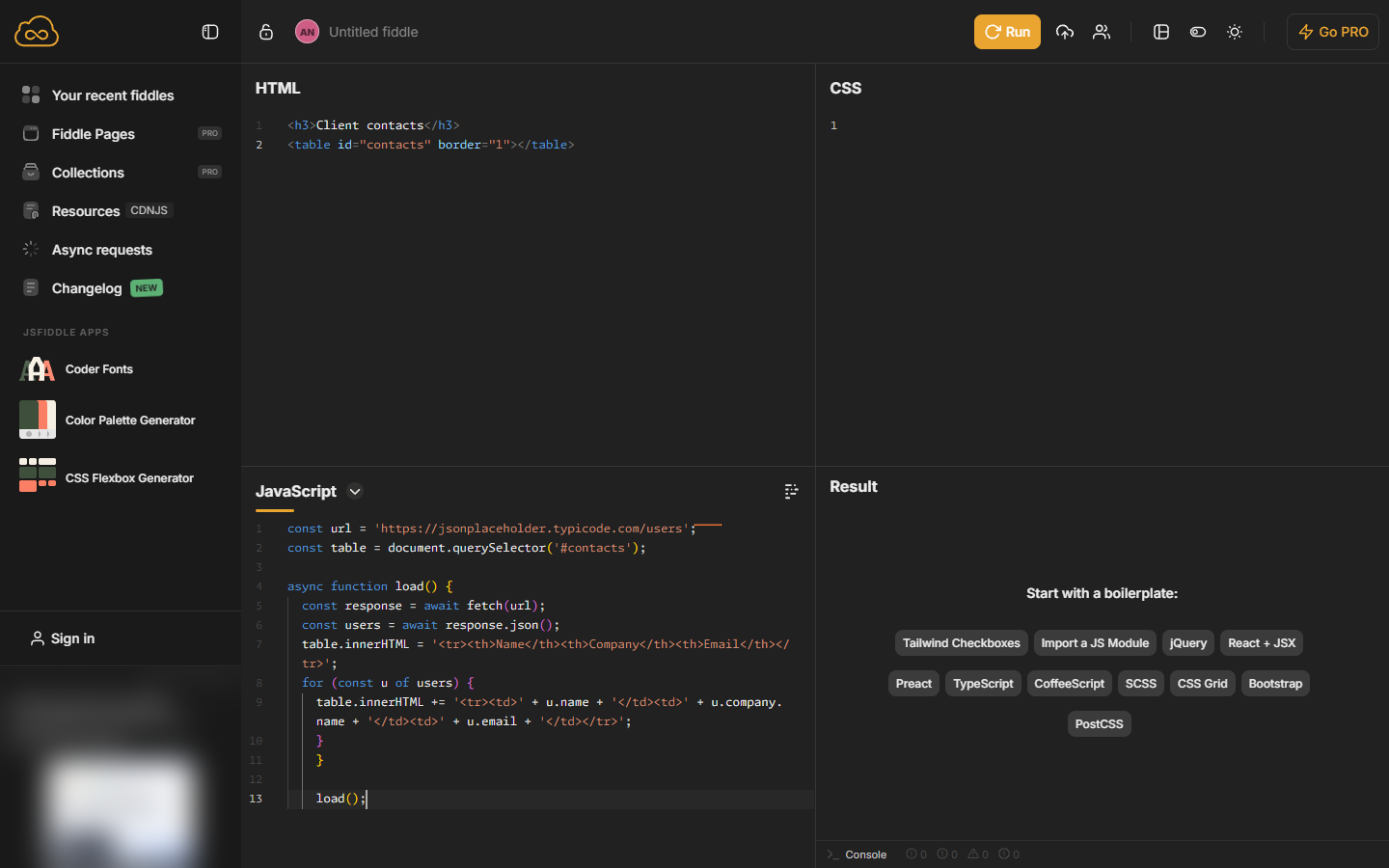
- Call it. Leave a blank line and call the function, so it runs when the page loads.
Call load, so it runs when the page opens.
- Tidy the code. Point at the JavaScript panel and click the tidy icon.
- Run it. Click Run.
Screenshots
More in JavaScript
Free cheat sheet
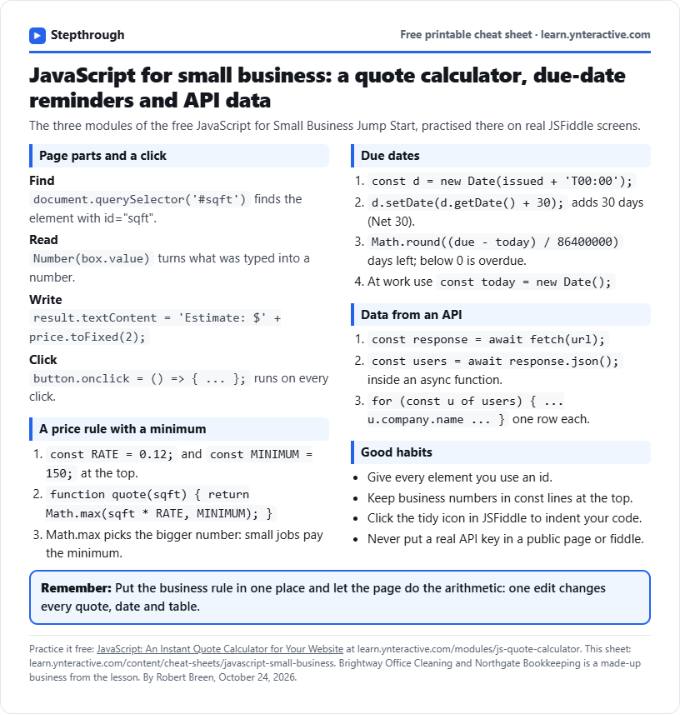
Print it or save the PDF: the key steps and checks from this lesson on one page, free.
All free printable cheat sheets
Terms in this lesson
Plain-English definitions, each with an example from a free lesson.