Updated . Built against the tool’s current screens and checked step by step. How we check this lesson
A beginner JavaScript walkthrough in the free JSFiddle: work out Net 30 due dates, count the days left and list every invoice as due or overdue, typing every line yourself.
At a glance
| Question | Answer |
|---|---|
| What you build | A beginner JavaScript walkthrough in the free JSFiddle: work out Net 30 due dates, count the days left and list every invoice as due or overdue, typing every line yourself. |
| Tools | JSFiddle |
| Time | About 15 minutes, 11 steps in 3 parts |
| Level | Beginner, no coding needed |
| Cost | Free |
| Ways to learn it | Practice it step by step |
The 3 parts, in short
- The list and today: A heading and an empty list, Today and the list.
- Due dates and days left: Add 30 days, Give the date back, Count the days left, Tidy the code.
- Write the reminders: Start the reminder, Write the line, One line per invoice, Tidy again, and 1 more step.
Start here first: JavaScript: An Instant Quote Calculator for Your Website (module 1 of JavaScript)
What you'll build
At Northgate Bookkeeping (made up) the owner checks every Friday which client invoices are coming due and which are already late. Today that means opening each invoice, adding 30 days on a calendar and counting. In this lesson you write a few lines of JavaScript in JSFiddle that do it for you: add 30 days to each invoice date, count the days left from today and list each invoice as due or overdue. You type every line yourself.
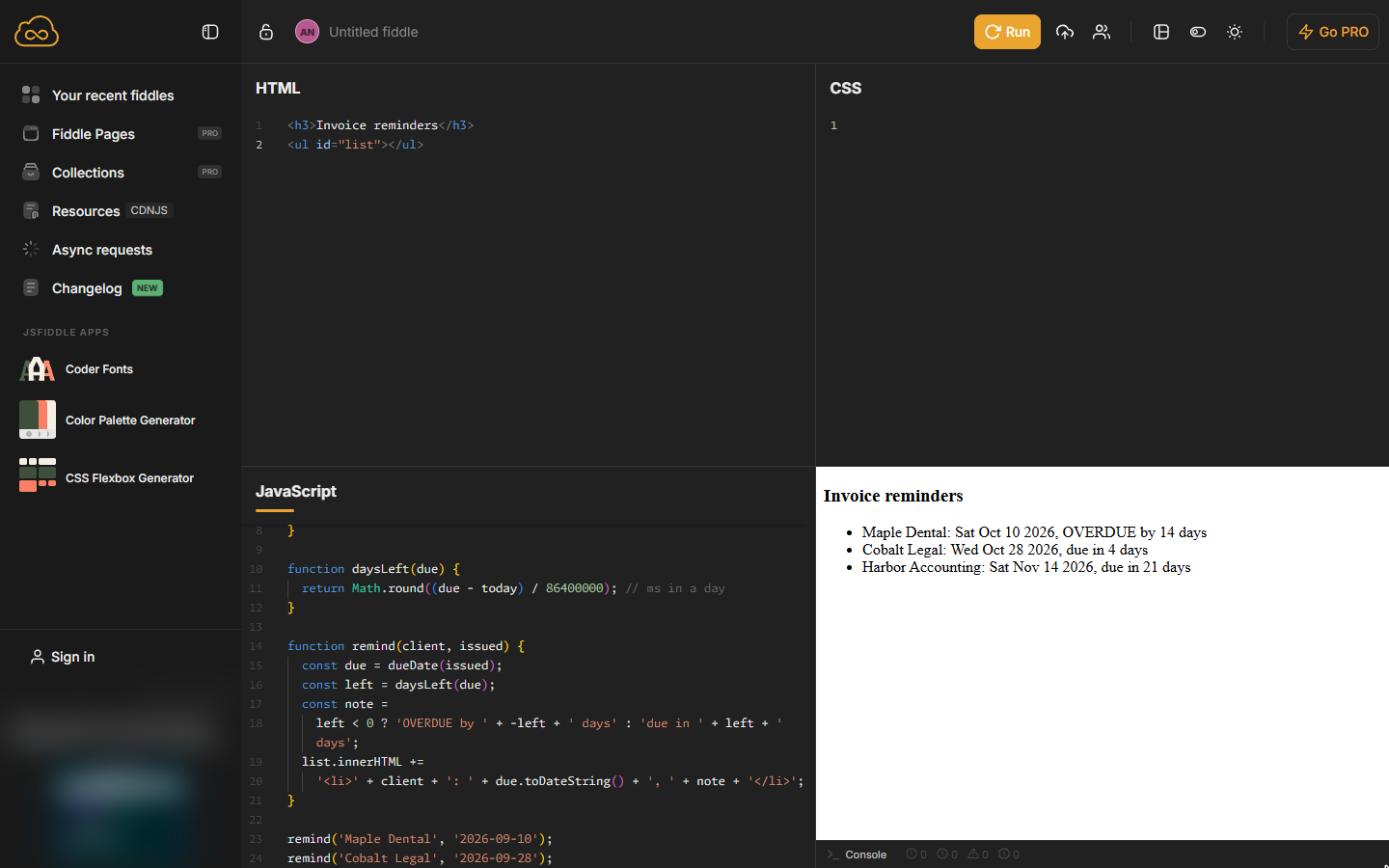
Maple Dental is 14 days overdue, Cobalt Legal is due in 4 days and Harbor Accounting in 21. Add a line per invoice and the list grows; change 30 to 14 for Net 14 clients. Do it in JSFiddle yourself: the lesson page has the checklist.
- Tools: JSFiddle
- Time: about 15 minutes, 11 steps in 3 chapters
- Level: beginner, no coding needed
- Price: free
Practice first, then build it for real
Practice copy built from real JSFiddle screens (jsfiddle.net, captured 24 October 2026). Every line of code in it was typed and run there. The business and its numbers are made up; the ad box on the left is blurred. To build it for real you need your own JSFiddle account, and some services charge once you use them for real work, so check each tool's current pricing.
Try it yourself, free
Reading the steps is a start. Doing them is how it sticks. The interactive module walks you through every click in a practice copy of JSFiddle, checks each step, and never touches your real accounts.
Start “JavaScript: Turn Invoice Dates into Due-Date Reminders”Step by step: JavaScript: Turn Invoice Dates into Due-Date Reminders
All 11 steps of the interactive module, in order. In the module you watch each one, then do it yourself in a practice copy that checks your work.
1. The list and today
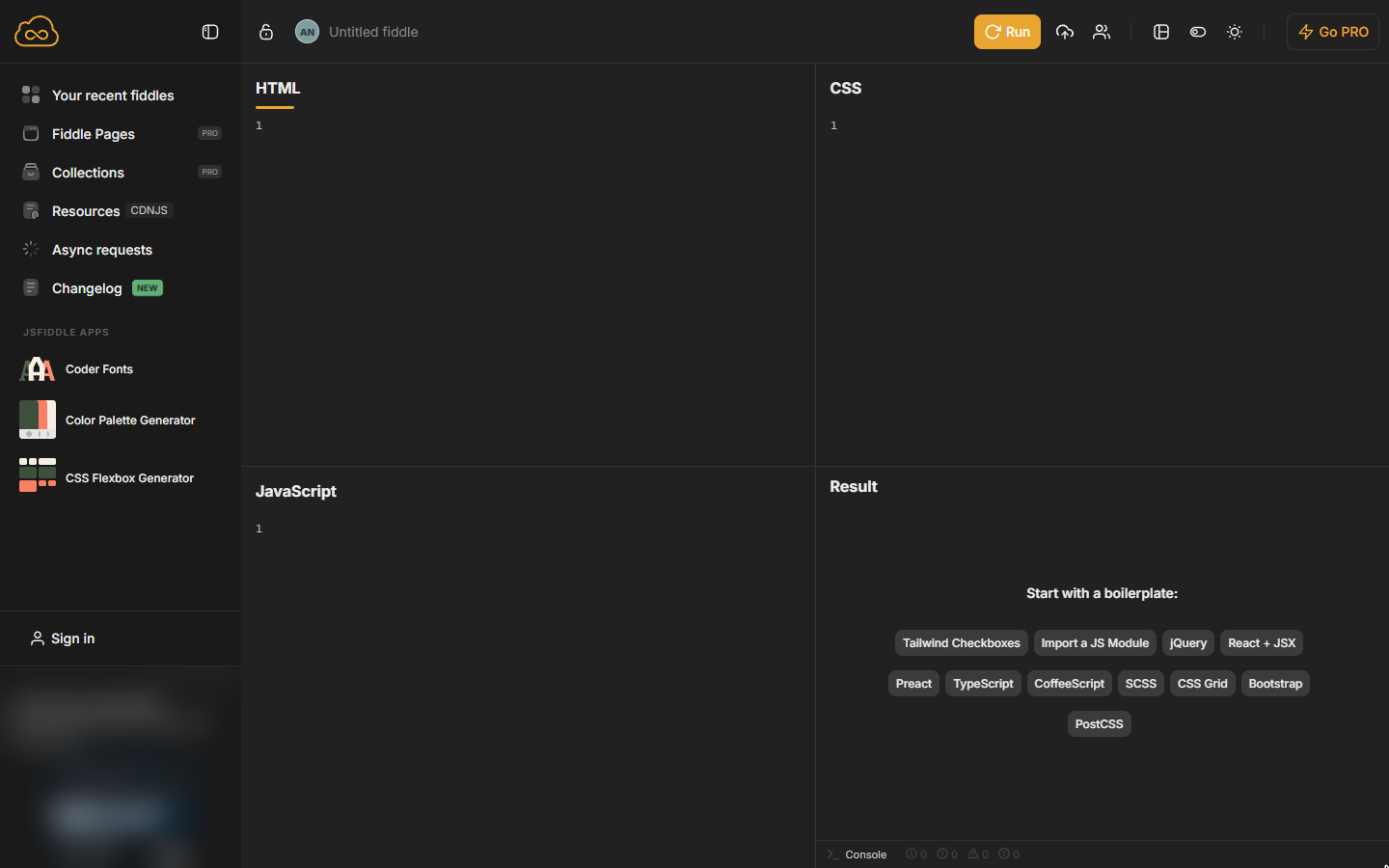
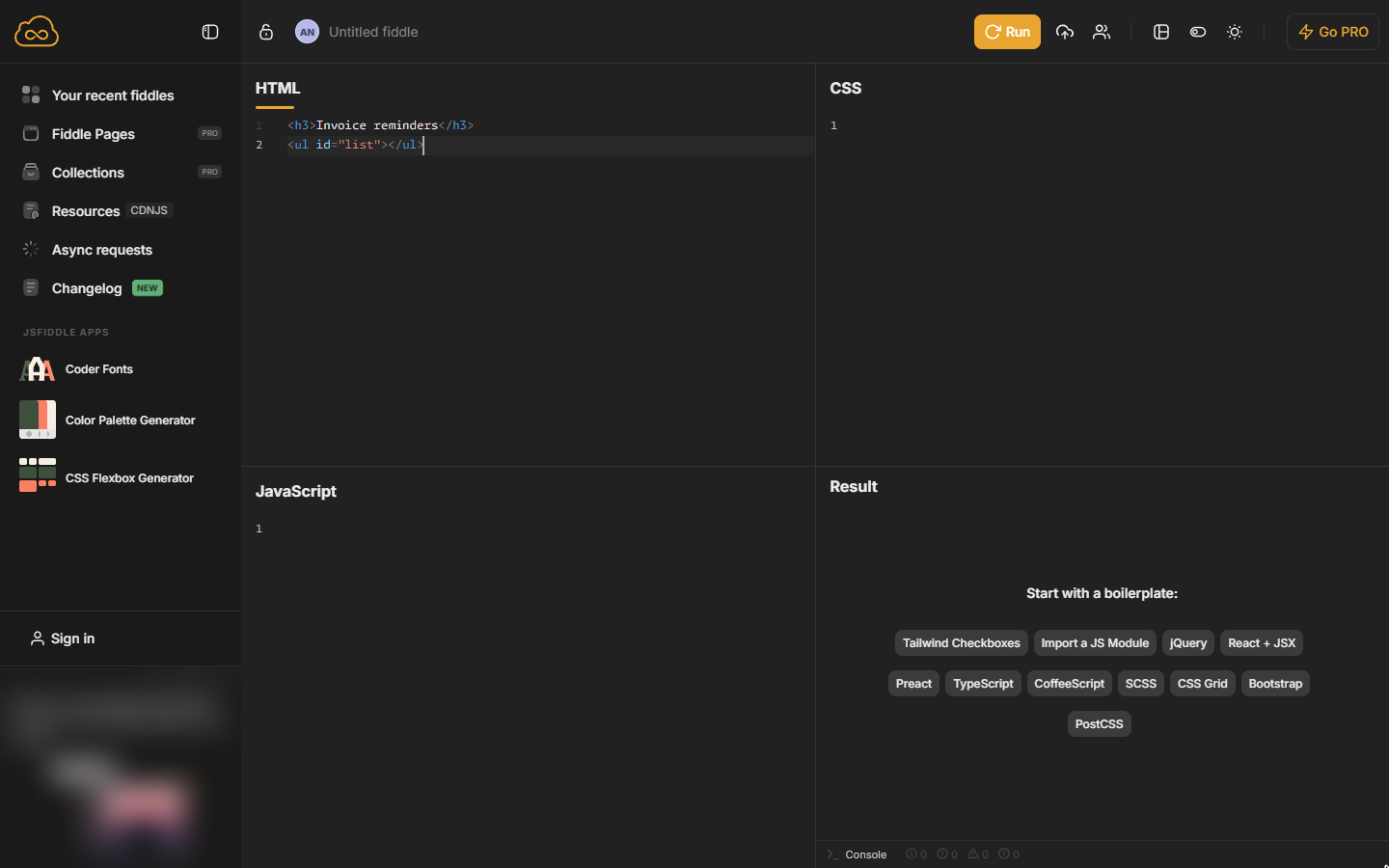
- A heading and an empty list. Open jsfiddle.net (no account needed). In the HTML panel type a heading and an empty list that JavaScript will fill. JSFiddle often adds the closing tag for you as you type; if you end up with a doubled one or a stray >, delete it.
In the HTML panel, type a heading and an empty list.
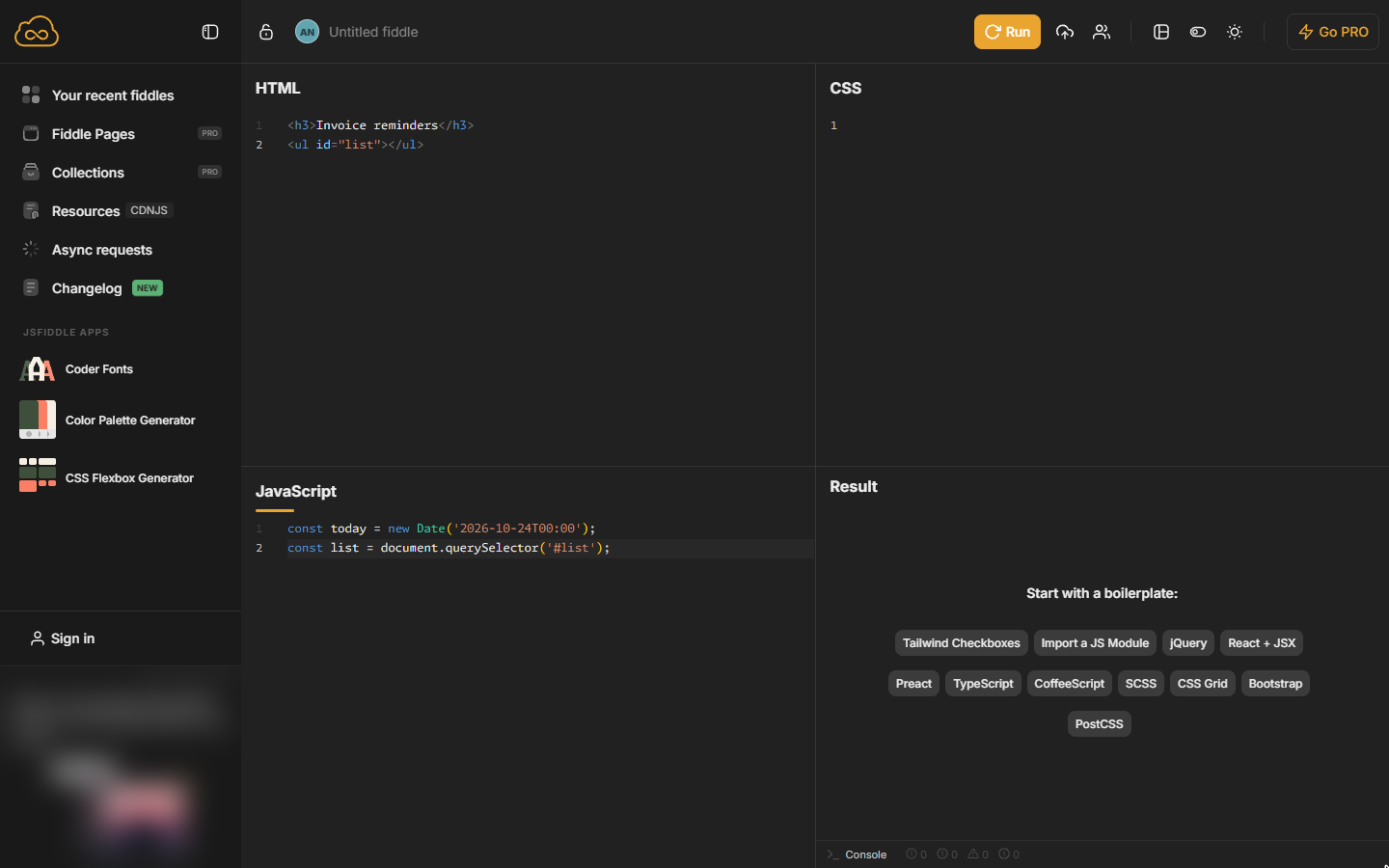
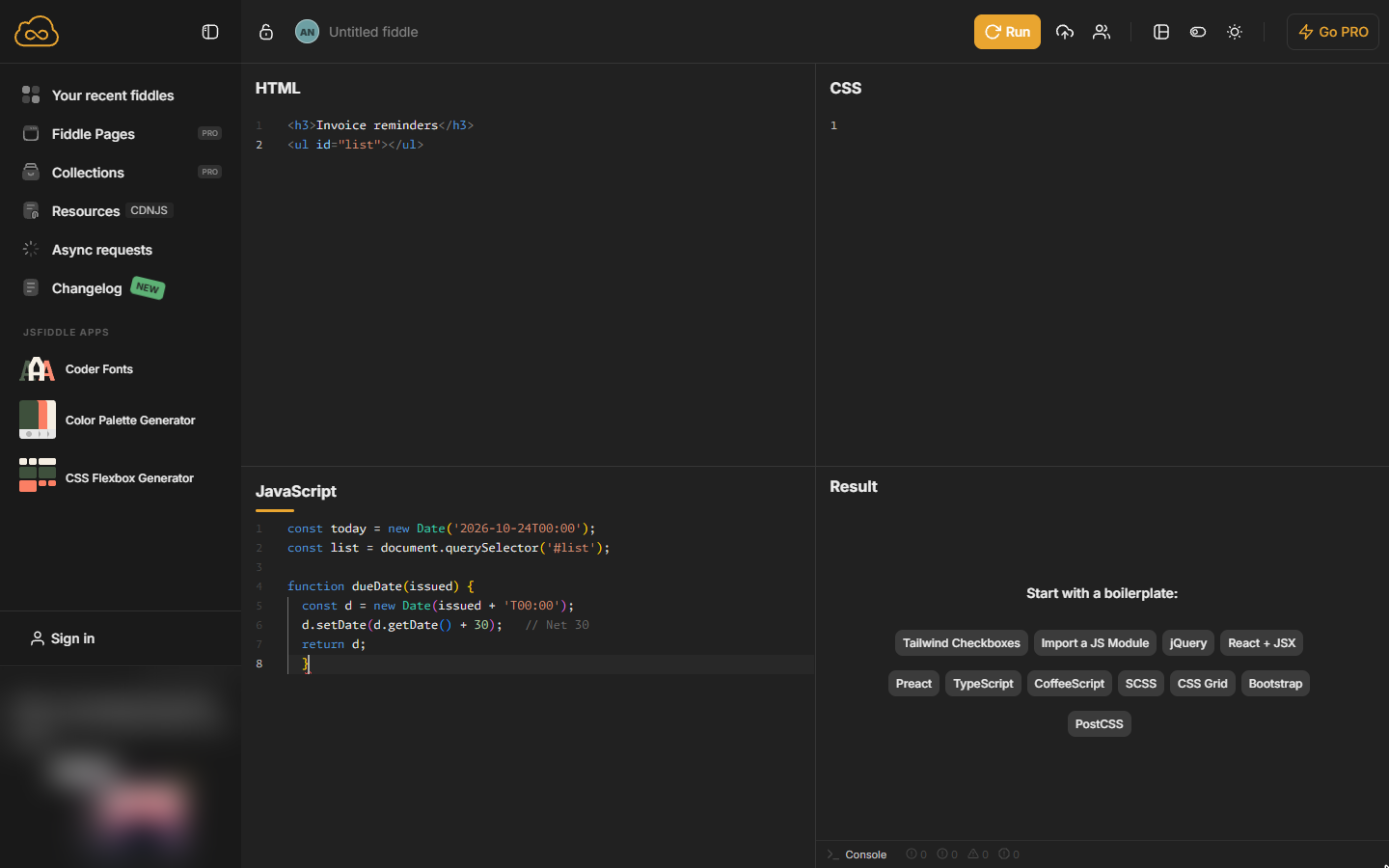
- Today and the list. In the JavaScript panel, type today's date and find the list. The date is fixed here so your answers match the lesson; at work you would write new Date() for the real today.
In the JavaScript panel, set today's date and find the list. The date is fixed so your numbers match the lesson.
2. Due dates and days left
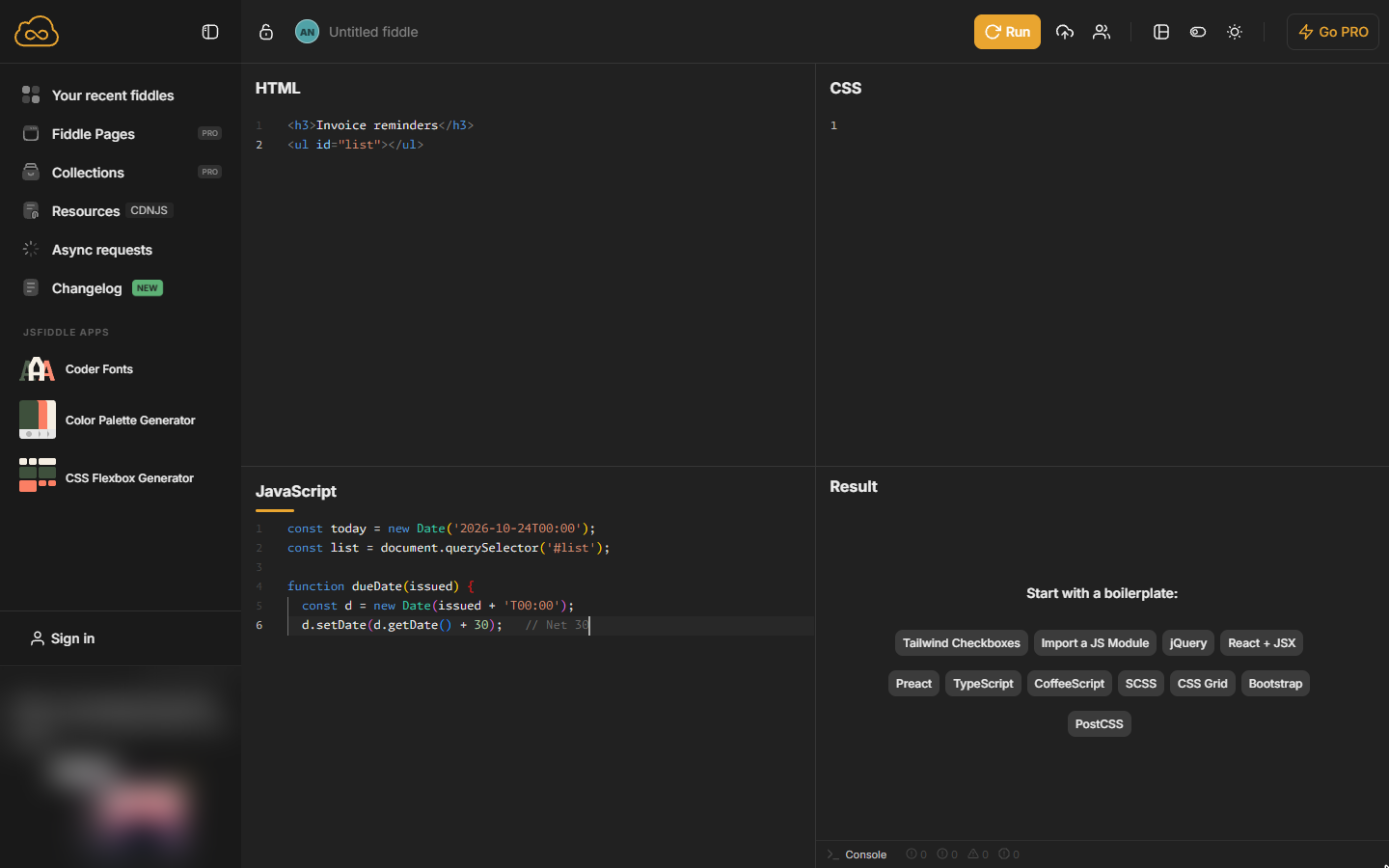
- Add 30 days. Leave a blank line and start a function that takes the date an invoice was issued and adds 30 days (Net 30).
Start a function that takes the issue date and adds thirty days.
- Give the date back. Finish the function: hand back the new date and close the brace.
Return the new date, and close the function.
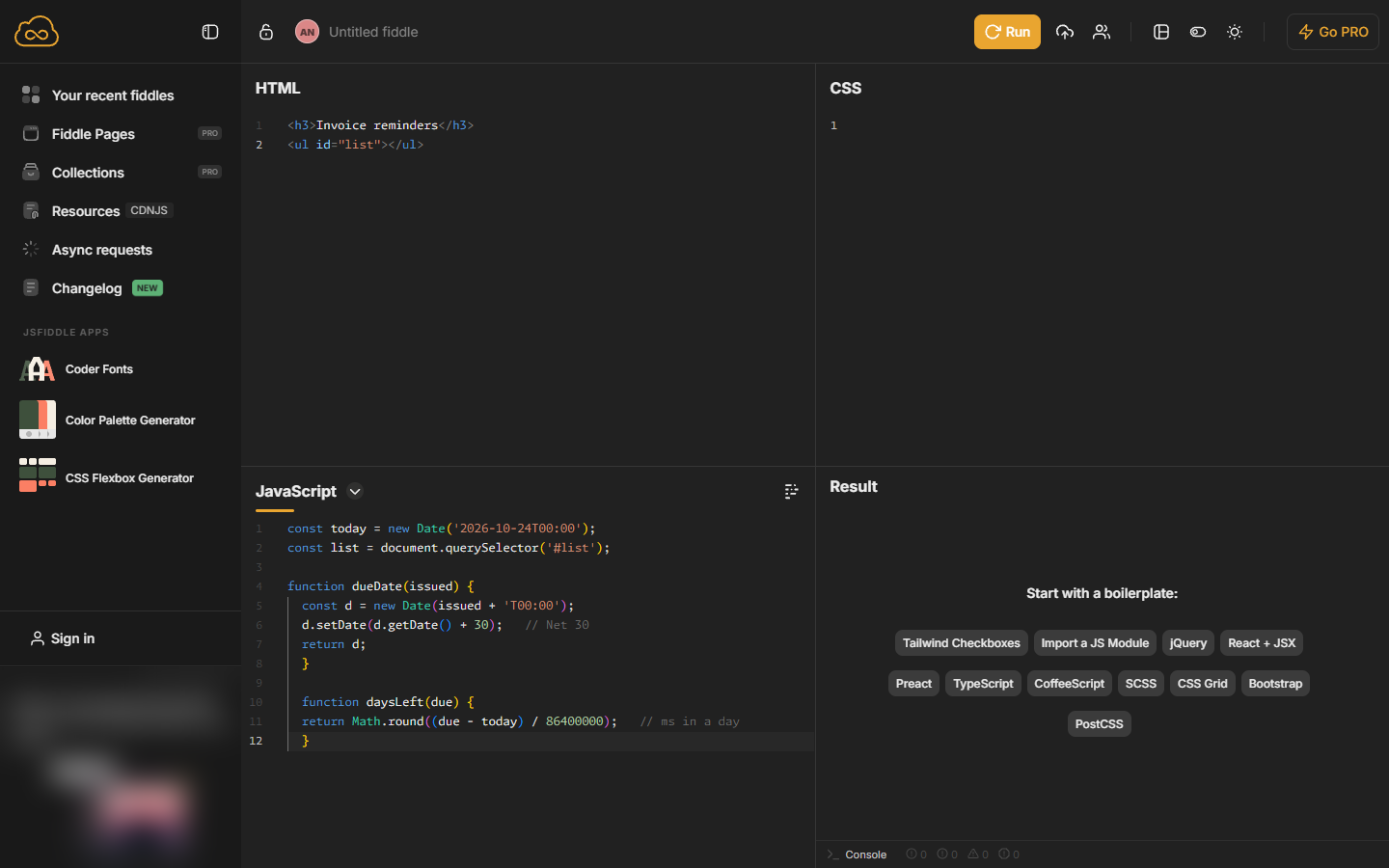
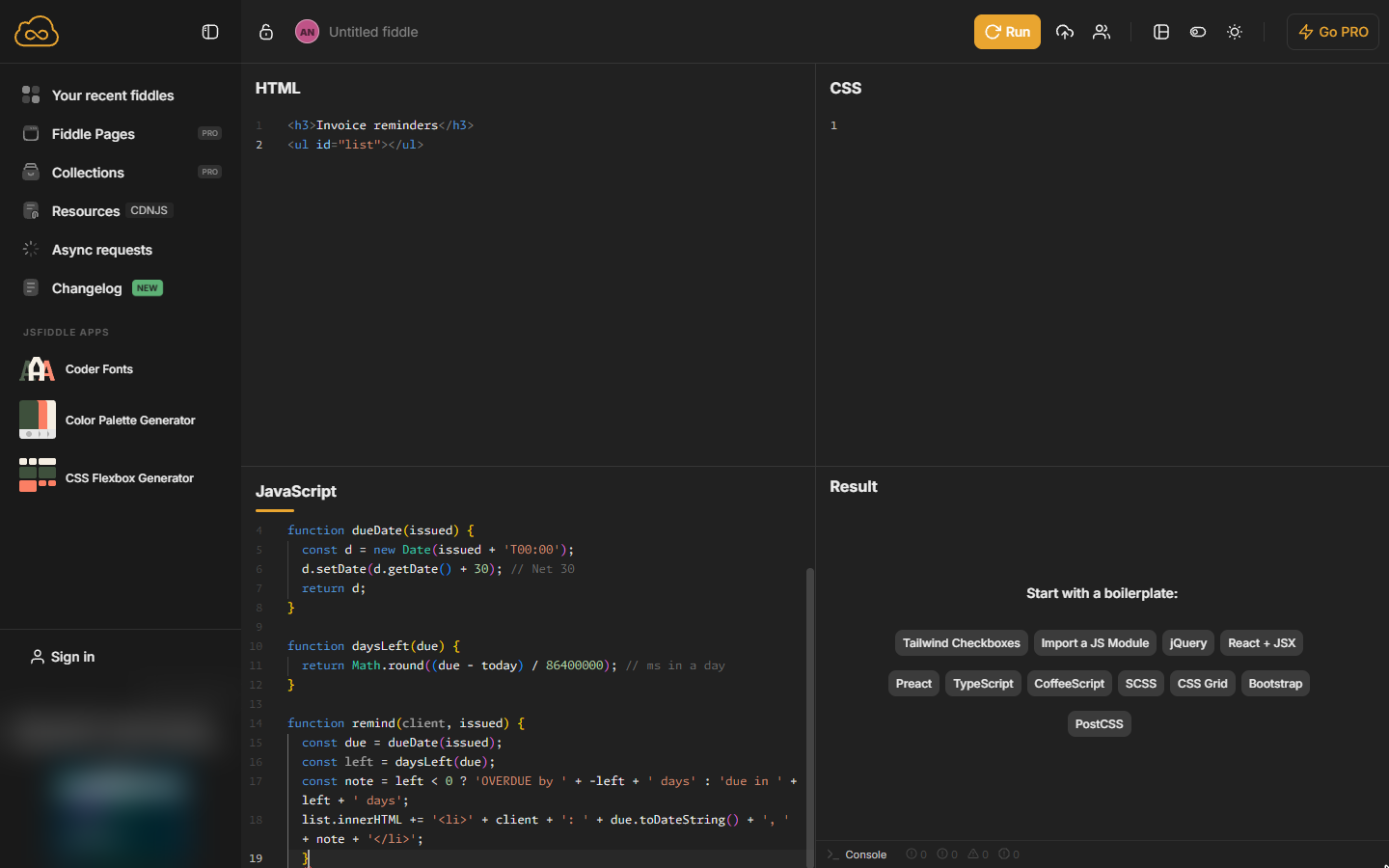
- Count the days left. Leave a blank line. Subtracting two dates gives milliseconds; dividing by 86,400,000 (the milliseconds in a day) gives days. Below zero means overdue.
A second function counts the days left. Below zero means overdue.
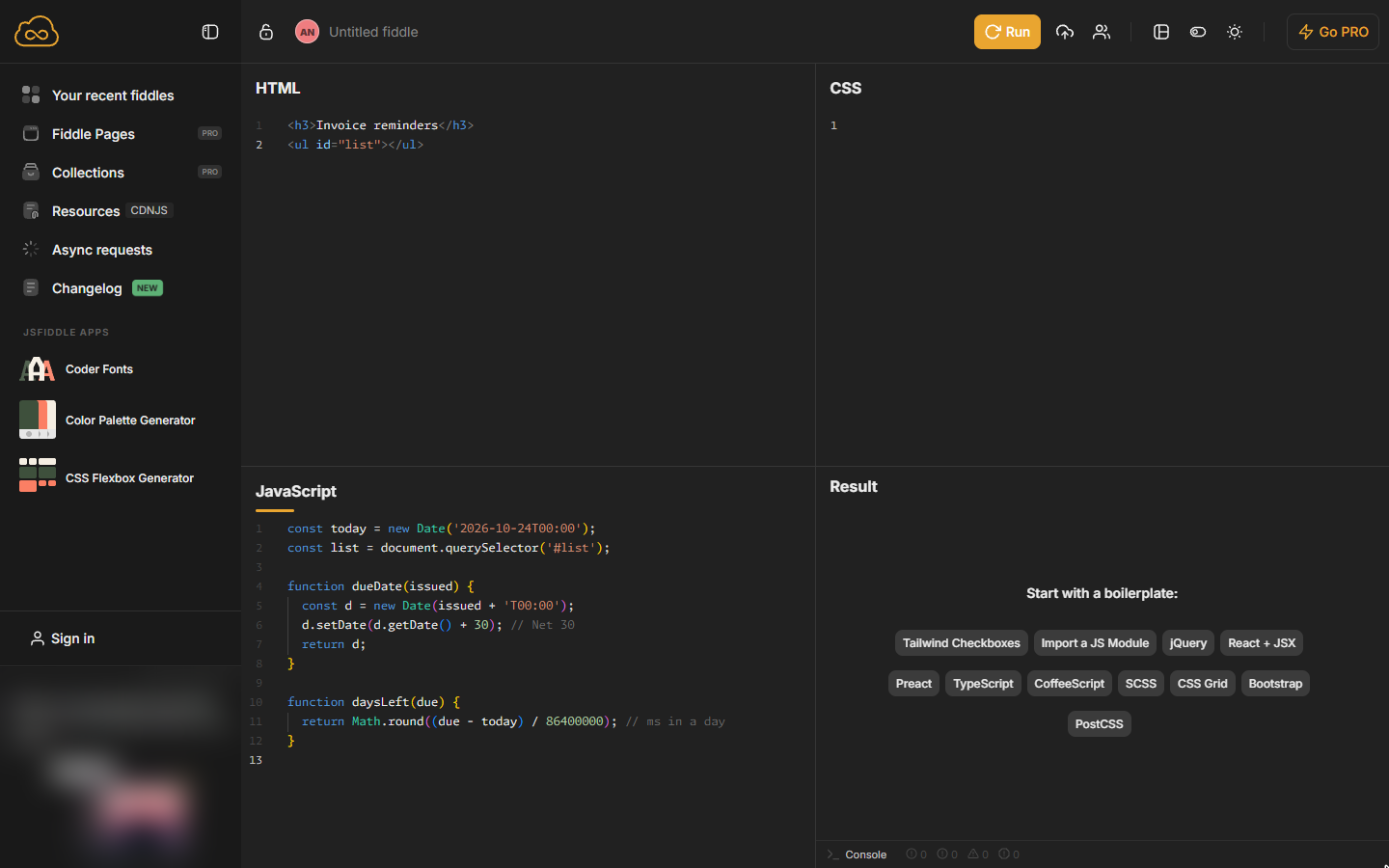
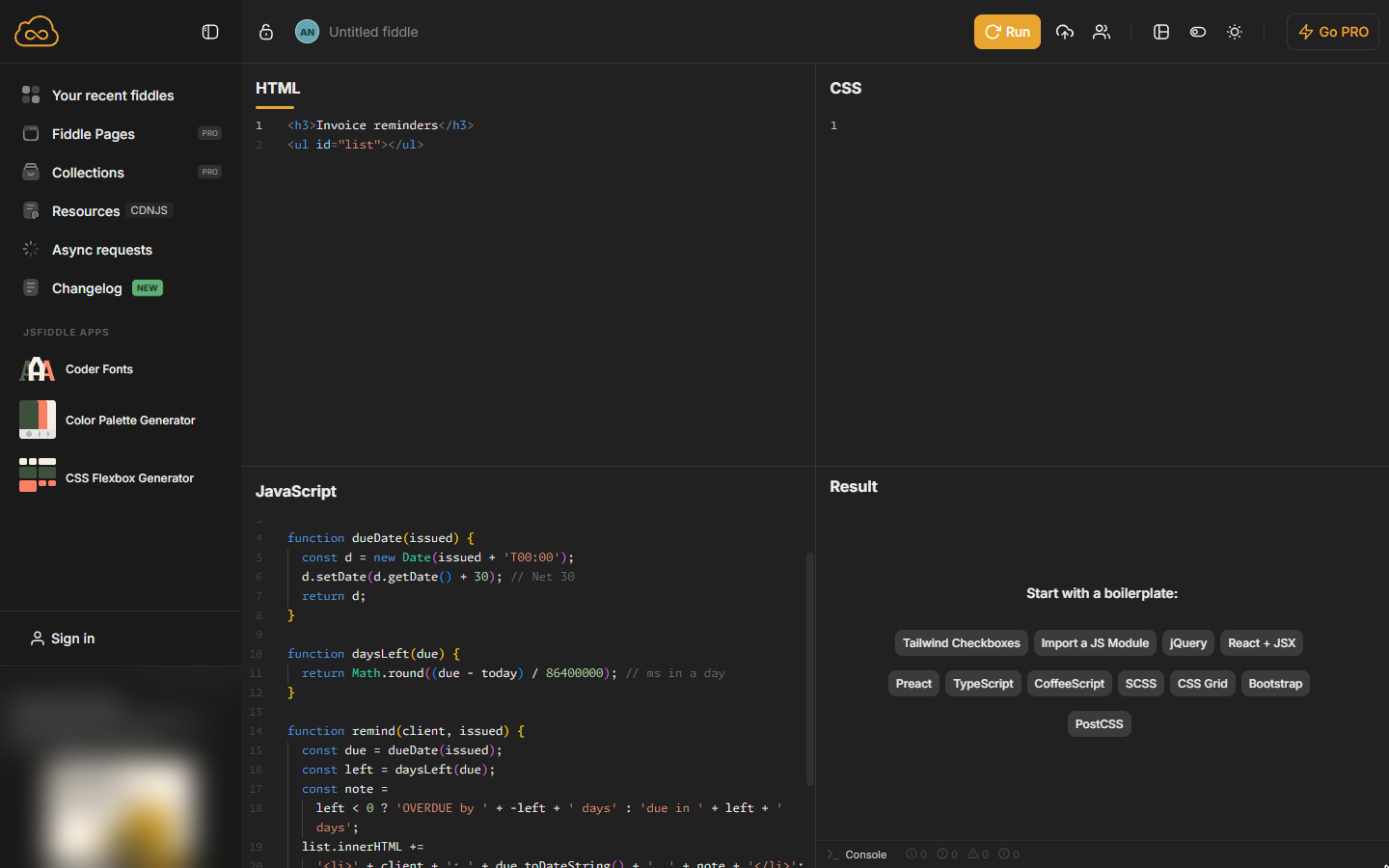
- Tidy the code. Point at the JavaScript panel and click the tidy icon at its top right. JSFiddle lines the code up for you.
3. Write the reminders
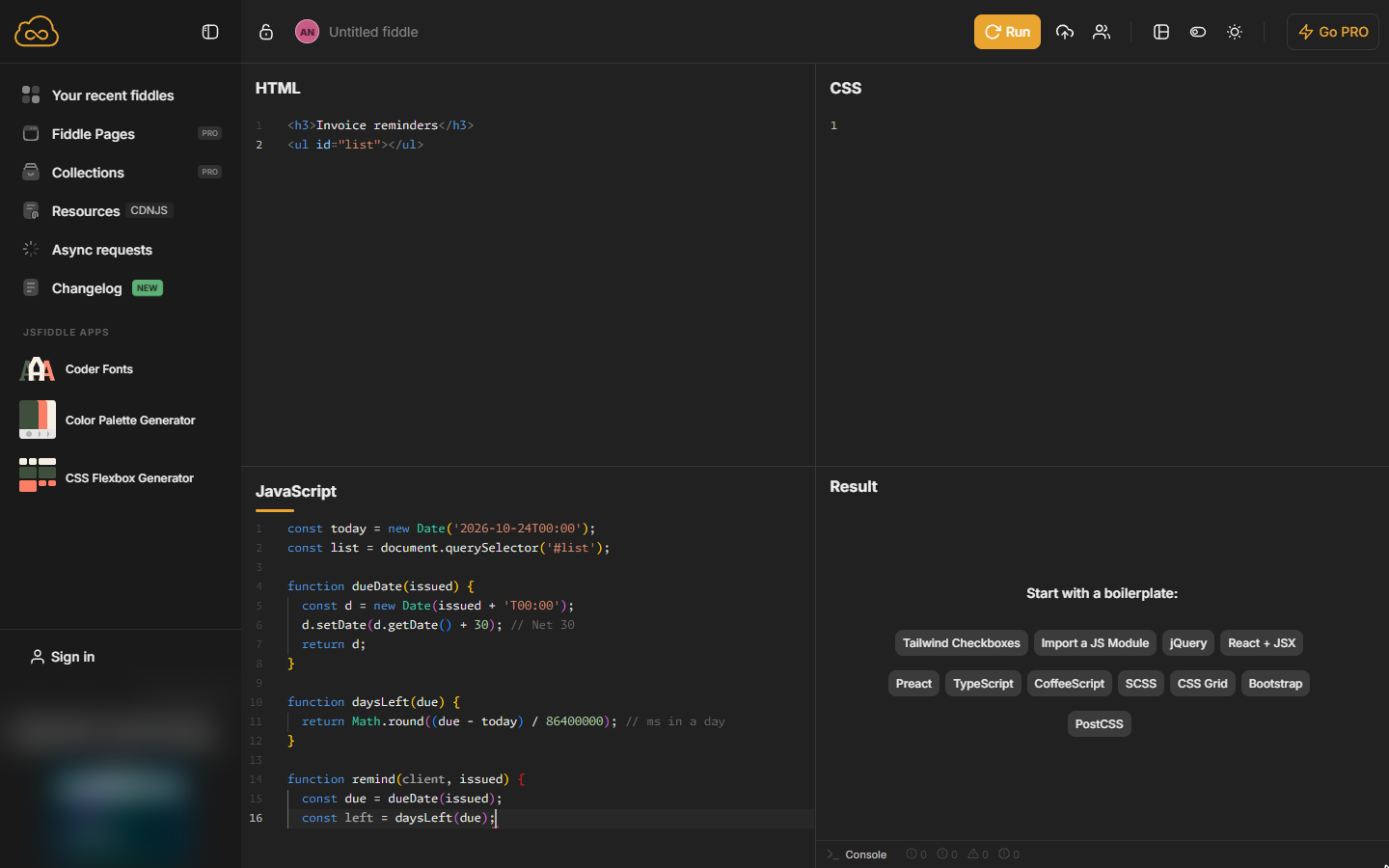
- Start the reminder. At the end of the code, after a blank line, start a function that uses the other two.
Now a remind function that uses the other two: the due date, then the days left.
- Write the line. The ? : picks between two texts: OVERDUE if the days are below zero, otherwise "due in". The second line adds one list item; the brace closes the function.
Pick OVERDUE or due in, add one line to the list, and close the function.
const note = left < 0 ? 'OVERDUE by ' + -left + ' days' : 'due in ' + left + ' days';
list.innerHTML += '<li>' + client + ': ' + due.toDateString() + ', ' + note + '</li>';
}
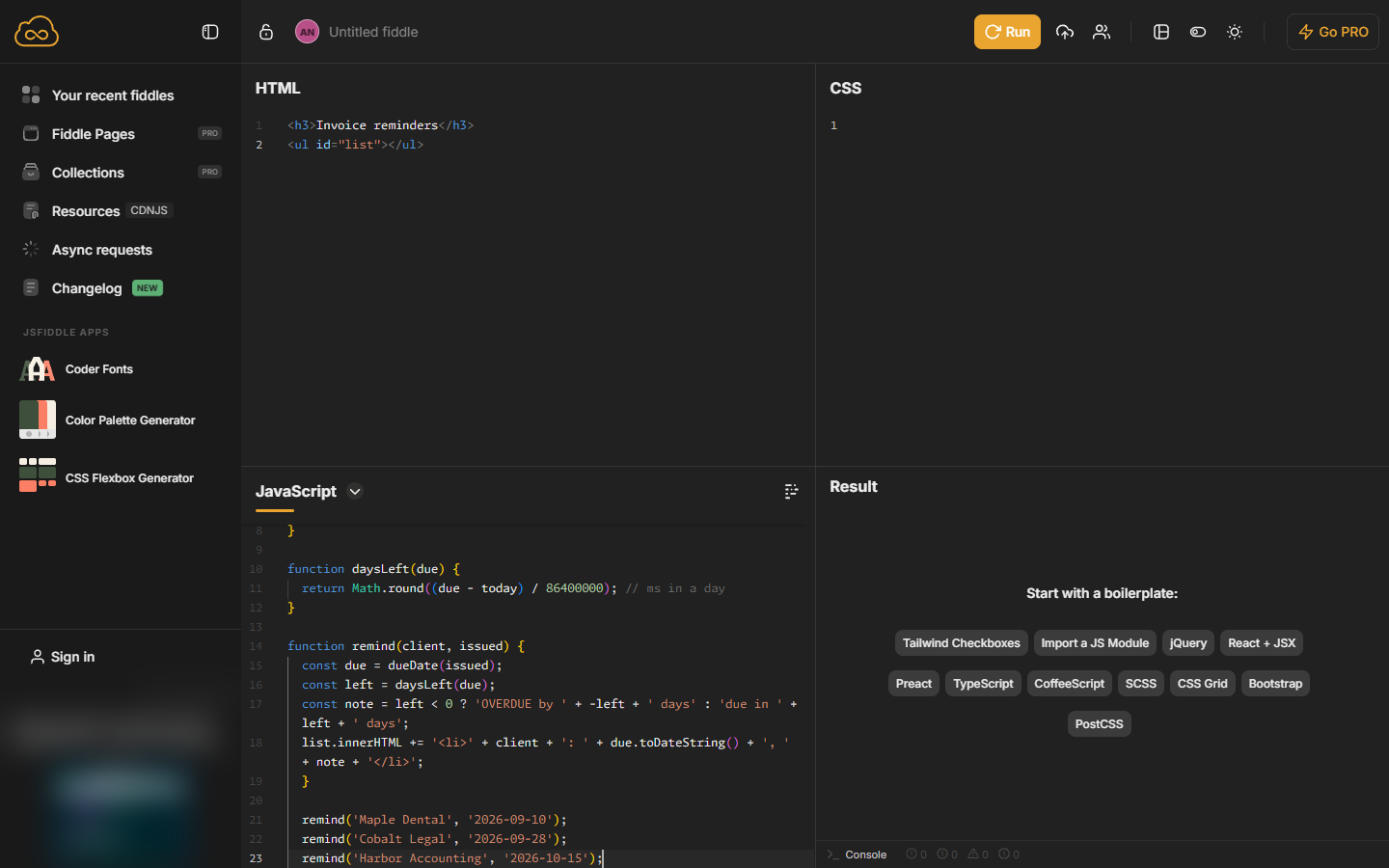
- One line per invoice. Leave a blank line and call it once per open invoice, with the client and the date it was issued.
Call it once for each open invoice: the client and the date it was issued.
- Tidy again. Click the tidy icon again.
Tidy it again.
- Run it. Click Run.
Screenshots
Same business, other tools
Maple Dental shows up in these modules too, built with different tools.
 Excel for the Web: Find Your Top Customers in a Sales Export
A beginner Excel for the web walkthrough on real screens: clean a sales export with Remove Duplicates, total every customer with a PivotTable and sort the biggest to…
Free · Live ~12 min Beginner
 SQL: Build a Monthly Revenue Report from an Orders Table
A beginner SQL walkthrough in the free DB Fiddle: type a small orders table, then filter it, total it and turn it into revenue by month with GROUP BY, typing every line…
Free · Live ~12 min Beginner
 SQL: Find Customers Who Have Gone Quiet with a LEFT JOIN
A beginner SQL walkthrough in the free DB Fiddle: join a customers table to orders, see why a plain JOIN hides customers who never ordered, and list every quiet account…
Free · Live ~15 min Beginner
 Python: Total a Sales Export by Customer in Google Colab
A beginner Python walkthrough in the free Google Colab: put six orders in a pandas table, total the quarter and rank customers by revenue, typing every line yourself.
Free · Live ~12 min Beginner
 Python: Combine Monthly Sales Exports into One Quarter
A beginner Python walkthrough in the free Google Colab: label three monthly exports, stack them into one quarter with pandas concat and total by month and by customer…
Free · Live ~12 min Beginner
Free cheat sheet
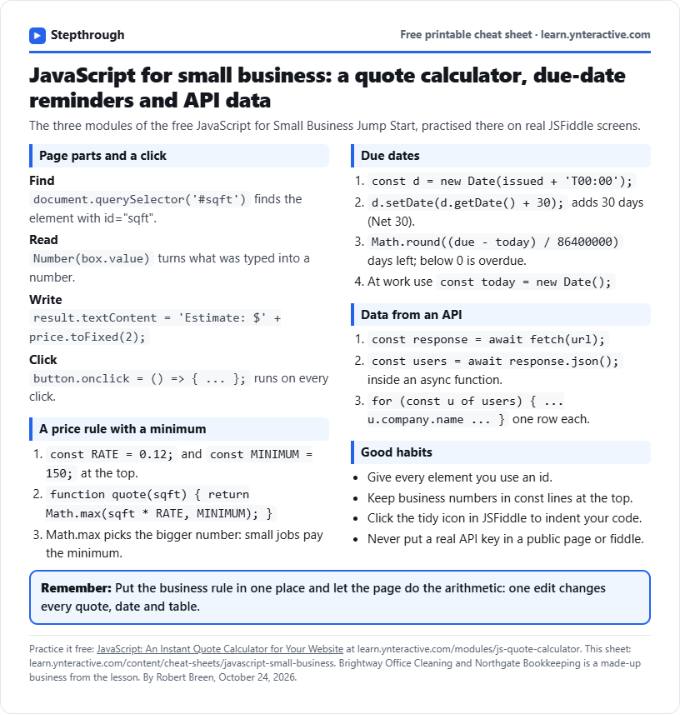
Print it or save the PDF: the key steps and checks from this lesson on one page, free.
All free printable cheat sheets
Terms in this lesson
Plain-English definitions, each with an example from a free lesson.