Updated . Built against the tool’s current screens and checked step by step. How we check this lesson
A beginner JavaScript walkthrough in the free JSFiddle: a four-line HTML form and a few lines of JavaScript that turn square feet into a price, with a minimum charge, typed and run by you.
At a glance
| Question | Answer |
|---|---|
| What you build | A beginner JavaScript walkthrough in the free JSFiddle: a four-line HTML form and a few lines of JavaScript that turn square feet into a price, with a minimum charge, typed and run by you. |
| Tools | JSFiddle |
| Time | About 12 minutes, 13 steps in 3 parts |
| Level | Beginner, no coding needed |
| Cost | Free |
| Ways to learn it | Practice it step by step |
The 3 parts, in short
- The form: Add a heading, Add the size box, Add a button and a result line, Run it.
- The price rule: Write down the price rule, A function that prices a job.
- Connect the button: Find the page parts, Price it on click, Tidy the code, Run it, and 3 more steps.
What you'll build
Jordan (made up) runs Brightway Office Cleaning. Every enquiry starts the same way: "How much for our office?", then an email back asking the size, then a reply with a price a day later, by which time half of them have asked someone else. The price is simple: 12 cents a square foot, never less than $150. In this lesson you build the calculator for the website in JSFiddle, a free code playground in your browser: four lines of HTML, then a short JavaScript function. You type every line yourself.
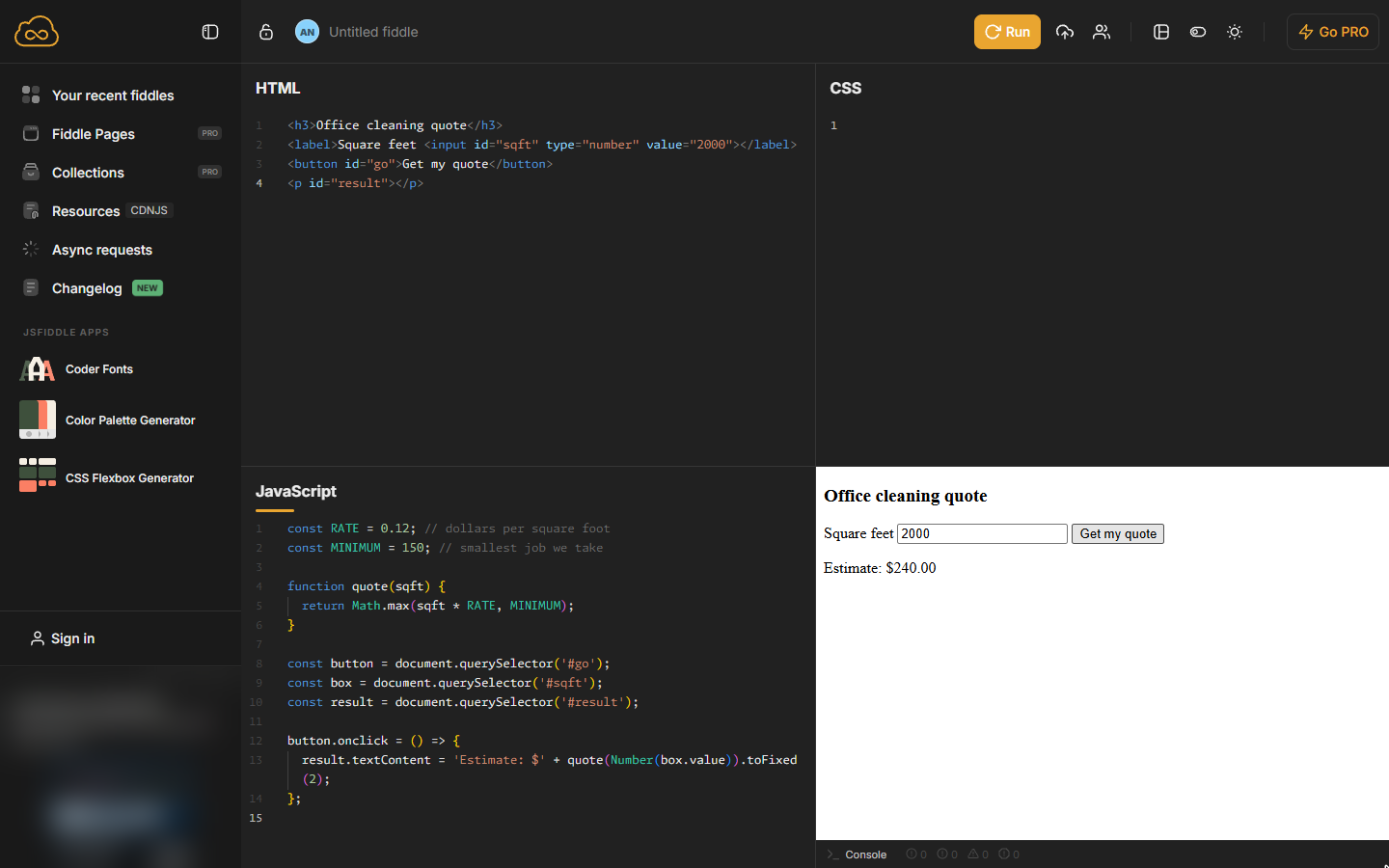
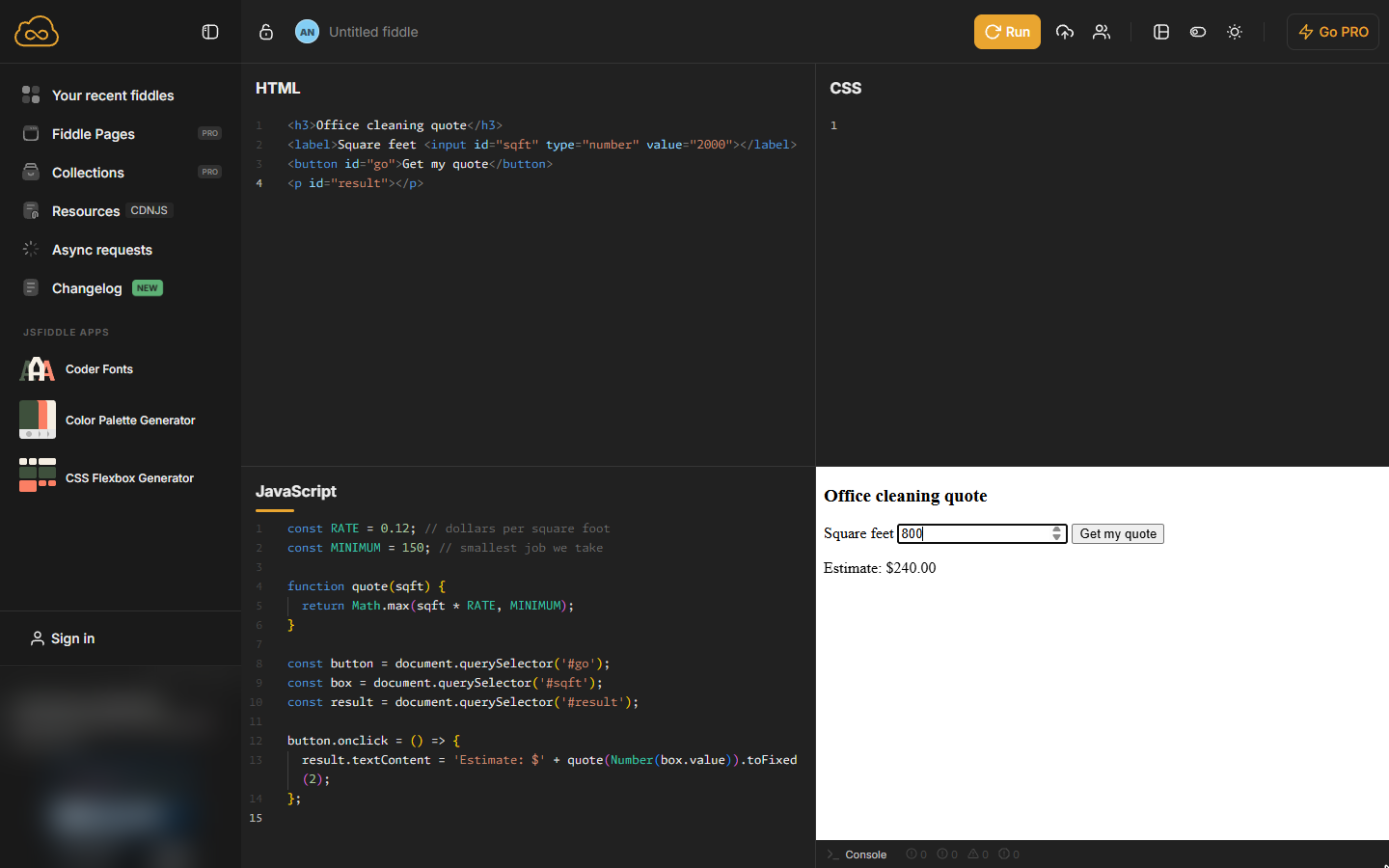
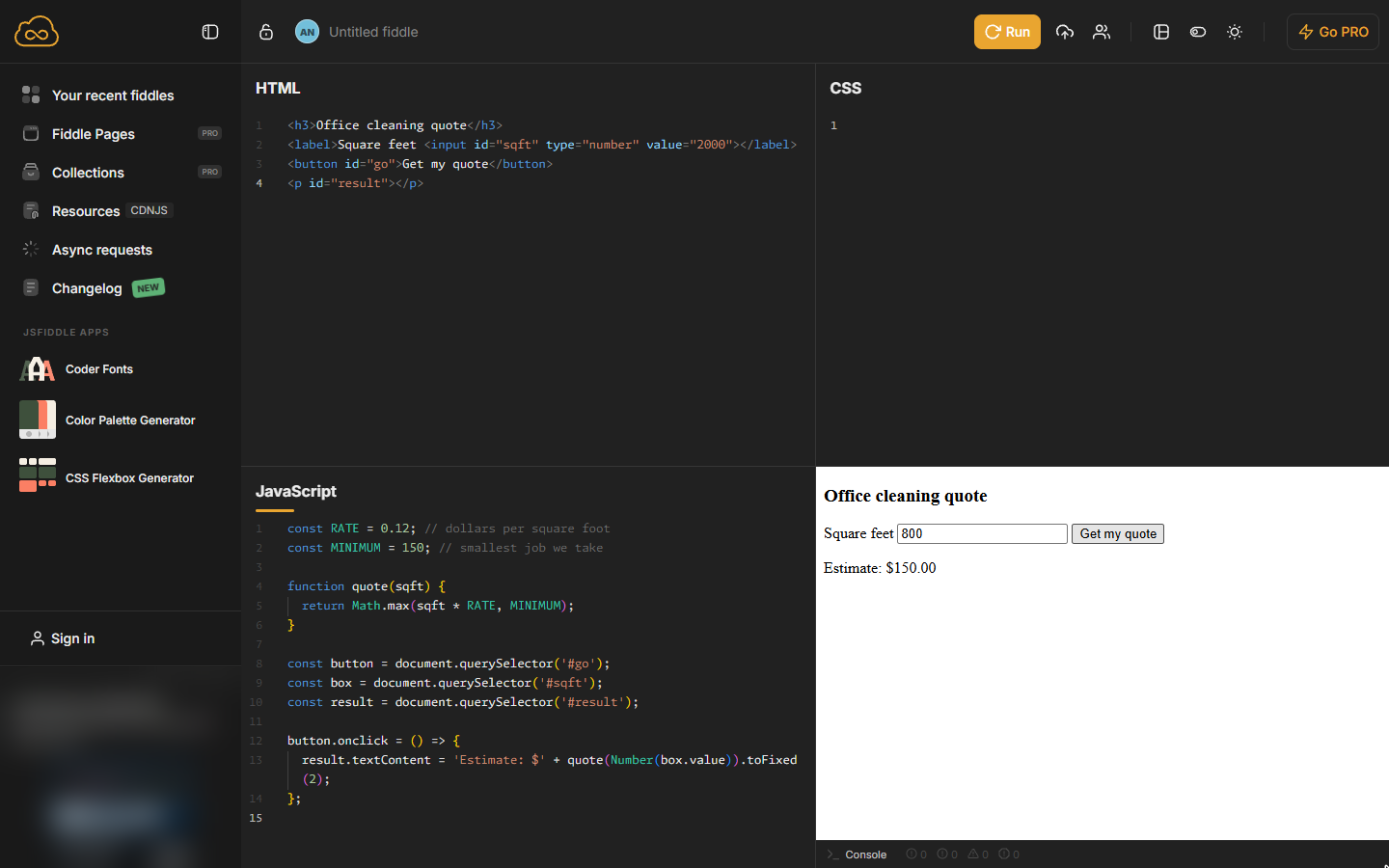
2,000 square feet gives $240.00; 800 square feet gives the $150.00 minimum. Change RATE or MINIMUM and every quote follows. The same HTML and JavaScript can go on your own website (ask your web person to paste it into a page). Do it in JSFiddle yourself: the lesson page has the checklist.
- Tools: JSFiddle
- Time: about 12 minutes, 13 steps in 3 chapters
- Level: beginner, no coding needed
- Price: free
Practice first, then build it for real
Practice copy built from real JSFiddle screens (jsfiddle.net, captured 24 October 2026). Every line of code in it was typed and run there. The business and its numbers are made up; the ad box on the left is blurred. To build it for real you need your own JSFiddle account, and some services charge once you use them for real work, so check each tool's current pricing.
Try it yourself, free
Reading the steps is a start. Doing them is how it sticks. The interactive module walks you through every click in a practice copy of JSFiddle, checks each step, and never touches your real accounts.
Start “JavaScript: An Instant Quote Calculator for Your Website”Step by step: JavaScript: An Instant Quote Calculator for Your Website
All 13 steps of the interactive module, in order. In the module you watch each one, then do it yourself in a practice copy that checks your work.
1. The form
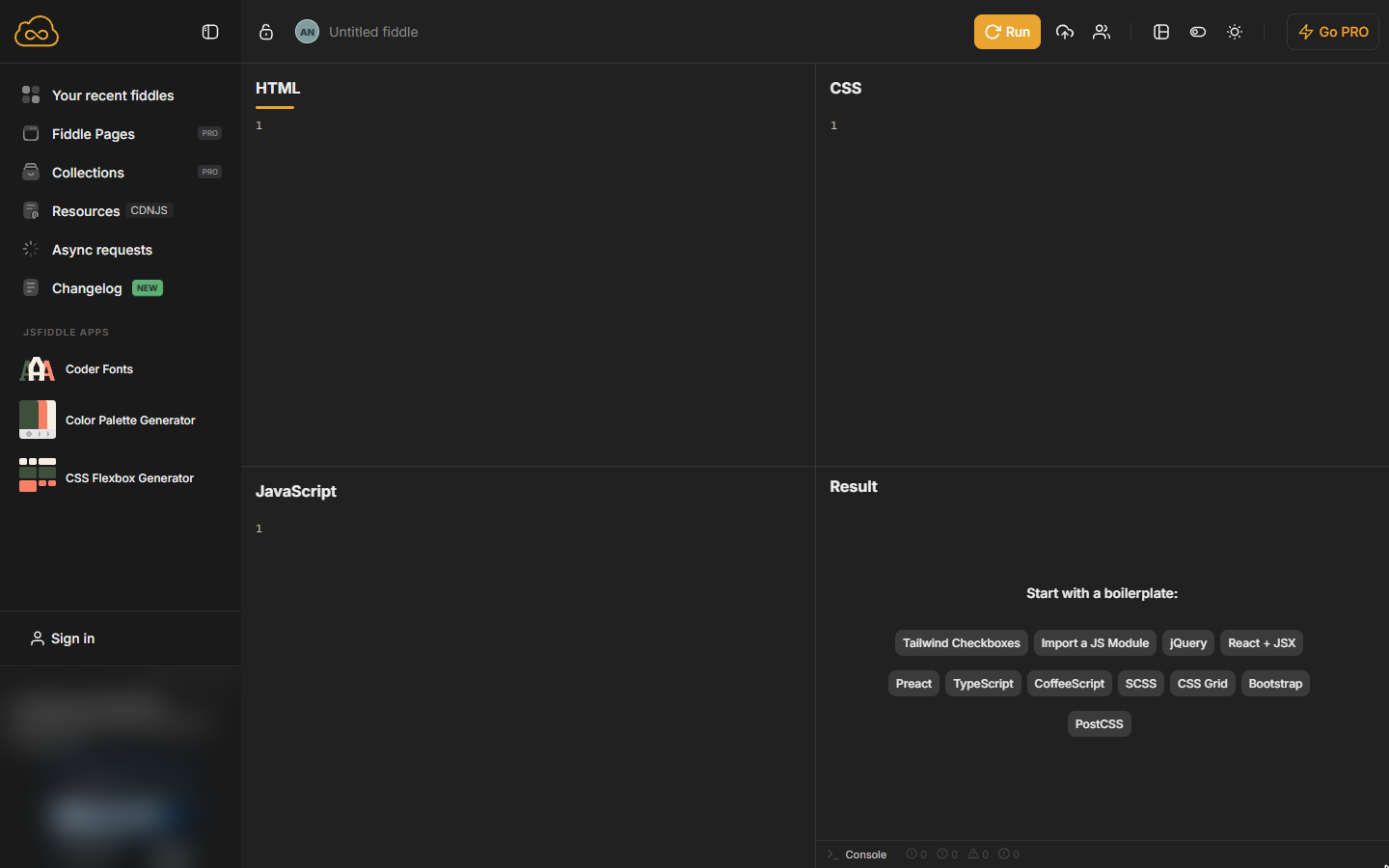
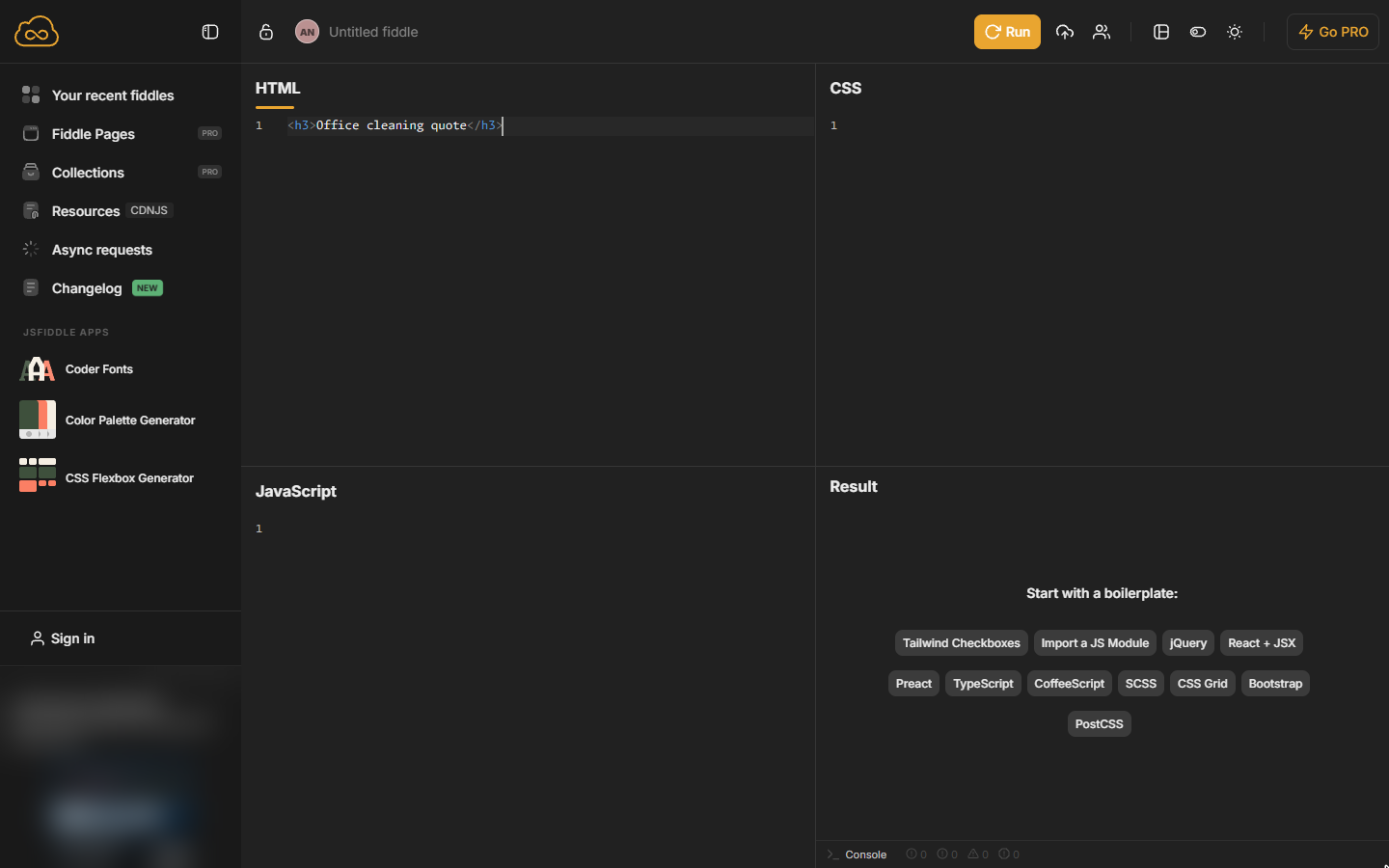
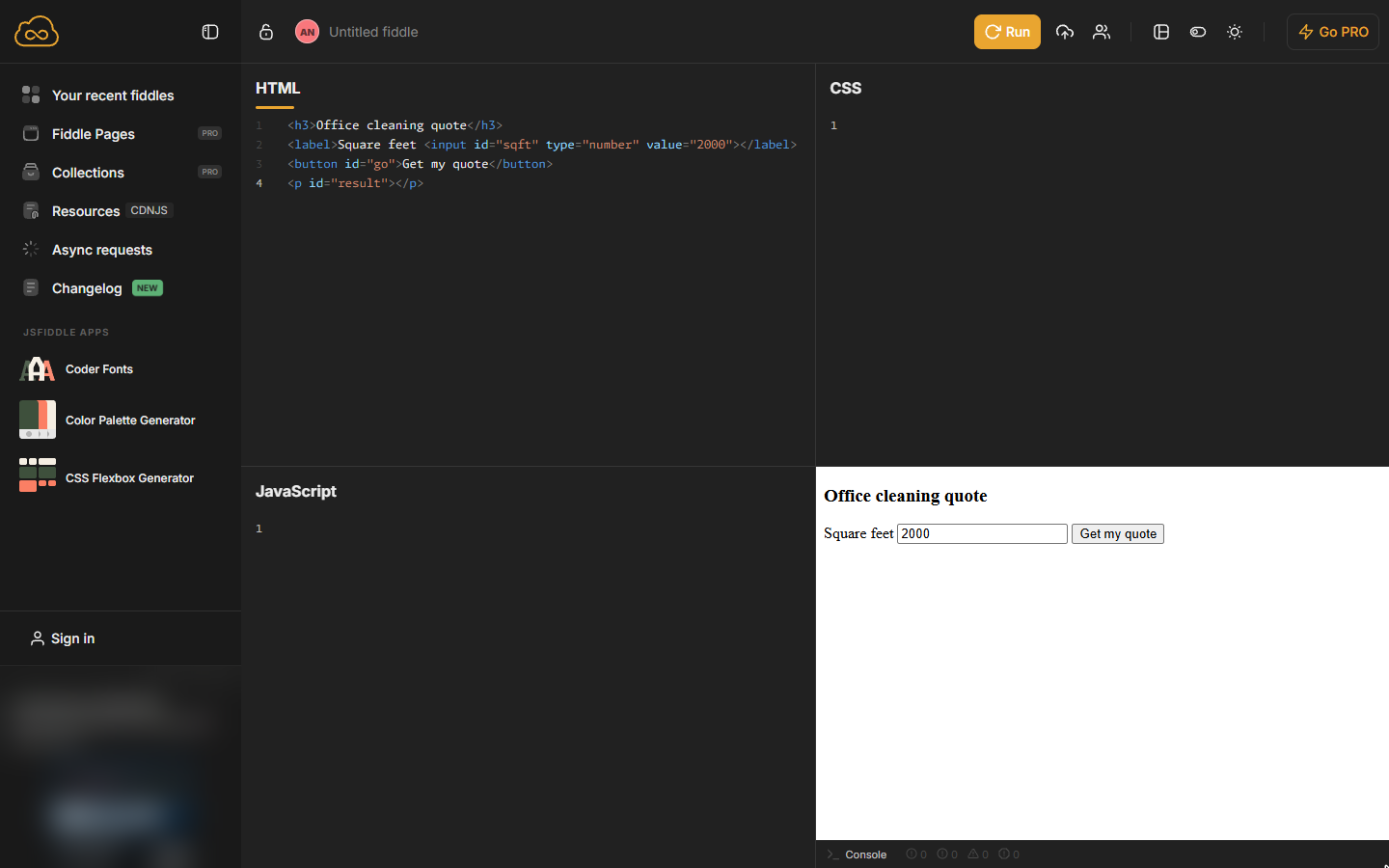
- Add a heading. Open jsfiddle.net (no account needed). Click in the HTML panel and type a heading for the form. JSFiddle often adds the closing tag for you as you type; if you end up with a doubled one or a stray >, delete it.
In the HTML panel, type a heading for the quote form.
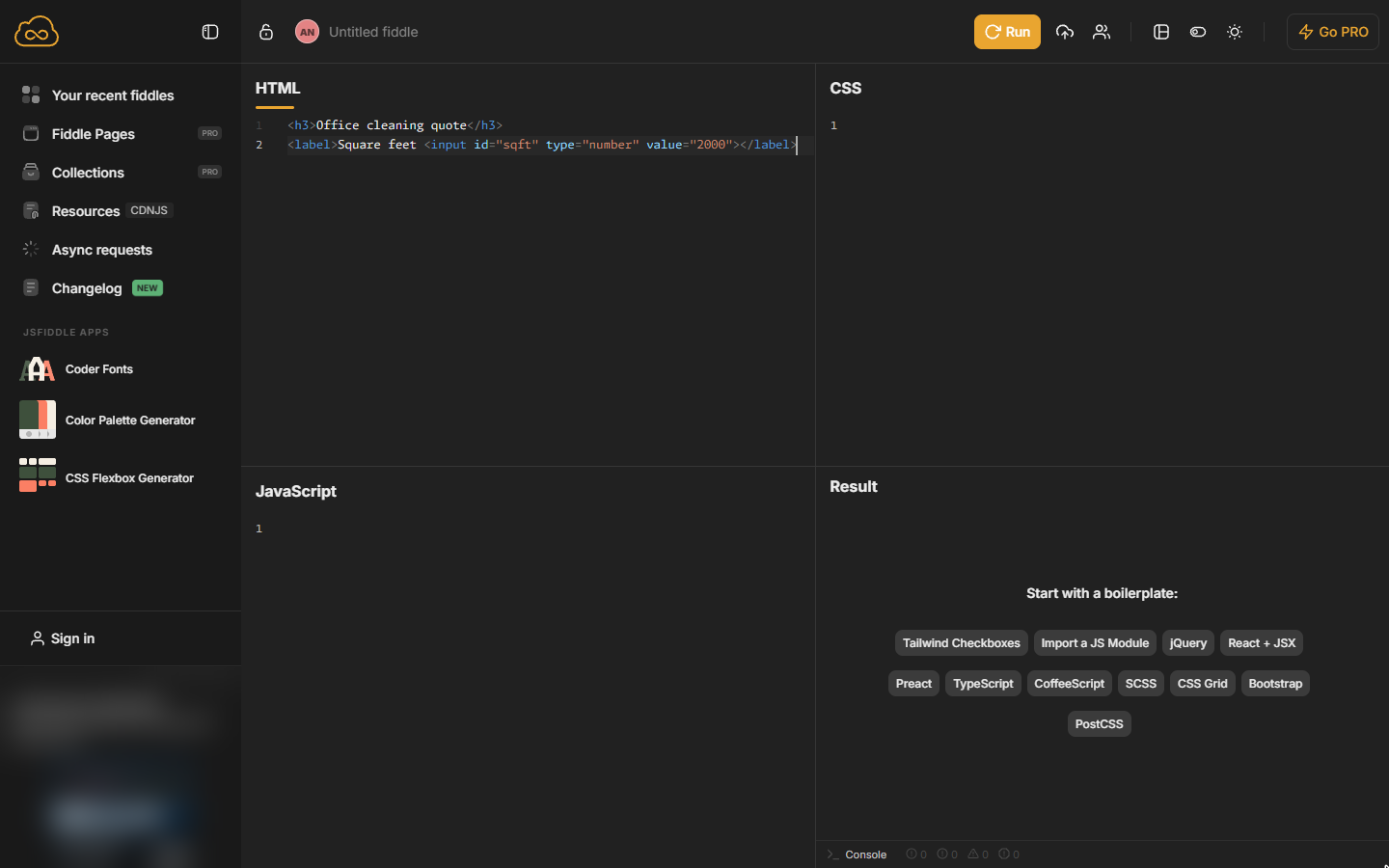
- Add the size box. Press Enter and type a number box for the size, with an id so JavaScript can find it.
Add a number box for the size. Its id, sqft, is how JavaScript will find it.
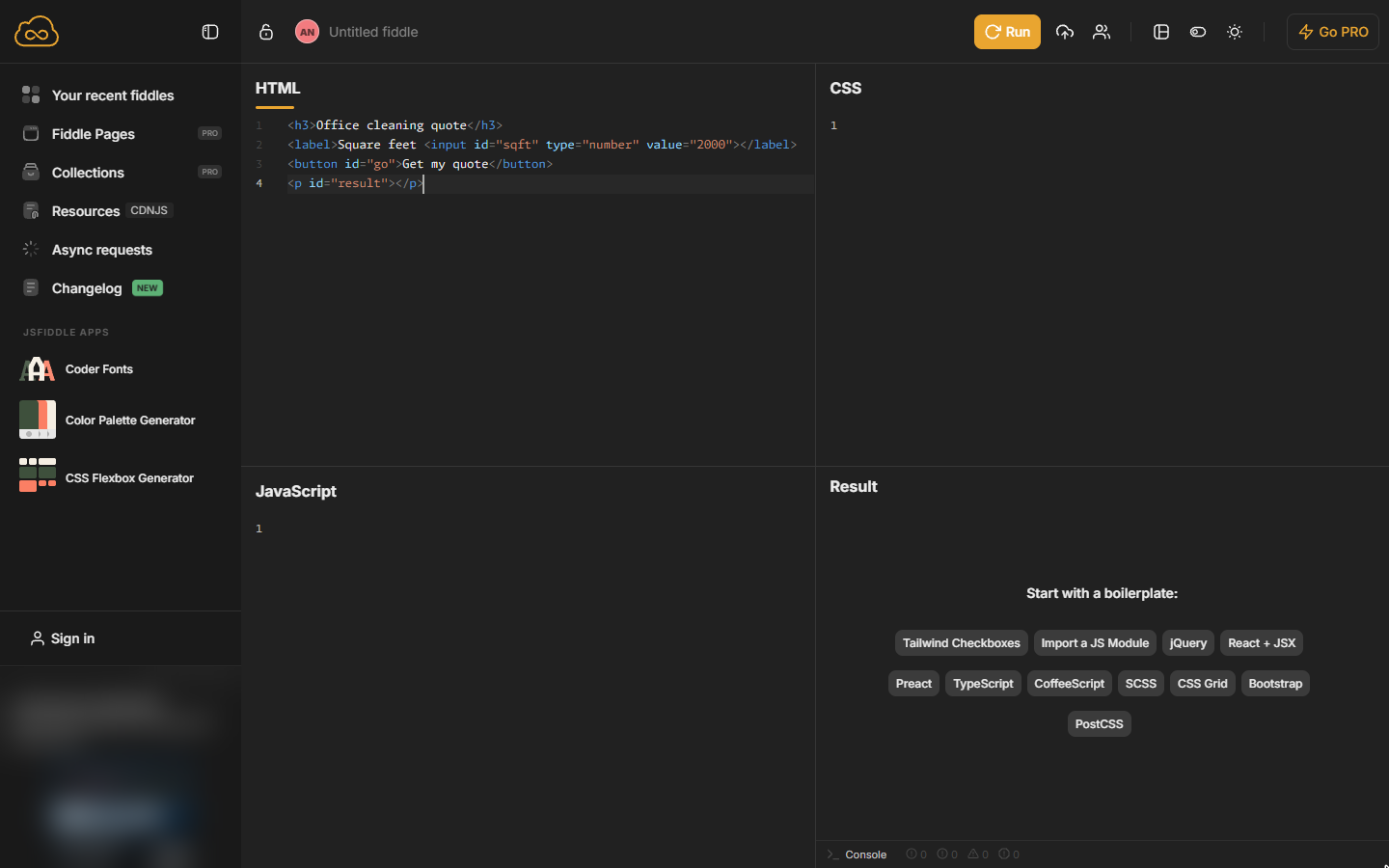
- Add a button and a result line. Two more lines: a button, and an empty paragraph where the price will appear.
Add a Get my quote button, and an empty line for the result.
- Run it. Click Run at the top. The Result panel shows your form.
2. The price rule
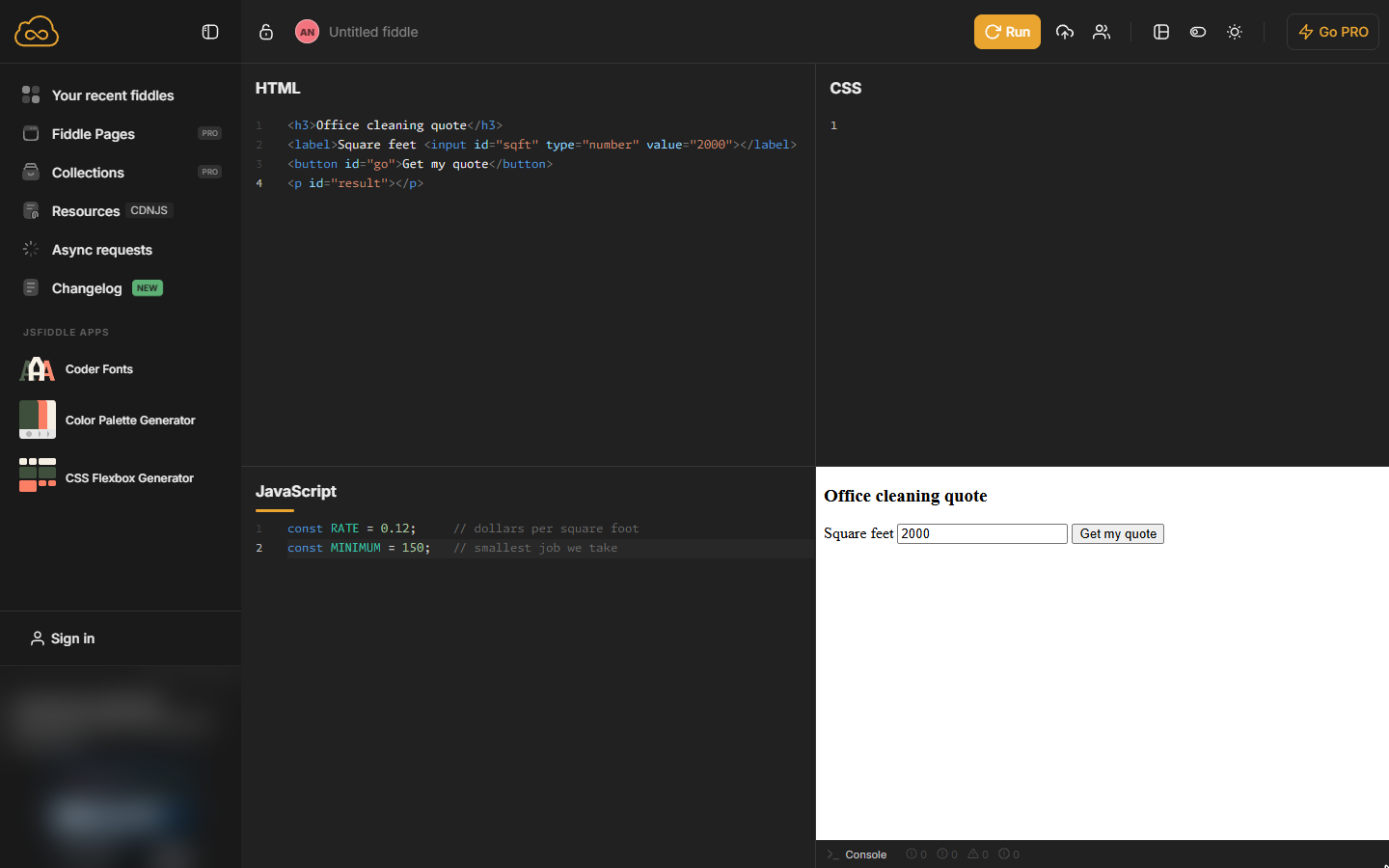
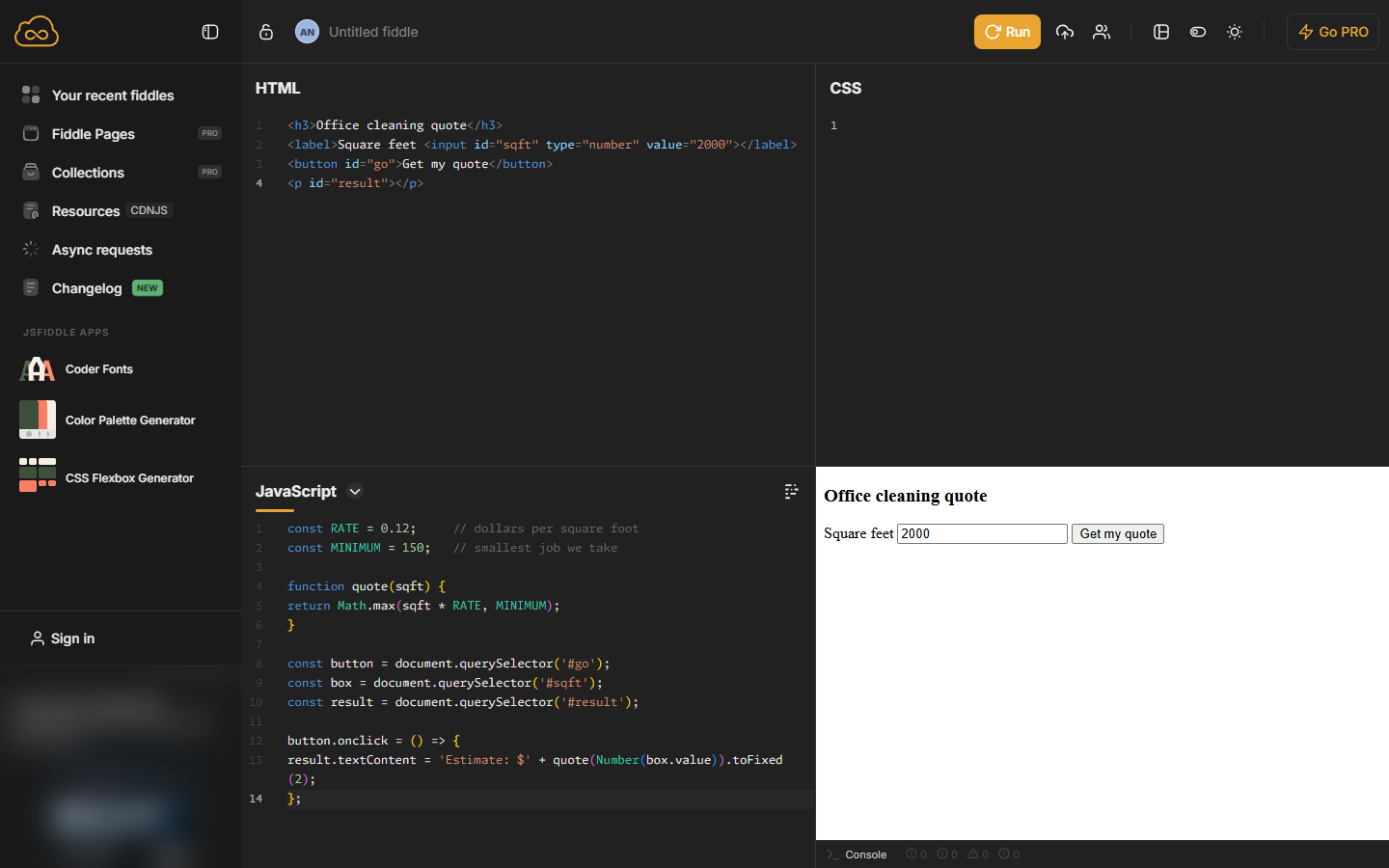
- Write down the price rule. The button does nothing yet. Click in the JavaScript panel and type the two numbers your price depends on. Everything after // is a note for people.
The button does nothing yet. In the JavaScript panel, type your rate and your minimum charge.
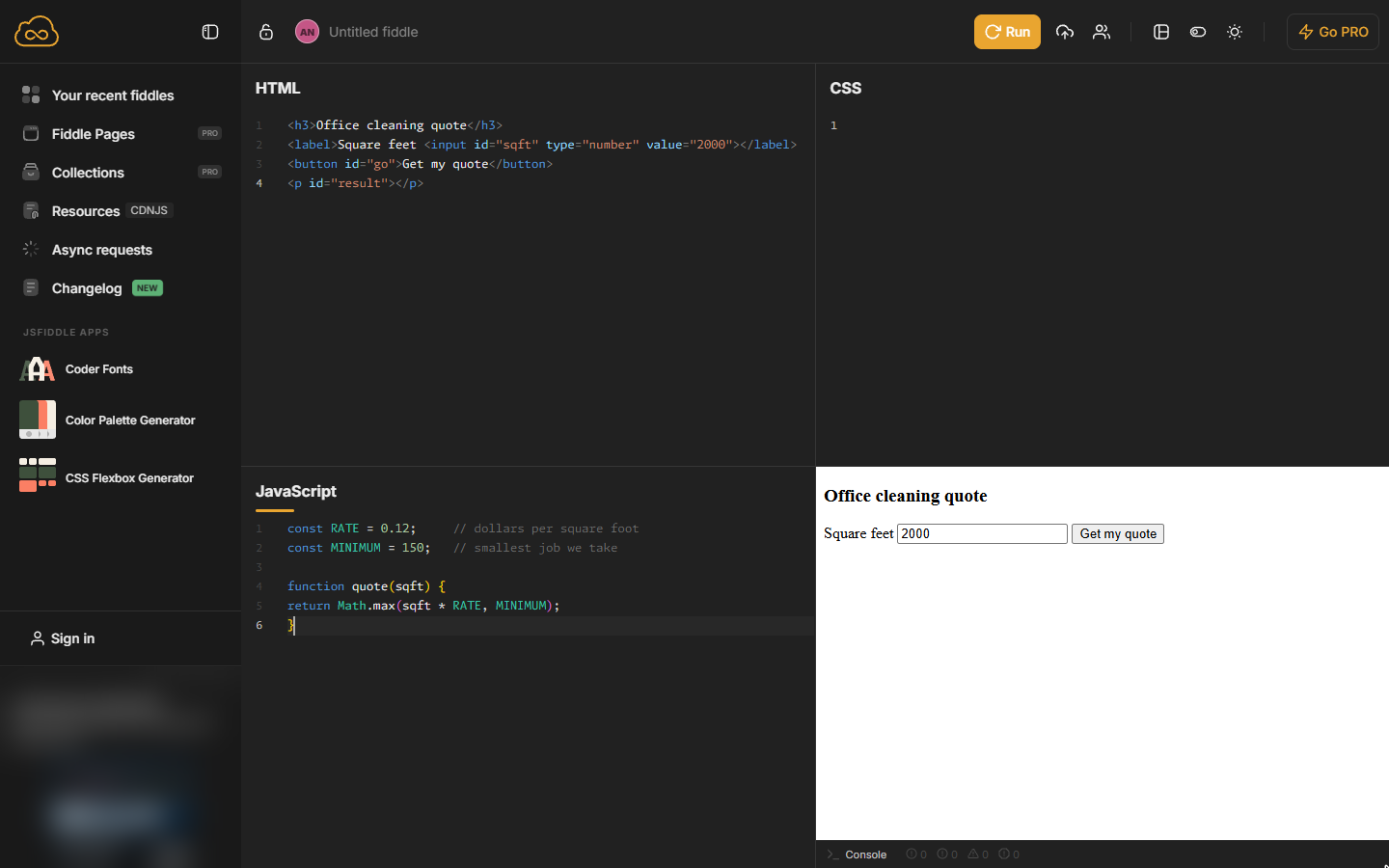
- A function that prices a job. Leave a blank line and type a function. Math.max picks the bigger of the two numbers, so a small office still pays the minimum.
Now a function that works out the price. Math max picks the bigger number, so small jobs still pay the minimum.
3. Connect the button
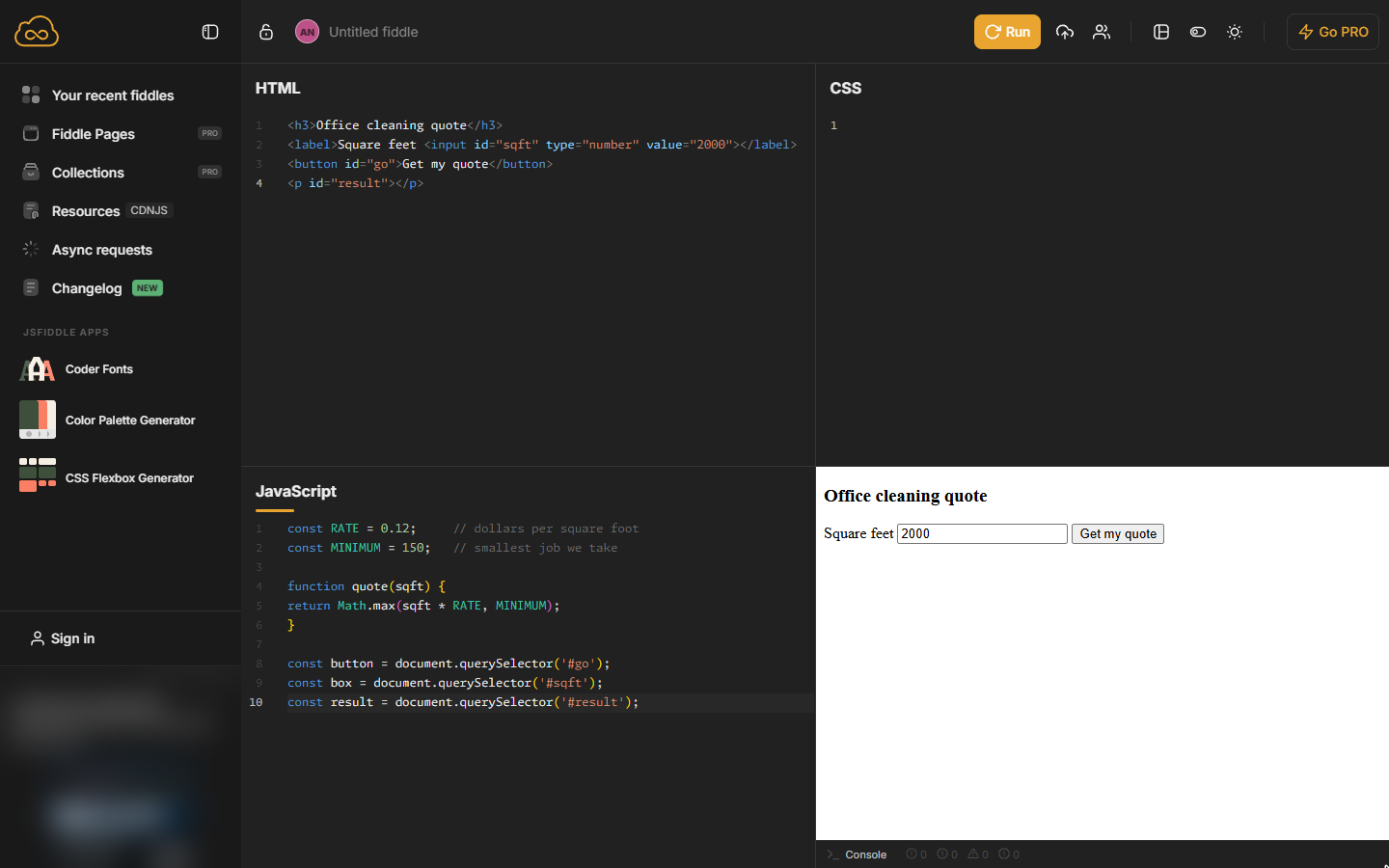
- Find the page parts. Leave a blank line. These three lines find the button, the size box and the result line by their ids.
Next, three lines that find the button, the size box and the result line on the page.
- Price it on click. Leave a blank line. When the button is clicked, read the box, price it and write the estimate with two decimals.
Finally, when the button is clicked, read the box, price it and show the estimate.
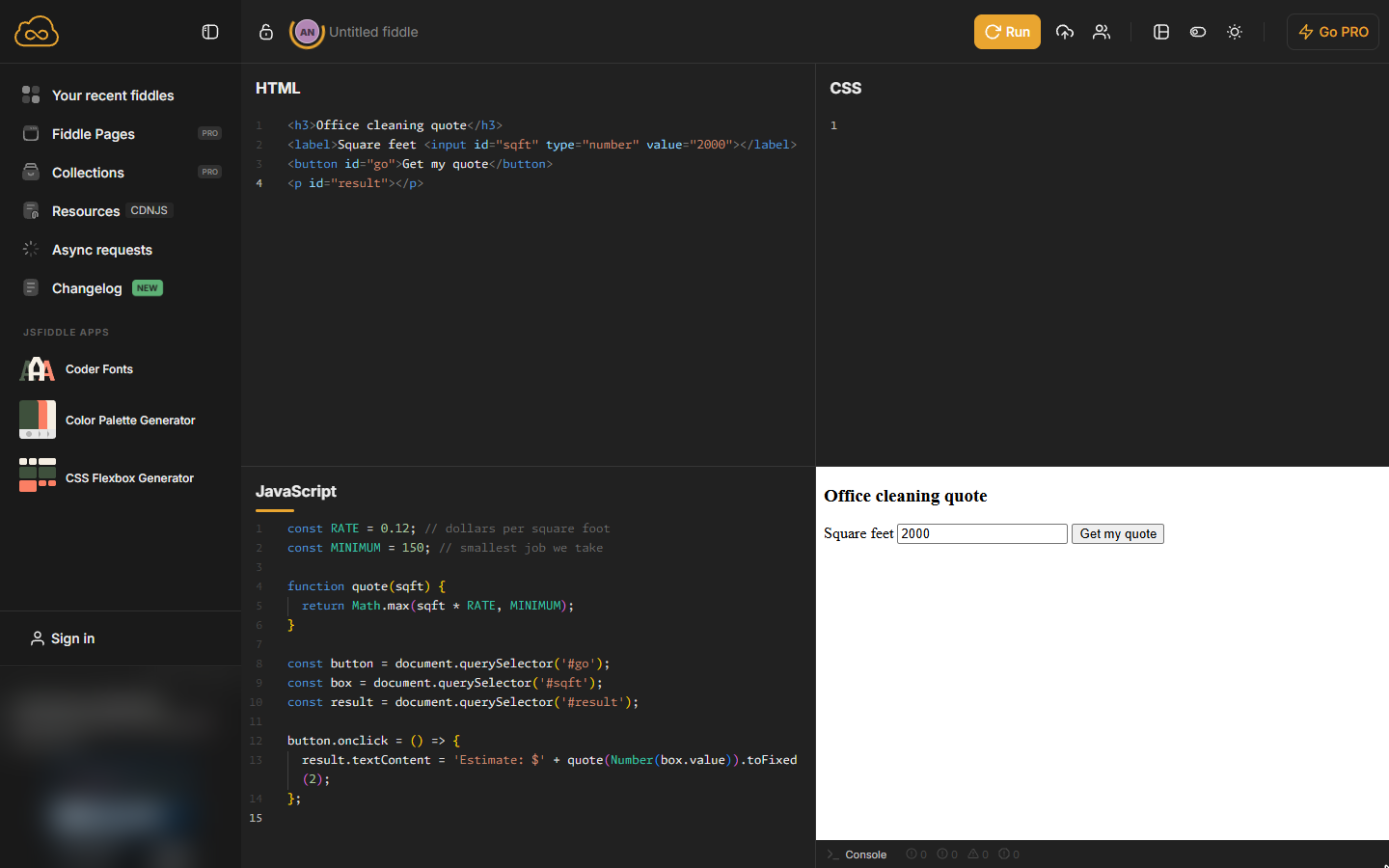
- Tidy the code. Point at the JavaScript panel: a small tidy icon appears at its top right. Click it. JSFiddle indents the code so it is easier to read; nothing changes in how it works.
Point at the JavaScript panel and click the small tidy icon. It indents the code for you.
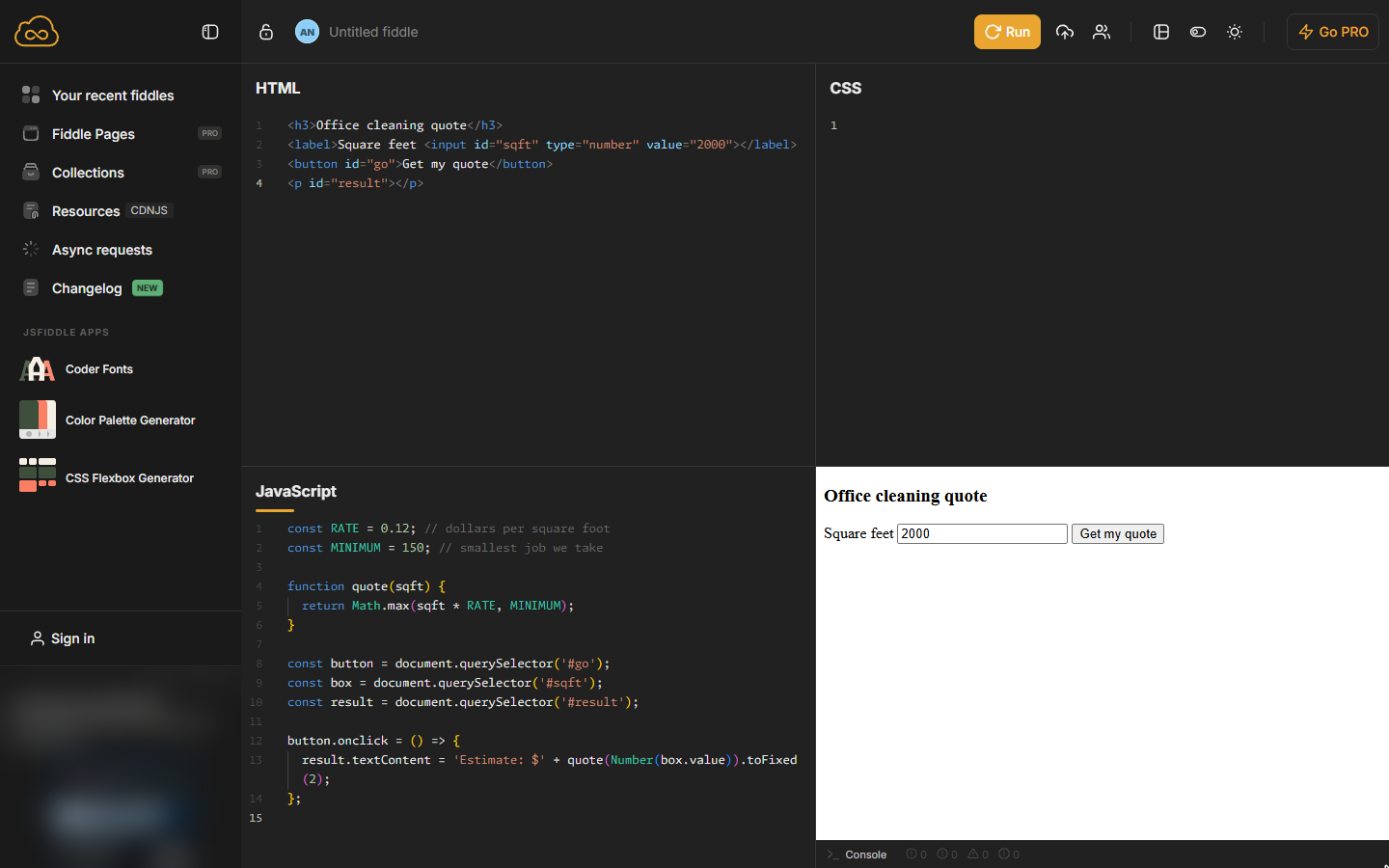
- Run it. Click Run.
- Get a quote. In the Result panel, click Get my quote.
In the result, click Get my quote.
- Try a small office. 2,000 square feet: Estimate: $240.00. Now a small office: select the number in the box and type the code shown below.
Two hundred forty dollars for two thousand square feet. Now try a small office: type eight hundred.
- Check the minimum. Click Get my quote again.
Screenshots
More in JavaScript
Free cheat sheet
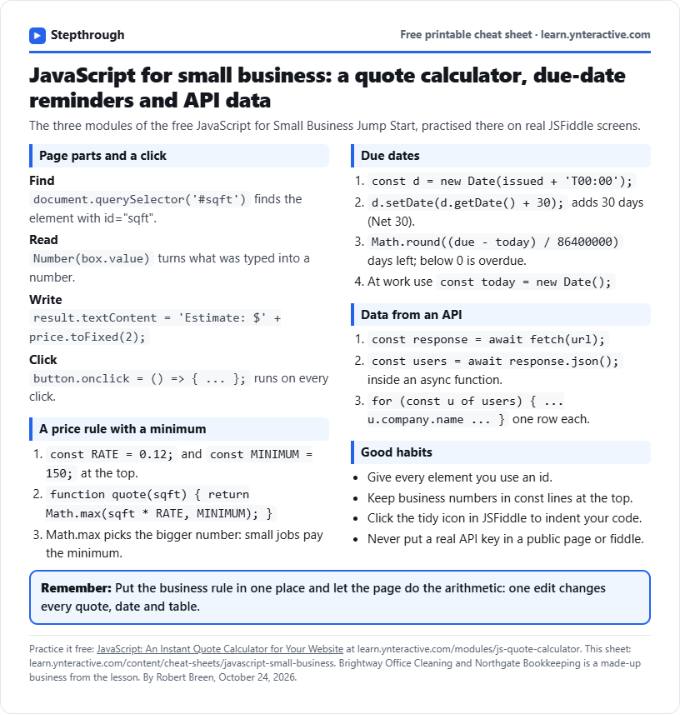
Print it or save the PDF: the key steps and checks from this lesson on one page, free.
All free printable cheat sheets
Terms in this lesson
Plain-English definitions, each with an example from a free lesson.