Updated . Built against the tool’s current screens and checked step by step. How we check this lesson
An n8n run that finishes with status success only tells you every node ran. It does not tell you the invoice total is right. Truquence (github.com/cplj/truquence-public) is a free, open-source command-line tool that reads an exported n8n execution offline and compares each node's real output with a contract you wrote beforehand, then answers PASS, FAIL or UNKNOWN. In this free lesson you help a made-up accounting firm whose invoice run said success while the Total node output 12.0 instead of 120.0. You install Truquence, make the contract, write the expected output yourself and run the check. Every command comes from Truquence's own docs. This is my own lesson, not an official Truquence course.
At a glance
| Question | Answer |
|---|---|
| What you build | A business case for a small firm whose n8n invoice run said success while the total was wrong: write down what each node should output, check the exported run with Truquence offline, and read PASS, FAIL or UNKNOWN. |
| Tools | Truquence |
| Time | About 11 minutes, 15 steps in 6 parts |
| Level | Advanced |
| Cost | Free |
| Ways to learn it | Practice it step by step, read the guide with screenshots |
The 6 parts, in short
- Green is not the same as right: The run says success, Put a price on it, Meet Truquence.
- Set Truquence up once: Get the code, Install it in its own environment.
- Write down what right looks like: Two files from n8n, Make the contract, Find the empty expectation, Write what Total should output.
- Check the run: Run the check, FAIL: the total is wrong.
- Fix it and check again: Fix it, then check again, Read the three answers.
- What it saves: What this saves you, What it takes.
Start here first: n8n: What Is n8n? Build Your First Workflow (module 1 of n8n Automation Toolkit)
In the course: Part 9 · n8n Automation Toolkit (Module 88 of the full course)
Part of: Business Automations with n8n (step 22 of 22)
Part of: n8n Jump Start (step 23 of 23)
Part of: AI Apps Worth Knowing (step 73 of 77)
Part of: n8n Intermediate: Real Business Workflows (step 17 of 17)
Truquence: Catch an n8n Run That Says Success but Gets It Wrong: step-by-step guide with screenshots
About the screenshots. They come from Stepthrough’s simulated practice environment (a practice copy of Truquence), not the live tool, so no real account appears. The buttons and labels match the real screens the lesson was built against. Practice it yourself free at learn.ynteractive.com.
- Tools: Truquence
- Time: about 11 minutes, 15 steps in 6 parts
- Level: advanced
Part 1: Green is not the same as right
Step 1: The run says success
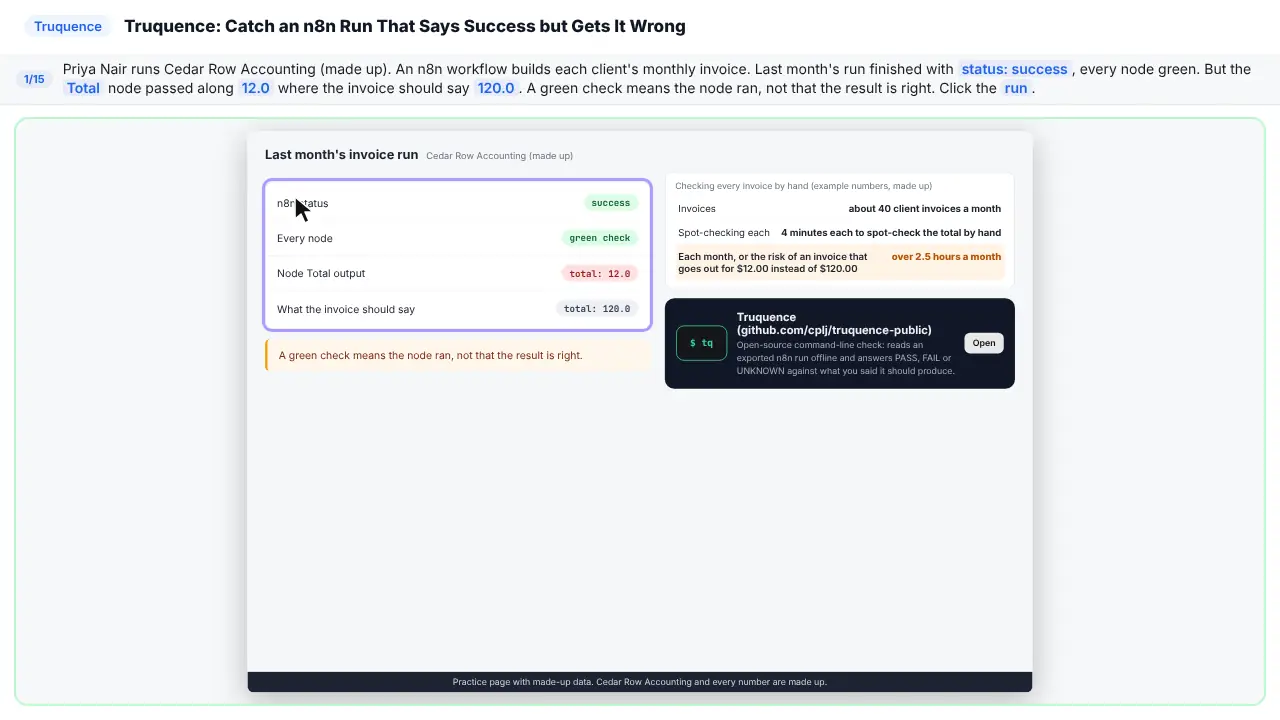
Meet Priya. She runs a small accounting firm. An n8n workflow builds her client invoices. Last month, the run said success. Every node was green. But the total said twelve, where it should have said a hundred and twenty. Green means it ran. Not that it's right.
Step 2: Put a price on it
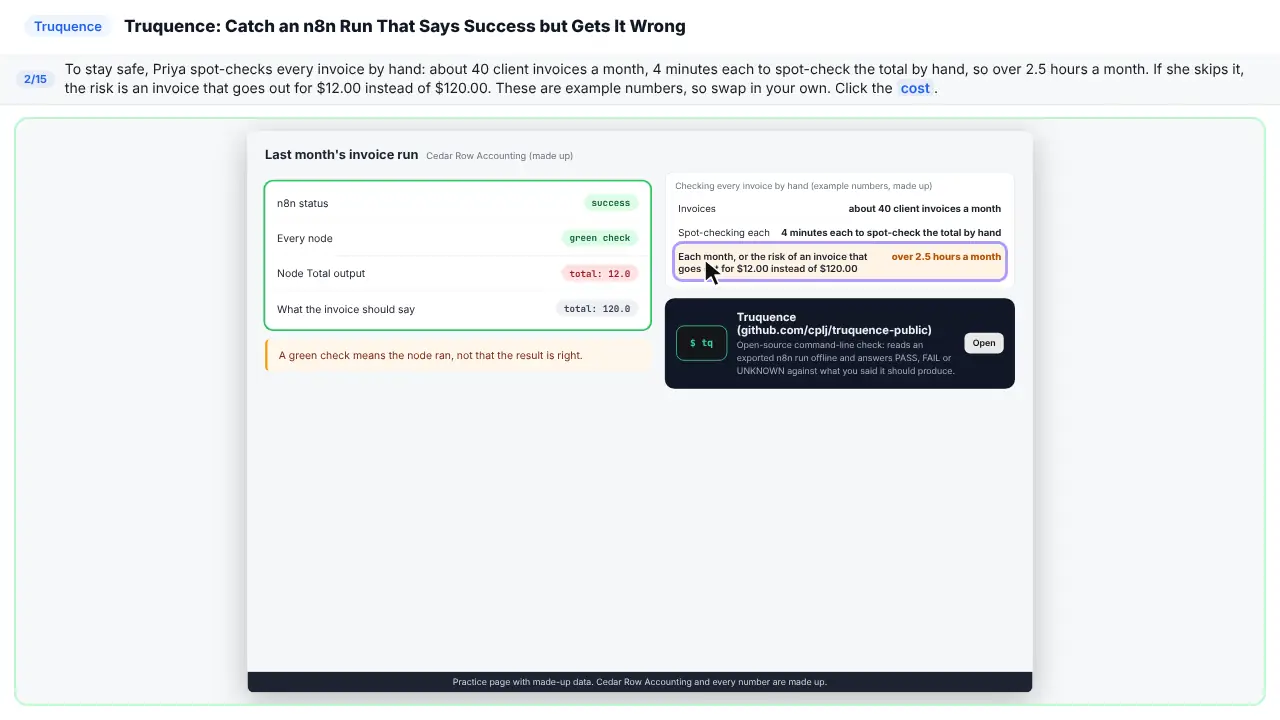
So Priya checks every invoice by hand. Forty a month, four minutes each. That's over two and a half hours. Skip it, and an invoice goes out for twelve dollars instead of a hundred and twenty. Use your own numbers here.
Step 3: Meet Truquence
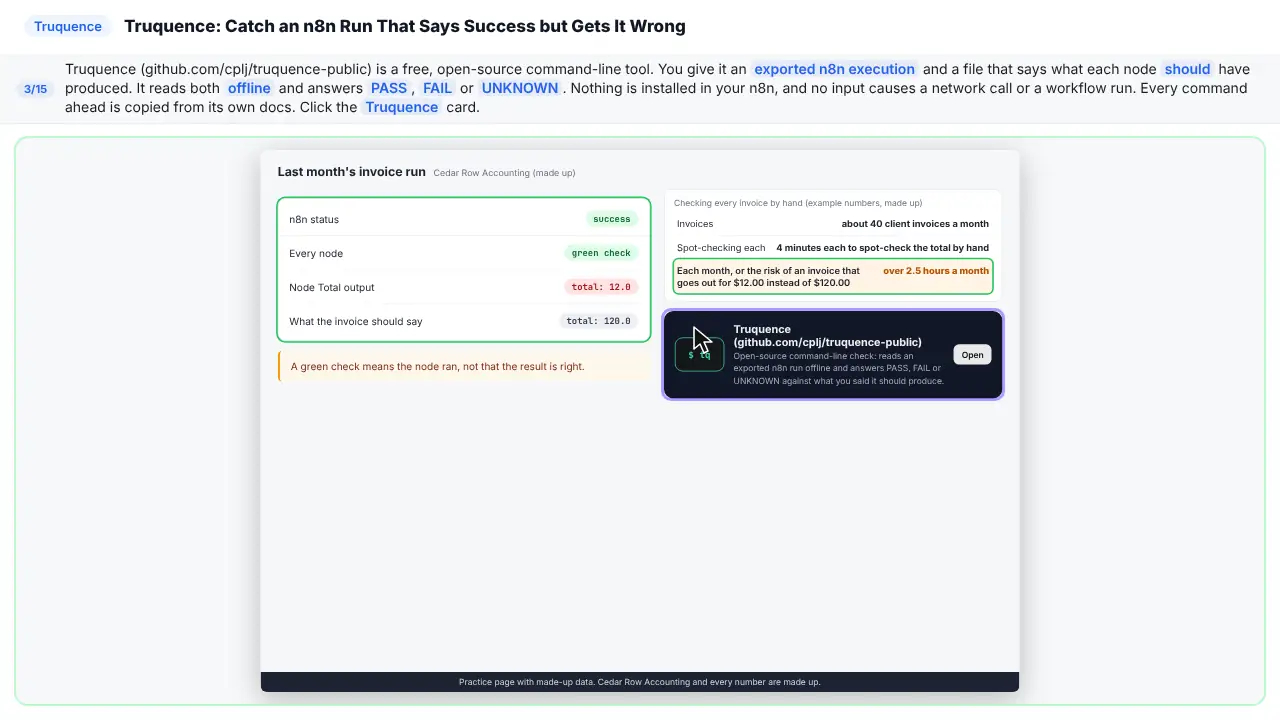
Truquence is a free, open-source command-line tool. You give it an exported n8n run, and a file that says what each node should produce. It reads both offline. Then it answers pass, fail, or unknown. Nothing gets installed in your n8n.
Part 2: Set Truquence up once
Step 4: Get the code
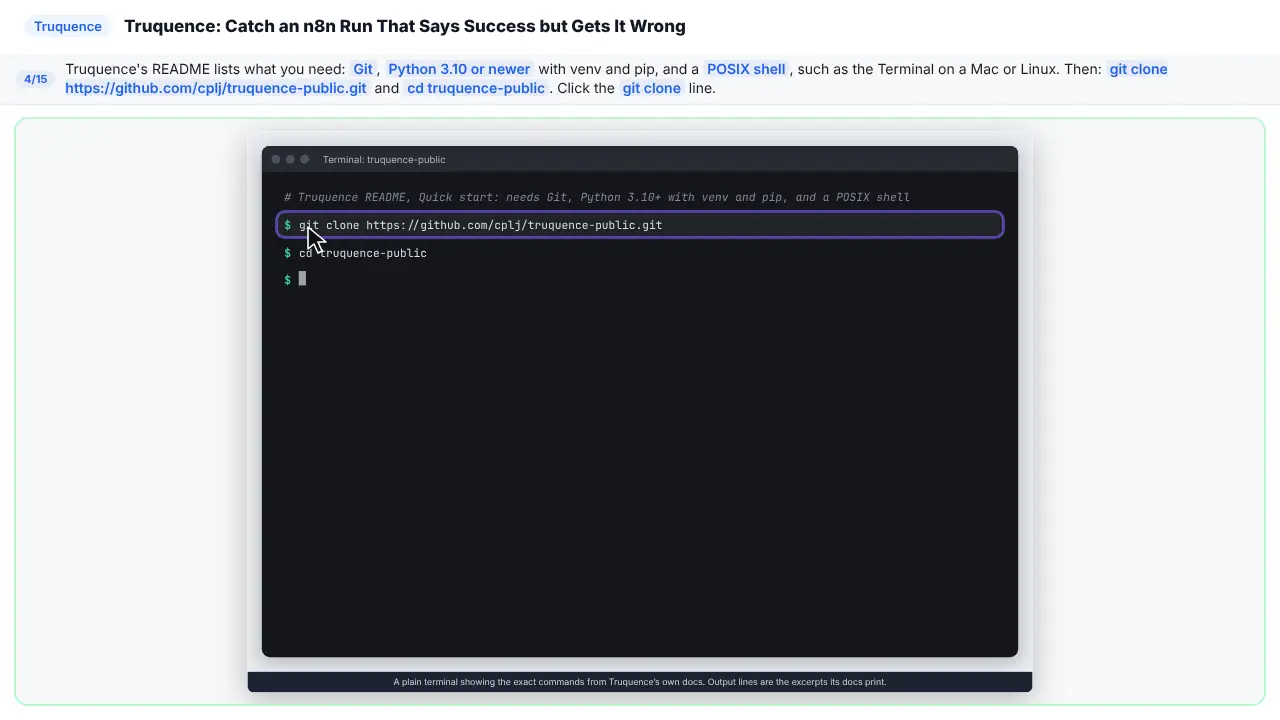
First, get the code. You need Git, Python three point ten or newer, and a terminal. Clone the Truquence repository, then move into its folder.
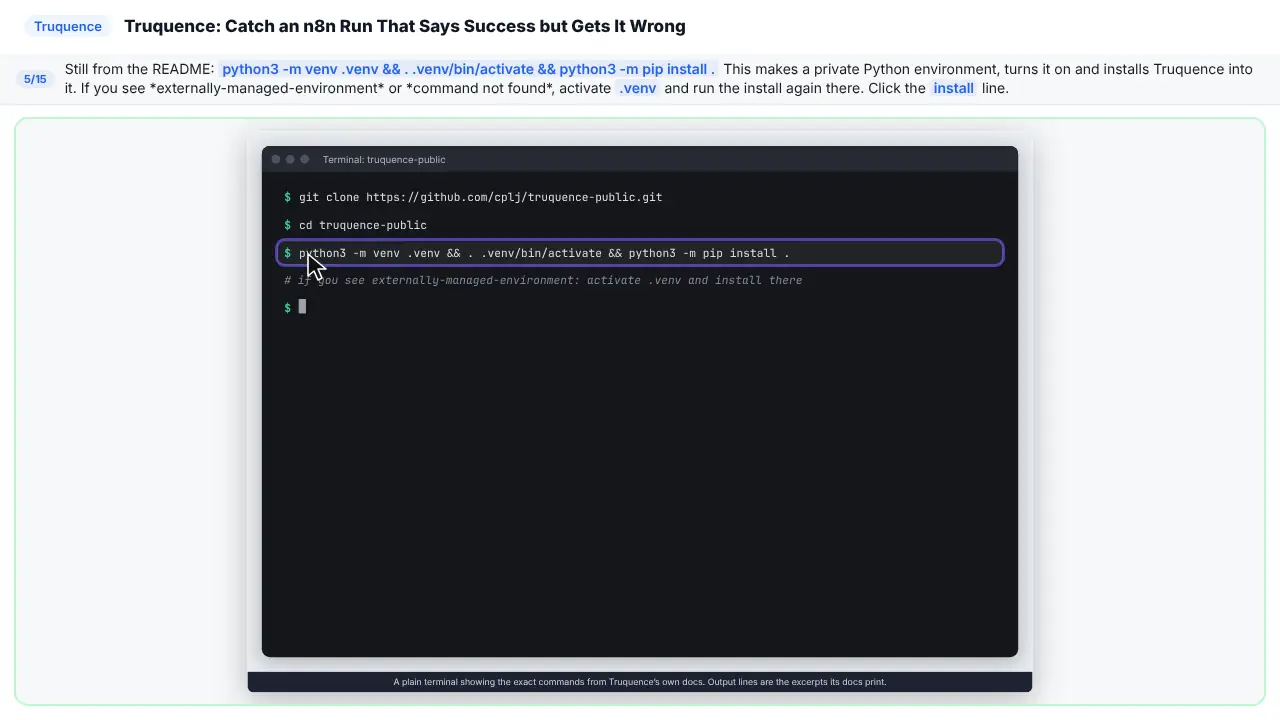
Step 5: Install it in its own environment
Now install it. One line makes a private Python environment, turns it on, and installs Truquence inside it. If you get an error, turn the environment on, and run the install again.
Part 3: Write down what right looks like
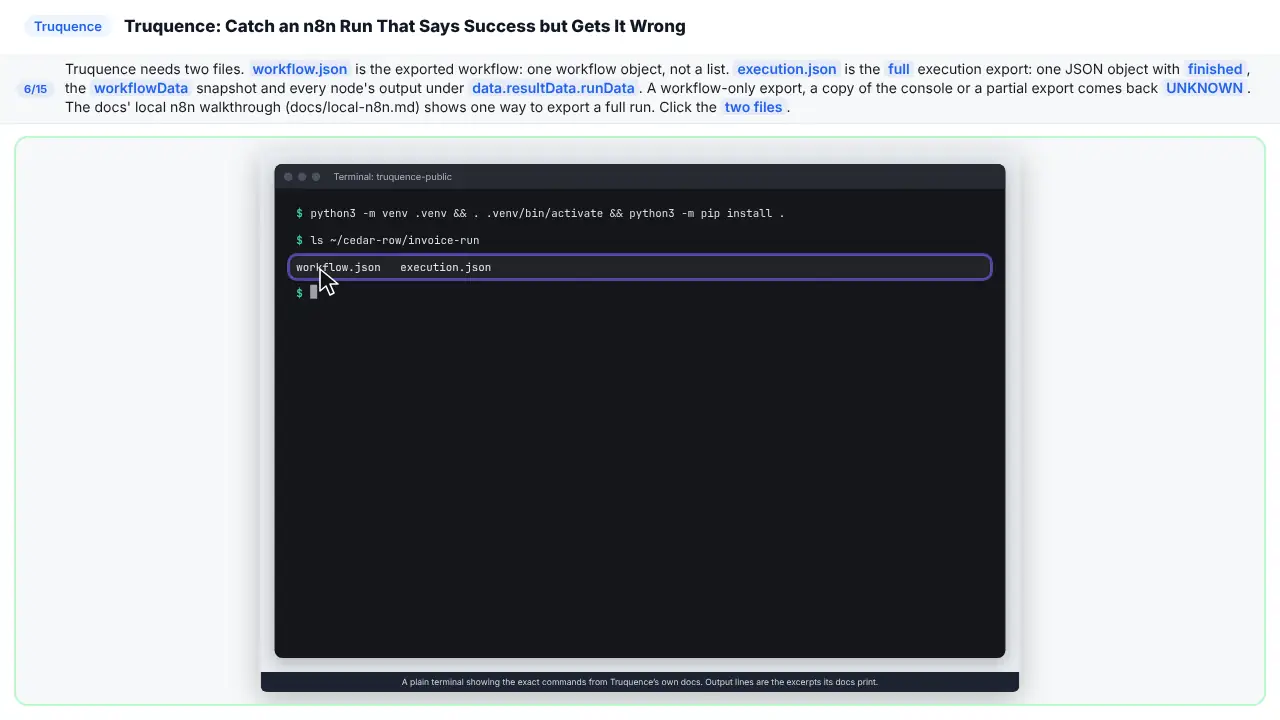
Step 6: Two files from n8n
Truquence needs two files from n8n. The exported workflow. And the full export of the run, with every node's output. A partial export comes back unknown.
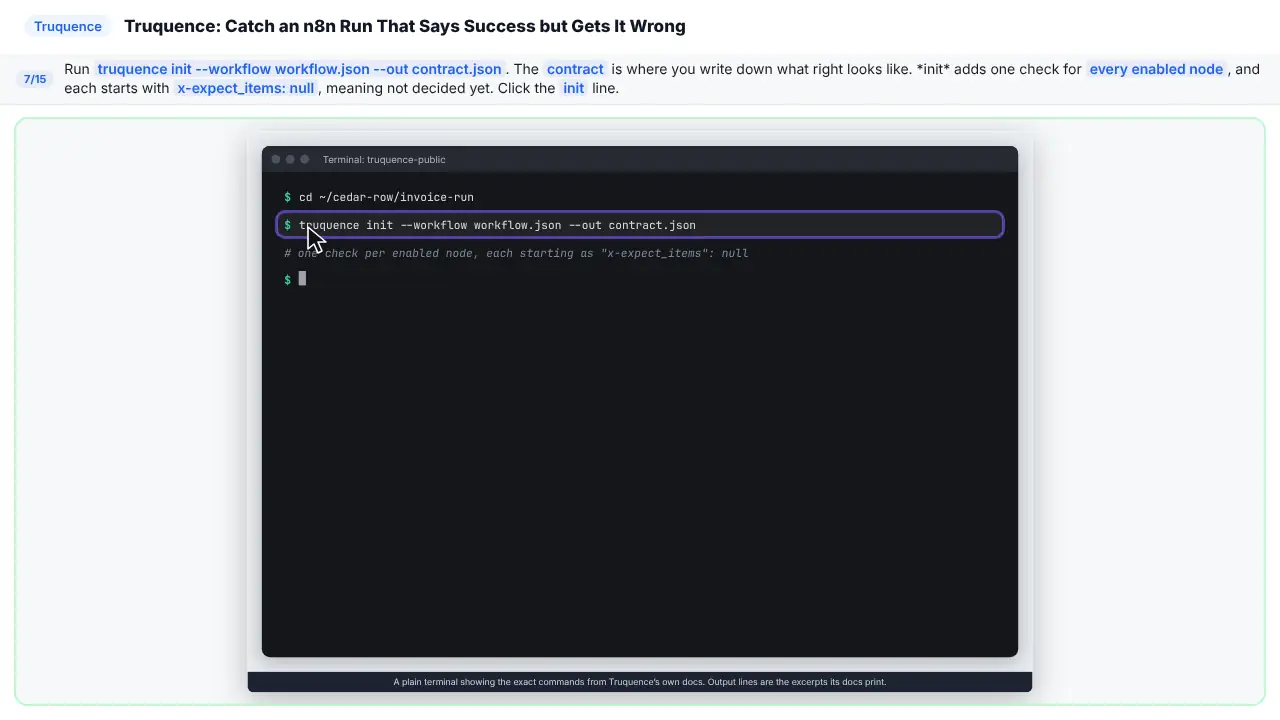
Step 7: Make the contract
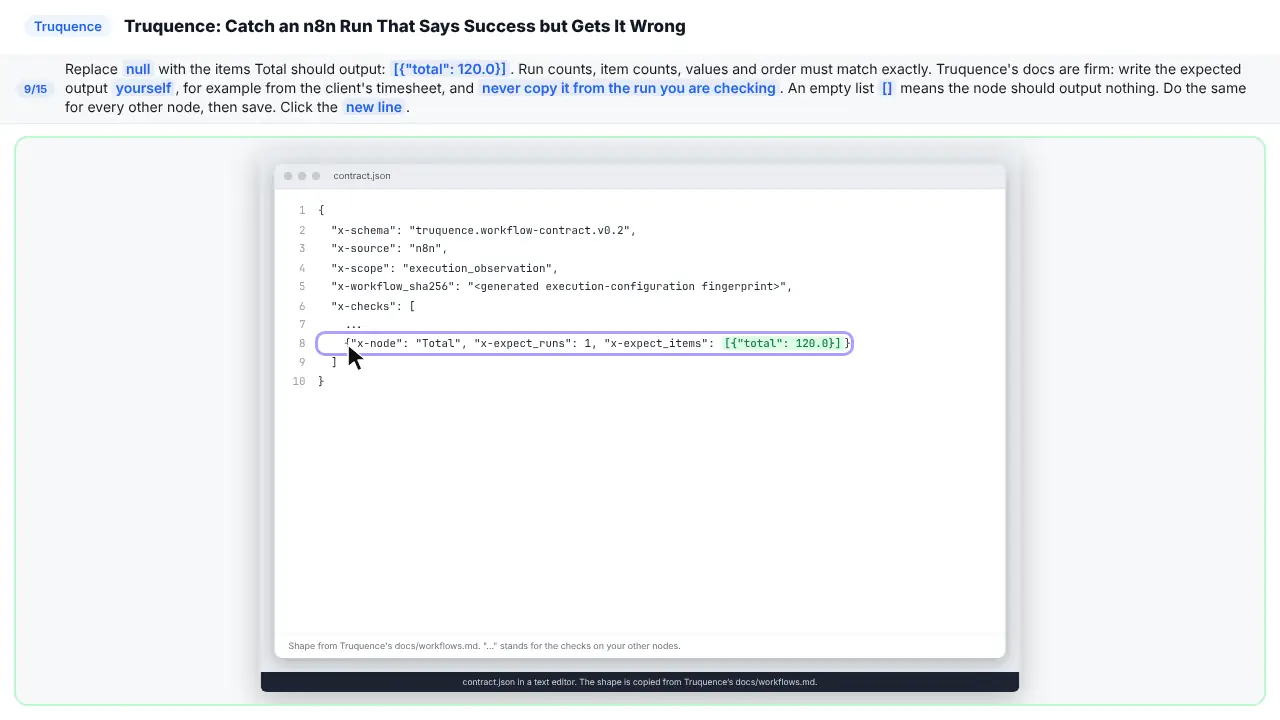
Now make the contract. That's where you write down what right looks like. Init adds a check for every enabled node. Each one starts empty, as null.
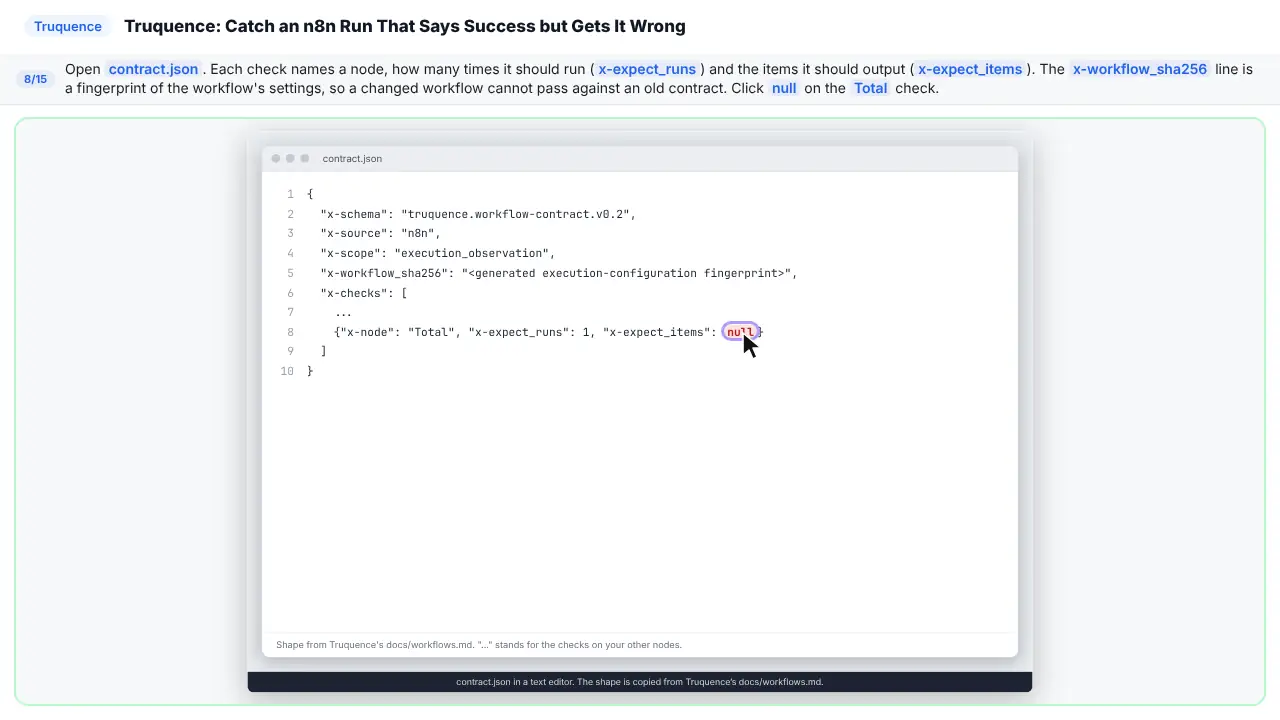
Step 8: Find the empty expectation
Each check names a node, how many times it runs, and what it should output.
Step 9: Write what Total should output
Replace null with what Total should output. A total of a hundred and twenty. Work it out yourself, from the timesheet. Never copy it from the run you're checking. Do the same for every node, then save.
Part 4: Check the run
Step 10: Run the check
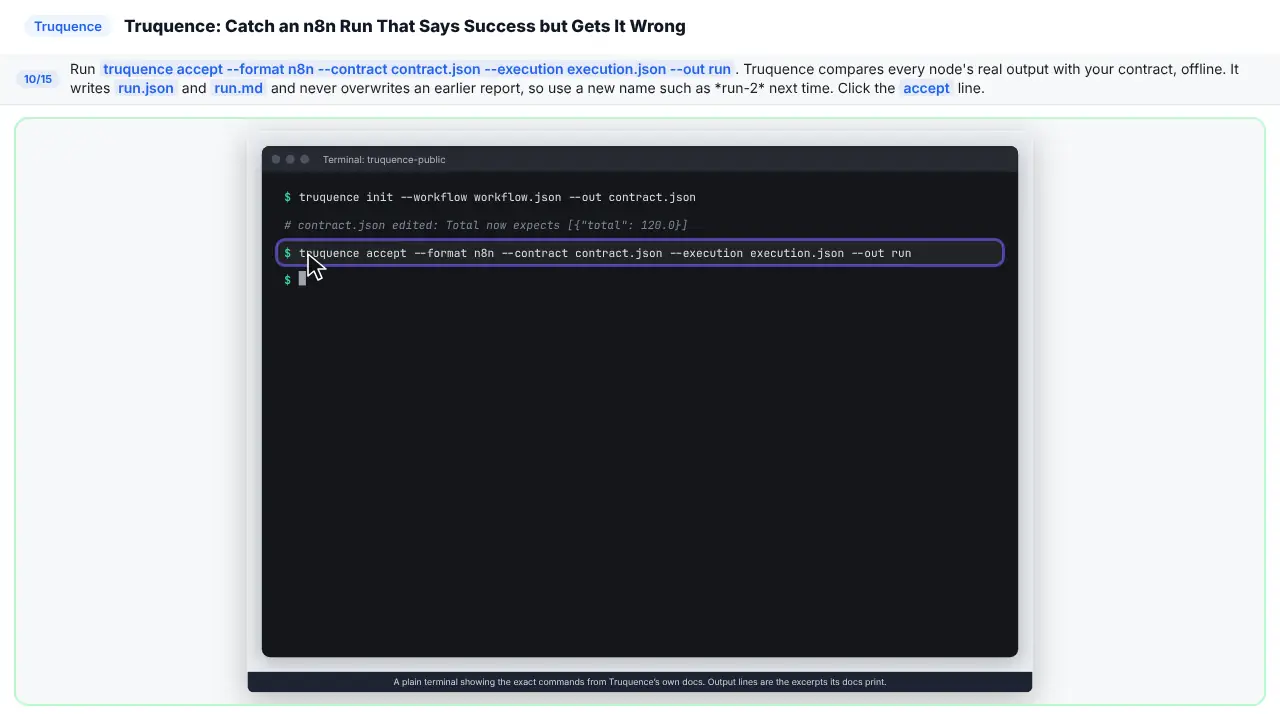
Now run the check. Accept compares every node's real output with your contract. It writes a report, and never overwrites an old one.
Step 11: FAIL: the total is wrong
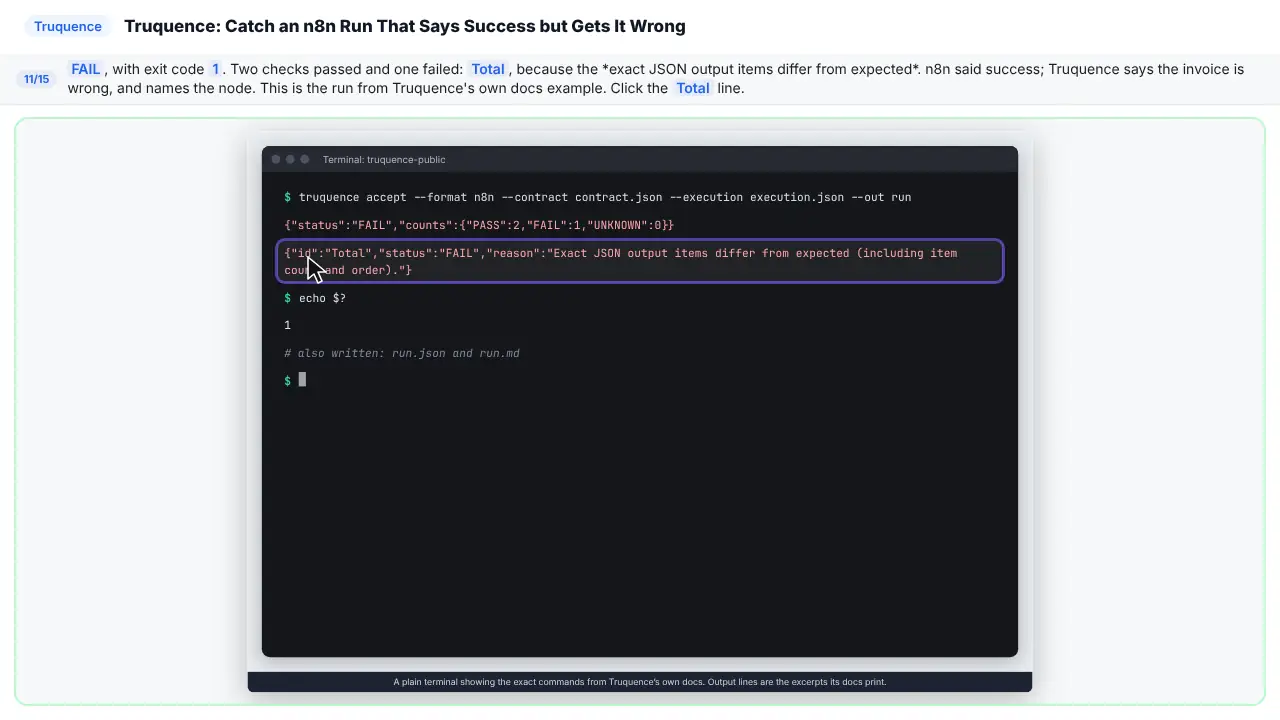
Fail. Two checks passed, and one failed. The Total node. n8n said success. Truquence says the invoice is wrong, and tells you which node.
Part 5: Fix it and check again
Step 12: Fix it, then check again
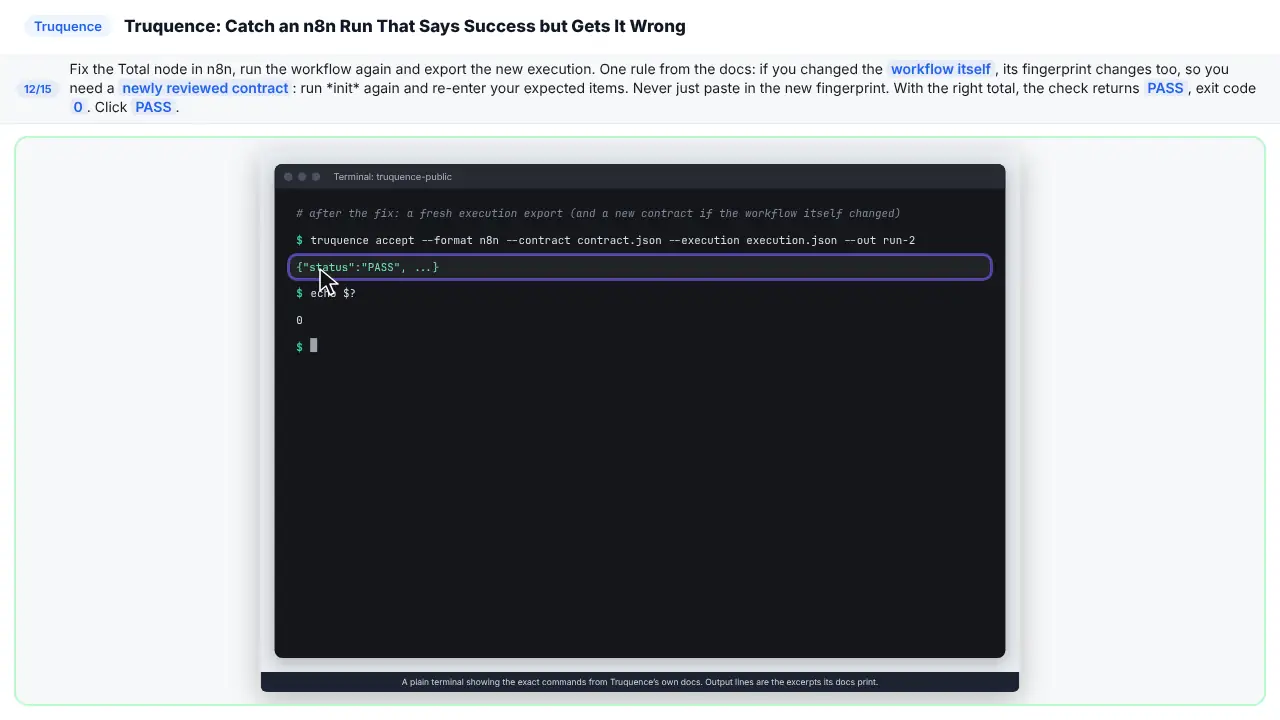
Fix the node in n8n, run it again, and export the new run. If you changed the workflow, make a fresh contract, and fill it in again. With the right total, you get pass.
Step 13: Read the three answers
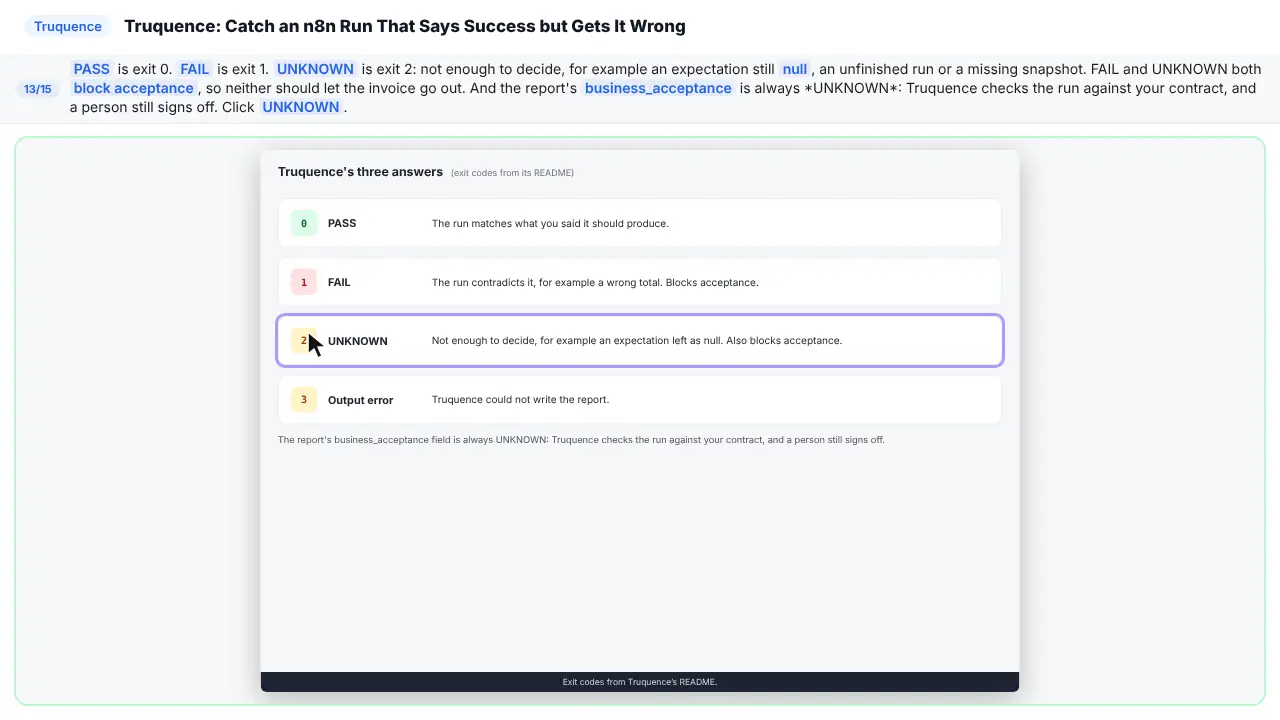
Pass is zero. Fail is one. Unknown is two, which means not enough to decide. Fail and unknown both block the invoice. And a person still signs off.
Part 6: What it saves
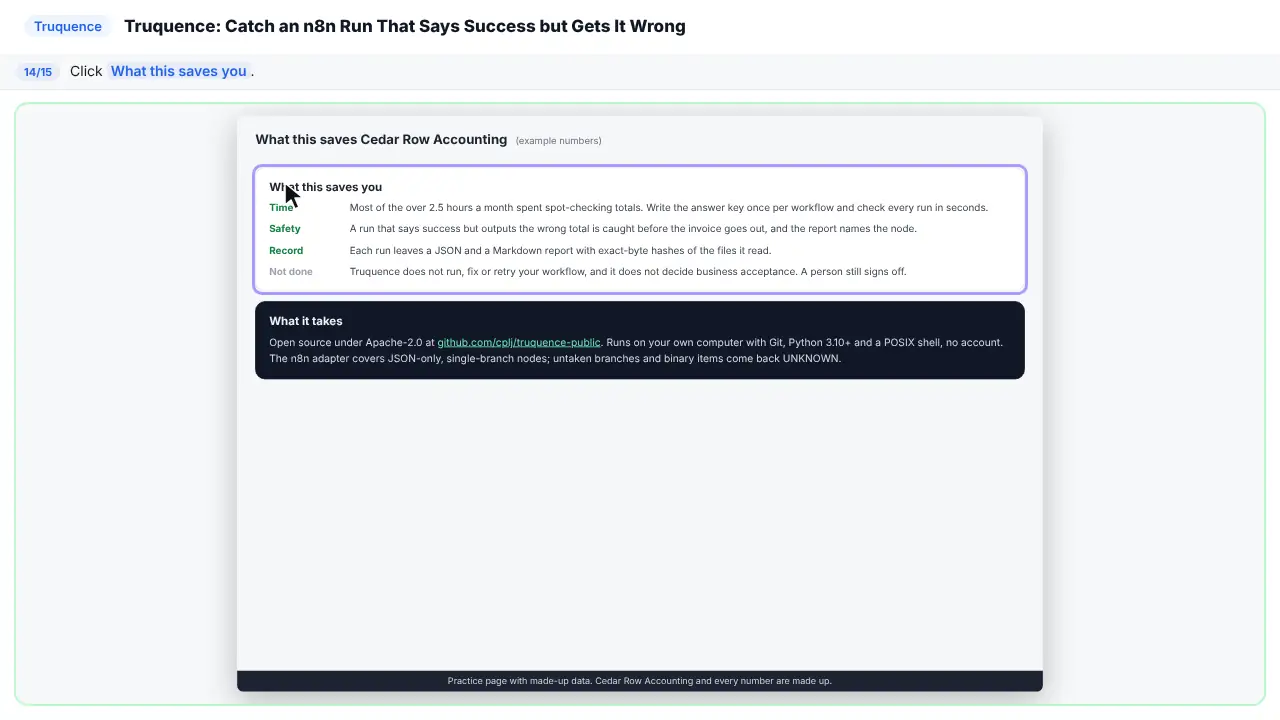
Step 14: What this saves you
Step 15: What it takes
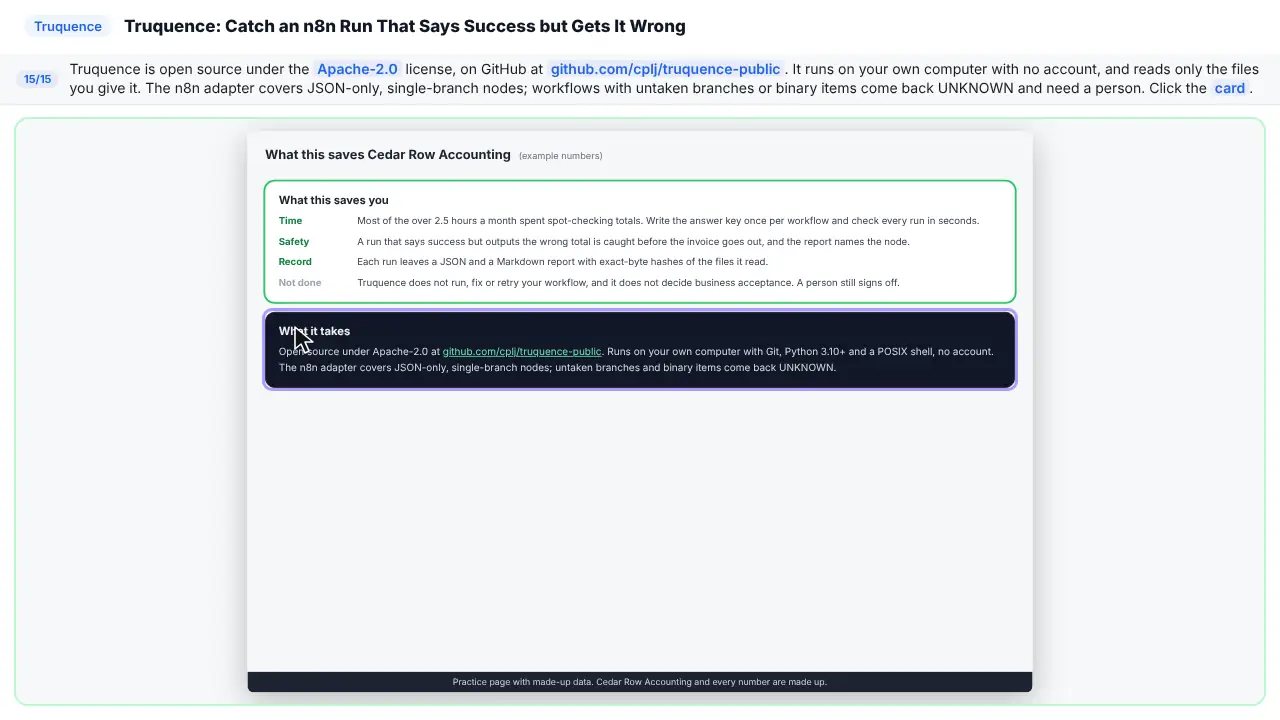
Truquence is open source, and runs on your own computer, with no account. It reads only the files you give it. Branching workflows still need a person to review.
Part of these free courses: n8n Jump Start, AI Apps Worth Knowing, n8n Intermediate: Real Business Workflows, AI Automation with n8n: From First Workflow to AI Agents
Now do it yourself, free
Reading the steps is a start. Doing them is how it sticks. The interactive lesson puts you in a practice copy of Truquence: you do every step yourself, it checks your work, and “Do it for me” finishes any step you get stuck on. Nothing touches your real accounts.
Practice “Truquence: Catch an n8n Run That Says Success but Gets It Wrong” step by stepThe business case: success is not the same as right
Picture Priya Nair, who runs Cedar Row Accounting, a made-up firm. An n8n workflow builds about 40 client invoices a month. Last month's run finished with status success and a green check on every node, but the Total node passed along 12.0 where the invoice should have said 120.0. To stay safe she spot-checks every total by hand, about 4 minutes each, so over 2.5 hours a month. These are example numbers, so use your own.
A green check means the node ran, not that the result is right. Truquence adds the missing question: did each node output exactly what you said it should?
Step 1: install Truquence
Truquence's README lists Git, Python 3.10 or newer with venv and pip, and a POSIX shell. Clone the repository with git clone https://github.com/cplj/truquence-public.git, move into it with cd truquence-public, then run python3 -m venv .venv && . .venv/bin/activate && python3 -m pip install . to install it in its own environment. If you see externally-managed-environment or a missing command, activate .venv and install there again. The samples run offline without an account.
Step 2: export the workflow and the full run
Truquence needs two files. workflow.json is one exported workflow object, not a list. execution.json is the full execution export: one JSON object with finished, an optional status, the workflowData snapshot and every node's output under data.resultData.runData. Workflow-only exports, console transcripts and incomplete exports come back UNKNOWN. The docs' local n8n walkthrough shows one way to export a complete run.
Step 3: make the contract and write the answer key
Run truquence init --workflow workflow.json --out contract.json. The contract adds one check for every enabled node, each with x-expect_runs and x-expect_items set to null, plus x-workflow_sha256, a fingerprint of the workflow's runtime settings.
Replace each null with the items that node should output, for example [{"total": 120.0}] for Total. Run counts, item counts, values and order must match exactly, and an empty list means the node should output nothing. Truquence's docs are clear: do not generate the expected output from the execution you are accepting. Work it out from the source, such as the timesheet.
Step 4: run the check and read the answer
Run truquence accept --format n8n --contract contract.json --execution execution.json --out run. In the docs' example, the execution reports status success but Total outputs 12.0 where the contract expects 120.0, and Truquence returns FAIL with exit code 1, counts of 2 PASS and 1 FAIL, and the reason that the exact JSON output items differ from expected. The same contract against a run with the right total returns PASS, exit code 0.
It writes run.json and run.md and never overwrites earlier files, so use a fresh prefix each time. No input causes a network call or a workflow run.
Step 5: fix the workflow and check again
Fix the node in n8n, run it again and export the new execution. If you changed the workflow's runtime configuration, its fingerprint changes, and the docs say a changed configuration needs a newly reviewed contract: run init again and fill in your expected items again. Editor positions, notes and colors are ignored.
Mistakes to avoid
- Treating UNKNOWN as fine. FAIL and UNKNOWN both block acceptance.
- Copying the expected output from the run you are checking. A wrong run will then pass.
- Leaving an expectation as null. It stays UNKNOWN.
- Checking a workflow-only export or a console transcript instead of a full execution export.
- Pasting a new fingerprint into an old contract after changing the workflow, instead of reviewing a new contract.
- Expecting Truquence to decide business acceptance. The report's business_acceptance is always UNKNOWN; a person still signs off.
Links
- Truquence on GitHub: the open-source tool this lesson teaches (Apache-2.0): README, quick start and exit codes.
- Truquence workflow docs (n8n): the n8n contract shape, what a full execution export needs, and the success-but-wrong example this lesson follows.
- Truquence local n8n walkthrough: a full recipe that runs a small workflow in an isolated local n8n, exports the run and checks it.
Try it yourself, free
Reading the steps is a start. Doing them is how it sticks. The interactive module walks you through every click in a practice copy of Truquence, checks each step, and never touches your real accounts.
Start “Truquence: Catch an n8n Run That Says Success but Gets It Wrong”Frequently asked questions
- Is this an official Truquence course?
- No. This is my own lesson. Truquence is a separate, open-source project at github.com/cplj/truquence-public. Every command and output excerpt in the lesson comes from its README and docs.
- Does Truquence install anything in n8n?
- No. It reads the exported workflow and execution files offline on your own computer. No input causes a network call or a workflow run, and it never retries an action.
- What do PASS, FAIL and UNKNOWN mean?
- PASS (exit 0) means the run agrees with your contract. FAIL (exit 1) means it contradicts it, such as a wrong total. UNKNOWN (exit 2) means there is not enough to decide, such as an expectation left as null or an incomplete export. Exit 3 is an output error.
- Why did my run come back UNKNOWN?
- Common reasons from the docs: an expectation still null, a run that is unfinished or waiting, a missing workflow snapshot or node output, multiple output branches, binary items, or a file over 1 MiB. Conditional workflows with untaken branches need a person to review.
- Does it work with Make?
- Truquence has a Make scenario-log adapter, but it checks only the log's ID, reported status and operation count, not the outputs. This lesson covers the n8n adapter.
- What do I need to run it?
- Git, Python 3.10 or newer with venv and pip, and a POSIX shell, such as the macOS or Linux Terminal. No account is needed.
More in n8n Automation Toolkit
 n8n: What Is n8n? Build Your First Workflow
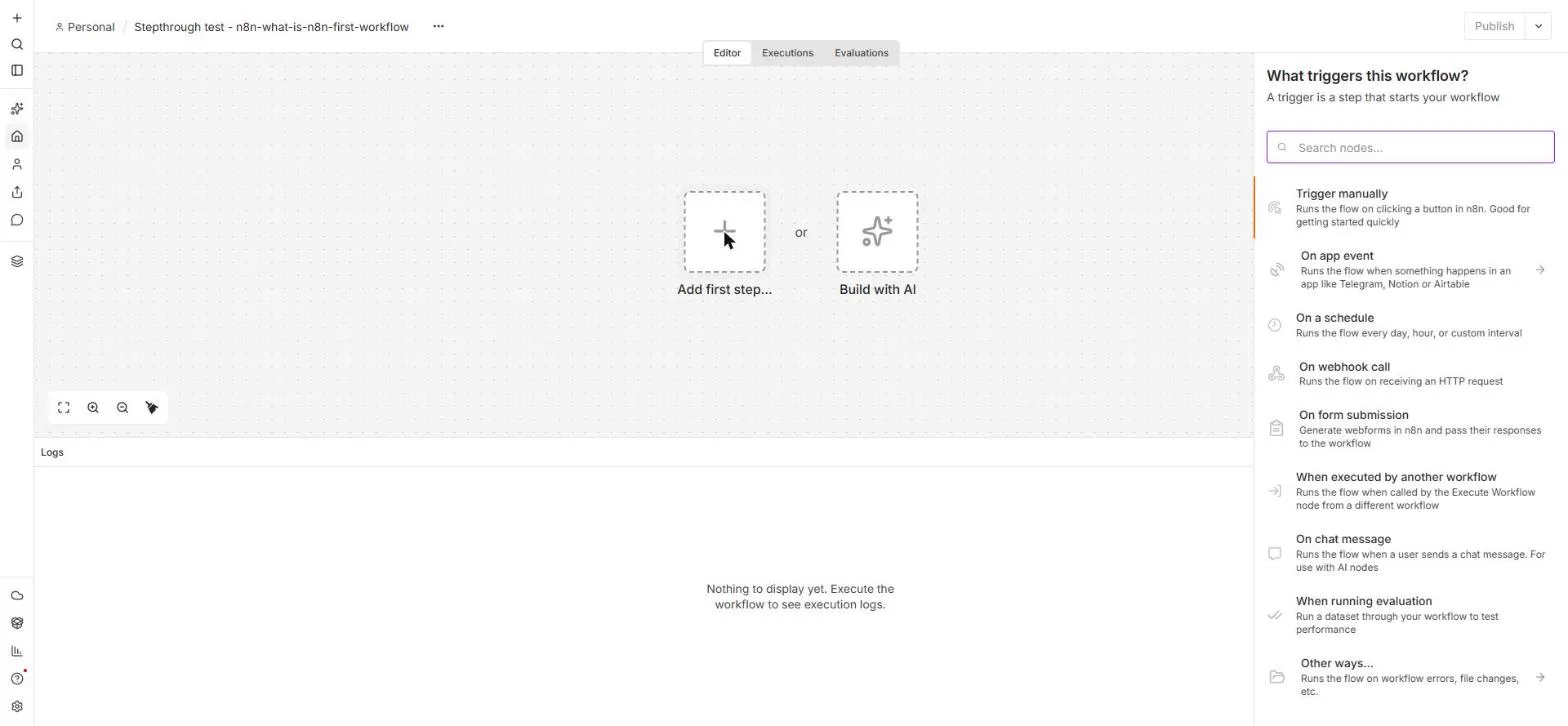
What n8n is and how it thinks, then your first workflow: a client inquiry form that catches every request and writes a one-line summary. No code, no accounts to connect.
Free · Live ~8 min Beginner
 AI Workflow Automation for Beginners: Sort Every Client Inquiry and Draft the Reply using n8n
AI workflow automation for beginners: a form catches each client inquiry, an AI step sorts it and drafts the reply, and an If rule flags the urgent ones. Real n8n, free…
Free · Live ~12 min Beginner
 n8n: Items, JSON and Expressions, Explained by Doing
See how n8n holds data: pin five fake invoices, read them as items, Table and JSON, then write one reminder per invoice and a late fee with drag-and-drop expressions.
Free · Live ~9 min Beginner
 n8n: Run a Workflow on a Schedule (Every Monday at 8am)
Use the n8n Schedule Trigger to run a workflow by itself: every Monday at 8am, a timesheet reminder. Set the interval, test it now, and check the time zone.
Free · Live ~6 min Beginner
 n8n: Send Form Answers Straight to Google Sheets
Build a consultation request form in n8n (required fields, email, dropdown), test it, and add every answer as a new row in Google Sheets. No webhook, no form tool to…
Free · Live ~10 min Beginner
 n8n: Summarize Customer Emails with OpenAI
Your first AI step in n8n: send each customer email to OpenAI with one prompt and get a one-line summary plus the next step. No agent needed, about a cent of API use.
Free · Live ~9 min Beginner
All 25 modules in n8n Automation Toolkit
From the blog
Plain answers about Truquence for n8n: why a green run can be wrong, what a contract is, which files to export and what PASS, FAIL and UNKNOWN mean.
Oct 21, 2026 5 min read
✎Truquence for n8n: 8 Acceptance Check MistakesTruquence mistakes that let a wrong n8n run through: copying the answer from the run, a partial export, treating UNKNOWN as fine and reusing old contracts.
Oct 21, 2026 5 min read
Terms in this lesson
Plain-English definitions, each with an example from a free lesson.