Updated . Built against the tool’s current screens and checked step by step. How we check this lesson
Most owners and managers search for the same kinds of things every week: rule changes, what competitors charge, what their software just changed. In this free n8n tutorial you set up a workflow that does it for you every Monday. A Schedule Trigger runs it, a Code node holds your questions, one HTTP Request node asks Felo's AI search API, which answers from live web search and returns the sources it used, and Gmail sends you one brief with every answer and its links. Felo's free API plan covers a few questions a week. The workflow is a free download with no credentials in it. This is my own lesson, not an official Felo course.
At a glance
| Question | Answer |
|---|---|
| What you build | Stop spending Monday morning searching. Every week n8n sends your questions to Felo's AI search API, gets back answers with their sources, and emails you one brief before work starts. Felo's free plan covers it. |
| Tools | n8n |
| Time | About 9 minutes, 20 steps in 7 parts |
| Level | Intermediate |
| Cost | Free |
| Ways to learn it | Practice it step by step |
The 7 parts, in short
- The Monday research hour: See what the research costs, Let n8n ask Felo for her.
- Get a free Felo API key: Check the free plan, Create a key.
- The questions: Every Monday at 7am, Open the questions, Edit the questions, Three items.
- Felo answers with sources: Call Felo, Use a Bearer Auth credential, Send the question, Know the key error.
- Build and send the brief: Build one email, Check the output, Send it to yourself, Subject and message.
- Test it: Run it once.
- What it saves: Read the brief, See what it saves, Get the workflow.
Start here first: n8n: What Is n8n? Build Your First Workflow (module 1 of n8n Automation Toolkit)
In the course: Part 9 · n8n Automation Toolkit (Module 88 of the full course)
Part of: AI for Accounting & Bookkeeping Firms (step 35 of 35)
Part of: AI for Consulting & Agencies (step 29 of 30)
Part of: Business Automations with n8n (step 19 of 20). Next up: n8n + ProLevelMax: Weekly Review Themes From Trustpilot to Google Sheets
Part of: Reports That Build Themselves (step 4 of 7). Next up: n8n + ProLevelMax: Weekly Review Themes From Trustpilot to Google Sheets
Part of: n8n Jump Start (step 19 of 20). Next up: n8n + ProLevelMax: Weekly Review Themes From Trustpilot to Google Sheets
Part of: AI Apps Worth Knowing (step 61 of 62). Next up: n8n + ProLevelMax: Weekly Review Themes From Trustpilot to Google Sheets
Part of: n8n Intermediate: Real Business Workflows (step 4 of 13). Next up: n8n + ProLevelMax: Weekly Review Themes From Trustpilot to Google Sheets
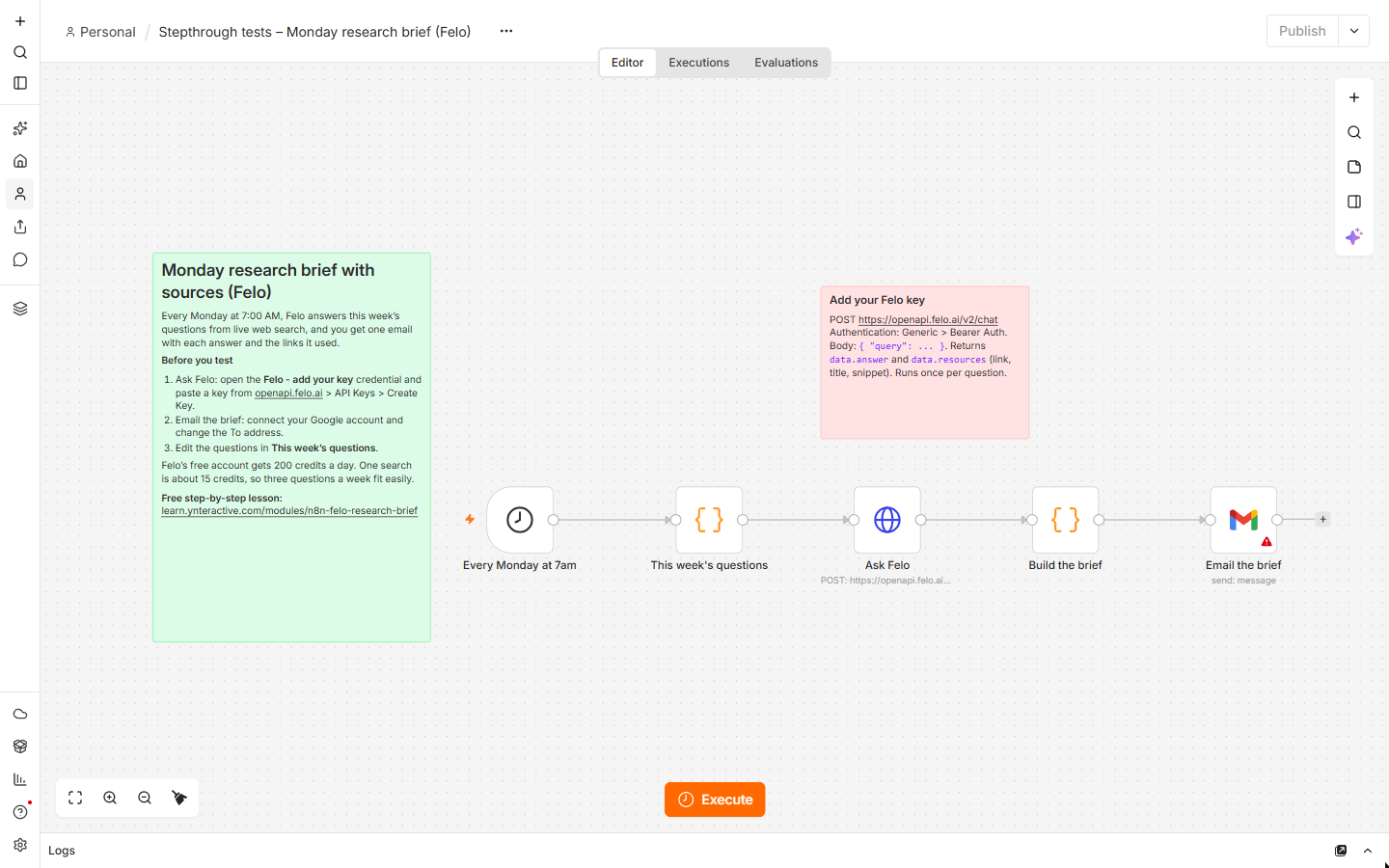
The n8n workflow
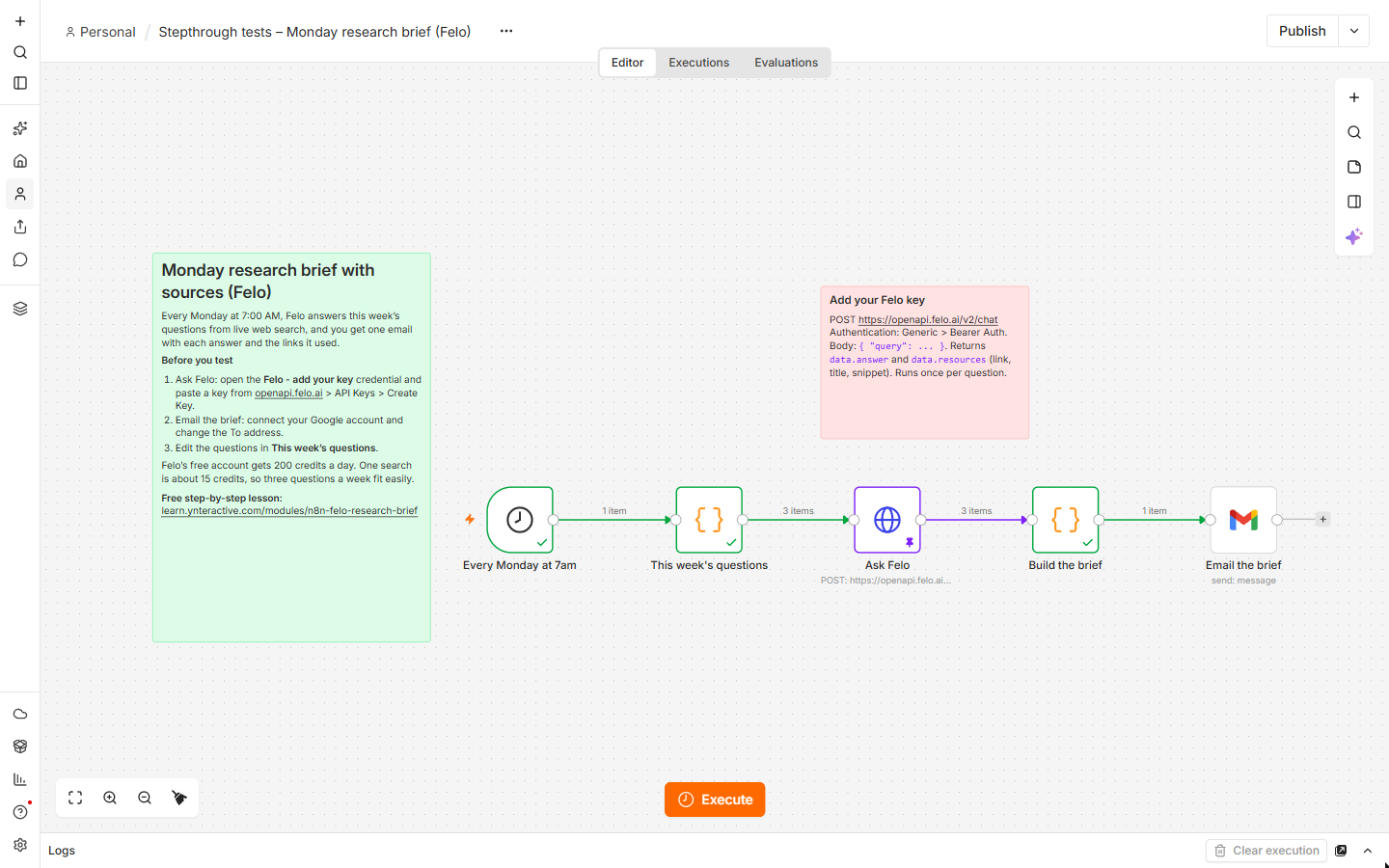
The five-node workflow from this lesson, with setup notes on the canvas. It has no credentials: create a Bearer Auth credential with your Felo key, connect Google and change the To address after you paste it onto your canvas.
Download the n8n workflow (JSON)
The business case: the Monday research hour
The example is Priya Nair, who owns Lakeshore Bookkeeping, a made-up firm. Every Monday she spends about 90 minutes searching: new IRS rules and deadlines, what other bookkeeping firms charge, and what QuickBooks Online and Xero announced. At $60 an hour that is about 6.5 hours, or $390, a month, and she rarely keeps the links. These are example numbers, so use your own.
Felo is an AI search engine that answers with a source for every claim, and its API returns the same thing to n8n: an answer and the list of pages it used. The workflow asks the questions while she sleeps and leaves one email with every answer and its links.
What you need
- An n8n account (n8n Cloud's trial is enough).
- A free Felo account and an API key from openapi.felo.ai > API Keys > Create Key. The free Standard plan gives 200 credits a day; a search is listed at about 15 credits.
- A Google account for the Gmail node.
Step 1: a free key on the Felo API Platform
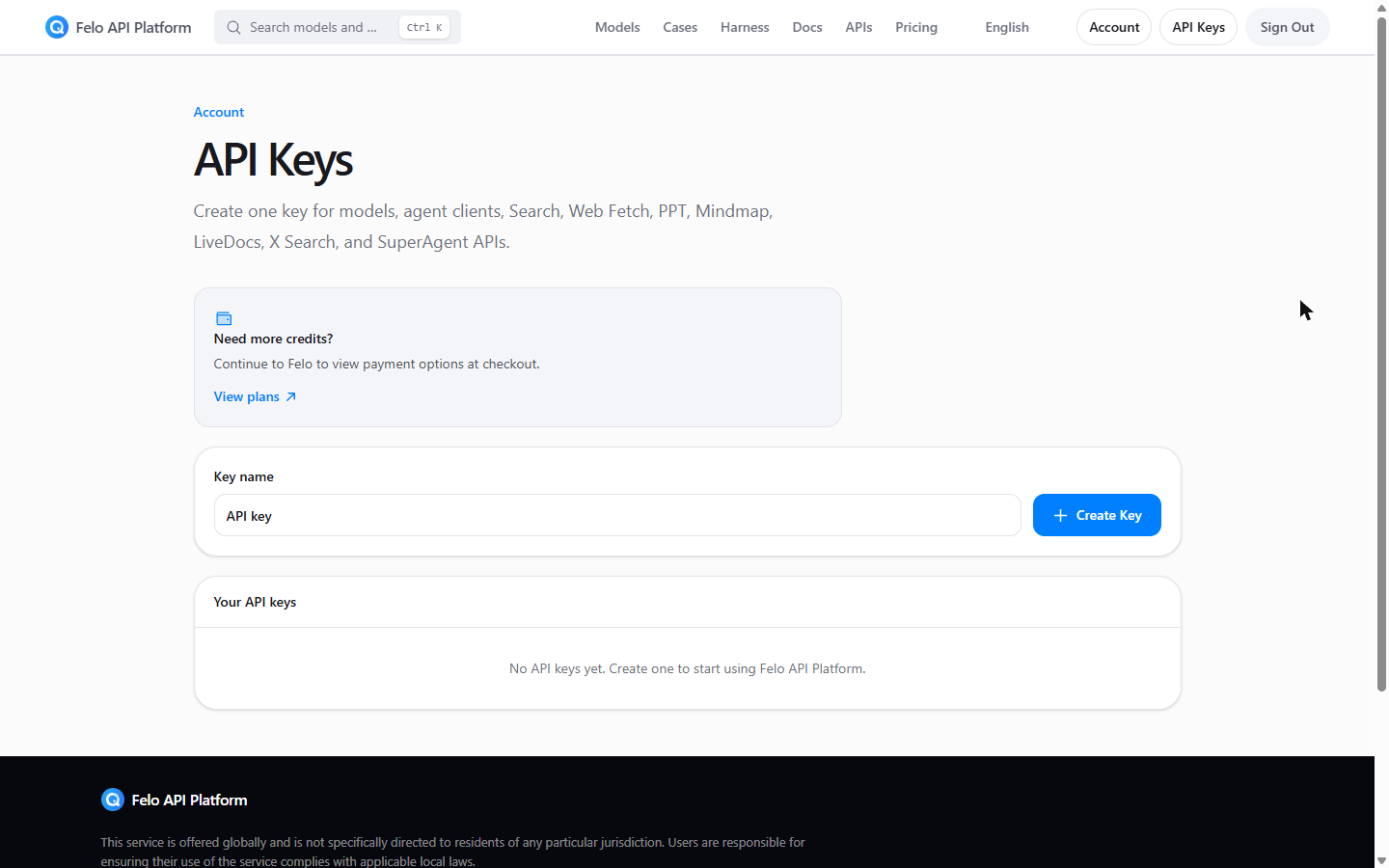
Sign in at openapi.felo.ai with your Felo account. Pricing shows the free Standard plan: 200 credits a day, no card. Open API Keys, name the key (for example n8n) and click Create Key. Copy it for n8n.
Step 2: the trigger and the questions
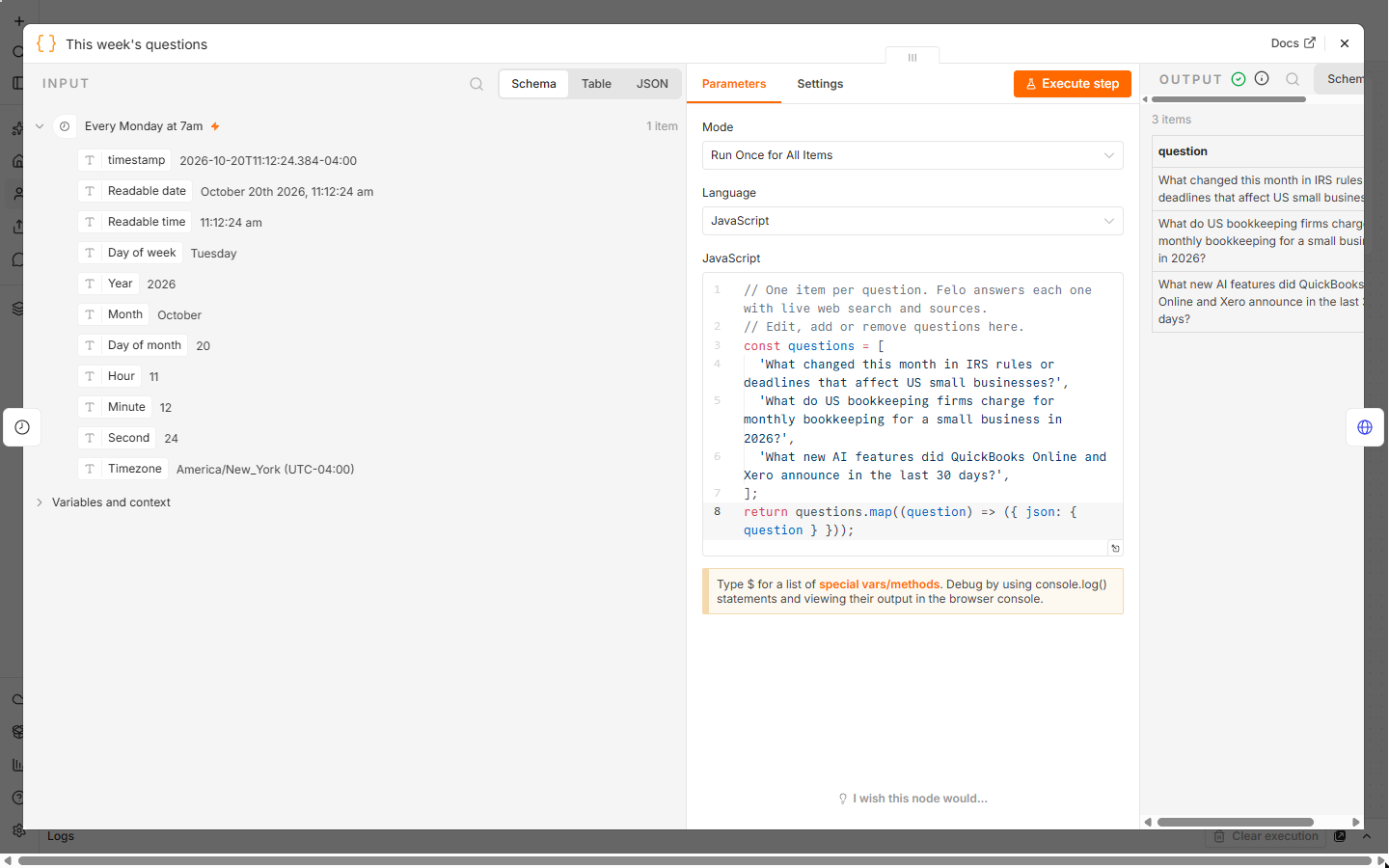
Download the workflow below, open the file, copy everything and paste it onto an n8n canvas. Every Monday at 7am is a Schedule Trigger set to weeks, Monday, 7:00 (the workflow's time zone is New York; change it in the workflow settings). This week's questions is a Code node that returns one item per question, so the next node runs once for each. Edit the list to your own questions.
Step 3: ask Felo
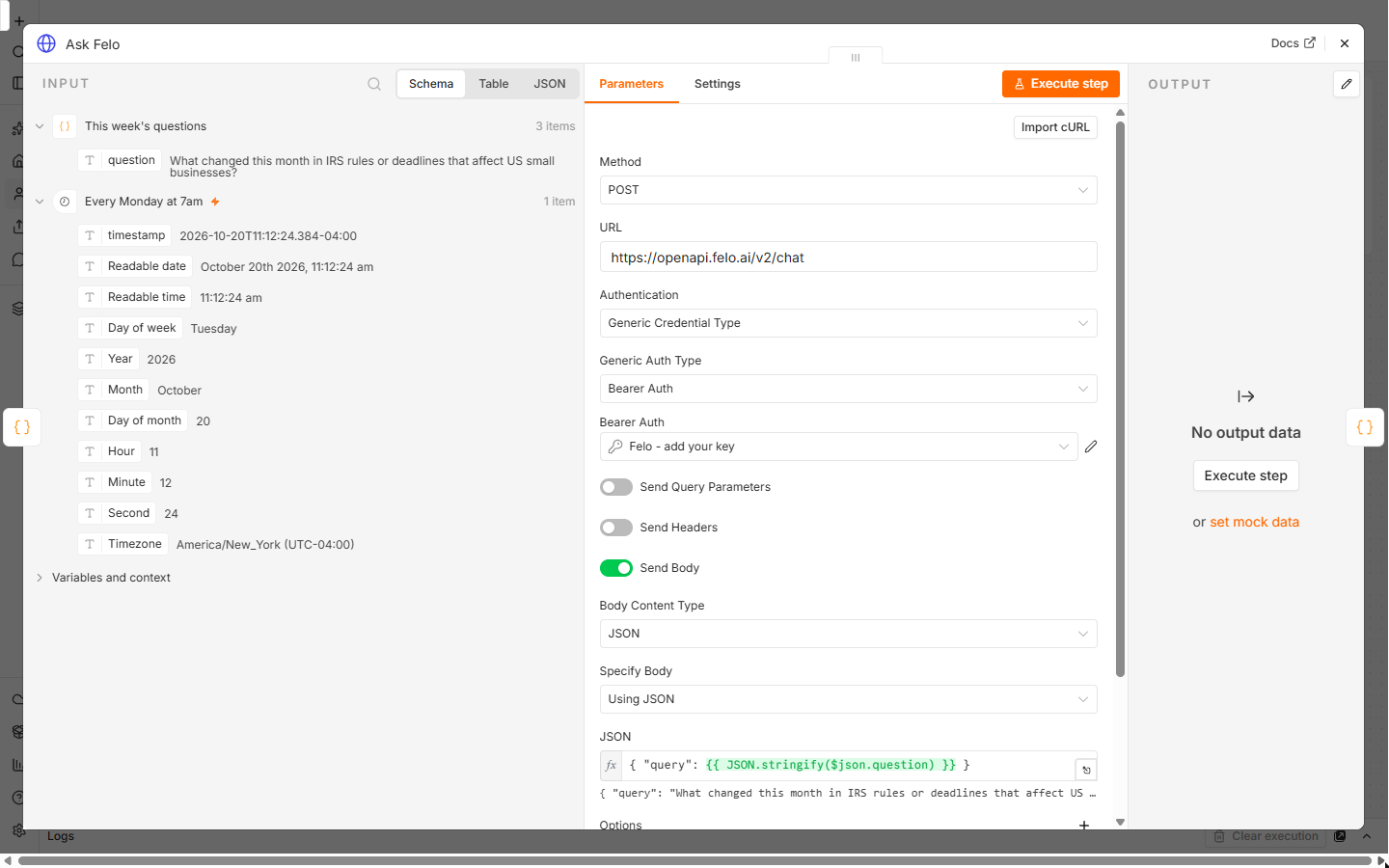
Ask Felo is an HTTP Request node: Method POST, URL https://openapi.felo.ai/v2/chat. Set Authentication to Generic Credential Type and Generic Auth Type to Bearer Auth, create a credential and paste your Felo key into Bearer Token. Turn on Send Body, choose JSON and Using JSON, and use this body:
{ "query": {{ JSON.stringify($json.question) }} }
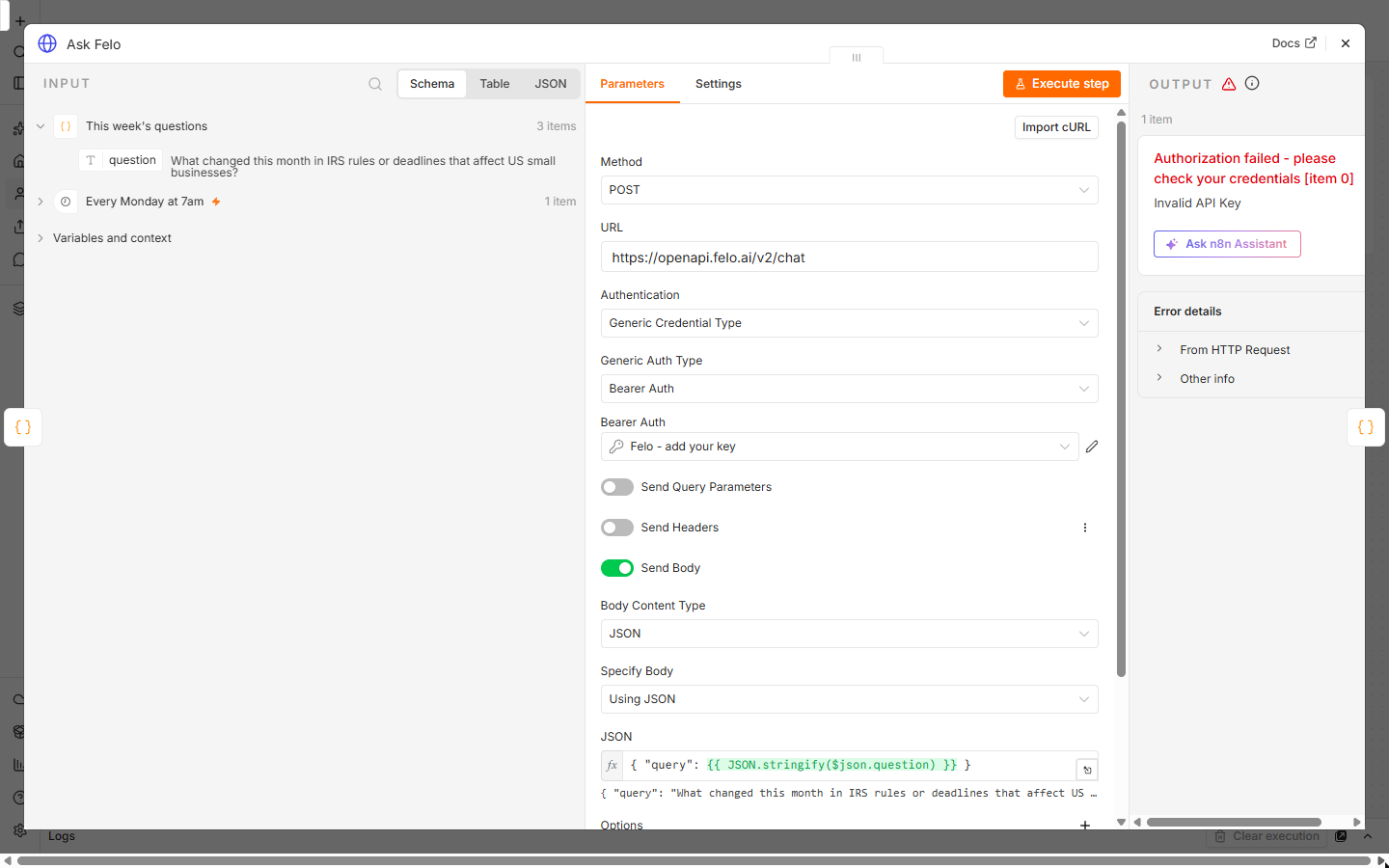
JSON.stringify keeps quotes inside a question from breaking the JSON. Felo answers with status, and data with answer (the text), query_analysis.queries (the searches it ran) and resources, a list of sources with link, title and snippet. A missing or wrong key returns Authorization failed and Invalid API Key, which is what the lesson's test run shows with a placeholder key.
Step 4: build one email and send it
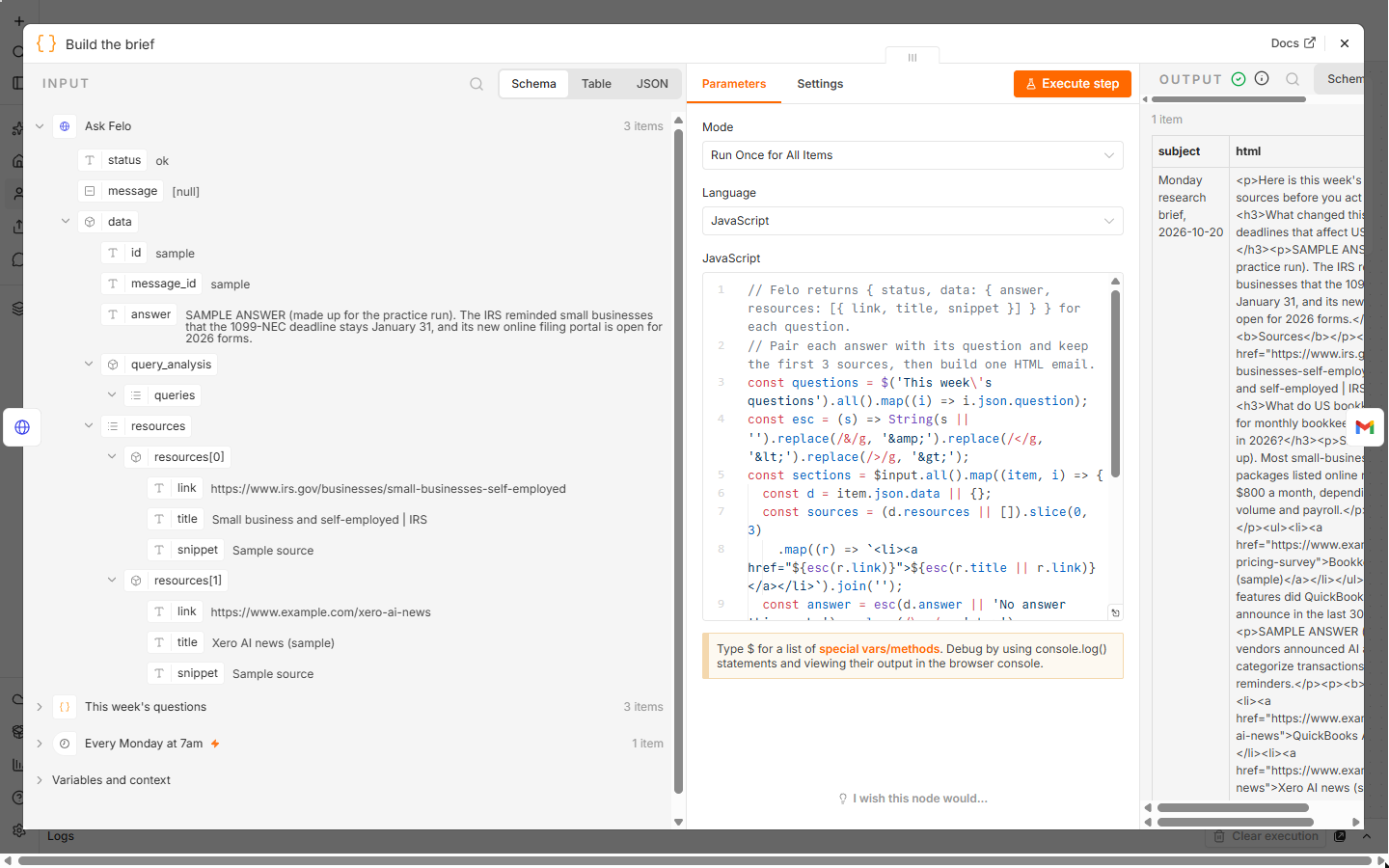
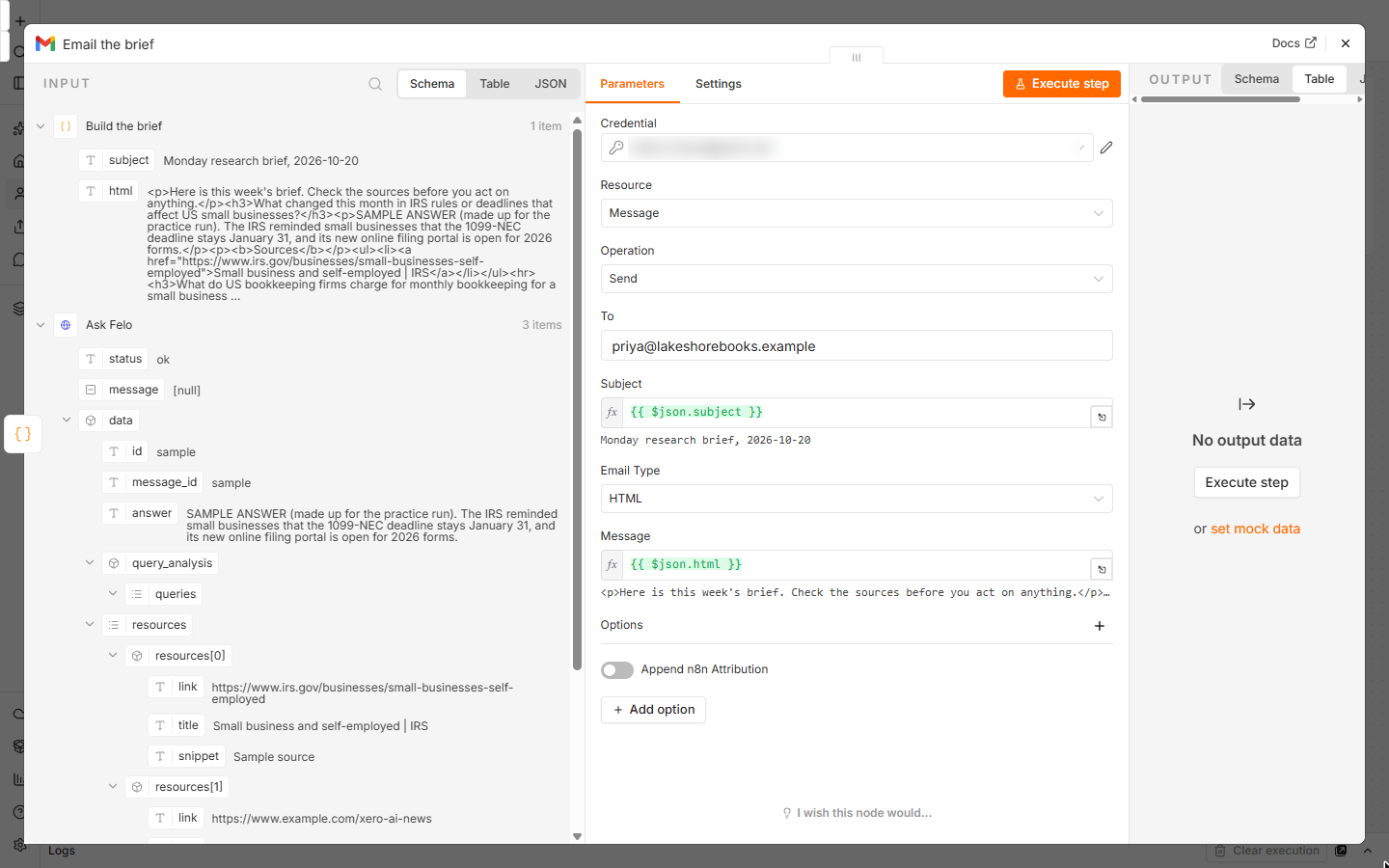
Build the brief is a Code node that pairs each answer with its question, keeps the first three sources as links, and joins everything into one HTML email with a subject like Monday research brief, 2026-10-20. Email the brief is a Gmail node, Message, Send: put your own address in To; Subject is {{ $json.subject }}, Email Type HTML and Message {{ $json.html }}.
Click Execute once to get this week's brief now. When the email looks right, Publish the workflow so it runs every Monday.
Mistakes to avoid
- Putting the Felo key in the URL or the body. Keep it in the Bearer Auth credential.
- Building the body by hand with the question in quotes. A question with a quote mark breaks the JSON; JSON.stringify handles it.
- Acting on an answer without opening the source. AI search can be wrong or out of date.
- Adding dozens of questions or running it daily on the free plan. Check the credits on openapi.felo.ai/pricing first.
Links
- Felo API Platform: one API key for Felo's search, web fetch and model APIs.
- Felo API: getting started: base URL, Bearer key and the Chat API example.
- Felo Chat API reference: POST /v2/chat: the query field, data.answer and data.resources, errors and rate limits.
- Felo API pricing: the free Standard plan (200 credits a day) and credit costs per request.
- Felo in the AI tools directory: what it does, what it costs, and every Stepthrough lesson that uses it.
Try it yourself, free
Reading the steps is a start. Doing them is how it sticks. The interactive module walks you through every click in a practice copy of n8n, checks each step, and never touches your real accounts.
Start “n8n + Felo: A Monday Research Brief With a Source for Every Answer”Step by step: n8n + Felo: A Monday Research Brief With a Source for Every Answer
All 20 steps of the interactive module, in order. In the module you watch each one, then do it yourself in a practice copy that checks your work.
1. The Monday research hour
- See what the research costs. Priya Nair owns Lakeshore Bookkeeping (made up). Every Monday she spends about 90 minutes searching for the same kinds of things: new IRS rules, what other firms charge, and what QuickBooks and Xero just changed. Click the last row.
Meet Priya. She runs a small bookkeeping firm. Every Monday, she spends an hour and a half searching the same kinds of things.
- Let n8n ask Felo for her. The fix: an n8n workflow sends her questions to Felo, an AI search engine with an API. Felo answers each one from live web search and returns the sources it used, and Priya gets one email before she starts work. Click the workflow.
Here's the fix. n8n sends her questions to Felo. Felo searches the web and answers, with sources. And Priya gets one email.
2. Get a free Felo API key
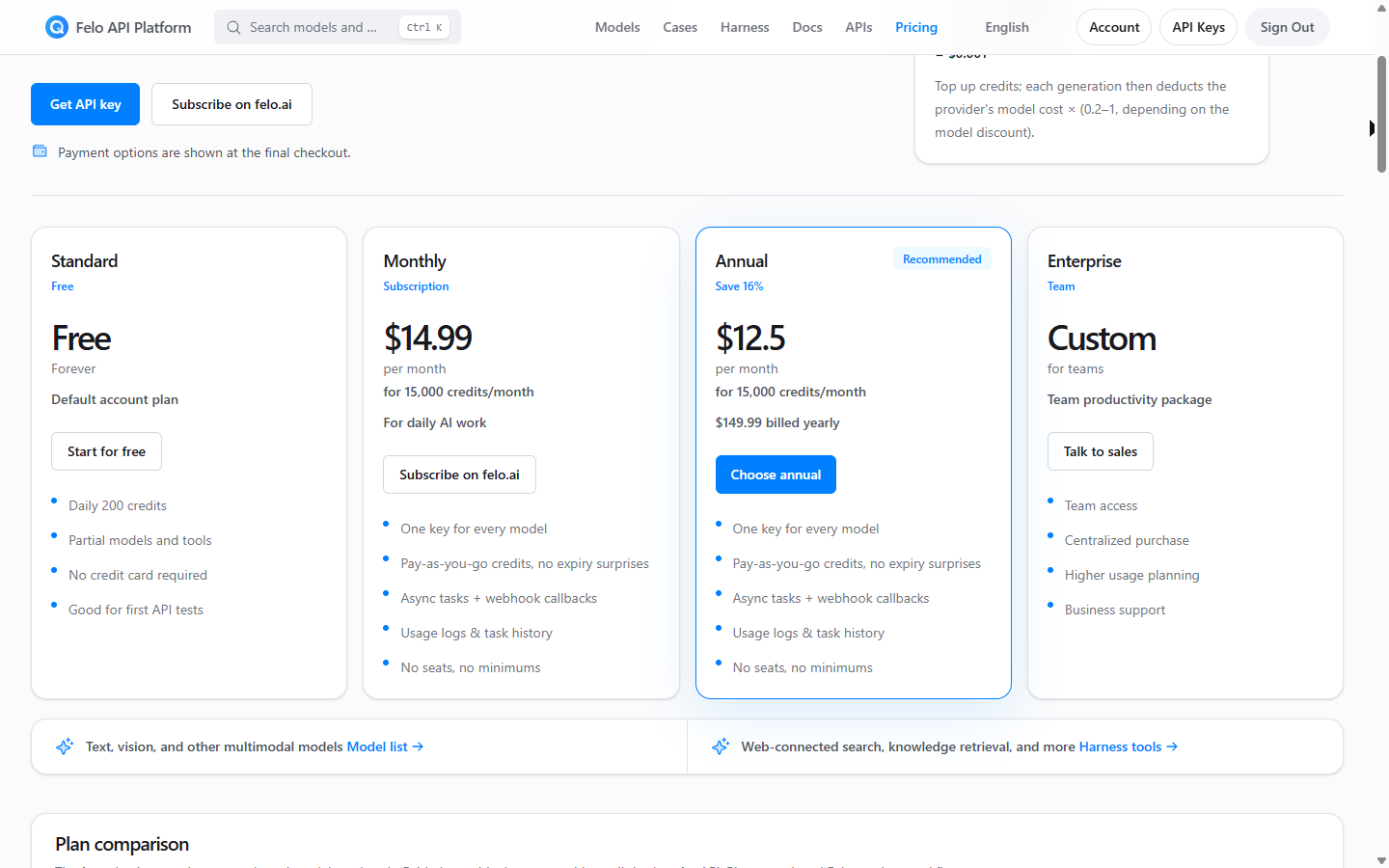
- Check the free plan. On openapi.felo.ai/pricing, the Standard plan is Free: 200 credits a day, no card. A search costs about 15 credits, so three questions a week fit easily. Click the Free card.
On Felo's A P I pricing page, the standard plan is free. Two hundred credits a day. A search is about fifteen.
- Create a key. Sign in with your Felo account and open API Keys. Give the key a name such as n8n and click Create Key. Copy it: you'll paste it into an n8n credential, never into the workflow itself.
Name the key, and click Create Key. You'll paste it into n8n in a minute.
3. The questions
- Every Monday at 7am. Here's the workflow in n8n, with a setup note on the left. The Schedule Trigger runs every week on Monday at 7:00. Download the workflow from the guide page and paste it onto your canvas. Click Every Monday at 7am.
Here's the workflow in n8n. The schedule trigger runs every Monday at seven.
- Open the questions. Double-click This week's questions.
- Edit the questions. A small Code node holds the list. Each question becomes one item, so the next node runs once per question. Change them to whatever you look up every week. Click the code.
A small Code node holds the questions. Each one becomes one item. Change them to your own.
- Three items. The output: 3 items, one per question. Click the output.
Three items. One per question.
4. Felo answers with sources
- Call Felo. An HTTP Request node, Ask Felo. Method is POST and URL is https://openapi.felo.ai/v2/chat. Click URL.
An H T T P Request node asks Felo. Method POST, to Felo's chat U R L.
- Use a Bearer Auth credential. Authentication is Generic Credential Type and Generic Auth Type is Bearer Auth. Create a credential, paste your Felo key into Bearer Token, and save. Here it's named Felo - add your key. Click Bearer Auth.
Authentication is a Bearer Auth credential.
- Send the question. Send Body is on, as JSON:
{ "query": {{ JSON.stringify($json.question) }} }. JSON.stringify keeps quotes in a question from breaking the body. Click the JSON box.Send Body is on. The body is one field, query, with the question.
- Know the key error. This is a real run with a placeholder in the credential, so Felo answers Authorization failed and Invalid API Key. With your key, each item comes back with data.answer and data.resources: a link, title and snippet for every source. Click the error.
This test used a placeholder key, so Felo says invalid key. With your key, you get an answer, and the sources.
5. Build and send the brief
- Build one email. Build the brief pairs each answer with its question, keeps the first 3 sources as links, and joins everything into one HTML email with a subject. The answers here are SAMPLE text, pinned for testing. Click the code.
Build the brief pairs each answer with its question. It keeps the top three sources as links. These answers are sample text.
- Check the output. One item with a subject, such as Monday research brief, 2026-10-20, and the html body. Click the output.
One item. A subject, and the email body.
- Send it to yourself. The Gmail node sends it: Resource: Message, Operation: Send. Change To to your own address and connect your Google account. Click To.
The Gmail node sends the brief. Put your own address in To.
- Subject and message. Subject is {{ $json.subject }}, Email Type is HTML and Message is {{ $json.html }}. Click Message.
Subject and message come from the brief. Email type is HTML.
6. Test it
- Run it once. With your key in place, click Execute to get this week's brief now. Here the sample answers flowed through Build the brief. Keep the workflow off until a test email looks right, then Publish it so it runs every Monday. Click Execute.
When it looks right, publish it.
7. What it saves
- Read the brief. This is the shape of Priya's Monday email: each question, Felo's answer, and the links to check. The answers here are samples. Click the brief.
Here's the shape of the Monday email. A question, an answer, and the links.
- See what it saves. About an hour and a half every Monday, and a source on every answer. Click What this saves.
About an hour and a half every Monday.
- Get the workflow. Download the workflow from the guide page. New to Felo? Start with the Felo lesson. Click the card.
Download the workflow, or start with the Felo lesson.
Screenshots
Frequently asked questions
- Is this an official Felo course?
- No. This is my own lesson. Felo is a separate, third-party product from felo.ai.
- Is the Felo API free?
- There's a free Standard plan: 200 credits a day, no credit card, with selected models and tools (openapi.felo.ai/pricing, read 20 October 2026). A search request is listed at about 15 credits, so three questions a week fit easily. Paid plans start at $14.99 a month for 15,000 credits.
- What does Felo's API return?
- For POST /v2/chat: data.answer (the answer), data.query_analysis.queries (the searches it ran) and data.resources, a list of sources with link, title and snippet.
- Why does the test run show Authorization failed?
- The lesson's run used a placeholder key on purpose, so no real key was made. The error proves n8n reached Felo with the right URL and header. Paste your real key into the credential and the node returns answers.
- Can I post the brief to Slack instead of email?
- Yes. Swap the Gmail node for a Slack node and send {{ $json.html }} as text, or change the Code node to build plain text for Slack.
More in n8n Automation Toolkit
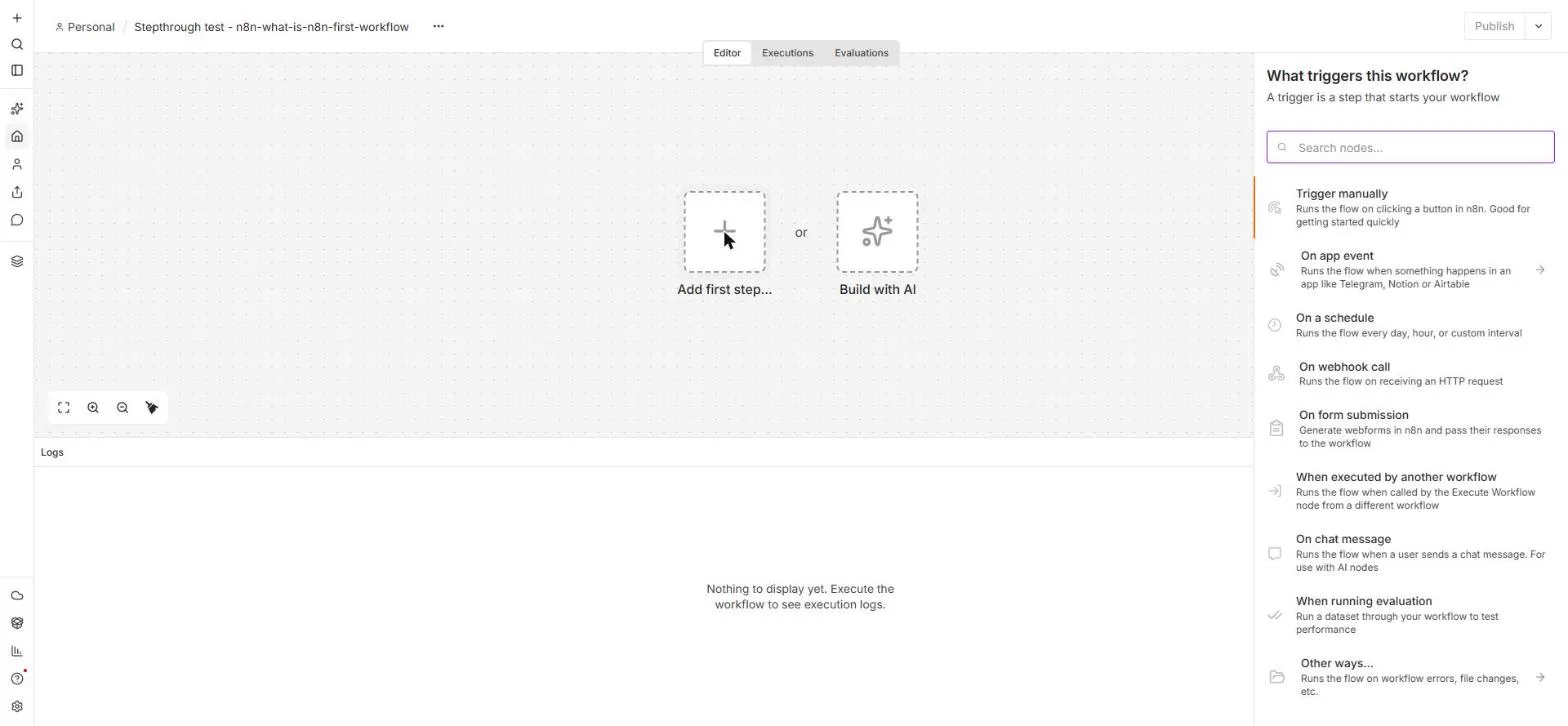 n8n: What Is n8n? Build Your First Workflow
What n8n is and how it thinks, then your first workflow: a client inquiry form that catches every request and writes a one-line summary. No code, no accounts to connect.
Free · Live ~8 min Beginner
 AI Workflow Automation for Beginners: Sort Every Client Inquiry and Draft the Reply using n8n
AI workflow automation for beginners: a form catches each client inquiry, an AI step sorts it and drafts the reply, and an If rule flags the urgent ones. Real n8n, free…
Free · Live ~12 min Beginner
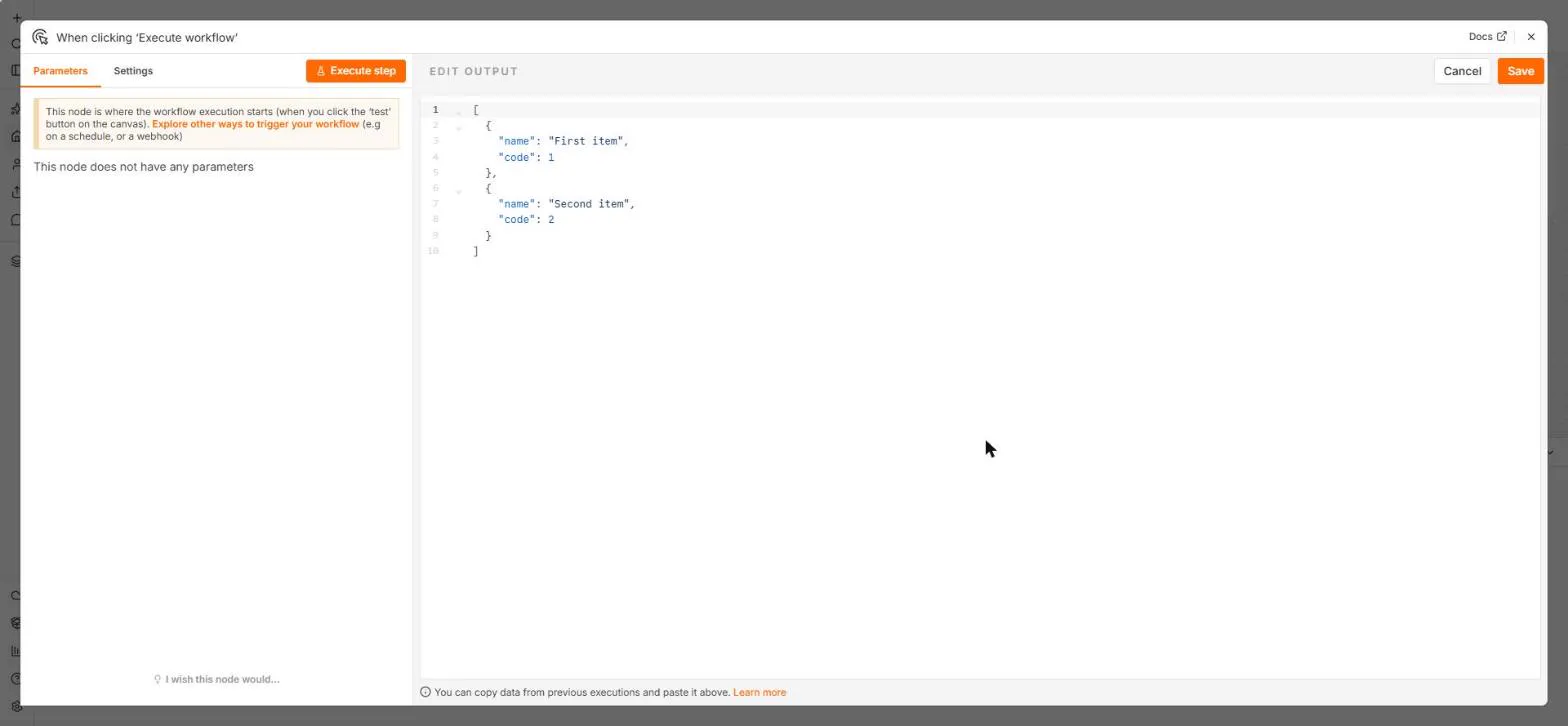 n8n: Items, JSON and Expressions, Explained by Doing
See how n8n holds data: pin five fake invoices, read them as items, Table and JSON, then write one reminder per invoice and a late fee with drag-and-drop expressions.
Free · Live ~9 min Beginner
 n8n: Run a Workflow on a Schedule (Every Monday at 8am)
Use the n8n Schedule Trigger to run a workflow by itself: every Monday at 8am, a timesheet reminder. Set the interval, test it now, and check the time zone.
Free · Live ~6 min Beginner
 n8n: Send Form Answers Straight to Google Sheets
Build a consultation request form in n8n (required fields, email, dropdown), test it, and add every answer as a new row in Google Sheets. No webhook, no form tool to…
Free · Live ~10 min Beginner
 n8n: Summarize Customer Emails with OpenAI
Your first AI step in n8n: send each customer email to OpenAI with one prompt and get a one-line summary plus the next step. No agent needed, about a cent of API use.
Free · Live ~9 min Beginner
All 24 modules in n8n Automation Toolkit
More n8n tutorials
 n8n AI Agent Tutorial: Save Social Media Ideas to Google Sheets
Build an AI agent for BrightPath Marketing that generates social media post ideas and saves them to Google Sheets — chat trigger, AI Agent, system prompt, model…
Free · Live ~12 min Intermediate
 Lovable + n8n: Build a Web App with an AI Backend
Build a contact form in Lovable and connect it to an n8n workflow — webhook trigger, AI Agent, Google Sheets, Gmail, and a Respond node that ties it all together.
Free · Live ~15 min Advanced
 AI Receipt Extractor: Receipts to Google Sheets with n8n
Drop a photo of a receipt into an n8n chat. An AI agent reads it, pulls out the date, vendor and amount, picks a category, and adds a row to Google Sheets.
Free · Live ~12 min Intermediate
 n8n AI Email Responder: Draft Gmail Replies Automatically
Build an n8n agent that watches your Gmail, reads each new customer email, and writes a reply as a draft in the same thread, ready for you to check and send.
Free · Live ~12 min Intermediate
 Daily Job Alerts: Email Each Tech Their Jobs from Google Sheets with n8n
Every morning at 7, n8n reads a plumbing company's jobs sheet, skips anything not assigned yet, and emails each job to the tech it's assigned to — customer, address…
Free · Live ~10 min Intermediate
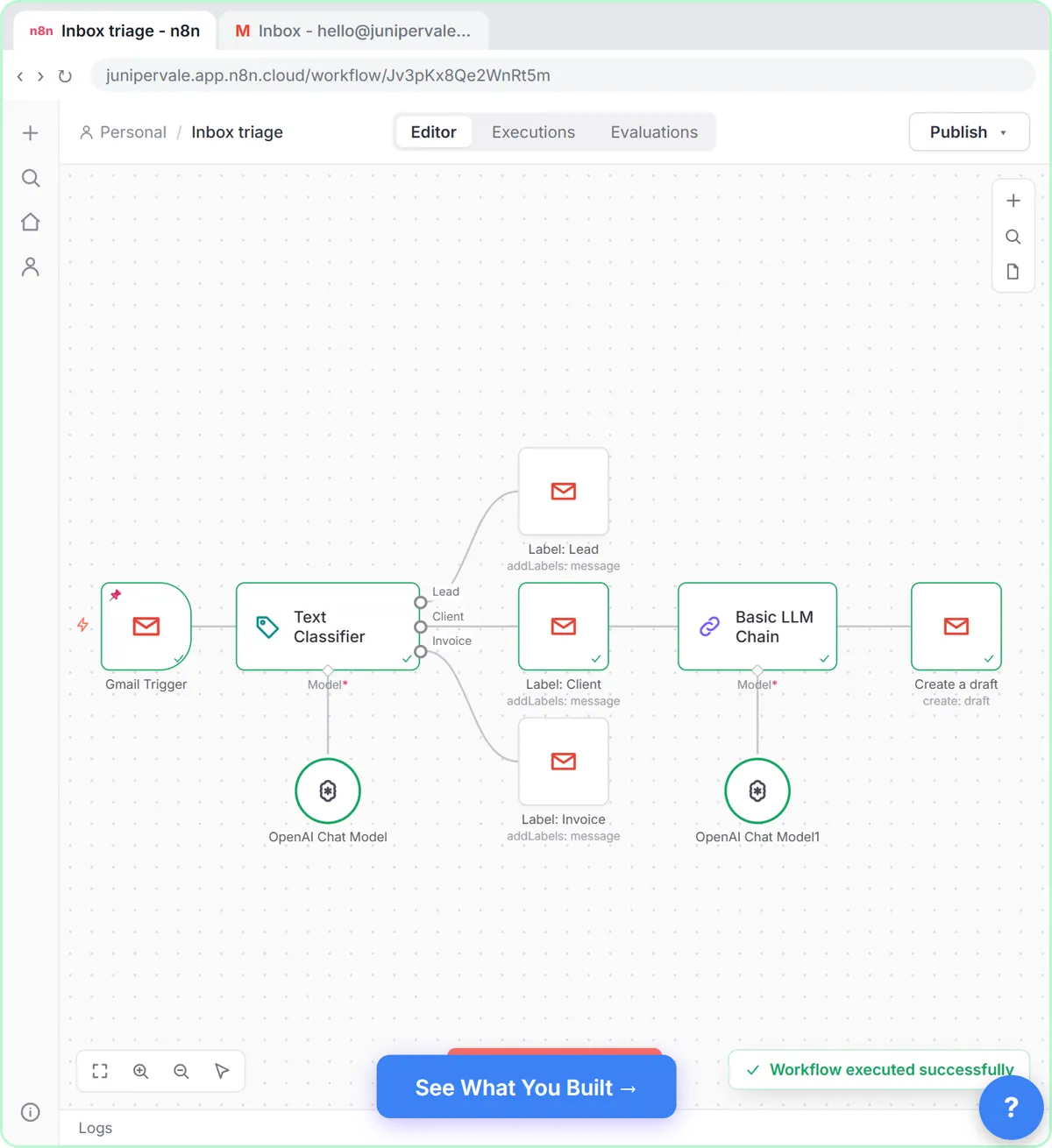 Gmail AI Triage: Auto-Label Every Email and Draft Replies
Build an n8n workflow that reads each new email, sorts it as a lead, a client or an invoice with a Text Classifier, adds the matching Gmail label, and drafts a reply to…
Free · Live ~18 min Advanced
Terms in this lesson
Plain-English definitions, each with an example from a free lesson.