Updated . Built against the tool’s current screens and checked step by step. How we check this lesson
Reading reviews one by one is slow, and the star rating barely moves, so the useful part, the reasons, gets missed. In this free n8n tutorial you set up a workflow that reads them for you every Friday. ProLevelMax, a pay-per-call data API, returns a company's newest Trustpilot reviews through one HTTP Request node, a Code node trims them, OpenAI writes the top complaints, top praise and one talking point, and Google Sheets gets one row a week. 30 reviews cost about 4 cents. The workflow and the sheet headers are free downloads with no credentials in them. This is my own lesson, not an official ProLevelMax course.
At a glance
| Question | Answer |
|---|---|
| What you build | Stop reading reviews one by one. Every Friday n8n asks ProLevelMax for a company's newest Trustpilot reviews, AI sums up the top complaints and praise, and one row lands in Google Sheets, for about 4 cents a week. |
| Tools | n8n |
| Time | About 10 minutes, 23 steps in 7 parts |
| Level | Intermediate |
| Cost | Free |
| Ways to learn it | Practice it step by step |
The 7 parts, in short
- The Friday review read: See what the reading costs, Let n8n read them for him.
- Find the source in ProLevelMax: Make an API key, Search for Trustpilot, Open the source, Read the field names, and 1 more step.
- Get the reviews in n8n: Open the HTTP Request node, POST to /v1/run, Use a Bearer Auth credential, Paste the JSON body.
- Let AI find the themes: Know the key error, Keep rating and text, One tidy item, Read the prompt, and 1 more step.
- Log it in Google Sheets: Make the sheet row, Point it at your sheet, Map automatically.
- Test it: Run it once.
- What it saves: Read the row, See what it saves, Get the workflow.
Start here first: n8n: What Is n8n? Build Your First Workflow (module 1 of n8n Automation Toolkit)
In the course: Part 9 · n8n Automation Toolkit (Module 89 of the full course)
Part of: AI for Consulting & Agencies (step 28 of 30). Next up: n8n + Felo: A Monday Research Brief With a Source for Every Answer
Part of: AI for Marketing Teams (step 4 of 35). Next up: Post to Every Channel Daily from One Sheet using n8n + Blotato
Part of: AI for Sales Teams (step 20 of 20)
Part of: Business Automations with n8n (step 20 of 20)
Part of: Reports That Build Themselves (step 5 of 7). Next up: n8n: Weekly Client Status Emails from a Google Sheet, Written by AI
Part of: n8n Jump Start (step 20 of 20)
Part of: AI Apps Worth Knowing (step 62 of 62)
Part of: n8n Intermediate: Real Business Workflows (step 5 of 13). Next up: Webhooks and Forms in n8n: Capture Data from Anywhere
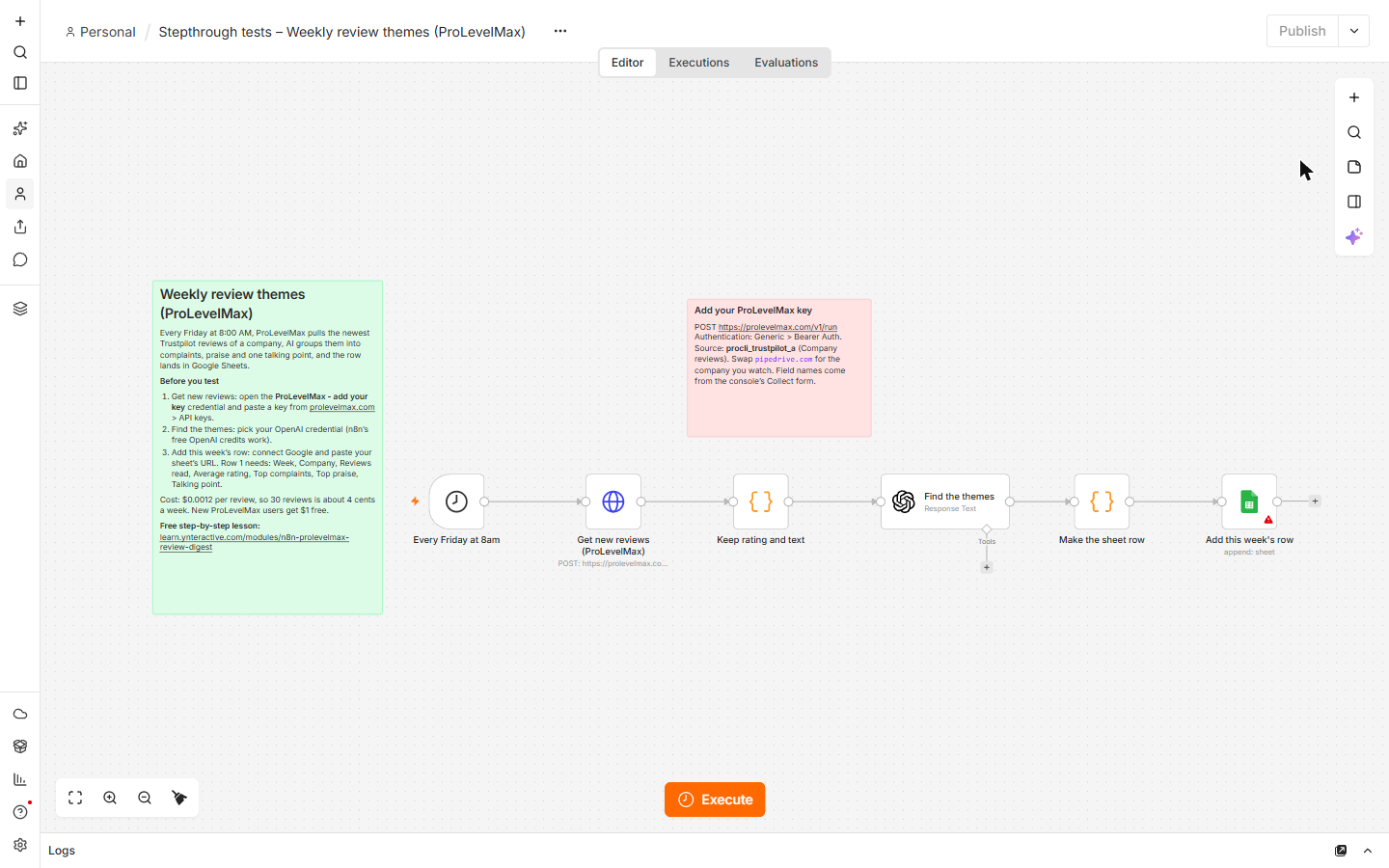
The n8n workflow
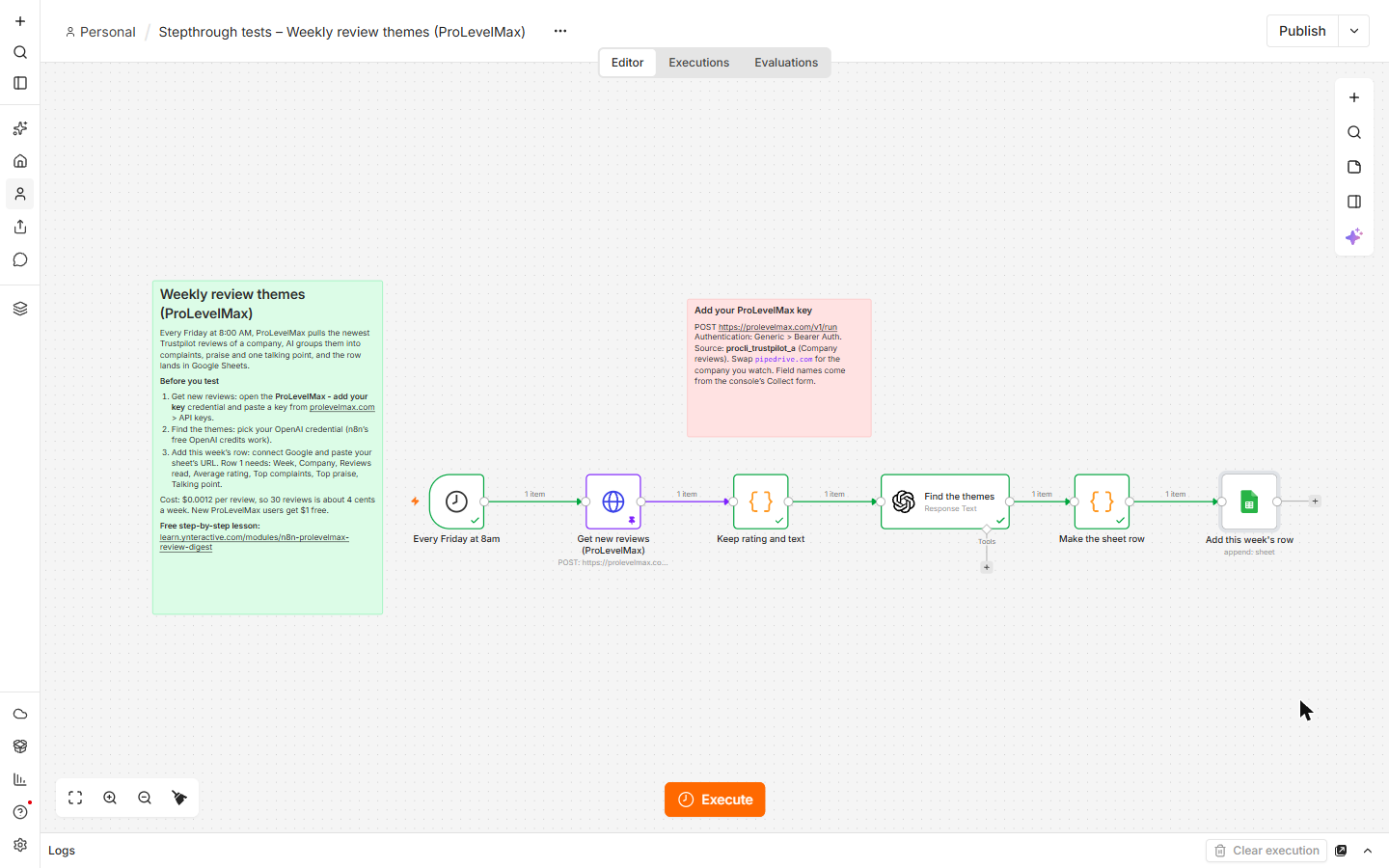
The six-node workflow from this lesson, with setup notes on the canvas. It has no credentials: create a Bearer Auth credential with your ProLevelMax key, connect OpenAI and Google, and paste your sheet's URL after you paste it onto your canvas.
Download the n8n workflow (JSON)
The sheet headers
Row 1 of the Google Sheet: Week, Company, Reviews read, Average rating, Top complaints, Top praise, Talking point. Import it into a new sheet, or type the headers yourself.
Download the sheet headers (CSV)
The business case: the Friday review read
The example is Marcus Reed, who runs Fieldstone CRM Consulting, a made-up firm that helps small businesses choose and set up a CRM. Clients keep asking whether to move to Pipedrive, so every Friday he reads its newest Trustpilot reviews, about an hour of his time, or about $390 a month at $90 an hour. These are example numbers, so use your own.
The average star rating barely changes from week to week. The reasons behind it do, and those are what a client wants to hear before signing. The workflow turns 30 reviews into one row he can read in a minute, and the sheet becomes a running record.
What you need
- An n8n account (n8n Cloud's trial is enough). New n8n Cloud accounts get free OpenAI credits, which the OpenAI node can use.
- A ProLevelMax account and an API key. New users get $1 of free credit after verifying their email, enough for this workflow for months.
- A Google account and a Google Sheet with the headers above.
Step 1: find the source in the ProLevelMax console
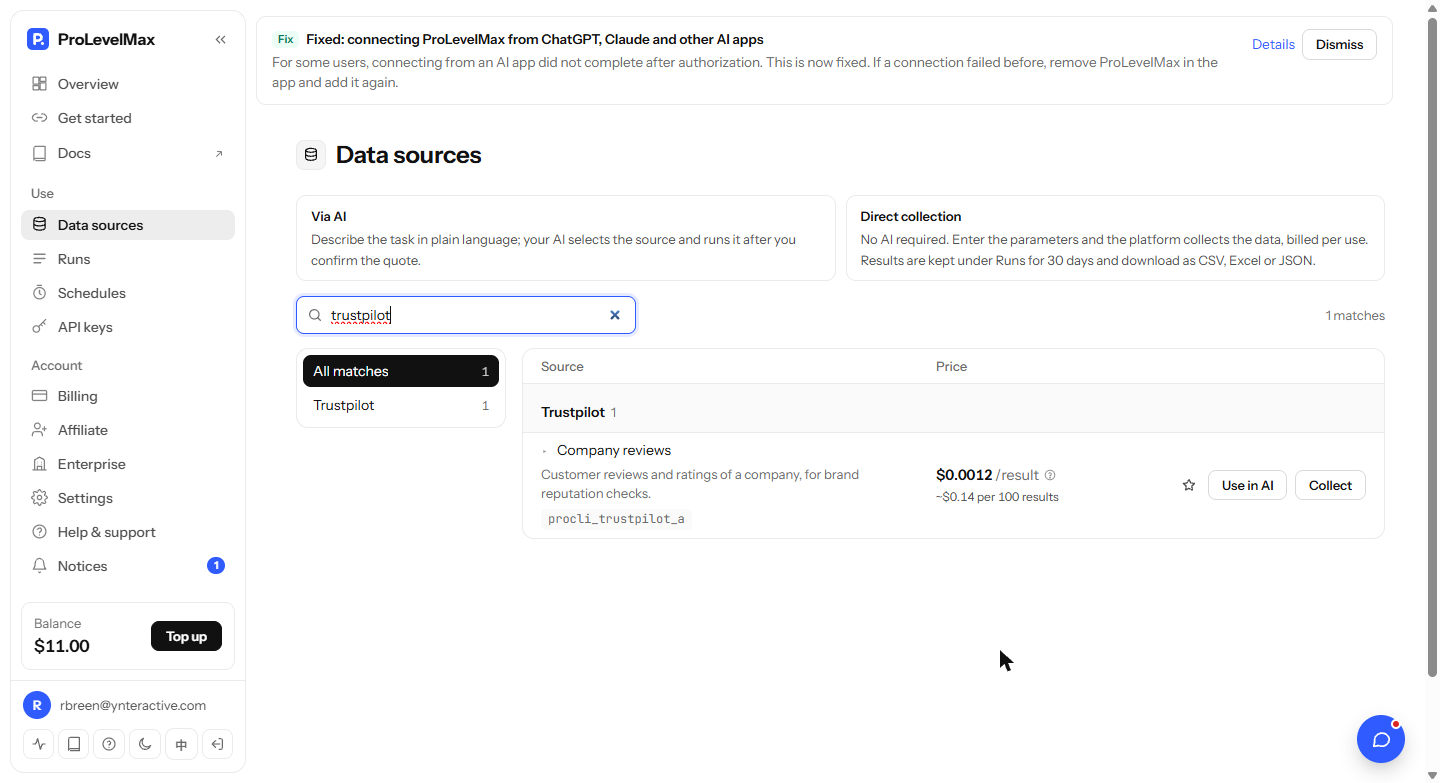
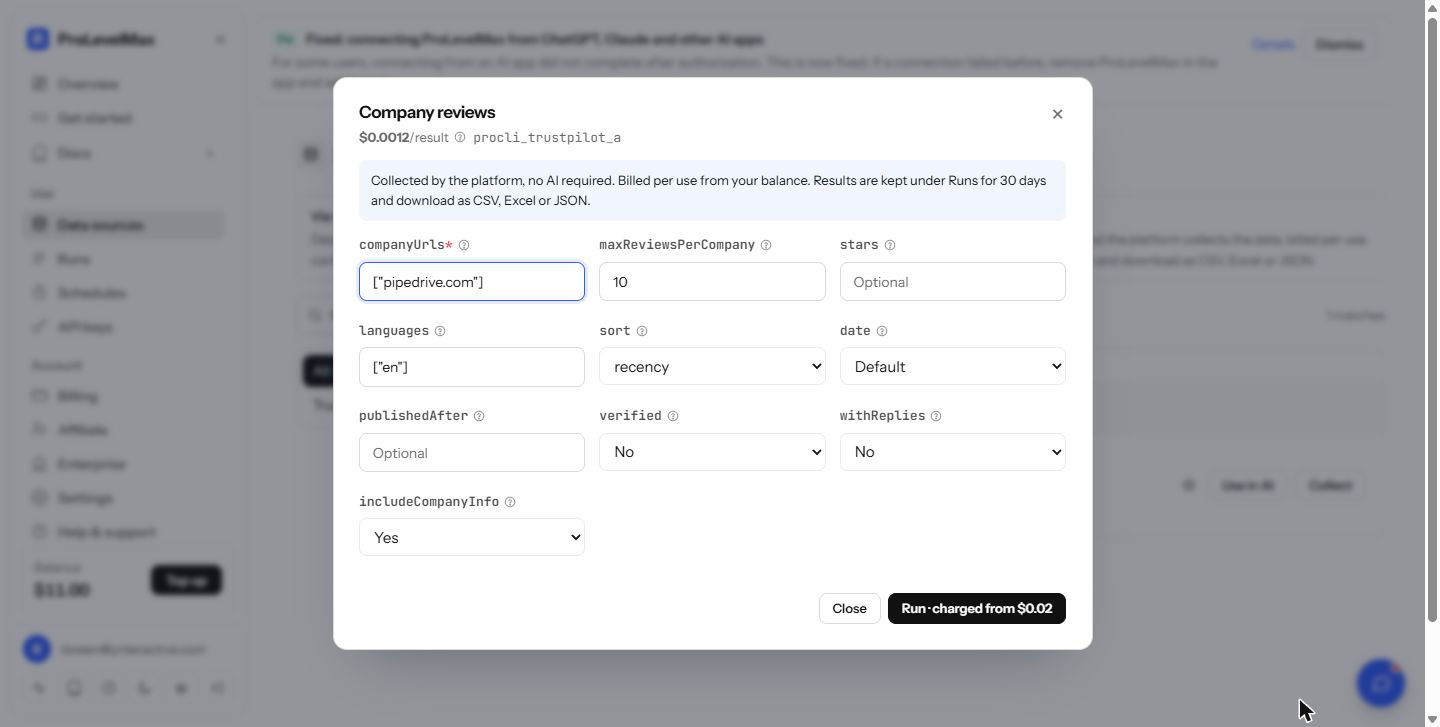
In the console, open API keys and click + New key, then open Data sources and search for trustpilot. Company reviews (id procli_trustpilot_a) returns customer reviews and ratings of a company, at $0.0012 per result on 20 October 2026. Click Collect to see its fields: companyUrls (a list, such as ["pipedrive.com"]), maxReviewsPerCompany, stars, languages, sort (recency for the newest), date, publishedAfter, verified, withReplies and includeCompanyInfo. Close the form without clicking Run: Run charges your balance, and n8n will make the call.
The same Data sources list has other review sites, such as G2, Capterra, Google Maps and Yelp. Each has its own id and fields, which you read the same way in Collect.
Step 2: call ProLevelMax from n8n
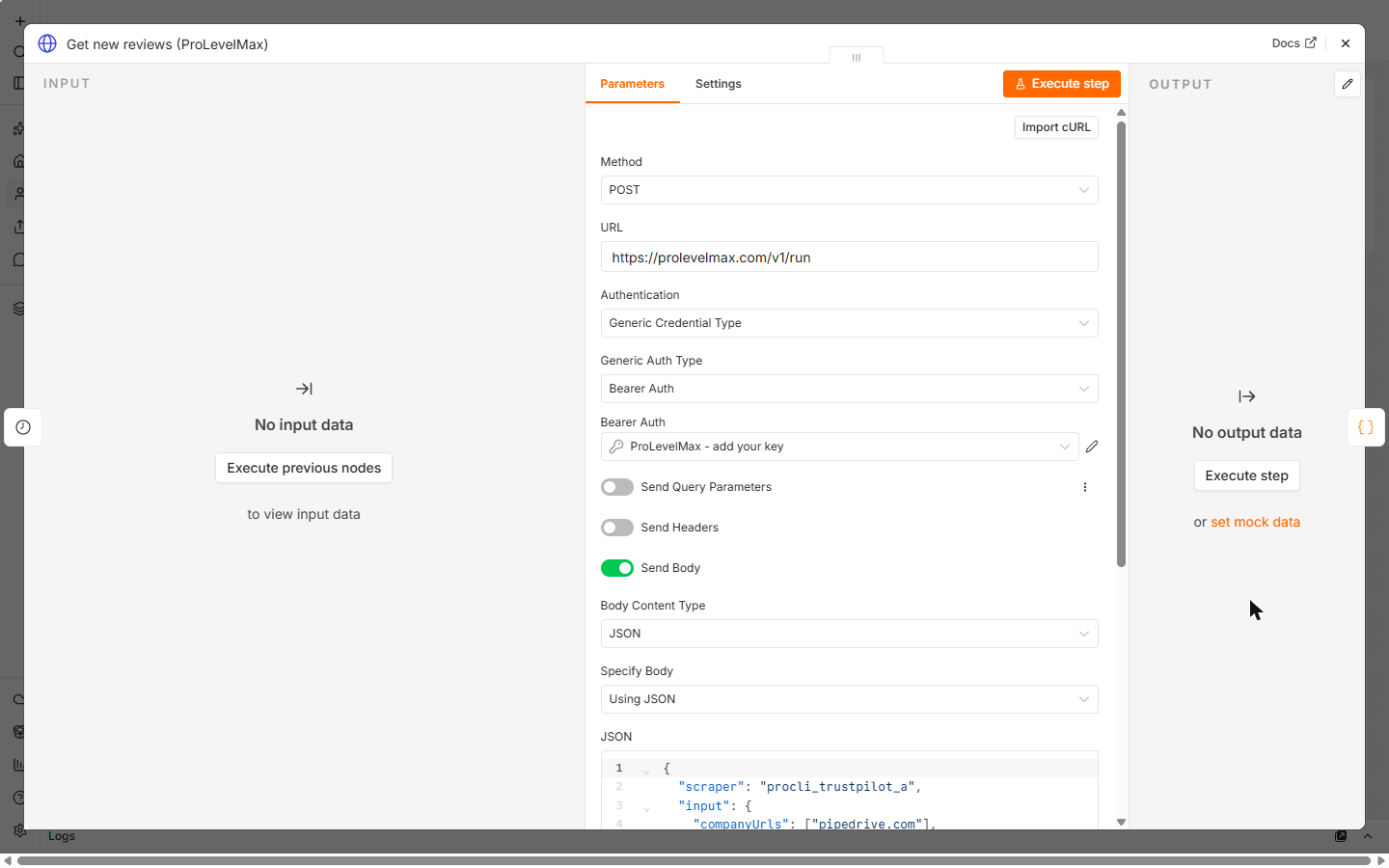
Download the workflow below, open the file, copy everything and paste it onto an n8n canvas. Every Friday at 8am is a Schedule Trigger. Get new reviews (ProLevelMax) is an HTTP Request node: Method POST, URL https://prolevelmax.com/v1/run, Authentication Generic Credential Type, Generic Auth Type Bearer Auth, with your key in the credential's Bearer Token. Send Body is on, as JSON:
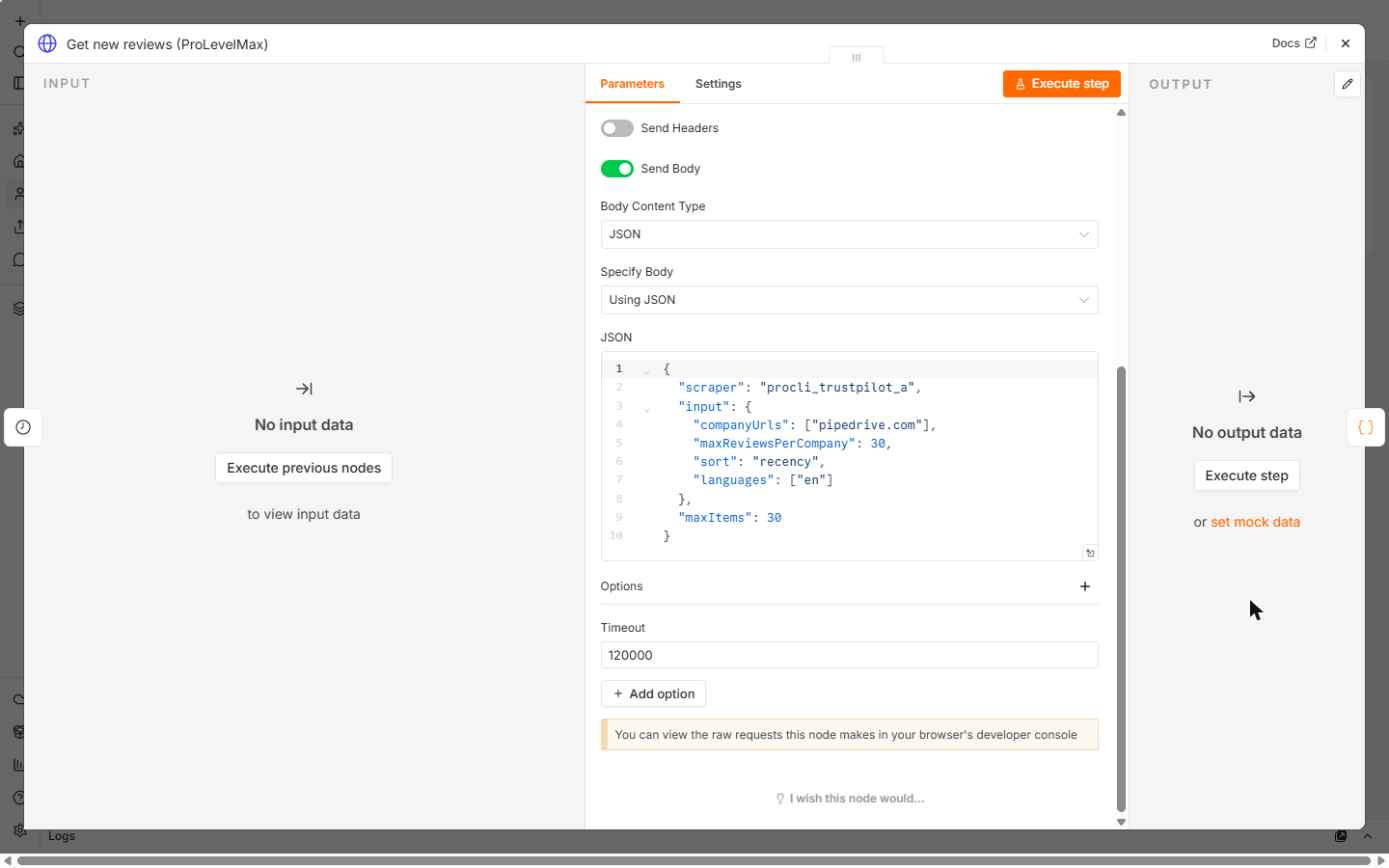
{"scraper": "procli_trustpilot_a", "input": {"companyUrls": ["pipedrive.com"], "maxReviewsPerCompany": 30, "sort": "recency", "languages": ["en"]}, "maxItems": 30}
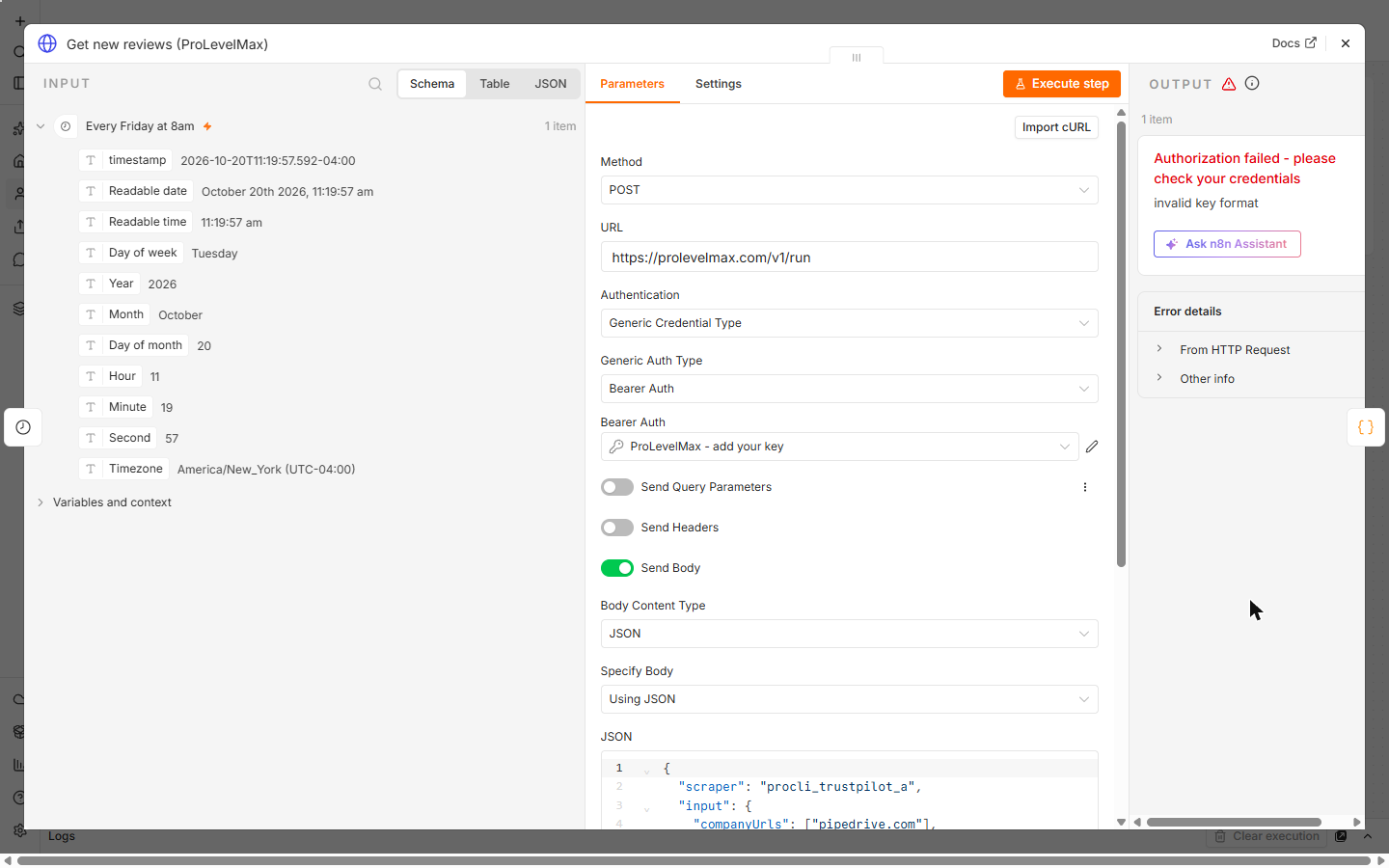
The Timeout option is 2 minutes, because collecting reviews takes a little while. A missing or wrong key returns Authorization failed with invalid key format, which is what the lesson's test run shows with a placeholder key.
Step 3: trim the reviews and let AI find the themes
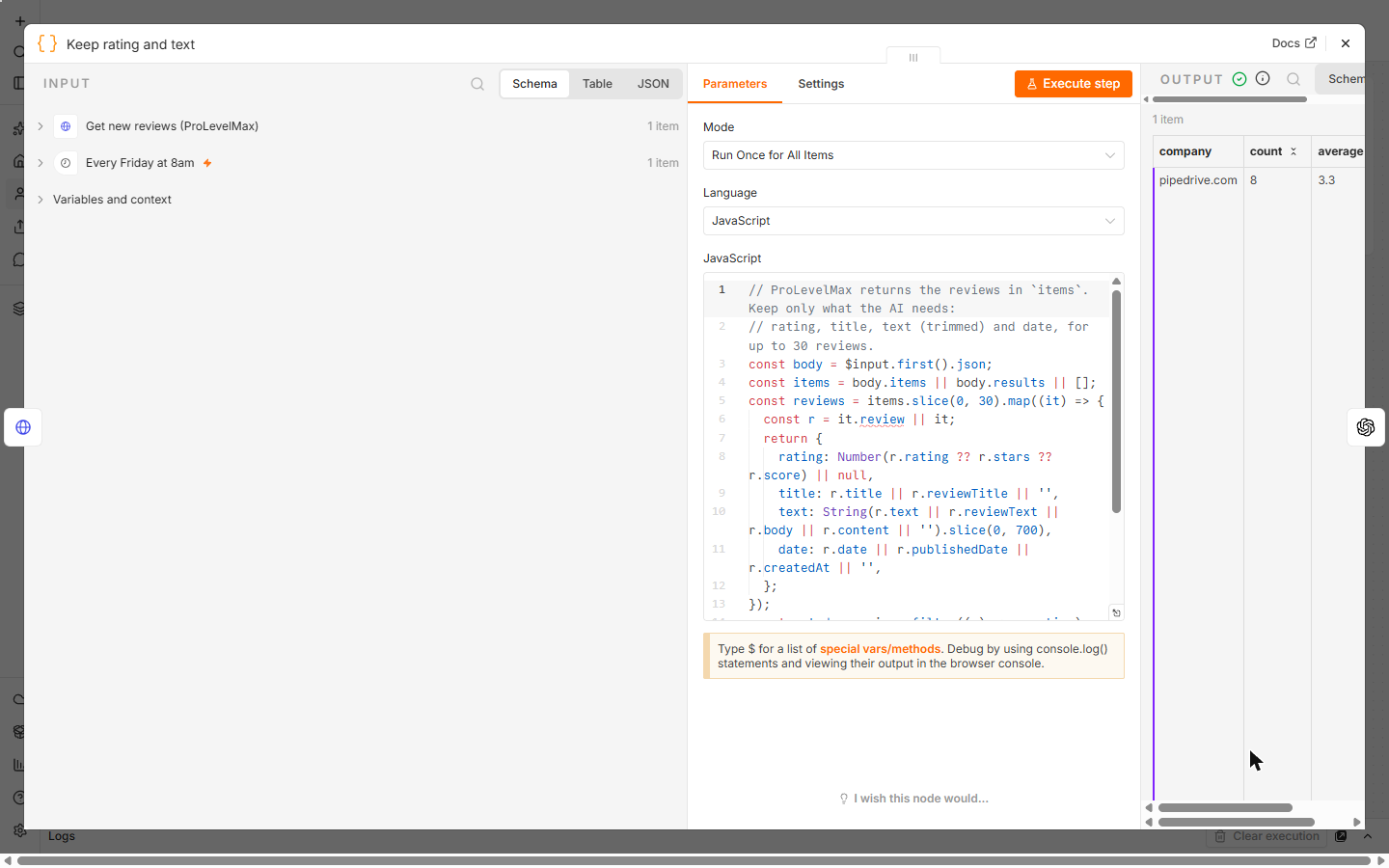
Keep rating and text is a Code node that reads the reviews from items and keeps each one's rating, title, text (trimmed to 700 characters) and date, plus the count and the average rating. It checks a few common field names, so check one real run's output and adjust the names if ProLevelMax's differ.
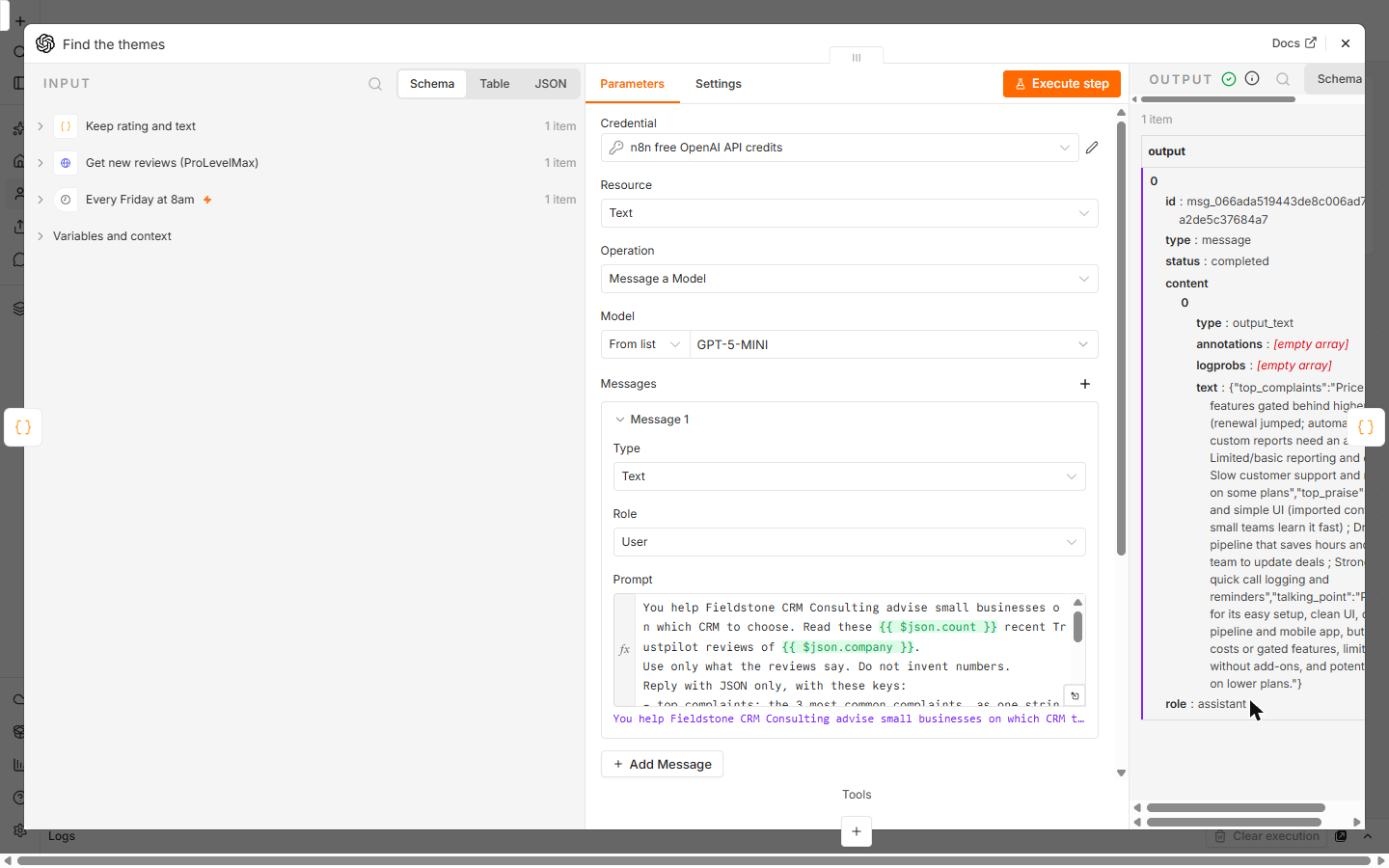
Find the themes is OpenAI's Message a Model node. The prompt says to use only what the reviews say, invent no numbers, and reply with JSON only, with top_complaints, top_praise and talking_point. In the lesson's run on eight sample reviews it returned price increases and gated features, limited reporting and slow support as complaints, and easy setup, the drag-and-drop pipeline and the mobile app as praise.
Step 4: one row in Google Sheets
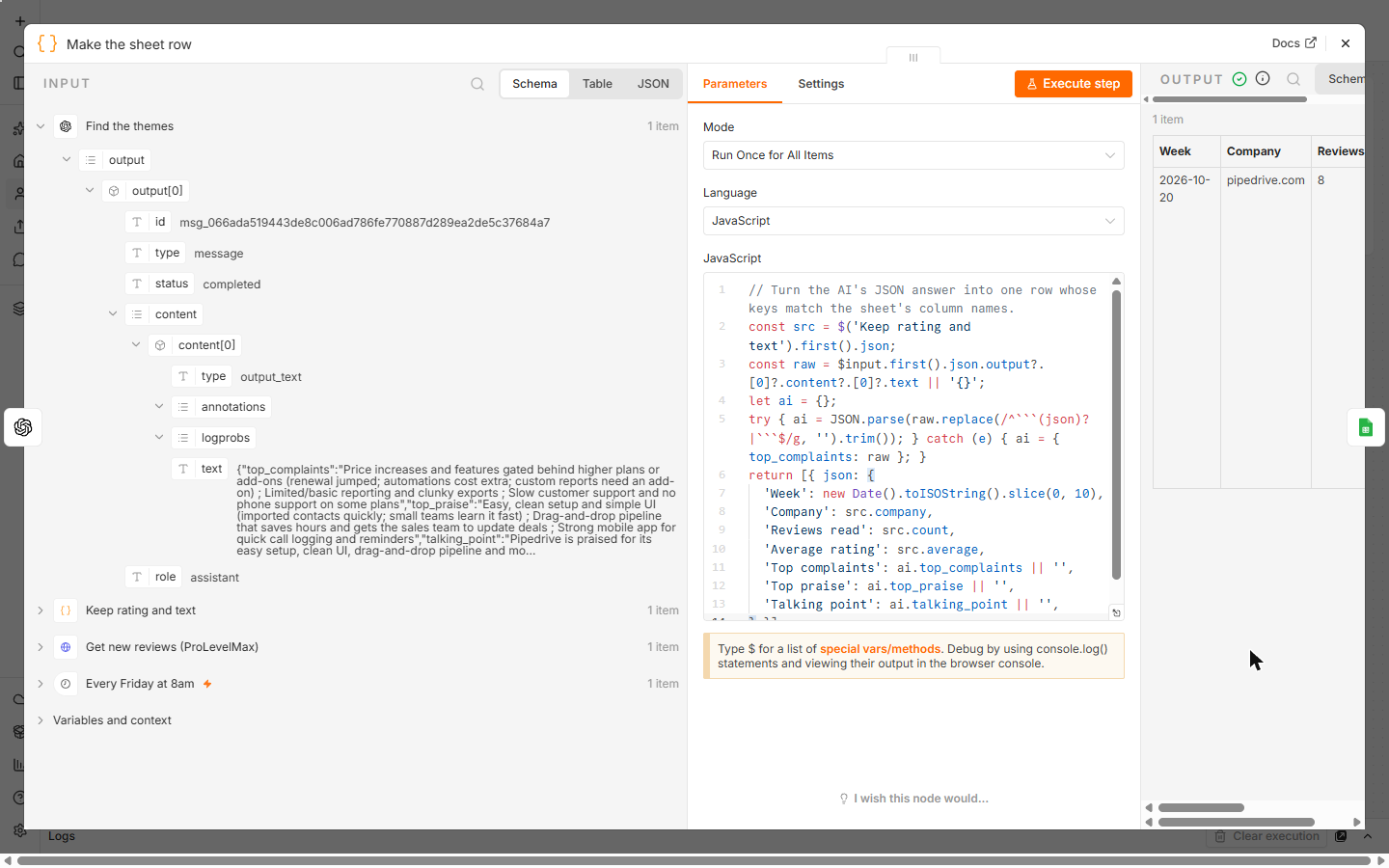
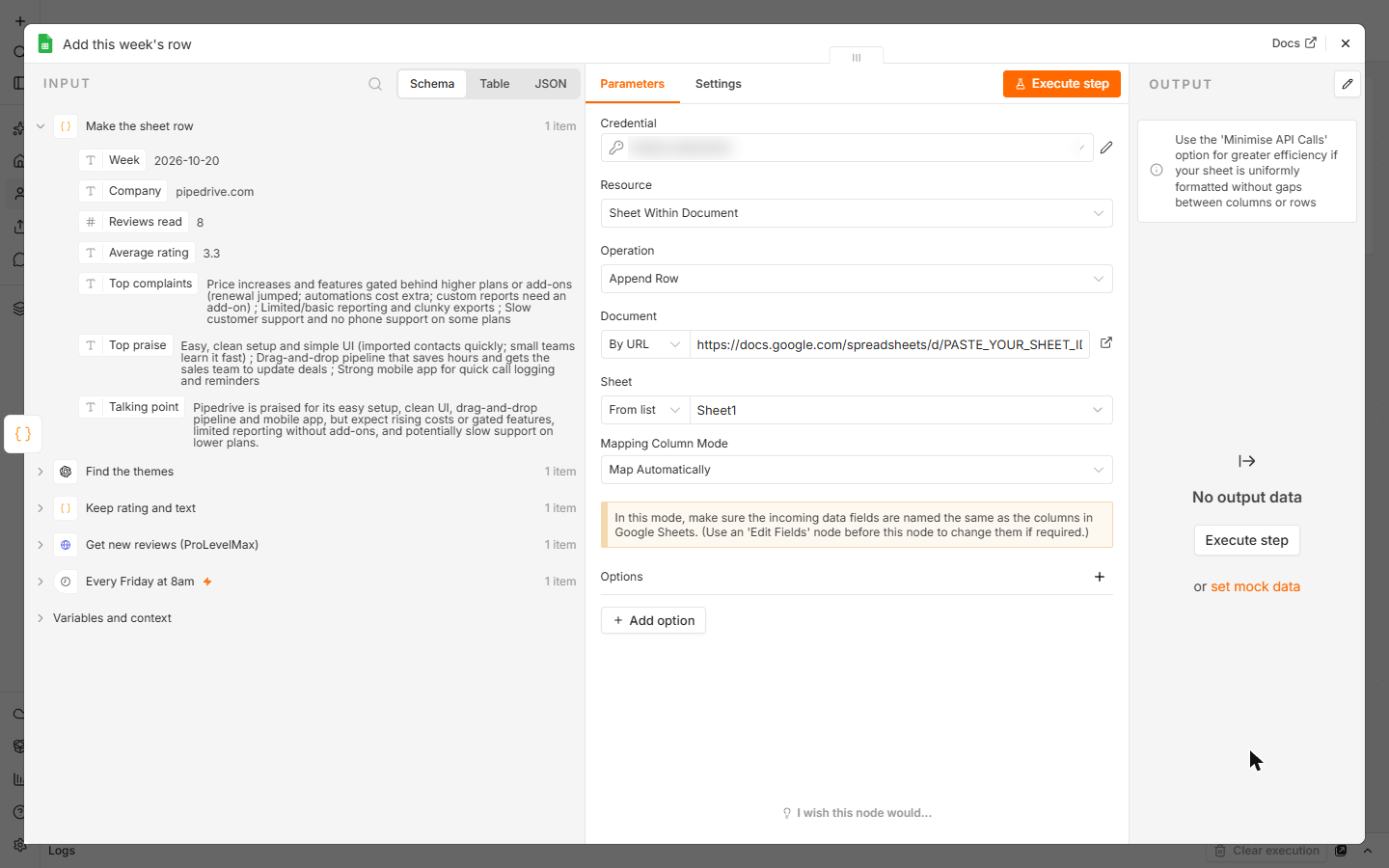
Make the sheet row is a Code node that reads the AI's JSON (stripping a code fence if the model adds one) and names each field like a column: Week, Company, Reviews read, Average rating, Top complaints, Top praise, Talking point. Add this week's row is Google Sheets, Append Row, with your sheet's URL and Mapping Column Mode set to Map Automatically, so each field lands in the column with the same name.
Click Execute once to log this week's row now. Check it, then Publish the workflow so it runs every Friday.
Mistakes to avoid
- Clicking Run in the Collect form to test. It charges your balance; let n8n make the call.
- Putting the key in the JSON body or the URL. Keep it in the Bearer Auth credential.
- Sending every field to the AI. Trim the reviews first.
- Quoting the summary to a client without reading a few of the reviews behind it.
Cost
From the ProLevelMax console on 20 October 2026: Company reviews (Trustpilot) is $0.0012 per result, so 30 reviews a week is about 4 cents, or about 16 cents a month, paid from a prepaid balance with no subscription. New users get $1 of free credit after verifying their email. Sign up through my referral link (partner link, I may earn a commission, at no cost to you) and you get 20% extra on your first top-up. Check prolevelmax.com/pricing for current prices.
Links
- Try ProLevelMax (affiliate link): the data API this lesson uses. New users get $1 of free credit after verifying their email, and 20% extra on their first top-up through this link.
- ProLevelMax docs: the REST API: discover, inspect, run and runs.
- ProLevelMax pricing: current prices per call and per result for each source.
- ProLevelMax in the AI tools directory: what it does, what it costs, and every Stepthrough lesson that uses it.
- n8n Google Sheets node: Append Row and Map Automatically.
Disclosure: links marked "affiliate link" are partner links. If you sign up through one, Stepthrough may earn a commission at no extra cost to you. The lesson is free either way and does not depend on it.
Try it yourself, free
Reading the steps is a start. Doing them is how it sticks. The interactive module walks you through every click in a practice copy of n8n, checks each step, and never touches your real accounts.
Start “n8n + ProLevelMax: Weekly Review Themes From Trustpilot to Google Sheets”Step by step: n8n + ProLevelMax: Weekly Review Themes From Trustpilot to Google Sheets
All 23 steps of the interactive module, in order. In the module you watch each one, then do it yourself in a practice copy that checks your work.
1. The Friday review read
- See what the reading costs. Marcus Reed runs Fieldstone CRM Consulting (made up). Clients keep asking whether to move to Pipedrive, so every Friday he reads its newest Trustpilot reviews to know what's going wrong and right this week. Click the last row.
Meet Marcus. He's a C R M consultant. Every Friday, he reads the newest reviews of a C R M his clients ask about.
- Let n8n read them for him. The fix: an n8n workflow asks ProLevelMax for the newest reviews, AI groups them into complaints, praise and one talking point, and the row lands in Google Sheets. Marcus reads one row instead of 30 reviews. Click the workflow.
Here's the fix. ProLevelMax pulls the reviews. A I finds the themes. And a row lands in Google Sheets.
2. Find the source in ProLevelMax
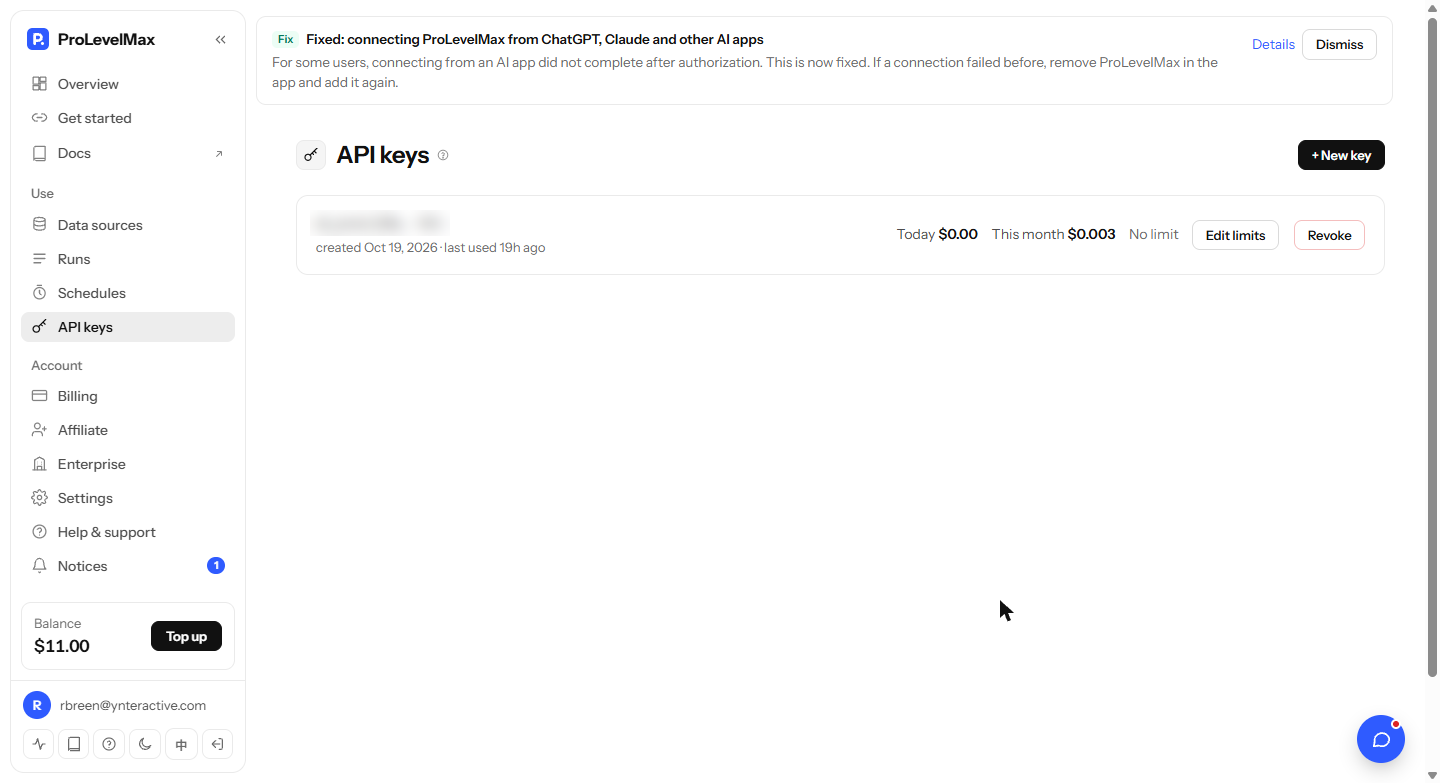
- Make an API key. Sign up at prolevelmax.com: new users get $1 of free credit. In the console, open API keys and click + New key. Copy it for n8n. Click + New key.
Sign up at prolevelmax dot com. New users get a dollar of free credit.
- Search for Trustpilot. Open Data sources. There are over 1,000 sources on 157 platforms, including review sites like Trustpilot, G2, Capterra and Google Maps. Type trustpilot in Search sources. Click the search box.
There are over a thousand. Search for trustpilot.
- Open the source. Company reviews: customer reviews and ratings of a company, $0.0012 per result. Its id, procli_trustpilot_a, is what n8n sends. Click Collect to see its fields.
Company reviews. About a tenth of a cent per review. Note its I D.
- Read the field names. The field names go straight into n8n: companyUrls (a list, such as
["pipedrive.com"]), maxReviewsPerCompany, languages and sort (recency for the newest). Run would charge your balance, and you don't need it: n8n makes the call. Click the fields.These field names go straight into n8n. Company U R Ls, max reviews, languages, and sort by recency.
- Close the form. Click Close. Now over to n8n.
Now, over to n8n.
3. Get the reviews in n8n
- Open the HTTP Request node. Here's the workflow, with a setup note on the left. Download it from the guide page and paste it onto your canvas. A Schedule Trigger runs it every Friday at 8:00. Double-click Get new reviews (ProLevelMax).
Here's the workflow. It runs every Friday at eight. Double click Get new reviews.
- POST to /v1/run. Method is POST and URL is https://prolevelmax.com/v1/run, the same address for every source. Click URL.
Method POST, to prolevelmax dot com slash v1 slash run. It's the same for every source.
- Use a Bearer Auth credential. Authentication is Generic Credential Type, Generic Auth Type is Bearer Auth. Create a credential and paste your key into Bearer Token. Here it's named ProLevelMax - add your key. Click Bearer Auth.
Use a Bearer Auth credential, with your ProLevelMax key in it.
- Paste the JSON body. Send Body is on, as JSON: the source id in scraper, the fields from the Collect form in input, and maxItems: 30. 30 reviews is about 4 cents a week. The Timeout is 2 minutes, because collecting reviews takes a little while. Click the JSON box.
The body names the source, then the same fields you saw in Collect. Thirty reviews is about four cents.
4. Let AI find the themes
- Know the key error. This is a real run with a placeholder in the credential, so ProLevelMax answers Authorization failed: invalid key format. With your key it returns the reviews in items. Click the error.
This test used a placeholder key, so ProLevelMax says invalid key format. With your key, you get the reviews.
- Keep rating and text. Keep rating and text trims each review to its rating, title, text and date, and works out the average. The reviews in this run are SAMPLE reviews, pinned for testing. Click the code.
A Code node keeps the rating, title, text and date. And works out the average. These are sample reviews.
- One tidy item. One item: company, count, average and the trimmed reviews. Click the output.
One tidy item.
- Read the prompt. The OpenAI node uses n8n's free OpenAI credits. The prompt says: use only what the reviews say, invent no numbers, and reply with JSON only: top_complaints, top_praise and talking_point. Click the Prompt.
The OpenAI node reads the reviews. Use only what they say. Reply with three things, as JSON.
- See the themes. A real run on the sample reviews: price increases and gated features, limited reporting, slow support; praised for easy setup, the pipeline and the mobile app. Click the output.
A real run. Complaints, praise, and one talking point.
5. Log it in Google Sheets
- Make the sheet row. Make the sheet row reads the AI's JSON and names each field like a column: Week, Company, Reviews read, Average rating, Top complaints, Top praise, Talking point. Click the output.
A Code node turns the answer into one row, with a column for each field.
- Point it at your sheet. Google Sheets, Append Row. Connect your Google account and paste your sheet's URL in Document. Make the headers first: there's a CSV with them on the guide page. Click Document.
Google Sheets, Append Row. The guide page has the headers.
- Map automatically. Mapping Column Mode is Map Automatically: each field lands in the column with the same name. Click Mapping Column Mode.
Map automatically. Each field lands in the column with the same name.
6. Test it
- Run it once. With your key in place, click Execute to log this week's row now. Here every node after ProLevelMax ran on the sample reviews. Check the row, then Publish so it runs every Friday. Click Execute.
Check it. Then publish.
7. What it saves
- Read the row. This is the row from the test run, on sample reviews. Each Friday adds one, so the sheet becomes a running record of what customers say. Click the row.
Here's the row from the test run. Every Friday adds one more.
- See what it saves. About an hour of reading a week, for about 4 cents. Click What this saves.
About an hour a week, for about four cents.
- Get the workflow. Download the workflow and the sheet headers from the guide page. Click the card.
Download the workflow and the sheet headers.
Screenshots
Frequently asked questions
- Is this an official ProLevelMax course?
- No. This is my own lesson. ProLevelMax is a separate, third-party product from prolevelmax.com.
- What does it cost?
- $0.0012 per review for the Trustpilot Company reviews source on 20 October 2026, so 30 reviews a week is about 4 cents. New users get $1 of free credit. The OpenAI step can use n8n Cloud's free OpenAI credits to start.
- Can I read G2, Capterra or Google Maps reviews instead?
- Yes. Each is its own source in the ProLevelMax Data sources list. Swap the scraper id in the JSON body and use that source's field names from its Collect form.
- Why does the test run show Authorization failed?
- The lesson's run used a placeholder key on purpose, so no real key was made and nothing was charged. The error proves n8n reached ProLevelMax with the right URL and header. Paste your real key into the credential and the node returns reviews.
- Can it watch several companies?
- Yes. companyUrls is a list, so add your competitors. Then change the Code node to group the reviews by company before the AI step, or run one workflow per company.
More in n8n Automation Toolkit
 n8n: What Is n8n? Build Your First Workflow
What n8n is and how it thinks, then your first workflow: a client inquiry form that catches every request and writes a one-line summary. No code, no accounts to connect.
Free · Live ~8 min Beginner
 AI Workflow Automation for Beginners: Sort Every Client Inquiry and Draft the Reply using n8n
AI workflow automation for beginners: a form catches each client inquiry, an AI step sorts it and drafts the reply, and an If rule flags the urgent ones. Real n8n, free…
Free · Live ~12 min Beginner
 n8n: Items, JSON and Expressions, Explained by Doing
See how n8n holds data: pin five fake invoices, read them as items, Table and JSON, then write one reminder per invoice and a late fee with drag-and-drop expressions.
Free · Live ~9 min Beginner
 n8n: Run a Workflow on a Schedule (Every Monday at 8am)
Use the n8n Schedule Trigger to run a workflow by itself: every Monday at 8am, a timesheet reminder. Set the interval, test it now, and check the time zone.
Free · Live ~6 min Beginner
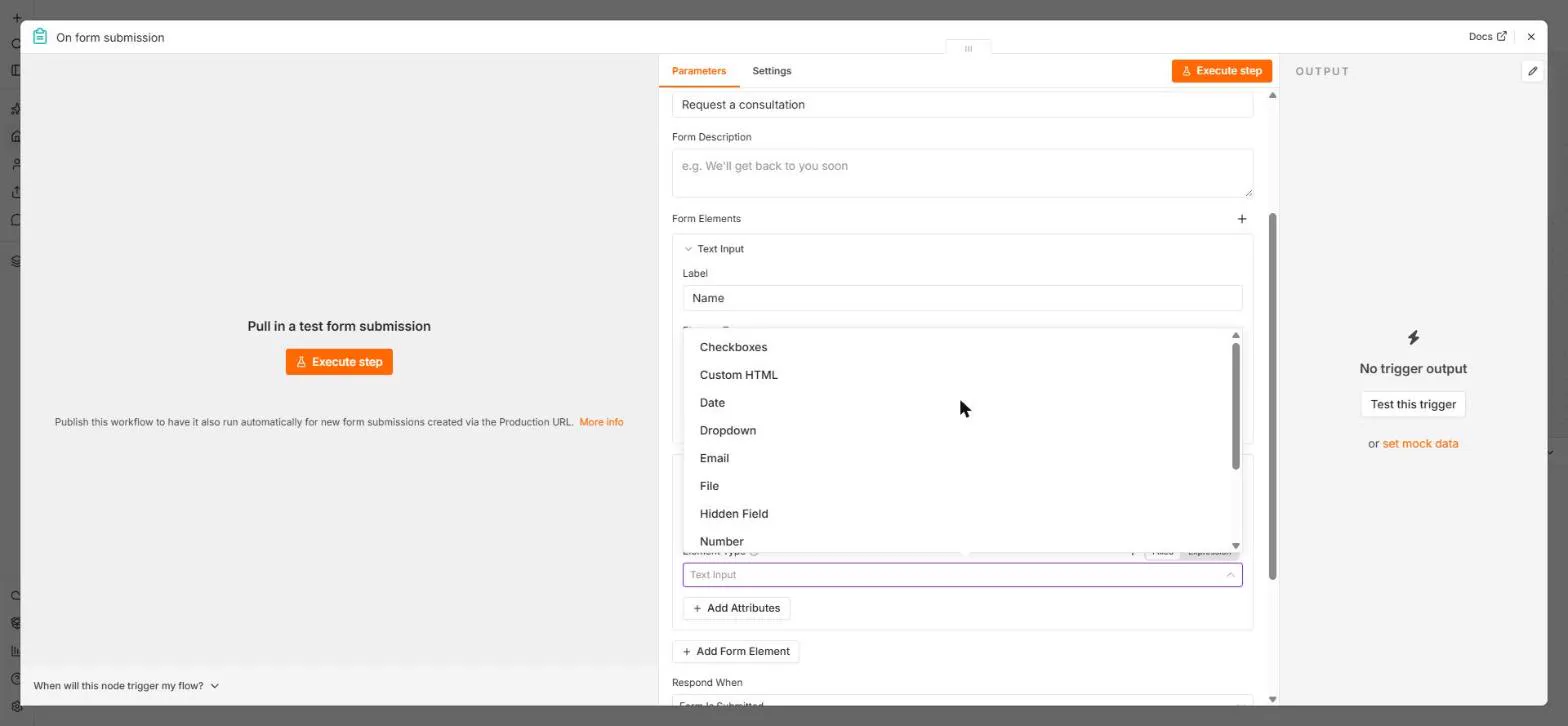 n8n: Send Form Answers Straight to Google Sheets
Build a consultation request form in n8n (required fields, email, dropdown), test it, and add every answer as a new row in Google Sheets. No webhook, no form tool to…
Free · Live ~10 min Beginner
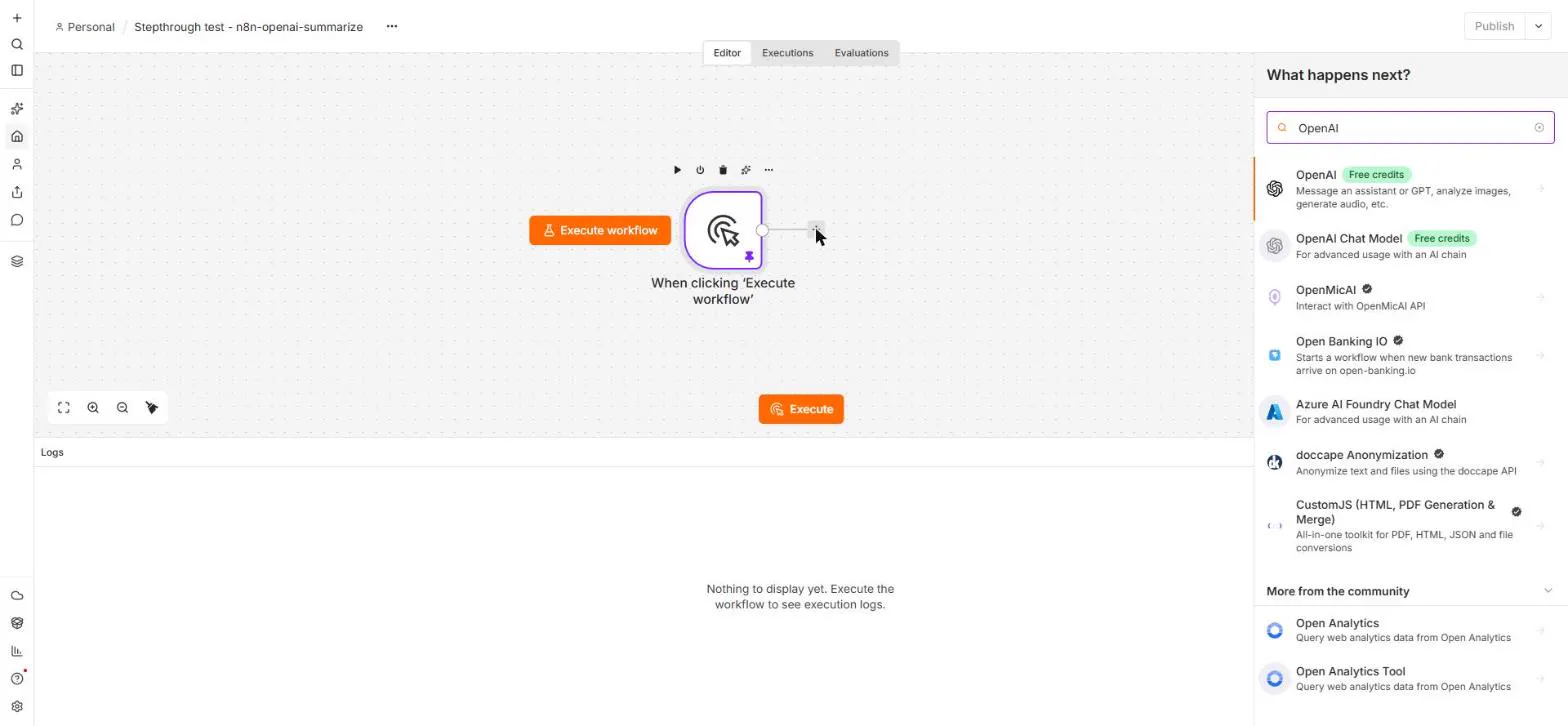 n8n: Summarize Customer Emails with OpenAI
Your first AI step in n8n: send each customer email to OpenAI with one prompt and get a one-line summary plus the next step. No agent needed, about a cent of API use.
Free · Live ~9 min Beginner
All 24 modules in n8n Automation Toolkit
More n8n tutorials
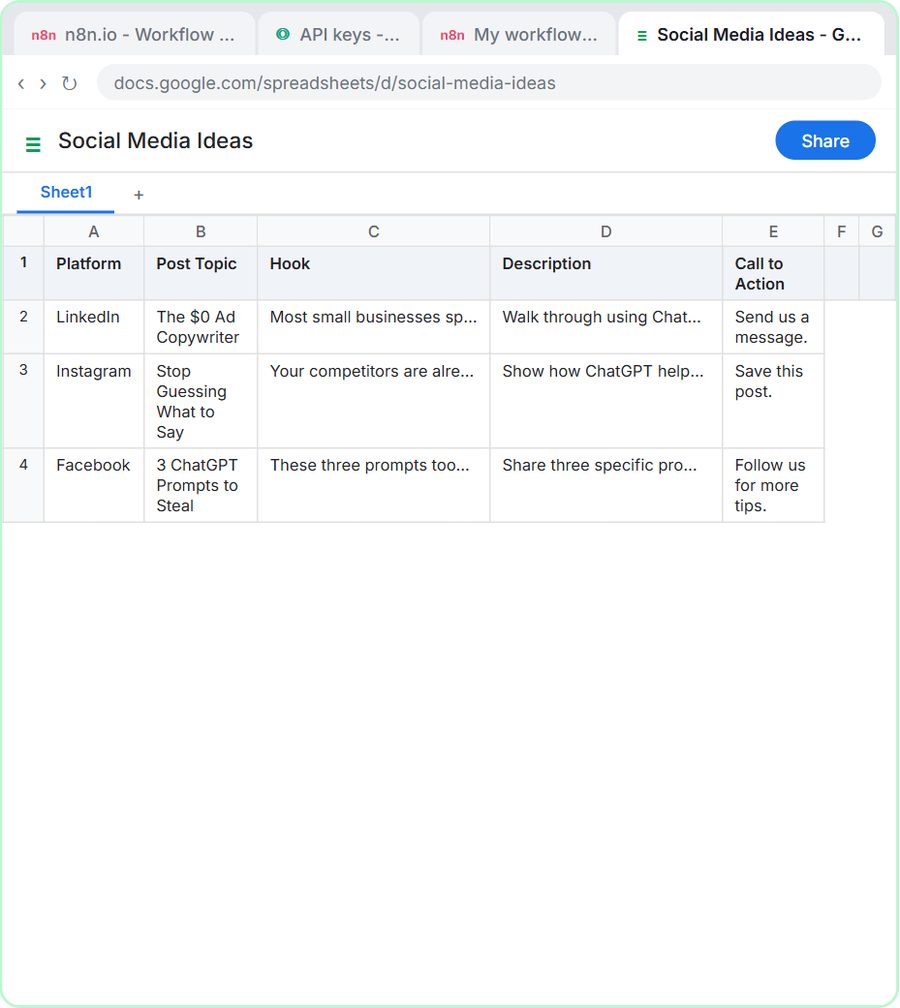 n8n AI Agent Tutorial: Save Social Media Ideas to Google Sheets
Build an AI agent for BrightPath Marketing that generates social media post ideas and saves them to Google Sheets — chat trigger, AI Agent, system prompt, model…
Free · Live ~12 min Intermediate
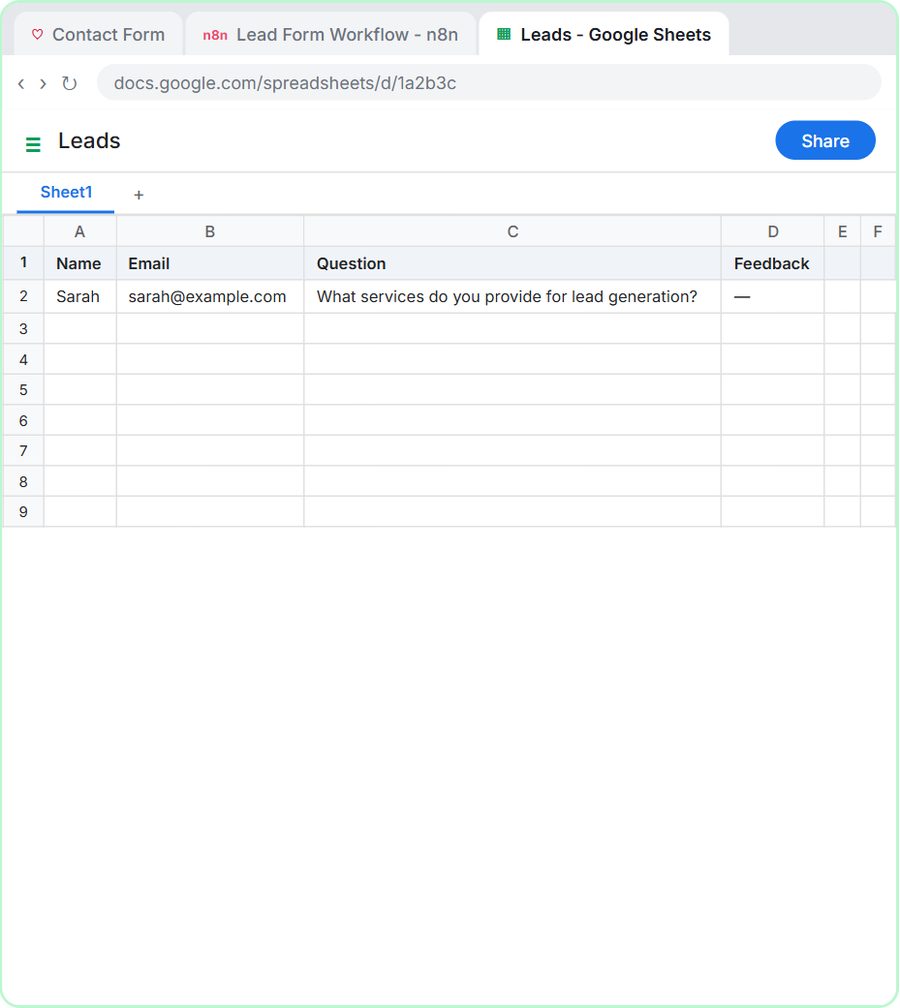 Lovable + n8n: Build a Web App with an AI Backend
Build a contact form in Lovable and connect it to an n8n workflow — webhook trigger, AI Agent, Google Sheets, Gmail, and a Respond node that ties it all together.
Free · Live ~15 min Advanced
 AI Receipt Extractor: Receipts to Google Sheets with n8n
Drop a photo of a receipt into an n8n chat. An AI agent reads it, pulls out the date, vendor and amount, picks a category, and adds a row to Google Sheets.
Free · Live ~12 min Intermediate
 n8n AI Email Responder: Draft Gmail Replies Automatically
Build an n8n agent that watches your Gmail, reads each new customer email, and writes a reply as a draft in the same thread, ready for you to check and send.
Free · Live ~12 min Intermediate
 Daily Job Alerts: Email Each Tech Their Jobs from Google Sheets with n8n
Every morning at 7, n8n reads a plumbing company's jobs sheet, skips anything not assigned yet, and emails each job to the tech it's assigned to — customer, address…
Free · Live ~10 min Intermediate
 Gmail AI Triage: Auto-Label Every Email and Draft Replies
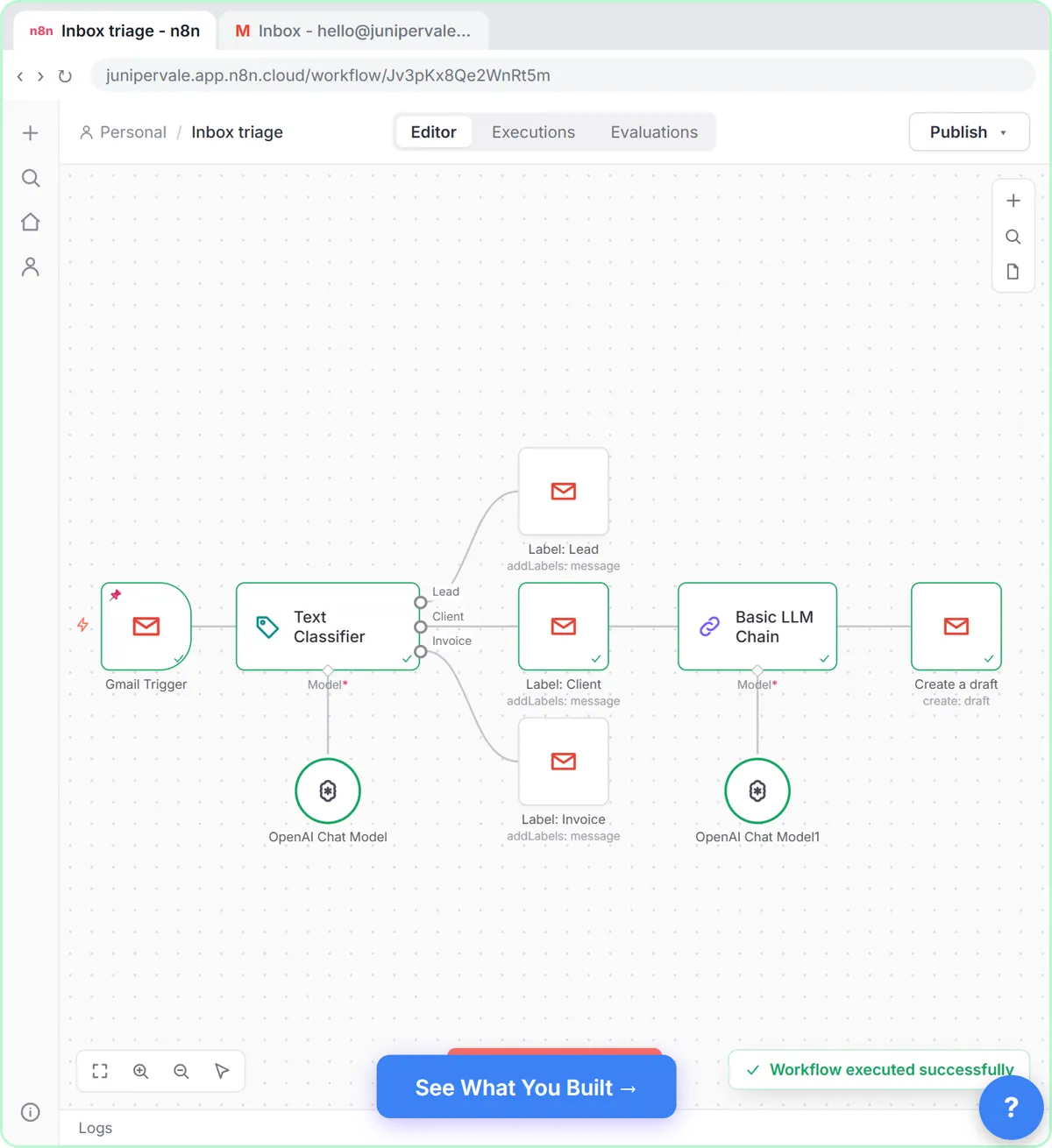
Build an n8n workflow that reads each new email, sorts it as a lead, a client or an invoice with a Text Classifier, adds the matching Gmail label, and drafts a reply to…
Free · Live ~18 min Advanced
Terms in this lesson
Plain-English definitions, each with an example from a free lesson.