What is a CRM?
Updated · By Robert Breen
A CRM (customer relationship management system) is the place a business keeps track of its leads, customers and deals: who they are, every conversation, what stage the deal is at and what happens next. Its job is to make sure no follow-up is forgotten and anyone on the team can pick up a relationship.
Why it matters for a small business
In a small business, customer history often lives in one person's inbox and memory. When that person is busy, sick or leaves, deals stall and customers repeat themselves. A CRM puts the record in one shared place, with a stage for every deal (new, demo booked, trial, won, lost) and a next step with a date.
AI makes a CRM more useful in two ways. It can fill it in, turning a form submission or call notes into a clean record, and it can act on it, drafting the right follow-up for each deal based on its stage. The record has to be good for either to work: AI writing follow-ups from a stale or empty CRM produces confident nonsense.
In a real lesson: Build an n8n AI Agent That Writes Deal Follow-Ups
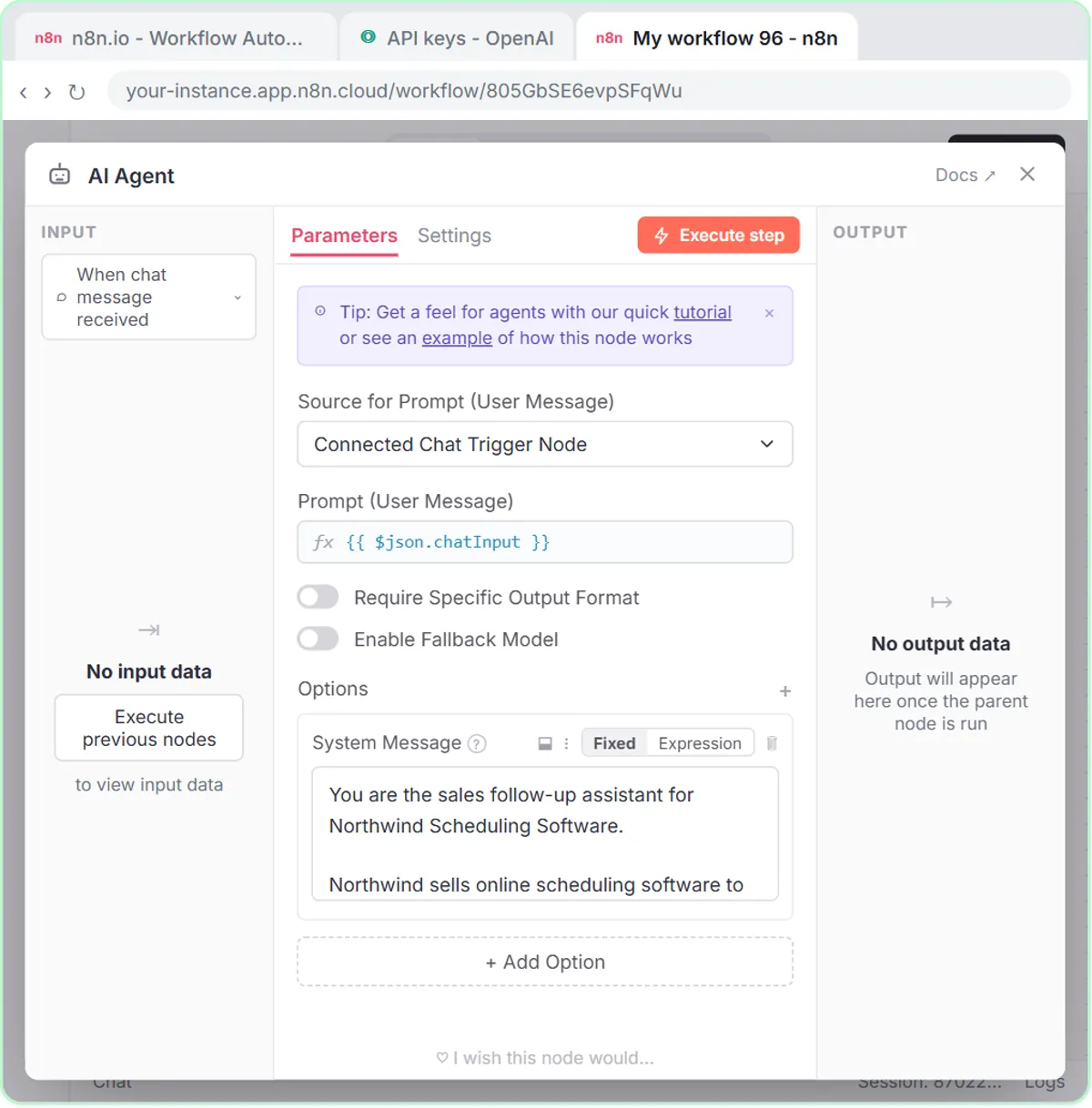
Stepthrough's lessons don't connect to a dedicated CRM. They use a Google Sheet as a lightweight one, which is how many small teams start. In the Deal Follow-Ups agent lesson, you build an n8n agent for Northwind Scheduling Software, a made-up software company, and a sheet named Deal Follow-Ups with the columns Prospect, Company, Stage, Follow-up Message and Next Step.
Those columns are the core of any CRM record. You give the agent three open deals: Maria Lopez at Maple Row Cleaning (had a demo today), Sam Patel at Fernhill Lawn Care (trial ends Friday) and Jen Walsh at Birch Lane Grooming (quiet since pricing). The system message says "Match the message to the stage" and "Do not invent prices, discounts or results." The agent writes three different follow-ups, each ending with one clear ask, and saves them as rows when you reply "Yes, save those follow-ups to the sheet".
Try this lesson free or read the step-by-step guide.
Common confusions
CRM vs spreadsheet
A Google Sheet can hold the same columns, and for a few dozen deals it is often enough. A CRM adds reminders, an activity history per contact, permissions and email tracking. Move when the sheet stops telling you who needs a call today.
CRM vs email marketing tool
An email marketing tool sends campaigns to lists. A CRM tracks individual relationships and deals. Many products now do both, but the jobs are different.
Tips
- Agree on a short list of deal stages and use them everywhere. AI follow-ups depend on the stage being right.
- Every record needs a next step with a date, or it will be forgotten.
- Customer records are personal data. Only connect AI tools your business has approved, with the minimum access they need.
Related terms
Where you use it: free lessons
- Build an n8n AI Agent That Writes Deal Follow-Ups (n8n, 12 min)
- Build an AI Demo Request Form That Qualifies Leads (Lovable and n8n, 15 min)
More free tutorials
Prompt templates that use it
Frequently asked questions
- Do I need a CRM for a small business?
- You need somewhere shared to track leads and follow-ups. A Google Sheet works at first; a CRM earns its place when you have more deals than you can see on one screen.
- Can n8n connect to a CRM?
- Yes. n8n has nodes for many common CRMs, and its HTTP Request node can reach most others through their API. The lesson uses Google Sheets so you can practice without one.