Updated . Built against the tool’s current screens and checked step by step. How we check this lesson
The problem: "I was told I'd owe $0" is the email nobody at the front desk wants to answer. The real answer depends on what the dental or medical plan did, so it gets put off, a late fee lands while the patient waits, and the eventual rushed reply either sounds defensive or promises what the office can't deliver. In this free, interactive lesson you give ChatGPT the patient's thread and your office's billing facts, let it draft, have it check every promise against those facts, fix what only the plan decides, and send a clear, kind reply from Gmail, with the patient's privacy handled first.
At a glance
| Question | Answer |
|---|---|
| What you build | A patient's bill is bigger than the estimate, and he wants it waived. Give ChatGPT the thread and your office's billing facts, catch what only the dental plan can decide, and send a clear, kind reply from Gmail. |
| Tools | ChatGPT |
| Time | About 9 minutes, 20 steps in 6 parts |
| Level | Beginner, no coding needed |
| Cost | Free |
| Ways to learn it | Practice it step by step |
The 6 parts, in short
- Copy the thread: Open the thread, Expand all messages, Copy the thread, Switch to ChatGPT.
- Give ChatGPT the context: Click the message box, Paste the thread, Add the facts, Say what a good reply looks like.
- Get the first draft: Send it.
- Check every promise: Read the draft, then click the message box, Ask ChatGPT to check its promises, Send the check.
- Fix it and warm it up: Read the table, then click the message box, Ask for specific changes, Send the fix.
- Send it from Gmail: Copy the reply, Go back to Gmail, Click Reply, Paste the reply, and 1 more step.
Start here first: Reply Faster: Turn a Messy Customer Email Thread into a Clear, Friendly Reply. This Medical & Dental Offices version follows the same build with its own example business, Brookside Dental.
Part of: AI for Medical & Dental Office Admin (step 3 of 13). Next up: ChatGPT: Turn Rough Notes into a One-Page SOP in an Editable Document
The example: an estimate of $0 and a bill for $186
You're Alana in billing at Brookside Dental, a made-up practice (the same one from the Make lessons on new-patient requests). Marcus, a made-up patient, got an estimate on September 9 that showed $0 after insurance. His plan then processed the claim at 50% instead of 80% because its records showed a frequency limit, so he got a statement for $186. Alana told him she'd look into it that week and didn't write back, and now a $25 late fee is on his account.
He has three questions: why he owes it, whether the office can waive it, and whether he can pay over time. The office has resubmitted the claim and put his account on hold, the office manager removed the late fee, and balances over $150 can be split into three monthly payments. What the office can't do is promise the plan will pay or waive a balance the plan says he owes.
Patient privacy first
Patient information, including names tied to bills and anything about treatment, is protected health information under HIPAA. Only use an AI tool with it if your practice has approved that tool for patient data, which usually means a business associate agreement (BAA) with the vendor. If yours hasn't, replace the name with "the patient" and remove dates of birth, member IDs, account numbers and anything about treatment before you paste.
The lesson's thread is built that way on purpose: it's a billing conversation with no clinical details, because a billing reply doesn't need them.
What you need before you start
- A ChatGPT account your practice has approved for patient information, or the habit of removing identifiers first (see above).
- The patient's email thread. Any email app works, because you copy and paste.
- The billing facts: what the estimate said, what the plan's explanation of benefits (EOB) shows, what you've done since, and your payment-plan and fee policies.
- Nothing at all for the practice copy in this lesson: it needs no account.
Why "we'll waive it" is the line to catch
When a patient is upset and the estimate was off, waiving the balance feels like the kind thing to write. But routinely waiving what a plan says the patient owes can conflict with the practice's contracts with insurance plans, and promising it in writing before anyone has decided makes it hard to take back. The same goes for "you won't owe anything" after a resubmission: the plan decides that, and reviews can go either way.
What the office can offer is real and still kind: an explanation in plain words, the late fee removed, the account on hold during the review, a refund if the plan pays more, and a no-interest payment plan. Your own policy decides those details, so they go in your facts list.
Who this lesson is for
Billing coordinators, front-desk staff, office and practice managers at small dental, medical, physical therapy, optometry and other outpatient practices. No AI experience needed.
How the interactive lesson works
Each step plays first in the Watch panel with a short voice-over, then you do it yourself in Your turn on a practice copy of Gmail and ChatGPT. Nothing touches a real account and no email is sent. The practice, the patient, the plan and every amount are made up. This lesson is not legal or compliance advice.
Try it yourself, free
Reading the steps is a start. Doing them is how it sticks. The interactive module walks you through every click in a practice copy of ChatGPT, checks each step, and never touches your real accounts.
Start “Answer Patient Billing Emails Clearly using ChatGPT”Step by step: Answer Patient Billing Emails Clearly using ChatGPT
All 20 steps of the interactive module, in order. In the module you watch each one, then do it yourself in a practice copy that checks your work.
1. Copy the thread
- Open the thread. This is Brookside Dental's billing inbox. Click Marcus Bell's thread, Question about my statement, to open it.
Here's the billing inbox at Brookside Dental, a small dental practice. Marcus got a bigger bill than his estimate, and his thread has four messages, three questions, a new late fee, and no real answer yet.
- Expand all messages. Gmail folds up the older messages in a thread. Click Expand all, the double-arrow icon at the top right of the thread.
Gmail folds up the older messages, so only the newest one is open. You want the whole story, so click Expand all, the double-arrow icon at the top right.
- Copy the thread. In real Gmail you select the messages, then press Ctrl+C (or right-click and choose Copy). Here, click the messages to copy them.
Read it through once. Marcus wants to know why he owes a hundred eighty six dollars, whether you can waive it, and if he can pay over time. This is a patient, so leave out anything a billing reply doesn't need, like his date of birth, his member ID, or anything about his treatment. Here, just click the messages.
- Switch to ChatGPT. Click the ChatGPT tab at the top.
Now switch over to ChatGPT.
2. Give ChatGPT the context
- Click the message box. You are in a new chat. Click the message box.
You're in a fresh chat. You'll give ChatGPT three things in one message: the thread, the facts, and what a good reply looks like.
- Paste the thread. Paste in the thread. One line says what this is, then the four emails, oldest first.
First, the thread. One line tells ChatGPT what it's looking at, then the emails, oldest first.
Here is an email thread between our dental office and a patient about a bill, oldest message first.

Marcus Bell (Mon, Oct 5): Hi, I just got a statement for $186 for my visit on Sept 9. The front desk gave me an estimate that said I'd owe $0 after insurance. What happened? Marcus

Alana at Brookside Dental (Mon, Oct 5): Hi Marcus, thanks for reaching out. I'm looking into it with our billing team and will get back to you this week. - Alana

Marcus Bell (Thu, Oct 8): Any update? If it was your estimate that was wrong, I don't think I should have to pay this. Can you just waive it? And if not, can I at least pay it over a few months?

Marcus Bell (8:31 AM): Now there's a $25 late fee on my account too. I was told $0. I'd like an actual answer: why do I owe this, can you waive it, and can I pay over time?
- Add the facts. Paste in the facts. These are the only things the reply may promise: what the estimate said, what the plan paid and why, the resubmission, the account hold, the late fee, the waiver rule and the payment plan.
Next, the facts. ChatGPT can't see your practice software, the plan's explanation of benefits, or your office's billing rules, so spell them out. Number them, so you can check them later.
Facts (only promise what is here):
1. Marcus's Sept 9 estimate showed a $0 patient balance. It was based on the plan's benefit information that day and said "estimate only, not a guarantee of payment."
2. Summit Dental Plan paid less than expected: it processed the claim at 50% instead of 80% because its records showed a frequency limit. Its explanation of benefits (EOB) shows a $186 patient balance.
3. On Oct 6 we resubmitted the claim with a note asking the plan to review the frequency limit. Summit decides; reviews take 10-15 business days. We can't promise the outcome.
4. While the review is open, we've put his account on hold: no new late fees and no collections.
5. Our office manager removed the $25 late fee, since we were slow to answer.
6. We can't waive a balance the plan says the patient owes. If Summit pays more, we'll lower his balance or refund any overpayment.
7. Payment plan: balances over $150 can be split into 3 monthly payments, no interest. He can set it up by replying or calling (555) 014-3300.
8. On Oct 5 I told Marcus he'd hear back that week, and he didn't. That's on me.
9. Sign it: Alana, Brookside Dental billing.
- Say what a good reply looks like. Paste in the instructions: the tone, the three questions to answer, the late fee, a word limit, and a rule not to invent anything.
Last, tell it what a good reply looks like: the tone, the three questions to answer, the late fee, and a word limit. And one rule that matters most: don't invent details or promise anything that isn't in the facts.
Write my reply to Marcus. Tone: calm, kind and clear, like a small office that knows him. Apologize once for the slow answer. Answer all three of his questions clearly: why he owes $186, whether we can waive it, and whether he can pay over time. Mention the late fee. Keep it under 200 words. No subject line, since it's a reply in the same thread. Don't invent details or promise anything that isn't in the facts.
3. Get the first draft
- Send it. Thread, facts and instructions are all in. Click the Send arrow.
Thread, facts, and instructions, all in one message.
4. Check every promise
- Read the draft, then click the message box. Read the draft closely. Your real draft will differ every time, and a good model may get it right. This practice draft has two slips: look at the resubmission and waiver lines. Then click the message box.
That's a kind first draft. It explains the fifty percent, drops the late fee, and offers the payment plan. Your real draft will be a little different each time, and it may come out right. In this practice draft, read two lines: you won't owe anything once the plan fixes it, and we'll waive it if they don't. Your facts don't say either one.
- Ask ChatGPT to check its promises. Paste in the check to ask for a table of every promise and the fact behind it.
Ask ChatGPT to check its own work: every promise in the reply, next to the fact that backs it up.
Check that reply against my facts. Make a table of every promise or claim in it and the fact that backs it up. Flag anything the facts don't support.
- Send the check. Click the Send arrow.
5. Fix it and warm it up
- Read the table, then click the message box. Five of the seven claims match a fact. The resubmission promise and the waiver aren't supported, and ChatGPT suggests wording for both. In your own chat, the table may say everything is supported. That is a good result too. Click the message box.
Five of the seven claims match a fact. The plan decides the resubmission, and your office can't waive a balance the plan says he owes, so both promises have to go. In your own chat, the table may say everything is supported, and that's a good result too. Still compare the table with your own facts, since you know your billing rules.
- Ask for specific changes. Paste in the fix: use both suggested wordings, give each question its own short paragraph, and keep every other fact the same.
Now ask for specific changes, not just make it better. Use both suggested wordings, give each of his questions its own short paragraph, and keep every other fact exactly the same.
Use both of those wordings. Then give each of his three questions its own short paragraph so the answers are easy to find, keep it kind, and stay under 200 words. Keep every other fact exactly the same. Reply with just the email.
- Send the fix. Click the Send arrow.
6. Send it from Gmail
- Copy the reply. Read the final reply. In real ChatGPT it shows up in an Email card: click the copy icon on the card or under it, and ignore the Connect email button.
Read it once more. He learns why he owes it, what happens with the review, why it can't be waived, and how to pay over time. It's honest and still kind.
- Go back to Gmail. Click the Gmail tab at the top.
Back to Gmail.
- Click Reply. Under the last message, click Reply.
Under Marcus's last message, click Reply. Your answer stays in the same thread, which is why you told ChatGPT to skip the subject line.
- Paste the reply. Paste in the reply to drop in the reply you copied. In real Gmail, press Ctrl+V.
Hi Marcus,

I'm sorry it took us this long to get you a real answer. We've removed the $25 late fee.

Why you owe $186: Summit Dental Plan processed your claim at 50% instead of 80% because its records showed a frequency limit, so its statement shows a $186 balance. On Oct 6 we asked Summit to review its decision. Summit decides, and reviews take 10-15 business days, so I can't promise the result. If they pay more, we'll lower your balance or refund any overpayment, and your account is on hold until then: no new fees.

Can we waive it? I'm sorry, but we can't waive a balance your plan says you owe. The estimate said it wasn't a guarantee of payment, but we should have flagged the frequency limit sooner.

Can you pay over time? Yes. You can split it into 3 monthly payments with no interest. Just reply to this email or call (555) 014-3300.

Alana
Brookside Dental billing
- Read it, then send. Read it one last time: the reason for the balance, the review, the waiver answer and the payment plan. Then click Send.
One last read before it goes out. ChatGPT wrote the draft, but your office's name is on it, so check the reason for the balance, the review, the waiver answer, and the payment plan. Everything's right.
Frequently asked questions
- Can ChatGPT help a dental office answer billing emails?
- Yes, as a drafting tool, if your practice handles patient data properly. Paste the thread and a numbered list of billing facts, ask for the reply, have ChatGPT check every promise against those facts, then read it yourself before sending.
- Is it HIPAA compliant to paste patient emails into ChatGPT?
- Only if your practice has approved the tool for protected health information, typically with a business associate agreement in place. Otherwise, remove the patient's name and any identifiers or treatment details before you paste.
- How do I explain a bill that's higher than the estimate?
- Say what the estimate was based on, what the plan actually paid and why (from the EOB), what you've done since, and the options the patient has now, such as a review, an account hold or a payment plan. Don't promise the outcome of a review the plan decides.
- Can we just waive the patient's balance?
- That's a policy and contract question for your practice, not an email question. The lesson's office can't waive a balance the plan says the patient owes, so the reply offers a payment plan and removes the late fee instead.
- Is it free?
- Yes. Stepthrough is free and the practice copy needs no account.
More ChatGPT tutorials
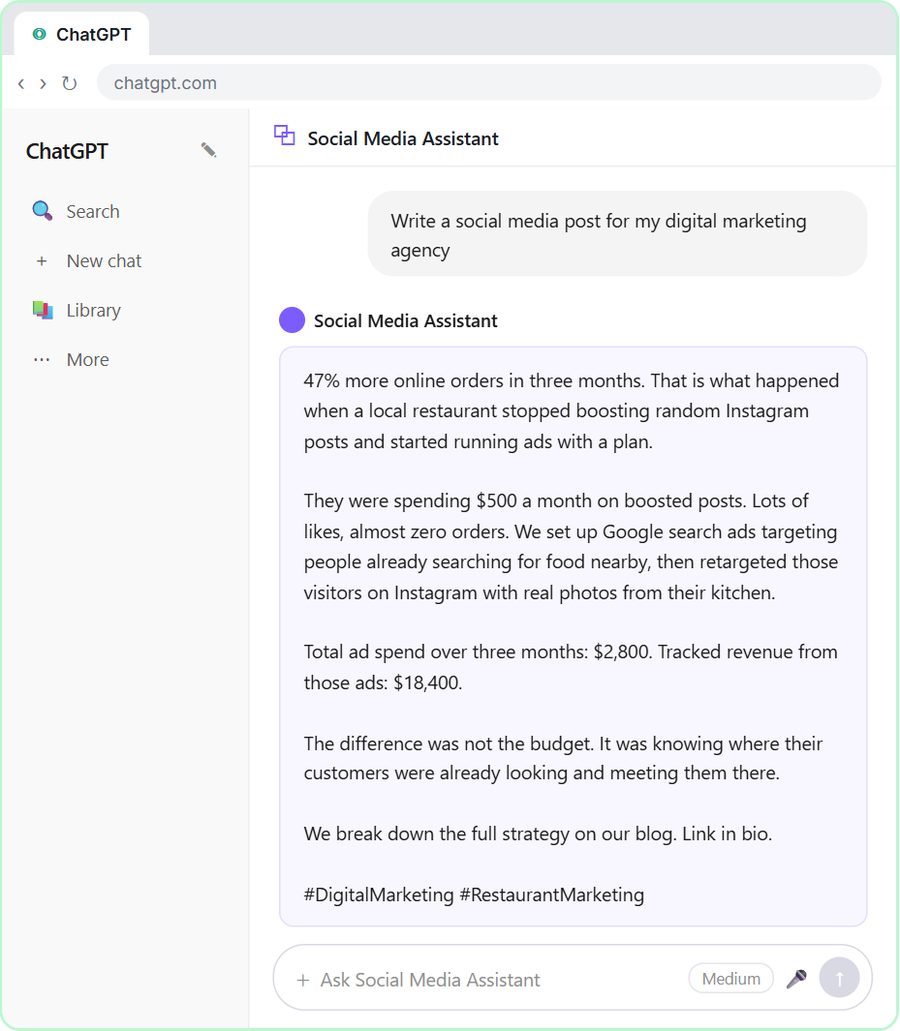 Get On-Brand Social Posts Every Time using a ChatGPT Custom GPT
See why generic prompts give generic results, then build a Custom GPT loaded with your brand voice and watch the output transform.
Free · Live ~8 min Beginner
 Prompt Writing 101: Role, Context, Task, Format
Ask ChatGPT for the same customer email twice, once vaguely and once with a four-part prompt, and see exactly why structure gets a better answer.
Free · Live ~8 min Beginner
◷Send a Same-Day Follow-up After Every Discovery Call using ChatGPTTurn a discovery call transcript into the decisions, the next steps with owners and dates, deal notes for your CRM, and a follow-up email the prospect gets the same…
Free · Live ~7 min Beginner
◷Hold Your Price When a Prospect Asks for a Discount using ChatGPTA prospect wants 30% off and a free month to sign this week. Give ChatGPT the thread and your pricing rules, catch the discount you can't approve, and send a reply that…
Free · Live ~9 min Beginner
 Get Your Business Recommended by ChatGPT
Ask ChatGPT who it recommends in your town, see which pages it trusts, then use it to write an FAQ page and Business Profile copy that answer real customer questions.
Free · Live ~10 min Intermediate
◷Run a Weekly Ops Review Where Every Task Has an Owner using ChatGPTTurn a weekly operations and vendor review into the decisions, the next steps with owners and dates, the risks to watch and a team recap, without turning a vendor's…
Free · Live ~7 min Beginner
Same business, other tools
Brookside Dental shows up in these modules too, built with different tools.
Build your first Make.com scenario: every new Google Forms response becomes a new row in Google Sheets. Trigger, connection, mapping, Run once and a schedule.
Free · Live ~12 min Intermediate
◷Filters and Routers in Make.com: Send Urgent Requests One Way, Routine Ones AnotherAdd a router to your Make scenario, email the front desk about urgent requests with a filter, and send everything else to Google Sheets with a fallback route.
Free · Live ~12 min Intermediate
◷Add AI to Make.com: ChatGPT Writes a Personal Reply, Gmail Sends ItConnect OpenAI to your Make scenario, have ChatGPT write a personal reply from each patient's form answers, and send it with Gmail.
Free · Live ~12 min Intermediate
◷On a Schedule: A Daily Summary Email from a Google Sheet in Make.comBuild a Make scenario that runs every day at 5 PM, finds today's rows in Google Sheets, combines them with a Text aggregator and emails one summary with Gmail.
Free · Live ~12 min Intermediate
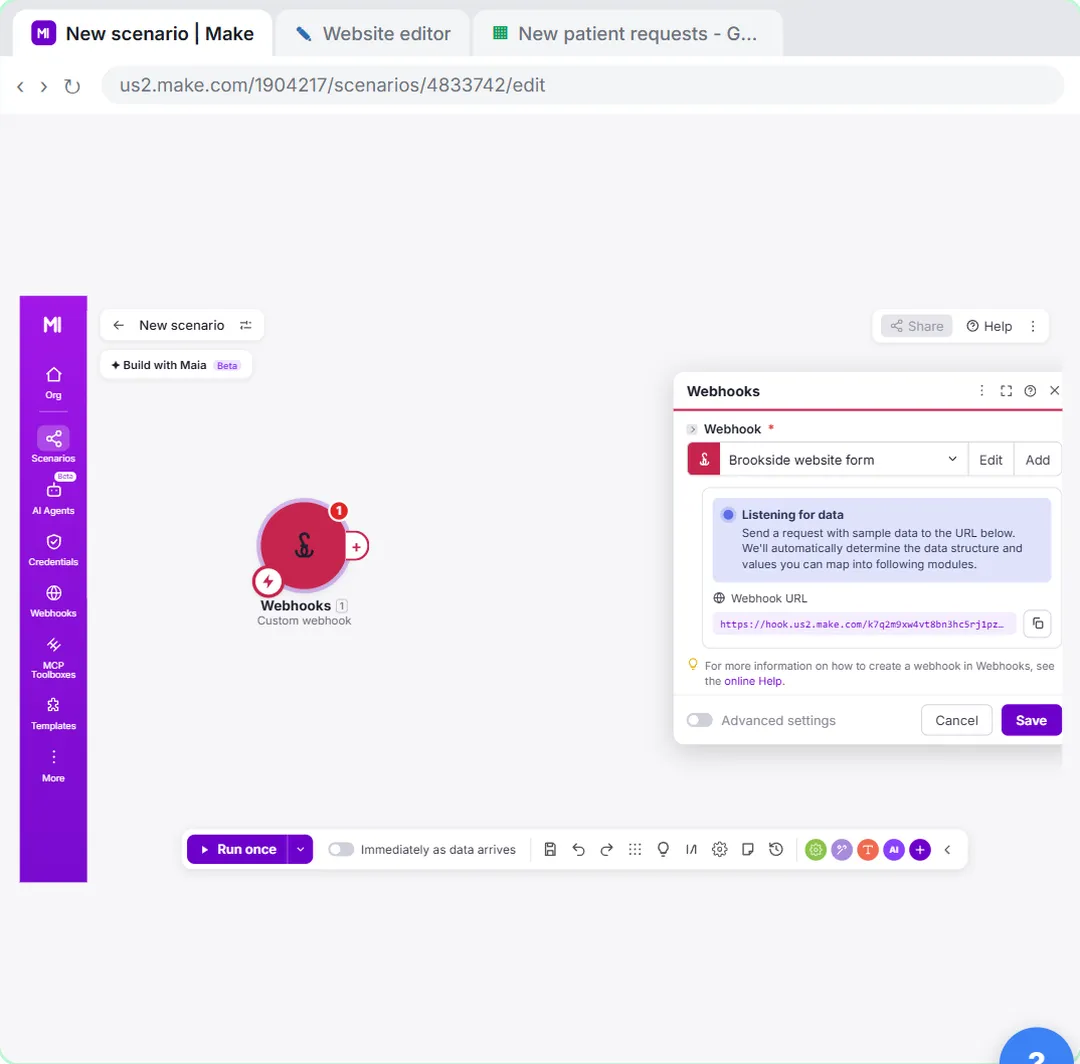 Webhooks: Connect a Website Form to Make.com
Start a Make scenario with a Custom webhook, paste its URL into your website form's webhook setting, send a test so Make learns the fields, and save every request to…
Free · Live ~12 min Advanced
Visual guides
This lesson’s key ideas as quick visual guides: swipe through the slides, or read the same guide as text.
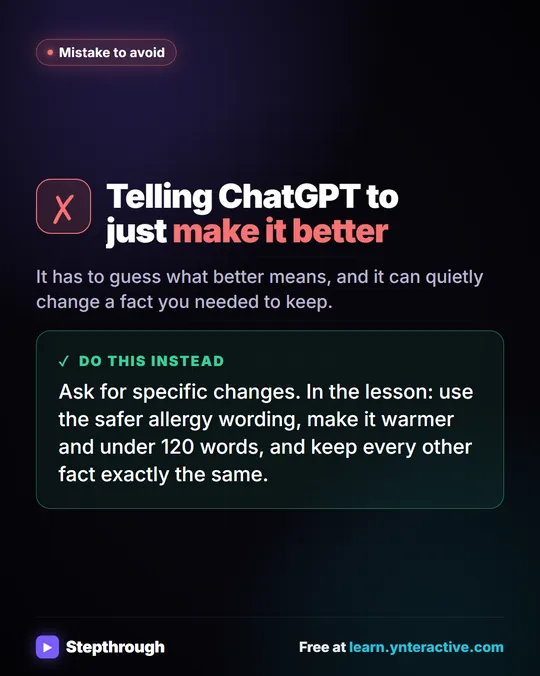 Don't tell ChatGPT to make it better. Say this instead.
A customer's cake order went sideways. Wrong pickup day, a flavor change, and a nut allergy question nobody answered.
Mistake to avoid One graphic
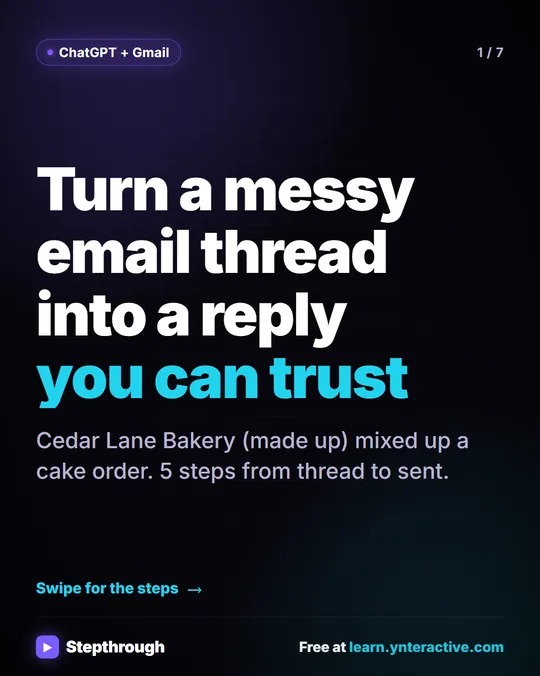 5 Steps to Turn a Messy Email Thread into a Clear Reply
A visual guide: paste a customer thread with numbered facts, check every promise in ChatGPT's draft, fix it and send it from Gmail.
Step-by-step guide 7 slides
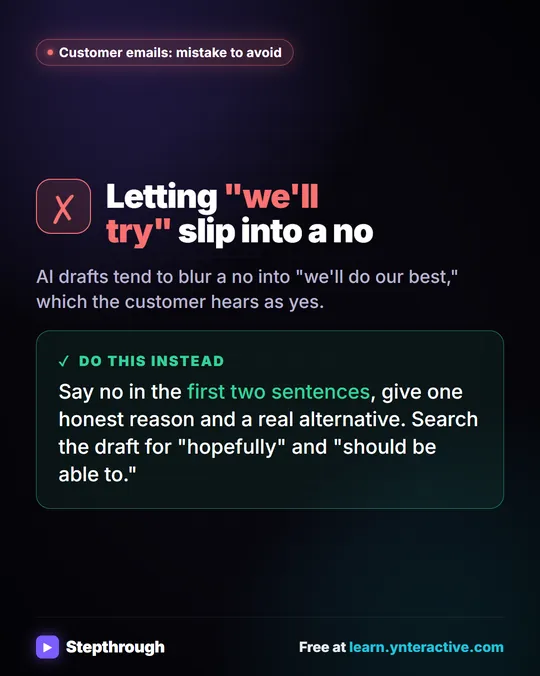 Mistake to Avoid: A Soft Yes When You Mean No
A visual tip for customer emails: AI drafts blur a no into "we'll do our best." Say no early, give one reason and a real alternative.
Mistake to avoid One graphic
Free cheat sheets
Print it or save the PDF: the key steps and checks from this lesson on one page, free.
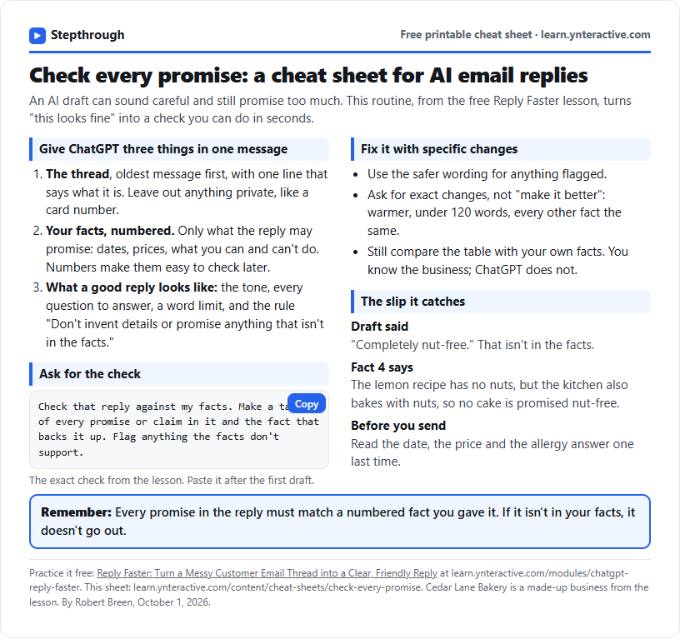 Check Every Promise in an AI Reply: Cheat Sheet
A free one-page cheat sheet: give ChatGPT the thread and your numbered facts, ask for a promise-by-promise table, fix what it flags, then send.
Topic cheat sheet Free PDF
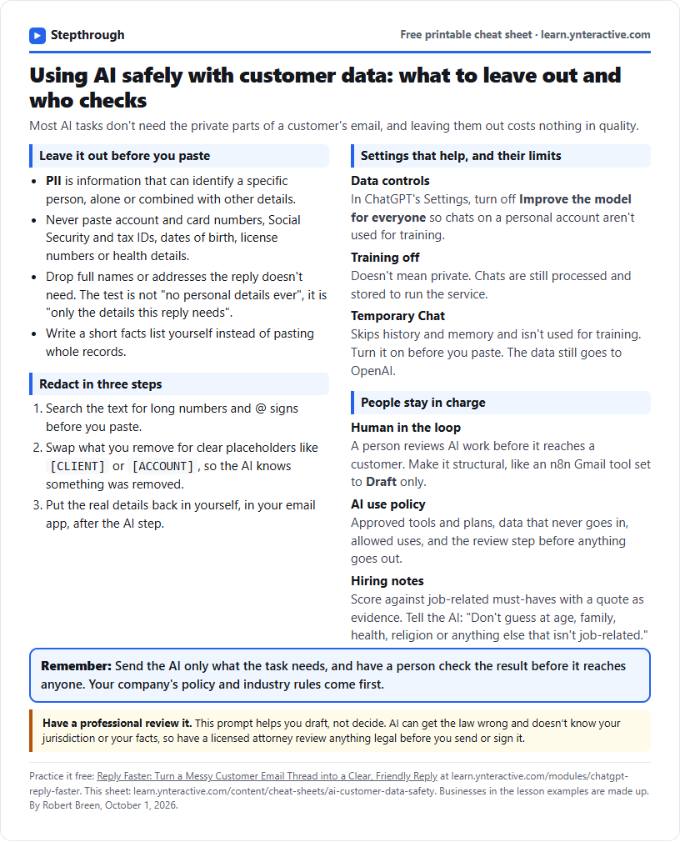 Using AI Safely with Customer Data: Cheat Sheet
A free one-page cheat sheet on AI and customer data: what never to paste, how to redact, data controls, Temporary Chat and human review.
Topic cheat sheet Free PDF
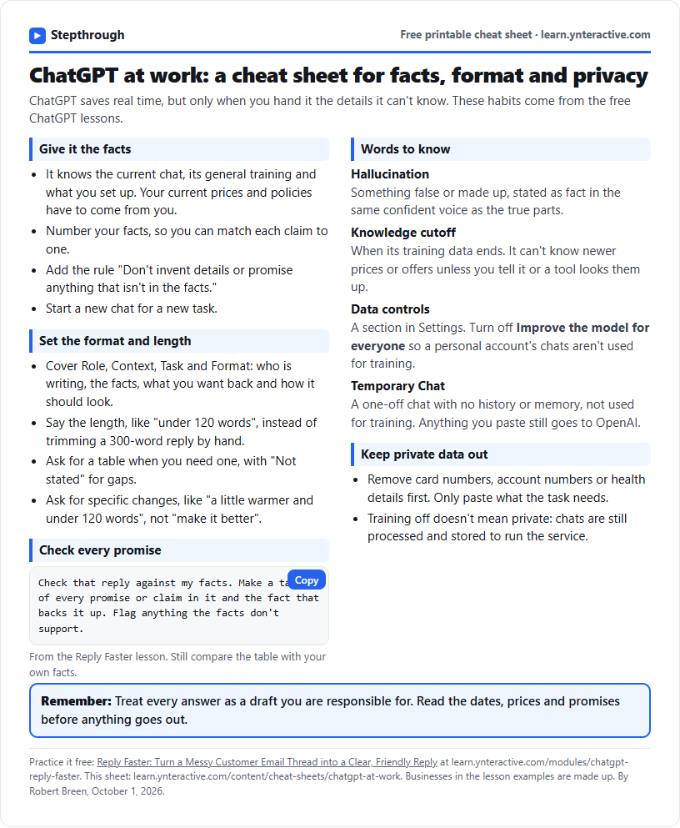 ChatGPT at Work Cheat Sheet: Facts, Format, Privacy
A free one-page cheat sheet for ChatGPT at work: give it facts, set the format and length, check every promise and keep private data out.
Tool cheat sheet Free PDF
All free printable cheat sheets
Terms in this lesson
Plain-English definitions, each with an example from a free lesson.
Related prompts
- Check reply promises prompt: A ChatGPT prompt that checks a draft before you send it: a table of every promise, the fact behind each, and safer wording for…
- Email newsletter prompt: A ChatGPT prompt for a short customer newsletter built from your numbered updates: one section each, one main call to action, no…
- Email shortener prompt: Cut a long email down to what the reader needs without changing a fact, date, price or promise, plus a list of what was removed…
- Payment received thank-you prompt: Confirm a payment and say thanks in a few lines: the amount, what it was for, the balance now owed, and what happens next…