What is an email thread?
Updated · By Robert Breen
An email thread is a back-and-forth conversation that your email app groups together: the original message and every reply. Gmail shows it as one conversation and gives it a thread ID, which automations can use to reply in the right place.
Why it matters for a small business
Customers rarely say everything in one email. They add a question, correct a date, follow up when nobody answers. The full story lives across the thread, so a reply written from only the newest message can miss a question asked two emails earlier. That is how a business ends up fixing the date but ignoring the allergy question.
Threads matter to automations in two ways. A reply should land inside the existing thread, so the customer sees one tidy conversation. And a thread is a natural unit of memory: one thread, one customer issue.
In a real lesson: Reply Faster: Turn a Messy Customer Email Thread into a Clear, Friendly Reply
The Reply Faster lesson is built around a messy thread at Cedar Lane Bakery, a made-up neighborhood shop. Dana Whitfield's Birthday cake order thread has four messages: the order, a confirmation with the wrong pickup day, a switch to lemon plus a nut allergy question, and a frustrated "Hello??". Gmail folds the older messages up, so the first step is Expand all to see the whole story.
You copy all four messages, oldest first, into ChatGPT along with the facts you can promise, and ask for a reply that answers all three questions. The instructions include "No subject line, since it's a reply in the same thread." At the end you click Reply under Dana's last message, paste and send, so the answer stays in her conversation.
The AI Email Responder does the same thing automatically: the Gmail trigger's threadId tells the draft which conversation to sit in.

Try this lesson free or read the step-by-step guide.
Common confusions
Thread vs message
A message is one email. A thread is the group. In Gmail's data, each message has its own ID and also carries the ID of the thread it belongs to.
Reply vs a new email with the same subject
Clicking Reply keeps the conversation together. A new email with a similar subject may land as a separate conversation. That's why the email responder sets both Re: in the subject and the Thread ID.
Tips
- When asking AI to reply, paste the whole thread oldest first, not just the last message.
- Remove card numbers and other private details before pasting a thread into an AI tool.
- In a long thread, list the open questions first, then check the reply answers each one.
Related terms
Where you use it: free lessons
- Reply Faster: Turn a Messy Customer Email Thread into a Clear, Friendly Reply (ChatGPT, 9 min)
- AI Email Responder: Draft Gmail Replies Automatically with n8n (n8n, 12 min)
- Reply Faster to Clients Chasing Their Refund: ChatGPT for Tax and Bookkeeping Firms (ChatGPT, 10 min)
Prompt templates that use it
Visual guides
Email thread in a few slides, with the same guide written out as text.
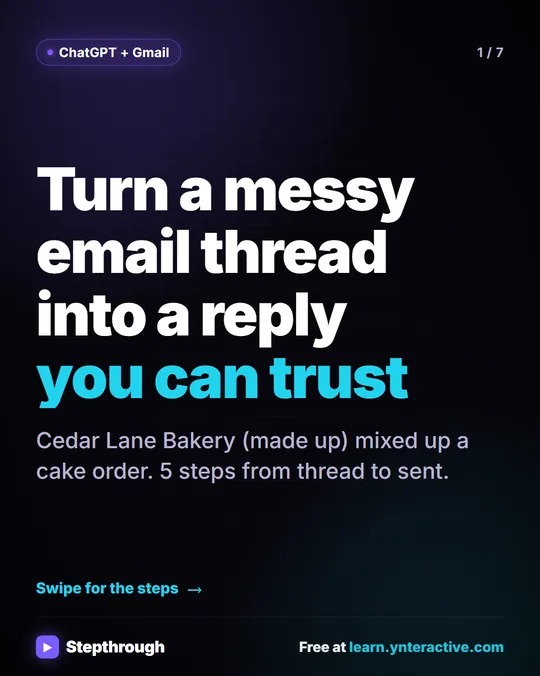 5 Steps to Turn a Messy Email Thread into a Clear Reply
A visual guide: paste a customer thread with numbered facts, check every promise in ChatGPT's draft, fix it and send it from Gmail.
Step-by-step guide 7 slides
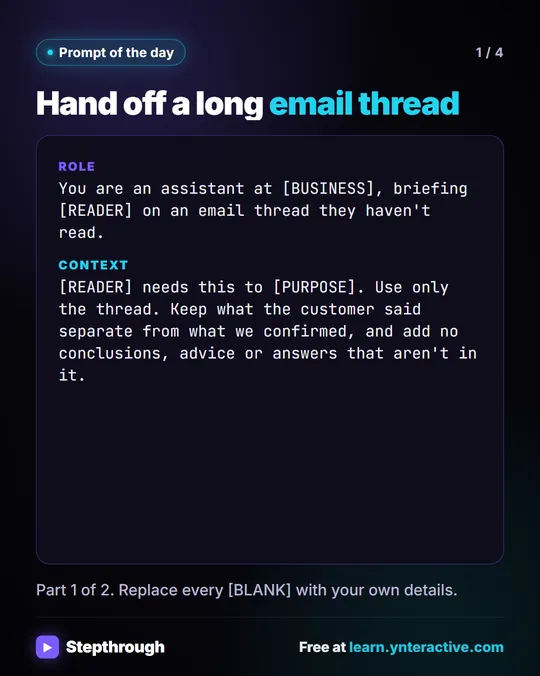 Prompt of the Day: Summarize an Email Thread for a Handoff
A visual prompt card: turn a long email thread into a short handoff with the situation, what was promised and each question marked Answered or Open.
Prompt to copy 4 slides
Frequently asked questions
- Should I give AI the whole email thread or just the last email?
- The whole thread, oldest first. Earlier messages hold the questions and promises the reply has to deal with.
- How does n8n reply inside an existing Gmail thread?
- Use the thread ID from the Gmail Trigger in the Gmail node's Thread ID option, and keep the subject as Re: plus the original subject.
- What is a Gmail thread ID?
- A unique label Gmail gives each conversation. Every message in it carries the same thread ID, which makes it a reliable key for replies and agent memory.