Reply Faster to a Client Asking for a Case Update: ChatGPT for Small Law Firms
Updated . Built against the tool’s current screens and checked step by step. How we check this lesson
"Did they respond? When is our court date? Are we going to win?" Every small firm gets this email, usually after a deadline moved and nobody told the client. In this free, interactive lesson you give ChatGPT the thread and your firm's facts, let it draft the update, have it check every claim against those facts, catch the lines that predict an outcome, and send a clear, kind reply from Gmail.
Start here first: Reply Faster: Turn a Messy Customer Email Thread into a Clear, Friendly Reply. This Law Firms version follows the same build with its own example business, Harbor Street Law.
Watch it in 18 seconds
Are we going to win?
A client emails her lawyer: "Are we going to win?" Would you let AI answer that? The first draft said "your case looks strong." So we check every line against the facts and fix the ones that predict. AI writes the draft; a person sends it.
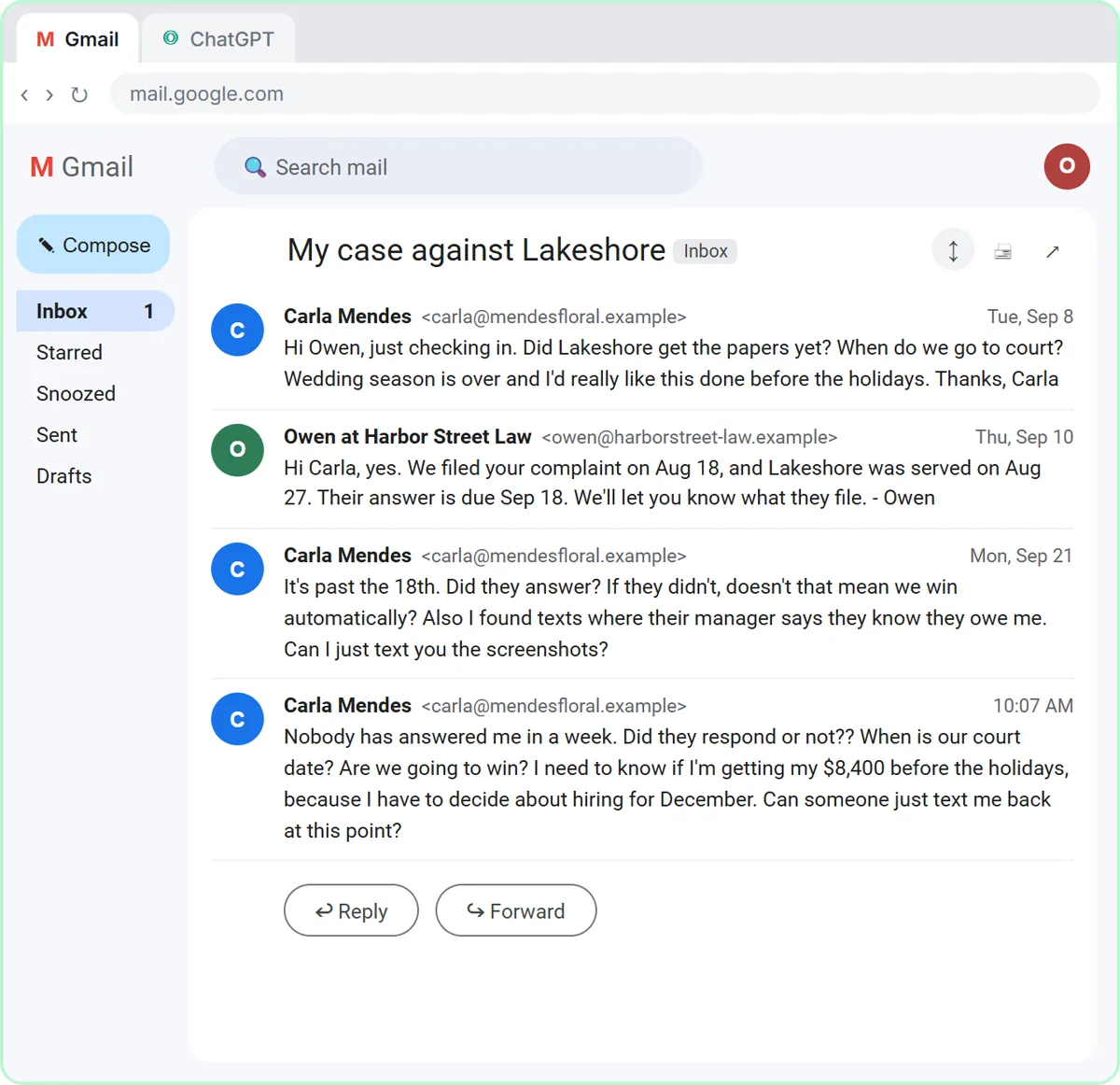
The example: an anxious client in a small contract case
The lesson uses a made-up firm, Harbor Street Law, and a made-up client. Carla runs a flower shop. An event venue never paid the $8,400 on her signed contract, so the firm filed a complaint in August and had the venue served. The paralegal, Owen, told her the venue's answer was due September 18. Then the venue's new lawyer asked for two more weeks, the attorney agreed as a routine courtesy, and nobody told Carla.
So Carla asks: it's past the 18th, did they answer, and doesn't that mean she wins automatically? Can she text screenshots of the venue manager admitting they owe her? A week later, with no reply: when is the court date, is she going to win, and will she be paid before the holidays? The easiest answers ("you win by default," "your court date is November 17") are the ones the firm can't give.
Who this is for
Solo attorneys, paralegals, legal assistants and office managers at small firms who answer client email: landlord-tenant, small claims, small-business contracts, family law, estate work. No AI experience needed.
What you do in the lesson
The module has 20 steps in six short chapters, on practice copies of Gmail and ChatGPT.
- Copy the thread: open Carla's thread, click Expand all so the older messages unfold, and copy all four messages. Before you paste client email into any AI tool, check your firm's rules and leave out anything the reply doesn't need.
- Give ChatGPT the context: in a new chat, paste the thread, then nine numbered facts: what was filed and when, the new Oct 2 deadline, what a missed deadline does and doesn't mean, the only date the court has set (a case management conference by video), what the firm can't predict, the no-texting policy and two call times with the attorney.
- Say what a good reply looks like: calm and warm, apologize once, answer all three questions, explain how to send the screenshots, no legal advice, under 200 words, and nothing that isn't in the facts.
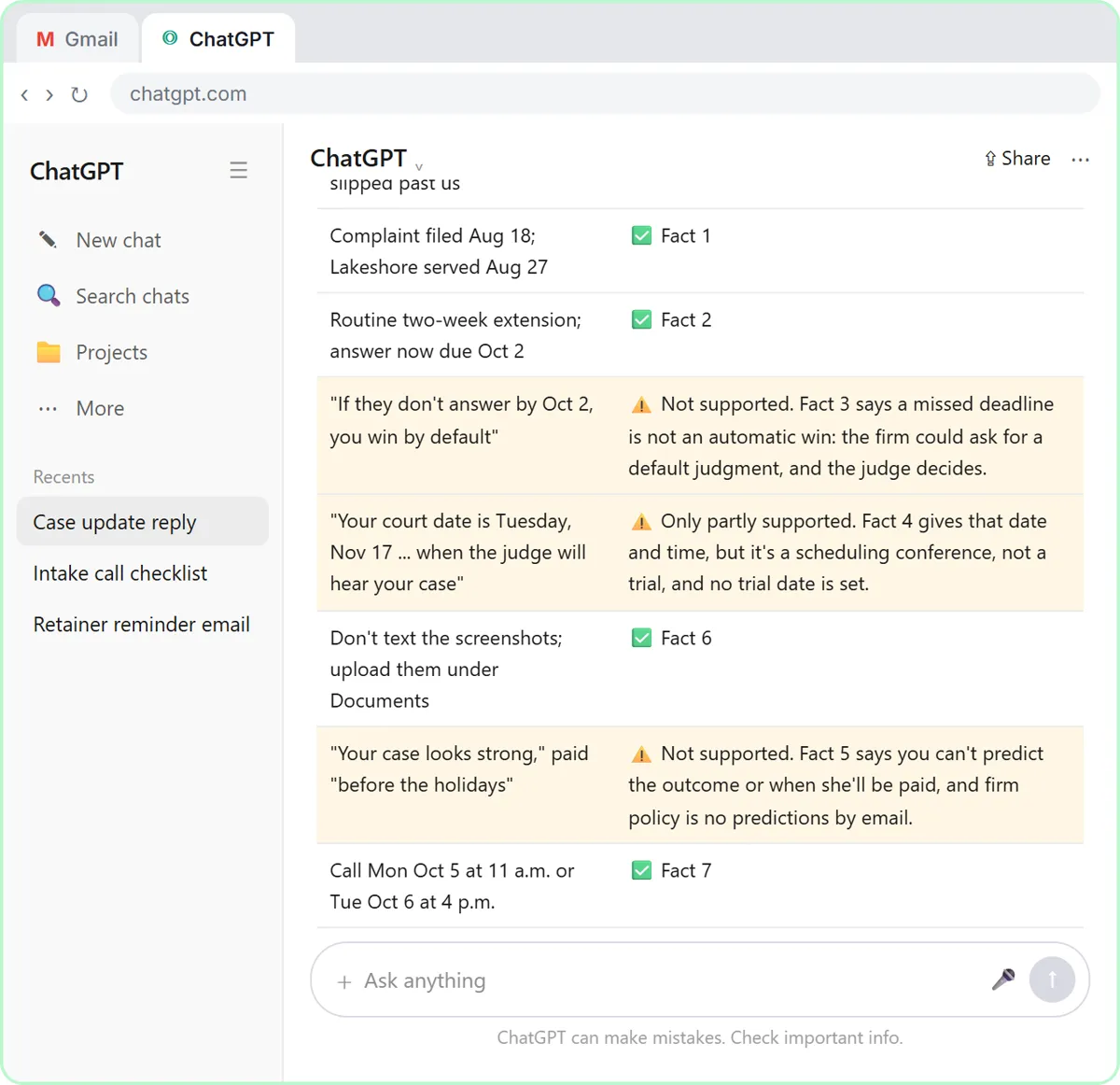
- Check every claim: the first draft is friendly and mostly right, but it says "if they don't answer by Oct 2, you win by default," calls the scheduling conference the day "the judge will hear your case," and adds "your case looks strong, so we're hopeful you'll have your $8,400 before the holidays." You ask ChatGPT for a table of every claim and the fact behind it, and it flags all three.
- Fix it, then send it: ask for specific changes (the three corrected wordings, plus the line about keeping the original texts), copy the reply, click Reply in Gmail, paste, read it once more and click Send.
Why the draft predicts an outcome, and how the check catches it
AI drafts lean toward reassurance. Give ChatGPT an anxious client, a signed contract and an admission by text, and it offers the answer she wants. Each flagged line stretches a real fact: a missed deadline isn't a win (the firm would ask for a default judgment, and the judge decides), the November date is a scheduling hearing, not a trial, and nobody at the firm has said the case is strong.
Numbered facts make the check fast: every row in the table points to a fact, so a claim with nothing behind it stands out. The corrected reply still answers every question, and offers a call with the attorney for the one email can't answer. The deadlines, court date and firm rules here belong to the story; use your own. This lesson teaches an email routine, not legal advice.
Confidentiality: client data and AI tools
Client emails carry confidential information, so decide what goes into an AI tool before you paste, and leave out anything the reply doesn't need. Follow your firm's AI policy and your jurisdiction's rules. The ABA's Formal Opinion 512 (July 2024) says lawyers need to understand how a tool uses what they enter, and that informed client consent may be needed before client information goes into a tool that can learn from it.
On ChatGPT Business and Enterprise, OpenAI says it does not train on your chats by default; on personal plans you can turn off "Improve the model for everyone" under Settings, Data controls. The firm here also has a rule many firms share: no case details or evidence by text or social media, only through the secure client portal. Put that rule in your facts and every draft repeats it.
How to use this at your firm
Keep a numbered facts list for the updates you send most ("did they respond," "when is court," "are we going to win"): the lines that never change (no predictions, how to send documents) plus the case-specific ones. Read every reply before it goes out, check each date against the court's notice, and have the attorney approve it if that's your practice. ChatGPT drafts the email; your firm's name is on it.
How the interactive lesson works
Each step plays first in the Watch panel with a short voice-over, then you do it yourself in Your turn on a practice copy of Gmail and ChatGPT. Nothing touches a real account and no email is sent.
Try it yourself, free
Reading the steps is a start. Doing them is how it sticks. The interactive module walks you through every click in a practice copy of ChatGPT, checks each step, and never touches your real accounts.
Start “Reply Faster to a Client Asking for a Case Update: ChatGPT for Small Law Firms”Step by step: Reply Faster to a Client Asking for a Case Update: ChatGPT for Small Law Firms
All 20 steps of the interactive module, in order. In the module you watch each one, then do it yourself in a practice copy that checks your work.
1. Copy the thread
- Open the thread. This is Harbor Street Law's Gmail inbox. Click Carla Mendes's thread, My case against Lakeshore, to open it.
Here's the inbox for Harbor Street Law, a small law firm. Carla runs a flower shop, and she's suing an event venue that never paid her. Her thread has four messages and a lot of worry.
- Expand all messages. Gmail folds up the older messages in a thread. Click Expand all, the double-arrow icon at the top right of the thread.
Gmail folds up the older messages, so only the newest one is open. You want the whole story, so click Expand all, the double-arrow icon at the top right.
- Copy the thread. In real Gmail you select the messages, then press Ctrl+C (or right-click and choose Copy). Here, click the messages to copy them.
Read it through once. Carla wants to know if the venue answered, when her court date is, and whether she'll win, and she wants to text you screenshots. Check your firm's rules for AI tools first, and leave out anything the reply doesn't need. Here, just click the messages.
- Switch to ChatGPT. Click the ChatGPT tab at the top.
Now switch over to ChatGPT.
2. Give ChatGPT the context
- Click the message box. You are in a new chat. Click the message box.
You're in a fresh chat. You'll give ChatGPT three things in one message: the thread, the facts, and what a good reply looks like.
- Paste the thread. Paste in the thread. One line says what this is, then the four emails, oldest first.
First, the thread. One line tells ChatGPT what it's looking at, then the emails, oldest first.
Here is an email thread between my law firm and a client, oldest message first.

Carla Mendes (Tue, Sep 8): Hi Owen, just checking in. Did Lakeshore get the papers yet? When do we go to court? Wedding season is over and I'd really like this done before the holidays. Thanks, Carla

Owen at Harbor Street Law (Thu, Sep 10): Hi Carla, yes. We filed your complaint on Aug 18, and Lakeshore was served on Aug 27. Their answer is due Sep 18. We'll let you know what they file. - Owen

Carla Mendes (Mon, Sep 21): It's past the 18th. Did they answer? If they didn't, doesn't that mean we win automatically? Also I found texts where their manager says they know they owe me. Can I just text you the screenshots?

Carla Mendes (10:07 AM): Nobody has answered me in a week. Did they respond or not?? When is our court date? Are we going to win? I need to know if I'm getting my $8,400 before the holidays, because I have to decide about hiring for December. Can someone just text me back at this point?
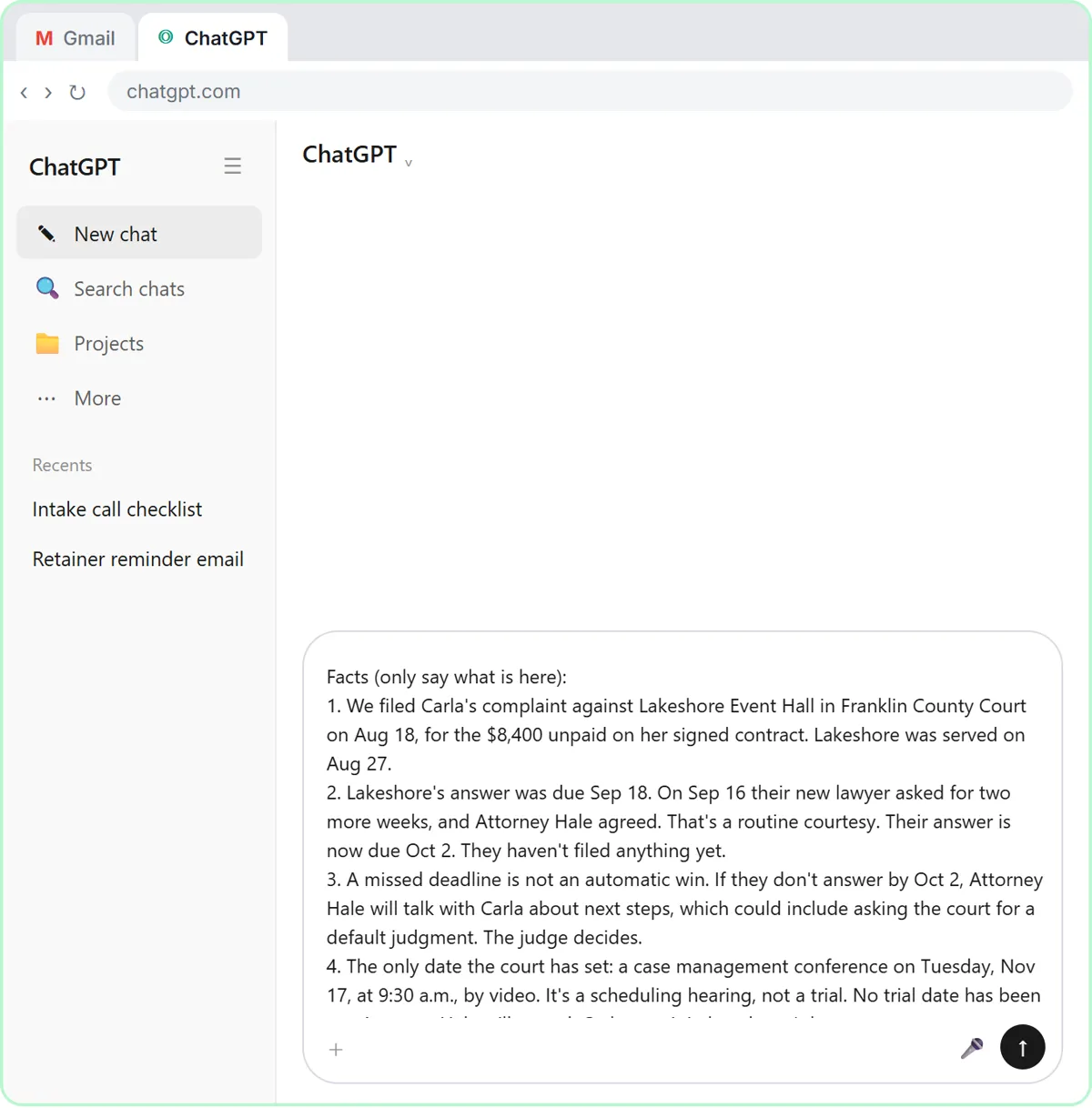
- Add the facts. Paste in the facts. These are the only things the reply may say: what's been filed, the new deadline, what a missed deadline does and doesn't mean, the one court date, what the firm can't predict, the no-texting policy and two call times.
Next, the facts. ChatGPT can't see the court file, your calendar, or your firm's rules about what goes in writing, so spell them out. Number them, so you can check them later.
Facts (only say what is here):
1. We filed Carla's complaint against Lakeshore Event Hall in Franklin County Court on Aug 18, for the $8,400 unpaid on her signed contract. Lakeshore was served on Aug 27.
2. Lakeshore's answer was due Sep 18. On Sep 16 their new lawyer asked for two more weeks, and Attorney Hale agreed. That's a routine courtesy. Their answer is now due Oct 2. They haven't filed anything yet.
3. A missed deadline is not an automatic win. If they don't answer by Oct 2, Attorney Hale will talk with Carla about next steps, which could include asking the court for a default judgment. The judge decides.
4. The only date the court has set: a case management conference on Tuesday, Nov 17, at 9:30 a.m., by video. It's a scheduling hearing, not a trial. No trial date has been set. Attorney Hale will attend; Carla may join but doesn't have to.
5. We can't predict the outcome, whether Lakeshore will settle, or when or whether Carla will be paid. Firm policy: no predictions and no legal advice by email.
6. Firm policy: we don't discuss case details or accept evidence by text message or social media. She should upload the screenshots to the secure client portal under Documents and keep the original texts on her phone.
7. Attorney Hale can call Carla on Mon Oct 5 at 11 a.m. or Tue Oct 6 at 4 p.m. to talk through her questions.
8. We missed Carla's Sep 21 email, and we didn't tell her when the deadline changed. That's on us.
9. Sign it: Owen Park, Paralegal, Harbor Street Law.
- Say what a good reply looks like. Paste in the instructions: the tone, the three questions to answer, the screenshots, no legal advice, a word limit, and a rule not to invent anything.
Last, tell it what a good reply looks like: the tone, the three questions to answer, and a word limit. And one rule that matters most: don't invent details or promise anything that isn't in the facts.
Write my reply to Carla. Tone: calm, warm and professional, like a small law firm that knows her. Apologize once for missing her Sep 21 email. Answer all three of her questions clearly: whether Lakeshore has responded, when her court date is, and whether she'll win and be paid before the holidays. Also tell her how to send the screenshots. No legal advice. Keep it under 200 words. No subject line, since it's a reply in the same thread. Don't invent details or promise anything that isn't in the facts.
3. Get the first draft
- Send it. Thread, facts and instructions are all in. Click the Send arrow.
Thread, facts, and instructions, all in one message.
4. Check every promise
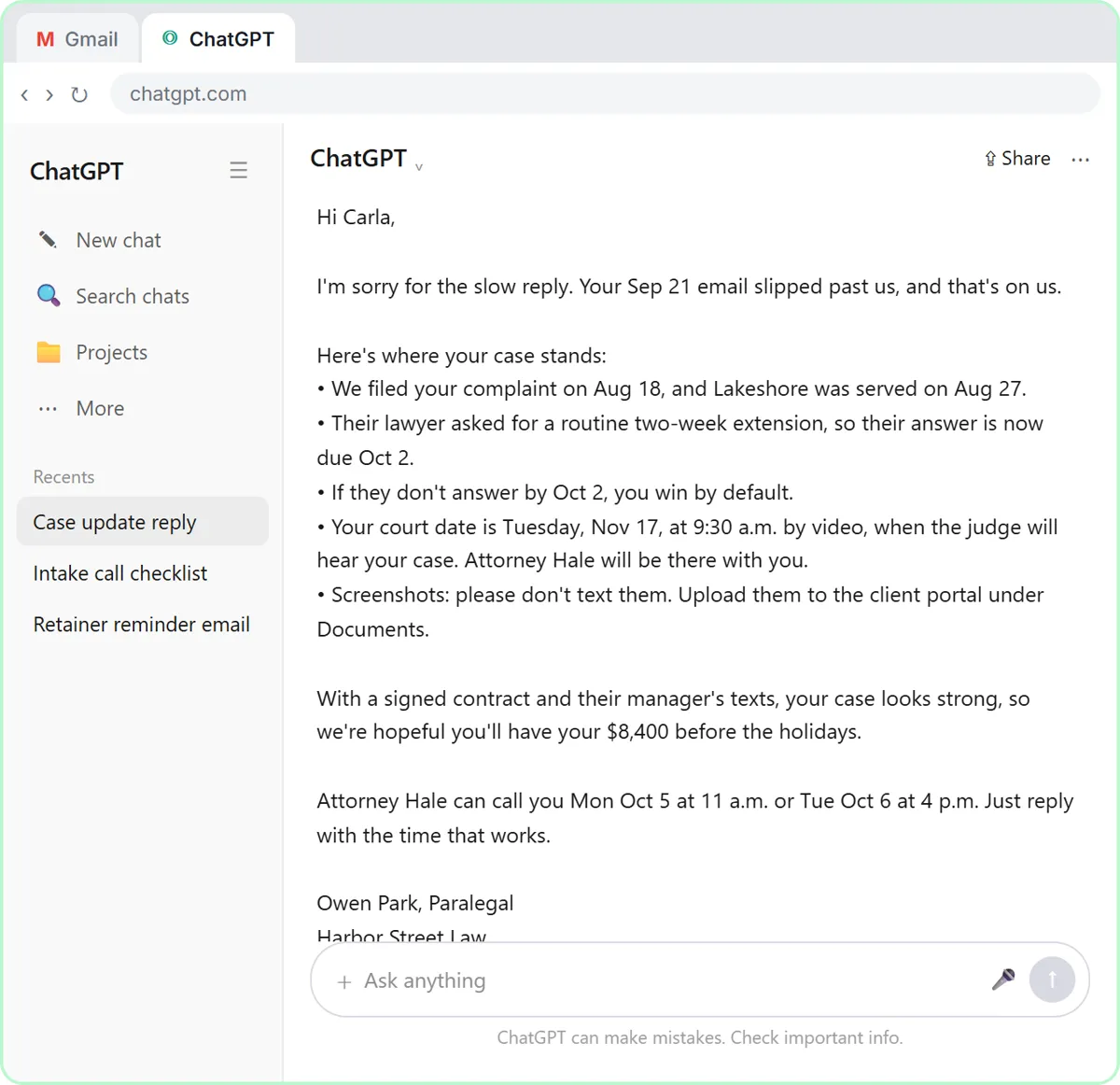
- Read the draft, then click the message box. Read the draft closely. It sounds reassuring, but look at the "win by default" line, the court date and the paragraph after the list. Then click the message box.
That's a friendly first draft. It apologizes, gives the new deadline, and keeps the screenshots out of text messages. But read it the way an attorney would: you win by default, the judge will hear your case, your case looks strong. None of that is in your facts. A draft can sound kind and still predict an outcome.
- Ask ChatGPT to check its promises. Paste in the check to ask for a table of every promise and the fact behind it.
Ask ChatGPT to check its own work: every promise in the reply, next to the fact that backs it up.
Check that reply against my facts. Make a table of every promise or claim in it and the fact that backs it up. Flag anything the facts don't support.
- Send the check. Click the Send arrow.
5. Fix it and warm it up
- Read the table, then click the message box. Five of the eight claims match a fact. Three do not: the automatic win, the "court date", and the prediction about getting paid. ChatGPT suggests wording for each. Click the message box.
Five of the eight claims match a fact. Three don't: the automatic win, a scheduling conference described as the day the judge hears the case, and a guess about getting paid. At a law firm, those are the lines that cause real trouble. Still compare the table with your own facts, since you know the case.
- Ask for specific changes. Paste in the fix: use all three suggested wordings, add the line about keeping the original texts, make it warmer and easier to scan, and keep every other fact the same.
Now ask for specific changes, not just make it better. Use all three suggested wordings, add the line about keeping the original text messages, and keep every other fact exactly the same.
Use all three of those wordings, and add the line about keeping the original texts. Then make the whole reply a little warmer and easier to scan, still under 200 words. Keep every other fact exactly the same. Reply with just the email.
- Send the fix. Click the Send arrow.
6. Send it from Gmail
- Copy the reply. Read the final reply. Then click the Copy button under it.
Read it once more. The deadline is clear, the November date is described honestly, and nothing predicts how the case will end. It even acknowledges her December worry and offers a call instead.
- Go back to Gmail. Click the Gmail tab at the top.
Back to Gmail.
- Click Reply. Under the last message, click Reply.
Under Carla's last message, click Reply. Your answer stays in the same thread, which is why you told ChatGPT to skip the subject line.
- Paste the reply. Paste in the reply to drop in the reply you copied. In real Gmail, press Ctrl+V.
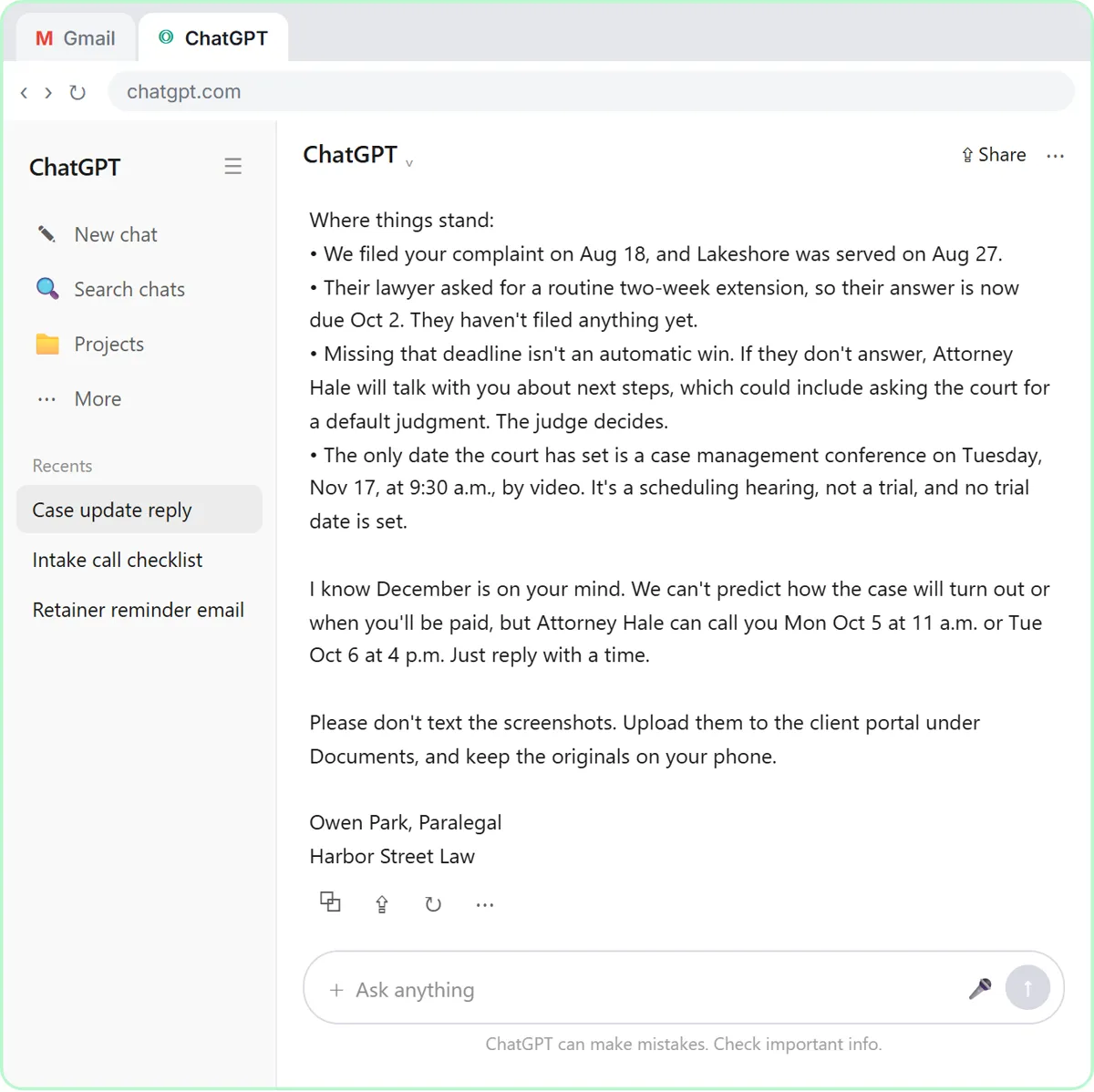
Hi Carla,

I'm sorry we missed your Sep 21 email and didn't tell you when the deadline changed. That's on us.

Where things stand:
• We filed your complaint on Aug 18, and Lakeshore was served on Aug 27.
• Their lawyer asked for a routine two-week extension, so their answer is now due Oct 2. They haven't filed anything yet.
• Missing that deadline isn't an automatic win. If they don't answer, Attorney Hale will talk with you about next steps, which could include asking the court for a default judgment. The judge decides.
• The only date the court has set is a case management conference on Tuesday, Nov 17, at 9:30 a.m., by video. It's a scheduling hearing, not a trial, and no trial date is set.

I know December is on your mind. We can't predict how the case will turn out or when you'll be paid, but Attorney Hale can call you Mon Oct 5 at 11 a.m. or Tue Oct 6 at 4 p.m. Just reply with a time.

Please don't text the screenshots. Upload them to the client portal under Documents, and keep the originals on your phone.

Owen Park, Paralegal
Harbor Street Law
- Read it, then send. Read it one last time: the deadline, the November date, and that nothing predicts the outcome. Then click Send.
One last read before it goes out. ChatGPT wrote the draft, but your firm's name is on it, so check the deadline, the November date, and that nothing predicts the outcome. If an attorney at your firm signs off on client updates, this is where they read it. Everything's right.
Video walkthrough
The whole lesson in 3:16, narrated step by step. Watch it once, then do it yourself in the practice copy.
A calm reply to "are we going to win?" with ChatGPT
A client wants a court date and a promise she'll win. Give ChatGPT the thread and your firm's facts, catch the lines that predict an outcome, and send a clear, kind case update from Gmail.
- 0:00 Intro: what you'll build
- 0:13 Copy the thread
- 0:52 Give ChatGPT the context
- 1:29 Check every promise
- 1:59 Fix it and warm it up
- 2:29 Send it from Gmail
More videos from this lesson
Reply Faster: Client Case Updates in 68 seconds
A client wants a court date and a promise she'll win. Give ChatGPT the thread and your firm's facts, catch the lines that predict an outcome, and send a clear, kind case update from Gmail.
Transcript
Now switch over to ChatGPT. Click the ChatGPT tab at the top. You're in a fresh chat. You'll give ChatGPT three things in one message: the thread, the facts, and what a good reply looks like. Click the message box. First, the thread. One line tells ChatGPT what it's looking at, then the emails, oldest first. Click Paste thread. Next, the facts. ChatGPT can't see the court file, your calendar, or your firm's rules about what goes in writing, so spell them out. Number them, so you can check them later. Click Paste facts. Last, tell it what a good reply looks like: the tone, the three questions to answer, and a word limit. And one rule that matters most: don't invent details or promise anything that isn't in the facts. Click Paste instructions. Thread, facts, and instructions, all in one message. Click the send arrow. That's a friendly first draft. It apologizes, gives the new deadline, and keeps the screenshots out of text messages. But read it the way an attorney would: you win by default, the judge will hear your case, your case looks strong. None of that is in your facts. A draft can sound kind and still predict an outcome. Click the message box.
Reply Faster: Client Case Updates: the key steps in under a minute
A client wants a court date and a promise she'll win. Give ChatGPT the thread and your firm's facts, catch the lines that predict an outcome, and send a clear, kind case update from Gmail. The key steps from the free lesson, with captions.
Transcript
You're in a fresh chat. You'll give ChatGPT three things in one message: the thread, the facts, and what a good reply looks like. Click the message box. First, the thread. One line tells ChatGPT what it's looking at, then the emails, oldest first. Click Paste thread. Next, the facts. ChatGPT can't see the court file, your calendar, or your firm's rules about what goes in writing, so spell them out. Number them, so you can check them later. Click Paste facts. Last, tell it what a good reply looks like: the tone, the three questions to answer, and a word limit. And one rule that matters most: don't invent details or promise anything that isn't in the facts. Click Paste instructions.
Screenshots
Frequently asked questions
- Can ChatGPT write case-update emails for my law firm?
- It can draft them quickly. Paste the thread and a numbered list of your firm's facts, ask for the reply, then have ChatGPT check every claim against those facts before you send it. Treat every reply as a draft that someone at the firm reads and approves.
- How do I stop ChatGPT from predicting the outcome of a case?
- Put it in your facts ("we can't predict the outcome or when you'll be paid") and in your instructions ("no legal advice"). Then ask for a claim-by-claim table. In this lesson it flags "you win by default" and "your case looks strong" even though your facts already ruled them out.
- Is it safe to paste client emails into ChatGPT?
- Only in line with your firm's AI policy and your professional rules. Leave out anything the reply doesn't need, check whether client consent is needed (see ABA Formal Opinion 512), and use a plan that doesn't train on your chats: Business and Enterprise don't by default, and personal plans can turn it off under Data controls.
- Does this lesson give legal advice?
- No. It teaches an email routine. The firm, the client, the case, the deadlines and the court date are made up, and the firm's rules are the example's own policy.
- Is it free?
- Yes. Stepthrough is completely free and the practice copy needs no accounts. To do it for real you need your own ChatGPT and email accounts.
More ChatGPT tutorials
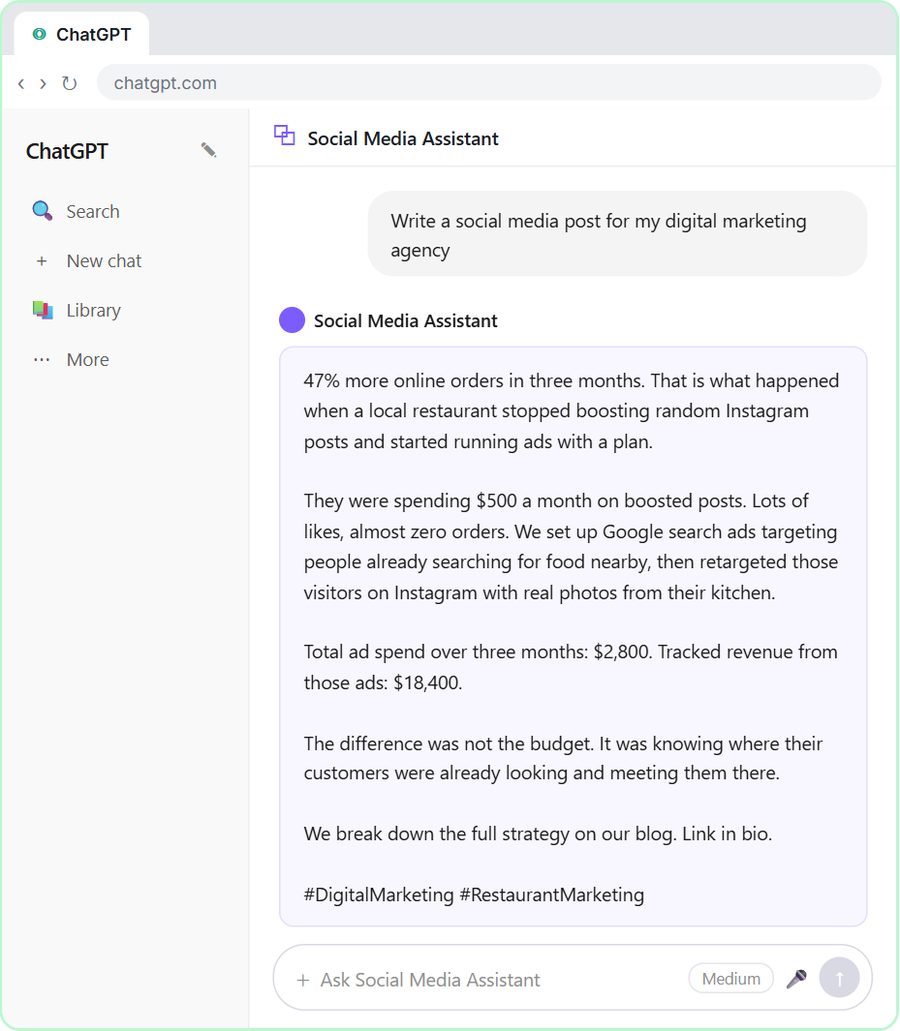 Build a Custom GPT Social Media Assistant
See why generic prompts give generic results, then build a Custom GPT loaded with your brand voice and watch the output transform.
Free · Live ~8 min
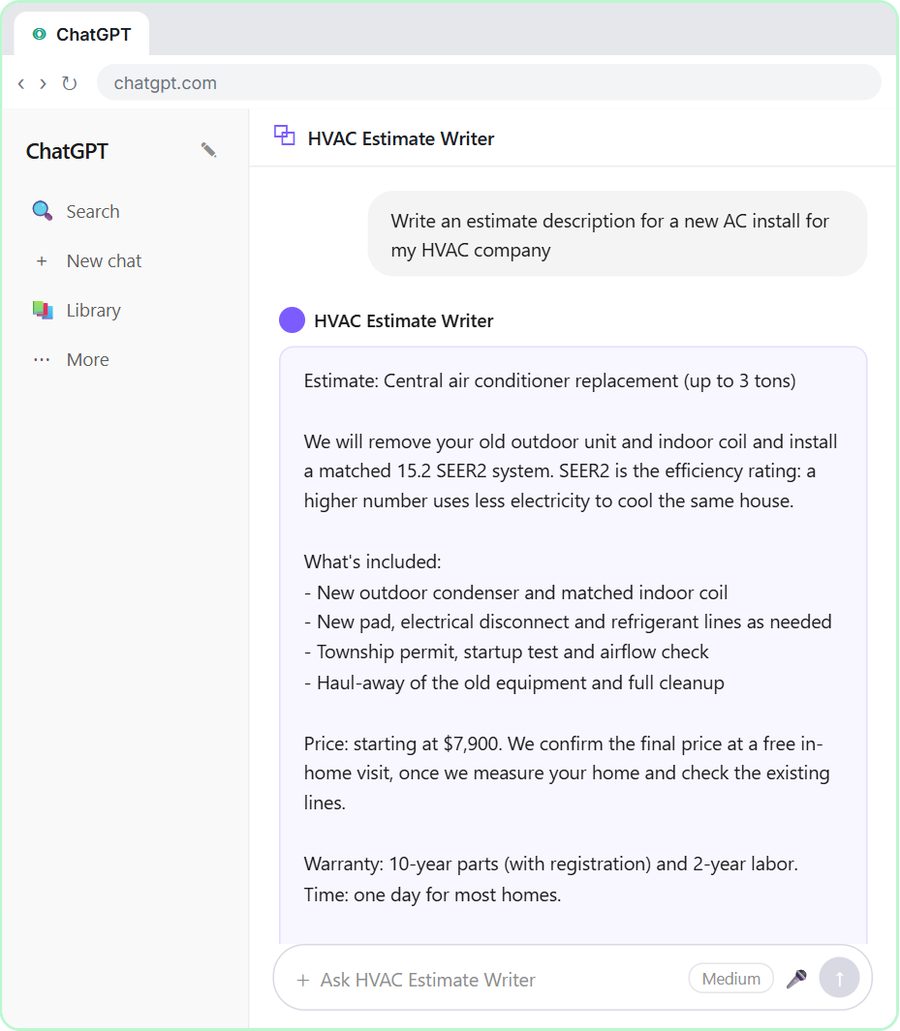 Build an AI Estimate Writer for Your HVAC Company
See why generic prompts give generic results, then build a Custom GPT that knows your HVAC services and pricing and writes clear, professional estimate descriptions for…
Free · Live ~8 min
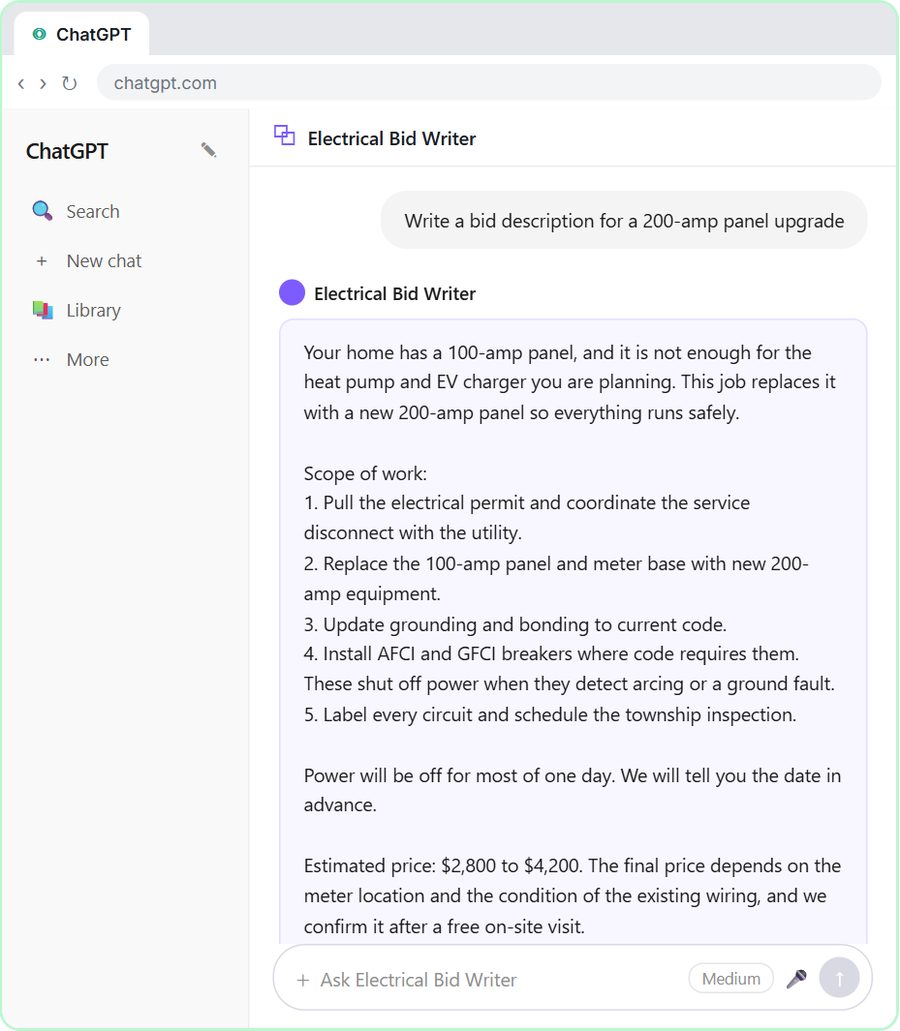 ChatGPT for Electricians: Build an Electrical Bid Writer
See why generic prompts give generic bids, then build a Custom GPT that knows your electrical services and pricing and drafts professional bid descriptions.
Free · Live ~8 min
 Build a Custom GPT Plumbing Quote Writer
See why generic prompts give generic quotes, then build a Custom GPT loaded with your plumbing services and pricing and watch the quotes transform.
Free · Live ~8 min
 Prompt Writing 101: Role, Context, Task, Format
Ask ChatGPT for the same customer email twice, once vaguely and once with a four-part prompt, and see exactly why structure gets a better answer.
Free · Live ~8 min
 Build a Custom GPT That Writes Sales Follow-Up Emails
See why generic prompts give generic results, then build a Custom GPT that knows your product, pricing and rules and writes short, useful follow-up emails in your voice.
Free · Live ~8 min
From the blog
ChatGPT for Paralegals: Client Updates and Case RecapsChatGPT for paralegals and legal assistants: draft client updates from a facts list with no predictions, recap case meetings, and know what never to paste.
Oct 1, 2026 6 min read
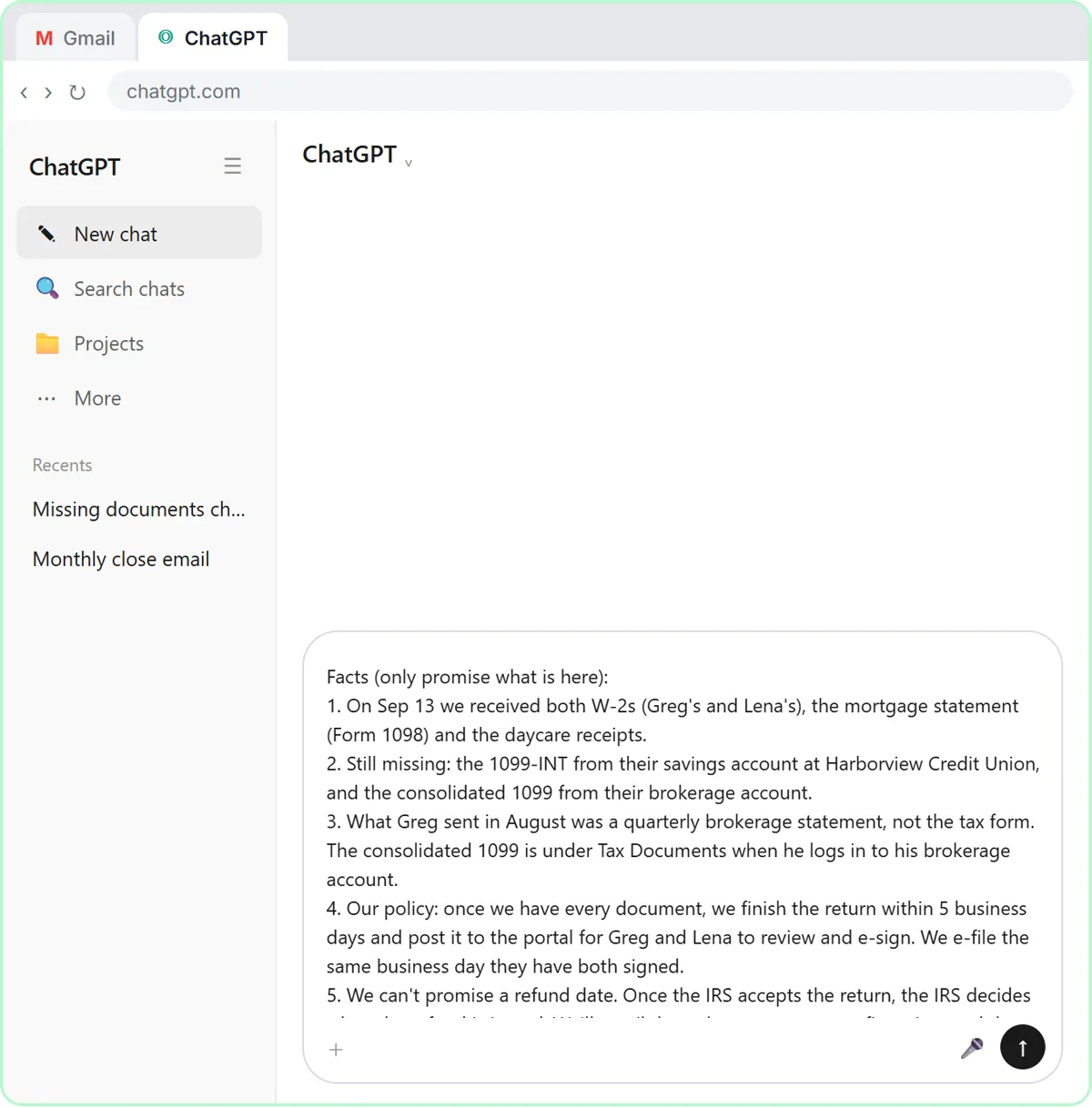 Is It Safe to Paste Client Emails into ChatGPT?
Is it safe to put client data in ChatGPT? A practical checklist: what to remove first, which plan settings to check, and the rules your industry points to.
Oct 1, 2026 6 min read
ChatGPT for Law Firms: Case Updates Without PredictionsChatGPT for law firms: draft client case-update emails from your firm's facts, catch every line that predicts an outcome, and send a clear, kind reply.
Oct 1, 2026 6 min read
Visual guides
This lesson’s key ideas as quick visual guides: swipe through the slides, or read the same guide as text.
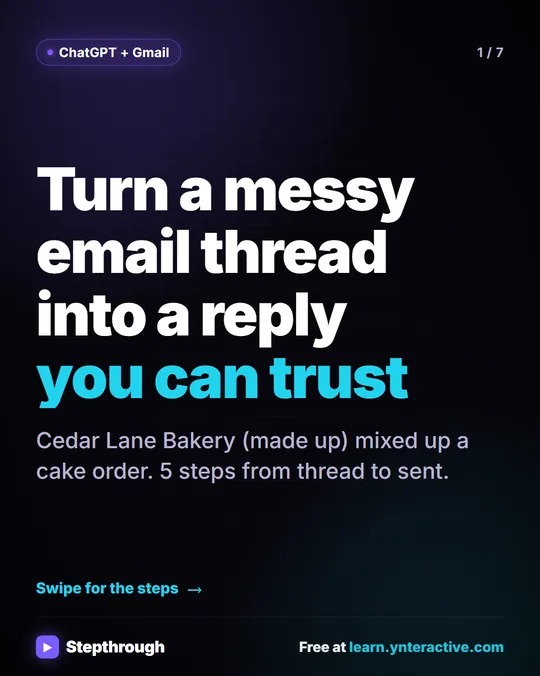 5 Steps to Turn a Messy Email Thread into a Clear Reply
A visual guide: paste a customer thread with numbered facts, check every promise in ChatGPT's draft, fix it and send it from Gmail.
Step-by-step guide 7 slides
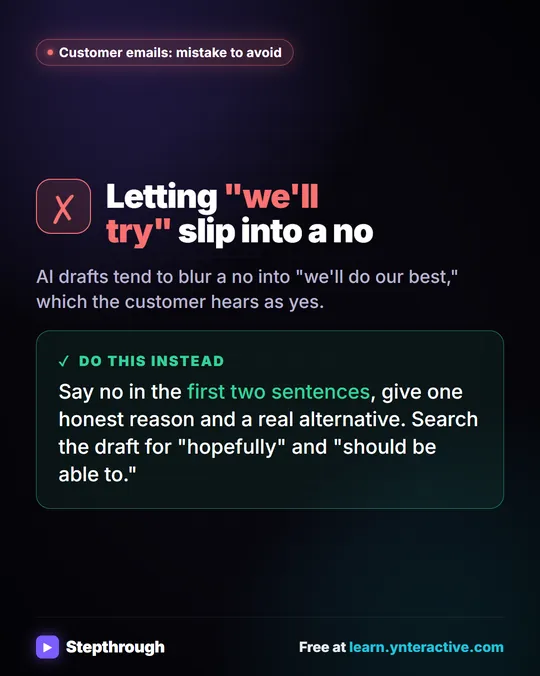 Mistake to Avoid: A Soft Yes When You Mean No
A visual tip for customer emails: AI drafts blur a no into "we'll do our best." Say no early, give one reason and a real alternative.
Mistake to avoid One graphic
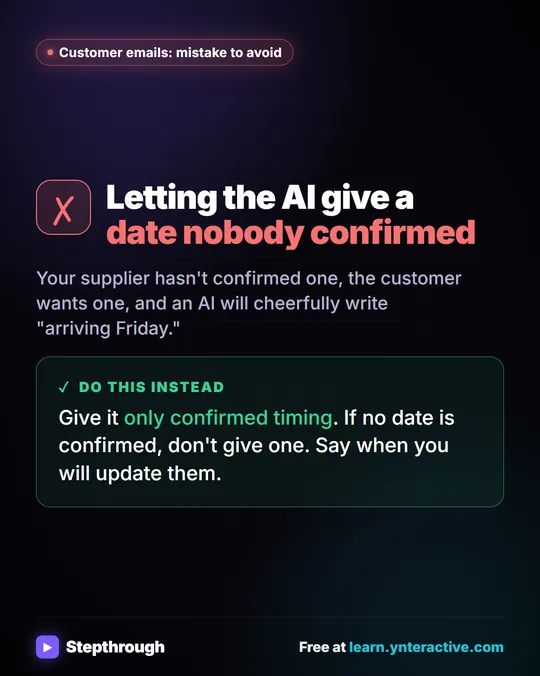 Mistake to Avoid: Promising a Date Nobody Confirmed
A visual tip for late orders: give the AI only timing you have confirmed. If there is no date yet, say when you will update the customer.
Mistake to avoid One graphic
Related terms
Plain-English definitions, each with an example from a free lesson.
Related prompts
- Check reply promises prompt: A ChatGPT prompt that checks a draft before you send it: a table of every promise, the fact behind each, and safer wording for…
- Client case update email prompt: A four-part prompt for law firm staff: turn a worried client's emails and your firm's facts into a clear case update with no…
- Court date reminder email prompt: Remind a client about a hearing or court date from your firm's facts: what it is, when and how to join, whether they must…
- Email newsletter prompt: A ChatGPT prompt for a short customer newsletter built from your numbered updates: one section each, one main call to action, no…