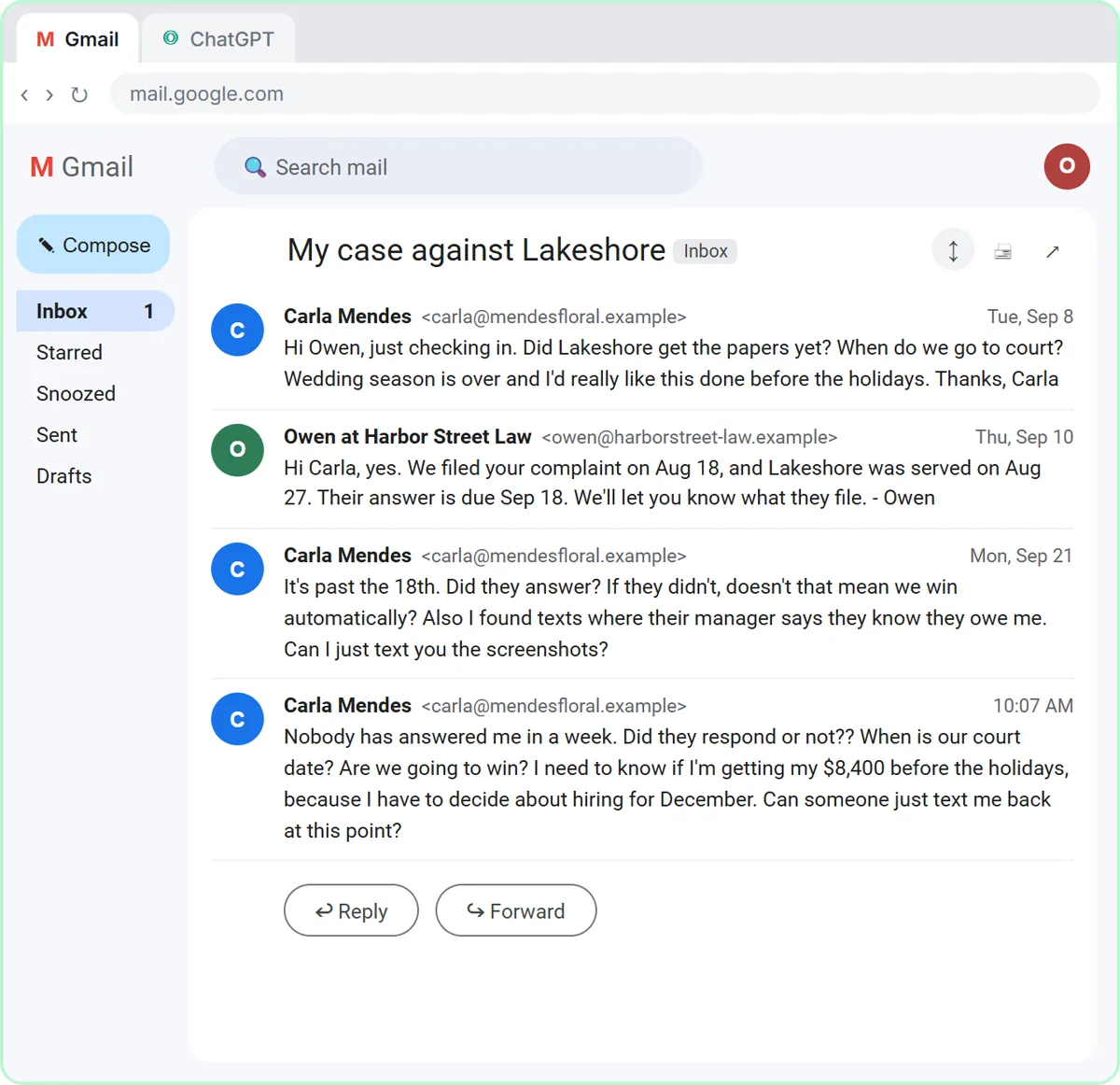
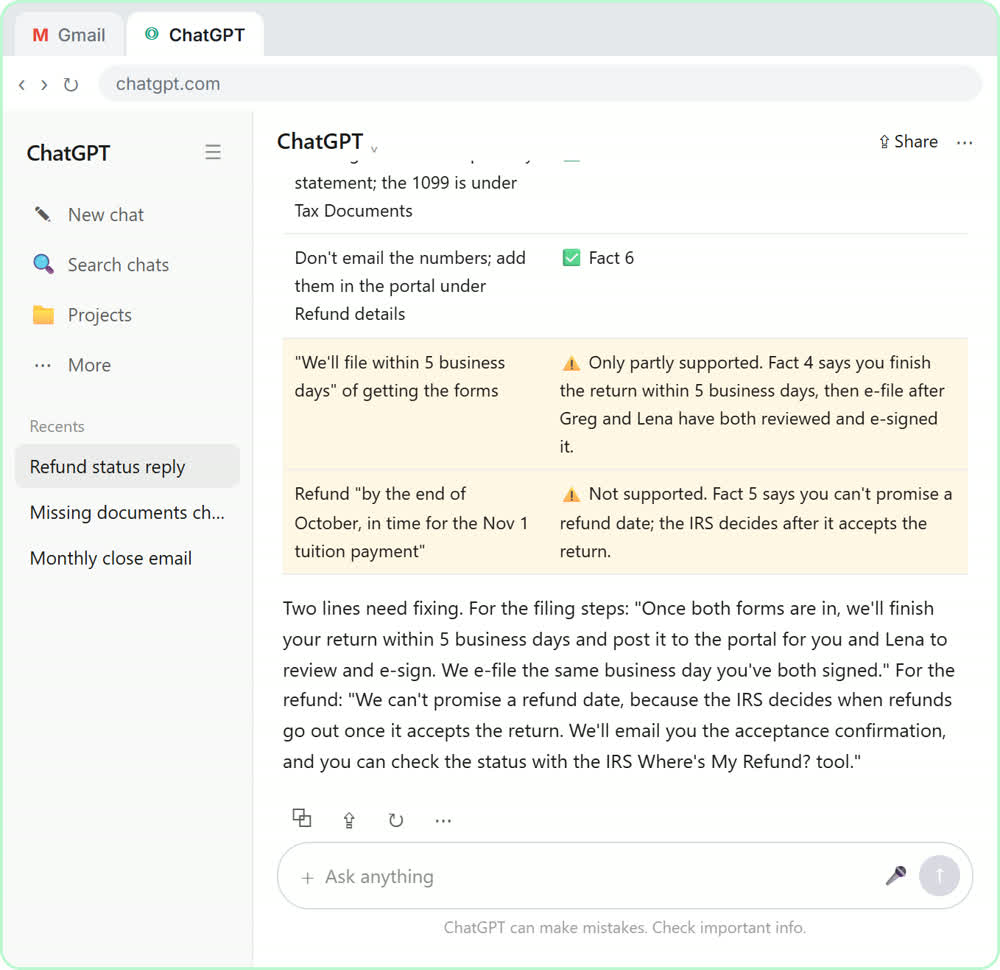
Every Reply Faster lesson ends with the same move: after ChatGPT checks its draft against your facts, you send one precise revision request. Those requests are worth copying, because they show what a good revision prompt looks like.
Why doesn't "make it better" work?
"Make it better" doesn't tell ChatGPT what's wrong, so it guesses, and a guess can change the parts that were already right. A rewrite might fix the tone and quietly drop a date, soften a price or add a new promise.
The voice-over in all three reply lessons says the same thing at the fix step: ask for specific changes, not just "make it better." A specific request does two jobs. It names the change you want, and it tells ChatGPT what not to touch.
What does a good revision request look like?
A good revision request has three parts: the exact change, the shape you want (length, tone, layout), and a lock on everything else. Here is the bakery lesson's request, word for word:
Use that allergy wording. Then make the whole reply a little warmer and shorter, under 120 words. Keep every other fact exactly the same. Reply with just the email.
Each sentence earns its place:
- "Use that allergy wording." The change, pointing at wording ChatGPT already suggested in its check table, so there's no new guess.
- "A little warmer and shorter, under 120 words." The shape, with a number instead of "shorter."
- "Keep every other fact exactly the same." The lock. The date, the price and the discount stay put.
- "Reply with just the email." No "Here's your revised email!" to delete before you copy it.
How do you revise for layout, not just tone?
Say exactly how the reply should be laid out, like "give each of her three questions its own short paragraph." Layout changes help most when the customer asked several questions.
The insurance lesson's request:
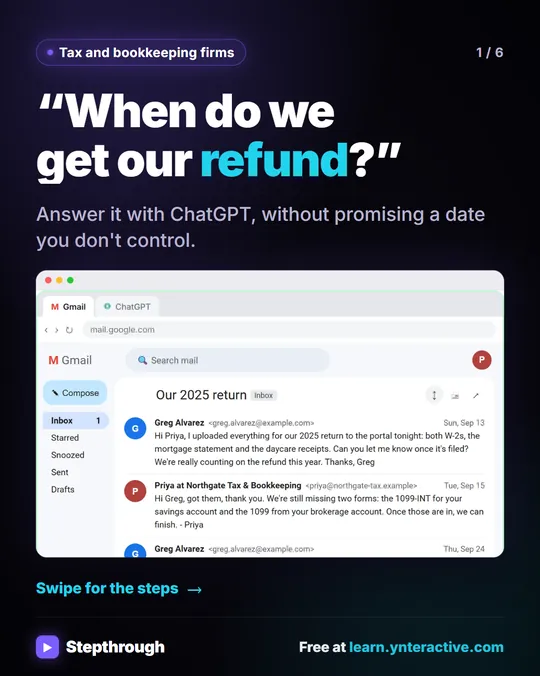
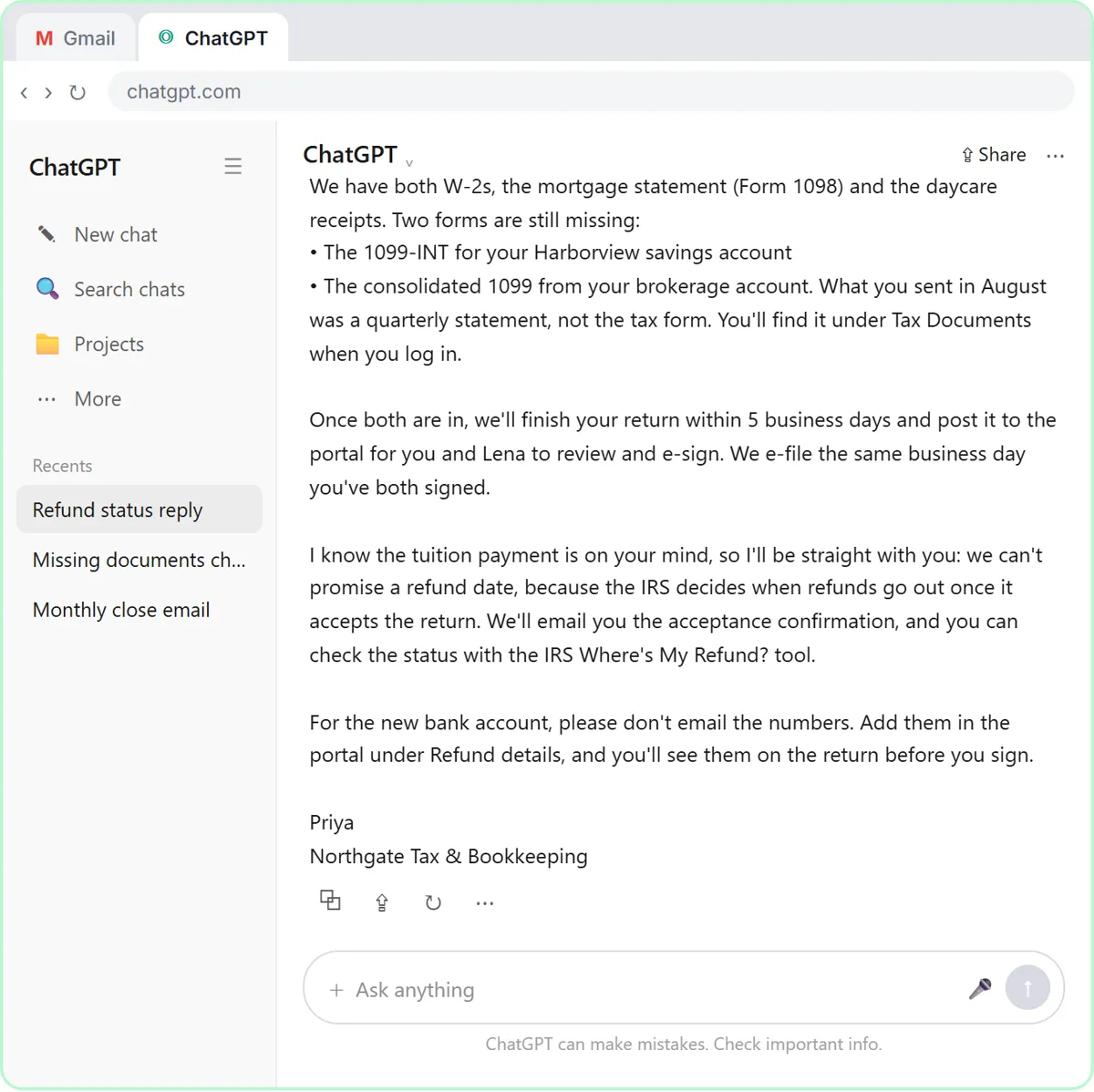
Use both of those wordings. Then give each of her three questions its own short paragraph so the answers are easy to find, keep it warm, and stay under 200 words. Keep every other fact exactly the same. Reply with just the email.
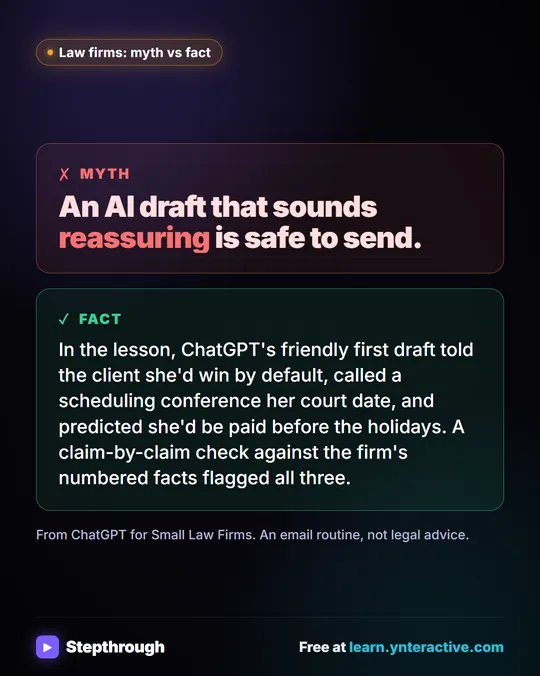
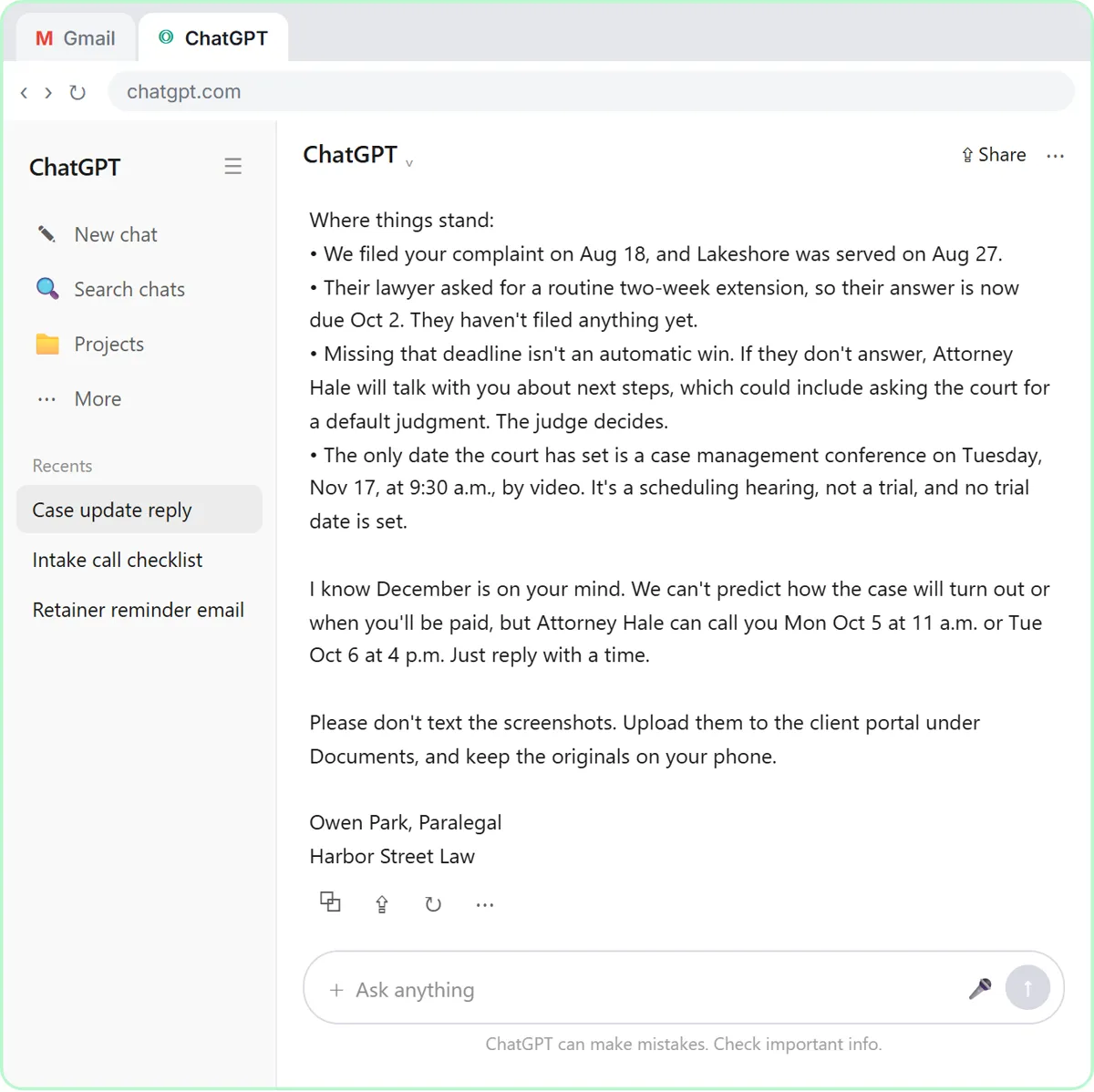
The law firm lesson's request asks for the reply to be "a little warmer and easier to scan, still under 200 words," and adds one missing line: keeping the original text messages. The finished update uses short bullet points for where the case stands.
Should you make one change at a time or several at once?
Batch small, separate changes into one request, and make risky changes one at a time. The lessons batch because each change is clear and independent: swap in the approved wording, adjust the tone, keep the length.
Make a change on its own when:
- You're not sure what you want. Try "warmer" first, read it, then decide on length.
- The change touches facts. Add a new fact alone, so you can see exactly where it landed.
- A batch went wrong. If a combined request breaks something, undo it by asking again with one change.
In the Reply Faster: Client Refund Emails lesson, the batch is "Use both of those wordings. Then make the whole reply a little warmer and easier to scan, still under 200 words." Two wordings plus one style change, all safe together.
Try it free, step by step
Reply Faster: Turn a Messy Customer Email Thread into a Clear, Friendly Reply. Turn a messy customer email thread into a clear, friendly reply: give ChatGPT the thread and your facts, check every promise, fix the tone, and send it from Gmail. You do every step yourself in a practice copy of ChatGPT, it checks your work as you go, and “Do it for me” finishes any step you get stuck on. Free, and nothing touches your real accounts.
Start the free lessonHow do you add or correct a fact in a ChatGPT draft?
Tell ChatGPT the fact in one plain sentence in the same chat, and it updates the draft or table. You don't need to paste everything again.
In the meeting summary lesson, ChatGPT's action items table says "Not stated" for two due dates. You reply: "The library quote is due Wednesday, and Luis will call about the oven today." ChatGPT updates the table, and every task has an owner and a date. The same works for emails: "The pickup time is 10 a.m., not 9. Keep everything else the same."
If the wrong fact came from your own facts list, fix the list too, so the next draft doesn't bring the mistake back.
When should you edit a ChatGPT draft by hand?
Edit by hand when the change is a word, a name, a number or a signature. A one-word fix is faster to type than to describe, and you avoid a rewrite touching anything else.
Good hand edits:
- A first name, a greeting or a sign-off.
- A date or amount you know is wrong and can fix in two seconds.
- A phrase that doesn't sound like you.
- Cutting one sentence.
Ask ChatGPT instead when the fix runs through the whole draft, like tone, length or order, or when you'd have to rewrite more than a sentence or two. Either way, if you edit by hand after the promise check, reread the parts you changed.
How do you check a revision didn't break something?
Read the final version against your facts once more before you send it: dates, amounts, names and the hardest answer. The lessons do this at the last step every time.
The bakery lesson's final read checks the date, the price and the allergy answer. The law firm lesson checks the deadline, the November date and that nothing predicts the outcome. If you changed a lot, run the promise check again: "Check that reply against my facts. Make a table of every promise or claim in it and the fact that backs it up. Flag anything the facts don't support." Check AI Email Drafts for Promises Before You Send explains that check, and How to Respond to an Angry Customer Email shows where revision fits in the whole reply.
The lessons are free, run in a practice copy, and work with any ChatGPT plan, including the free one, within its limits. When you use real client emails, leave out account numbers and other private details and follow your company's policy. More lessons are in the ChatGPT for Everyday Work course.
Key takeaways
- Revise a ChatGPT draft with specific requests, such as exact wording, a word limit or a layout, instead of "make it better."
- Add "Keep every other fact exactly the same" so a rewrite doesn't change dates, prices or promises that were already right.
- "Reply with just the email" removes the extra chat text, so you can copy the draft straight into Gmail.
- Batch small, independent changes; make fact changes and uncertain changes one at a time.
- Edit single words, names and numbers by hand, then reread the final version against your facts before sending.
Frequently asked questions
- How do I make ChatGPT change one thing without rewriting everything?
Name the one change and add "Keep every other fact exactly the same." For a single word or number, it's faster to edit it yourself.
- How do I make a ChatGPT email shorter?
Give a number, like "under 120 words," instead of "shorter." The lessons use word limits in both the first request and the revision.
- Should I start a new chat to revise a draft?
No. Revise in the same chat, because ChatGPT still has the thread and your facts there. Start a new chat when you move to a different customer or the conversation has gone off track.
- What if the revision adds a new mistake?
Point to it plainly ("The pickup day is Saturday. Fix only that.") or fix it by hand. If a lot changed, run the promise check again.