To check a ChatGPT email before you send it, ask ChatGPT for a table of every promise or claim in its draft next to the numbered fact that backs it up, and have it flag anything your facts don't support. The check is for anyone who sends AI-written replies to customers or clients. You can practice it free in the Reply Faster lesson.
ChatGPT is good at writing a calm reply to an upset customer, and that's the risk. A draft can read smoothly and still promise something you never said you could do. A smooth sentence doesn't look wrong, so reading alone often misses it.
What do you need before you can check a draft?
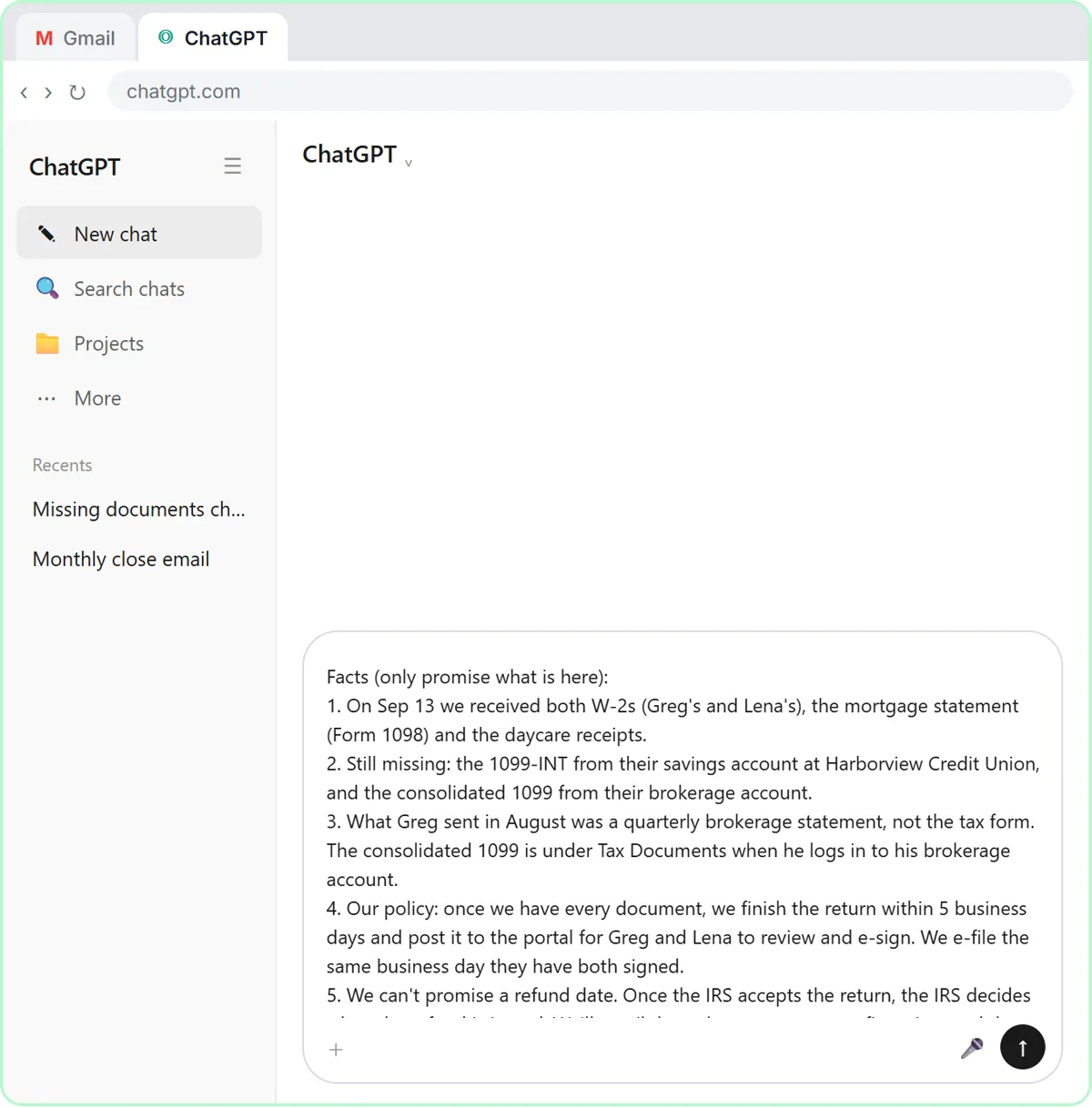
You need a numbered list of facts in the same chat, because the check compares the draft against those facts. In each lesson you paste three things into one message:
- The thread, with one line saying what it is, oldest message first.
- A numbered list of facts, headed with a note like "only promise what is here".
- What a good reply looks like: the tone, the questions to answer, a word limit, and the rule "Don't invent details or promise anything that isn't in the facts."
Numbered facts make the check fast: each row of ChatGPT's table points to fact 4 or fact 6, and you glance at that one line instead of rereading everything.
What does the check catch in a customer email?
In the Reply Faster lesson, the check catches a birthday cake described as "completely nut-free" when the bakery's facts never said so. The example business is a made-up neighborhood shop, Cedar Lane Bakery, and the customer asked whether the cake is okay for a relative with a nut allergy.
Fact 4 in the list says the lemon recipe has no nuts, but the kitchen also bakes with nuts, so the bakery can't promise any cake is nut-free. The first draft apologizes, fixes the date and answers every question, then calls the cake "completely nut-free."
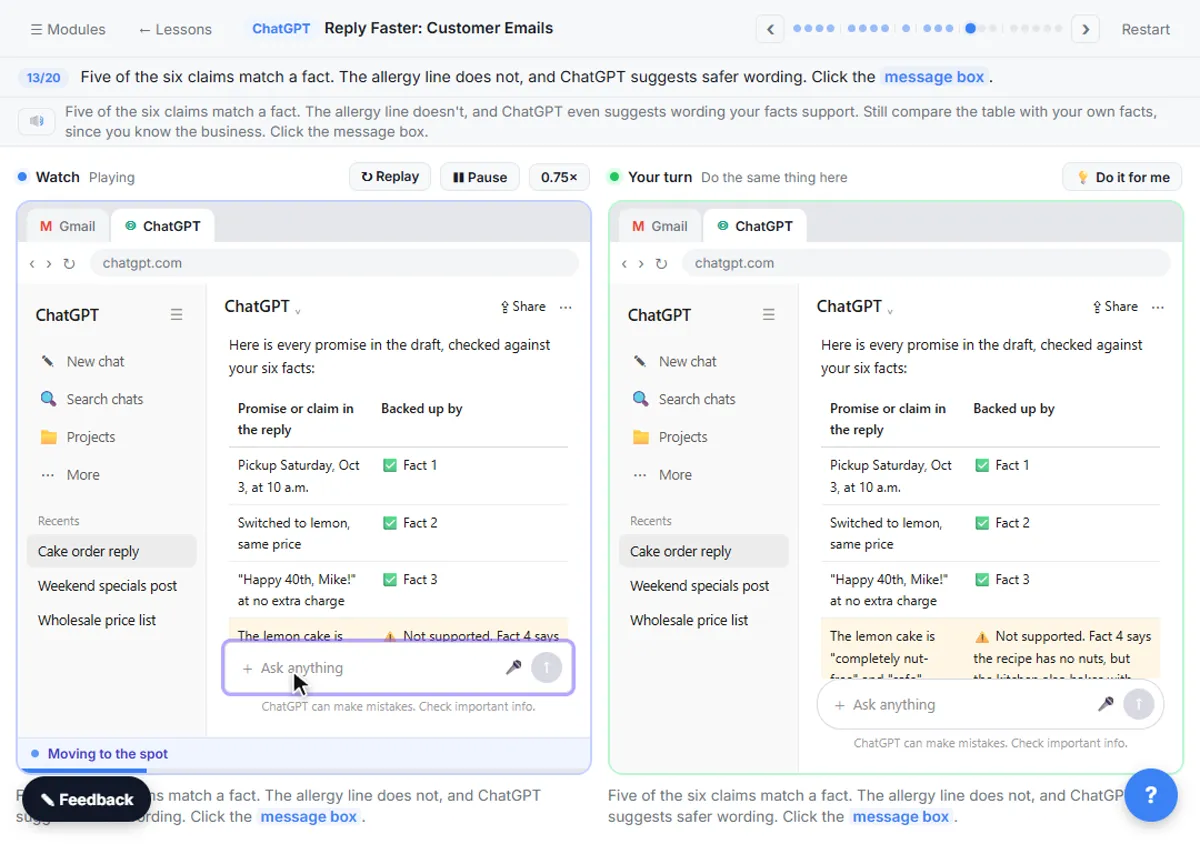
In the check table, five of six claims match a fact. ChatGPT flags the allergy line and suggests wording the facts support: no nuts in the recipe, but the bakery can't guarantee the cake is nut-free.
What does the check catch in an insurance email?
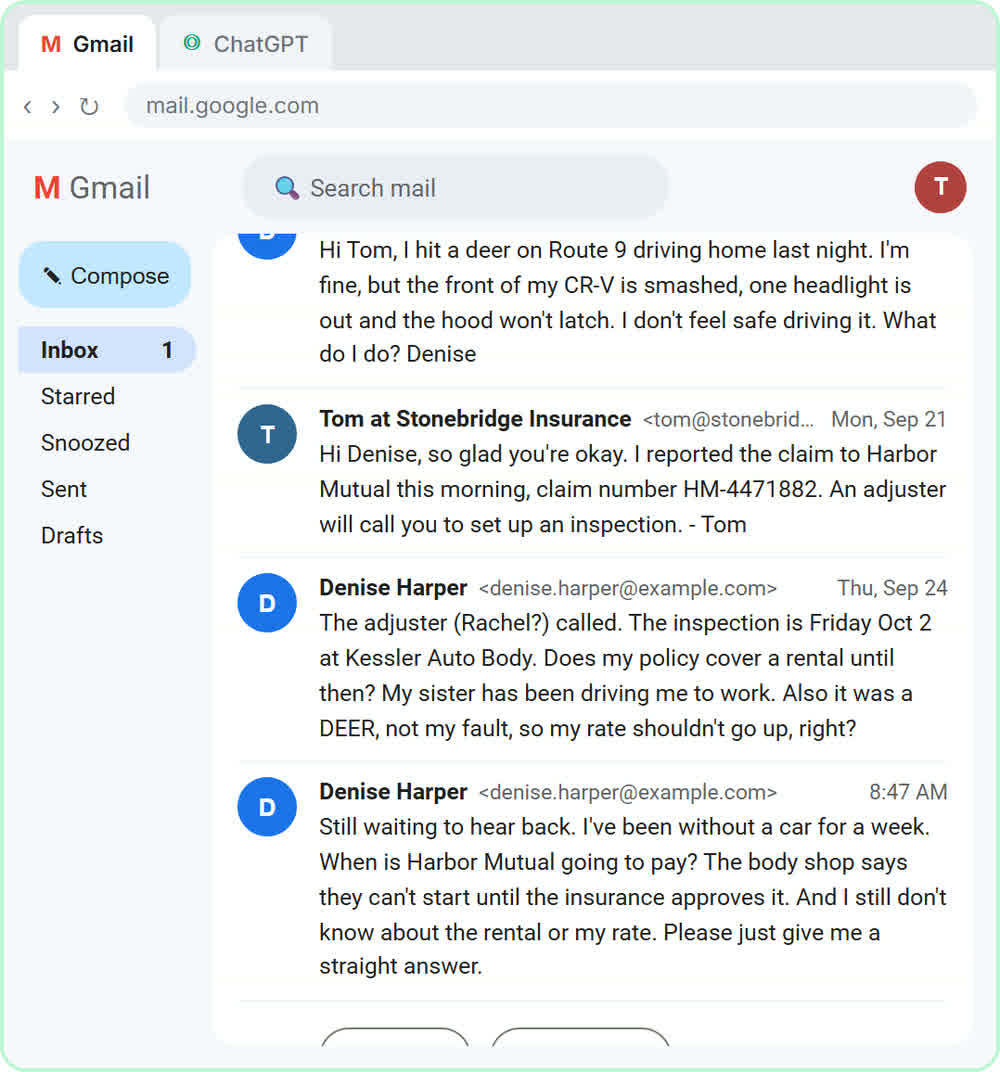
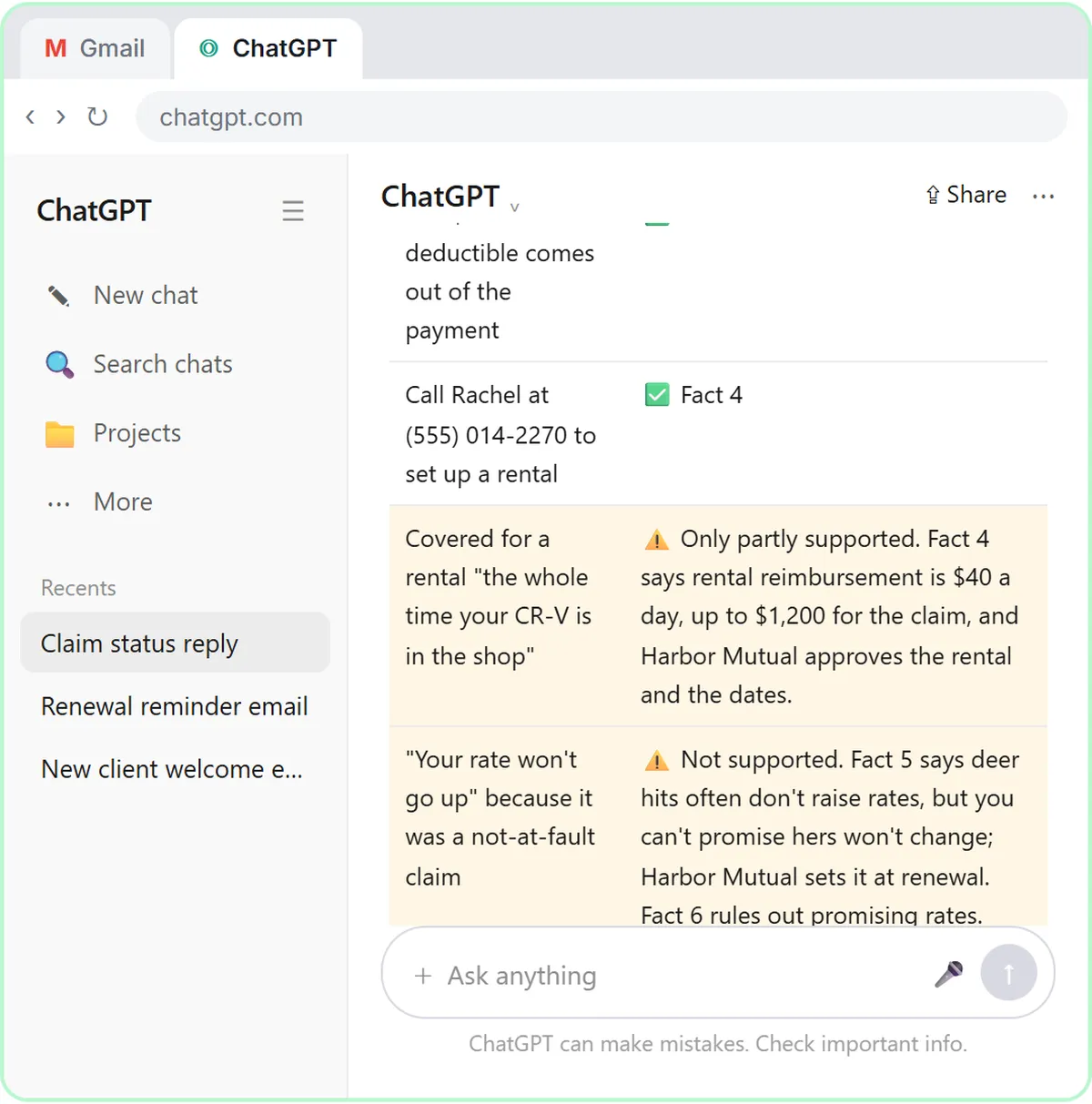
In Reply Faster: Claim-Status Emails, the check catches a rental promised "the whole time" the car is in the shop and a promise that the client's rate won't go up. The agency, Stonebridge Insurance Agency, is made up.
The facts say the carrier decides payment, the policy shows rental reimbursement of $40 a day up to $1,200 per claim, and the carrier sets the rate at renewal. The check finds six of eight claims supported. The rental line is only partly supported because it leaves out the limit, and the rate promise isn't supported at all. More in ChatGPT for Insurance Agencies.
What does the check catch in a law firm email?
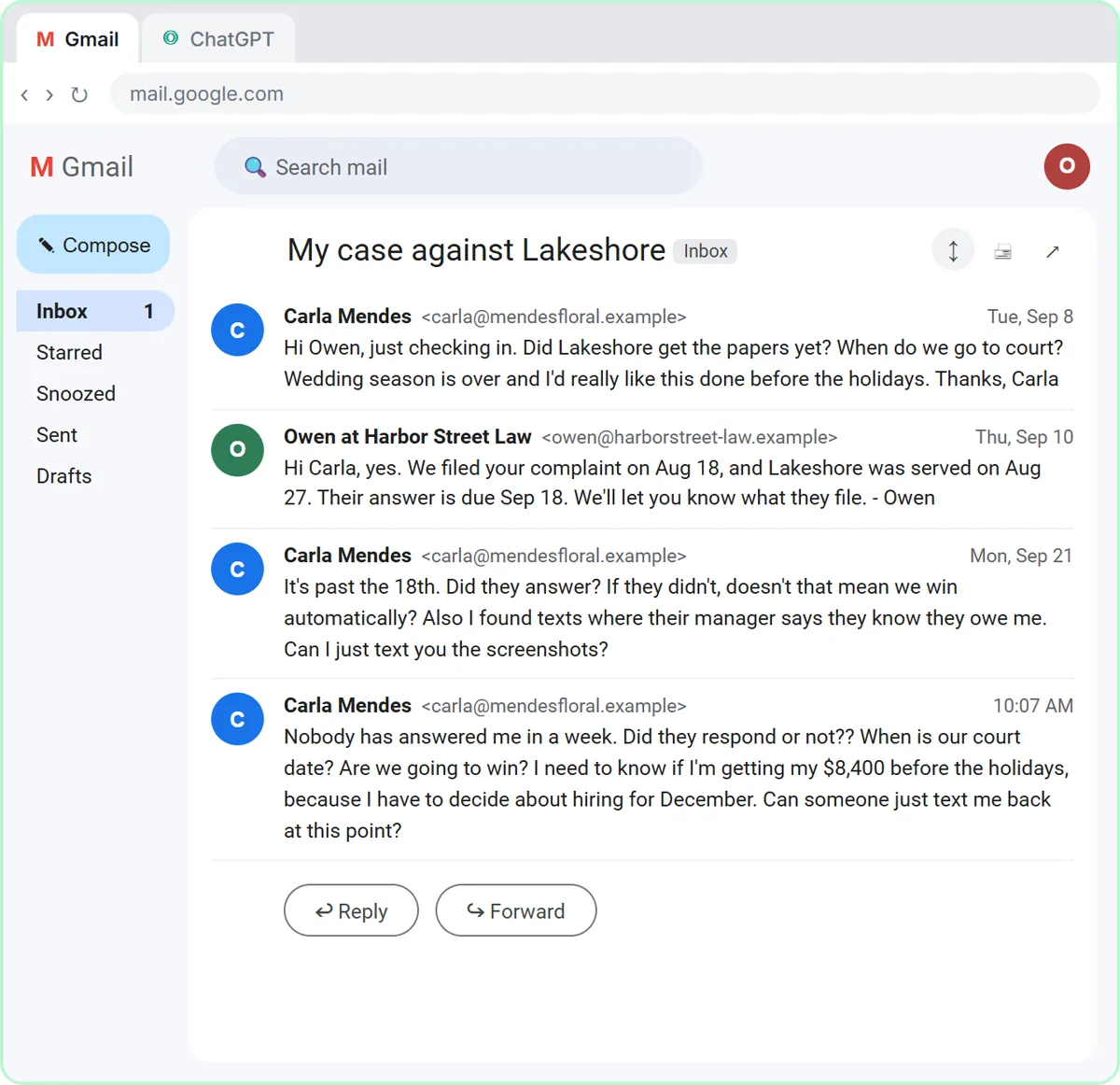
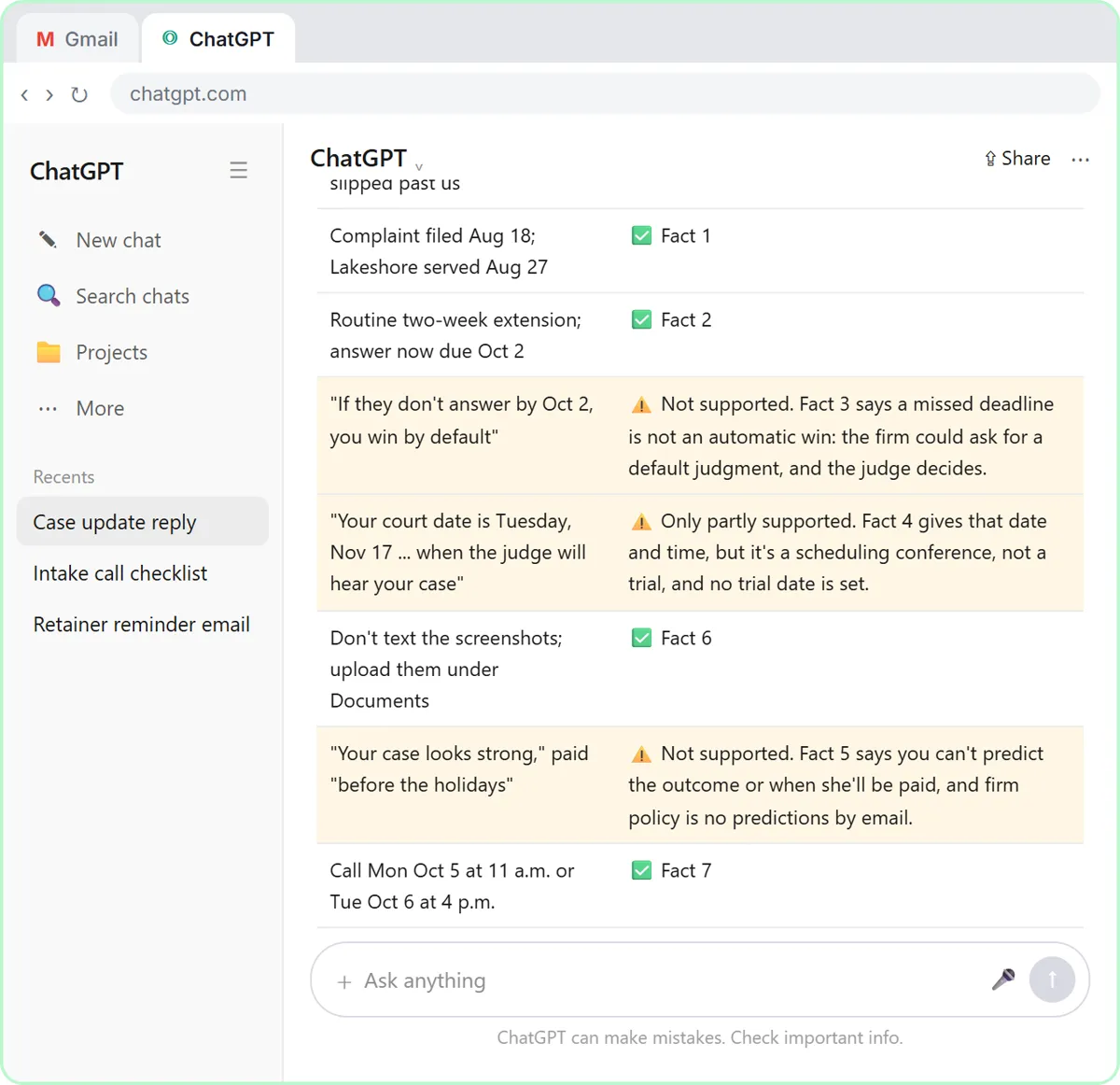
In Reply Faster: Client Case Updates, the check catches three predictions: "you win by default," a scheduling conference described as the day the judge hears the case, and "your case looks strong." The firm, Harbor Street Law, and its client are made up.
The firm's facts say a missed deadline is not an automatic win, the only date set is a scheduling conference (not a trial), and the firm can't predict the outcome or when the client will be paid. The check finds five of eight claims supported and flags all three predictions. More in ChatGPT for Law Firms.
Try it free, step by step
Reply Faster: Turn a Messy Customer Email Thread into a Clear, Friendly Reply. Turn a messy customer email thread into a clear, friendly reply: give ChatGPT the thread and your facts, check every promise, fix the tone, and send it from Gmail. You do every step yourself in a practice copy of ChatGPT, it checks your work as you go, and “Do it for me” finishes any step you get stuck on. Free, and nothing touches your real accounts.
Start the free lessonWhy does AI promise more than you told it to?
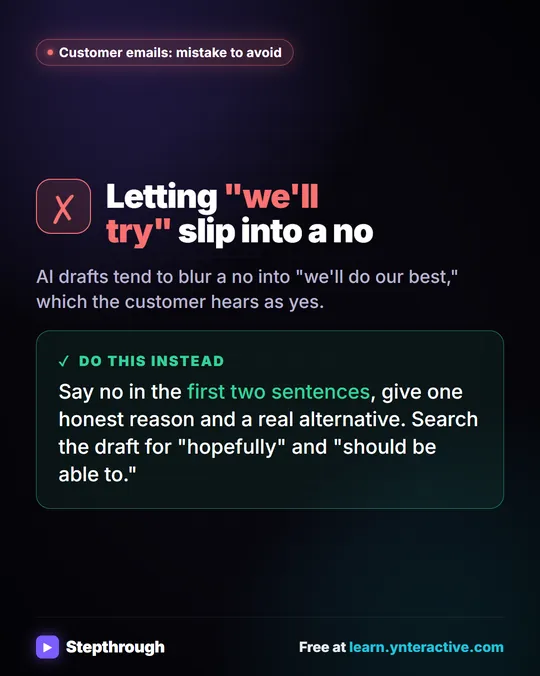
AI drafts lean toward reassurance: given an upset person, ChatGPT fills gaps with the answer that person wants to hear. Each bad line in the three lessons is exactly that answer:
- The customer asking about her sister-in-law's allergy wants to hear "nut-free."
- The client without a car wants to hear "the whole time" and "your rate won't go up."
- The business owner suing for $8,400 wants to hear "you win."
Often ChatGPT stretches a real fact a little: "no nuts in the recipe" becomes "nut-free," and a scheduling conference becomes a court date. In all three lessons the rule "don't promise anything that isn't in the facts" was already in the prompt, and the first draft still overpromised. The rule helps; the check catches what the rule misses.
What prompt should I use to check a draft?
Send this in the same chat, right after the first draft:
Check that reply against my facts. List every promise or claim it makes in a table, next to the numbered fact that supports it. Flag anything my facts don't support.
Read the flagged rows first, then compare the rest of the table with your own facts, since you know the business and ChatGPT doesn't.
How do I fix what the check finds?
Ask for specific changes instead of "make it better," and tell ChatGPT to keep every other fact the same. The lessons use requests like this:
Use that wording. Then make the reply a little warmer and under 120 words. Keep every other fact exactly the same. Reply with just the email.
The line "Keep every other fact exactly the same" stops a rewrite from quietly adding a new problem.
How do I make the check a habit?
Use the same four-step routine on every important reply: thread, facts, check, fix.
- Keep a standing facts list for the emails you write most: hours, prices, refund rules and what you can't promise.
- Put the "never" rules in the facts, such as "we don't promise rates for the carrier" or "no predictions by email."
- Remove private details before you paste, like card numbers, license numbers and dates of birth, and follow your company's rules for customer data.
- Read the final reply yourself, because you're the one sending it.
If you'd rather have replies drafted automatically, the same facts-and-rules idea runs inside an n8n agent in AI Email Replies Without Auto-Sending, which still leaves every reply as a draft.
Key takeaways
- The promise check asks ChatGPT for a table of every promise or claim in its draft next to the numbered fact that supports it.
- AI email drafts lean toward reassurance and often stretch a real fact, like turning "no nuts in the recipe" into "nut-free."
- A "don't invent anything" rule in the prompt is not enough on its own: in all three lessons the first draft still overpromised.
- Numbered facts make the check fast, because each row of the table points to one fact you can glance at.
- Fix flagged lines with a specific request and the instruction "Keep every other fact exactly the same."
Frequently asked questions
- How do I check a ChatGPT email before sending it?
Ask ChatGPT for a table of every promise or claim in its draft next to the fact that backs it up, and to flag anything your facts don't support. Fix the flagged lines and read the final version yourself.
- Why does ChatGPT promise things I didn't say?
ChatGPT leans toward the most reassuring answer when someone is upset, and it often stretches a real fact a little.
- Why number the facts?
Numbered facts let every row of the check table point to one specific fact, so a claim with no number behind it stands out right away.
- Does the promise check work in other AI tools?
Yes. The promise check is just a prompt, so it works in any AI chat tool that can make a table. The lessons use ChatGPT.