Reply Faster: Turn a Messy Customer Email Thread into a Clear, Friendly Reply
Updated . Built against the tool’s current screens and checked step by step. How we check this lesson
A customer thread has gone sideways: the wrong date, a change request, and a question nobody answered. In this free lesson you copy that thread into ChatGPT together with the facts you can actually promise, get a first draft, have ChatGPT check every promise against those facts, fix the one line that overpromises, and send a warm, accurate reply from Gmail.
Start here first: Summarize a Meeting Transcript with ChatGPT (module 1 of ChatGPT for Everyday Work)
In the course: Part 3 · ChatGPT for Everyday Work (Module 6 of the full course)
Part of: ChatGPT Jump Start (step 3 of 4). Next up: Build a Custom GPT Social Media Assistant
Part of: Email on Autopilot (step 1 of 2). Next up: AI Email Responder: Draft Gmail Replies Automatically with n8n
Watch it in 42 seconds
Reply Faster: Customer Emails: the key steps in under a minute
Turn a messy customer email thread into a clear, friendly reply: give ChatGPT the thread and your facts, check every promise, fix the tone, and send it from Gmail. The key steps from the free lesson, with captions.
Transcript
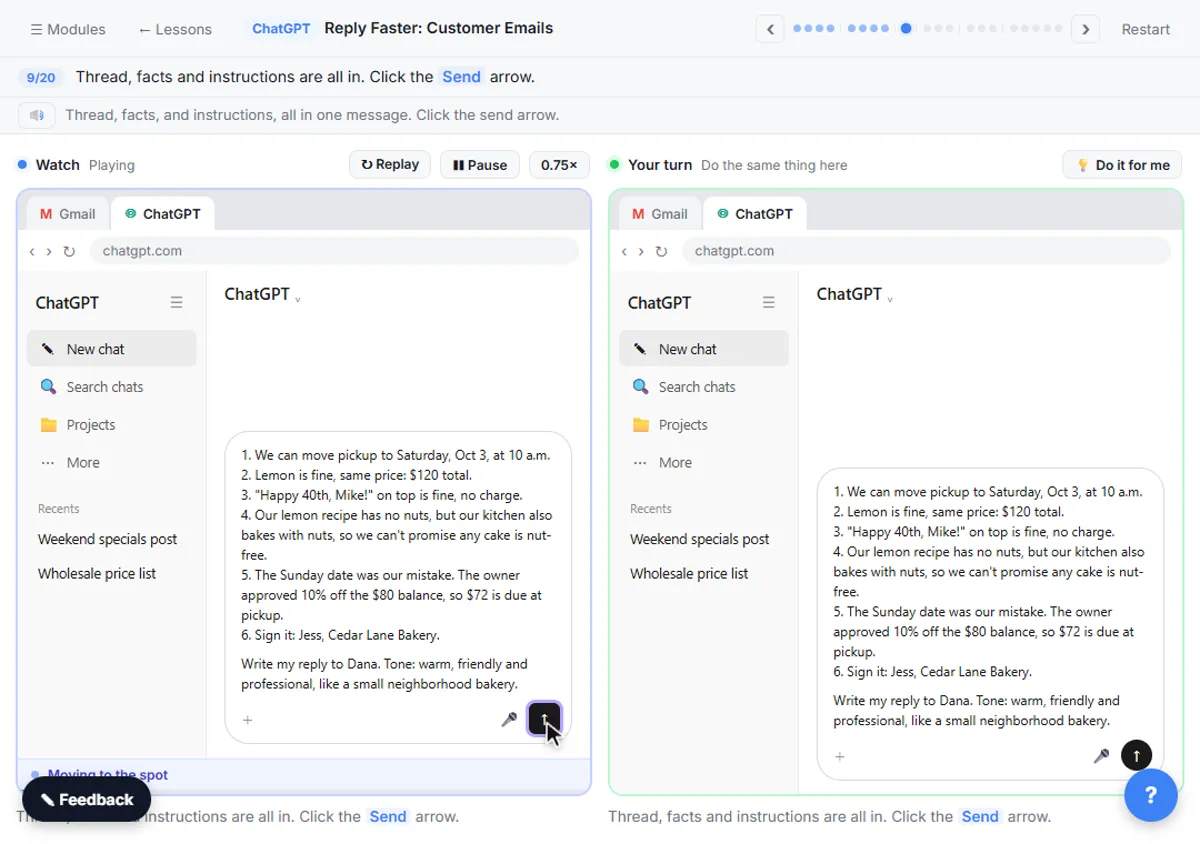
You're in a fresh chat. You'll give ChatGPT three things in one message: the thread, the facts, and what a good reply looks like. Click the message box. First, the thread. One line tells ChatGPT what it's looking at, then the emails, oldest first. Click Paste thread. Next, the facts. ChatGPT can't know your schedule, your prices, or what your kitchen can promise, so spell them out. Number them, so you can check them later. Click Paste facts. Last, tell it what a good reply looks like: the tone, the three questions to answer, and a word limit. And one rule that matters most: don't invent details or promise anything that isn't in the facts. Click Paste instructions.

What you will build
You will answer a real-feeling email thread for Cedar Lane Bakery, a small made-up neighborhood bakery. The customer, Dana, ordered a birthday cake for Saturday. The bakery's confirmation said Sunday by mistake. Since then Dana has asked to switch to lemon, asked for "Happy 40th, Mike!" on top, and asked whether the cake is safe for a relative with a nut allergy. Her latest email is short and upset: she needs to know it is handled.
By the end you have a reply that apologizes once, fixes the date, answers every question, gets the price right and is honest about the allergy. It is under 120 words, it sounds like a person at a small bakery, and every promise in it is backed by a fact you gave ChatGPT.
Who this is for
This module is for anyone who answers customer email: owners, front-desk and office staff, and customer service teams at small businesses. You do not need to know anything about AI. If you have ever stared at a long, tense thread and put off answering it, this is for you.
It is module 3 of ChatGPT for Everyday Work, and it adds one habit that makes AI replies much safer: checking every promise before you send.
Why the facts and the check matter
If you paste a thread and type "reply to this", ChatGPT has to guess what you can do for the customer. It usually guesses kindly, which is the problem: it may offer a refund you never approved, promise a time you cannot hit, or reassure a customer about something you cannot guarantee. Giving it a short, numbered list of facts tells it exactly what it is allowed to say.
Even with good facts, a draft can sound careful and still promise too much. In this lesson the slip is small and realistic: "nut-free" instead of "no nuts in the recipe, but the kitchen also uses nuts". Asking for a promise-by-promise table turns a vague feeling of "this looks fine" into a quick check you can do in seconds. Still compare the table with your own facts, because you know the business and ChatGPT does not.
How to use this in your business
Keep a short facts list for the replies you write most: your hours, prices, refund and rebooking rules, delivery times, and what you can and cannot promise. Paste it under the thread each time, or save it with your prompt so it is always ready. It works for late deliveries, booking changes and complaints alike.
Treat every AI reply as a draft. Read it for dates, prices and promises before it goes out, and remove private details before you paste a thread into any AI tool. On some ChatGPT plans you can also connect Gmail in ChatGPT's settings so it can find a thread for you, but copy and paste works for everyone and keeps you in control of exactly what ChatGPT sees.
How the interactive lesson works
Every step is shown first on the left, in the Watch panel, with a short voice-over. Then you do it yourself on the right, in Your turn, on a practice copy of Gmail and ChatGPT. Each click is checked, so you know right away if you picked the right spot. If you get stuck, press Do it for me. Nothing touches a real account and no email is sent, so practice freely, then do it for real.
Try it yourself, free
Reading the steps is a start. Doing them is how it sticks. The interactive module walks you through every click in a practice copy of ChatGPT, checks each step, and never touches your real accounts.
Start “Reply Faster: Turn a Messy Customer Email Thread into a Clear, Friendly Reply”Step by step: Reply Faster: Turn a Messy Customer Email Thread into a Clear, Friendly Reply
All 20 steps of the interactive module, in order. In the module you watch each one, then do it yourself in a practice copy that checks your work.
1. Copy the thread
- Open the thread. This is Cedar Lane Bakery's Gmail inbox. Click Dana Whitfield's thread, Birthday cake order, to open it.
Here's the inbox for Cedar Lane Bakery, a small neighborhood shop. Dana's email thread has four messages, a date mix-up, and two unanswered questions.
- Expand all messages. Gmail folds up the older messages in a thread. Click Expand all, the double-arrow icon at the top right of the thread.
Gmail folds up the older messages, so only the newest one is open. You want the whole story, so click Expand all, the double-arrow icon at the top right.
- Copy the thread. In real Gmail you select the messages, then press Ctrl+C (or right-click and choose Copy). Here, click the messages to copy them.
Read it through once. There's the wrong pickup day, a flavor change, and a nut allergy question. If there is anything private in there, like a card number, leave it out. Here, just click the messages.
- Switch to ChatGPT. Click the ChatGPT tab at the top.
Now switch over to ChatGPT.
2. Give ChatGPT the context
- Click the message box. You are in a new chat. Click the message box.
You're in a fresh chat. You'll give ChatGPT three things in one message: the thread, the facts, and what a good reply looks like.
- Paste the thread. Paste in the thread. One line says what this is, then the four emails, oldest first.
First, the thread. One line tells ChatGPT what it's looking at, then the emails, oldest first.
Here is an email thread between my bakery and a customer, oldest message first.

Dana Whitfield (Mon, Sep 21): Hi! I'd like to order a 2-tier birthday cake for my husband's 40th. Chocolate, serves about 30. Pickup Saturday Oct 3 in the morning. Thanks, Dana

Jess at Cedar Lane Bakery (Tue, Sep 22): Hi Dana, you're all set: 2-tier chocolate, serves 30, pickup Sunday Oct 4 at 10 a.m. We got your $40 deposit. - Jess

Dana Whitfield (Wed, Sep 23): Actually can we switch to lemon? And the writing should say Happy 40th, Mike! Also my sister-in-law has a nut allergy, is that ok??

Dana Whitfield (9:14 AM): Hello?? I just noticed your email says SUNDAY. The party is SATURDAY. I haven't heard back about the lemon or the allergy question either. I need to know this is handled.
- Add the facts. Paste in the facts. These are the only things the reply may promise: the new date, the price, the allergy answer and the discount.
Next, the facts. ChatGPT can't know your schedule, your prices, or what your kitchen can promise, so spell them out. Number them, so you can check them later.
Facts (only promise what is here):
1. We can move pickup to Saturday, Oct 3, at 10 a.m.
2. Lemon is fine, same price: $120 total.
3. "Happy 40th, Mike!" on top is fine, no charge.
4. Our lemon recipe has no nuts, but our kitchen also bakes with nuts, so we can't promise any cake is nut-free.
5. The Sunday date was our mistake. The owner approved 10% off the $80 balance, so $72 is due at pickup.
6. Sign it: Jess, Cedar Lane Bakery.
- Say what a good reply looks like. Paste in the instructions: the tone, the three questions to answer, a word limit, and a rule not to invent anything.
Last, tell it what a good reply looks like: the tone, the three questions to answer, and a word limit. And one rule that matters most: don't invent details or promise anything that isn't in the facts.
Write my reply to Dana. Tone: warm, friendly and professional, like a small neighborhood bakery. Apologize once for the date mix-up. Answer all three of her questions clearly: the date, the lemon change and the nut allergy. Keep it under 150 words. No subject line, since it's a reply in the same thread. Don't invent details or promise anything that isn't in the facts.
3. Get the first draft
- Send it. Thread, facts and instructions are all in. Click the Send arrow.
Thread, facts, and instructions, all in one message.
4. Check every promise
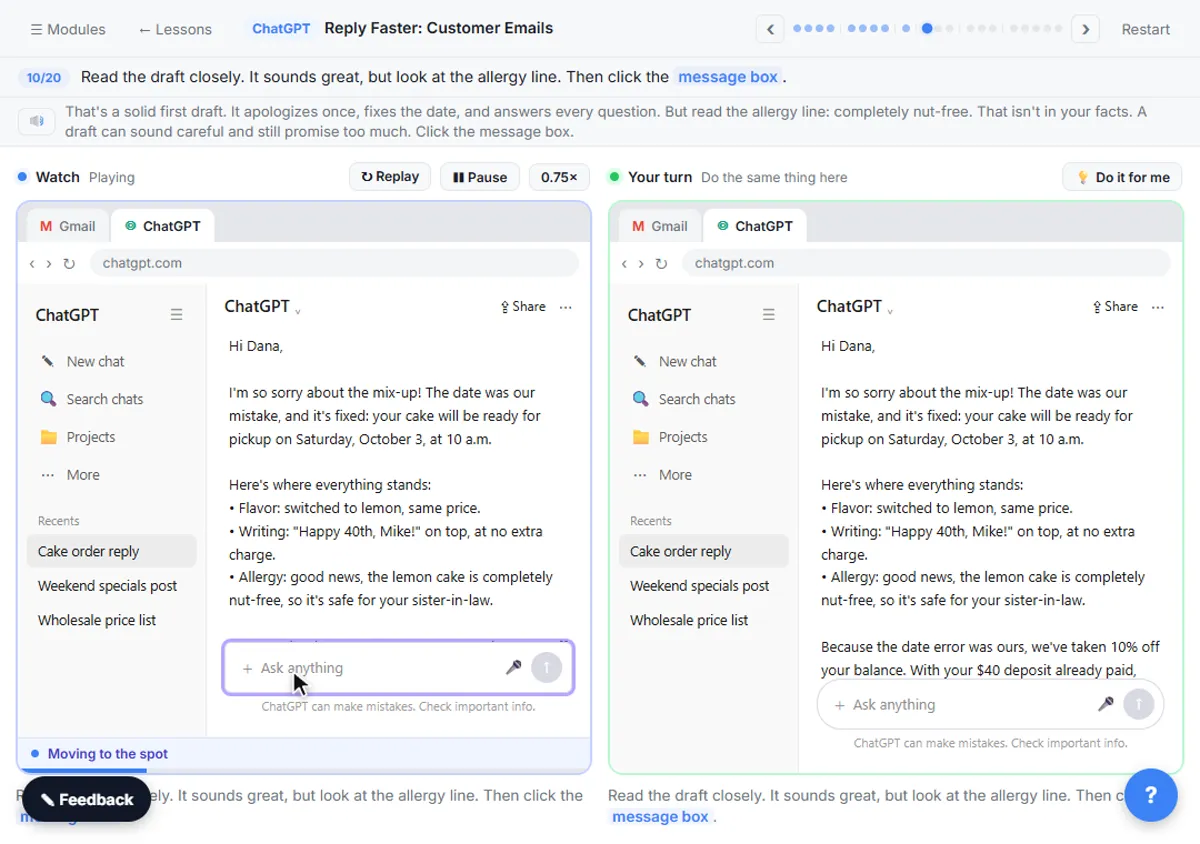
- Read the draft, then click the message box. Read the draft closely. It sounds great, but look at the allergy line. Then click the message box.
That's a solid first draft. It apologizes once, fixes the date, and answers every question. But read the allergy line: completely nut-free. That isn't in your facts. A draft can sound careful and still promise too much.
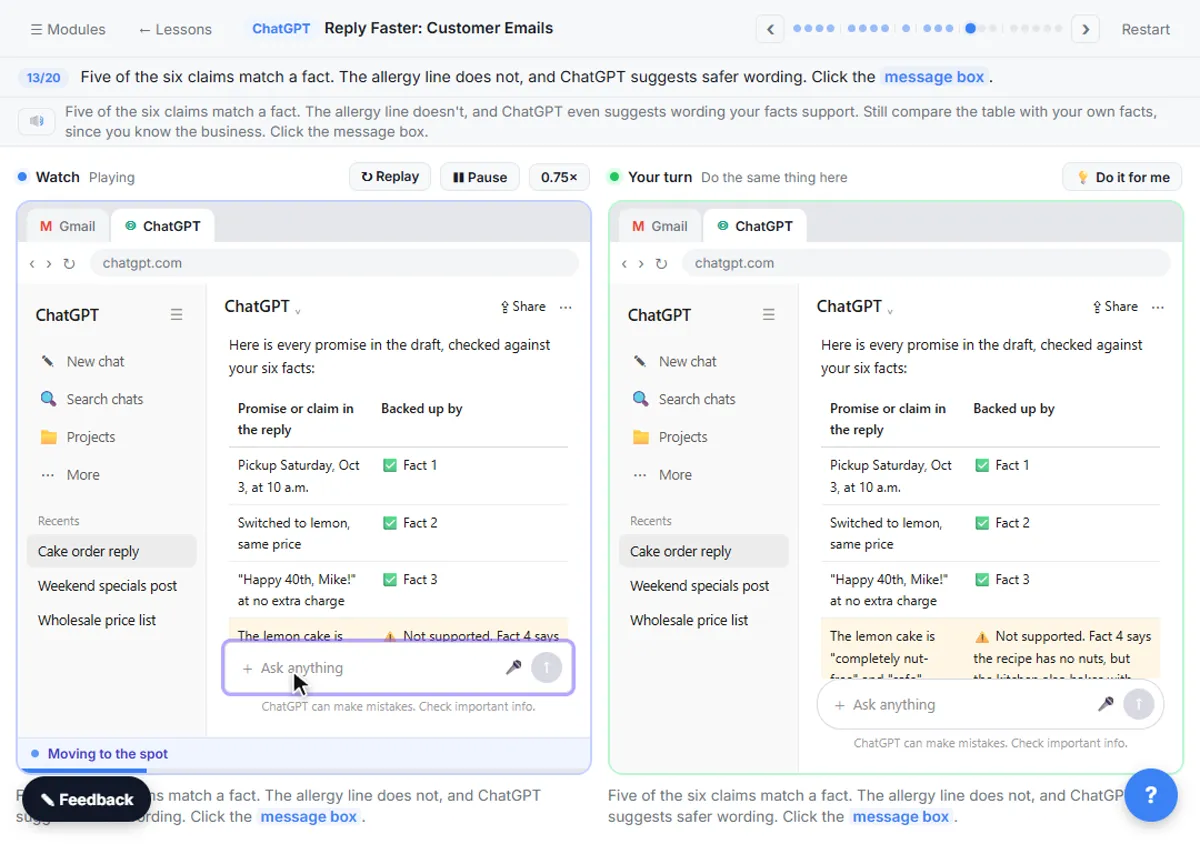
- Ask ChatGPT to check its promises. Paste in the check to ask for a table of every promise and the fact behind it.
Ask ChatGPT to check its own work: every promise in the reply, next to the fact that backs it up.
Check that reply against my facts. Make a table of every promise or claim in it and the fact that backs it up. Flag anything the facts don't support.
- Send the check. Click the Send arrow.
5. Fix it and warm it up
- Read the table, then click the message box. Five of the six claims match a fact. The allergy line does not, and ChatGPT suggests safer wording. Click the message box.
Five of the six claims match a fact. The allergy line doesn't, and ChatGPT even suggests wording your facts support. Still compare the table with your own facts, since you know the business.
- Ask for specific changes. Paste in the fix: use the safer allergy wording, make it warmer and under 120 words, and keep every other fact the same.
Now ask for specific changes, not just make it better. Use the safer allergy line, make it a little warmer and shorter, and keep every other fact exactly the same.
Use that allergy wording. Then make the whole reply a little warmer and shorter, under 120 words. Keep every other fact exactly the same. Reply with just the email.
- Send the fix. Click the Send arrow.
6. Send it from Gmail
- Copy the reply. Read the final reply. Then click the Copy button under it.
Read it once more. The date is fixed, the allergy answer is honest, and the discount is right. It sounds like a real person at a neighborhood bakery.
- Go back to Gmail. Click the Gmail tab at the top.
Back to Gmail.
- Click Reply. Under the last message, click Reply.
Under Dana's last message, click Reply. Your answer stays in the same thread, which is why you told ChatGPT to skip the subject line.
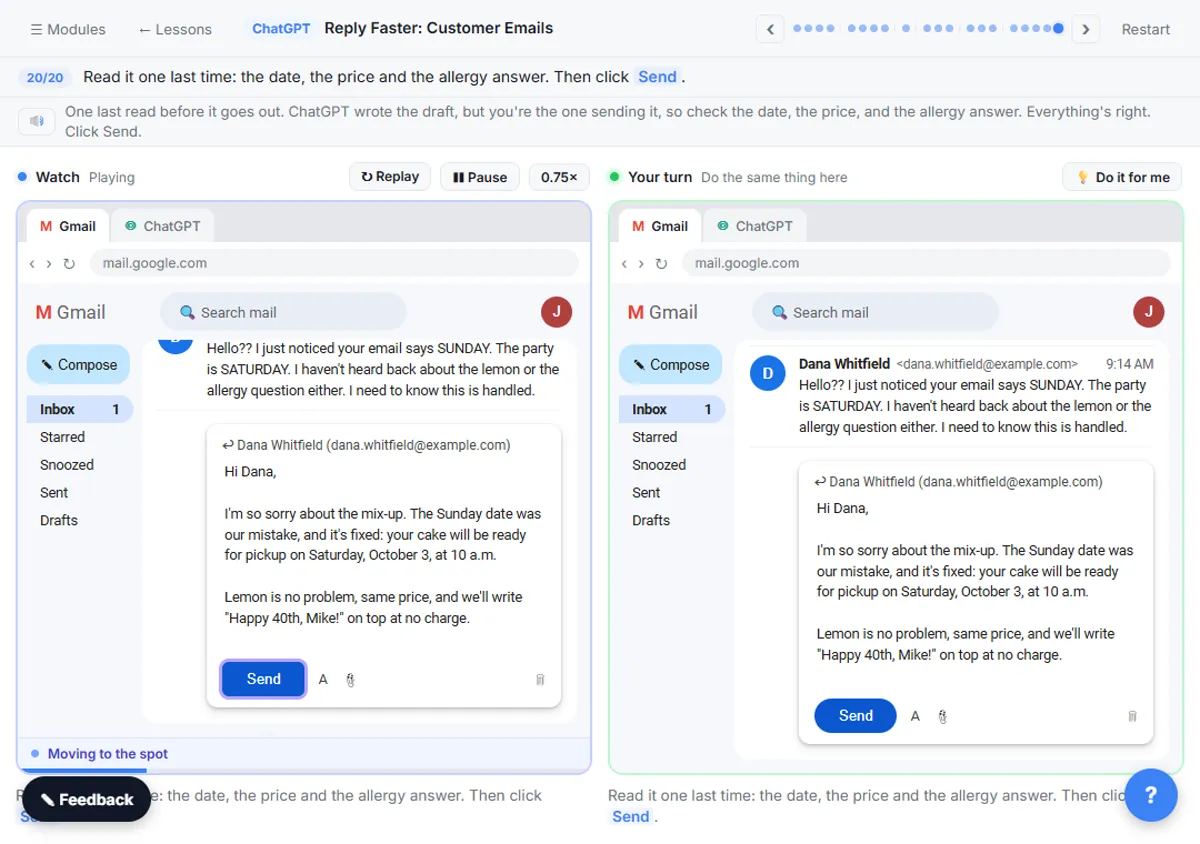
- Paste the reply. Paste in the reply to drop in the reply you copied. In real Gmail, press Ctrl+V.
Hi Dana,

I'm so sorry about the mix-up. The Sunday date was our mistake, and it's fixed: your cake will be ready for pickup on Saturday, October 3, at 10 a.m.

Lemon is no problem, same price, and we'll write "Happy 40th, Mike!" on top at no charge.

About the allergy: our lemon recipe has no nuts, but our kitchen also bakes with nuts, so we can't guarantee the cake is nut-free. I wanted you to know so your sister-in-law can decide what's right for her.

To make up for the date error, we've taken 10% off your balance. With your $40 deposit, $72 is due at pickup.

Happy birthday to Mike!

Jess
Cedar Lane Bakery
- Read it, then send. Read it one last time: the date, the price and the allergy answer. Then click Send.
One last read before it goes out. ChatGPT wrote the draft, but you're the one sending it, so check the date, the price, and the allergy answer. Everything's right.
Video walkthrough
The whole lesson in 2:51, narrated step by step. Watch it once, then do it yourself in the practice copy.
A calm reply to a messy thread with ChatGPT
Turn a messy customer email thread into a clear, friendly reply: give ChatGPT the thread and your facts, check every promise, fix the tone, and send it from Gmail.
- 0:00 Intro: what you'll build
- 0:13 Copy the thread
- 0:47 Give ChatGPT the context
- 1:24 Check every promise
- 1:49 Fix it and warm it up
- 2:13 Send it from Gmail
More videos from this lesson
Reply Faster: Customer Emails in 64 seconds
Turn a messy customer email thread into a clear, friendly reply: give ChatGPT the thread and your facts, check every promise, fix the tone, and send it from Gmail.
Transcript
Now switch over to ChatGPT. Click the ChatGPT tab at the top. You're in a fresh chat. You'll give ChatGPT three things in one message: the thread, the facts, and what a good reply looks like. Click the message box. First, the thread. One line tells ChatGPT what it's looking at, then the emails, oldest first. Click Paste thread. Next, the facts. ChatGPT can't know your schedule, your prices, or what your kitchen can promise, so spell them out. Number them, so you can check them later. Click Paste facts. Last, tell it what a good reply looks like: the tone, the three questions to answer, and a word limit. And one rule that matters most: don't invent details or promise anything that isn't in the facts. Click Paste instructions. Thread, facts, and instructions, all in one message. Click the send arrow. That's a solid first draft. It apologizes once, fixes the date, and answers every question. But read the allergy line: completely nut-free. That isn't in your facts. A draft can sound careful and still promise too much. Click the message box.
Screenshots
Frequently asked questions
- Can ChatGPT reply to customer emails for me?
- It can draft the reply. You paste the thread and your facts, it writes a draft, and you check and send it. Treat every reply as a draft you are responsible for, especially dates, prices and anything about safety or refunds.
- How do I stop ChatGPT from promising things I can't do?
- Give it a short, numbered list of facts and tell it not to invent details or promise anything that is not in them. Then ask for a table of every promise in the draft and the fact that backs it up, and fix anything it flags.
- How do I get the right tone?
- Say it plainly, for example "warm, friendly and professional, like a small neighborhood bakery", and set a word limit. If the draft is off, ask for a specific change, such as "a little warmer and under 120 words", instead of "make it better".
- Is it safe to paste customer emails into ChatGPT?
- Remove anything private first, like card numbers, account numbers or health details, and follow your company's rules for customer data. Only paste what ChatGPT needs to write the reply.
- Is this lesson really free?
- Yes. Stepthrough is completely free, and the practice copy needs no accounts. To do it for real you need your own ChatGPT and email accounts.
More ChatGPT tutorials
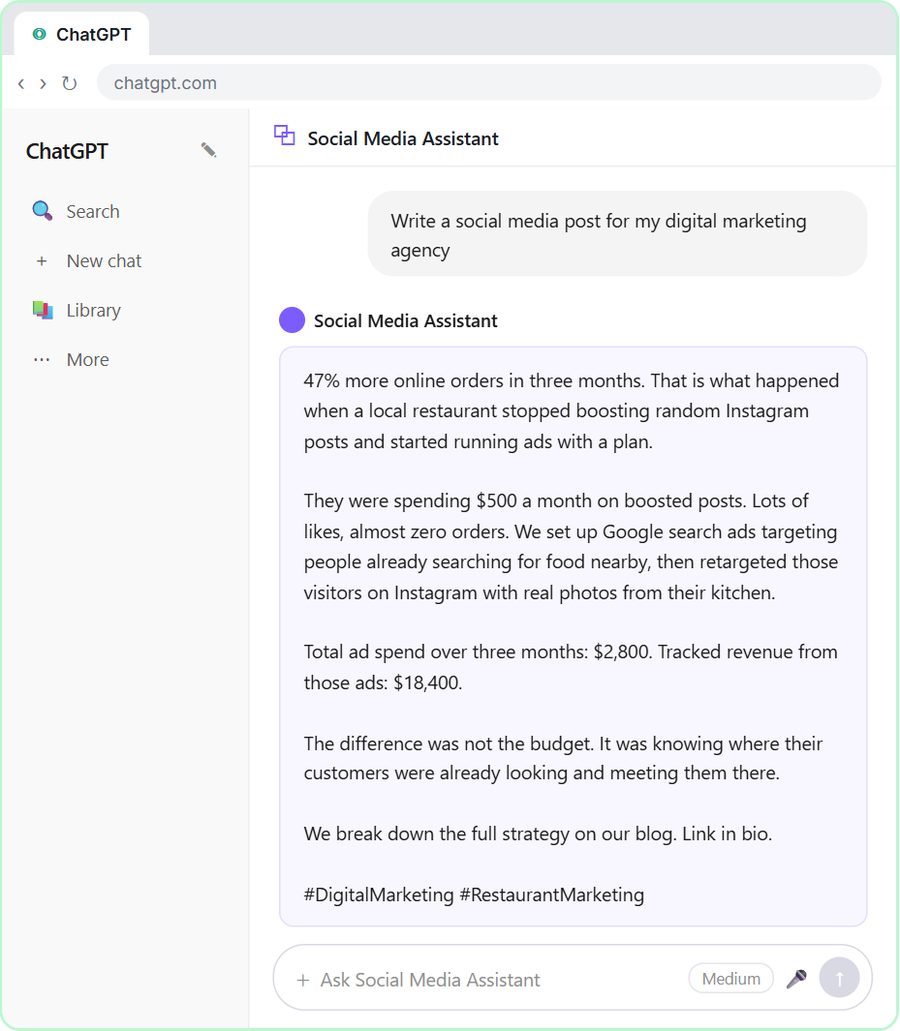 Build a Custom GPT Social Media Assistant
See why generic prompts give generic results, then build a Custom GPT loaded with your brand voice and watch the output transform.
Free · Live ~8 min
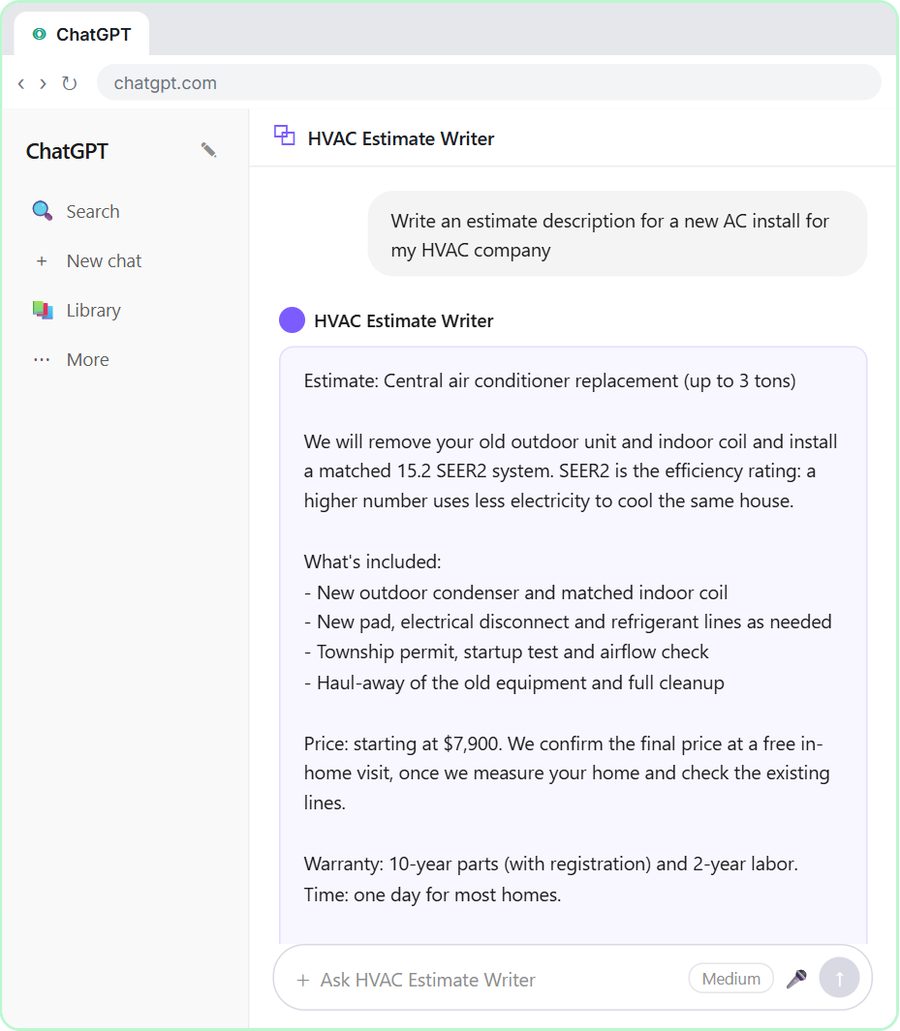 Build an AI Estimate Writer for Your HVAC Company
See why generic prompts give generic results, then build a Custom GPT that knows your HVAC services and pricing and writes clear, professional estimate descriptions for…
Free · Live ~8 min
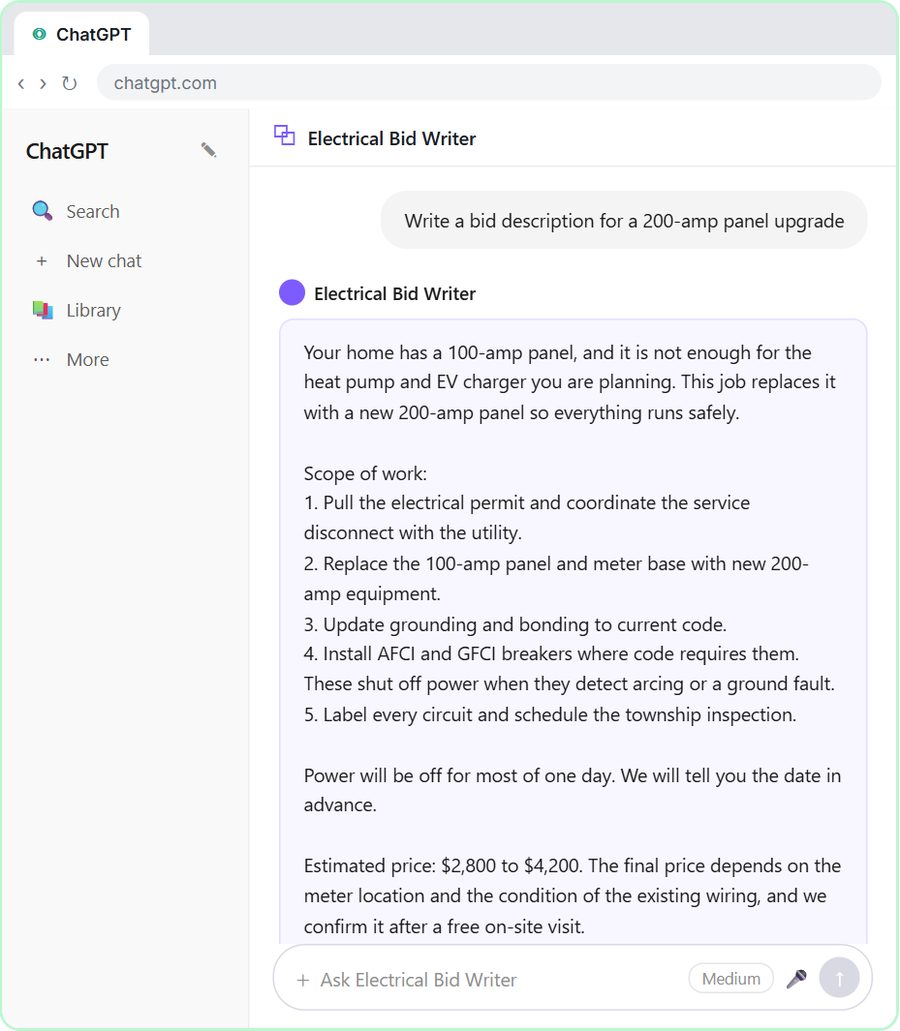 ChatGPT for Electricians: Build an Electrical Bid Writer
See why generic prompts give generic bids, then build a Custom GPT that knows your electrical services and pricing and drafts professional bid descriptions.
Free · Live ~8 min
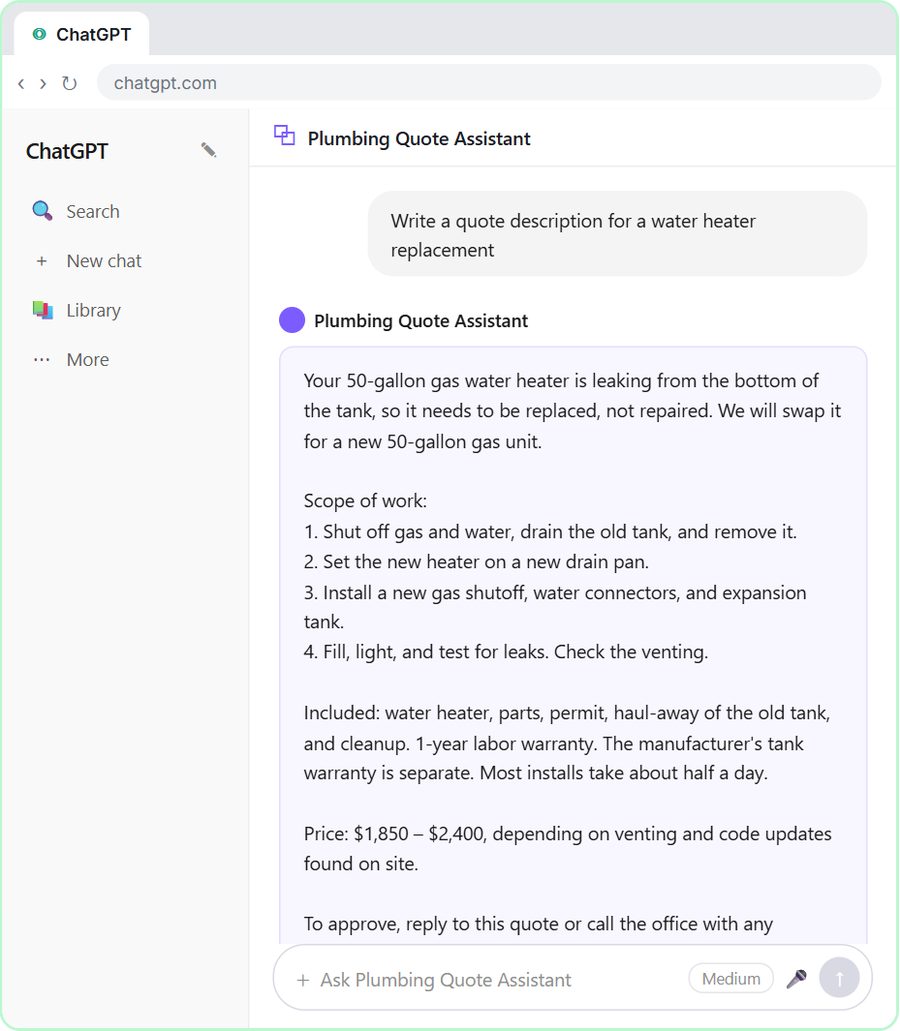 Build a Custom GPT Plumbing Quote Writer
See why generic prompts give generic quotes, then build a Custom GPT loaded with your plumbing services and pricing and watch the quotes transform.
Free · Live ~8 min
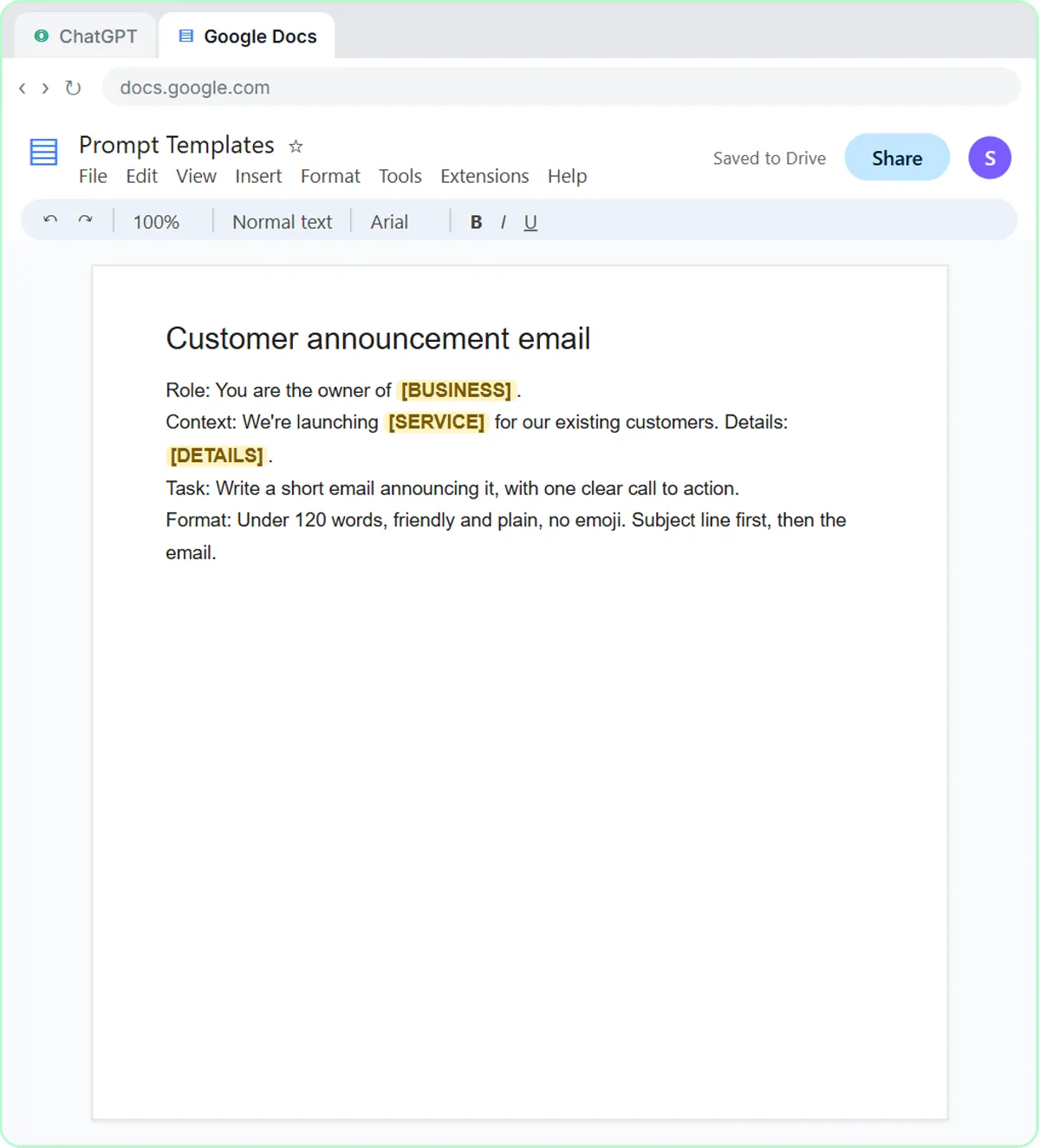
 Prompt Writing 101: Role, Context, Task, Format
Ask ChatGPT for the same customer email twice, once vaguely and once with a four-part prompt, and see exactly why structure gets a better answer.
Free · Live ~8 min
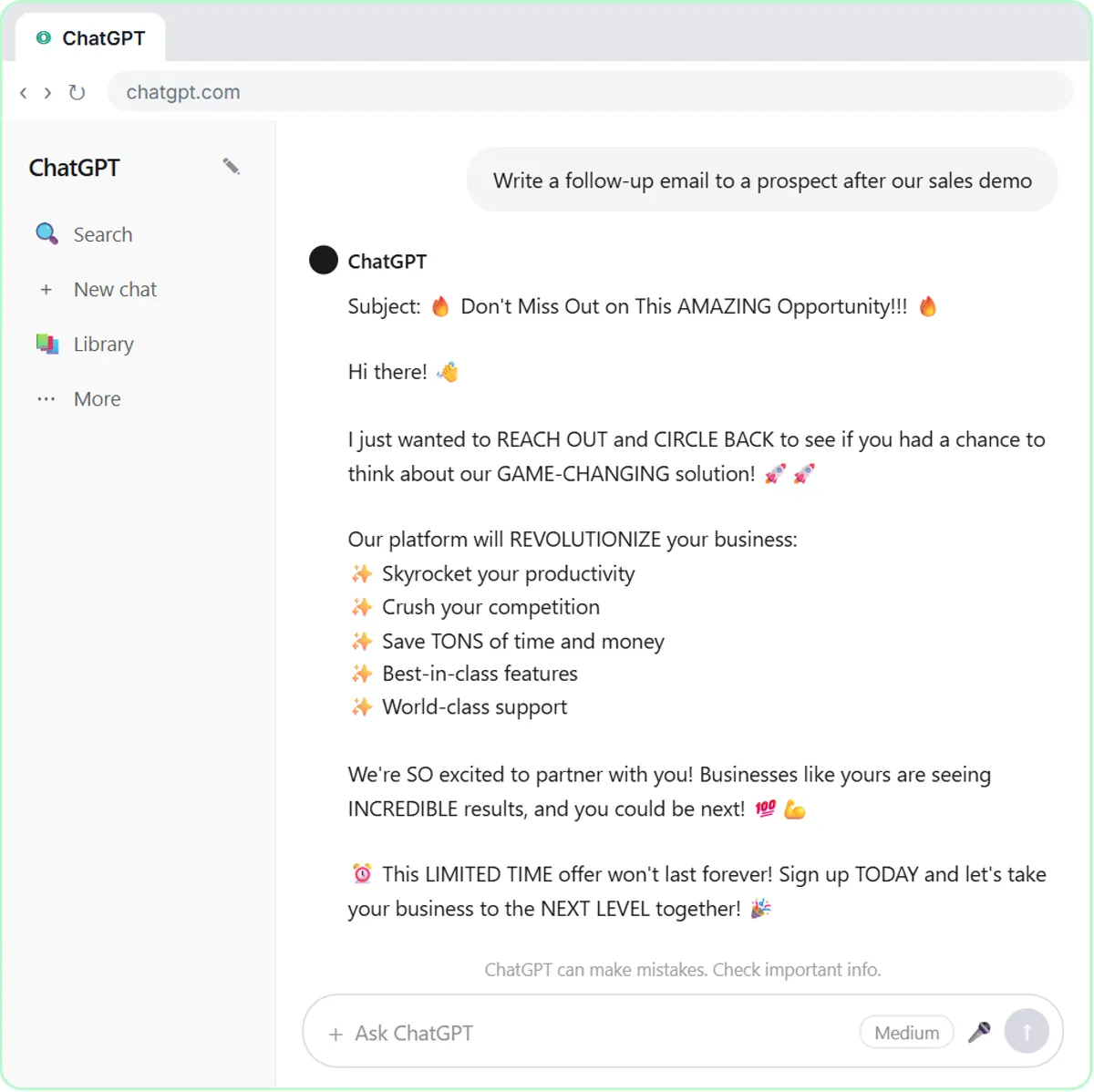 Build a Custom GPT That Writes Sales Follow-Up Emails
See why generic prompts give generic results, then build a Custom GPT that knows your product, pricing and rules and writes short, useful follow-up emails in your voice.
Free · Live ~8 min
From the blog
 AI Training for Employees: A Free Plan for Small Teams
AI training for employees on a small-business budget: one rule set, three shared ChatGPT lessons, then role-based picks, all free in practice copies.
Oct 1, 2026 6 min read
ChatGPT Tone of Voice for Business Emails: Lines That WorkSet ChatGPT's tone of voice for business emails with one Format line, a "sound like" comparison and specific fixes, using tone lines from real lessons.
Oct 1, 2026 6 min read
How to Stop ChatGPT from Making Things Up: 5 GuardrailsStop ChatGPT from making things up with five guardrails: a facts list, a Not stated rule, never-invent rules, a closed category list and a final check.
Oct 1, 2026 6 min read
Related terms
Plain-English definitions, each with an example from a free lesson.
Related prompts
- Check reply promises prompt: A ChatGPT prompt that checks a draft before you send it: a table of every promise, the fact behind each, and safer wording for…
- Email newsletter prompt: A ChatGPT prompt for a short customer newsletter built from your numbered updates: one section each, one main call to action, no…
- Payment received thank-you prompt: Confirm a payment and say thanks in a few lines: the amount, what it was for, the balance now owed, and what happens next…
- Shift handoff notes prompt: Turn end-of-shift scribbles into a clear handoff for the next shift: what to do first, work in progress, promises to customers…