Updated . Built against the tool’s current screens and checked step by step. How we check this lesson
To write an incident report with ChatGPT, paste a careful request (a short summary, what happened in order, follow-up actions with owners and dates, and every gap and conflict) and put your notes and each witness statement underneath. This free, interactive lesson shows an office or operations manager doing exactly that after a pallet slides off a forklift, so the record is written the same day instead of a week later.
At a glance
| Question | Answer |
|---|---|
| What you build | Turn scribbled notes and two witness statements into a clear internal incident report with the facts in order, follow-up actions and every gap flagged, then a neutral update for the team. |
| Tools | ChatGPT |
| Time | About 9 minutes, 24 steps in 5 parts |
| Level | Beginner, no coding needed |
| Cost | Free |
| Ways to learn it | Practice it step by step |
The 5 parts, in short
- Copy your notes: Open the Edit menu, Select all, Open the Edit menu again, Copy it.
- Ask for the report: Switch to ChatGPT, Click the message box, Paste your request, Paste your notes, and 1 more step.
- Check the details: Check the action items, Click the message box, Fill in the gaps, Send it.
- Write the team update: Click the message box, Ask for the follow-up email, Send it, Copy the update.
- Or upload the file: Start a new chat, Open the plus menu, Add photos & files, Pick the transcript, and 3 more steps.
Start here first: Summarize a Meeting Transcript with ChatGPT. This ChatGPT for Everyday Work version follows the same build with its own example business, Ridgeline Supply Co..
In the course: Part 3 · ChatGPT for Everyday Work (Module 20 of the full course)
Part of: AI for Recruiting & HR (step 8 of 12). Next up: NotebookLM: Turn Your Documents into a Podcast (Audio Overview)
Part of: AI for Operations Teams (step 7 of 22). Next up: Run a Weekly Ops Review Where Every Task Has an Owner using ChatGPT
The business problem: reports written late, or not at all
Something happens on the floor. Nobody is hurt, but a pallet drops part of its load. By the next day the operations manager has a page of notes and two accounts that do not match, and a proper write-up takes an hour nobody has. So the report is written from memory a week later, or not at all, and when an insurer, a customer or a review asks what happened, the answer is a shrug.
A same-day record costs five minutes with the right request. It keeps what people saw apart from what they think, lists the gaps instead of smoothing them over, and turns open questions into follow-ups with an owner. It does not decide fault, and it does not replace any form the law or your insurer requires.
What you will do
You are the operations manager at Ridgeline Supply Co., a made-up warehouse. On Tuesday's second shift the top layer of a pallet slid off a forklift near the green lane. No one was hurt and six cartons of hand towels were damaged. Your notes and two statements are in a Google Doc: Andre, the forklift operator, says about 2:15 and a torn wrap; Bree, a dock associate, says around 2:30 and thinks he turned too fast.
You copy the doc, paste a request into ChatGPT and send. The answer has a summary, the events in order with who said what (Bree's view is labeled as her opinion), a follow-up table and a list of gaps and conflicts, including the 2:15 versus 2:30 time. Two due dates say Not stated, so you type the owners and dates in one line and ChatGPT updates the table. Then you ask for a short, neutral update to the second-shift team. Last, you start a new chat and attach the notes as a Word file.
Who this is for
Office managers, operations managers, supervisors and anyone who ends up writing up what happened. It uses the same request-then-paste pattern as Summarize a Meeting Transcript, with different rules: do not guess a cause, do not blame, write Unknown or Not stated for missing facts.
What you need before you start
- A ChatGPT account. A free account at chatgpt.com is enough to start; limits depend on your plan.
- Your notes and each person's account, labeled with their name. Leave out medical details and anything private the report does not need.
- Your company's rules on AI tools. Check them before you paste real names.
- Someone responsible for safety and insurance. They decide whether a required report applies, such as an injury record or an insurance form. ChatGPT does not.
How to check what ChatGPT wrote
Read every sentence against your own notes. Remove any cause or fault nobody stated. Check names, roles and numbers, fill in each Unknown yourself, and make sure the conflicts are still conflicts: ChatGPT should never pick 2:15 or 2:30 for you. In the real test of this lesson ChatGPT labeled Bree's remark as her opinion, listed the time conflict and kept the due dates as Not stated until they were supplied.
How the interactive lesson works
Every step is shown first, with a short voice-over, then you do it yourself on a practice copy of Google Docs and ChatGPT. Each click is checked, long text goes in with one Paste button, and Do it for me finishes a step if you get stuck. Nothing touches a real account. Real ChatGPT's wording and layout will differ a little from the practice copy.
Try it yourself, free
Reading the steps is a start. Doing them is how it sticks. The interactive module walks you through every click in a practice copy of ChatGPT, checks each step, and never touches your real accounts.
Start “Write an Incident Report in 5 Minutes using ChatGPT”Step by step: Write an Incident Report in 5 Minutes using ChatGPT
All 24 steps of the interactive module, in order. In the module you watch each one, then do it yourself in a practice copy that checks your work.
1. Copy your notes
- Open the Edit menu. This is a Google Doc: the menu bar (File, Edit, View) sits above the page, and the page holds your notes and the two statements saved after Tuesday's incident. Click Edit in the menu bar.
This is a Google Doc. The menu bar, File, Edit, View, sits above the page. Tuesday, second shift, a pallet dropped part of its load at Ridgeline Supply. Nobody was hurt, but now you need a clear record. Your notes and two statements are on this page. Let's copy them.
- Select all. Click Select all.
On a keyboard, that's Control A.
- Open the Edit menu again. The whole transcript is highlighted. Click Edit again.
The whole transcript is highlighted.
- Copy it. Click Copy.
That's Control C. The transcript is now on your clipboard.
2. Ask for the report
- Switch to ChatGPT. Click the ChatGPT tab at the top.
Now switch over to ChatGPT.
- Click the message box. Click the message box.
Before you paste your notes, tell ChatGPT exactly what you want out of them, and what not to do. Otherwise you'll get a tidy story that guesses.
- Paste your request. Paste in the request. It asks for four things: a short summary, what happened in order, follow-up actions with an owner and due date, and gaps and conflicts. It also says not to guess causes or blame anyone.
Here's the request. It asks for four things: a short summary, what happened in order and who said what, follow-up actions in a table with an owner and a due date, and any gaps and conflicts. Then the rules that matter most: keep what someone saw separate from what they think, don't guess causes or blame anyone, and write unknown or not stated when something is missing.
You're helping me, the operations manager at Ridgeline Supply Co., a small warehouse, draft an internal incident report. Below are my notes and what each person told me. Give me:
1. A short summary
2. What happened, in order
3. Follow-up actions as a table: task, owner, due date
4. Gaps and conflicts
Use only these facts, and say who said what. Keep what someone saw separate from what they think. Don't guess causes or blame anyone. If a time, place or name is missing, write "Unknown". If an owner or due date isn't said, write "Not stated".
- Paste your notes. Now paste your notes and the two statements under the request. Paste in the notes. (In real ChatGPT, press Shift+Enter for a new line first, then Ctrl+V. Plain Enter would send the message.)
In real ChatGPT, press Shift and Enter to start a new line first, because Enter on its own sends the message. Then Control V to paste.
Tuesday
My notes: Second shift. The top layer of a pallet slid off a forklift near the green lane during put-away. No one was hurt. Nina Park, the Receiving Lead, roped off the area. Six cartons of hand towels were damaged and moved to the hold rack.

Next steps
My notes: Nina will count and log the cartons by the end of her shift today. I'll check the shift log for the exact date and time. Nina will also find out who wrapped the pallet. I'll talk to Andre and Bree again about the times by Friday.

Statement
Andre Lewis (Forklift Operator): It happened about 2:15. I was turning out of the green lane toward aisle 12. The wrap was torn on one side and the top layer shifted, then slid off.

Statement
Bree Santos (Dock Associate): I was about 15 feet away and it was around 2:30. I saw the boxes fall. Nobody was near it. I think he turned too fast.
- Send it. Click Send.
Request on top, notes and statements below.
3. Check the details
- Check the action items. Read the summary and the order of events. Then click the follow-up table: two due dates say Not stated.
A page of notes, turned into a summary, the events in order, four follow-ups and three gaps. Now check it before it's filed. Bree's opinion that Andre turned too fast is labeled as her opinion, not a fact, and the two different times are listed as a conflict, not settled. Look at the follow-up table. Two due dates say not stated, because nobody gave them.
- Click the message box. You know the missing dates. Click the message box to tell ChatGPT.
You were in the meeting, so you can fill in the gaps.
- Fill in the gaps. Type the missing dates (or Paste in the dates): Marcus will check the shift log by Wednesday, and Nina will find out who wrapped the pallet by Friday.
Tell it who will do what by when: Marcus will check the shift log by Wednesday, and Nina will find out who wrapped the pallet by Friday.
- Send it. Click Send.
4. Write the team update
- Click the message box. Every action item has an owner and a date now. Click the message box.
Now every follow-up has an owner and a date. Because ChatGPT still has your notes and both statements in this chat, you don't paste anything again. Just ask for the next thing.
- Ask for the follow-up email. Paste in the request to ask for a short, neutral update to the second-shift team.
Ask for a short update to the second-shift team: what happened, what you are still checking, and no blame.
Now write a short update to the second-shift team about what we know and what we're still checking. Plain and neutral, no blame, under 120 words.
- Send it. Click Send.
- Copy the update. Read the update. Then click the Copy button under it.
There's your update for the team: what happened, what's still being checked, and who to tell if they saw something. Read it once, change anything that doesn't sound like you, then click the copy button under it and paste it into your email or team chat.
5. Or upload the file
- Start a new chat. Next time the transcript might be a file. Click New chat.
Sometimes your notes arrive as a file instead, like a Word document a supervisor sent you. You don't have to open it and copy it. Start a new chat.
- Open the plus menu. Click the + button on the left of the message box.
- Add photos & files. Click Add photos & files.
- Pick the transcript. Click Dock incident - notes and statements.docx.
Your file browser opens.
- Open it. Click Open.
The file attaches to the message box. You can also just drag a file onto the chat.
- Ask for the report. Paste in the request: the same four things, in one line.
Now the same request as before, in a shorter form.
Draft an internal incident report from these notes and statements: a short summary, what happened in order (who said what), follow-up actions with owner and due date, and gaps and conflicts. Keep what people saw separate from what they think. If a time, place or name is missing, write "Unknown". If an owner or due date isn't said, write "Not stated".
- Send it. Click Send.
Either way, read every line against your notes before the report is filed.
Frequently asked questions
- How do I write an incident report with ChatGPT?
- Paste a request that asks for a summary, what happened in order, follow-up actions with owner and due date, and gaps and conflicts, and put your notes and witness statements underneath. Then check every line against your notes.
- Can ChatGPT decide who was at fault?
- It should not. Tell it not to guess causes or blame anyone, and keep what people saw separate from what they think. Fault is a decision for you and whoever handles safety and HR.
- Does this replace an OSHA or insurance report?
- No. It drafts an internal record. Required forms follow their own rules and deadlines, and the person responsible should fill them from verified facts.
- What if the witnesses disagree?
- Ask ChatGPT to list the conflict, such as two different times, instead of choosing one. You then follow up with the people involved.
- Is this lesson really free?
- Yes. Stepthrough is completely free, and the practice copy needs no accounts. To do it for real you need your own ChatGPT account (a free plan works to start, within its limits).
More in ChatGPT for Everyday Work
 Summarize a Meeting Transcript with ChatGPT
Paste a long meeting transcript into ChatGPT and get the decisions, an action items table with owners and due dates, and a follow-up email ready to send.
Free · Live ~9 min Beginner
 Reply Faster: Turn a Messy Customer Email Thread into a Clear, Friendly Reply
Turn a messy customer email thread into a clear, friendly reply: give ChatGPT the thread and your facts, check every promise, fix the tone, and send it from Gmail.
Free · Live ~9 min Beginner
 ChatGPT Projects: Keep Your Brand Voice, Files and Instructions in One Place
Set up a ChatGPT Project with your brand voice instructions, your price list and your style guide, so every new chat already knows your business.
Free · Live ~9 min Beginner
 Analyze a Spreadsheet with ChatGPT: Upload a CSV, Get a Chart and Three Takeaways
Upload a CSV of sales to ChatGPT, have it check the data first, ask your questions, get a chart you can download, and finish with the three takeaways that matter.
Free · Live ~10 min Beginner
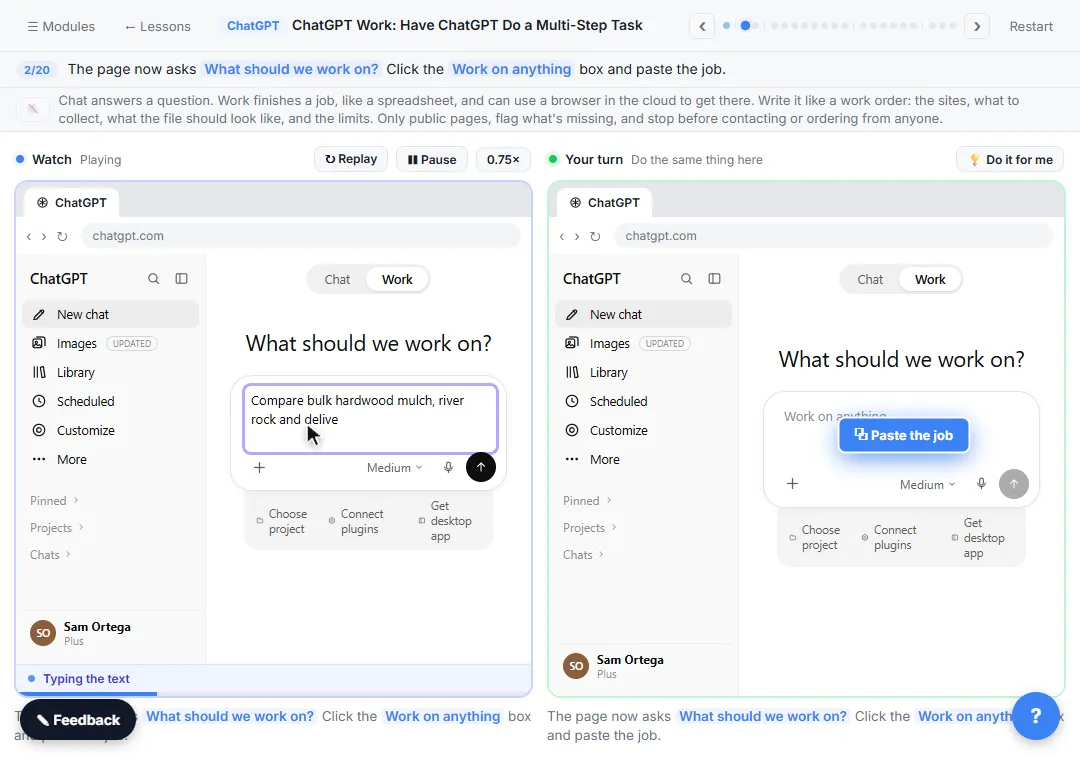 ChatGPT Work: Have ChatGPT Do a Multi-Step Task
Switch ChatGPT to Work, hand it a real job (compare three suppliers into a spreadsheet), approve the sites it opens, skip a login, answer its question, check the file…
Free · Live ~8 min Intermediate
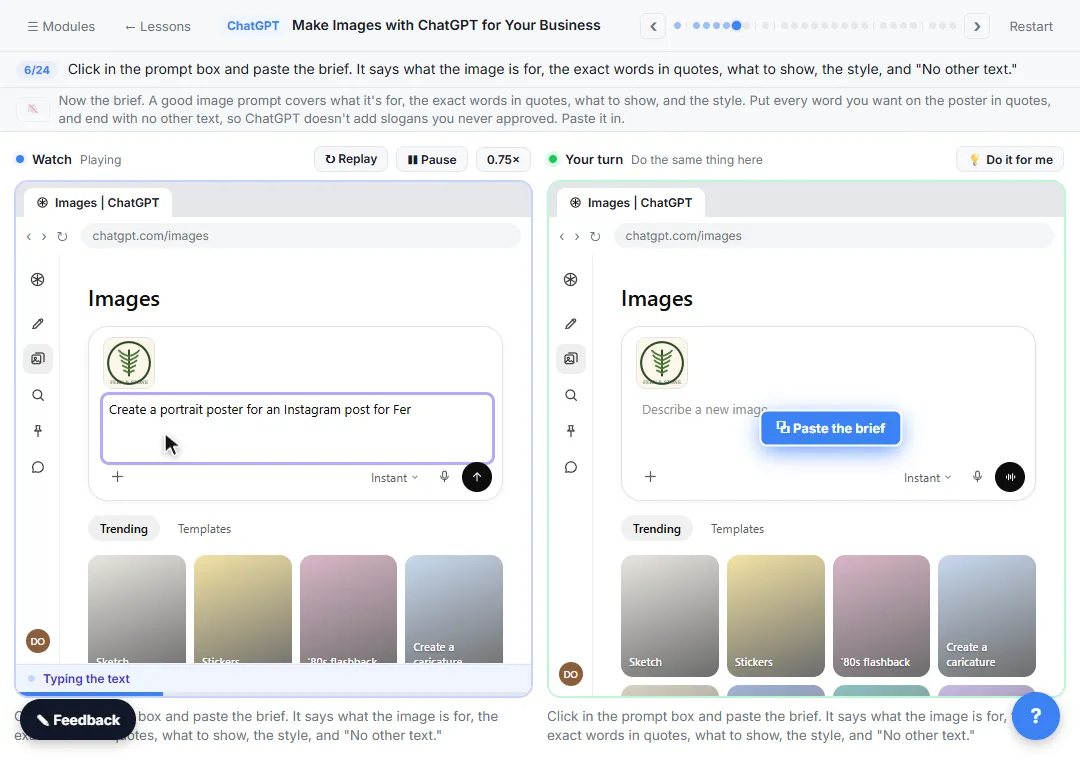 Make Images with ChatGPT for Your Business
Turn a short brief and your logo into a sale poster with ChatGPT Images, fix wrong text with a comment pin, make a Story version and get a caption to post.
Free · Live ~7 min Beginner
All 10 modules in ChatGPT for Everyday Work
More ChatGPT tutorials
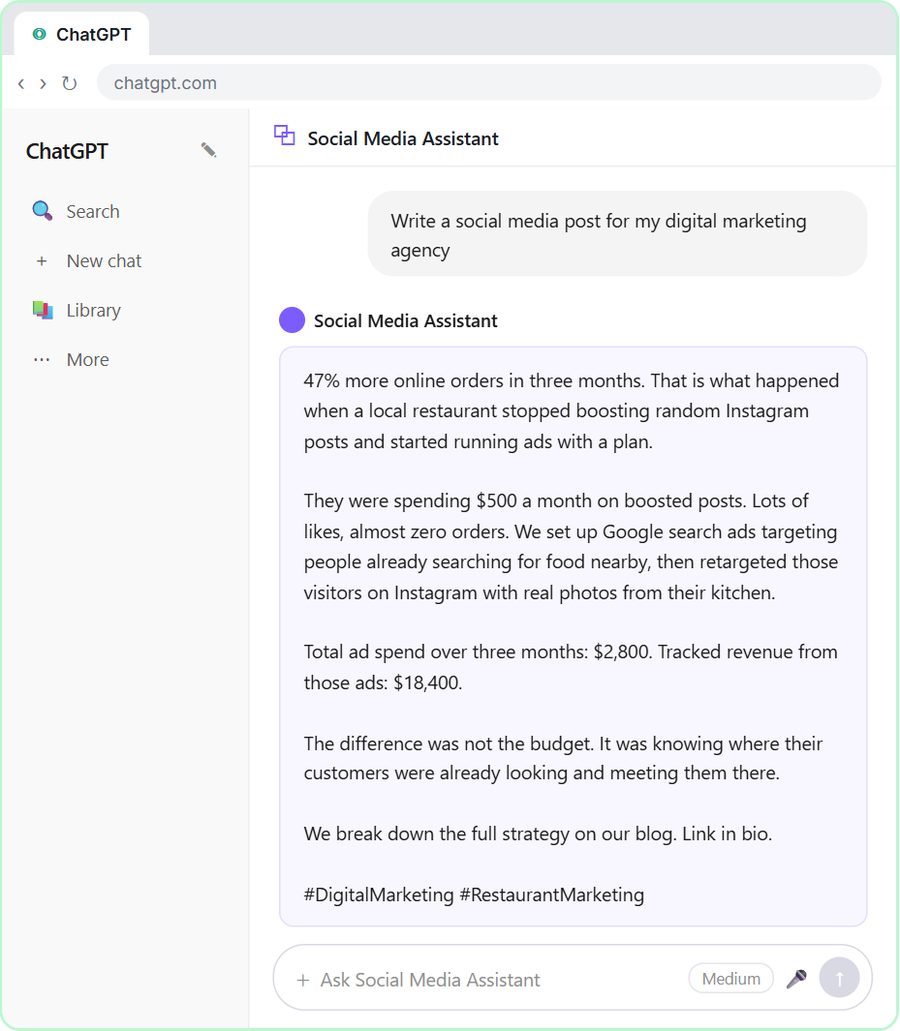 Get On-Brand Social Posts Every Time using a ChatGPT Custom GPT
See why generic prompts give generic results, then build a Custom GPT loaded with your brand voice and watch the output transform.
Free · Live ~8 min Beginner
 Prompt Writing 101: Role, Context, Task, Format
Ask ChatGPT for the same customer email twice, once vaguely and once with a four-part prompt, and see exactly why structure gets a better answer.
Free · Live ~8 min Beginner
◷Send a Same-Day Follow-up After Every Discovery Call using ChatGPTTurn a discovery call transcript into the decisions, the next steps with owners and dates, deal notes for your CRM, and a follow-up email the prospect gets the same…
Free · Live ~7 min Beginner
◷Hold Your Price When a Prospect Asks for a Discount using ChatGPTA prospect wants 30% off and a free month to sign this week. Give ChatGPT the thread and your pricing rules, catch the discount you can't approve, and send a reply that…
Free · Live ~9 min Beginner
 Get Your Business Recommended by ChatGPT
Ask ChatGPT who it recommends in your town, see which pages it trusts, then use it to write an FAQ page and Business Profile copy that answer real customer questions.
Free · Live ~10 min Intermediate
◷Run a Weekly Ops Review Where Every Task Has an Owner using ChatGPTTurn a weekly operations and vendor review into the decisions, the next steps with owners and dates, the risks to watch and a team recap, without turning a vendor's…
Free · Live ~7 min Beginner
Visual guides
This lesson’s key ideas as quick visual guides: swipe through the slides, or read the same guide as text.
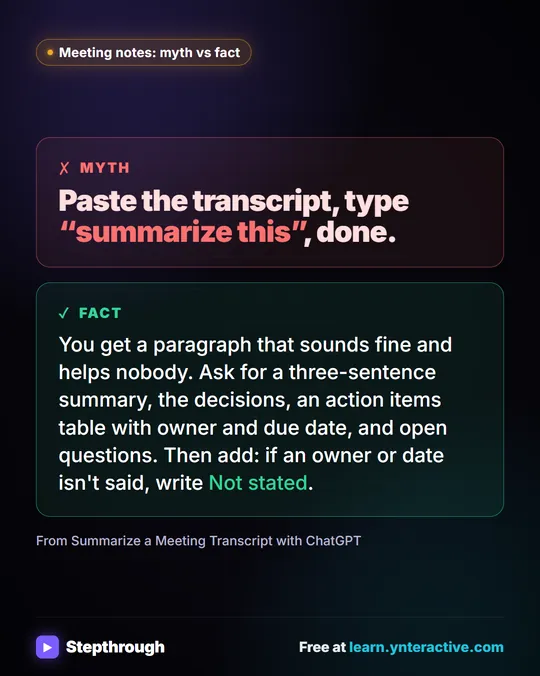 Meeting notes myth: “summarize this” is all ChatGPT needs
Myth: paste a transcript, type “summarize this”, done. Fact: ask for the decisions, an action items table with owners and dates, and open questions.
Myth vs fact One graphic
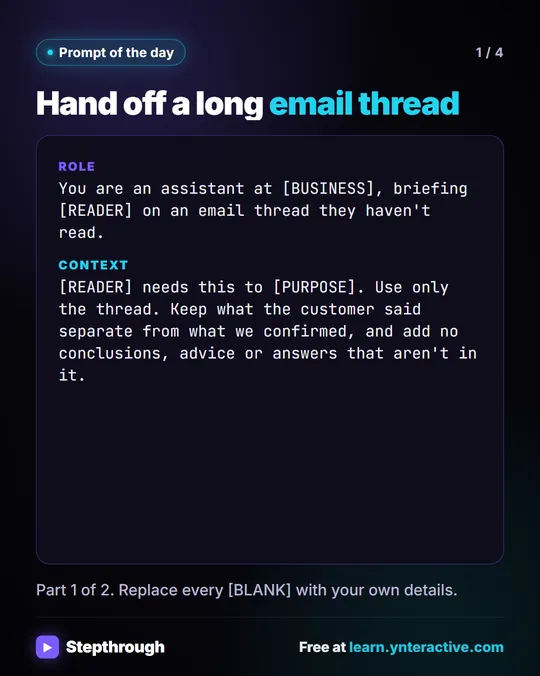 Prompt of the Day: Summarize an Email Thread for a Handoff
A visual prompt card: turn a long email thread into a short handoff with the situation, what was promised and each question marked Answered or Open.
Prompt to copy 4 slides
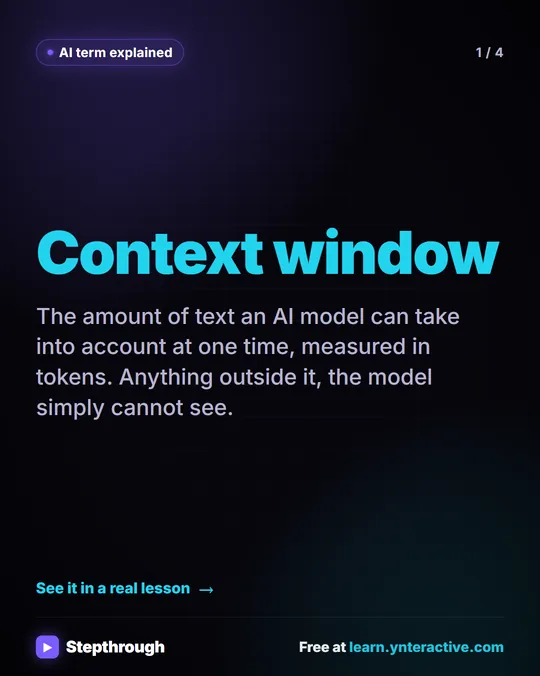 What Is a Context Window? A Visual Guide
A visual guide to the context window: how much text an AI model can see at once, shown with a real ChatGPT meeting summary lesson.
AI term explained 4 slides
Free cheat sheets
Print it or save the PDF: the key steps and checks from this lesson on one page, free.
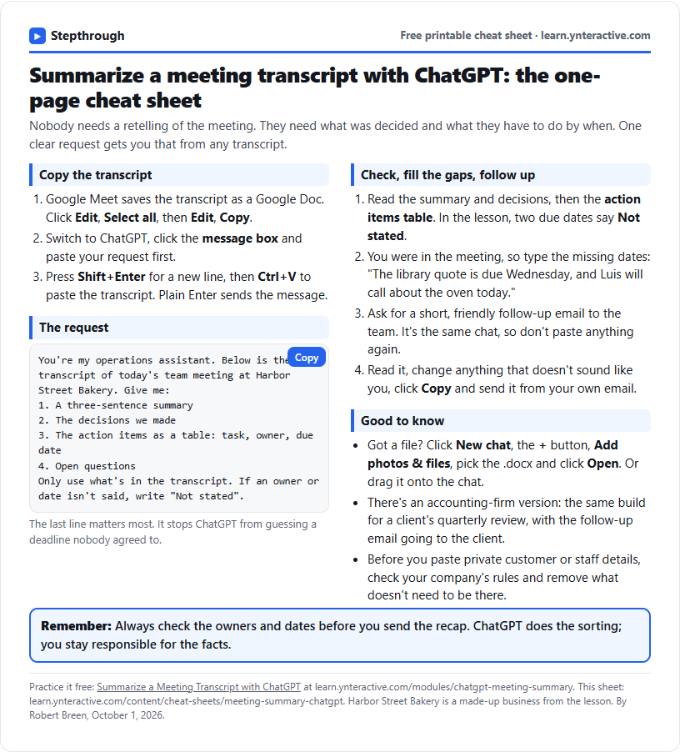 Summarize a Meeting with ChatGPT Cheat Sheet
A free one-page cheat sheet: turn a meeting transcript into decisions, an action items table with owners and dates, and a follow-up email.
Lesson cheat sheet Free PDF
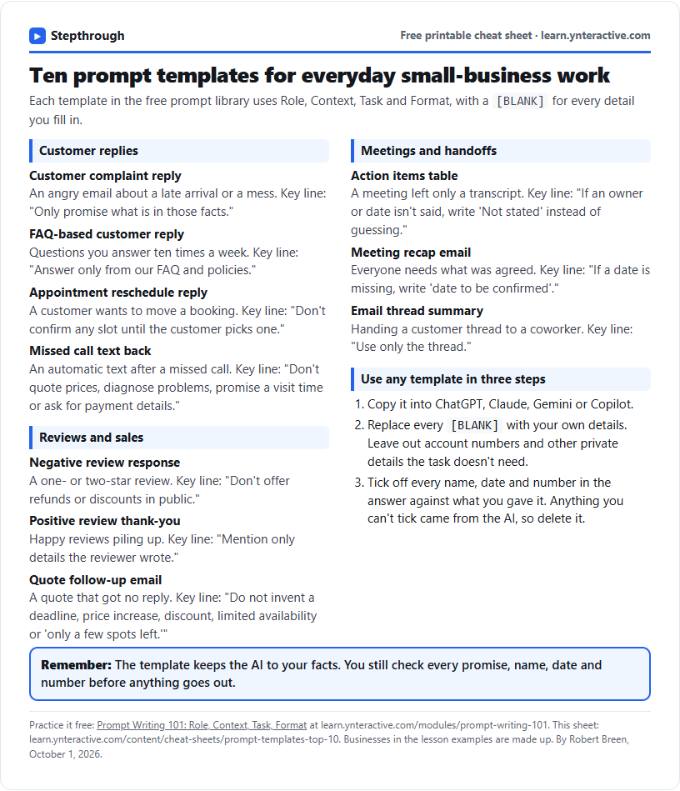 Top 10 Prompt Templates for Small Business: Cheat Sheet
A free one-page cheat sheet of ten copy-ready AI prompt templates: customer replies, reviews, quote follow-ups, meeting recaps and handoffs.
Topic cheat sheet Free PDF
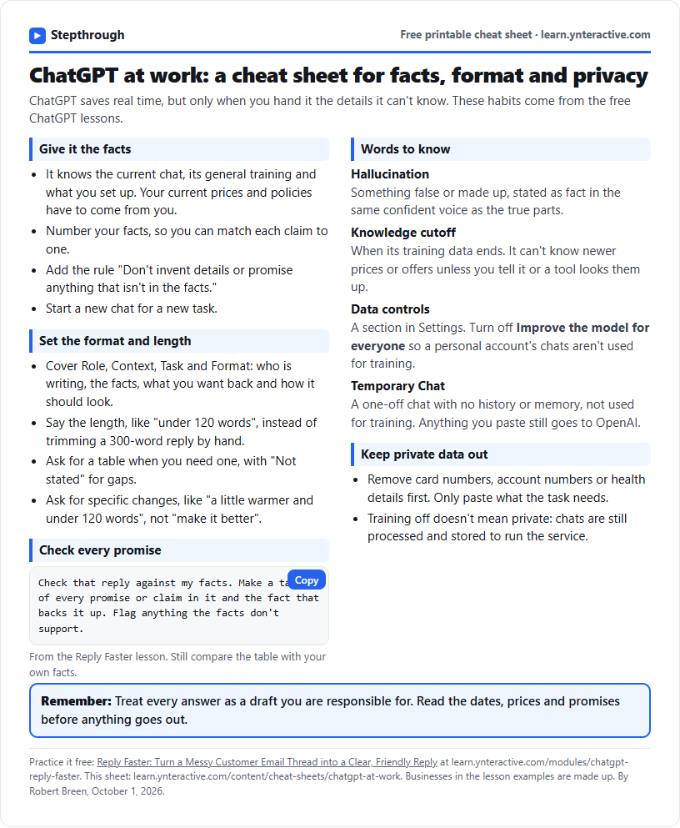 ChatGPT at Work Cheat Sheet: Facts, Format, Privacy
A free one-page cheat sheet for ChatGPT at work: give it facts, set the format and length, check every promise and keep private data out.
Tool cheat sheet Free PDF
All free printable cheat sheets
Terms in this lesson
Plain-English definitions, each with an example from a free lesson.
Related prompts
- Action items table prompt: Paste a meeting transcript or rough notes and get a table of every task, owner and due date, with "Not stated" wherever nobody…
- Feedback conversation script prompt: Plan a short, direct feedback talk with a teammate: the specific moment, why it mattered, a question to hear their side and one…
- Meeting agenda prompt: Turn a list of topics into a timed meeting agenda where every item has an owner, a question to settle and minutes that add up to…
- Performance review notes prompt: Turn a year of scattered manager notes into dated, factual examples for a performance review. A free ChatGPT prompt that keeps…