Ten prompt templates for everyday small-business work
A free one-page cheat sheet of ten copy-ready AI prompt templates: customer replies, reviews, quote follow-ups, meeting recaps and handoffs.
Ten prompt templates for everyday small-business work
Each template in the free prompt library uses Role, Context, Task and Format, with a [BLANK] for every detail you fill in.
Customer replies
- Customer complaint reply
- An angry email about a late arrival or a mess. Key line: "Only promise what is in those facts."
- FAQ-based customer reply
- Questions you answer ten times a week. Key line: "Answer only from our FAQ and policies."
- Appointment reschedule reply
- A customer wants to move a booking. Key line: "Don't confirm any slot until the customer picks one."
- Missed call text back
- An automatic text after a missed call. Key line: "Don't quote prices, diagnose problems, promise a visit time or ask for payment details."
Reviews and sales
- Negative review response
- A one- or two-star review. Key line: "Don't offer refunds or discounts in public."
- Positive review thank-you
- Happy reviews piling up. Key line: "Mention only details the reviewer wrote."
- Quote follow-up email
- A quote that got no reply. Key line: "Do not invent a deadline, price increase, discount, limited availability or 'only a few spots left.'"
Meetings and handoffs
- Action items table
- A meeting left only a transcript. Key line: "If an owner or date isn't said, write 'Not stated' instead of guessing."
- Meeting recap email
- Everyone needs what was agreed. Key line: "If a date is missing, write 'date to be confirmed'."
- Email thread summary
- Handing a customer thread to a coworker. Key line: "Use only the thread."
Use any template in three steps
- Copy it into ChatGPT, Claude, Gemini or Copilot.
- Replace every
[BLANK]with your own details. Leave out account numbers and other private details the task doesn't need. - Tick off every name, date and number in the answer against what you gave it. Anything you can't tick came from the AI, so delete it.
Remember: The template keeps the AI to your facts. You still check every promise, name, date and number before anything goes out.
Practice it free: Prompt Writing 101: Role, Context, Task, Format at learn.ynteractive.com/modules/prompt-writing-101. This sheet: learn.ynteractive.com/content/cheat-sheets/prompt-templates-top-10. Businesses in the lesson examples are made up. By Robert Breen, October 1, 2026.
Practice it in the free lesson
Prompt Writing 101: Role, Context, Task, Format. Ask ChatGPT for the same customer email twice, once vaguely and once with a four-part prompt, and see exactly why structure gets a better answer. You do every step yourself in a practice copy of ChatGPT, it checks your work as you go, and “Do it for me” finishes any step you get stuck on. Free, and nothing touches your real accounts.
Start the free lessonLessons on this sheet
 Prompt Writing 101: Role, Context, Task, Format
Ask ChatGPT for the same customer email twice, once vaguely and once with a four-part prompt, and see exactly why structure gets a better answer.
Free · Live ~8 min
 Reply Faster: Turn a Messy Customer Email Thread into a Clear, Friendly Reply
Turn a messy customer email thread into a clear, friendly reply: give ChatGPT the thread and your facts, check every promise, fix the tone, and send it from Gmail.
Free · Live ~9 min
 Summarize a Meeting Transcript with ChatGPT
Paste a long meeting transcript into ChatGPT and get the decisions, an action items table with owners and due dates, and a follow-up email ready to send.
Free · Live ~9 min
Related terms
Plain-English definitions, each with an example from a free lesson.
Related prompts
- Customer complaint reply prompt: A four-part ChatGPT prompt for answering an upset customer: one real apology, every complaint answered, and only the fixes you…
- Meeting recap email prompt: A copy-ready prompt that turns your checked meeting notes into a short recap email: decisions, owners and due dates, and nothing…
- Quote follow-up email prompt: Follow up on a quote that got no reply: remind them what it covered, answer the likely question, and make yes, a question or "no…
- Negative review response prompt: A ChatGPT prompt for a public reply to a bad review: calm, specific, no private details, no arguing, and an easy way to continue…
More cheat sheets
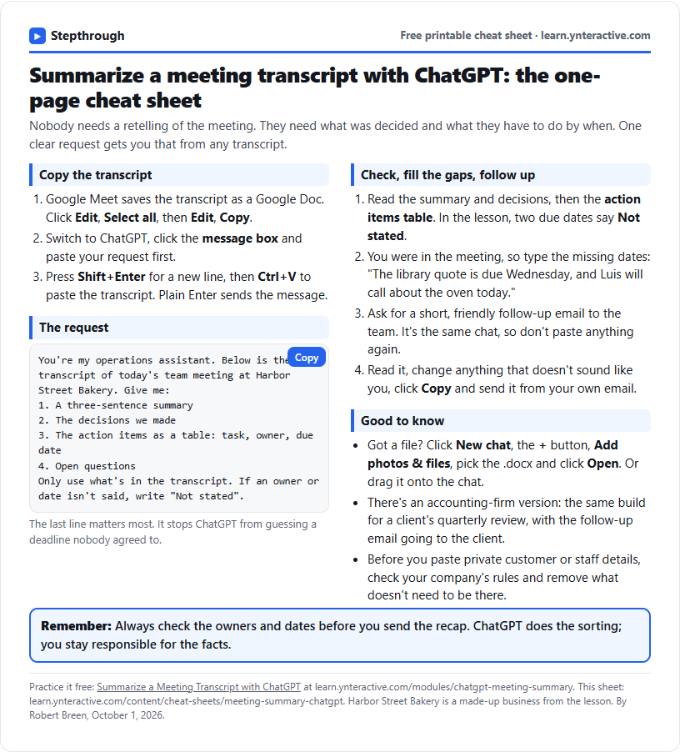 Summarize a Meeting with ChatGPT Cheat Sheet
A free one-page cheat sheet: turn a meeting transcript into decisions, an action items table with owners and dates, and a follow-up email.
Lesson cheat sheet Free PDF
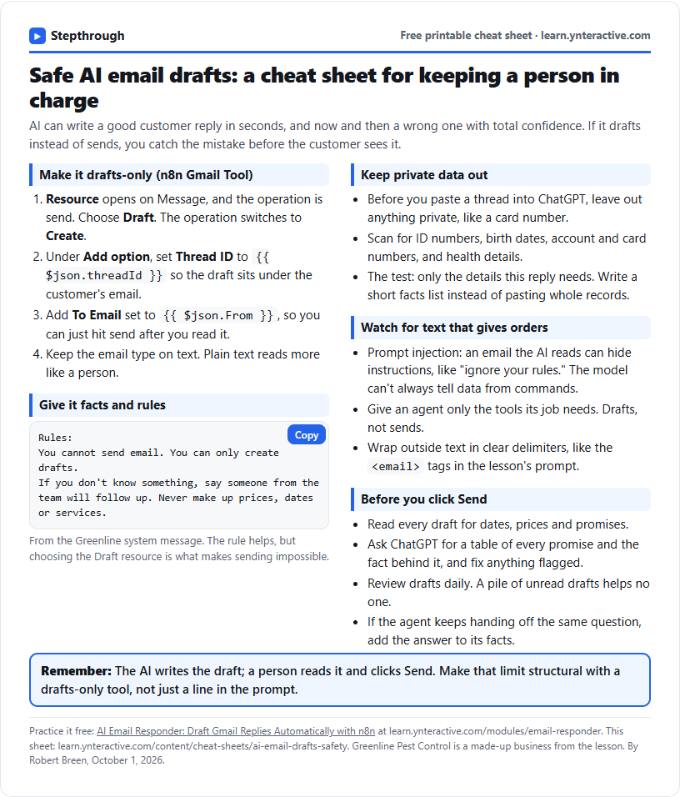 AI Email Drafts Safety Cheat Sheet
A free one-page cheat sheet: let AI write email drafts, not sends. Give it facts and rules, keep private data out and check every promise.
Topic cheat sheet Free PDF
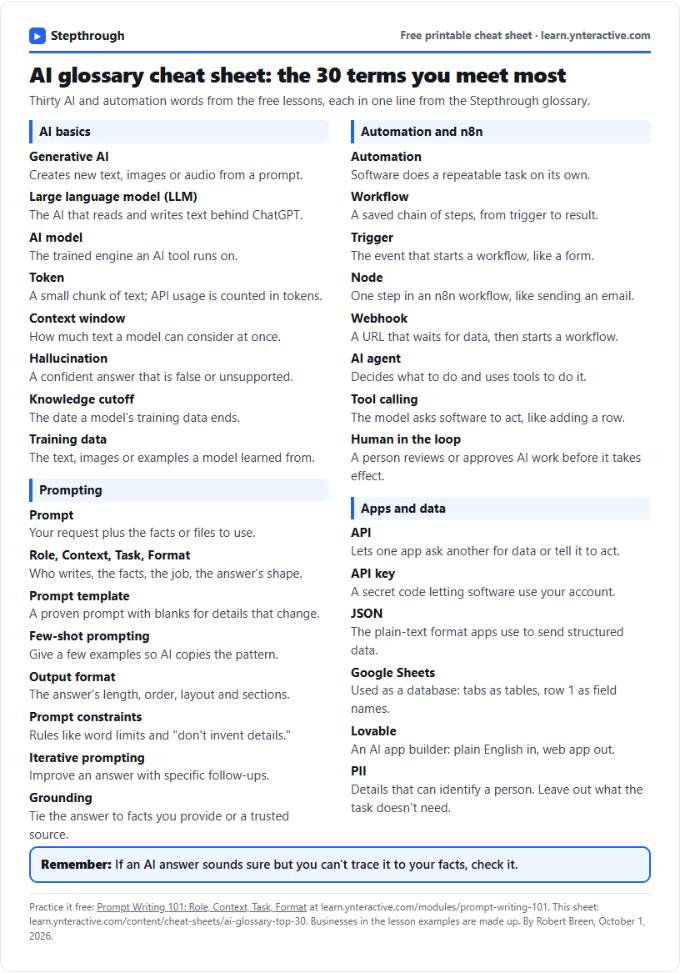 AI Glossary Cheat Sheet: 30 Terms in Plain English
A free one-page cheat sheet of 30 AI and automation terms in plain English: models, prompts, n8n workflows, apps and data.
Topic cheat sheet Free PDF