What is AI summarization?
Updated · By Robert Breen
AI summarization is using a language model to condense long text, such as a meeting transcript, an email thread or a report, into the points that matter. The best summaries are shaped by what you need next: decisions, tasks, risks or a short recap to send.
Why it matters for a small business
Small teams lose hours to rereading: the meeting nobody wrote up, the 30-message thread a new person has to catch up on, the long policy document. A good summary turns that into something you can act on in a minute.
The catch is that a generic "summarize this" gets a generic recap that sounds complete and quietly fills gaps. Asking for specific parts, and telling the model what to do when something wasn't said, is the difference between a summary you can trust and one that invents a due date.
In a real lesson: Summarize a Meeting Transcript with ChatGPT
In Summarize a Meeting Transcript with ChatGPT, you copy the Google Meet transcript from Harbor Street Bakery's Monday team meeting (a made-up bakery), with four people, lots of back and forth and a few ums. Before pasting it, you click Paste request, which asks for a three-sentence summary, the decisions, the action items as a table (task, owner, due date) and open questions.
The last line does the most work: only use what's in the transcript, and if an owner or date isn't said, write "Not stated". The rambling meeting comes back as a short summary, three decisions, four action items and two open questions. Two due dates honestly say Not stated, because nobody gave dates for the library quote or the oven call.
You fill those in with one message, then ask for a short follow-up email to the team. The lesson also shows the faster route for files: +, Add photos & files, attach the .docx, and paste a one-line version of the request.

Try this lesson free or read the step-by-step guide.
Common confusions
Summary vs transcript
A meeting transcript is everything that was said, word for word. A summary is a selection. Whoever decides what to select (you, through the prompt) decides what the summary is good for.
Abstractive vs extractive summaries
Extractive summaries copy key sentences as-is; abstractive ones rewrite in new words. Chat tools like ChatGPT mostly rewrite, which reads better but is where invented details can slip in. Asking it to use only what's in the text and to say when something is missing reduces that.
Tips
- Ask for named parts (decisions, action items, open questions) instead of "a summary."
- Include a rule for gaps, like writing "Not stated," so missing facts stay visible.
- Check owners, dates and numbers against the source before you send the recap.
- Follow your company's rules before sharing confidential transcripts with any AI tool.
Related terms
Where you use it: free lessons
- Summarize a Meeting Transcript with ChatGPT (ChatGPT, 9 min)
- Turn a Client Meeting into Action Items and a Follow-Up Email (Accounting Firms) (ChatGPT, 9 min)
- Turn an Interview Debrief into a Scorecard and a Candidate Follow-Up (Recruiting & HR) (ChatGPT, 9 min)
Prompt templates that use it
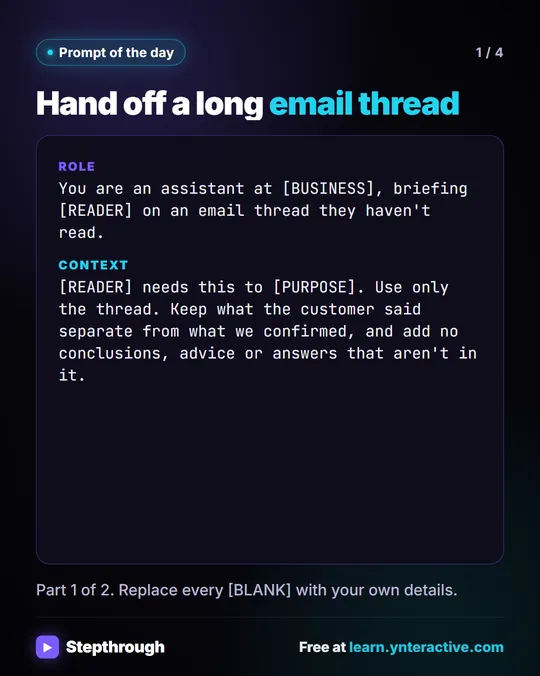
Visual guide
AI summarization in a few slides, with the same guide written out as text.
Frequently asked questions
- Can ChatGPT summarize a file instead of pasted text?
- Yes. You can attach a document, like a .docx transcript, and ask for the same summary. The lesson shows both ways.
- How long a transcript can AI summarize?
- It depends on the tool and model's context window. Very long transcripts may need to be split into parts and summarized in stages.