Updated . Built against the tool’s current screens and checked step by step. How we check this lesson
The problem: debriefs run on memory, so scores are inconsistent and off-topic remarks slip into the decision. Here is the fix. After an interview panel, what matters is spread across three people's memories: which must-haves were covered, who is calling references, and when the candidate hears back. In this free, interactive lesson you hand the debrief transcript to ChatGPT with one clear request and get back a scorecard against the role's must-haves with a quote as evidence, the decisions, an action items table with owners and due dates, the open questions, and a short follow-up email to the candidate. Anything that isn't about the job stays out.
At a glance
| Question | Answer |
|---|---|
| What you build | Turn the transcript of an interview panel's debrief into a scorecard against the role's must-haves, the decisions, action items with owners and dates, and a follow-up email to the candidate. |
| Tools | ChatGPT |
| Time | About 7 minutes, 17 steps in 4 parts |
| Level | Beginner, no coding needed |
| Cost | Free |
| Ways to learn it | Practice it step by step, watch the video |
The 4 parts, in short
- Copy the transcript: Open the Edit menu, Select all, Open the Edit menu again, Copy it.
- Ask for a summary: Switch to ChatGPT, Click the message box, Paste your request, Paste the transcript, and 1 more step.
- Check the details: Check the action items, Click the message box, Fill in the gaps, Send it.
- Write the follow-up: Click the message box, Ask for the follow-up email, Send it, Copy the email.
Start here first: Summarize a Meeting Transcript with ChatGPT. This Recruiting & HR version follows the same build with its own example business, Willow Bend Physical Therapy.
Part of: AI for Recruiting & HR (step 3 of 27). Next up: OLVA: Listen in Interviews and Debrief Against the Scorecard
Score Every Candidate Fairly After the Interview using ChatGPT: video walkthrough
The whole lesson in 3:06, narrated step by step.
Simulated practice environment. Recorded in Stepthrough’s simulated practice environment, not the live tool. Practice it yourself free at learn.ynteractive.com.
Chapters
Click a chapter to jump the video there.
- 0:00 Intro: what you'll build
- 0:14 Copy the transcript
- 0:38 Ask for a summary
- 1:22 Check the details
- 1:55 Write the follow-up
- 2:27 Or upload the file
Now do it yourself, free
Watching is the warm-up. The interactive lesson puts you in a practice copy of ChatGPT: you do every step yourself, it checks your work, and “Do it for me” finishes any step you get stuck on. Nothing touches your real accounts.
Practice “Score Every Candidate Fairly After the Interview using ChatGPT” step by stepFull transcript
Intro: what you'll build
0:00 Turn an interview debrief into a fair scorecard, a hiring panel's debrief at Willow Bend Physical Therapy. You'll place the transcript, score the candidate on each must-have, and write a follow-up email to the candidate. Let's build it.
Copy the transcript
0:14 Here's the transcript of an interview debrief at Willow Bend Physical Therapy. Hannah from HR and two interviewers went through Kira, a candidate for front desk lead, one must-have at a time. Let's copy the whole thing. Click Edit in the menu bar.
0:27 Click Select all. On a keyboard, that's Control A.
0:30 The whole transcript is highlighted. Open the Edit menu again.
0:33 Click Copy. That's Control C. The transcript is now on your clipboard.
Ask for a summary
0:37 Now switch over to ChatGPT. Click the ChatGPT tab at the top.
0:41 Before you paste the transcript, tell ChatGPT what you want out of it. Otherwise you'll just get a vague recap. Click the message box.
0:48 Here's the request. It asks for four things: a three sentence summary, the decisions, a table of action items with an owner and a due date, and any open questions. The last line matters most: only use what's in the transcript, and write not stated when something is missing. That stops ChatGPT from guessing. Click Paste request.
1:07 Now paste the transcript right underneath. In real ChatGPT, press Shift and Enter to start a new line first, because Enter on its own sends the message. Then Control V to paste. Click Paste transcript.
1:18 Request on top, transcript below. Click Send.
Check the details
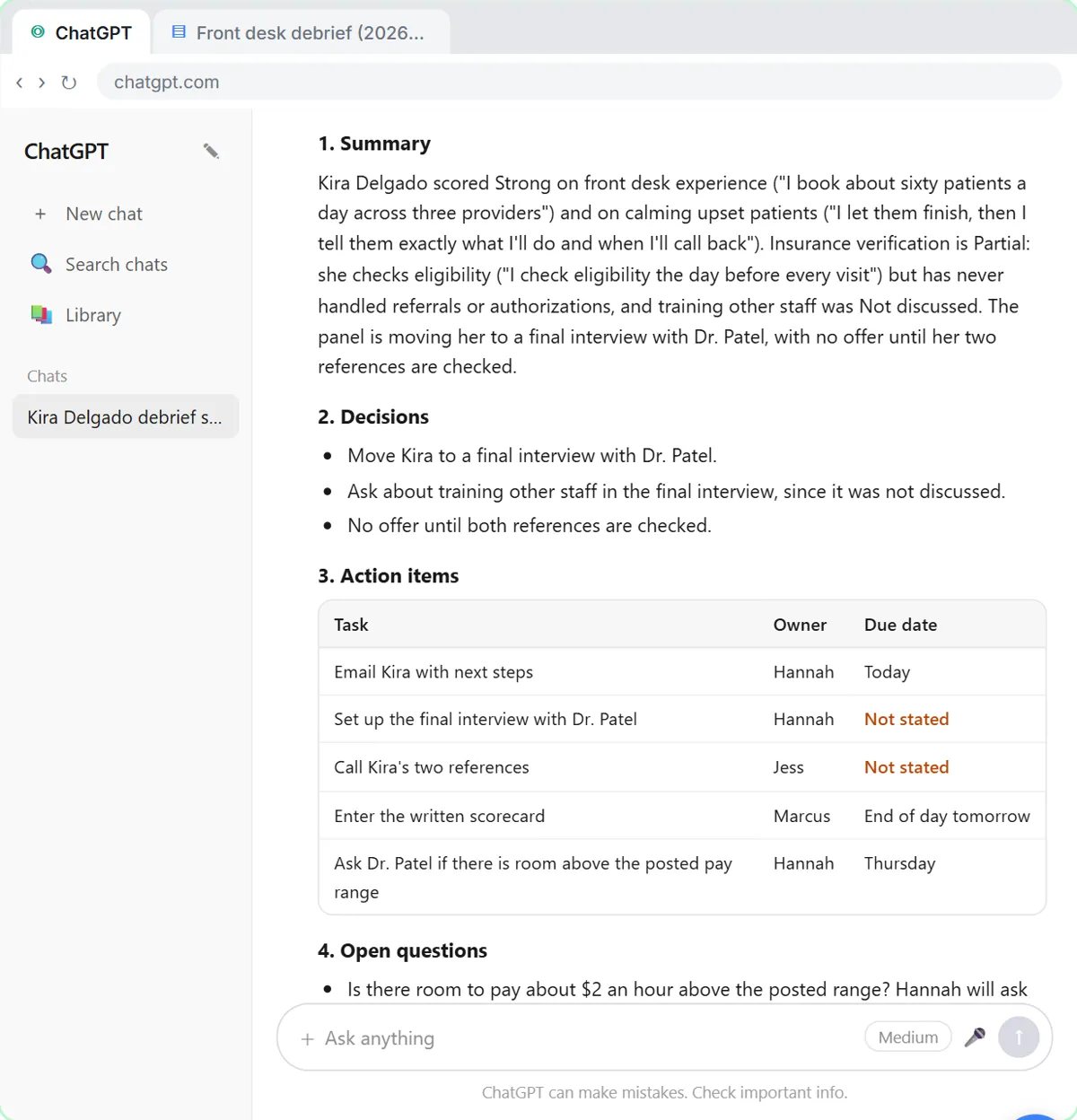
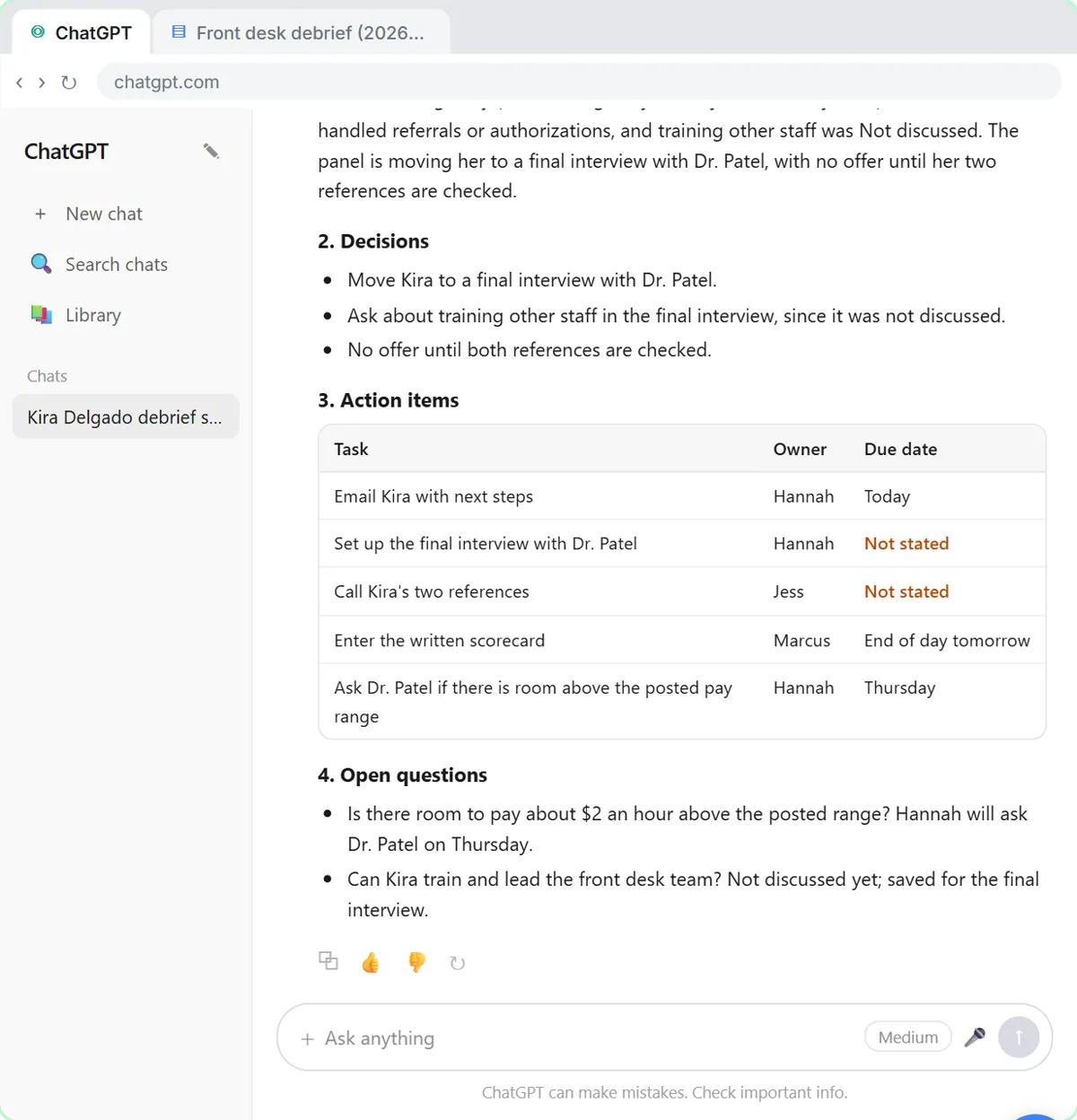
1:21 Each must-have gets a score and, where there is one, a quote from the interview. Training other staff says not discussed: nobody asked. And the comment about her kids isn't there, because the request told ChatGPT to stick to the job. Now the action items table. Two due dates say not stated: nobody said when the final interview gets set up or the references get called. Click the table.
1:40 You were in the meeting, so you can fill in the gaps. Click the message box.
1:44 Tell it the missing dates: Hannah will set up the final interview by Thursday, and Jess will call both references by Friday. Type it, or click Paste dates.
1:52 Click Send, and ChatGPT updates the table.
Write the follow-up
1:54 Now every task has an owner and a date. Because ChatGPT still has the whole meeting in this chat, you don't need to paste anything again. Just ask for the next thing. Click the message box.
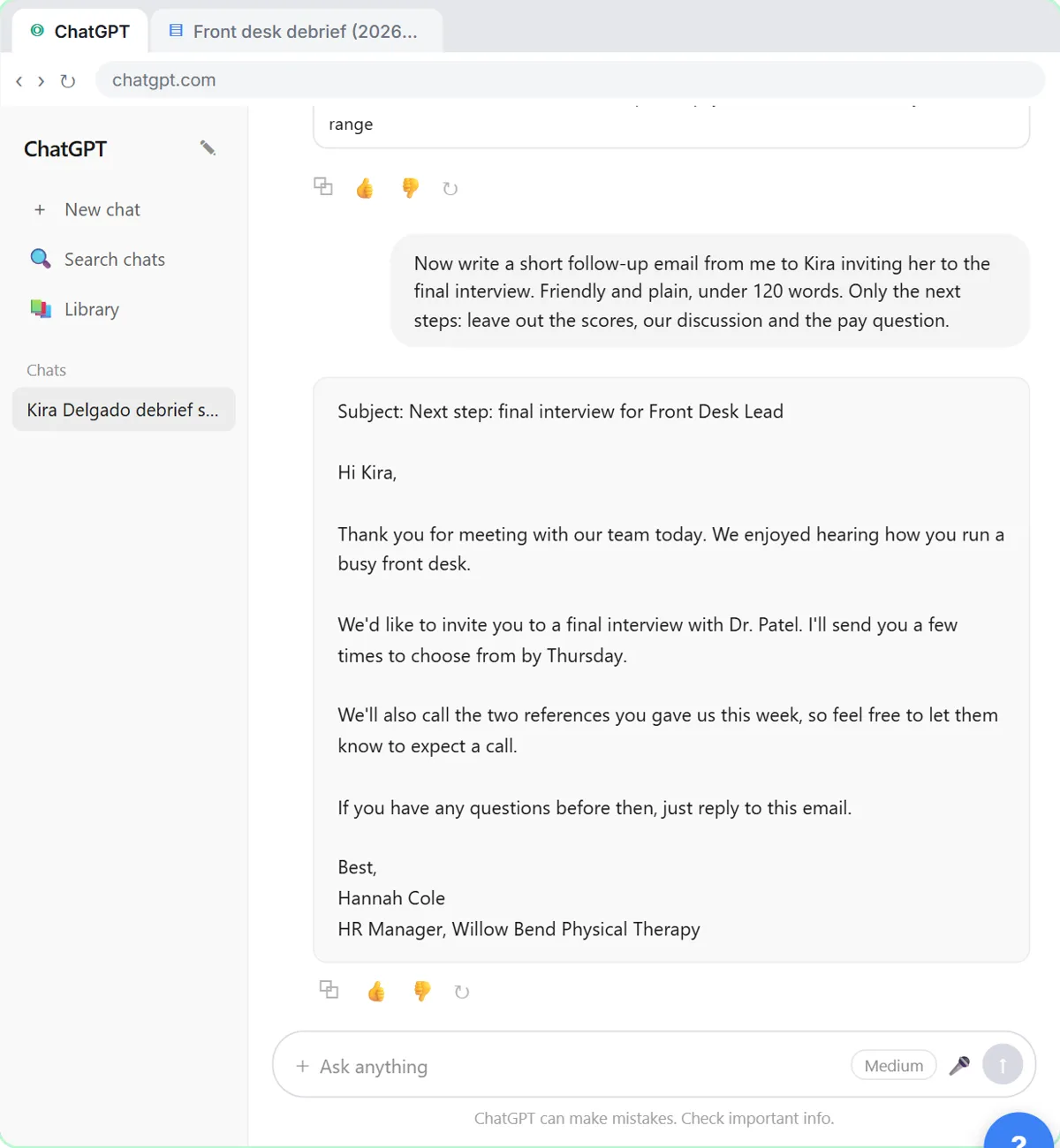
2:04 Now the email to Kira. Ask for a short, friendly note with only the next steps. The scores, the discussion and what she asked about pay stay with the team. Click Paste request.
2:14 Click Send.
2:15 There's your recap email: the decisions, who's doing what and by when, and what's still open. Read it once, change anything that doesn't sound like you, then click the copy button under it and paste it into your email.
Or upload the file
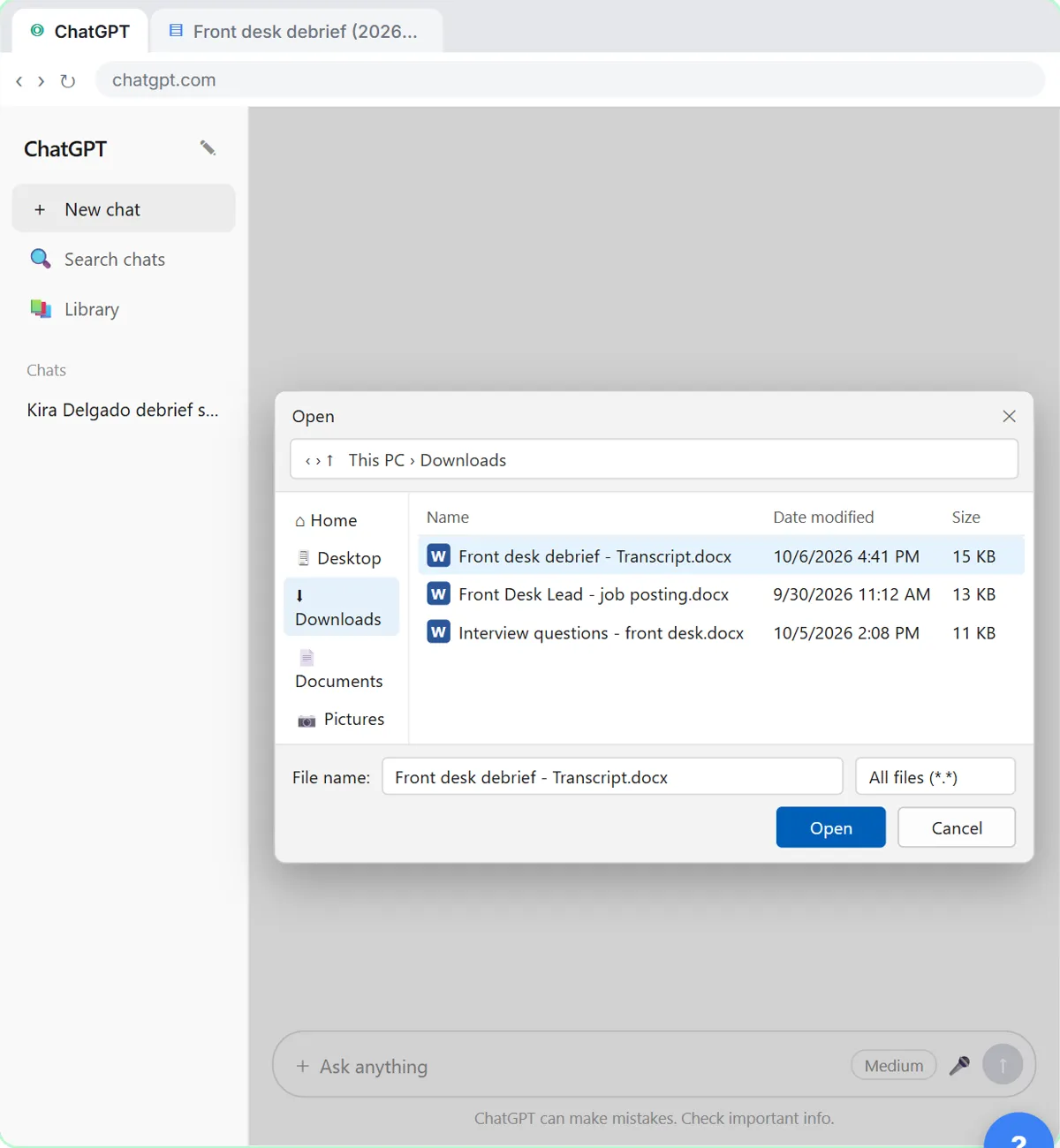
2:26 Sometimes the transcript comes as a file instead, like a Word document someone emailed you. You don't have to open it and copy it. Start a new chat.
2:33 Click the plus button on the left side of the message box.
2:37 Click Add photos and files.
2:38 Your file browser opens. Click the meeting transcript.
2:42 Click Open. The file attaches to the message box. You can also just drag a file onto the chat.
2:47 Now the same request as before, in one line. Click Paste request.
2:51 Click Send, and you'll get the same kind of answer without any copying and pasting. Either way, always check the owners and dates before you send the recap.
2:59 Simple as that. We show you and you do it. Sign up below to learn AI automation for free.
Watch the 30-second version
3 short videos from this lesson. Watch, then do it yourself in the free practice copy.
 0:33
ChatGPT – Myth: ChatGPT tells you when it's unsure
ChatGPT tip: Myth: ChatGPT tells you when it's unsure. When ChatGPT doesn't know, it often guesses. Give it a short list of answers to pick from and make one of them "Not discussed." In our recruiting lesson, every…
Transcript
ChatGPT tip: Myth: ChatGPT tells you when it's unsure. When ChatGPT doesn't know, it often guesses. Give it a short list of answers to pick from and make one of them "Not discussed." In our recruiting lesson, every must-have gets Strong, Partial or Not discussed, with a quote as proof. The skill nobody asked about came back Not discussed: no guess, nothing skipped.
 0:32
Stop pasting long files into ChatGPT
Stop pasting long files into ChatGPT. Still copying and pasting into ChatGPT? Upload the file instead: click the plus button, pick Add photos and files, choose your file and click Open, or just drag it in. Then add one…
Transcript
Stop pasting long files into ChatGPT. Still copying and pasting into ChatGPT? Upload the file instead: click the plus button, pick Add photos and files, choose your file and click Open, or just drag it in. Then add one short request. In our recruiting lesson it's an interview transcript: a score for each must-have with a quote, plus action items with owners and dates.
 0:33
Stop ChatGPT from guessing
Stop ChatGPT from guessing. When ChatGPT doesn't know, it often guesses. Give it a short list of answers to pick from and make one of them "Not discussed." In our recruiting lesson, every must-have gets Strong, Partial…
Transcript
Stop ChatGPT from guessing. When ChatGPT doesn't know, it often guesses. Give it a short list of answers to pick from and make one of them "Not discussed." In our recruiting lesson, every must-have gets Strong, Partial or Not discussed, with a quote as proof. The skill nobody asked about came back Not discussed: no guess, nothing skipped.
The example: a front desk lead debrief at a physical therapy practice
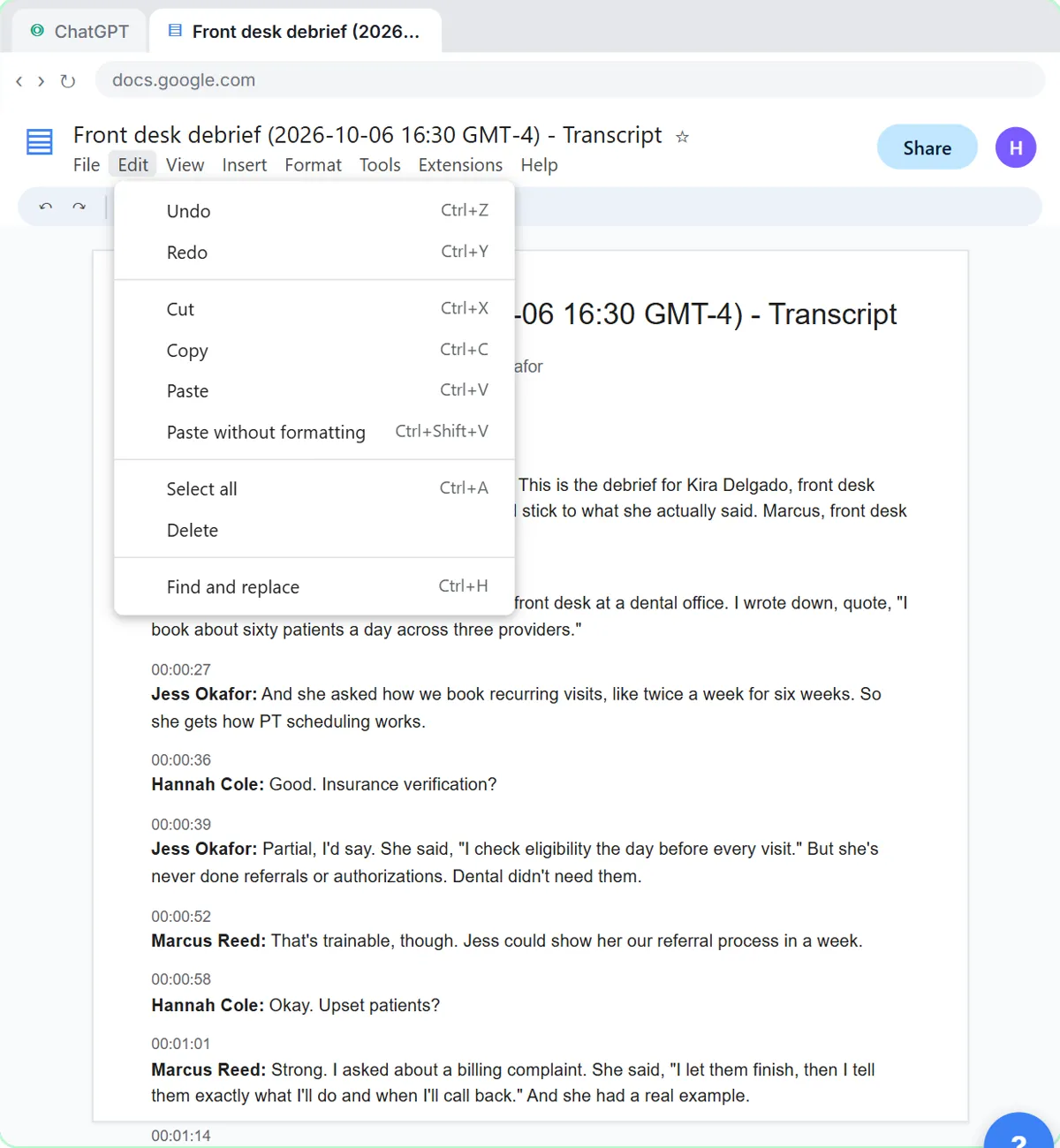
You work with the transcript of a short video call at Willow Bend Physical Therapy, a made-up practice with a few clinics. Hannah, the HR manager, runs the debrief with Marcus, the clinic director, and Jess, who works the front desk. They interviewed Kira Delgado for Front Desk Lead, a role with four must-haves: two or more years running a front desk, insurance verification, calming upset patients, and training other staff.
They go through the must-haves one at a time and quote what Kira said. Front desk experience and upset patients are strong, insurance is partial (eligibility checks, but no referrals or authorizations), and training other staff never came up. When a panelist mentions that Kira has young kids, Hannah stops it there: it isn't about the job, and every candidate was asked whether the 7:30 start works. The panel moves Kira to a final interview, holds any offer until two references are checked, and parks a pay question.
What you need before you start
- A ChatGPT account. For real candidate details a business account that doesn't train on your data is best; free works for practice with made-up notes.
- The role's must-haves, written down before the interviews.
- A transcript of the debrief: Google Meet, Zoom and Teams can save one on some plans, and typed notes work too.
- Nothing at all for the practice copy in this lesson: it needs no account.
Who this lesson is for
This is for HR managers, recruiters and hiring managers at small companies and recruiting firms who run interview panels and then write them up. If your debriefs happen on Google Meet, Zoom or Teams with transcripts on, you already have the raw material. You don't need a ChatGPT account to practice here. In a real ChatGPT test the same request left the comment about the candidate's kids out of the scorecard, as the lesson shows.
It is the first module in the AI Automation for Recruiting & HR block.
Why a structured scorecard helps
Rating every candidate against the same job-related criteria is one of the most consistent ways to compare people fairly. The hard part is the write-up: notes drift into general impressions, and a must-have nobody asked about quietly turns into an assumption. A quote as evidence ties each score to something the candidate said, and "Not discussed" shows the gap so the next round can cover it.
Sticking to the must-haves matters just as much. Comments about family, age, health or religion have no place in hiring notes, and an AI model asked to "summarize the meeting" may repeat whatever was said. Telling it to leave out anything that isn't job-related keeps the record on the requirements. That is a writing aid, not a compliance program: this lesson isn't legal advice, the decision stays with people, and your company's policy and local law come first.
Ways to use it after the lesson
- Every panel debrief: the same four must-haves request, pasted under each transcript, so candidates are compared on the same terms.
- Phone screens: a quick scorecard from your call notes before you decide on a first interview.
- Recruiting firms: a clean write-up for the hiring manager at your client, with the candidate email kept separate.
Candidate privacy
Interview notes are personal information about the candidate. Before you paste a real transcript into any AI tool, check your company's policy, and use a business plan such as ChatGPT Business or Enterprise, which OpenAI doesn't use to train its models by default. Leave out anything the scorecard doesn't need and keep the notes only where your policy says. The practice copy in this lesson sends nothing anywhere.
Try it yourself, free
Reading the steps is a start. Doing them is how it sticks. The interactive module walks you through every click in a practice copy of ChatGPT, checks each step, and never touches your real accounts.
Start “Score Every Candidate Fairly After the Interview using ChatGPT”Step by step: Score Every Candidate Fairly After the Interview using ChatGPT
All 17 steps of the interactive module, in order. In the module you watch each one, then do it yourself in a practice copy that checks your work.
1. Copy the transcript
- Open the Edit menu. This is the transcript Google Meet saved after the interview panel's debrief on a Front Desk Lead candidate. Click Edit in the menu bar.
Here's the transcript of an interview debrief at Willow Bend Physical Therapy. Hannah from HR and two interviewers went through Kira, a candidate for front desk lead, one must-have at a time. Let's copy the whole thing.
- Select all. Click Select all.
On a keyboard, that's Control A.
- Open the Edit menu again. The whole transcript is highlighted. Click Edit again.
The whole transcript is highlighted.
- Copy it. Click Copy.
That's Control C. The transcript is now on your clipboard.
2. Ask for a summary
- Switch to ChatGPT. Click the ChatGPT tab at the top.
Now switch over to ChatGPT.
- Click the message box. Click the message box.
Before you paste the transcript, tell ChatGPT what you want out of it. Otherwise you'll just get a vague recap.
- Paste your request. Paste in the request. It asks for four things: a short summary, the decisions, an action items table with owner and due date, and open questions.
Here's the request. It asks for four things: a three sentence summary, the decisions, a table of action items with an owner and a due date, and any open questions. The last line matters most: only use what's in the transcript, and write not stated when something is missing. That stops ChatGPT from guessing.
You're my recruiting assistant. I'm Hannah, the HR manager at Willow Bend Physical Therapy. Below is the transcript of today's panel debrief for Kira Delgado, who interviewed for Front Desk Lead. The must-haves for the role are: two or more years running a front desk, insurance verification, calming upset patients, and training other staff. Give me:
1. A three-sentence summary that scores her on each must-have (Strong, Partial or Not discussed), with a short quote from the interview as evidence
2. The decisions we made
3. The action items as a table: task, owner, due date
4. Open questions
Only use what's in the transcript, and only what's about the job's must-haves. Don't guess at age, family, health, religion or anything else that isn't job-related. If an owner or date isn't said, write "Not stated".
- Paste the transcript. Now paste the transcript under the request. Paste in the transcript. (In real ChatGPT, press Shift+Enter for a new line first, then Ctrl+V. Plain Enter would send the message.)
In real ChatGPT, press Shift and Enter to start a new line first, because Enter on its own sends the message. Then Control V to paste.
00:00:02
Hannah Cole: Thanks for staying, both of you. This is the debrief for Kira Delgado, front desk lead. Um, let's go must-have by must-have and stick to what she actually said. Marcus, front desk experience?

00:00:15
Marcus Reed: Strong. Four years running the front desk at a dental office. I wrote down, quote, "I book about sixty patients a day across three providers."

00:00:27
Jess Okafor: And she asked how we book recurring visits, like twice a week for six weeks. So she gets how PT scheduling works.

00:00:36
Hannah Cole: Good. Insurance verification?

00:00:39
Jess Okafor: Partial, I'd say. She said, "I check eligibility the day before every visit." But she's never done referrals or authorizations. Dental didn't need them.

00:00:52
Marcus Reed: That's trainable, though. Jess could show her our referral process in a week.

00:00:58
Hannah Cole: Okay. Upset patients?

00:01:01
Marcus Reed: Strong. I asked about a billing complaint. She said, "I let them finish, then I tell them exactly what I'll do and when I'll call back." And she had a real example.

00:01:14
Jess Okafor: She also mentioned she has two little kids, so, I don't know, the early shifts...

00:01:20
Hannah Cole: Let's leave that out. It's not about the job, and we don't weigh it. We asked every candidate if the seven thirty start works, and she said yes.

00:01:30
Hannah Cole: Last must-have: training other staff. Did anyone get to that?

00:01:35
Marcus Reed: No, we ran out of time. That's a gap.

00:01:38
Hannah Cole: So, final round?

00:01:40
Marcus Reed: Yes. Final round with Dr. Patel, and let's make sure she asks about training a team.

00:01:47
Hannah Cole: Agreed, I'll set that up. And no offer until we've checked references. Jess, can you call her two references?

00:01:56
Jess Okafor: Sure, I'll call both.

00:01:59
Hannah Cole: Marcus, I need your written scorecard in the system by end of day tomorrow.

00:02:04
Marcus Reed: Will do. Oh, one more thing. She asked about pay, and she's looking for about two dollars an hour over our posted range.

00:02:13
Hannah Cole: Let's not decide that here. I'll ask Dr. Patel on Thursday if there's room. And I'll email Kira today so she knows where things stand. Thanks, both.
- Send it. Click Send.
Request on top, transcript below.
3. Check the details
- Check the action items. Read the scorecard summary and the decisions. Then click the action items table: two due dates say Not stated.
Each must-have gets a score and, where there is one, a quote from the interview. Training other staff says not discussed: nobody asked. And the comment about her kids isn't there, because the request told ChatGPT to stick to the job. Now the action items table. Two due dates say not stated: nobody said when the final interview gets set up or the references get called.
- Click the message box. You know the missing dates. Click the message box to tell ChatGPT.
You were in the meeting, so you can fill in the gaps.
- Fill in the gaps. Type the missing dates (or Paste in the dates): Hannah will set up the final interview by Thursday, and Jess will call both references by Friday.
Tell it the missing dates: Hannah will set up the final interview by Thursday, and Jess will call both references by Friday.
- Send it. Click Send.
4. Write the follow-up
- Click the message box. Every action item has an owner and a date now. Click the message box.
Now every task has an owner and a date. Because ChatGPT still has the whole meeting in this chat, you don't need to paste anything again. Just ask for the next thing.
- Ask for the follow-up email. Paste in the request to ask for a short follow-up email to the candidate, with only the next steps.
Now the email to Kira. Ask for a short, friendly note with only the next steps. The scores, the discussion and what she asked about pay stay with the team.
Now write a short follow-up email from me to Kira inviting her to the final interview. Friendly and plain, under 120 words. Only the next steps: leave out the scores, our discussion and the pay question.
- Send it. Click Send.
- Copy the email. Read the email. Then click the Copy button. (In real ChatGPT the email comes in its own card, with the copy icon at its top right.)
There's your email to Kira: just the next steps. Read it once, change anything that doesn't sound like you, then click copy. In real ChatGPT the email shows up in its own card, and the copy icon is at the top right of that card.
More videos from this lesson
Interview Debrief to Scorecard in 64 seconds
Turn the transcript of an interview panel's debrief into a scorecard against the role's must-haves, the decisions, action items with owners and dates, and a follow-up email to the candidate.
Transcript
You were in the meeting, so you can fill in the gaps. Click the message box. Tell it the missing dates: Hannah will set up the final interview by Thursday, and Jess will call both references by Friday. Type it, or click Paste dates. Click Send, and ChatGPT updates the table. Now every task has an owner and a date. Because ChatGPT still has the whole meeting in this chat, you don't need to paste anything again. Just ask for the next thing. Click the message box. Now the email to Kira. Ask for a short, friendly note with only the next steps. The scores, the discussion and what she asked about pay stay with the team. Click Paste request. Click Send. There's your recap email: the decisions, who's doing what and by when, and what's still open. Read it once, change anything that doesn't sound like you, then click the copy button under it and paste it into your email. Sometimes the transcript comes as a file instead, like a Word document someone emailed you. You don't have to open it and copy it. Start a new chat. Click the plus button on the left side of the message box. Click Add photos and files.
Never put this in interview notes
What should never go in interview notes? In our lesson someone mentions the candidate's kids. That's not about the job, so it stays out. One rule for ChatGPT: only the job's must-haves, with a quote as proof.
Interview Debrief to Scorecard: the key steps in under a minute
Turn the transcript of an interview panel's debrief into a scorecard against the role's must-haves, the decisions, action items with owners and dates, and a follow-up email to the candidate. The key steps from the free lesson, with captions.
Transcript
Now every task has an owner and a date. Because ChatGPT still has the whole meeting in this chat, you don't need to paste anything again. Just ask for the next thing. Click the message box. Now the email to Kira. Ask for a short, friendly note with only the next steps. The scores, the discussion and what she asked about pay stay with the team. Click Paste request. Click Send. There's your recap email: the decisions, who's doing what and by when, and what's still open. Read it once, change anything that doesn't sound like you, then click the copy button under it and paste it into your email.
Screenshots
Frequently asked questions
- Can ChatGPT write an interview scorecard from a debrief transcript?
- Yes, if you give it the role's must-haves and a clear format. Ask it to rate each must-have as Strong, Partial or Not discussed with a short quote as evidence, and to use only what is in the transcript. Check every score against your own notes before saving it.
- How do I keep AI interview notes fair and job-related?
- Tell it to include only what is about the job's requirements and not to guess at age, family, health, religion or any other protected characteristic. Use the same must-haves for every candidate, and read the output before you save or share it.
- Should ChatGPT decide which candidate to hire?
- No. In this lesson it only organizes what the panel said. The panel makes the decision, and your company's hiring policy and local employment law apply. This lesson is not legal advice.
- What should the follow-up email to the candidate include?
- Only the next steps: the next interview, when they will hear from you, and anything they need to do. Leave out scores, the panel's discussion and internal questions like pay.
- Is this lesson free?
- Yes. Stepthrough is completely free and the practice copy needs no accounts. To do it for real you need your own ChatGPT account, and some features cost money on paid plans.
More in AI Automation for Recruiting & HR
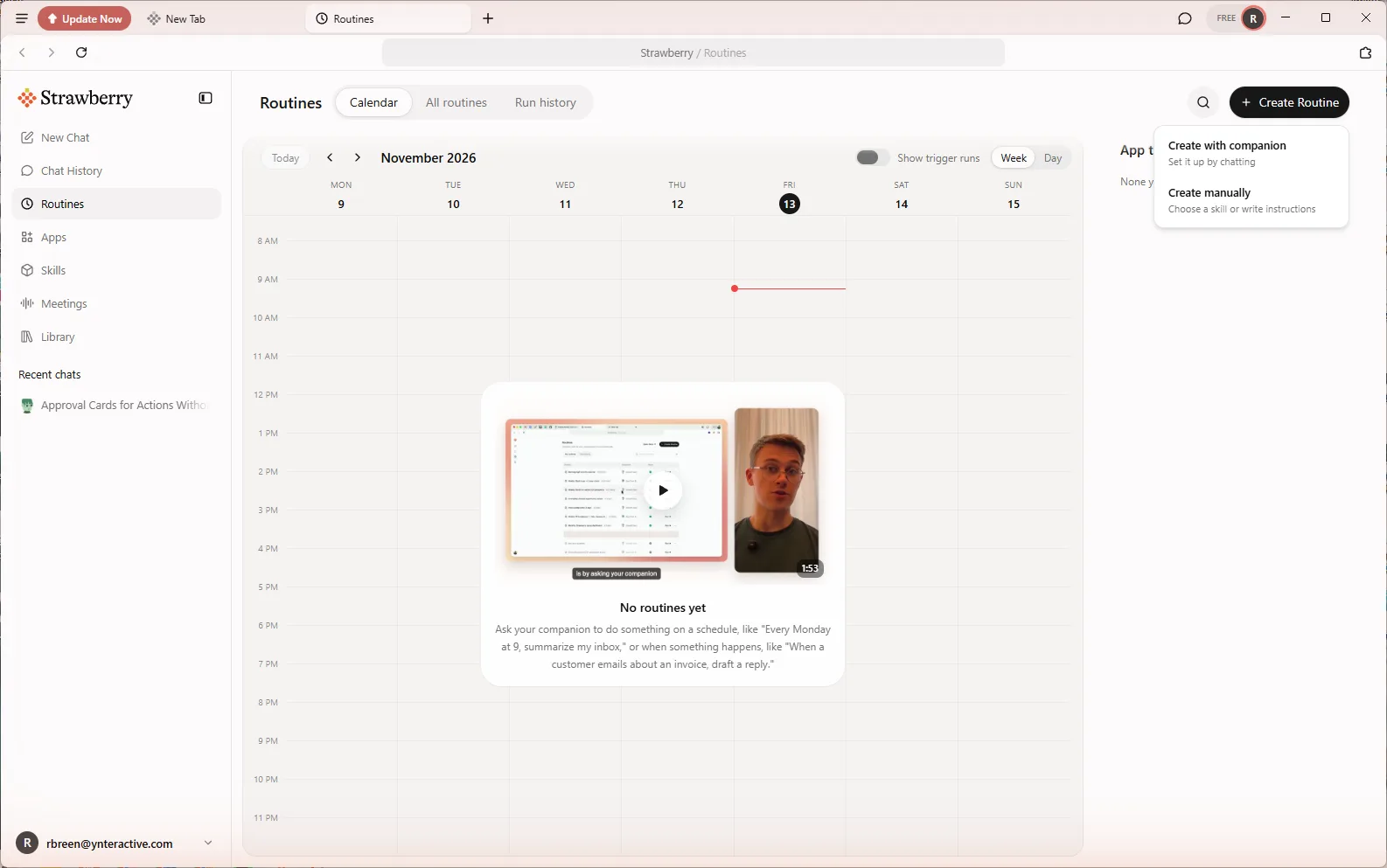 Strawberry: Check Minimum-Wage Rules Every Monday and Approve Every Change
Build a Strawberry routine that checks the U.S. Department of Labor minimum-wage page for your states every Monday, and stops at an approval card before it saves a…
Free · Live ~8 min Beginner
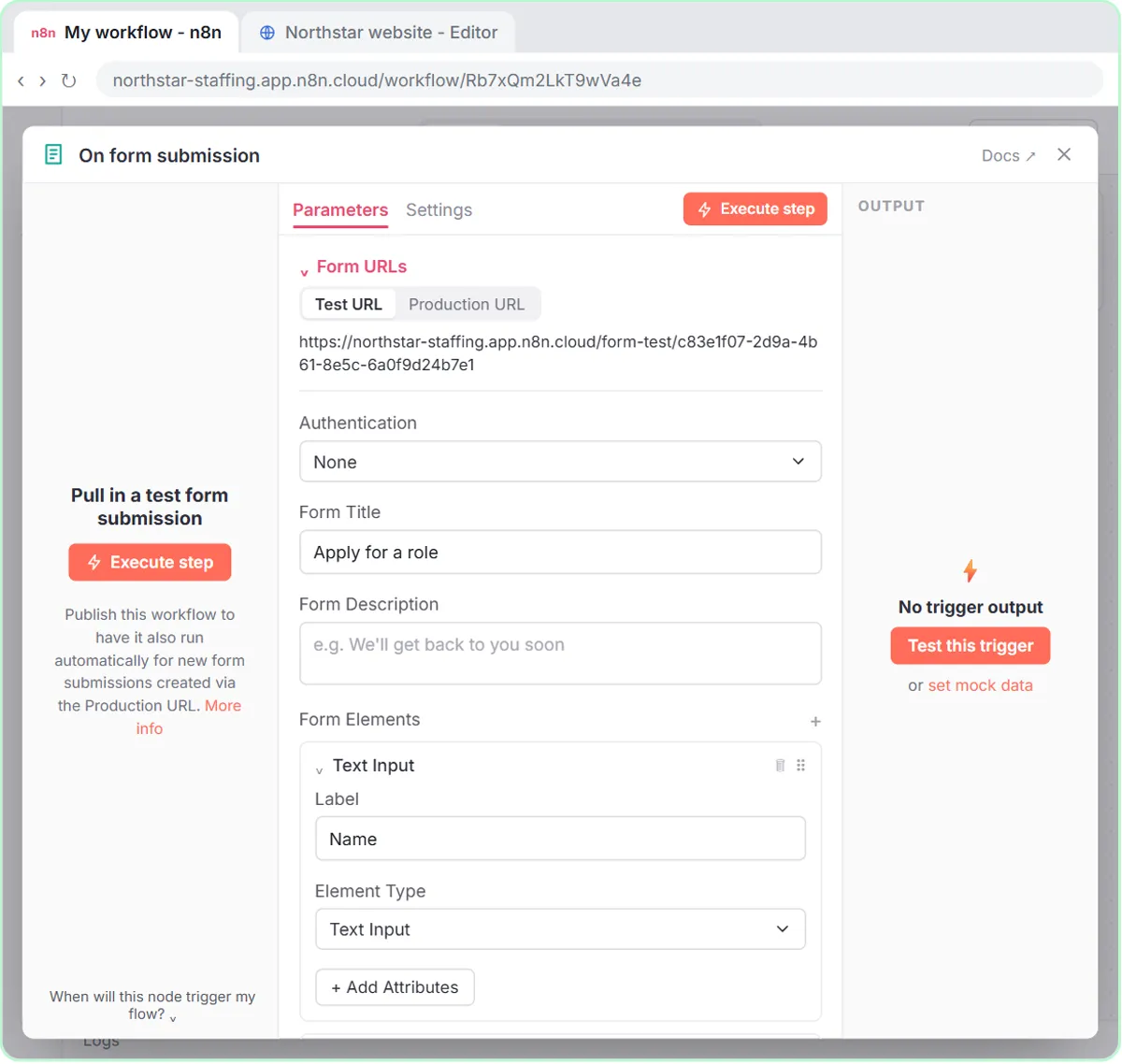 Collect Job Applications in Google Sheets with an n8n Form and a Careers-Page Webhook
Stop losing applicants between job boards and your careers page. An n8n form plus a careers-page webhook put every application in one Google Sheet.
Free · Live ~12 min Advanced
◷Keep Top Candidates Warm with Honest Status Replies using ChatGPTYour best candidate has another offer and wants to know if she got the job, if you'll match her pay and when she can start. Give ChatGPT the thread and the hiring…
Free · Live ~9 min Beginner
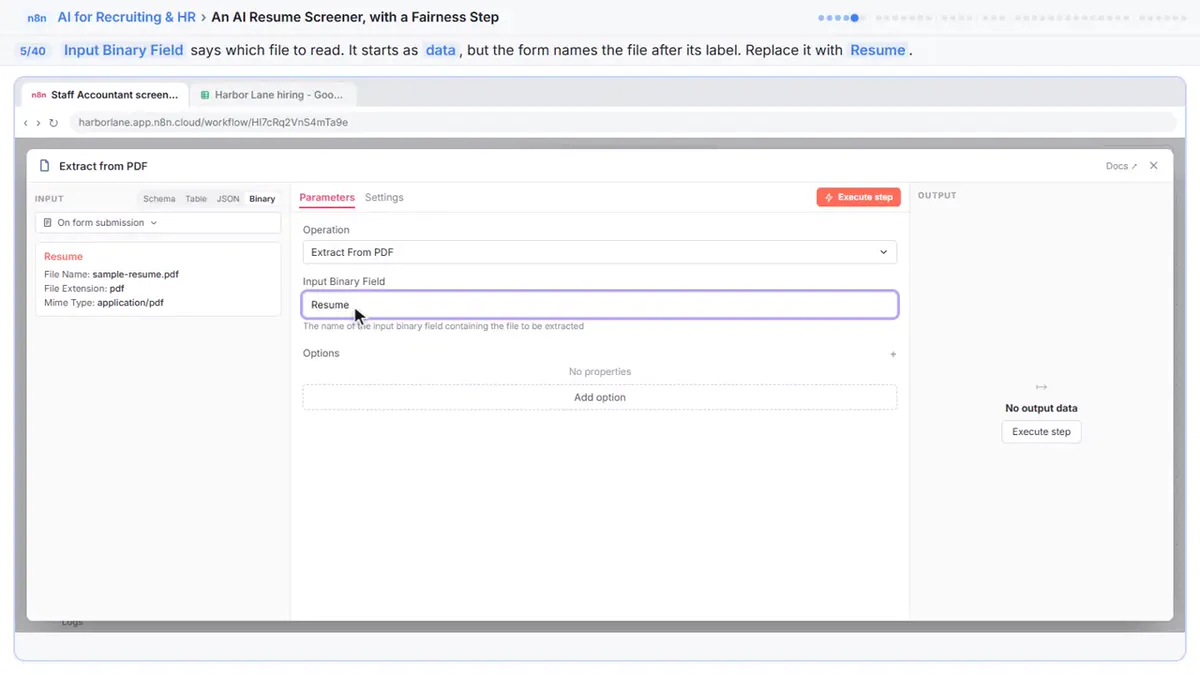 An AI Resume Screener, with a Fairness Step (Recruiting & HR)
Have n8n read each applicant’s PDF resume, score it against the job’s must-haves with the evidence quoted, and rank it in Google Sheets, while a person makes every…
Free · Live ~14 min Advanced
◷Answer an Employee's Leave Questions Without Overpromising using ChatGPT for Recruiting & HRAn employee asks about pay, unpaid weeks and whether his leave dates are approved. Give ChatGPT the thread and your leave policy, catch the answers you can't give yet…
Free · Live ~10 min Beginner
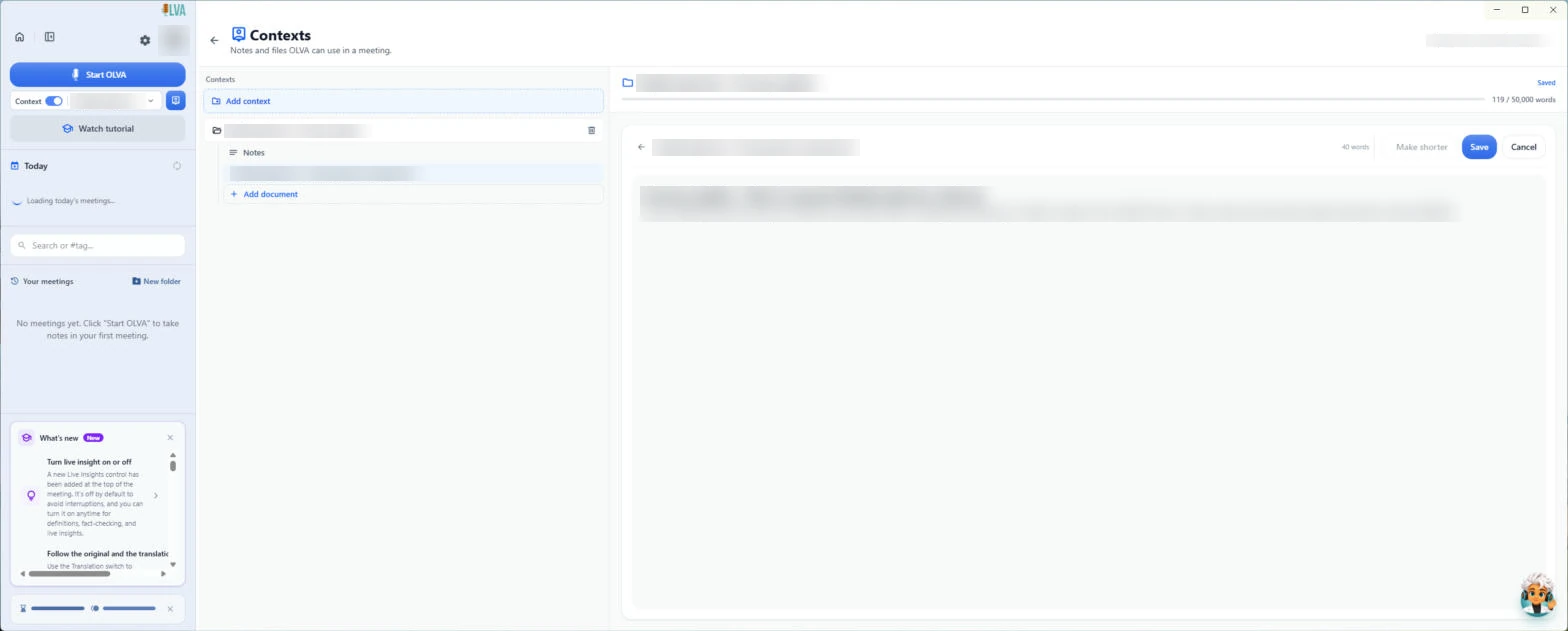 OLVA: Listen in Interviews and Debrief Against the Scorecard
Load the role's scorecard and the resume into OLVA. In the interview it suggests follow-up questions privately and tells you what you haven't covered, then helps you…
Free · Live ~8 min Intermediate
All 18 modules in AI Automation for Recruiting & HR
More ChatGPT tutorials
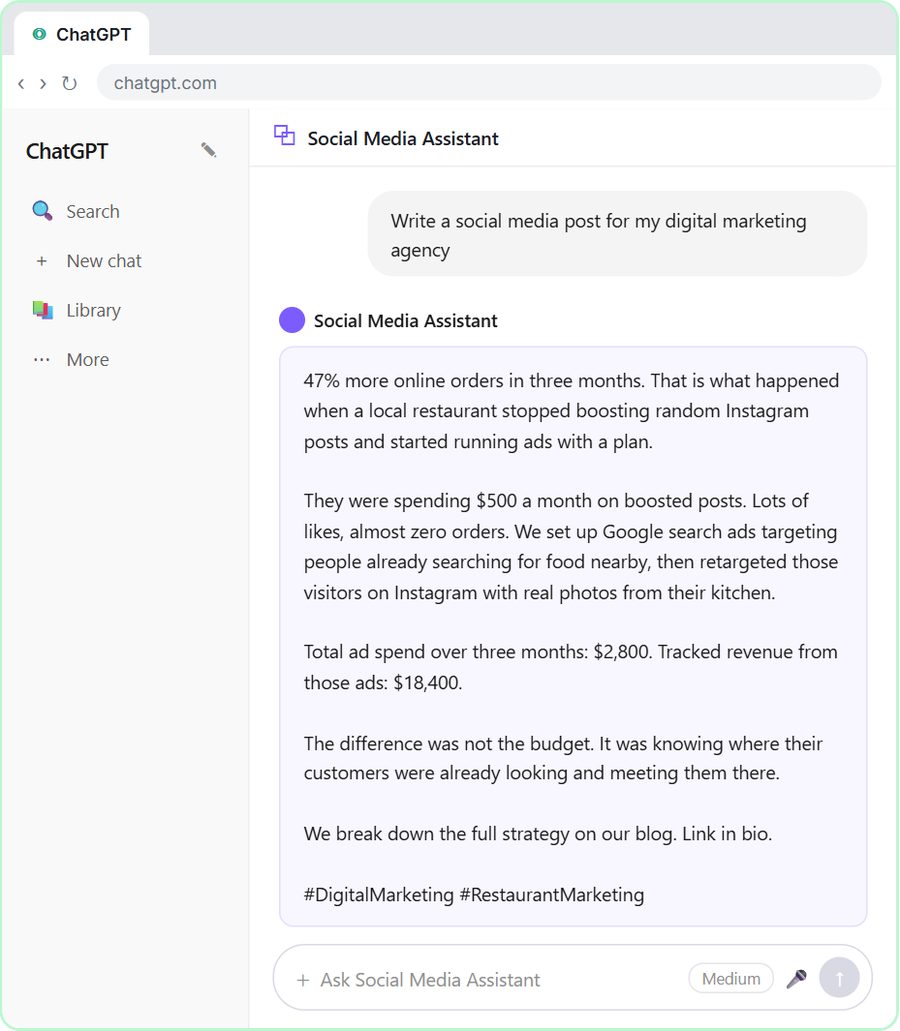 Get On-Brand Social Posts Every Time using a ChatGPT Custom GPT
See why generic prompts give generic results, then build a Custom GPT loaded with your brand voice and watch the output transform.
Free · Live ~8 min Beginner
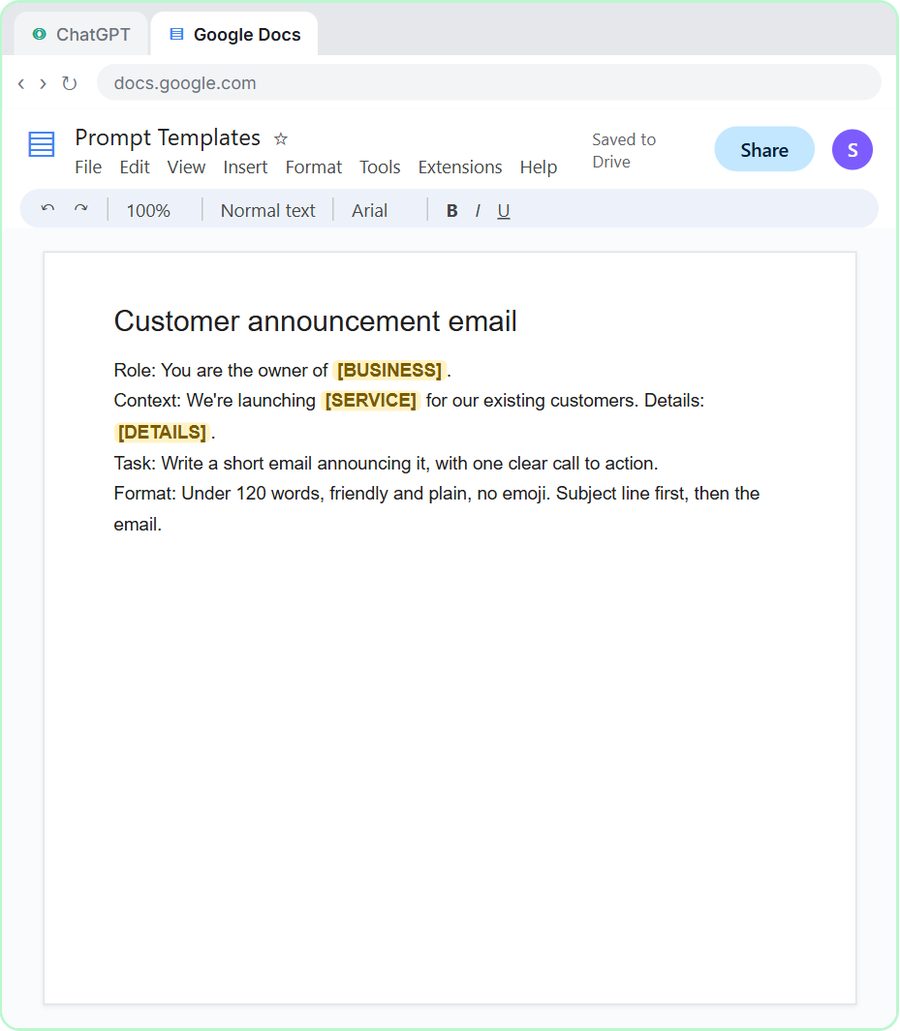 Prompt Writing 101: Role, Context, Task, Format
Ask ChatGPT for the same customer email twice, once vaguely and once with a four-part prompt, and see exactly why structure gets a better answer.
Free · Live ~8 min Beginner
◷Send a Same-Day Follow-up After Every Discovery Call using ChatGPTTurn a discovery call transcript into the decisions, the next steps with owners and dates, deal notes for your CRM, and a follow-up email the prospect gets the same…
Free · Live ~7 min Beginner
◷Hold Your Price When a Prospect Asks for a Discount using ChatGPTA prospect wants 30% off and a free month to sign this week. Give ChatGPT the thread and your pricing rules, catch the discount you can't approve, and send a reply that…
Free · Live ~9 min Beginner
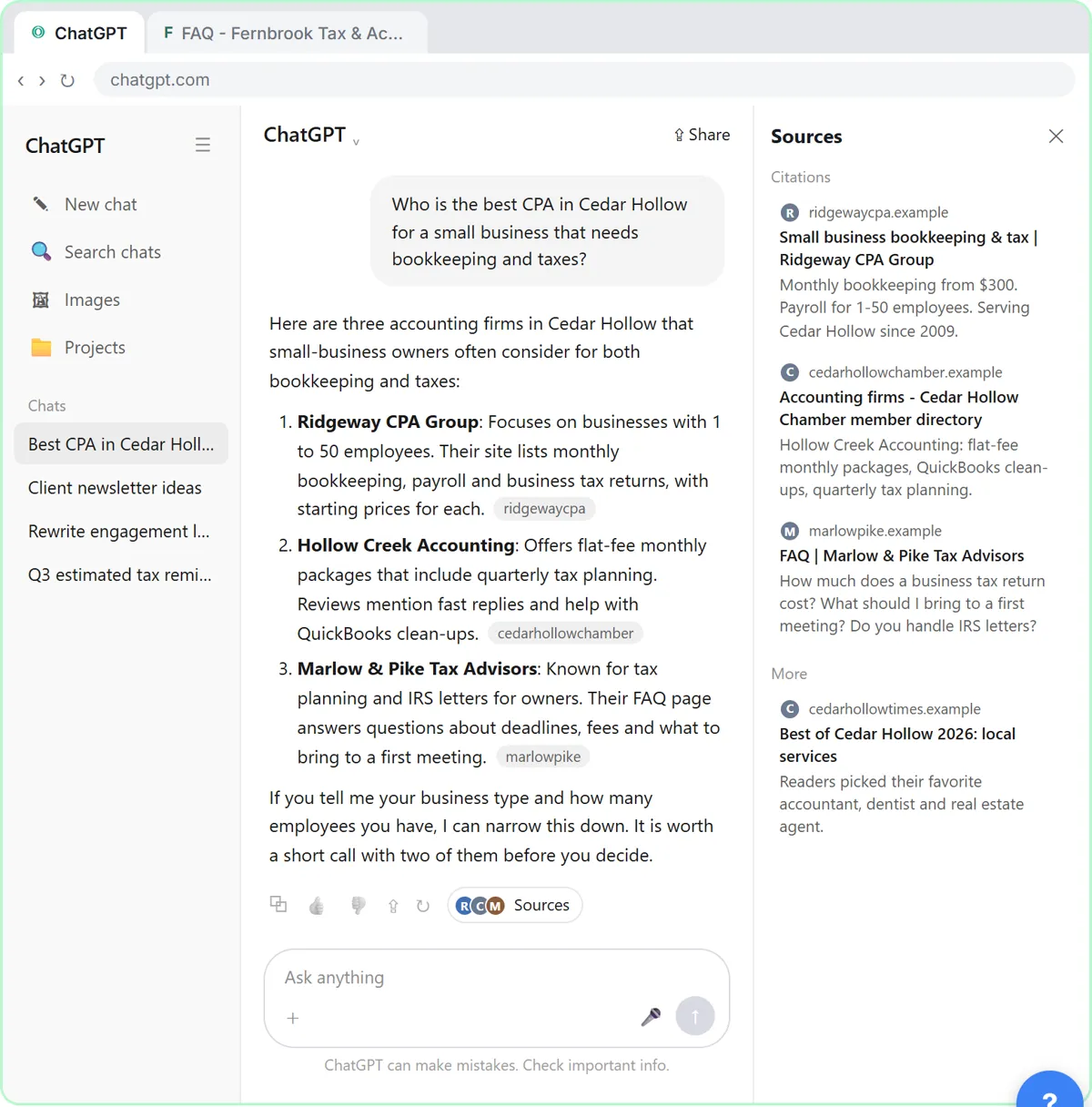 Get Your Business Recommended by ChatGPT
Ask ChatGPT who it recommends in your town, see which pages it trusts, then use it to write an FAQ page and Business Profile copy that answer real customer questions.
Free · Live ~10 min Intermediate
◷Run a Weekly Ops Review Where Every Task Has an Owner using ChatGPTTurn a weekly operations and vendor review into the decisions, the next steps with owners and dates, the risks to watch and a team recap, without turning a vendor's…
Free · Live ~7 min Beginner
From the blog
How to Debrief a Candidate After an InterviewHow to debrief a candidate after an interview: what to say, a short call script, what not to promise, and how to draft the follow-up with ChatGPT.
Oct 21, 2026 4 min read
 Candidate Experience Examples: 7 Moments to Get Right
Candidate experience examples from job post to decision: what good and bad look like at each step, and how AI helps a small team reply faster and fairer.
Oct 21, 2026 5 min read
How to Reduce Time to Hire with AI: 6 Practical StepsHow to reduce time to hire with AI: clearer job posts, one applicant list, fair resume screening, same-day interview scorecards and fast, honest updates.
Oct 21, 2026 5 min read
Visual guides
This lesson’s key ideas as quick visual guides: swipe through the slides, or read the same guide as text.
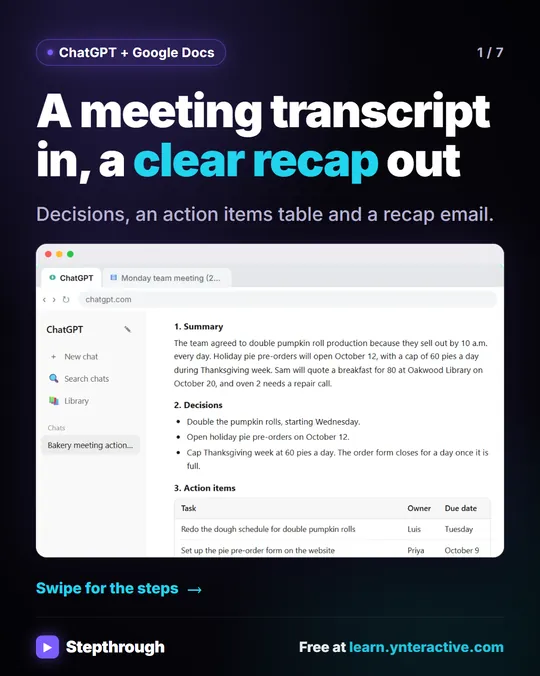 Summarize a meeting transcript with ChatGPT
A meeting transcript is useful for about five minutes, and then nobody reads it again.
Step-by-step guide 7 slides
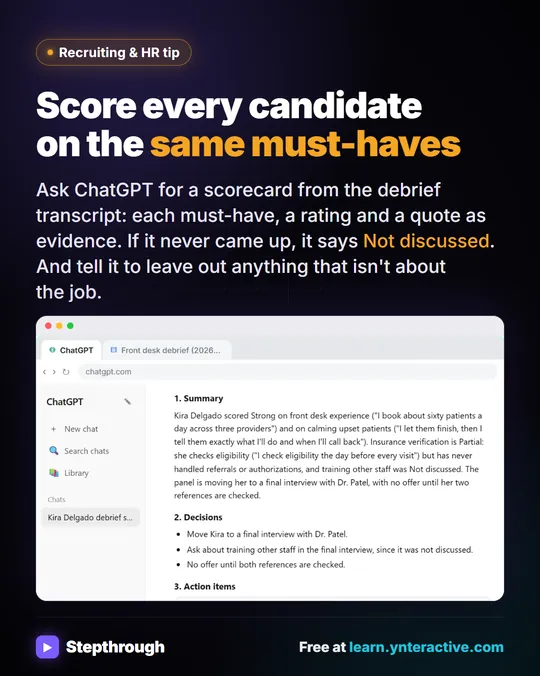 Turn an interview debrief into a fair scorecard
Interview write-ups drift into general impressions, and a must-have nobody asked about quietly becomes an assumption.
Industry tip One graphic
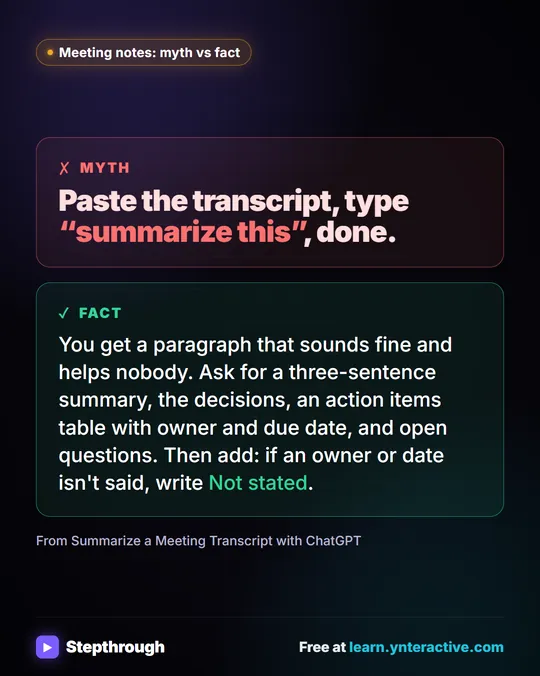 Meeting notes myth: “summarize this” is all ChatGPT needs
Myth: paste a transcript, type “summarize this”, done. Fact: ask for the decisions, an action items table with owners and dates, and open questions.
Myth vs fact One graphic
Free cheat sheets
Print it or save the PDF: the key steps and checks from this lesson on one page, free.
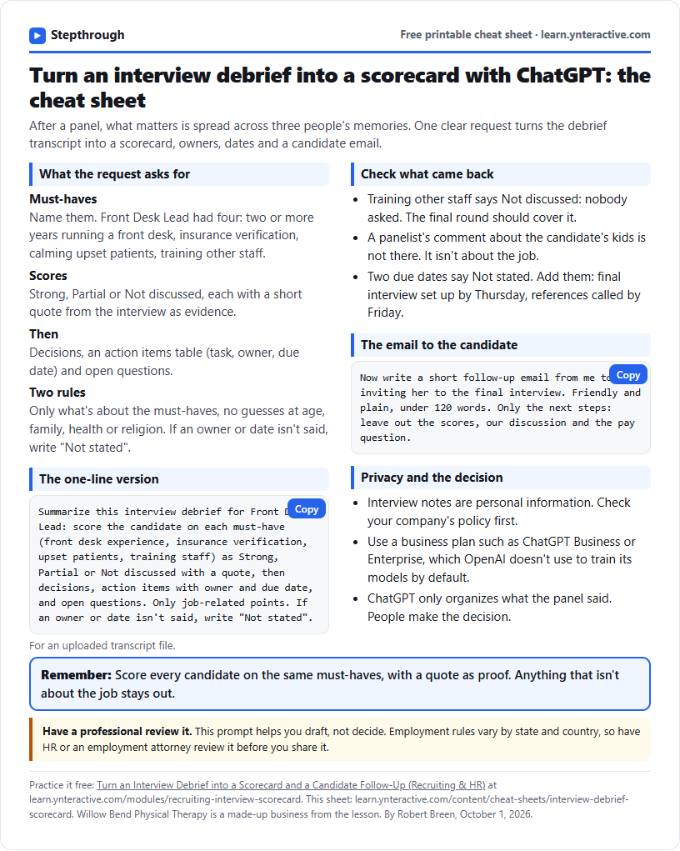 Interview Debrief Example and Scorecard Cheat Sheet
A free interview debrief template and scorecard with a filled-in example: ratings, evidence, concerns and the hire or no-hire call. Printable PDF.
Lesson cheat sheet Free PDF
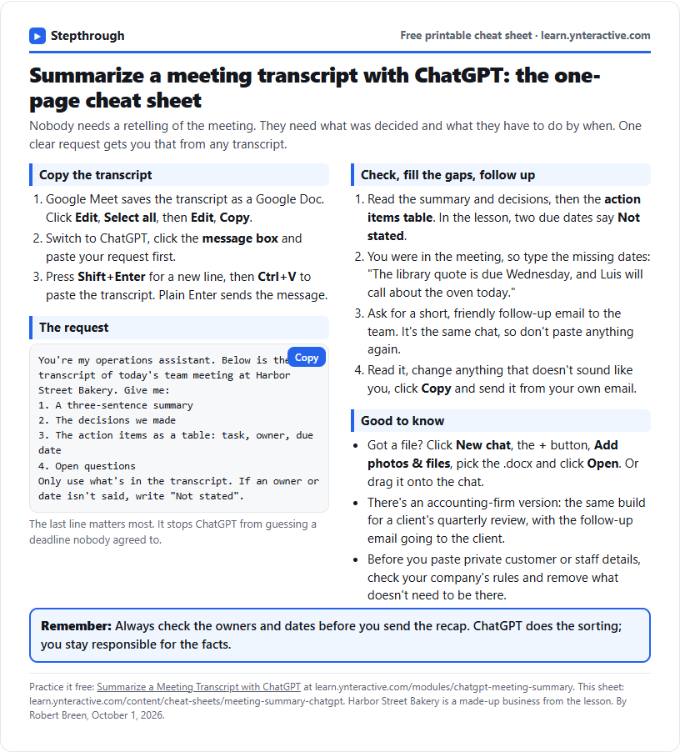 Summarize a Meeting with ChatGPT Cheat Sheet
A free one-page cheat sheet: turn a meeting transcript into decisions, an action items table with owners and dates, and a follow-up email.
Lesson cheat sheet Free PDF
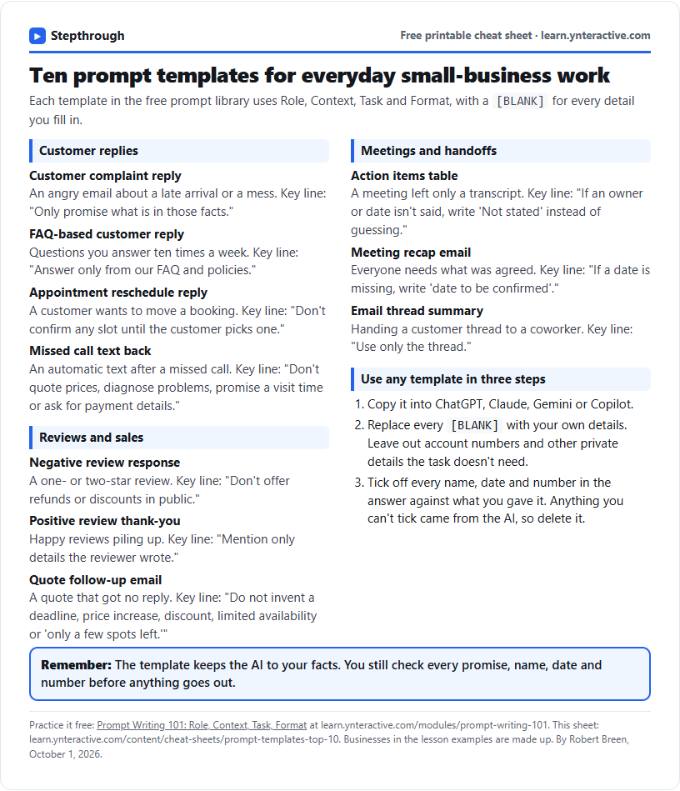 Top 10 Prompt Templates for Small Business: Cheat Sheet
A free one-page cheat sheet of ten copy-ready AI prompt templates: customer replies, reviews, quote follow-ups, meeting recaps and handoffs.
Topic cheat sheet Free PDF
All free printable cheat sheets
Terms in this lesson
Plain-English definitions, each with an example from a free lesson.
Related prompts
- Action items table prompt: Paste a meeting transcript or rough notes and get a table of every task, owner and due date, with "Not stated" wherever nobody…
- Feedback conversation script prompt: Plan a short, direct feedback talk with a teammate: the specific moment, why it mattered, a question to hear their side and one…
- Interview debrief agenda prompt: Plan a short interview debrief that goes must-have by must-have, keeps the talk on job evidence and ends with a decision, owners…
- Interview scorecard prompt: Turn interview notes or a debrief transcript into a scorecard: each must-have rated with a quote as evidence, gaps marked Not…
More terms on this topic
More prompts on this topic
- Exit interview questions prompt: Build a short, neutral exit interview: an honest opening script, open questions about the job and support, and what to do if a…
- Job description prompt: Turn a manager's rough notes into a clear job description for your files: ranked duties, required vs preferred skills, work…
- Job post prompt: A four-part ChatGPT prompt for a job ad people want to read: real pay and schedule, must-haves kept apart from nice-to-haves…
- Panel interview question split prompt: Split a role's must-haves across your interview panel so every one has an owner, minutes and questions, and the debrief has…
- Promotion announcement prompt: Announce a promotion to the team: who, what role, from when, and what the person did to earn it, using only facts you can back up.
- Remote work policy draft prompt: Draft a remote work policy from the rules you have already decided: who qualifies, expected hours, equipment and security, with…