Updated . Built step by step in a real claude.ai account and a real Signatoro account on 24 October 2026. Every screen in the practice is a real Claude or Signatoro screen, and the email is what Claude wrote in that run. How we check this lesson
If Claude drafts your emails, it does not know your signature, so you paste it in, and pasted copies go stale. In this free lesson you follow Dana Whitfield (made up), who books patients at Brookside Dental, as she adds Signatoro to Claude as a custom connector: the address https://signatoro.com/mcp, Sign in now instead of the detected No sign-in, Claude's recommended OAuth sign-in so no API key goes into Claude, and a look at exactly what Claude may do before she approves. Then Claude drafts a cleaning reminder that ends with the signature saved in Signatoro, and checks whose signature it is before anything is sent.
At a glance
| Question | Answer |
|---|---|
| What you build | A business case for anyone who has Claude draft their emails: connect Signatoro to Claude as a custom connector, sign in with OAuth, check what each tool may do, and get drafts that end with your current saved signature instead of a pasted copy. Real Claude and Signatoro screens. |
| Tools | Claude |
| Time | About 9 minutes, 19 steps in 5 parts |
| Level | Beginner, no coding needed |
| Cost | Free |
| Ways to learn it | Practice it step by step |
The 5 parts, in short
- Emails from Claude, without a signature: Count the emails that go out wrong, Keep one signature, and let Claude fetch it, What you need.
- Add Signatoro as a connector: Add a custom connector, Name it, Paste Signatoro's address, Continue.
- Sign in and approve: Pick Sign in now, Keep the recommended sign-in, then Add, Connect, Read what Claude may do, then Approve, and 1 more step.
- Draft an email that ends with your signature: Ask for the email, and name Signatoro, Send it, The signature came from Signatoro, Claude checks whose signature it is, and 1 more step.
- What it gave you, and what is next: See what you have now, Up next.
Start here first: Granola: Client Call Notes Written for You, With No Meeting Bot (module 1 of AI Automation for Consulting & Agencies)
Part of: AI for Medical & Dental Office Admin (step 16 of 16)
Part of: Email on Autopilot (step 16 of 16)
Part of: AI Apps Worth Knowing (step 80 of 80)
The business case: a pasted signature is a copy
Dana has Claude draft about 40 patient emails a week. Claude writes them well, but it does not know her signature, so she pastes it into each draft. When her title or the office phone changes, every pasted copy stays old, and about one email in ten goes out with an old number or no signature at all.
Signatoro keeps one saved signature for every place you send from. Connected to Claude, it is fetched fresh for each email, so one edit in Signatoro reaches the next draft.
What you do in the lesson
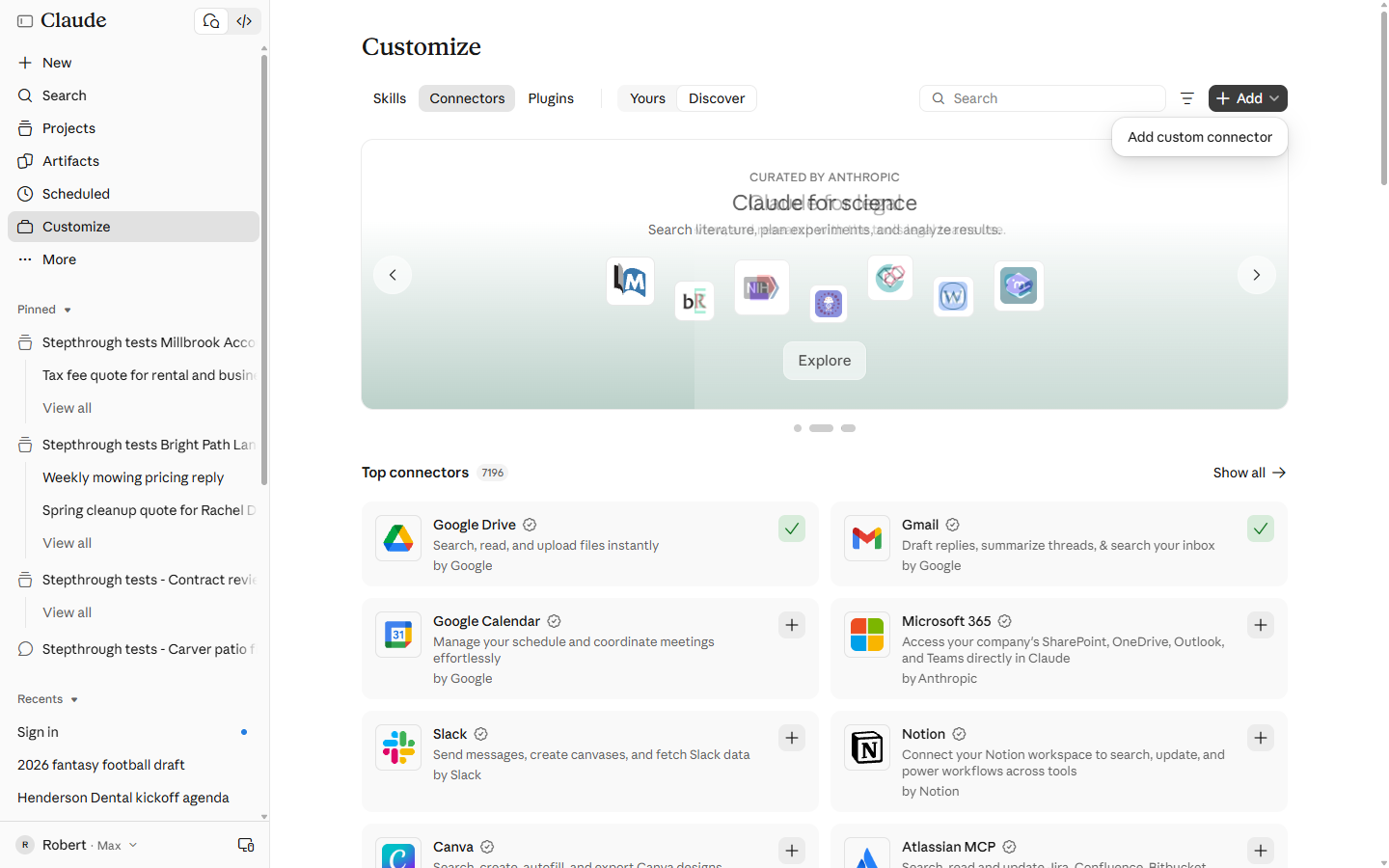
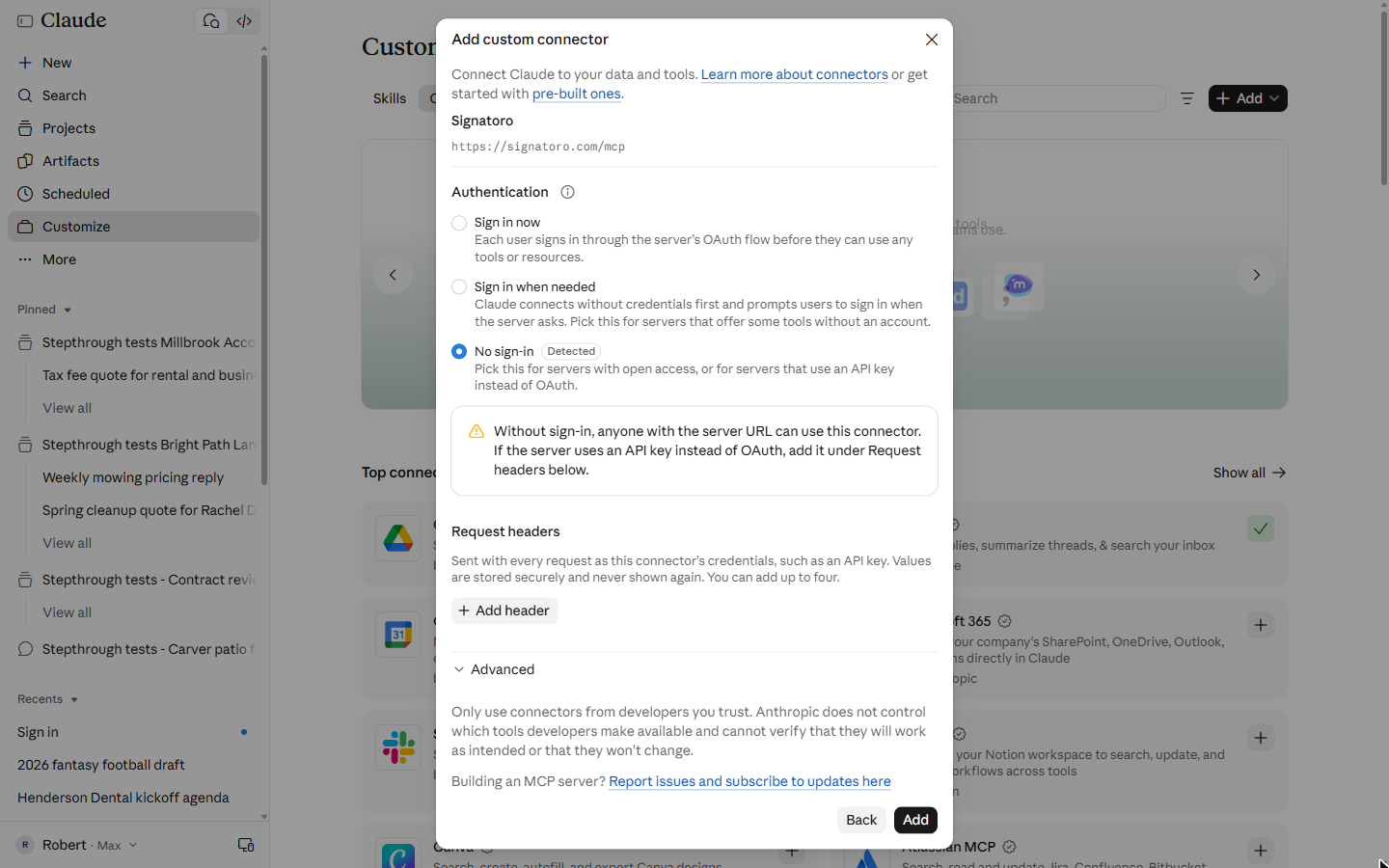
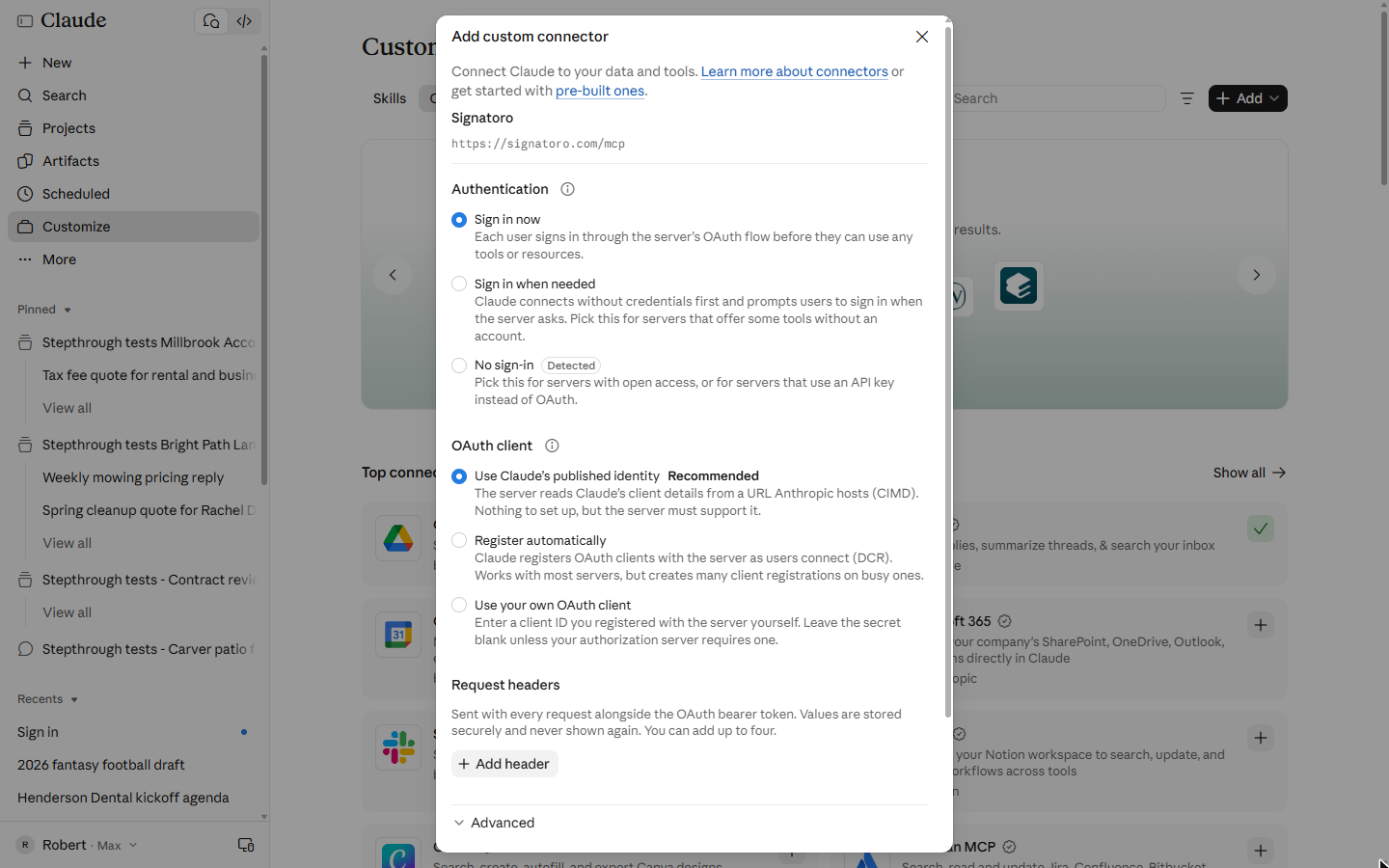
In Claude you open Customize, then Connectors, click Add and Add custom connector, name it Signatoro and paste https://signatoro.com/mcp. Claude detects No sign-in, because Signatoro answers some questions without an account, but to fetch your own saved signature it has to sign in as you, so you pick Sign in now and keep Claude's recommended OAuth client.
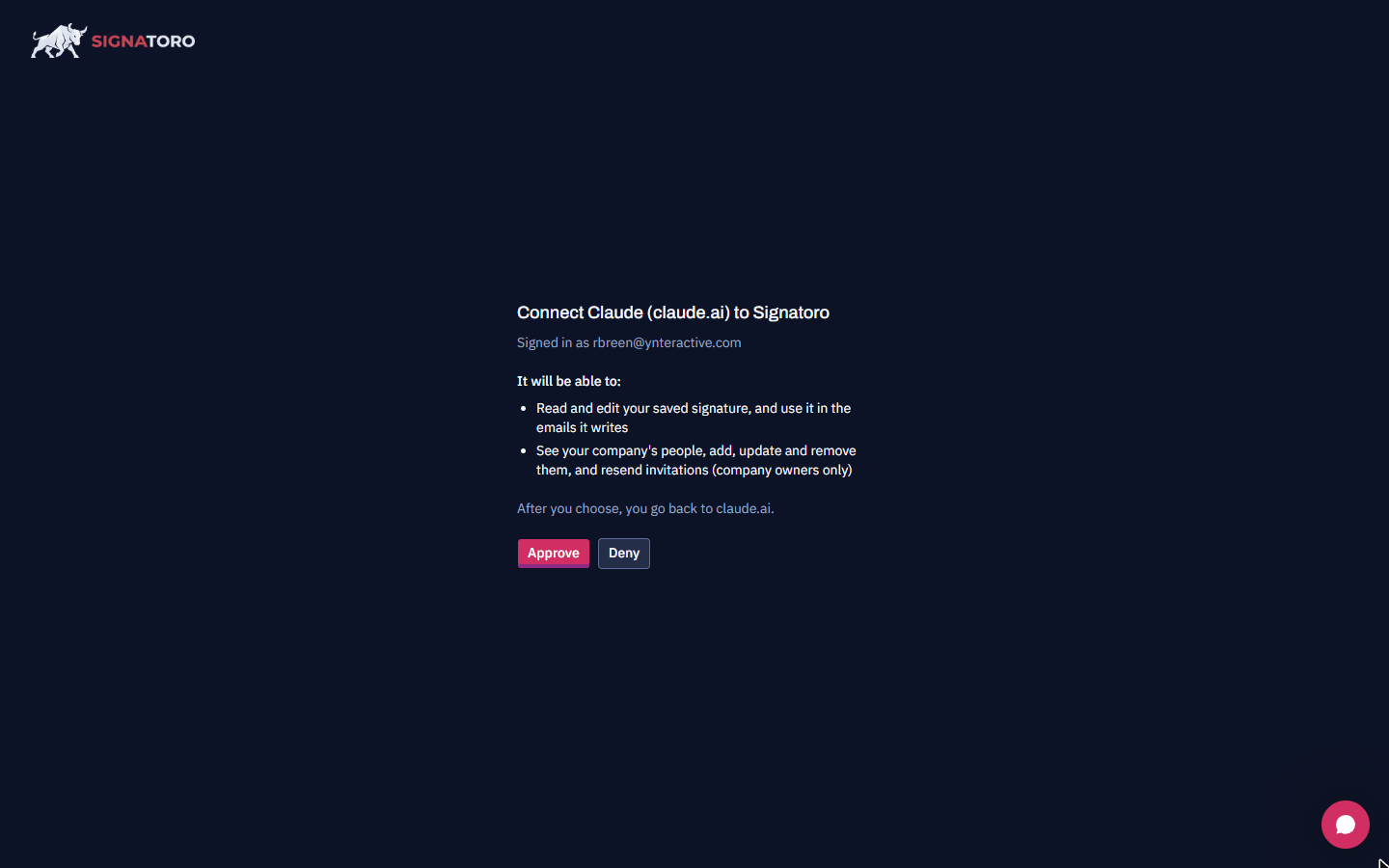
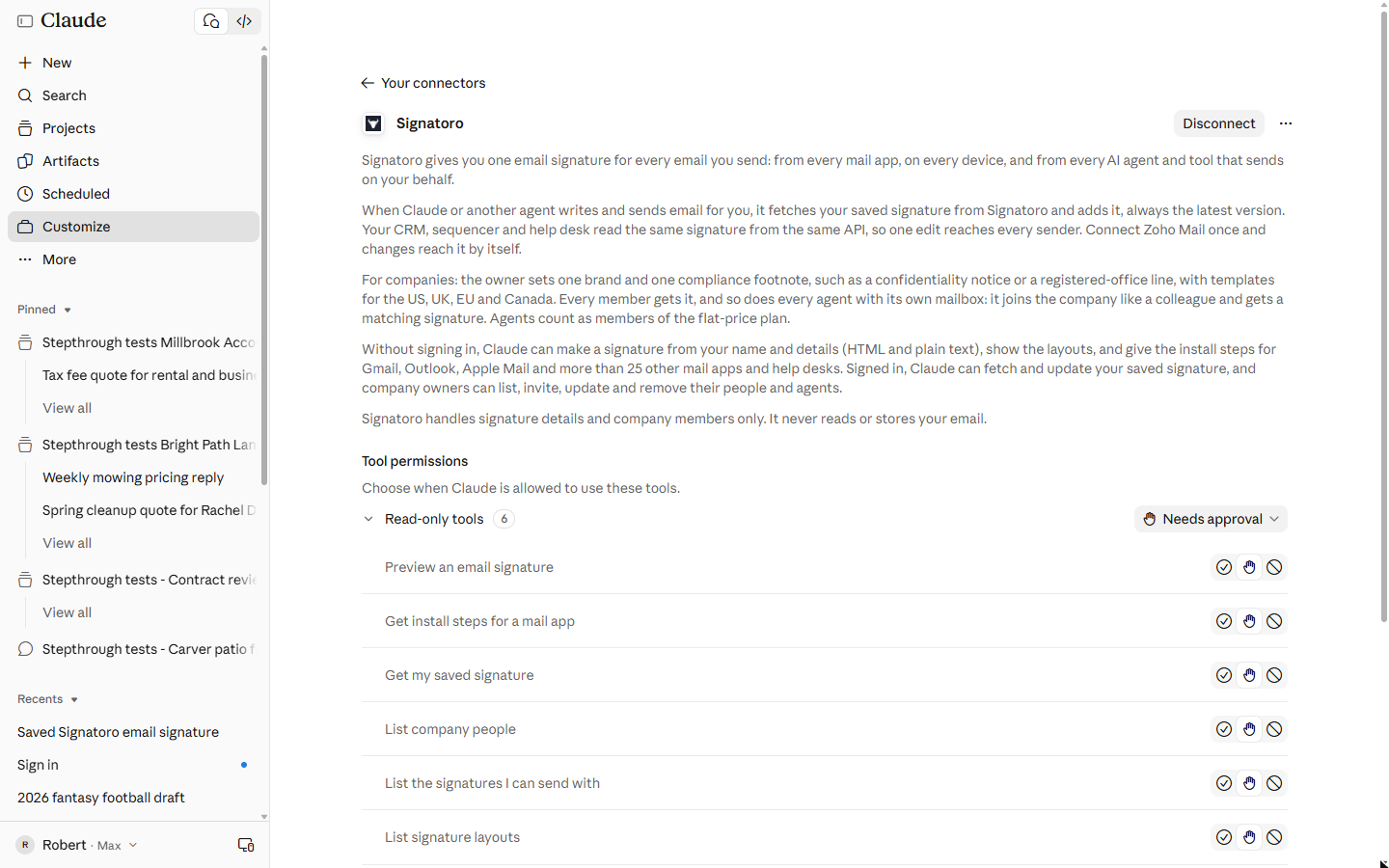
You click Connect, read Signatoro's list of what Claude will be able to do (read and edit your saved signature, and for company owners manage your company's people), approve it, and come back to a page with six read-only tools and five write tools. We left all eleven at Needs approval.
What happened, and what it teaches
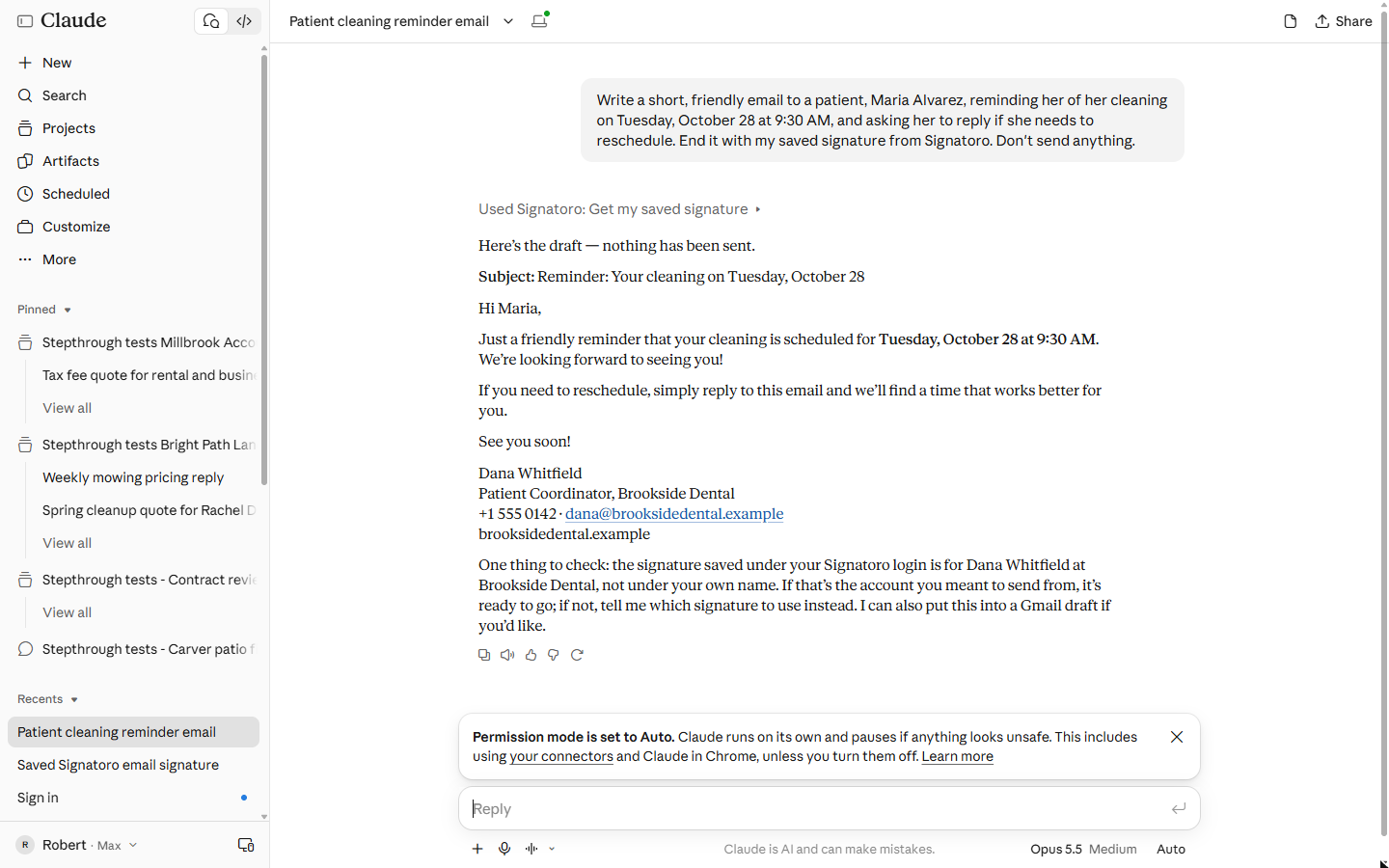
We asked for a short reminder to a patient about a Tuesday 9:30 AM cleaning, ending with the saved signature from Signatoro, and said not to send anything. Claude used one read-only tool, Get my saved signature, and ended the draft with the signature exactly as saved.
It also added a note: the saved signature belonged to Dana Whitfield, not to the name on the Claude account. In our run that was true, because we used a test signature. When several people share a login, that check is what stops an email going out under the wrong name. One limit to know: Claude's built-in Gmail tool drops images, so a signature with a photo arrives as text there.
Links
- Signatoro: the email signature platform this lesson connects to Claude. Free to start.
- Signatoro: give your signature to an AI agent: Signatoro's own guide for Claude, ChatGPT, n8n and Zapier, with the connector address and the signature rule.
- Claude help: custom connectors: how custom connectors work in Claude and which plans include them.
Try it yourself, free
Reading the steps is a start. Doing them is how it sticks. The interactive module walks you through every click in a practice copy of Claude, checks each step, and never touches your real accounts.
Start “End Every Email Claude Drafts With Your Saved Signature using Claude and Signatoro”Step by step: End Every Email Claude Drafts With Your Saved Signature using Claude and Signatoro
All 19 steps of the interactive module, in order. In the module you watch each one, then do it yourself in a practice copy that checks your work.
1. Emails from Claude, without a signature
- Count the emails that go out wrong. Dana Whitfield (made up) books patients at Brookside Dental. She has Claude draft about 40 patient emails a week: reminders, reschedules, follow-ups. Claude does not know her signature, so she pastes it in each time, and about 1 in 10 go out with an old phone number or none at all. Click the about 70 hours a year row.
Meet Dana. She books patients at a dental practice, and Claude drafts about forty emails a week for her. But Claude doesn't know her signature. So she pastes it in, every time, and some go out wrong.
- Keep one signature, and let Claude fetch it. Signatoro keeps one saved email signature for every place you send from: your mail app, and every AI assistant. Connect it to Claude once, and Claude fetches the current signature every time it writes an email for you. Click the Signatoro card.
Signatoro keeps one saved signature. Connect it to Claude once, and Claude fetches the current version every time it writes an email for you.
- What you need. Three things: a Claude plan that lets you add custom connectors, a Signatoro account with your signature saved (free to start), and Signatoro's connector address, https://signatoro.com/mcp. Download our notes on this page, then click the list.
Three things. A Claude plan that allows custom connectors. A Signatoro account with your signature saved. And Signatoro's connector address.
2. Add Signatoro as a connector
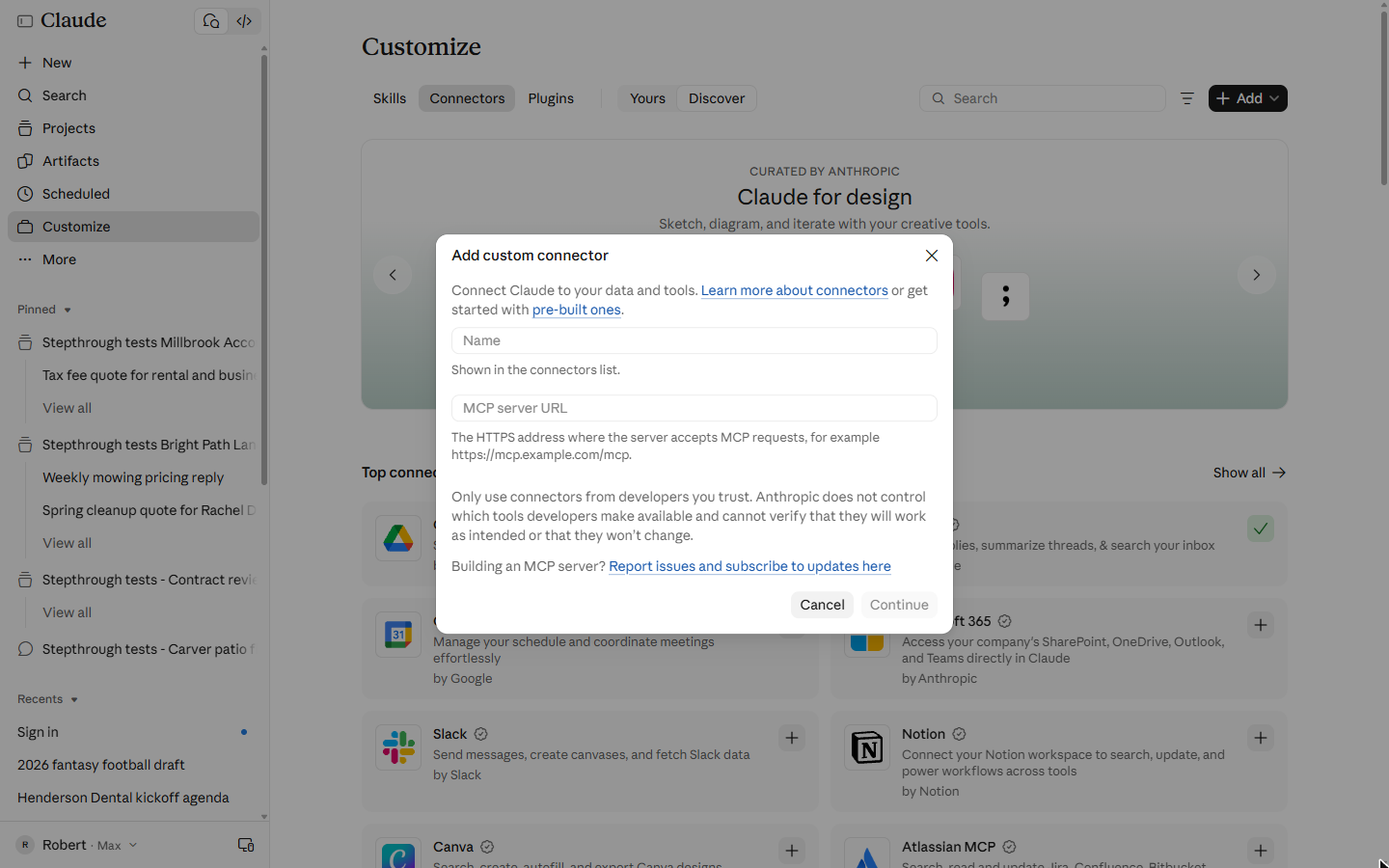
- Add a custom connector. In Claude, open Customize in the left sidebar, then the Connectors tab. Click + Add at the top right. A menu opens. Click Add custom connector.
In Claude, open Customize, then Connectors.
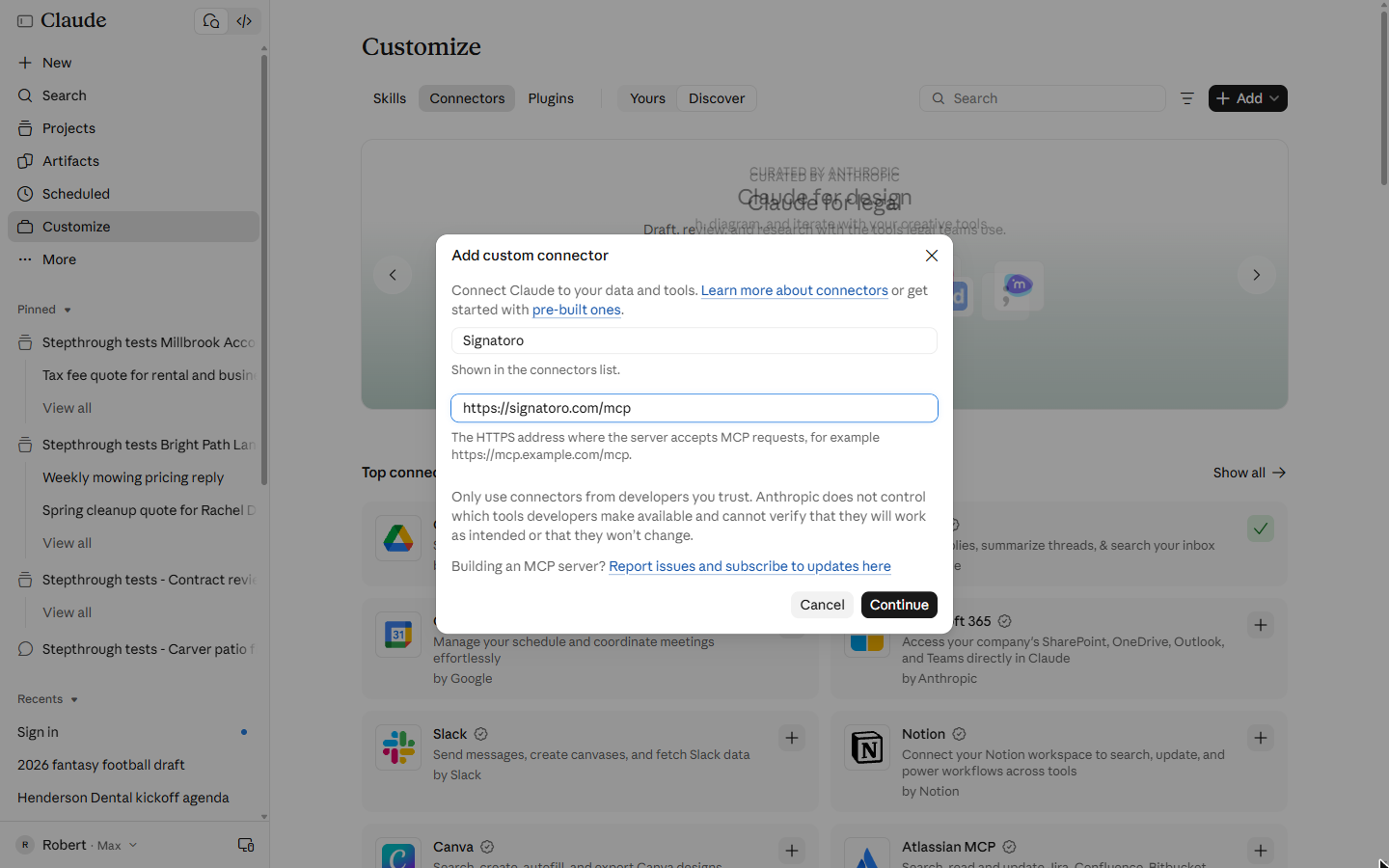
- Name it. The name is only for you: it shows in your connectors list. Type Signatoro in Name.
It's just a label for you.
- Paste Signatoro's address. In MCP server URL, paste Signatoro's connector address. It is in Signatoro's own guide for AI agents.
- Continue. Claude warns you to only use connectors from developers you trust. Click Continue.
3. Sign in and approve
- Pick Sign in now. Step 2 asks how the connector signs in. Claude detected No sign-in, because Signatoro also answers a few questions without an account. But to fetch your saved signature, Claude has to sign in as you. Click Sign in now.
Claude guessed no sign in. But to fetch your own signature, Claude has to sign in as you.
- Keep the recommended sign-in, then Add. Under OAuth client, leave Use Claude's published identity selected (it says Recommended). Leave Request headers empty: no API key goes into Claude. Scroll down, and click Add. Click the Use Claude's published identity row.
Leave the recommended option selected. No API key needed.
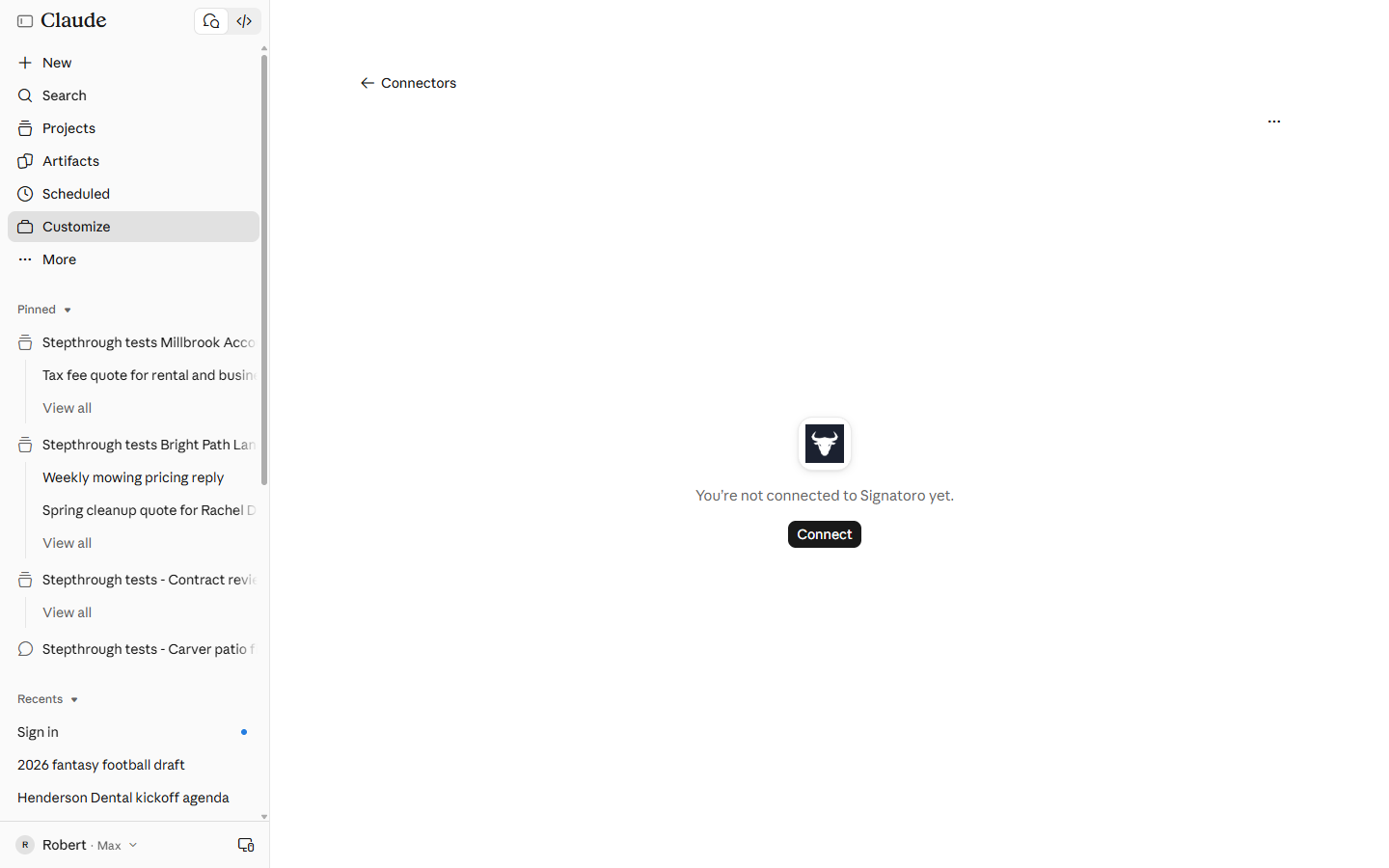
- Connect. The connector is added, but not signed in yet: You're not connected to Signatoro yet. Click Connect.
The connector is added, but not signed in.
- Read what Claude may do, then Approve. Signatoro opens and says which account you are signed in as. Read the list before you click: Claude will be able to read and edit your saved signature, and, for company owners, manage your company's people. If that is fine, click Approve. You go back to Claude.
Signatoro shows what Claude will be allowed to do. Read the list before you click. If it's fine, click Approve.
- Check the tool permissions. Back in Claude, the connector page lists Signatoro's tools: 6 read-only (such as Get my saved signature) and 5 that write (such as Save or update my signature). Each one can be set to always allow, needs approval, or never. We left them all at Needs approval. Click Needs approval.
Claude lists Signatoro's tools. Six only read. Five can change things. We left them all at needs approval.
4. Draft an email that ends with your signature
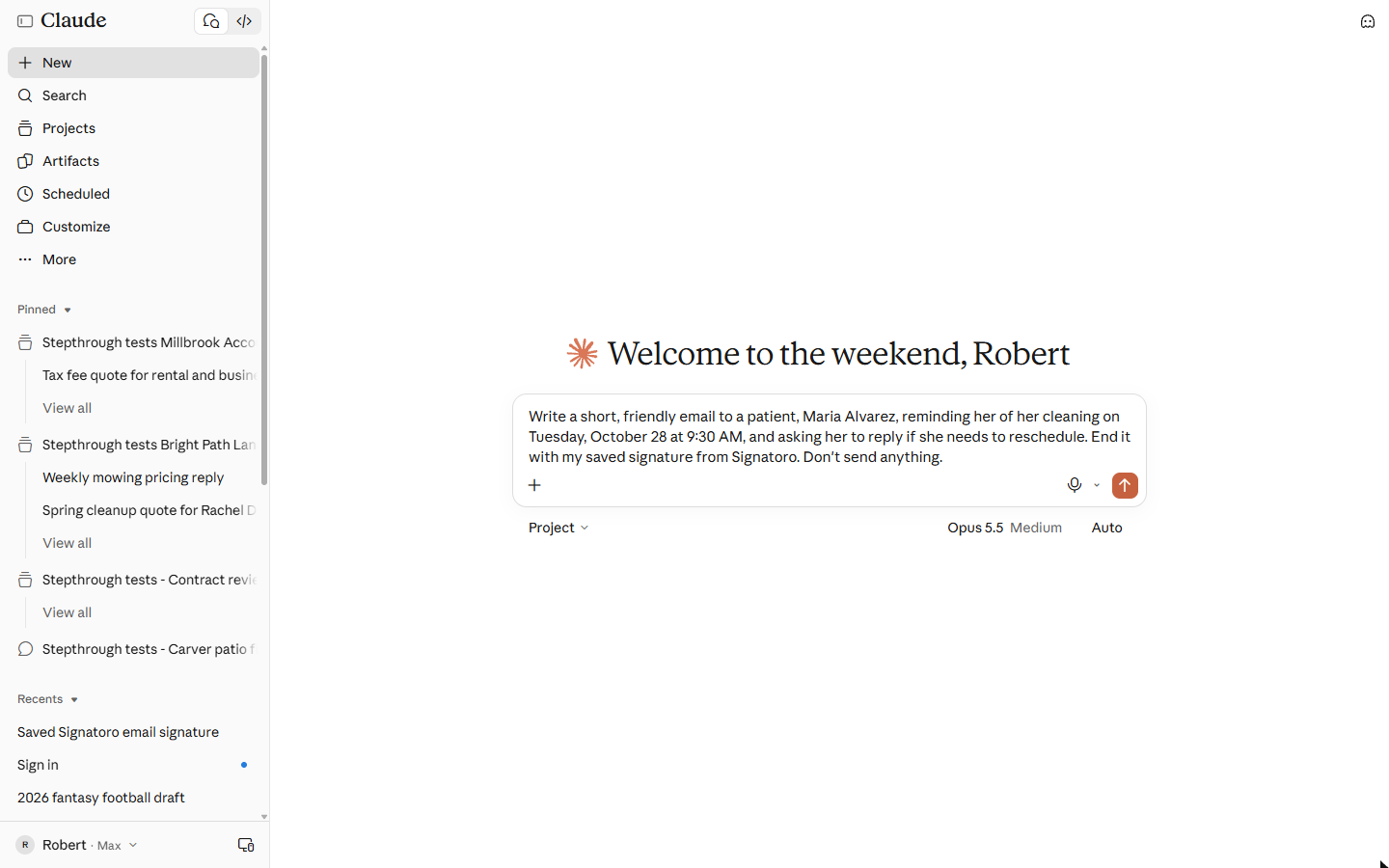
- Ask for the email, and name Signatoro. Start a new chat. Say what the email is for, who it goes to, the date and time, and end with "End it with my saved signature from Signatoro. Don't send anything." Type it in the box.
Start a new chat. Say what the email is for, and who it goes to. And end with, use my saved signature from Signatoro. Don't send anything.
Write a short, friendly email to a patient, Maria Alvarez, reminding her of her cleaning on Tuesday, October 28 at 9:30 AM, and asking her to reply if she needs to reschedule. End it with my saved signature from Signatoro. Don't send anything.
- Send it. Click the arrow to send.
- The signature came from Signatoro. About 15 seconds later: the reminder, with the date and time right, and at the end Dana Whitfield, Patient Coordinator, Brookside Dental, phone, email and website, exactly as saved in Signatoro. Nothing was pasted. Click the signature.
The reminder is ready. And at the end, Dana's signature, exactly as saved in Signatoro. Nothing was pasted.
- Claude checks whose signature it is. Claude adds a note: the signature saved under this Signatoro login is Dana Whitfield's, not the name on the Claude account. In our run that was true: we used a test signature. If several people share one login, this is the check that stops an email going out under the wrong name. Click One thing to check.
Claude adds a check. The saved signature belongs to Dana, not to the name on this Claude account. That check stops an email going out under the wrong name.
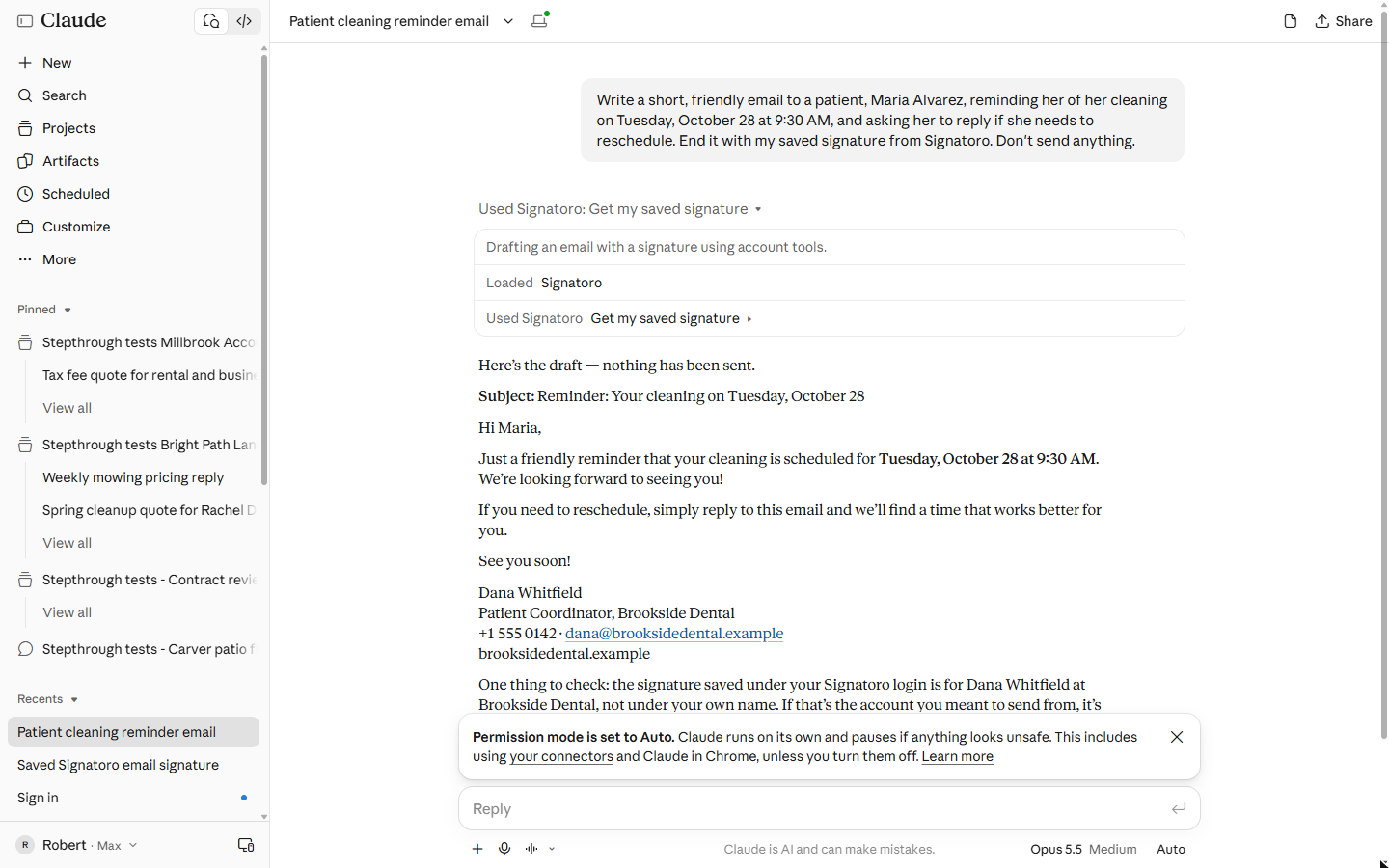
- See what Claude did. Click Used Signatoro: Get my saved signature to open the steps: Loaded Signatoro, then Get my saved signature. It used one read-only tool and changed nothing. Click that row.
Claude loaded Signatoro, and used one read-only tool. It changed nothing.
5. What it gave you, and what is next
- See what you have now. Signatoro connected to Claude once, signed in as you, with every tool asking first. Every email Claude drafts can now end with your current signature: change your phone number in Signatoro, and the next email has it. Click What you have now.
Signatoro is connected once. Every email Claude drafts can end with your current signature. Change it in Signatoro, and the next email has it.
- Up next. Next: let a Zapier or n8n workflow add the same signature to the emails it sends, with no one in the loop. Click Up next.
Next, add the same signature to emails a workflow sends.
Screenshots
Frequently asked questions
- How do I add my email signature to emails Claude writes?
- Save your signature in Signatoro, then in Claude go to Customize, Connectors, Add, Add custom connector, with the address https://signatoro.com/mcp. Pick Sign in now, approve on Signatoro, and ask Claude to end the email with your saved signature from Signatoro.
- Do I need to paste an API key into Claude?
- No. With Sign in now and Claude's recommended OAuth client, you approve the access on Signatoro's own page, and no key is typed into Claude.
- Can Claude change my signature through the connector?
- It can if you allow it: Signatoro gives Claude five write tools, such as Save or update my signature. Leave them at Needs approval so Claude asks first.
More in AI Automation for Consulting & Agencies
Take a client call with Granola: jot a few lines, let it write the notes from the transcript, check the budget against its source, draft the follow-up email and share…
Free · Live ~5 min Beginner
◷Beautiful.ai: A Client Review Deck from Your Brief in Under an HourBuild a client quarterly review deck with Beautiful.ai Create with AI: brief it with the real numbers, fix the outline before generating, check every figure and share a…
Free · Live ~6 min Beginner
 Turn a Client Kickoff Call into a Proposal Outline with ChatGPT (Agencies & Consultants)
Turn the transcript of a client kickoff call into the scope, budget and timeline the client stated, an action items table, open questions, and a recap email with a…
Free · Live ~10 min Beginner
◷Handle Scope Creep Without Losing the Client using ChatGPTA client asks for "one small extra" and a new language, and wants the launch date to hold. Give ChatGPT the thread and the project facts, catch the free work and the…
Free · Live ~9 min Beginner
 Research a Prospect's Market with Claude Research Before a Pitch (Consultants & Agencies)
Turn on Research before a pitch, have Claude check what a prospect's competitors offer online, read the cited report, check a source and turn it into talking points for…
Free · Live ~7 min Beginner
 Prompt Chaining for a Client Campaign Plan: Build It in Steps with ChatGPT (Agencies)
Ask ChatGPT for a client's whole 4-week campaign in one prompt, then build a better one in four steps: audiences, offers, a calendar table checked against the client's…
Free · Live ~7 min Beginner
All 17 modules in AI Automation for Consulting & Agencies
More Claude tutorials
 What Are Claude Skills? Turn One On and Watch It Work
Learn what a Claude skill is, switch on the setting skills need, turn on an example skill in Customize, and watch Claude use its Excel and Word skills on its own.
Free · Live ~7 min Beginner
 How to Install a Custom Skill in Claude (Upload a Skill .zip)
Upload your own skill to Claude as a .zip, check that it’s switched on, see what’s inside its SKILL.md, and watch Claude use it to write a landscaping quote your way.
Free · Live ~6 min Beginner
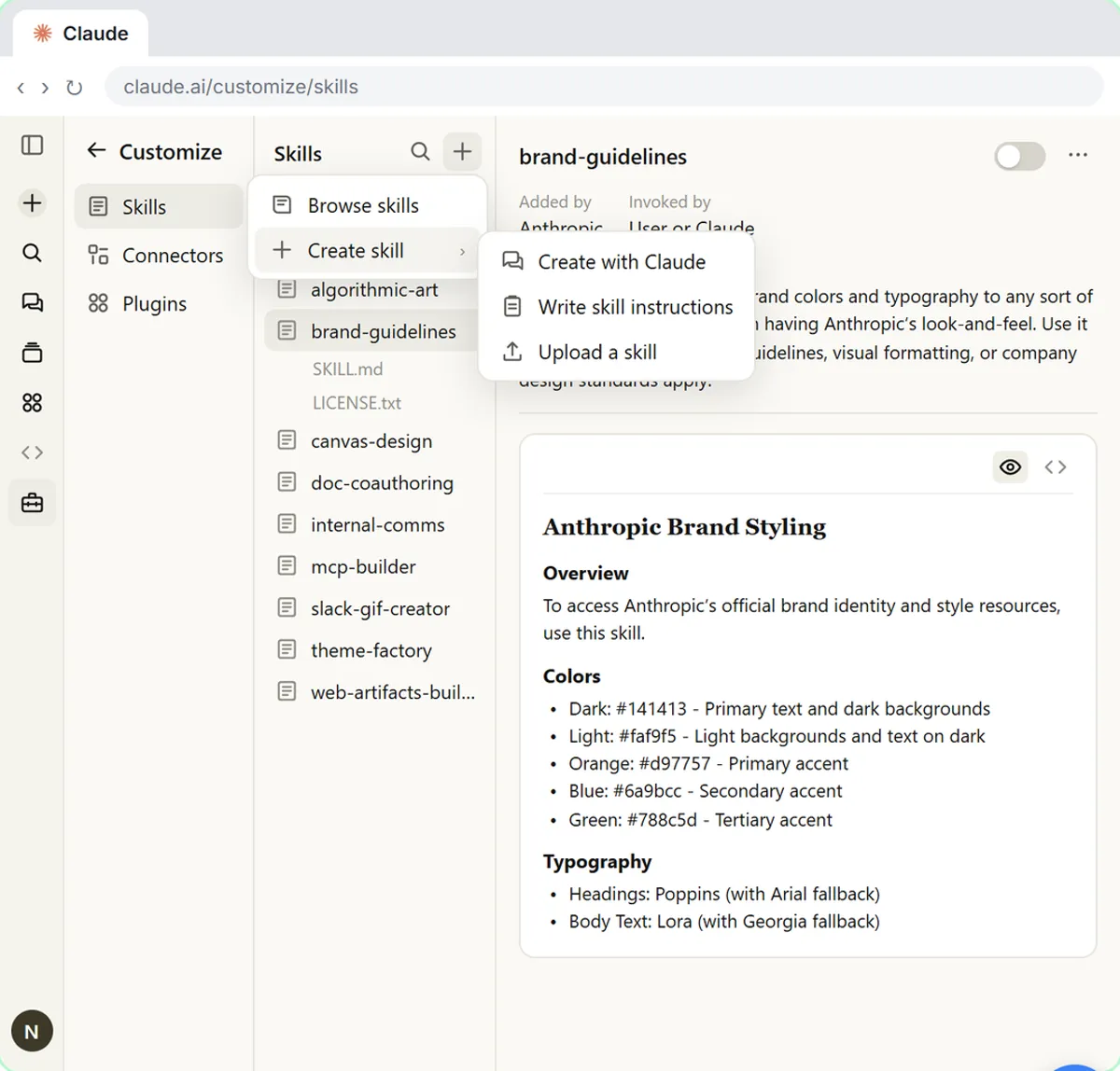 Make Every Claude Document On-Brand with a Brand Guidelines Skill
Build a brand skill for a small flower shop by chatting with Claude: colors, fonts, logo placement and voice. Then ask for a proposal and a social post and watch both…
Free · Live ~7 min Beginner
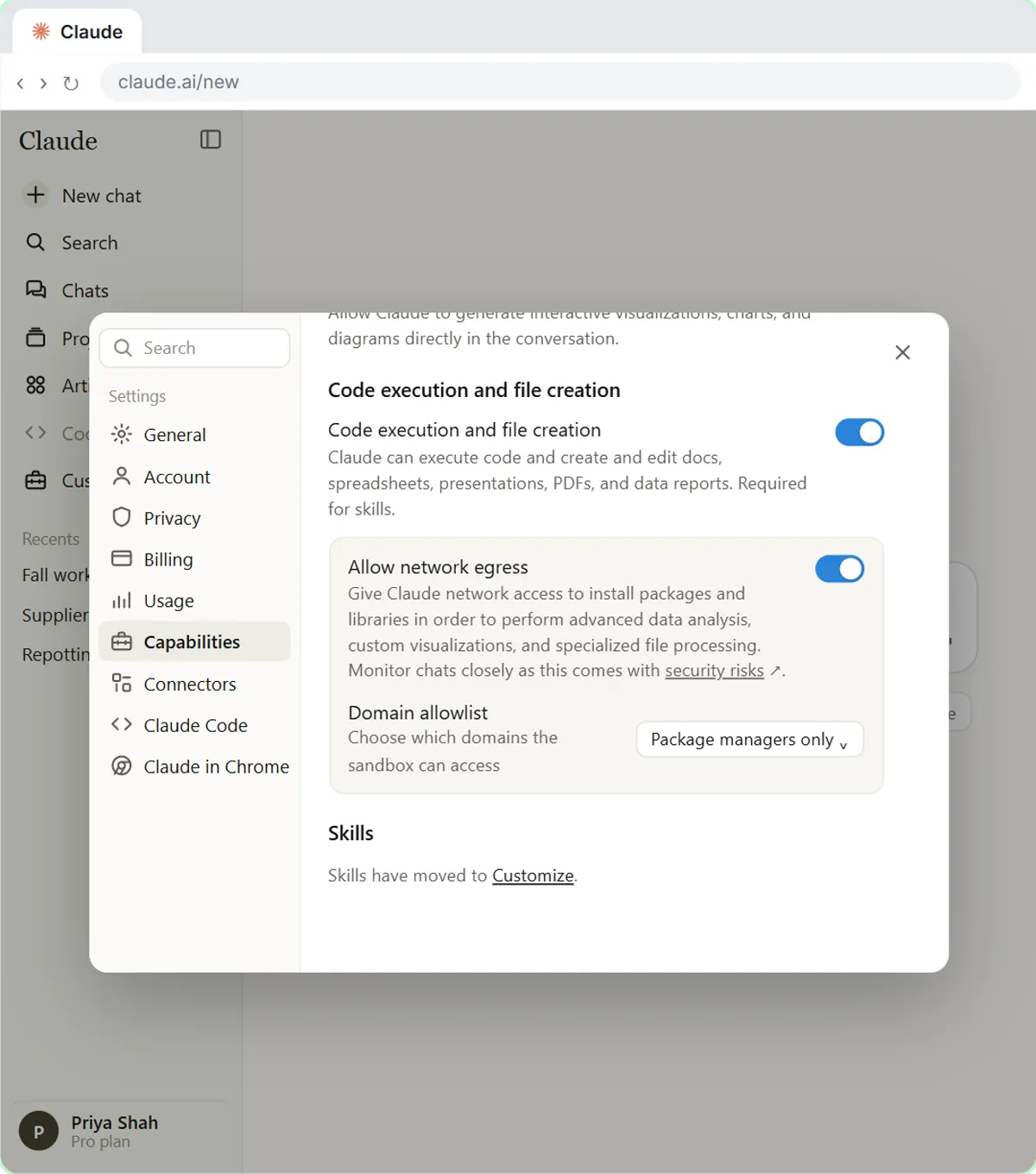 Claude's Excel Skill: Turn a Messy Export into a Clean Workbook
Upload a messy sales export to Claude and get back a clean Excel workbook with a Data tab, a Summary tab built with formulas, and a chart, thanks to Claude's built-in…
Free · Live ~8 min Intermediate
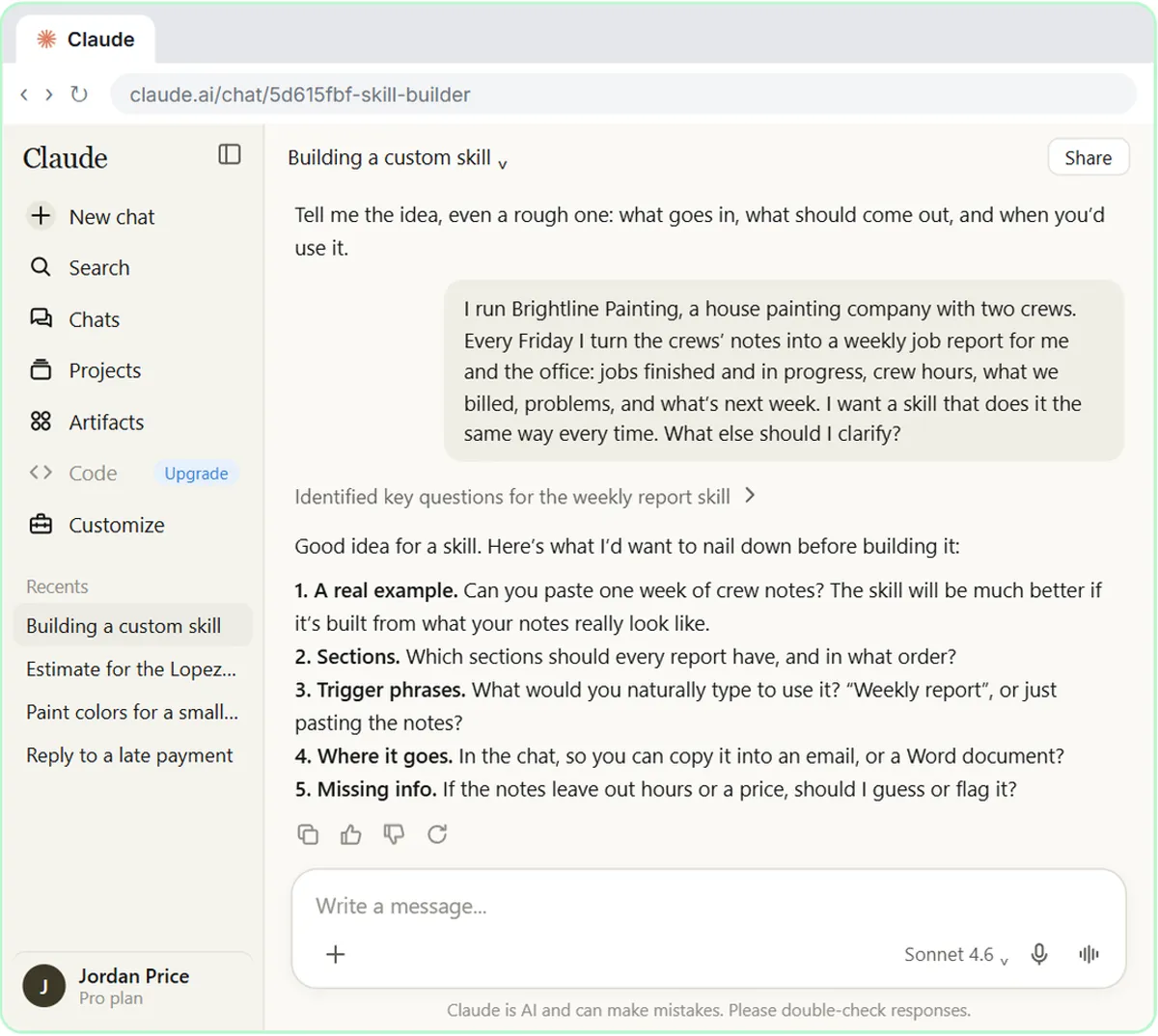 Build Your Own Claude Skill with the Skill Creator: A Weekly Report Template
Turn a report you make every week into a skill. Claude’s skill creator interviews you, drafts the skill, tests it and packages it. Then you use it on a real week…
Free · Live ~8 min Intermediate
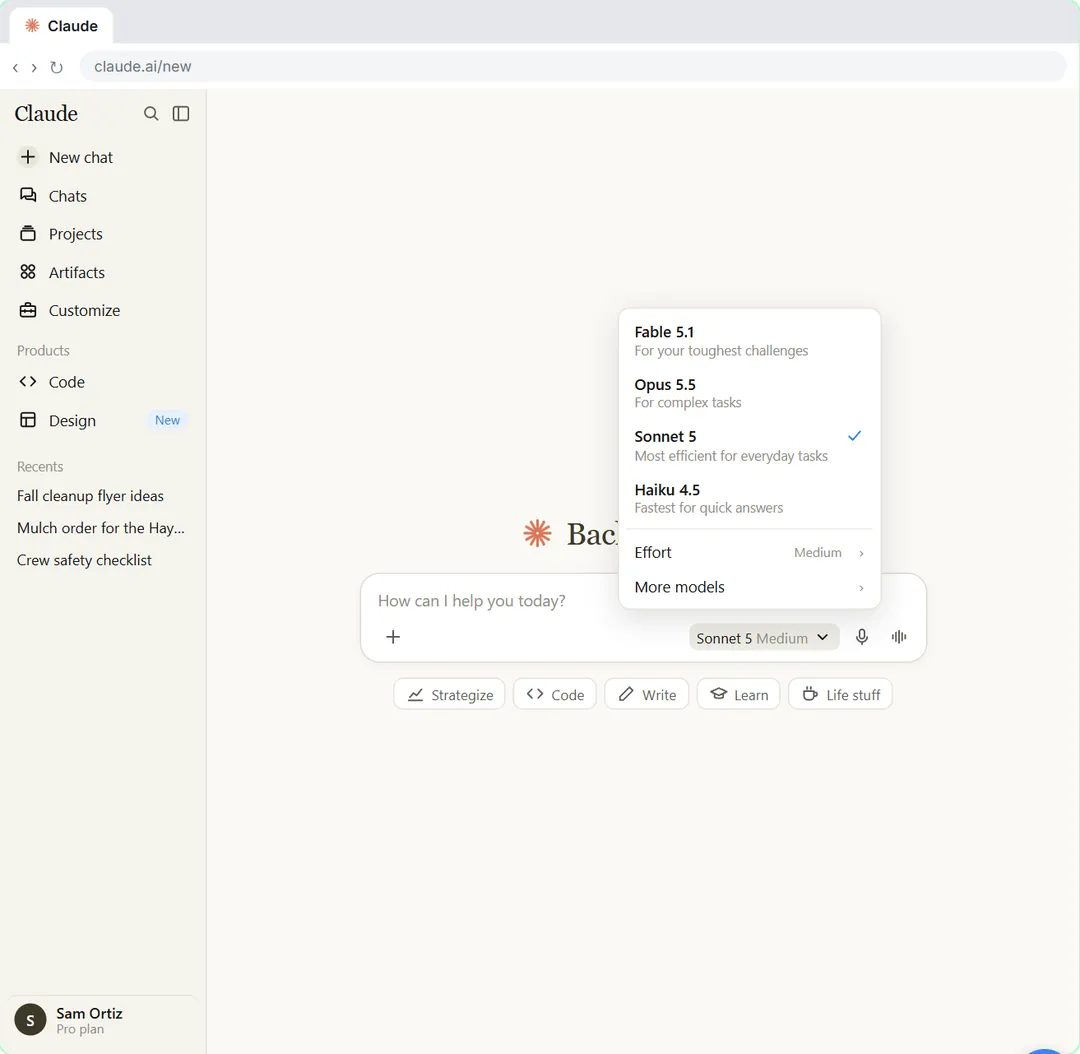 Your First Chat with Claude: Models, Files and a Great First Prompt
Pick a model, attach a customer's complaint email with the + menu, write a four-part prompt, read Claude's reply, ask a follow-up, then pin and rename the chat.
Free · Live ~7 min Beginner
Same business, other tools
Brookside Dental shows up in these modules too, built with different tools.
Build your first Make.com scenario: every new Google Forms response becomes a new row in Google Sheets. Trigger, connection, mapping, Run once and a schedule.
Free · Live ~12 min Intermediate
◷Filters and Routers in Make.com: Send Urgent Requests One Way, Routine Ones AnotherAdd a router to your Make scenario, email the front desk about urgent requests with a filter, and send everything else to Google Sheets with a fallback route.
Free · Live ~12 min Intermediate
◷Add AI to Make.com: ChatGPT Writes a Personal Reply, Gmail Sends ItConnect OpenAI to your Make scenario, have ChatGPT write a personal reply from each patient's form answers, add the sender's real Signatoro signature, and send it with…
Free · Live ~18 min Intermediate
◷On a Schedule: A Daily Summary Email from a Google Sheet in Make.comBuild a Make scenario that runs every day at 5 PM, finds today's rows in Google Sheets, combines them with a Text aggregator and emails one summary with Gmail.
Free · Live ~12 min Intermediate
 Webhooks: Connect a Website Form to Make.com
Start a Make scenario with a Custom webhook, paste its URL into your website form's webhook setting, send a test so Make learns the fields, and save every request to…
Free · Live ~12 min Advanced
 n8n + Signatoro: AI Drafts Every Reply, Signatoro Signs It
Stop leaving client emails waiting. A Gmail Trigger starts it, OpenAI writes a personal reply, one HTTP Request node fetches the sender's real signature from Signatoro…
Free · Live ~10 min Intermediate
Terms in this lesson
Plain-English definitions, each with an example from a free lesson.