Updated . Built step by step in a real Maker AI Free-plan account on 22 October 2026. Every screen in the practice is a real Maker AI screen, and every estimate, score and prompt is what Maker AI produced in that run. How we check this lesson
Lots of people have a software idea from their day job. Most either build it first and hope, or spend weeks reading competitor sites. In this free lesson you follow Marisol Vega (made up), who runs the office at a small immigration law firm and chases clients for documents every week, as she checks her idea with Maker AI first. You find tools already earning money for the same job, ask for a narrower version of your own, read an honest score (62/100 in our run, 67 on a second run) that catches a bad price, keep version one small, and leave with a 17-step build guide and the first prompt copied. Our run used the Free plan.
At a glance
| Question | Answer |
|---|---|
| What you build | A business case for anyone with a software idea from their day job: find tools already earning money for the same problem, get a narrower version of your own, score it against real data, fix the price and get a step-by-step build guide, before you write a line of code. Real Maker AI screens, Free plan. |
| Tools | Maker AI |
| Time | About 12 minutes, 28 steps in 6 parts |
| Level | Beginner, no coding needed |
| Cost | Free |
| Ways to learn it | Practice it step by step |
The 6 parts, in short
- A problem you know from work: Put a price on guessing, Meet Maker AI, Three questions before you build.
- Find software people already pay for: Start with what is already selling, Software Spy, and its limit, Search the library for your problem, Find a tool that does the same job, and 1 more step.
- Get your own different version: Check the neighbours, Ask for your own version, Read the blueprint, Turn it into a project.
- Check the idea before you build: Read the score, Read what holds it back, Can you build it yourself?, Real data or AI guess?, and 1 more step.
- Plan a small first version: Keep version one small, What Simple keeps, Look at the price it picked, Check it against real prices, and 5 more steps.
- What it gave you, and what is next: See what you have now, Up next.
Start here first: Granola: Client Call Notes Written for You, With No Meeting Bot (module 1 of AI Automation for Consulting & Agencies)
Part of: AI for Consulting & Agencies (step 34 of 34)
Part of: AI Apps Worth Knowing (step 78 of 80). Next up: Turn Customer Questions into a Help Page and DM Replies using Runable (and Check What It Changed)
The business case: answer three questions before you build
Marisol spends about 6 hours a week chasing passports, translations and certified copies by email. That is roughly $12,500 a year of an office manager's time at $40 an hour, and she suspects other firms would pay for software that fixes it. Building the wrong app first can take 3 to 6 months and $5,000 to $20,000. These are example numbers; use your own.
So before building she answers three questions. Is someone already paid to solve this? What would make her version different? And can she build it, at a price that works? Maker AI has a screen for each one.
What you do in the lesson
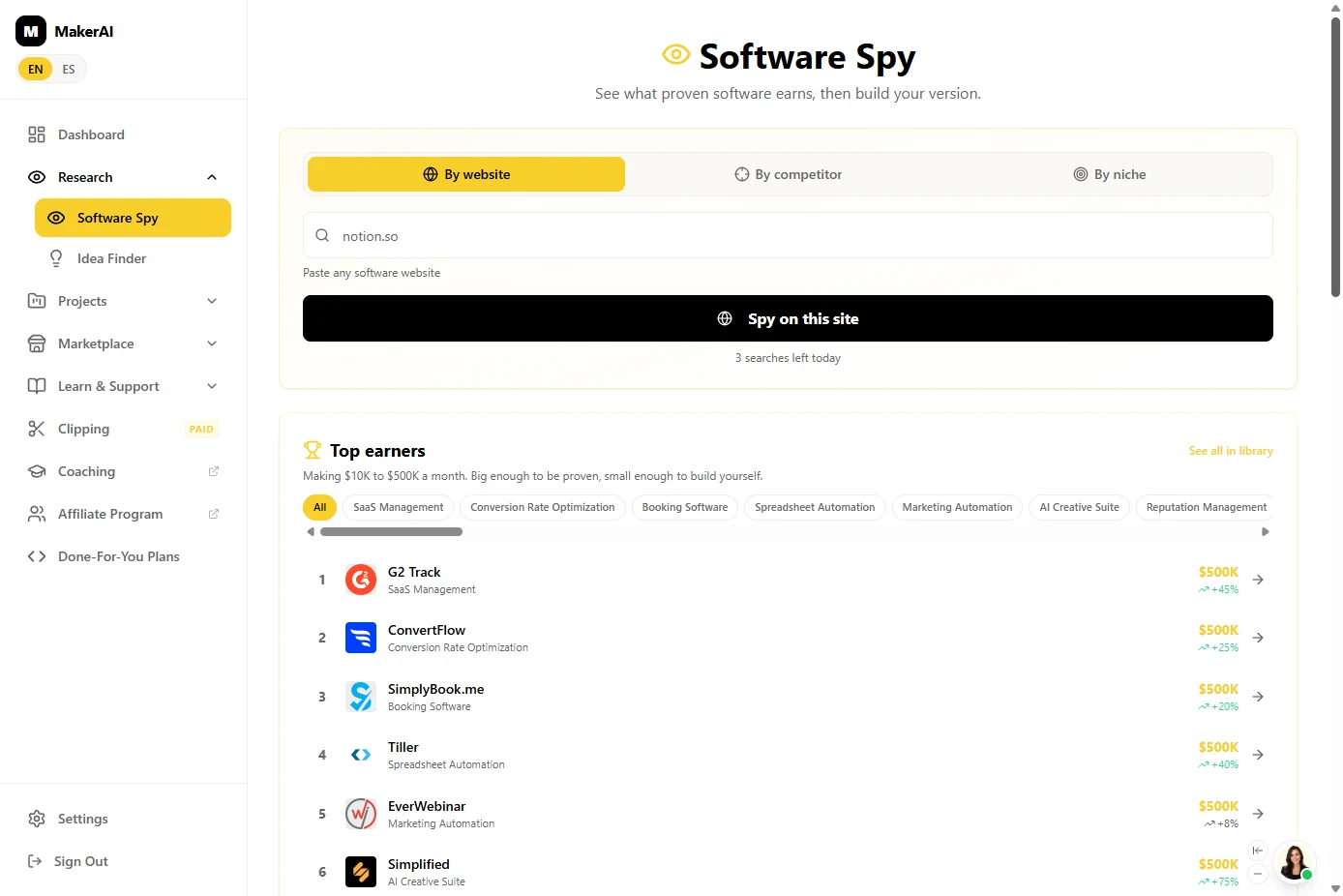
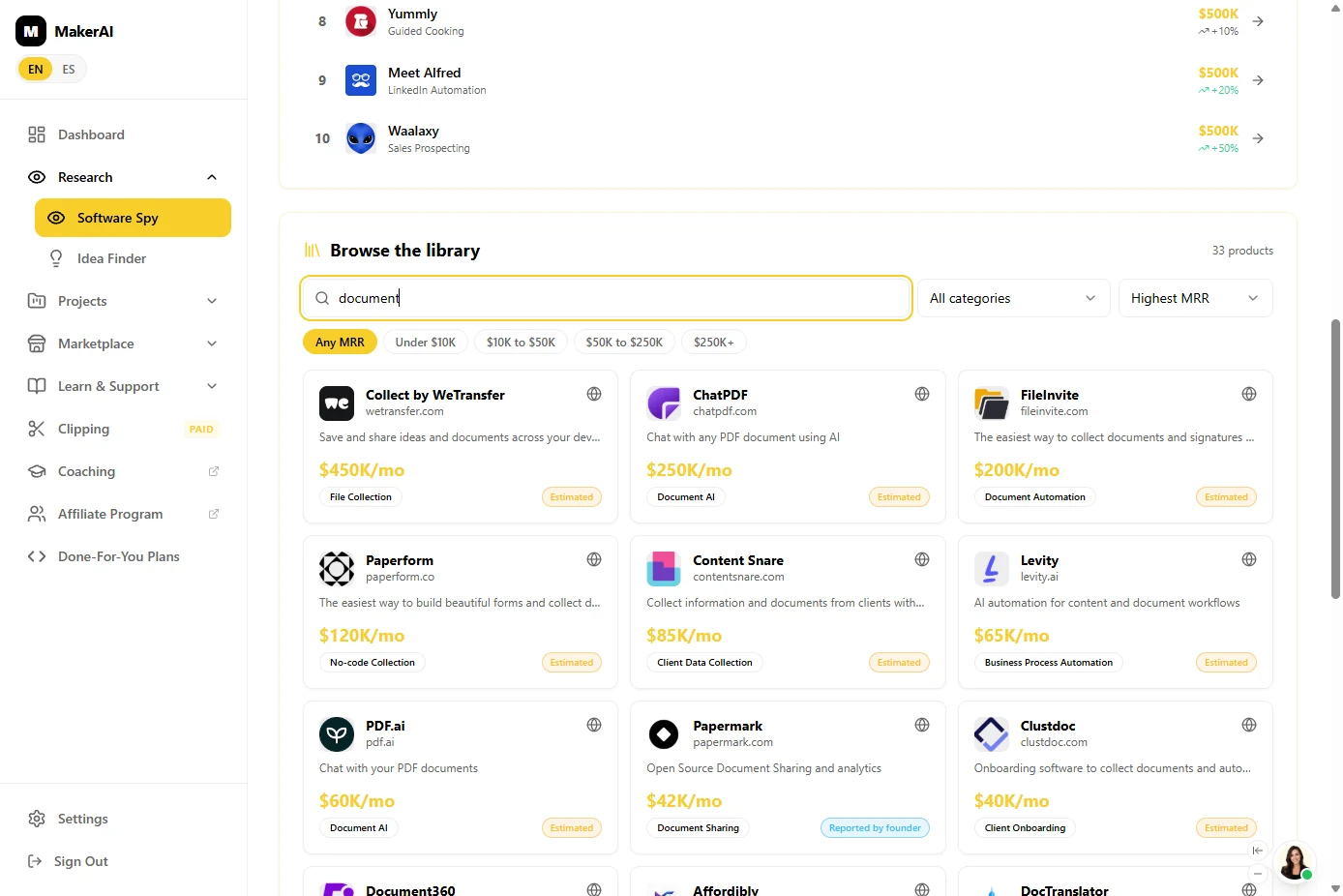
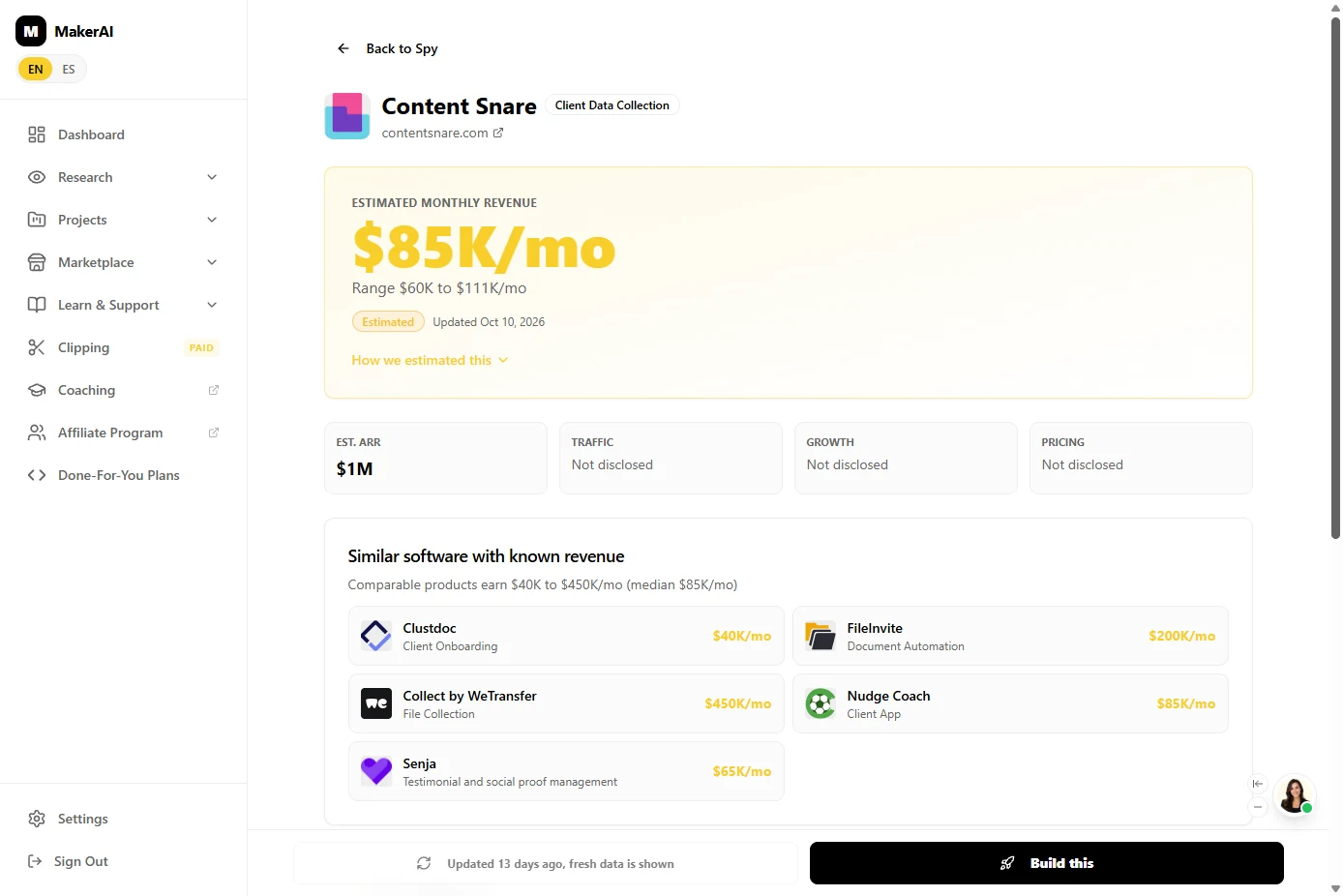
You start a New Project with Show me what is already selling, which opens Software Spy. The Free plan showed 3 searches a day (the whole lesson used 1), so you search the library instead: 4,291 products with revenue. A search for document returned 33, including FileInvite ($200K a month), Content Snare ($85K) and Clustdoc ($40K), all estimates. Content Snare's page showed a range of $60K to $111K a month and similar tools from $40K to $450K.
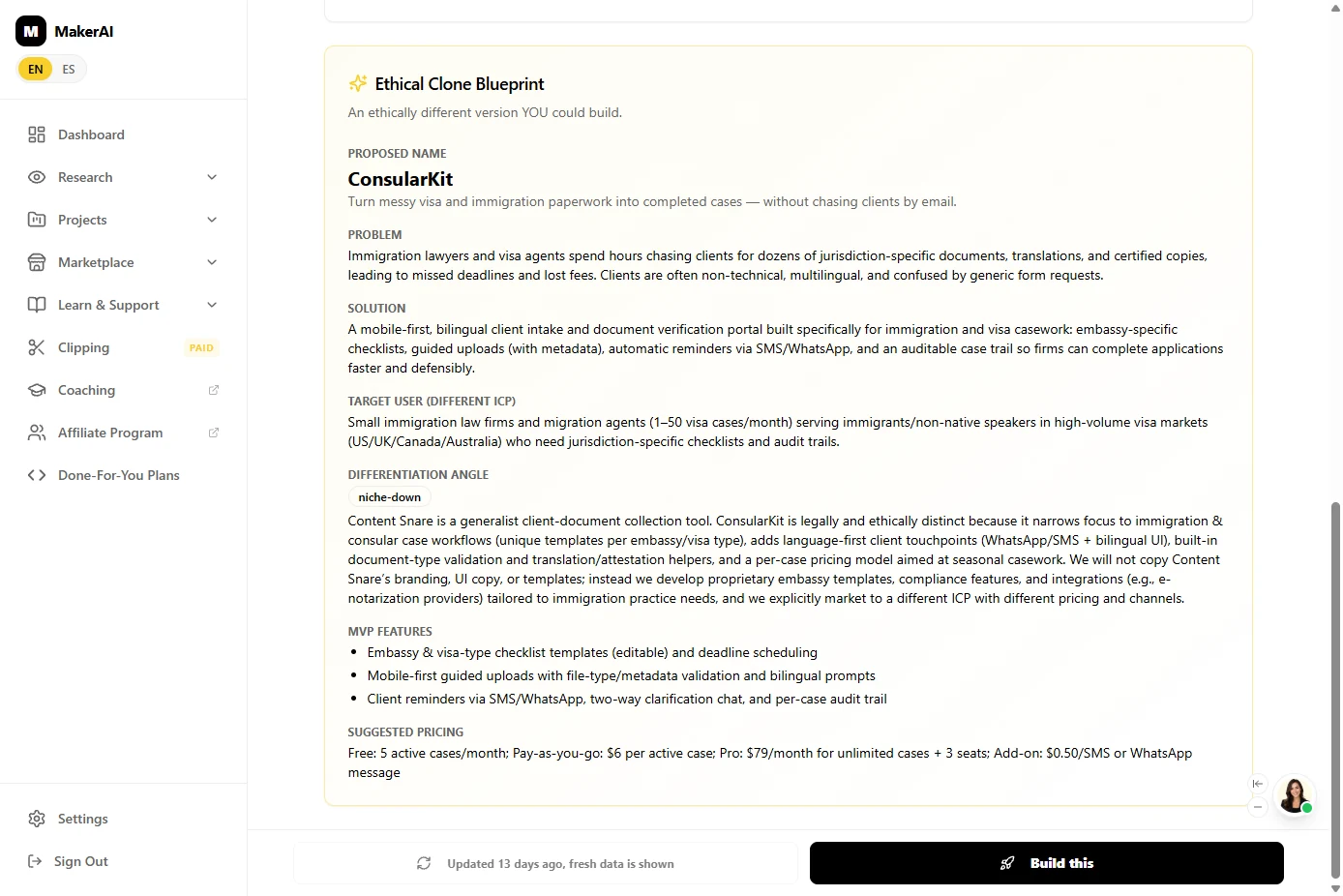
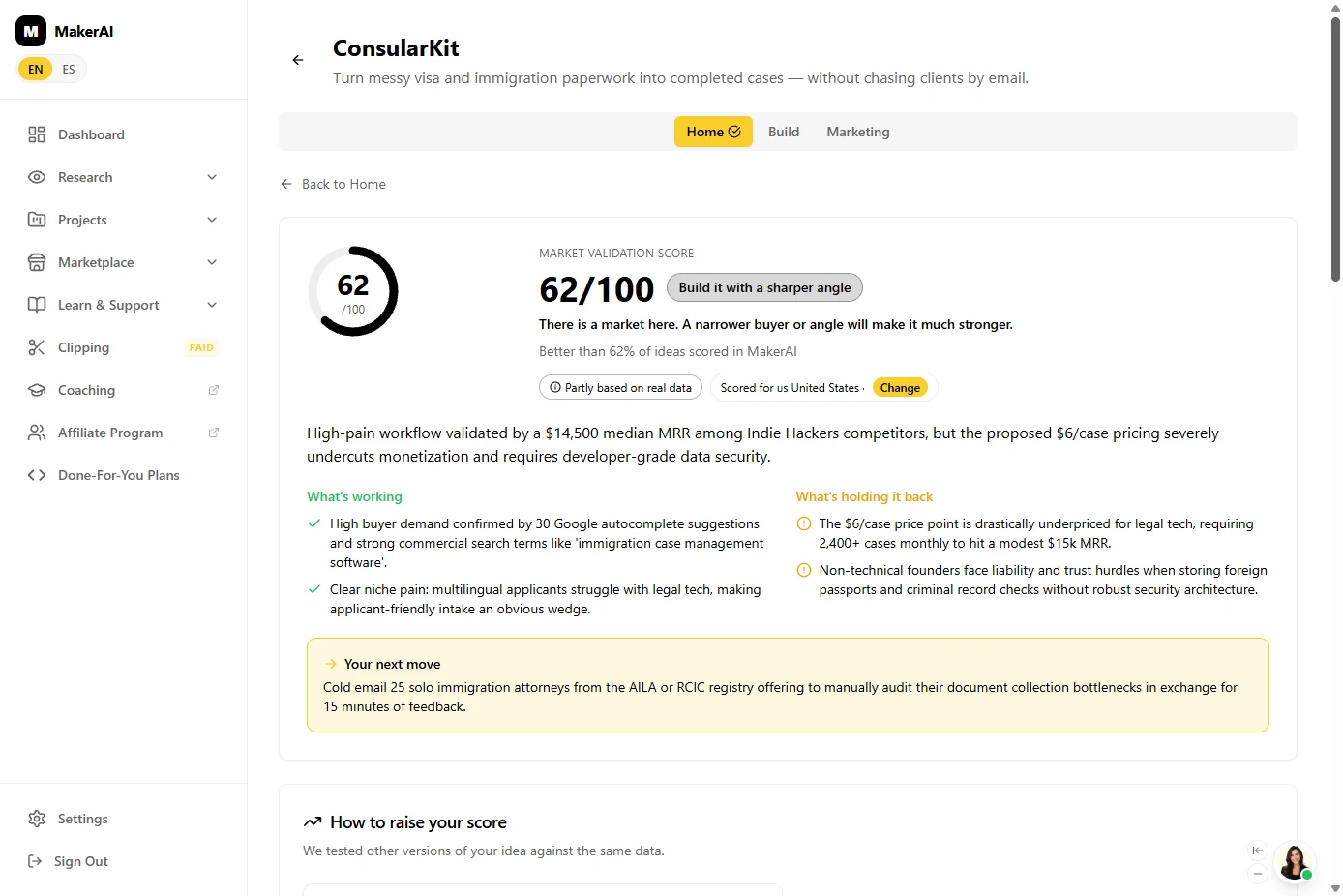
Then you ask for your own version. The Ethical Clone Blueprint proposed ConsularKit: the same job, only for small immigration law firms, with visa checklists, WhatsApp reminders and an audit trail, at $6 per case. Build this turned it into a project and scored it 62/100, Build it with a sharper angle (a second run of the same idea scored 67; the Real data scores were identical and the AI assessments moved). The reasons are the useful part: $6 per case would need 2,400 cases a month to reach $15K, storing passports may need a developer, and Maker AI's next move was to email 25 solo immigration attorneys before building anything.
Finally you plan version one: Simple keeps four core features, the price becomes $89 a month (competitors listed $49 to $179), and Create my build guide writes a 16 to 17-step guide for Lovable with a copy-ready prompt for each step. You copy the first prompt and stop there.
What it does not do
It does not prove anyone will buy. Revenue figures are marked Estimated, some scores are AI assessments rather than data, and the build guide assumes a Lovable account. Talk to real buyers before you build, and check any law or security rules for your field yourself.
Links
- Maker AI: the tool this lesson teaches: find software that already makes money, score your idea and get a build guide. We used the Free plan in October 2026.
- Maker AI pricing: current plans and limits. Check them before you rely on the Free plan.
Try it yourself, free
Reading the steps is a start. Doing them is how it sticks. The interactive module walks you through every click in a practice copy of Maker AI, checks each step, and never touches your real accounts.
Start “Find a Software Idea People Already Pay For, and Check It Before You Build, using Maker AI”Step by step: Find a Software Idea People Already Pay For, and Check It Before You Build, using Maker AI
All 28 steps of the interactive module, in order. In the module you watch each one, then do it yourself in a practice copy that checks your work.
1. A problem you know from work
- Put a price on guessing. Marisol Vega (made up) runs the office at a small immigration law firm. She spends 6 hours a week chasing clients for documents, and thinks firms like hers would pay for software that fixes it. Building the wrong app first can take 3 to 6 months and cost $5,000 to $20,000. Click that row.
Meet Marisol. She runs the office at a small law firm, and spends hours every week chasing clients for documents. She has an idea for software that fixes it. But building the wrong app first is expensive.
- Meet Maker AI. Maker AI shows software that is already making money, scores your version of the idea against real data, and writes a build guide with prompts for an AI app builder. Our run used the Free plan. Click the Maker AI card.
Maker AI shows you software that already makes money. It scores your version of the idea. And it writes a step by step build guide.
- Three questions before you build. Answer three questions before you spend a weekend building: is someone already paid to solve this, what makes your version different, and can you build it, at what price. Download our notes on this page, then click the questions.
Three questions before you build. Is someone already paid to solve this? What makes your version different? And can you build it?
2. Find software people already pay for
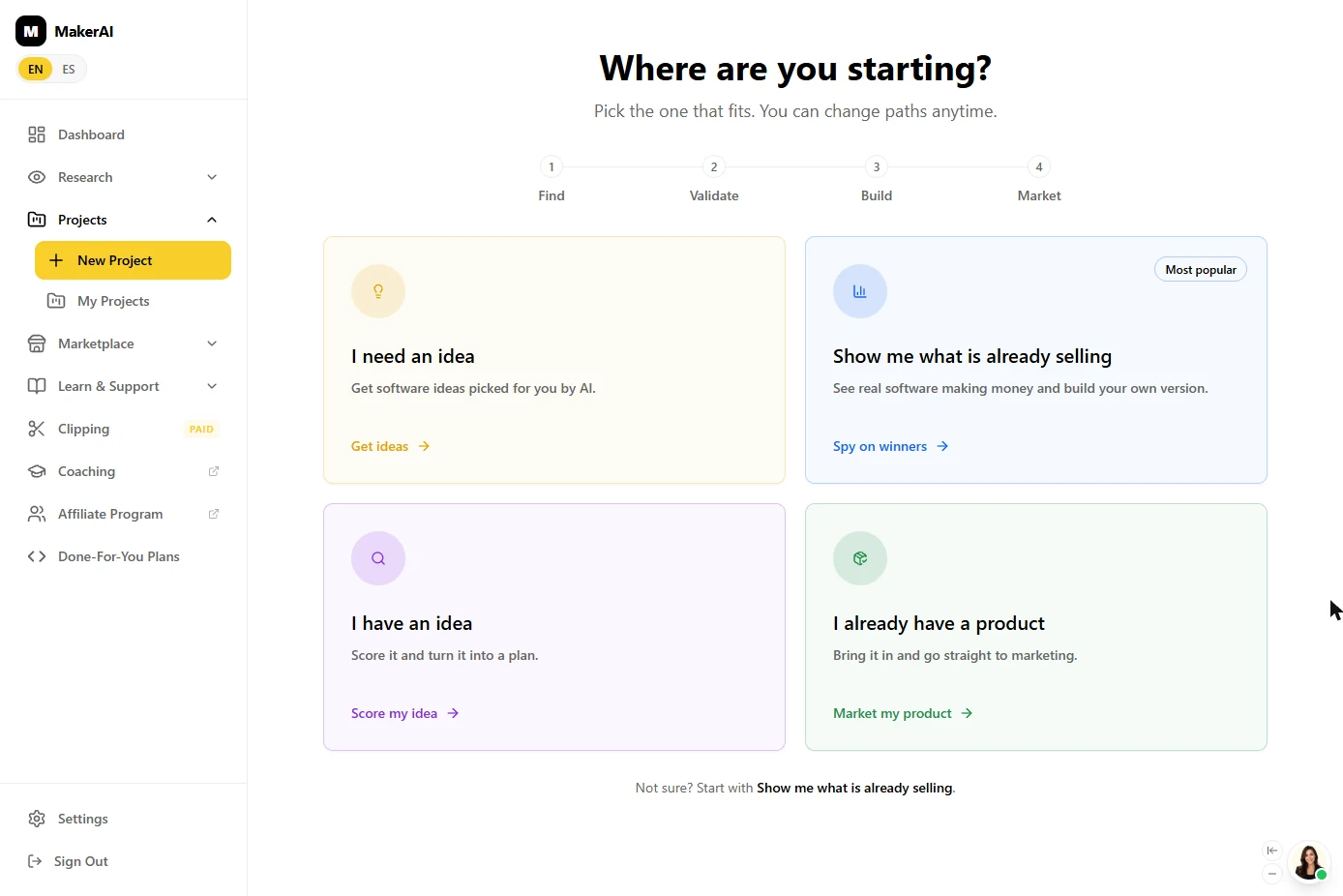
- Start with what is already selling. This is Maker AI after you sign in, under Projects > New Project: Where are you starting? Find, Validate, Build, Market. Maker AI suggests starting with Show me what is already selling. Click that card.
Under Projects, click New Project. Maker AI asks where you're starting. Pick the card that says, show me what is already selling.
- Software Spy, and its limit. Software Spy shows what proven software earns. You can paste any software website, but the Free plan showed 3 searches left today. Searching the library further down did not use one, and this whole lesson used just 1 of the 3 in our run. Click 3 searches left today.
This is Software Spy. You can paste any software website, but the free plan only gives you three searches a day. Searching the library below didn't use one.
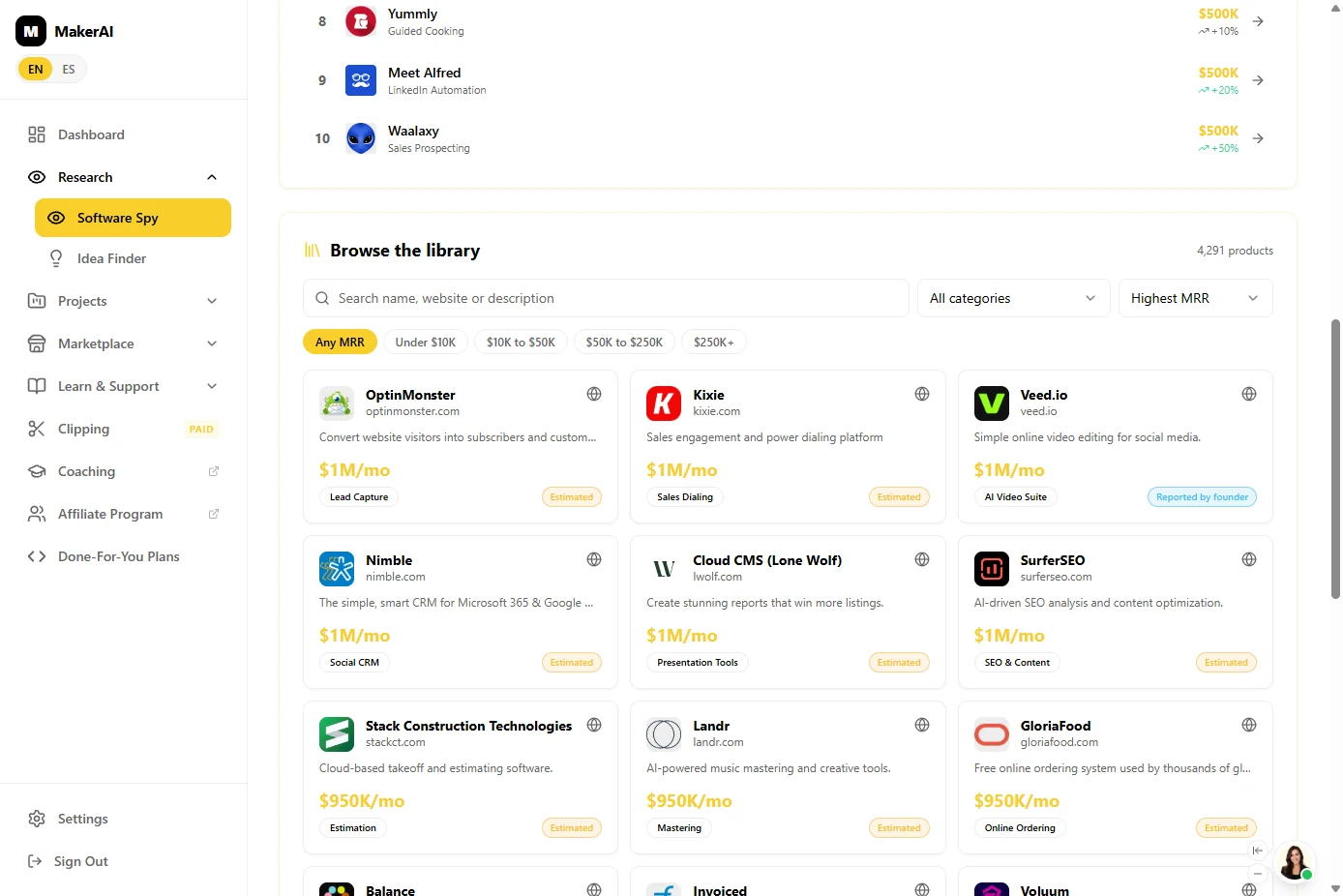
- Search the library for your problem. Scroll down to Browse the library: 4,291 products with their revenue. Search for the problem, not a product name. Type document in Search name, website or description.
Search for the problem, not a product name.
- Find a tool that does the same job. 33 products. Several do exactly Marisol's job: FileInvite ($200K/mo), Content Snare ($85K/mo, "collect information and documents from clients without the email back-and-forth") and Clustdoc ($40K/mo). Click the Content Snare card.
Thirty-three products. Several do exactly her job, collecting documents from clients.
- Read the revenue estimate. Maker AI estimates $85K/mo, a range of $60K to $111K/mo, and marks it Estimated. Traffic, growth and pricing say Not disclosed. Treat it as a signal that people pay, not a fact. Click $85K/mo.
Maker AI estimates about eighty-five thousand dollars a month. Notice the word estimated. Treat it as a signal that people pay, not a fact.
3. Get your own different version
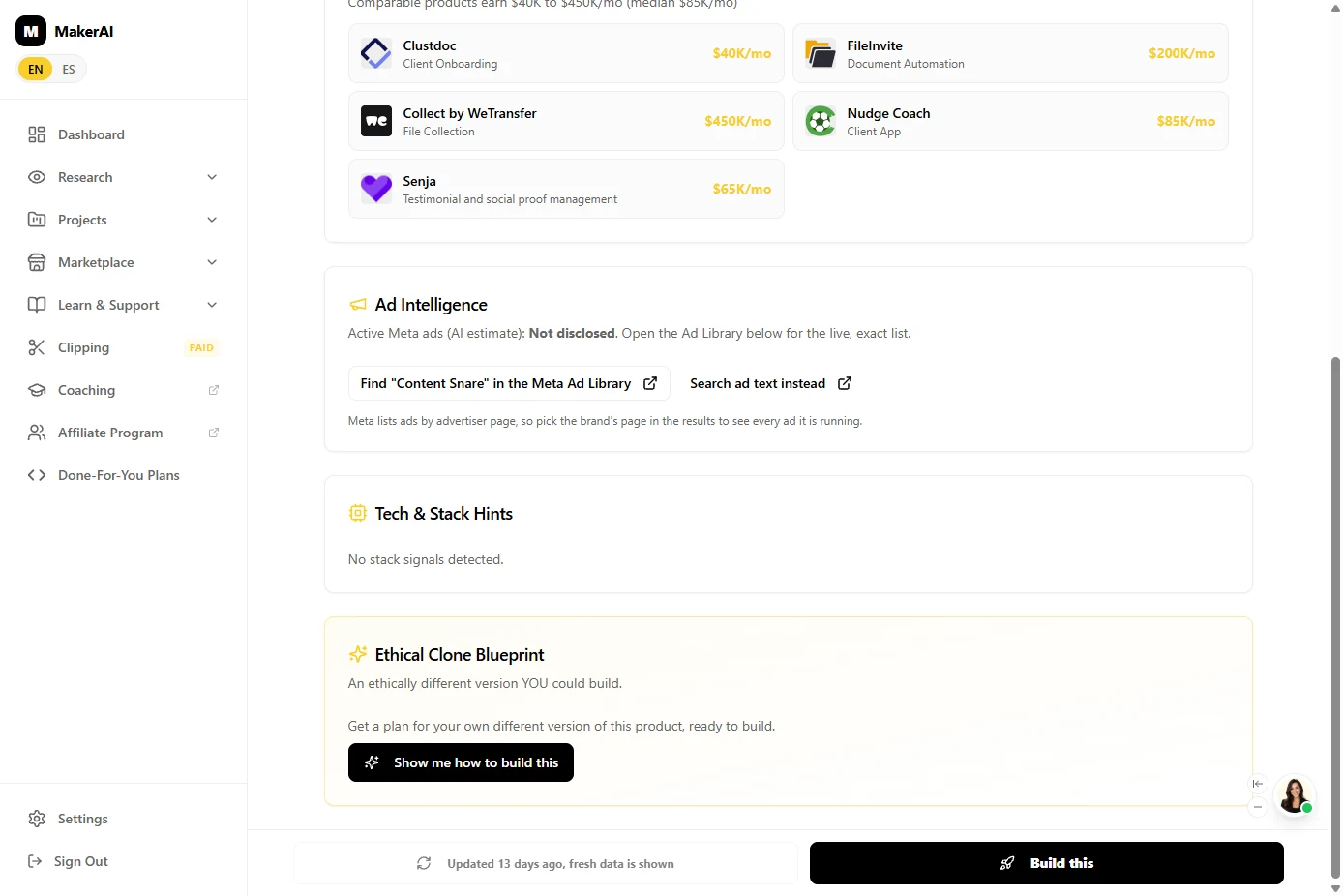
- Check the neighbours. One product could be a fluke, so look at its neighbours: Comparable products earn $40K to $450K/mo (median $85K/mo). That answers question 1: people already pay to stop chasing documents. Click that line.
One product could be a fluke. So check the neighbours. Similar tools earn forty thousand to four hundred and fifty thousand a month. People pay for this.
- Ask for your own version. You do not want a copy. At the bottom, the Ethical Clone Blueprint offers an ethically different version you could build. Click Show me how to build this. It takes about 15 seconds.
You don't want a copy. At the bottom, click Show me how to build this. Maker AI writes a different version you could build.
- Read the blueprint. In our run it proposed ConsularKit: a document portal only for small immigration law firms, with embassy checklists, WhatsApp reminders and an audit trail. The angle is niche-down: same job, narrower buyer. That answers question 2. Click niche-down.
In our run, it proposed ConsularKit. A document portal just for small immigration firms. Same job, narrower buyer.
- Turn it into a project. Under it, Maker AI lists three MVP features and a suggested price: $6 per active case, or $79/month for Pro. Remember that $6. Click Build this. Ours took about a minute and a half to create the project.
It also suggests a price. Six dollars per case. Remember that. It takes a minute or two.
4. Check the idea before you build
- Read the score. Maker AI scored it right away: 62/100, Build it with a sharper angle. "There is a market here. A narrower buyer or angle will make it much stronger." Note the label Partly based on real data. Scores move a little from run to run: when we built the same idea again, it got 67/100. Click 62/100.
Maker AI scores the idea right away. Sixty-two out of a hundred. There is a market, but it wants a sharper angle. Your score may be a little different.
- Read what holds it back. This is the useful part. Under What's holding it back: the $6/case price would need 2,400+ cases a month to reach $15K. The blueprint's own price was wrong, and our second run flagged the same price. Click that line.
Read what's holding it back. That six dollar price would need two thousand four hundred cases a month. The blueprint's own price was wrong.
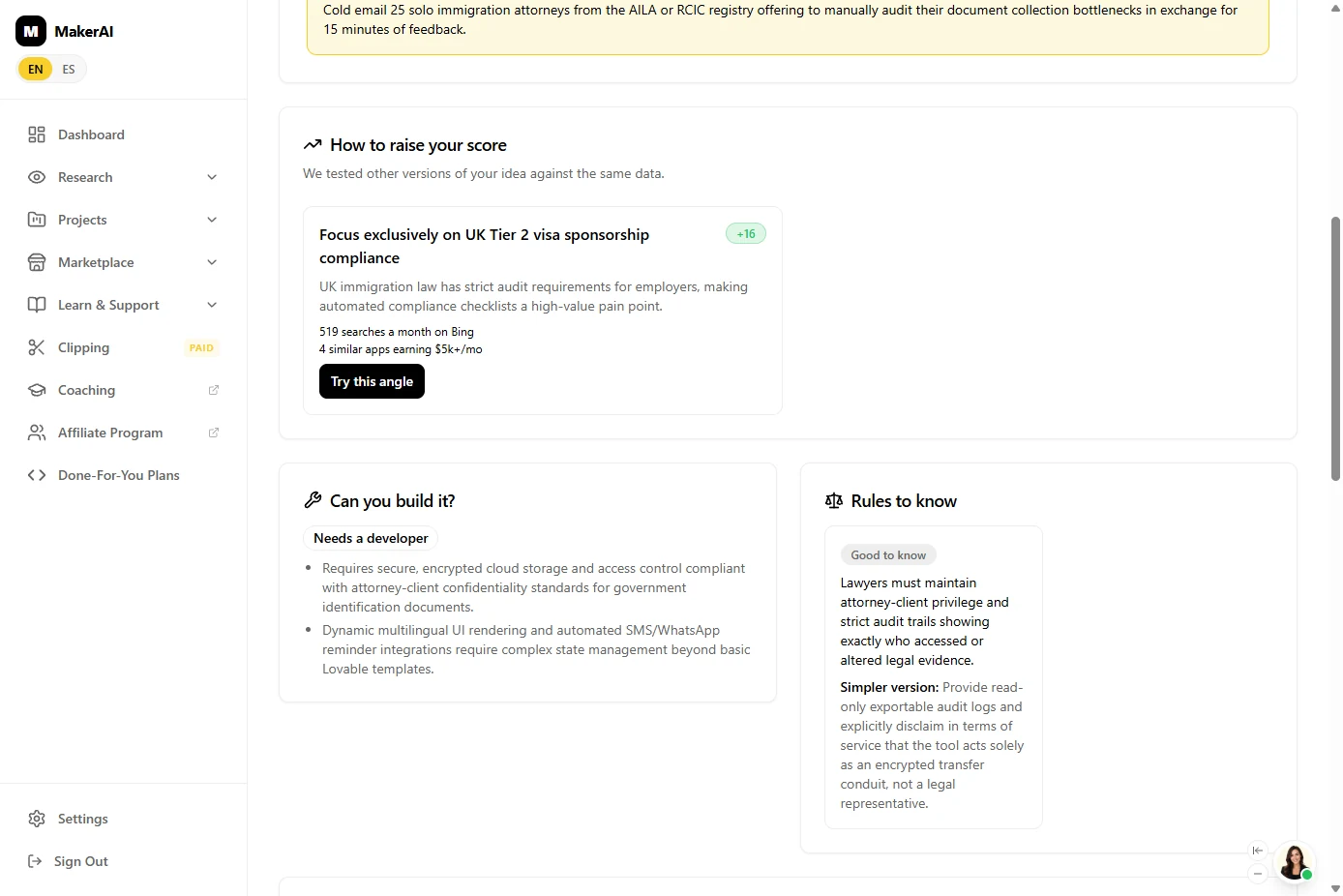
- Can you build it yourself?. Scroll down. Can you build it? says Needs a developer: client passports need secure, encrypted storage, and WhatsApp reminders are beyond basic Lovable templates. This is an AI assessment, and our second run said 2 to 3 weeks instead, so treat it as a warning to check, not a verdict. Click Needs a developer.
Can you build it? Here it said, needs a developer, because passports need secure storage. It's an AI guess, so check it.
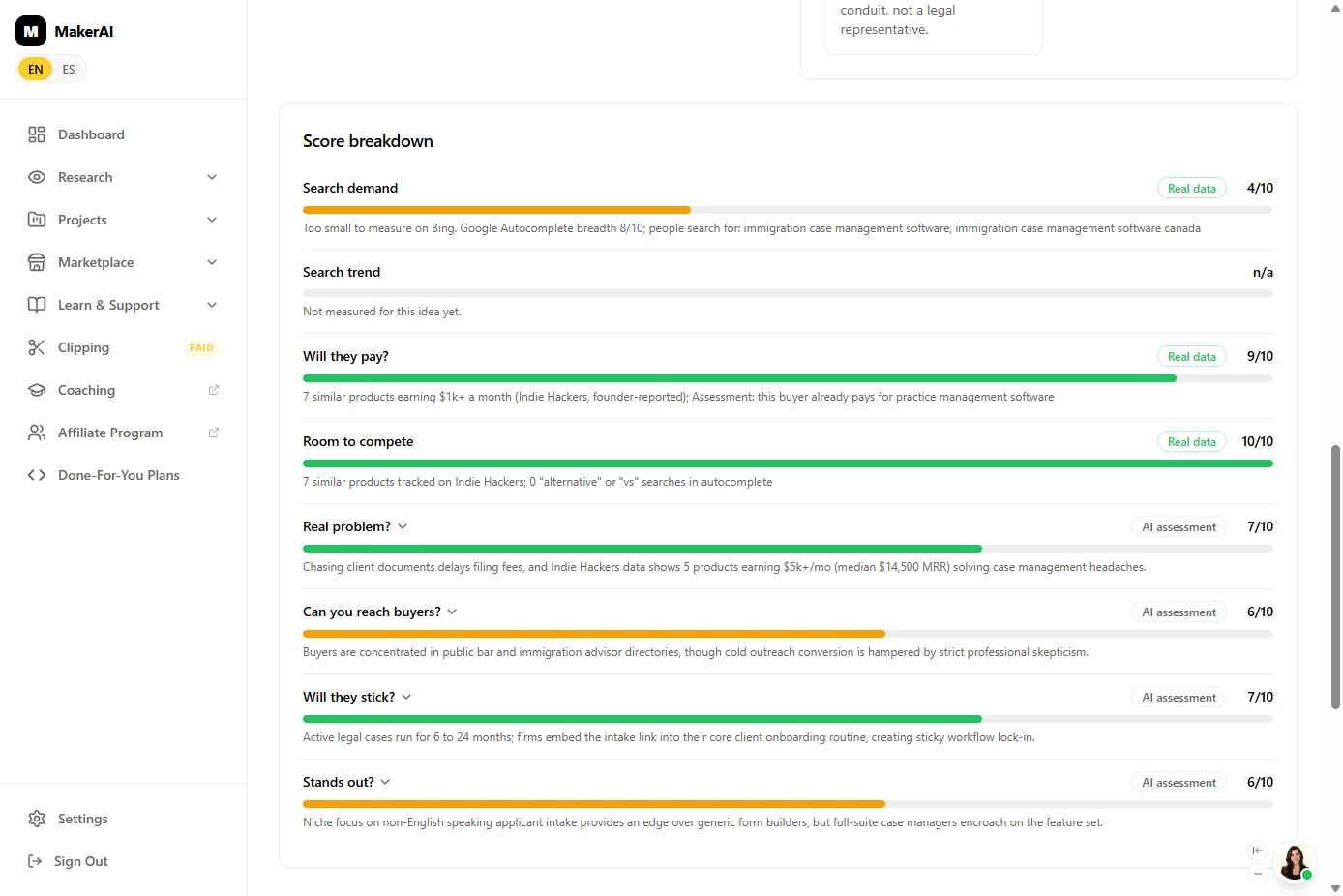
- Real data or AI guess?. The Score breakdown shows where each number comes from. Search demand 4/10, Will they pay? 9/10 and Room to compete 10/10 are Real data. The rest say AI assessment. When we ran it twice, the Real data scores were identical and the AI assessments moved. Trust the first kind more. Click Search demand.
The breakdown shows where each number comes from. Some say real data. Some say AI assessment. Trust the real data more.
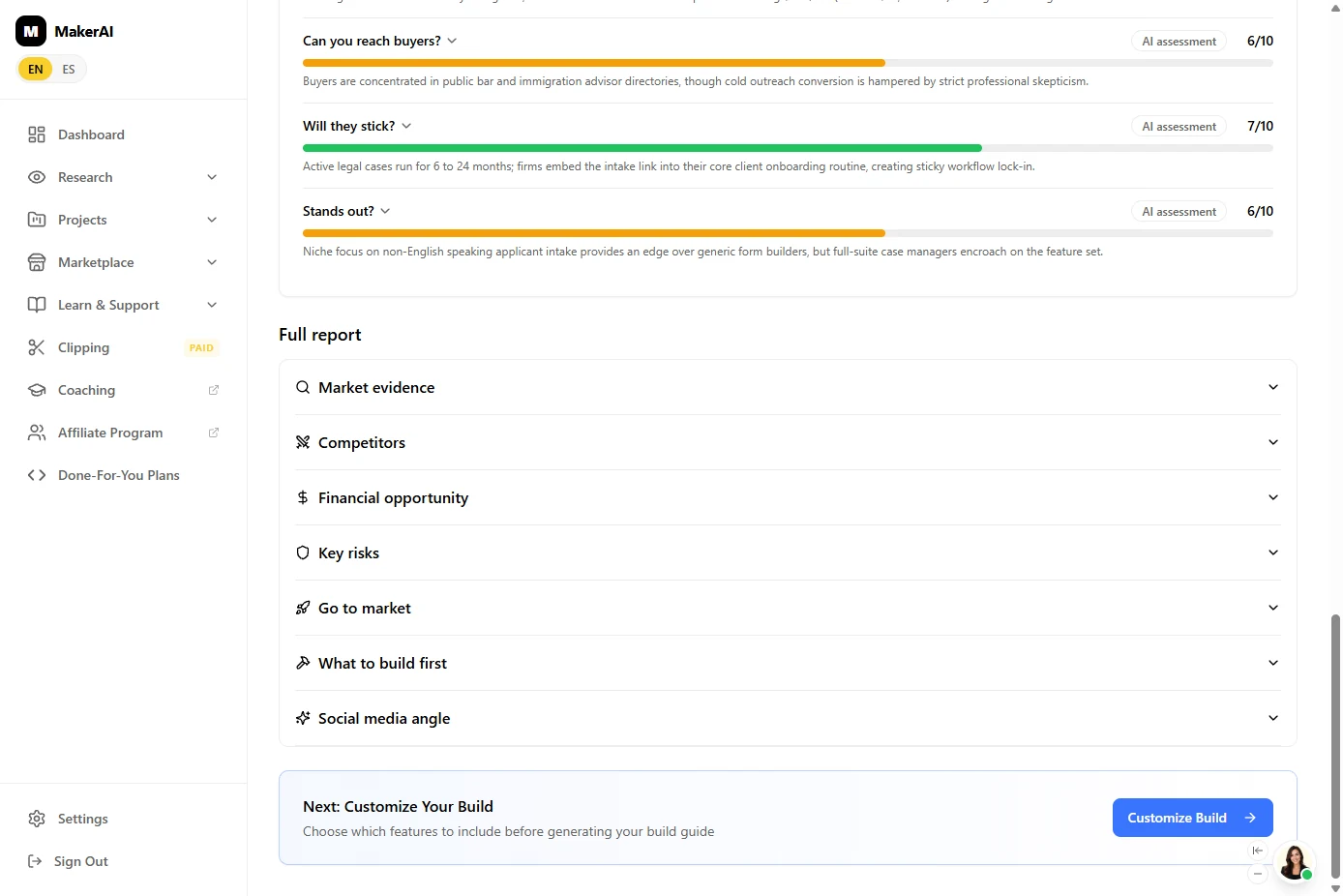
- On to the build. Below the full report is the next step: Customize Your Build, where you choose what version one does. Click Customize Build.
At the bottom, click Customize Build.
5. Plan a small first version
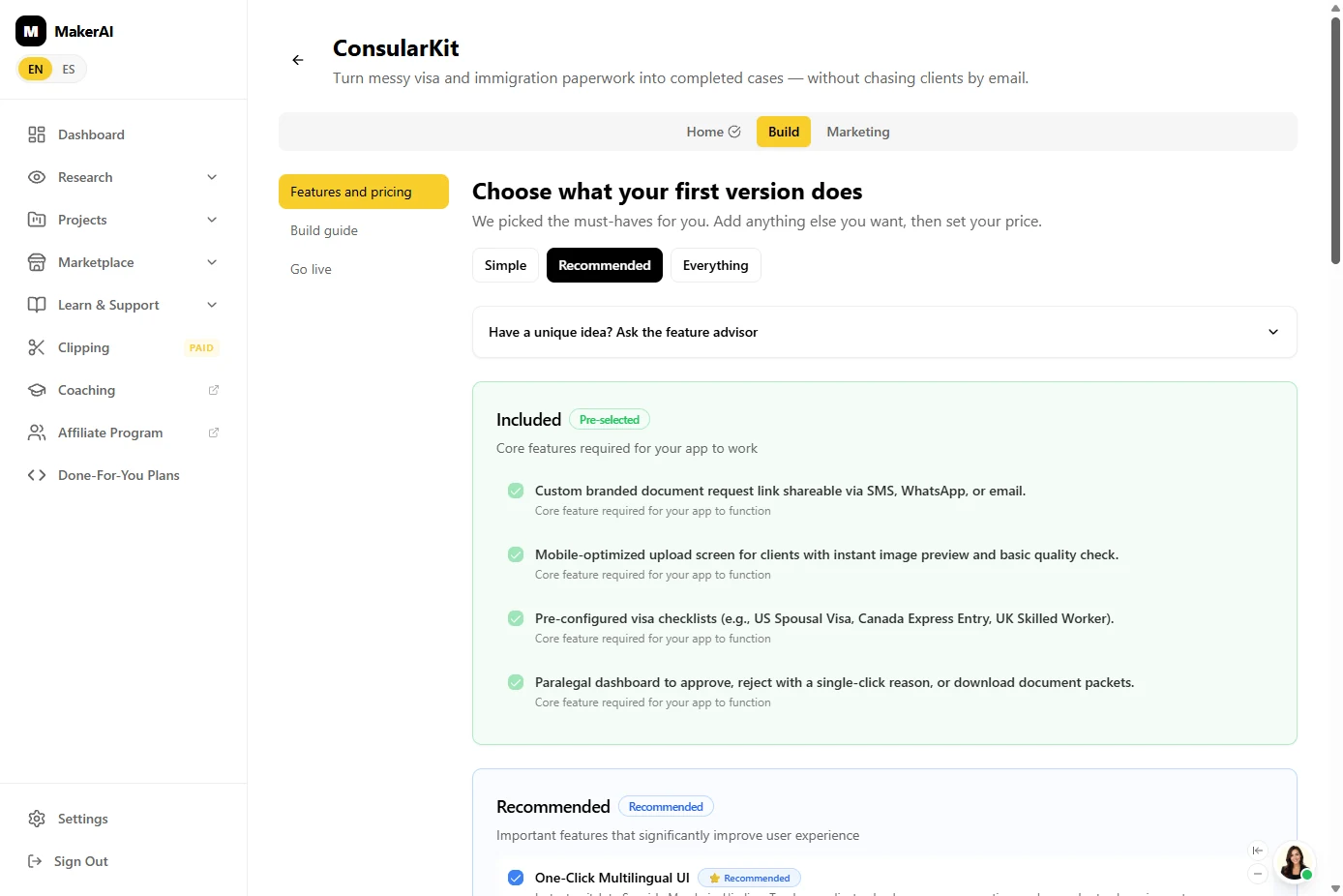
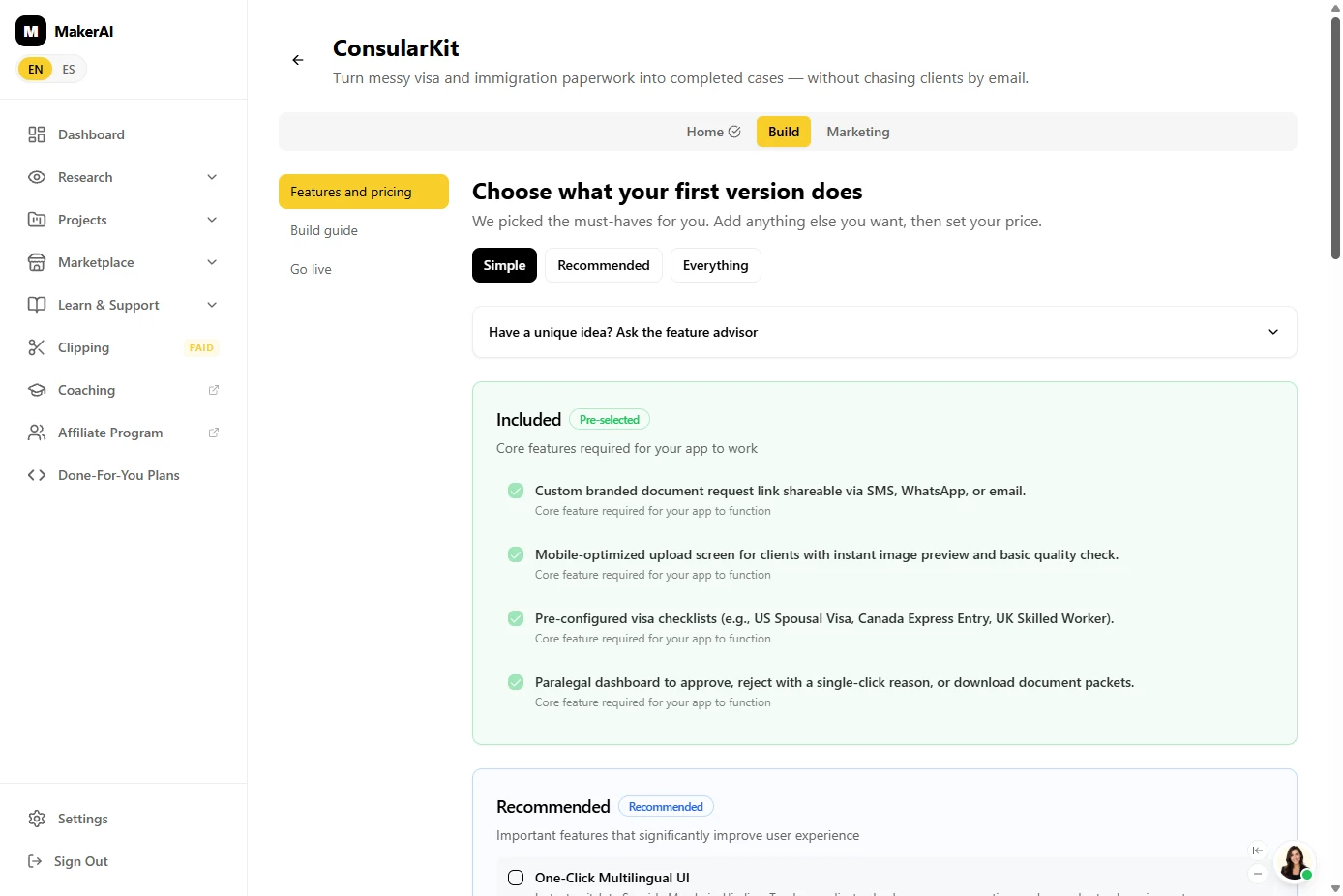
- Keep version one small. Choose what your first version does. Maker AI pre-picked Recommended: the core features plus extras (4 and 6 in our run). Your first job is to find out if firms pay, so keep it small. Click Simple.
Keep it small. Your first job is to find out if anyone pays.
- What Simple keeps. Simple keeps only the Included core features. In our run: a branded request link, a mobile upload screen, visa checklists and a paralegal dashboard. The extras are now unticked. Click Included.
Simple keeps just the core features. Here, a request link, an upload screen, checklists, and a dashboard.
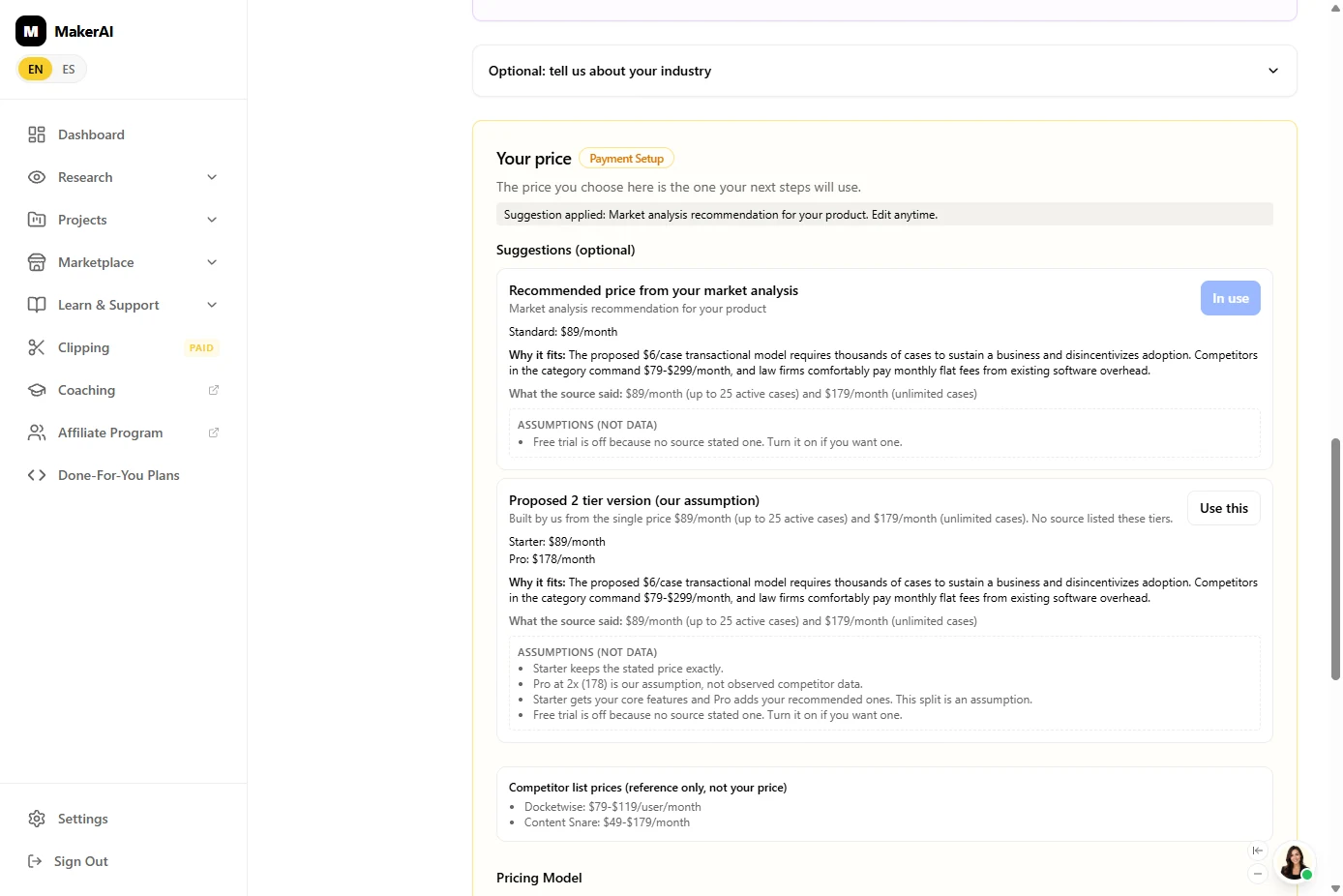
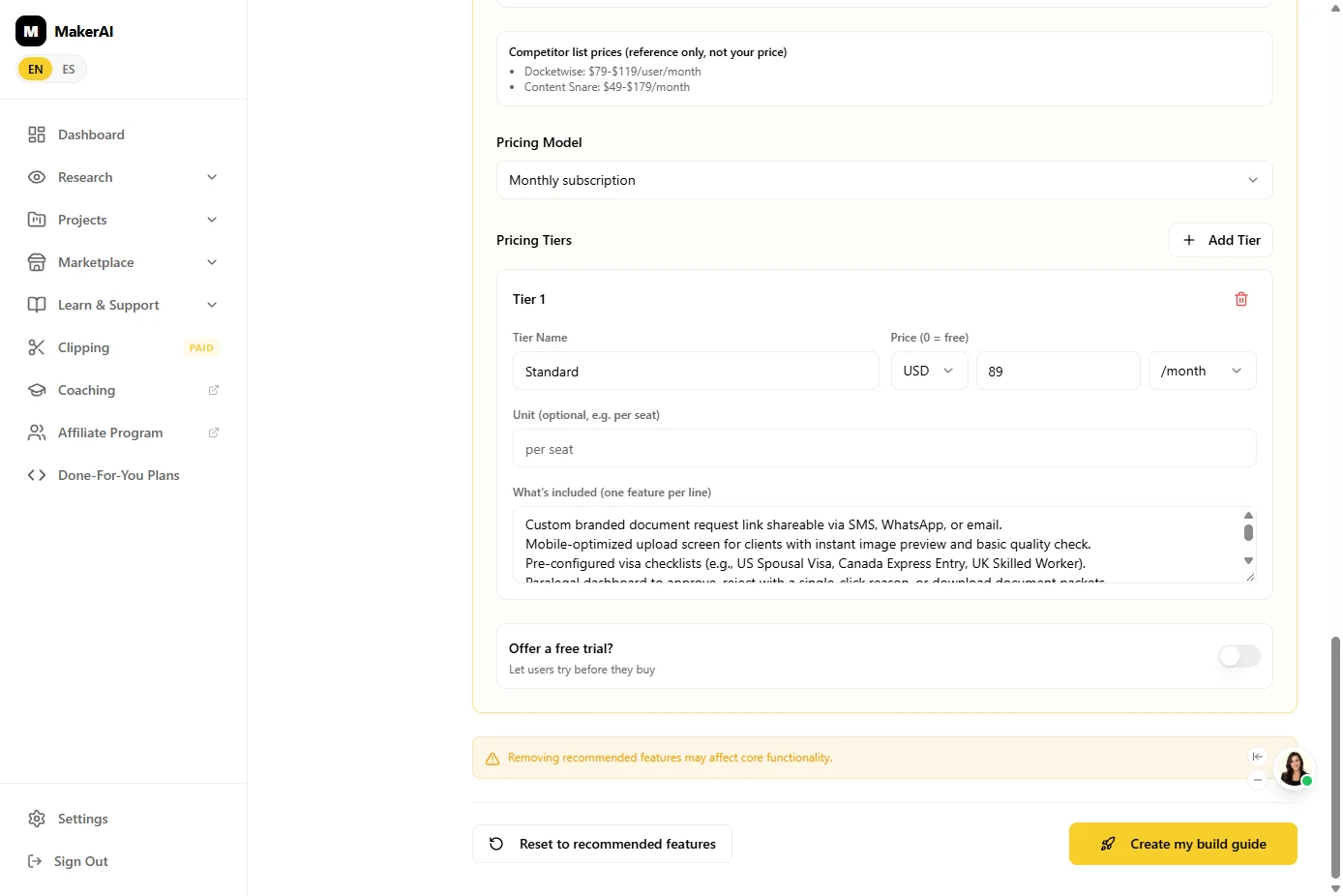
- Look at the price it picked. Scroll to Your price. Maker AI replaced the $6 per case with Standard: $89/month, and marks it In use. "Why it fits": firms already pay flat monthly fees for software. Click In use.
Maker AI replaced the six dollars with eighty-nine dollars a month.
- Check it against real prices. Read the labels. Assumptions (not data) are marked as guesses, and the Competitor list prices show Docketwise at $79 to $119 per user a month and Content Snare at $49 to $179 a month. $89 sits inside that range. (Our second run listed only Docketwise, at $69 to $99.) Click the competitor list.
Check the price against real ones. Competitors charge about fifty to a hundred and eighty dollars a month. Eighty-nine fits.
- Create the build guide. At the bottom, click Create my build guide. Maker AI says it can take a few minutes; ours took 30 to 60 seconds.
At the bottom, click Create my build guide.
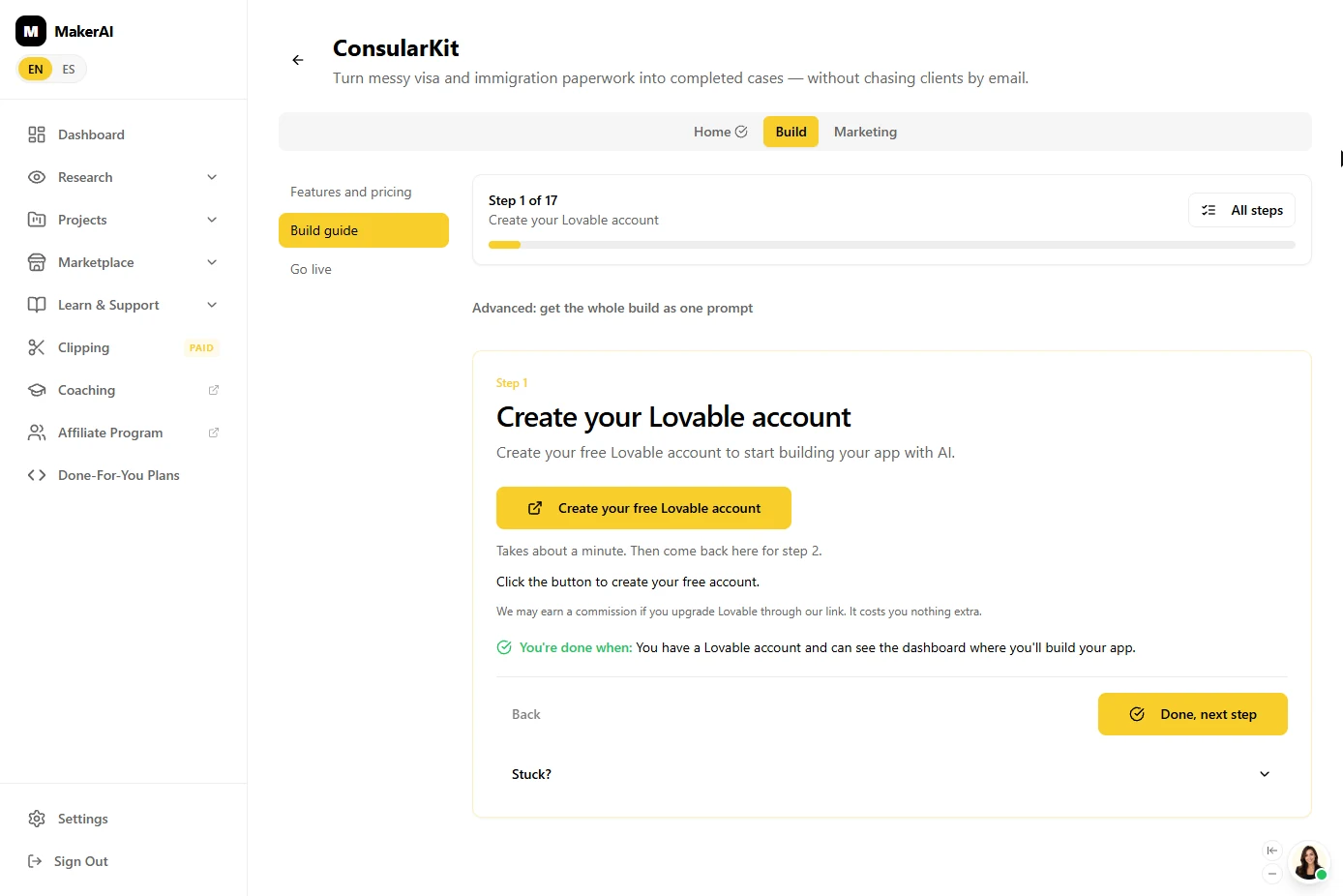
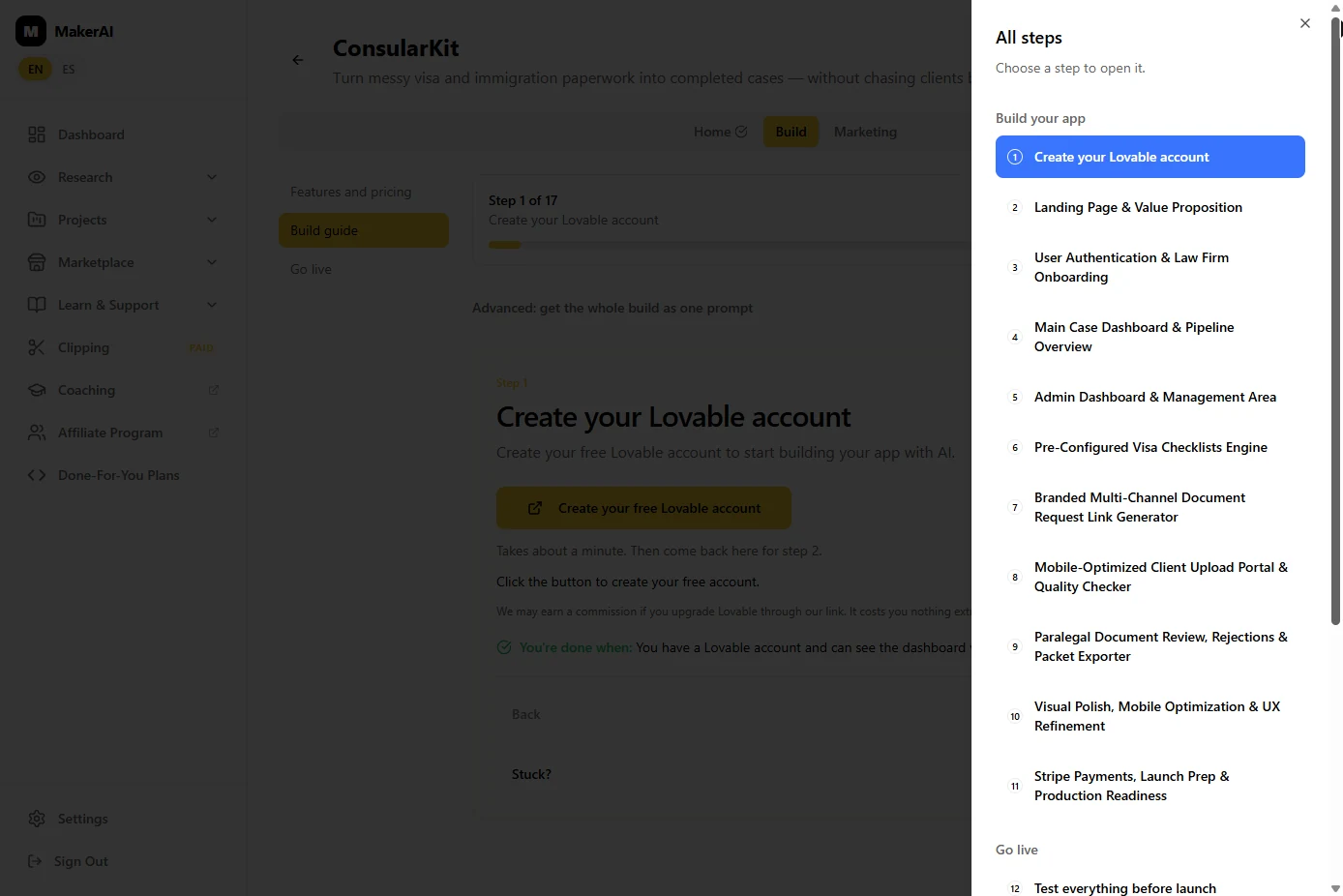
- Open the build guide. Our guide had 17 steps (16 the second time). Step 1 is Create your Lovable account, the AI app builder it uses (Maker AI says it may earn a commission on upgrades). Before you sign up anywhere, see the whole plan. Click All steps.
The guide has about seventeen steps. Step one is a Lovable account. Before you sign up for anything, see the whole plan.
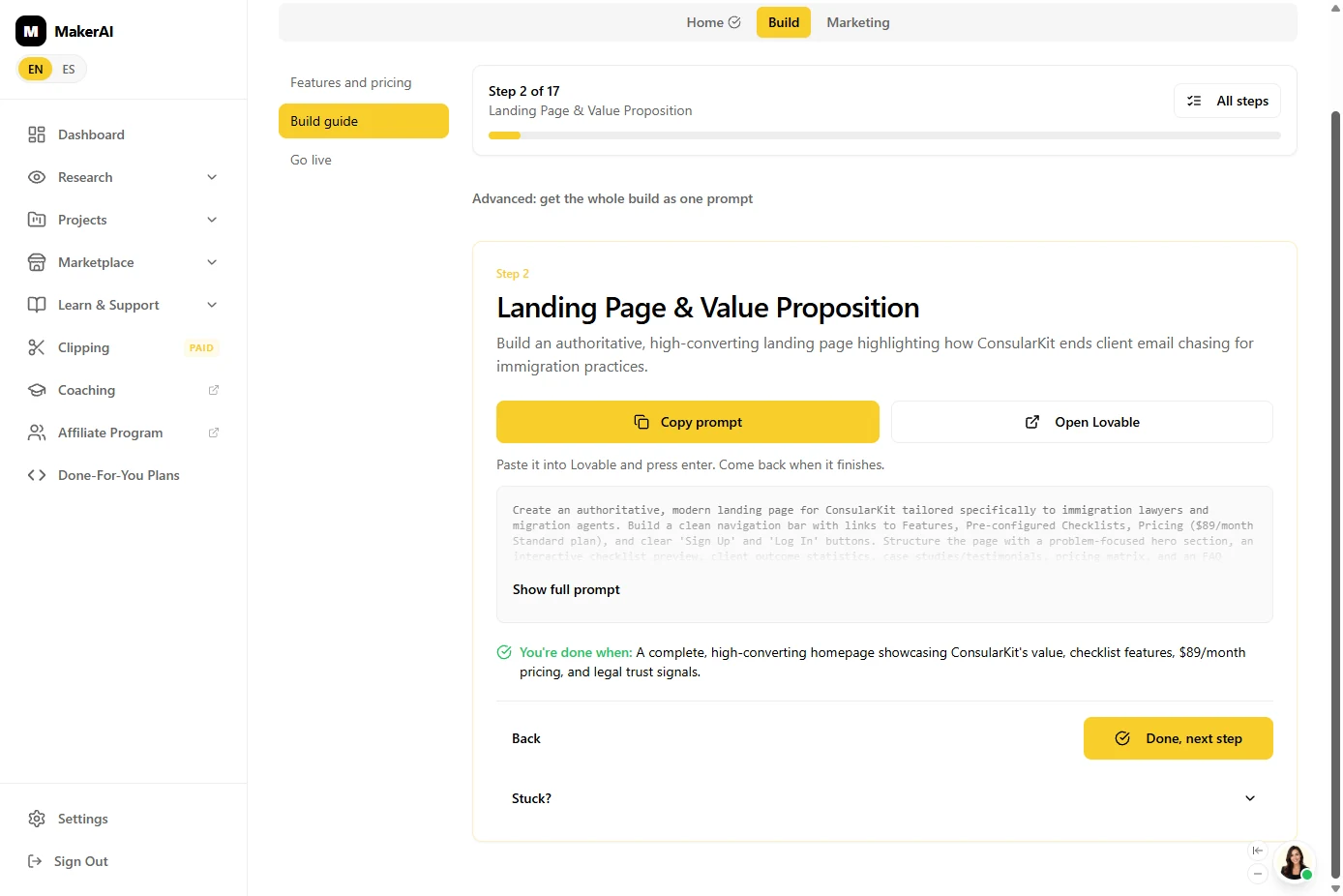
- See the steps. Most steps build the app (landing page, sign-in, case dashboard, checklists, upload portal, review, payments) and the last ones go live. Click step 2, the Landing Page & Value Proposition.
Most steps build the app. The last ones launch it.
- Copy the first prompt. Each step is a ready prompt with You're done when, so you know when to move on. This one builds the landing page with the $89 price. Click Copy prompt.
Each step is a ready-made prompt, with a line that tells you when you're done.
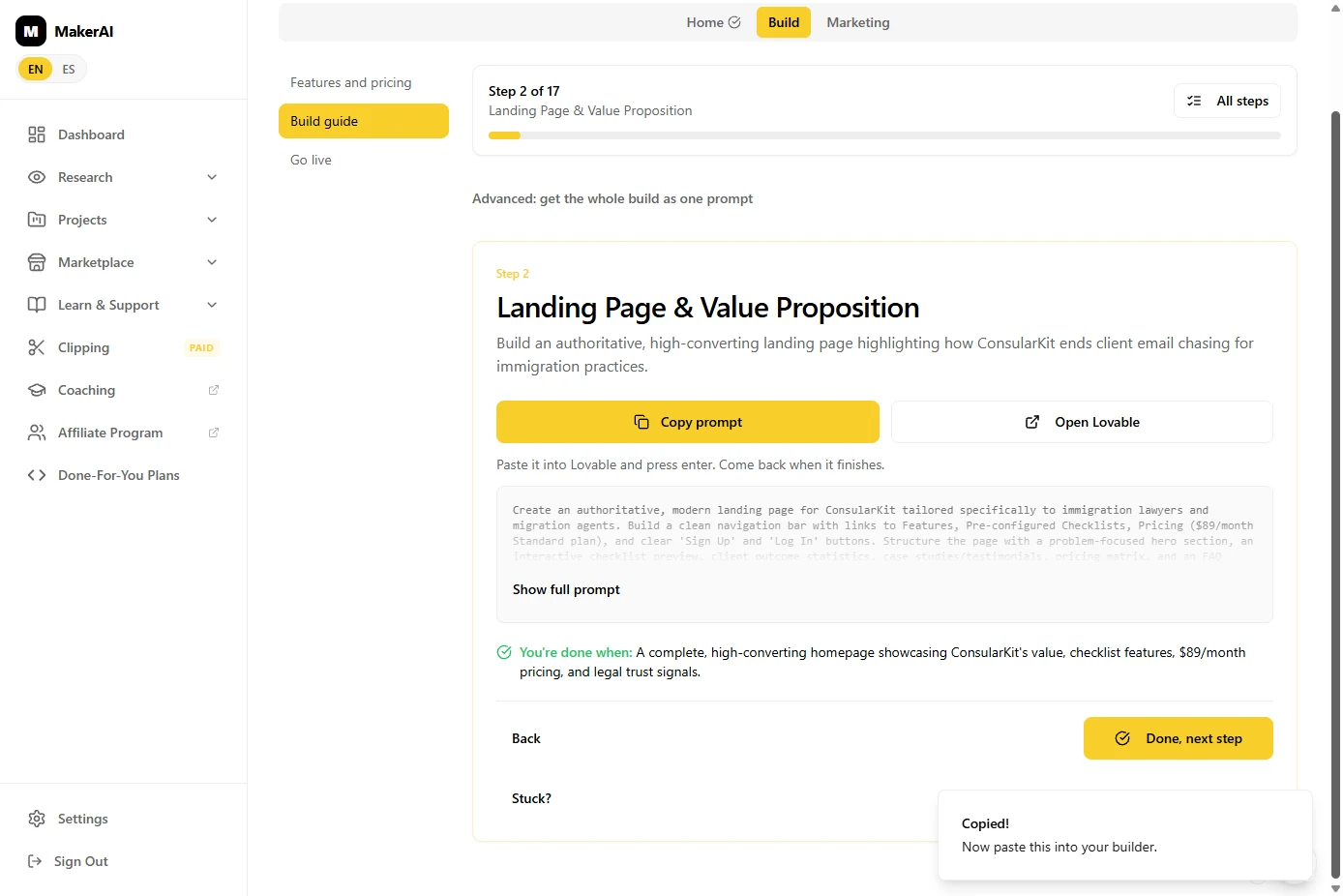
- Stop here for now. Copied! "Now paste this into your builder." You could paste it into Lovable now. But Maker AI's own next move was to talk to buyers first, so that is where we stop. Click the Copied message.
Copied. You could paste it into Lovable now. But Maker AI's own advice was to talk to buyers first. So we stop here.
6. What it gave you, and what is next
- See what you have now. Proof that people pay (an $85K/mo tool and its neighbours), a narrower version of the idea, an honest 62/100 with the two problems named, a better price, and a step-by-step build plan. About twenty minutes, and nothing built yet. Click What you have now.
Proof that people pay. A narrower idea. An honest score. A better price. And a build plan. In about twenty minutes, before building anything.
- Up next. Next: send the 25 emails Maker AI suggested. Build only when a few firms say they would pay. Click Up next.
Next, email twenty-five firms. Build only when a few say they would pay.
Screenshots
Frequently asked questions
- What is Maker AI?
- Maker AI (getmakerai.com) helps you find, validate, build and market a software product. Software Spy shows what existing software earns, the validation score checks your idea against search and market data, and the build guide gives you step-by-step prompts for an AI app builder such as Lovable.
- Is Maker AI free?
- Maker AI has a Free plan. In October 2026 our Free account showed 3 Software Spy searches a day, and the whole lesson used 1 of them. Searching the library, the blueprint, the score and the build guide all worked on the Free plan in our run. Check getmakerai.com/pricing for current limits.
- How accurate are Maker AI's revenue numbers?
- Each figure is labelled Estimated or Reported by founder. Treat an estimate as a sign that people pay for that kind of tool, and look at several similar products rather than one.
- Is this lesson free?
- Yes. The practice copy needs no account. To do it for real you need a Maker AI account; the Free plan was enough for every step in this lesson.
More in AI Automation for Consulting & Agencies
Take a client call with Granola: jot a few lines, let it write the notes from the transcript, check the budget against its source, draft the follow-up email and share…
Free · Live ~5 min Beginner
◷Beautiful.ai: A Client Review Deck from Your Brief in Under an HourBuild a client quarterly review deck with Beautiful.ai Create with AI: brief it with the real numbers, fix the outline before generating, check every figure and share a…
Free · Live ~6 min Beginner
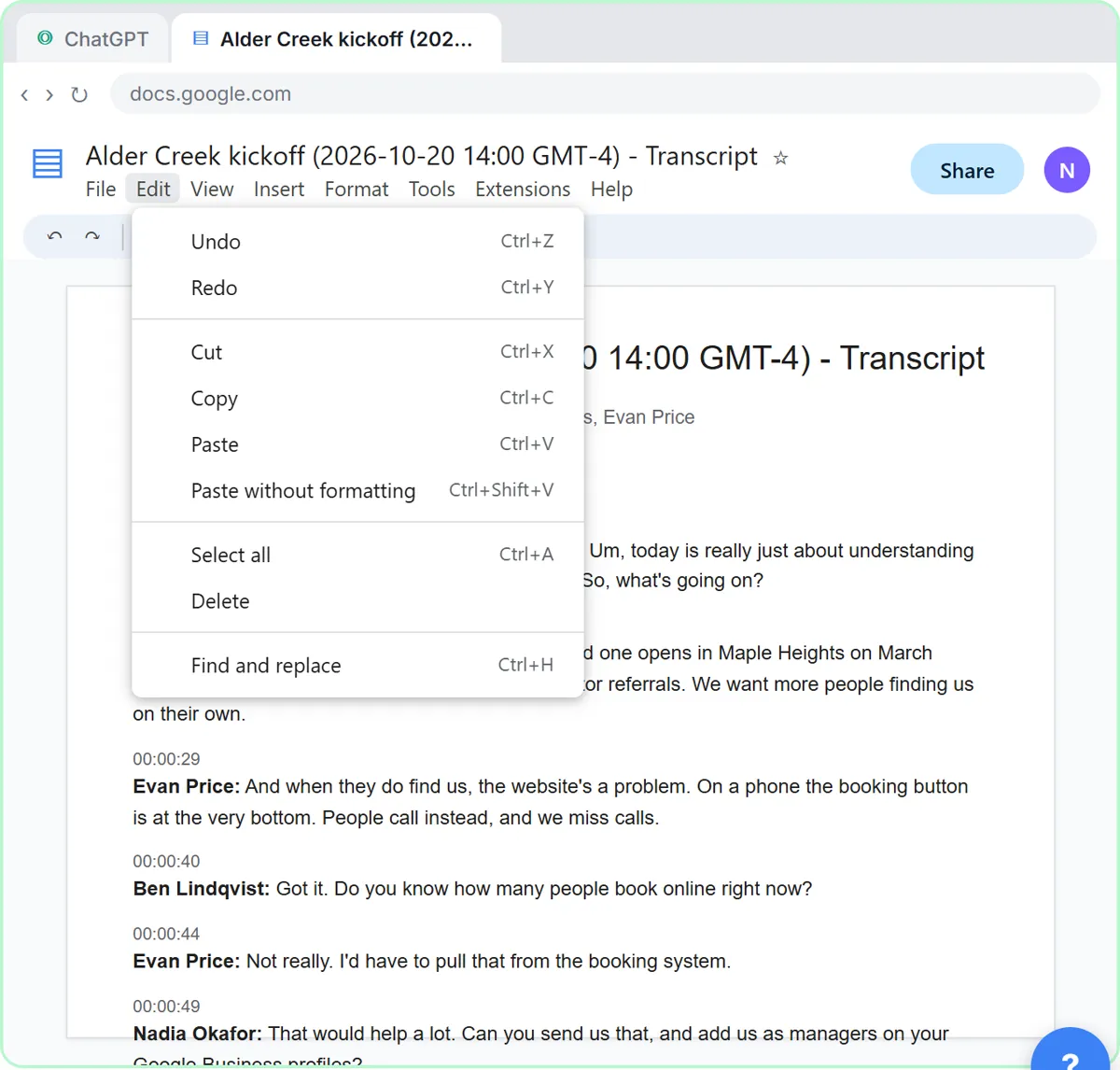 Turn a Client Kickoff Call into a Proposal Outline with ChatGPT (Agencies & Consultants)
Turn the transcript of a client kickoff call into the scope, budget and timeline the client stated, an action items table, open questions, and a recap email with a…
Free · Live ~10 min Beginner
◷Handle Scope Creep Without Losing the Client using ChatGPTA client asks for "one small extra" and a new language, and wants the launch date to hold. Give ChatGPT the thread and the project facts, catch the free work and the…
Free · Live ~9 min Beginner
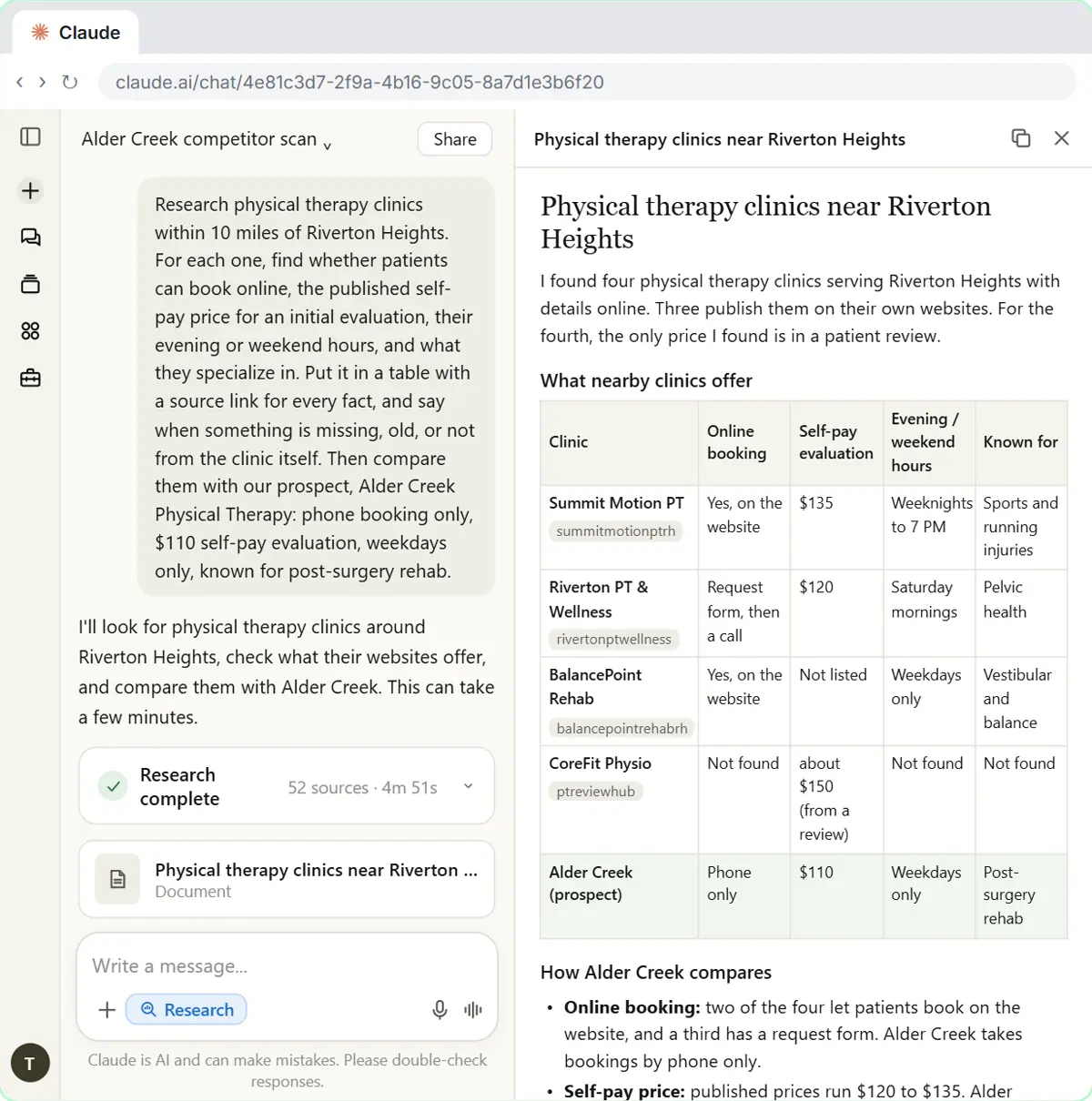 Research a Prospect's Market with Claude Research Before a Pitch (Consultants & Agencies)
Turn on Research before a pitch, have Claude check what a prospect's competitors offer online, read the cited report, check a source and turn it into talking points for…
Free · Live ~7 min Beginner
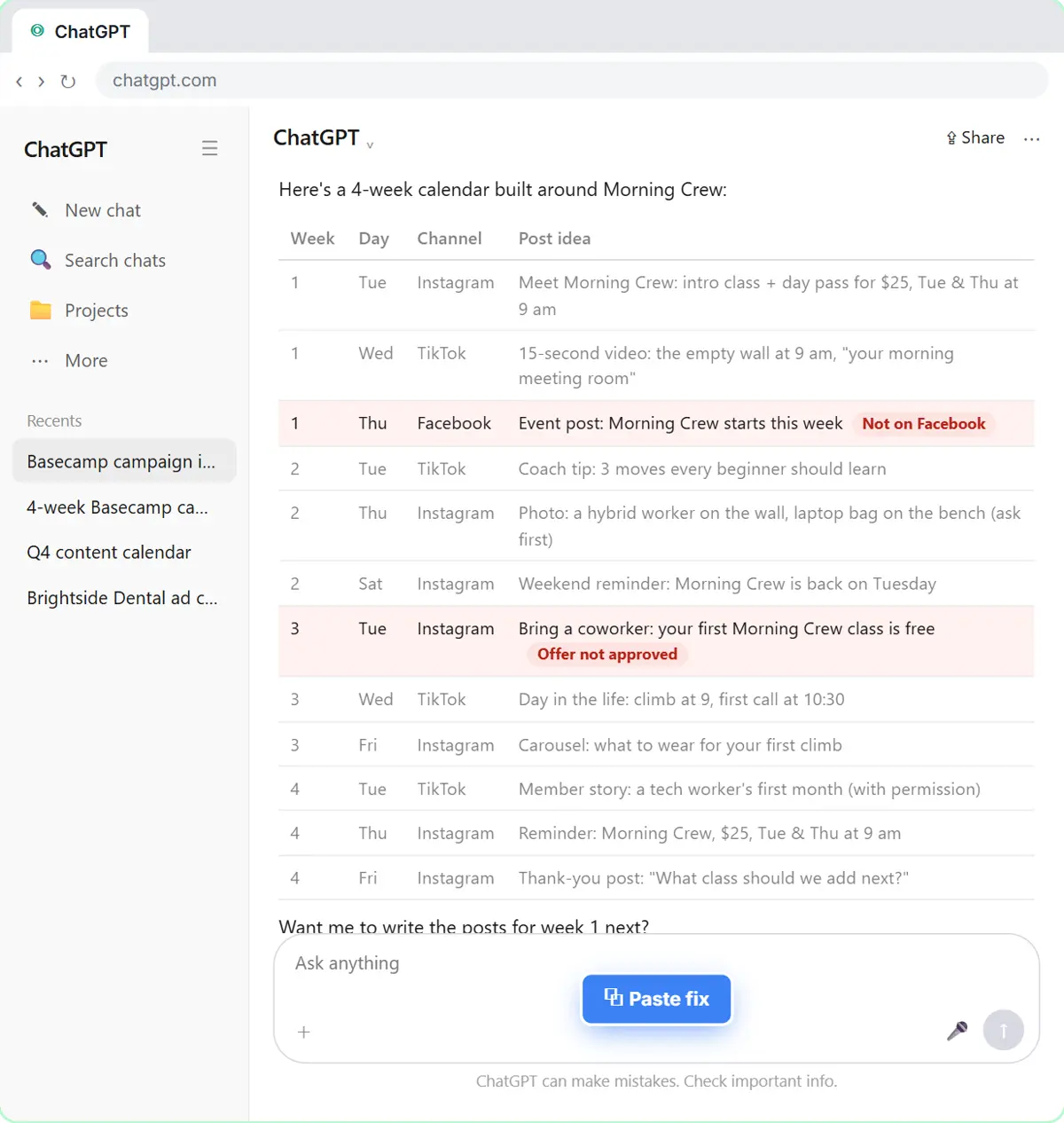 Prompt Chaining for a Client Campaign Plan: Build It in Steps with ChatGPT (Agencies)
Ask ChatGPT for a client's whole 4-week campaign in one prompt, then build a better one in four steps: audiences, offers, a calendar table checked against the client's…
Free · Live ~7 min Beginner
All 17 modules in AI Automation for Consulting & Agencies
Terms in this lesson
Plain-English definitions, each with an example from a free lesson.