Updated . Built against the tool’s current screens and checked step by step. How we check this lesson
A good kickoff call gives you everything a proposal needs, and then it sits in a transcript nobody rereads. The client said what they want, what's off the table, roughly what they can spend and when it has to be live, and somebody promised to send numbers by Friday. In this free, interactive lesson you hand the call transcript to ChatGPT with one careful request and get back the client's goals, the scope, deadline and budget range they gave you, an action items table, the open questions, and a same-day recap email with a proposal outline the client can react to before you write the full proposal.
At a glance
| Question | Answer |
|---|---|
| What you build | Turn the transcript of a client kickoff call into the scope, budget and timeline the client stated, an action items table, open questions, and a recap email with a proposal outline. |
| Tools | ChatGPT |
| Time | About 10 minutes, 24 steps in 5 parts |
| Level | Beginner, no coding needed |
| Cost | Free |
| Ways to learn it | Practice it step by step |
The 5 parts, in short
- Copy the transcript: Open the Edit menu, Select all, Open the Edit menu again, Copy it.
- Ask for a summary: Switch to ChatGPT, Click the message box, Paste your request, Paste the transcript, and 1 more step.
- Check the details: Check the action items, Click the message box, Fill in the gaps, Send it.
- Write the follow-up: Click the message box, Ask for the follow-up email, Send it, Copy the email.
- Or upload the file: Start a new chat, Open the plus menu, Add photos & files, Pick the transcript, and 3 more steps.
Start here first: Summarize a Meeting Transcript with ChatGPT. This Consulting & Agencies version follows the same build with its own example business, Lantern Street Marketing.
The example: a marketing agency's discovery call
You work with the transcript of a video call between Lantern Street Marketing, a made-up small agency, and a prospective client, Alder Creek Physical Therapy. Nadia, the agency's founder, and Ben, who runs web and paid search, meet with Carla, the clinic's owner, and Evan, the practice manager. Alder Creek has two clinics and opens a third in Maple Heights on March 2. Nearly all its new patients come from doctor referrals, and on a phone the website's booking button sits at the very bottom, so people call instead and calls get missed.
Like a real kickoff, the useful parts are scattered through small talk. Carla wants the current site kept and fixed, not rebuilt. Evan says the booking system can't change because it is tied into billing. Social media is left out of phase one. Carla gives a range of $8,000 to $12,000 for the first phase plus ad spend, but doesn't know the monthly ad spend yet, and her business partner Dev, who wasn't on the call, signs off too. Nobody says when Ben's audit or the full proposal is due.
Who this lesson is for
This is for agency owners, account managers, freelance consultants and anyone who runs discovery or kickoff calls and then has to turn them into a proposal. If your calls happen on Google Meet, Zoom or Microsoft Teams with transcripts turned on, you already have the raw material. You don't need technical skills, and you don't need a ChatGPT account to practice here.
It is the first module in the AI Automation for Consulting & Agencies block.
Why a proposal outline first
Sending a short outline the same day, before the full proposal, lets the client correct the scope while it is still cheap to change. If Carla reads "social media not included" and disagrees, you find out now, not after you have priced it.
The "use only what's in the transcript" rule is what keeps the outline honest. Asked to write a proposal, an AI model will happily add services, a monthly retainer or an ad budget nobody mentioned. With the rule, the monthly ad spend stays an open question for Carla and Dev instead of a made-up number, and the budget appears as the range the client gave. Pricing, deliverables and terms in the full proposal are still yours to write.
Ways to use it after the lesson
- Discovery and scoping calls: goals, must-haves, exclusions and the budget range in one recap.
- Project kickoffs after signing: owners, access requests and first deadlines.
- Monthly client check-ins: what changed in scope and what the client still owes you.
Client confidentiality
Prospects share revenue, plans and problems on these calls. Before you paste a real transcript into any AI tool, check your agency's policy and any NDA with the client, and use a business plan such as ChatGPT Business or Enterprise, which OpenAI doesn't use to train its models by default. Leave out passwords and logins: ask clients to add you as a user instead of sending credentials. The practice copy in this lesson sends nothing anywhere.
Try it yourself, free
Reading the steps is a start. Doing them is how it sticks. The interactive module walks you through every click in a practice copy of ChatGPT, checks each step, and never touches your real accounts.
Start “Turn a Client Kickoff Call into a Proposal Outline with ChatGPT (Agencies & Consultants)”Step by step: Turn a Client Kickoff Call into a Proposal Outline with ChatGPT (Agencies & Consultants)
All 24 steps of the interactive module, in order. In the module you watch each one, then do it yourself in a practice copy that checks your work.
1. Copy the transcript
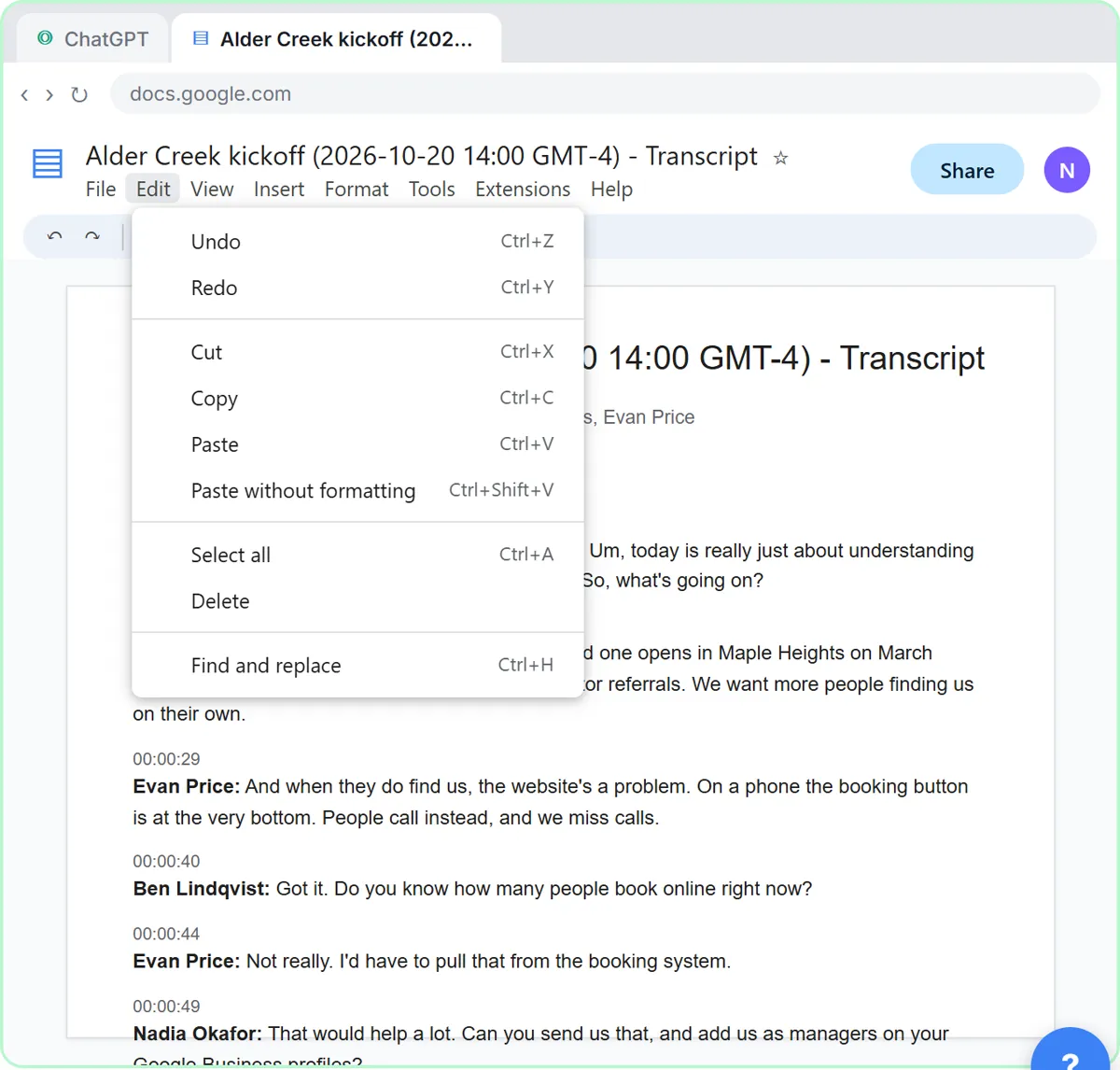
- Open the Edit menu. This is the transcript Google Meet saved after this afternoon's kickoff call with a prospective client, Alder Creek Physical Therapy. Click Edit in the menu bar.
Here's the transcript from this afternoon's kickoff call between Lantern Street Marketing, a small agency, and a prospective client, Alder Creek Physical Therapy. Google Meet saved it as a Google Doc: two people from the agency, two from the client, a budget range, a deadline and a few ums. Let's copy the whole thing.
- Select all. Click Select all.
On a keyboard, that's Control A.
- Open the Edit menu again. The whole transcript is highlighted. Click Edit again.
The whole transcript is highlighted.
- Copy it. Click Copy.
That's Control C. The transcript is now on your clipboard.
2. Ask for a summary
- Switch to ChatGPT. Click the ChatGPT tab at the top.
Now switch over to ChatGPT.
- Click the message box. Click the message box.
Before you paste the transcript, tell ChatGPT what you want out of it. Otherwise you'll just get a vague recap.
- Paste your request. Paste in the request. It asks for four things: a short summary, the decisions, an action items table with owner and due date, and open questions.
Here's the request. It asks for four things: a three sentence summary, the decisions, a table of action items with an owner and a due date, and any open questions. The last line matters most: only use what's in the transcript, and write not stated when something is missing. That stops ChatGPT from guessing.
You're my account manager assistant at Lantern Street Marketing. Below is the transcript of today's kickoff call with a prospective client, Alder Creek Physical Therapy. Give me:
1. A three-sentence summary of their goals
2. The decisions we made on scope, timeline and budget
3. The action items as a table: task, owner, due date
4. Open questions
Only use what's in the transcript. If an owner or date isn't said, write "Not stated".
- Paste the transcript. Now paste the transcript under the request. Paste in the transcript. (In real ChatGPT, press Shift+Enter for a new line first, then Ctrl+V. Plain Enter would send the message.)
In real ChatGPT, press Shift and Enter to start a new line first, because Enter on its own sends the message. Then Control V to paste.
00:00:04
Nadia Okafor: Thanks for jumping on, Carla, Evan. Um, today is really just about understanding what you need, so we can put a proposal together. So, what's going on?

00:00:15
Carla Mendes: So we have two clinics, and the third one opens in Maple Heights on March second. Almost all our new patients come from doctor referrals. We want more people finding us on their own.

00:00:29
Evan Price: And when they do find us, the website's a problem. On a phone the booking button is at the very bottom. People call instead, and we miss calls.

00:00:40
Ben Lindqvist: Got it. Do you know how many people book online right now?

00:00:44
Evan Price: Not really. I'd have to pull that from the booking system.

00:00:49
Nadia Okafor: That would help a lot. Can you send us that, and add us as managers on your Google Business profiles?

00:00:56
Evan Price: Yeah, I'll do both by Friday.

00:01:00
Ben Lindqvist: On the website, are you open to a rebuild, or do you want to keep it?

00:01:05
Carla Mendes: Keep it. We redid it two years ago. Fix the booking and the location pages, but no rebuild.

00:01:14
Evan Price: And we can't switch booking systems. It's tied into our billing.

00:01:19
Nadia Okafor: Understood. So phase one is the website fixes, Google Business profiles for all three clinics, and local search ads for Maple Heights. Social media, not in phase one?

00:01:33
Carla Mendes: Right, leave social out for now. Budget wise, we're thinking somewhere between eight and twelve thousand for the first phase. Plus ad spend on top.

00:01:45
Ben Lindqvist: How much ad spend a month, roughly?

00:01:48
Carla Mendes: Honestly, I don't know yet. I need to talk to my business partner.

00:01:53
Nadia Okafor: That's fine. And who signs off on the proposal? Just you?

00:01:57
Carla Mendes: Me and my partner, Dev. He couldn't make it today.

00:02:02
Nadia Okafor: Okay. For timing, we'd want the Maple Heights ads live before March second. Does that sound right?

00:02:08
Carla Mendes: Yes. That's the must-have.

00:02:11
Nadia Okafor: Great. I'll send a recap with a proposal outline so you can react before the full proposal. Ben, can you look at mobile booking on the site before then?

00:02:21
Ben Lindqvist: Yep, I'll do a quick audit.

00:02:24
Nadia Okafor: Perfect. Thanks, both of you.
- Send it. Click Send.
Request on top, transcript below.
3. Check the details
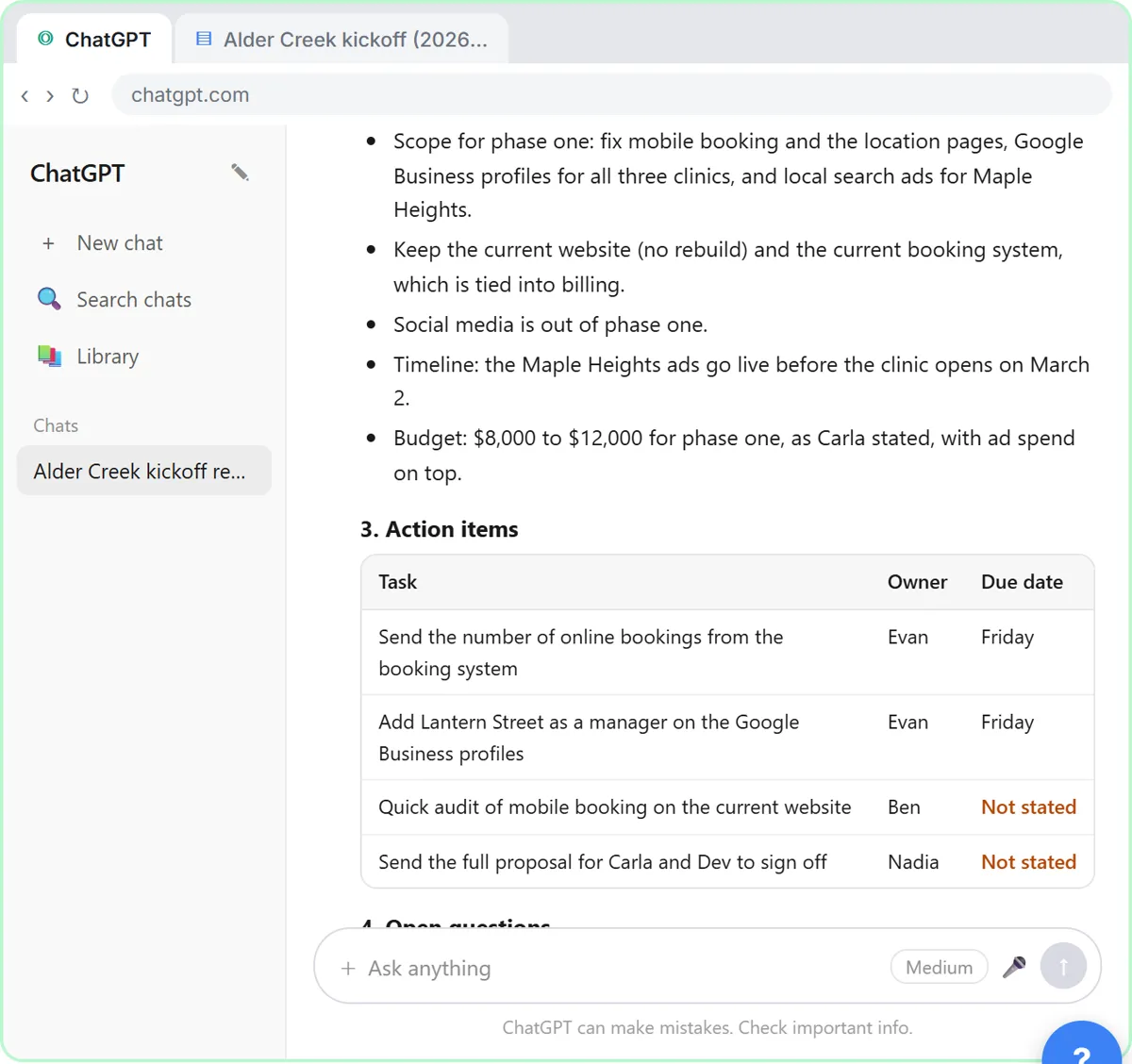
- Check the action items. Read the summary and decisions. Then click the action items table: two due dates say Not stated.
A kickoff call, boiled down to the client's goals, the scope, the deadline and the budget range, four action items and two open questions. Now check it before anything goes to the prospect. Look at the action items table. Two due dates say not stated. That's right: nobody said when Ben's audit or the full proposal was due.
- Click the message box. You know the missing dates. Click the message box to tell ChatGPT.
You were in the meeting, so you can fill in the gaps.
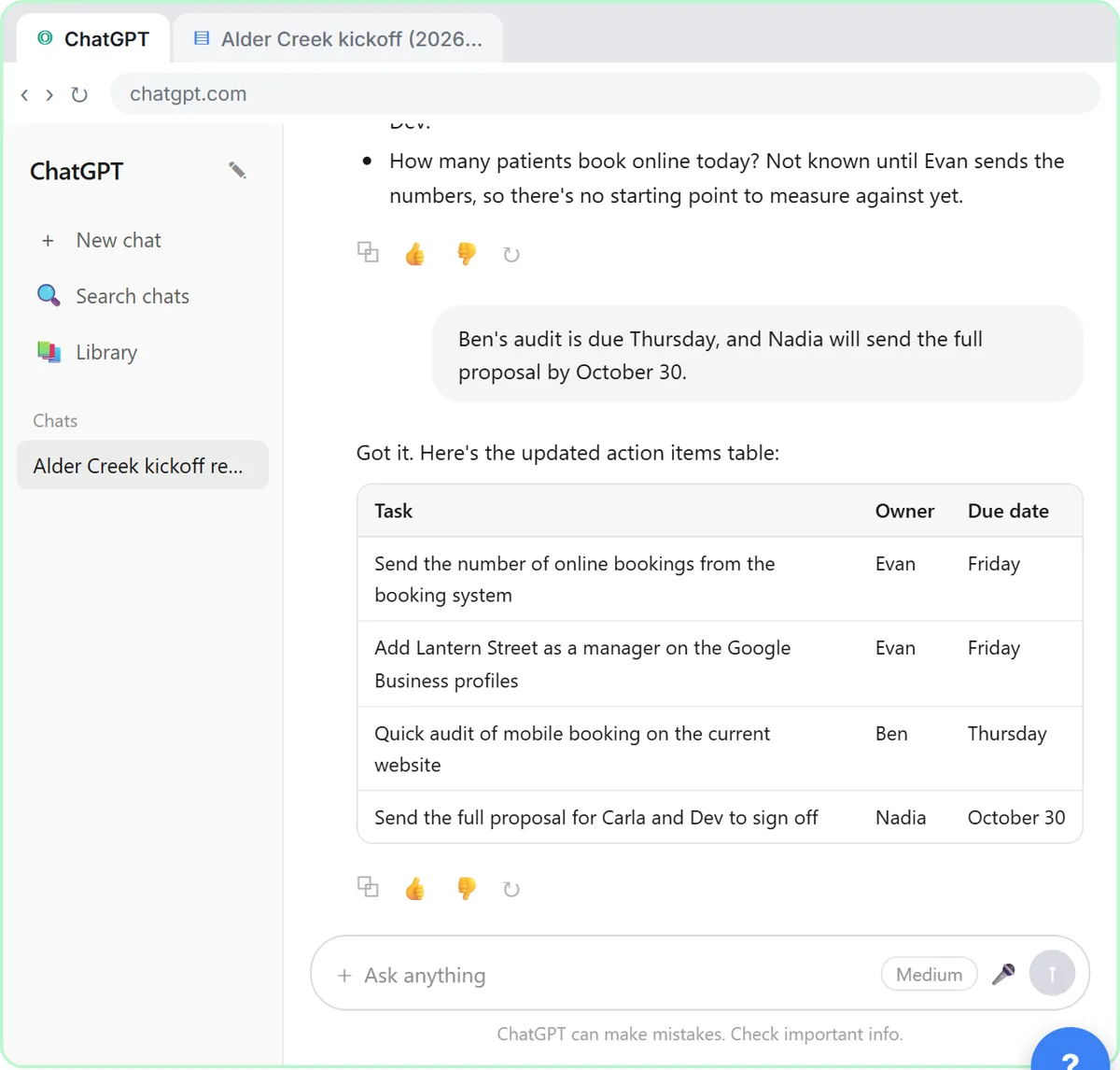
- Fill in the gaps. Type the missing dates (or Paste in the dates): Ben's audit is due Thursday, and Nadia will send the full proposal by October 30.
Tell it the missing dates: Ben's audit is due Thursday, and Nadia will send the full proposal by October thirtieth.
- Send it. Click Send.
4. Write the follow-up
- Click the message box. Every action item has an owner and a date now. Click the message box.
Now every task has an owner and a date. Because ChatGPT still has the whole meeting in this chat, you don't need to paste anything again. Just ask for the next thing.
- Ask for the follow-up email. Paste in the request to ask for a recap email to the client with a proposal outline.
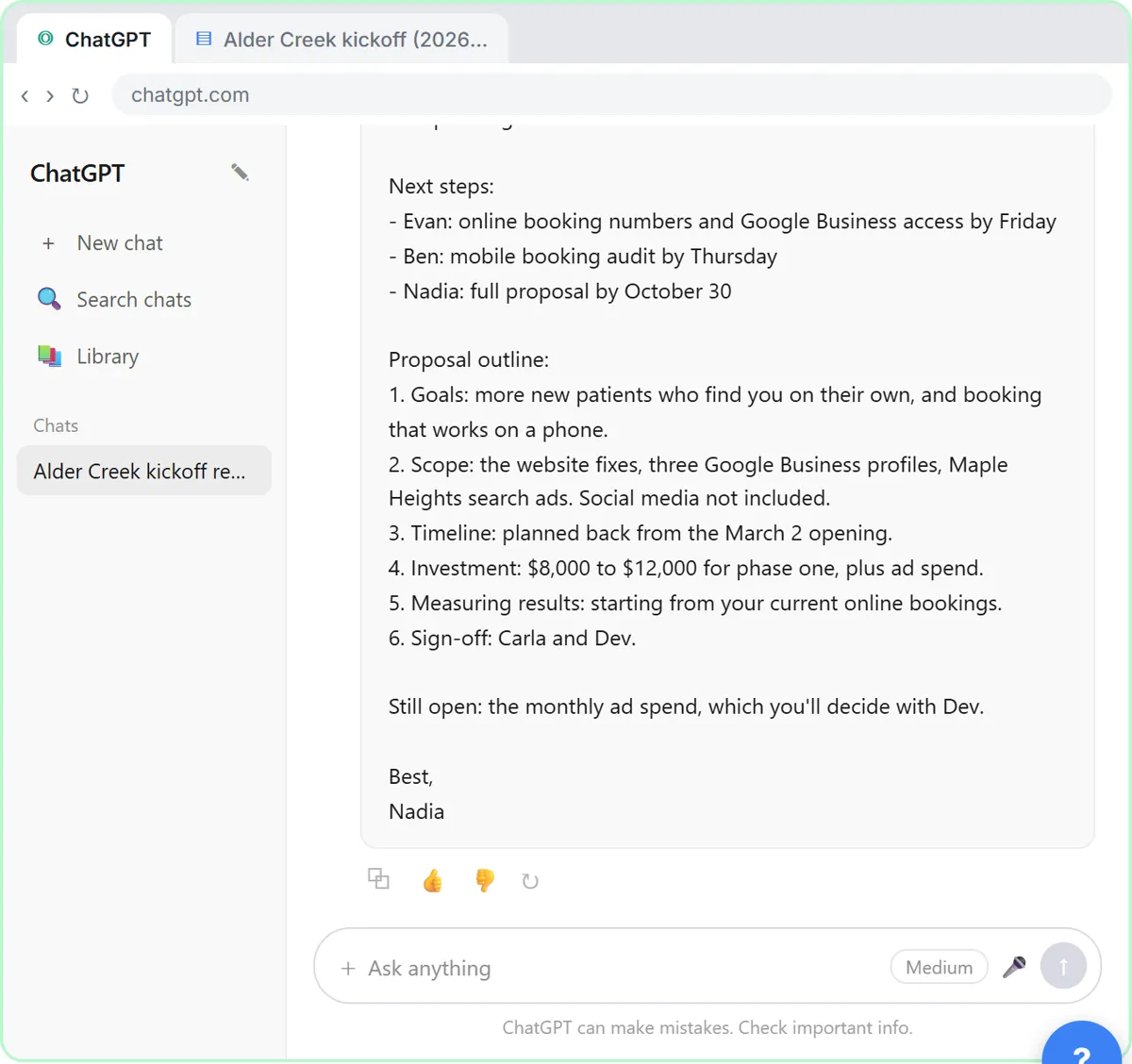
Ask for a short follow-up email to Carla and Evan with the decisions, the action items and a proposal outline: each section and what goes in it, using only what they told you.
Now write a short follow-up email to Carla and Evan with the decisions, the action items and a proposal outline: each section and what goes in it. Only use what they told us. Friendly and plain, under 250 words.
- Send it. Click Send.
- Copy the email. Read the email. Then click the Copy button under it.
There's your recap email: the decisions, who's doing what and by when, and what's still open. Read it once, change anything that doesn't sound like you, then click the copy button under it and paste it into your email.
5. Or upload the file
- Start a new chat. Next time the transcript might be a file. Click New chat.
Sometimes the transcript comes as a file instead, like a Word document someone emailed you. You don't have to open it and copy it. Start a new chat.
- Open the plus menu. Click the + button on the left of the message box.
- Add photos & files. Click Add photos & files.
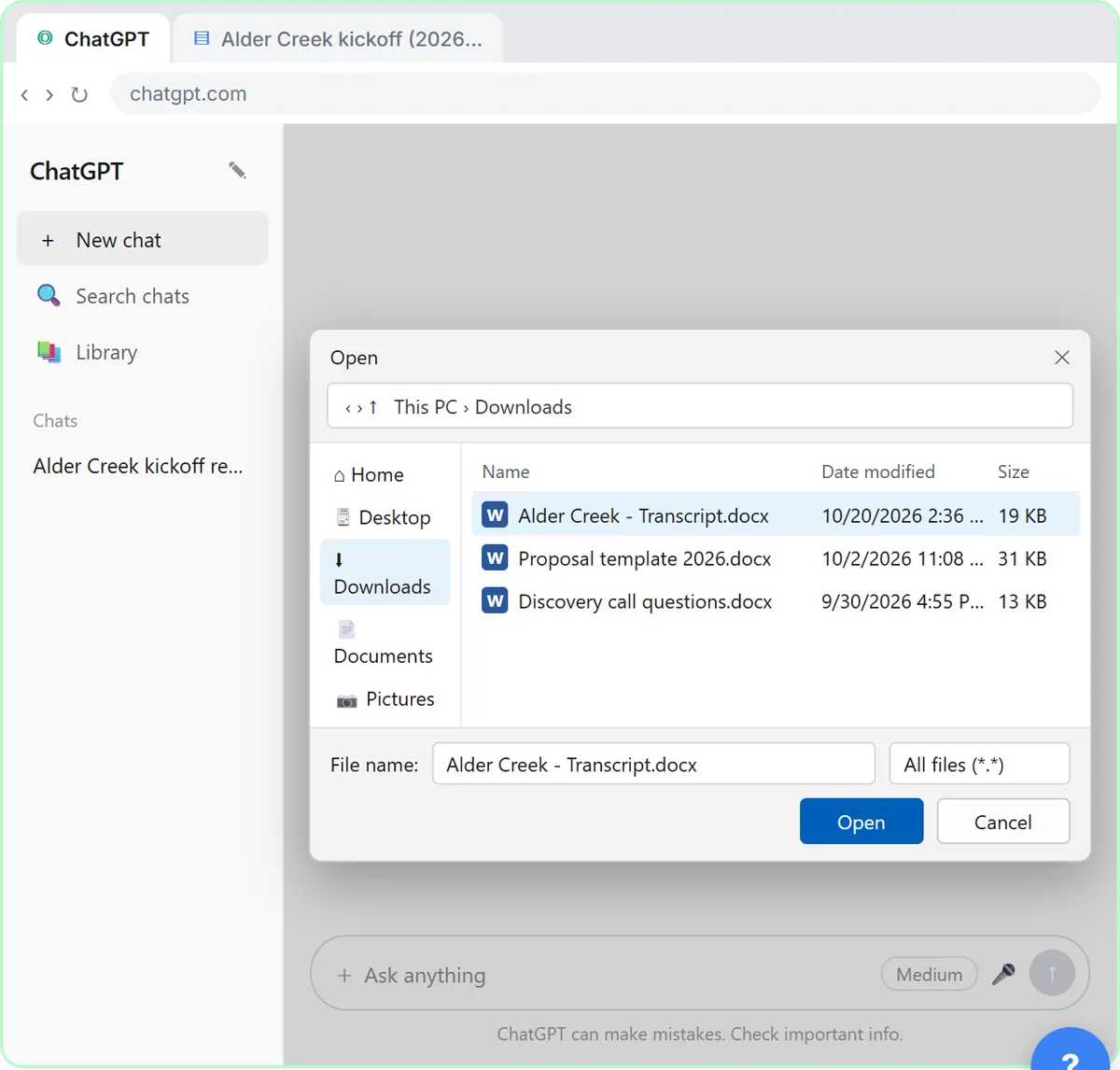
- Pick the transcript. Click Alder Creek - Transcript.docx.
Your file browser opens.
- Open it. Click Open.
The file attaches to the message box. You can also just drag a file onto the chat.
- Ask for the summary. Paste in the request: the same four things, in one line.
Now the same request as before, in one line.
Summarize this meeting transcript: decisions, action items with owner and due date, and open questions. If an owner or date isn't said, write "Not stated".
- Send it. Click Send.
Either way, always check the owners and dates before you send the recap.
Screenshots
Frequently asked questions
- Can ChatGPT write a proposal from a discovery call?
- It can draft the outline: goals, scope, timeline, budget range and sign-off, taken from what the client said. Ask it to use only the transcript and flag anything missing. Write the pricing, deliverables and terms of the full proposal yourself.
- How do I stop ChatGPT from adding services or prices the client never asked for?
- Tell it to use only what is in the transcript and to write "Not stated" when something is missing. Then read the decisions and the outline against the call before anything goes to the client.
- What if the client didn't give a budget?
- Then the recap should say so. In this lesson the client gives a range for phase one but not the monthly ad spend, so the ad spend shows up as an open question rather than a guess.
- Is this lesson free?
- Yes. Stepthrough is completely free and the practice copy needs no accounts. To do it for real you need your own ChatGPT account, and some features cost money on paid plans.
More in AI Automation for Consulting & Agencies
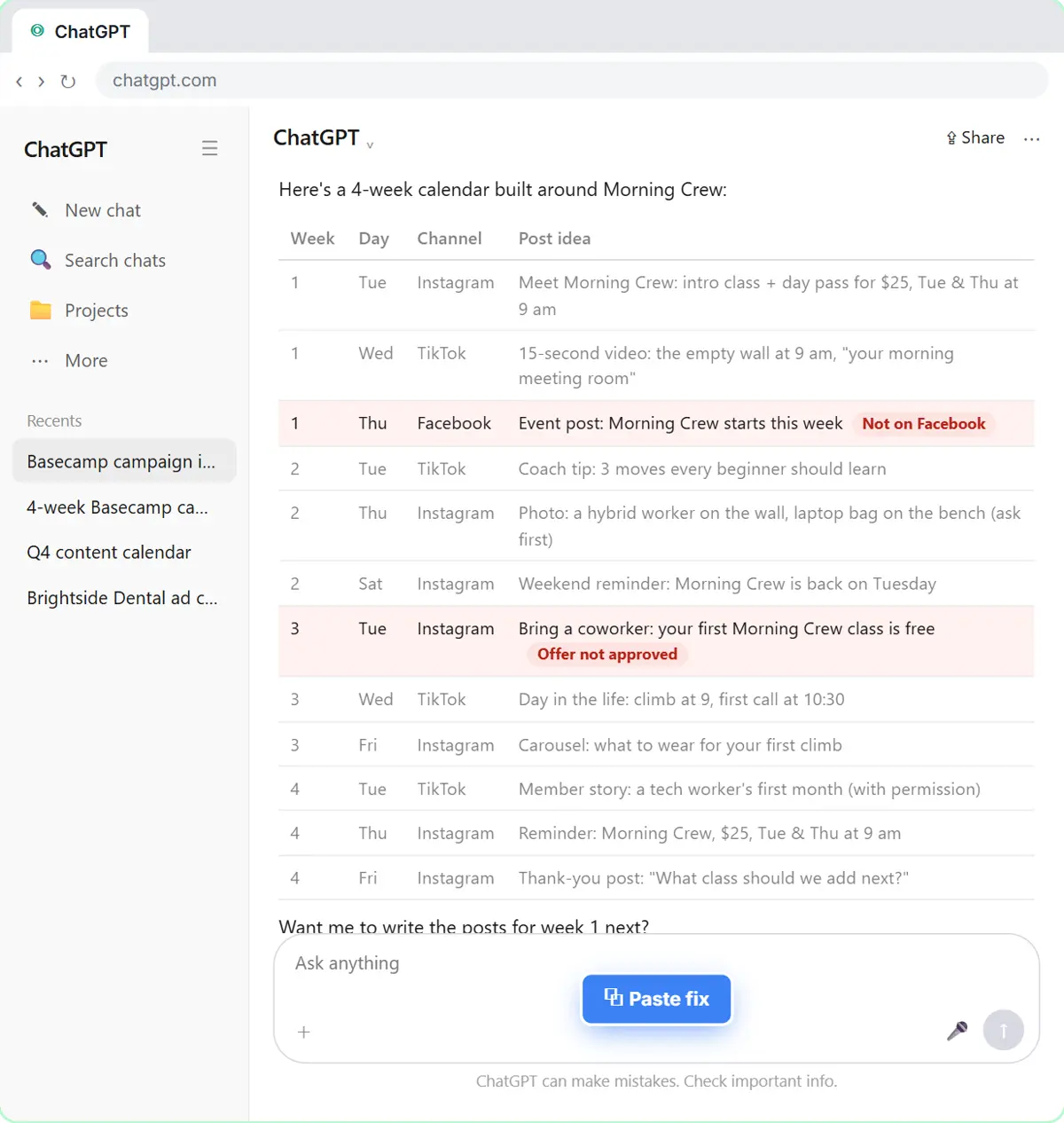 Prompt Chaining for a Client Campaign Plan: Build It in Steps with ChatGPT (Agencies)
Ask ChatGPT for a client's whole 4-week campaign in one prompt, then build a better one in four steps: audiences, offers, a calendar table checked against the client's…
Free · Live ~7 min
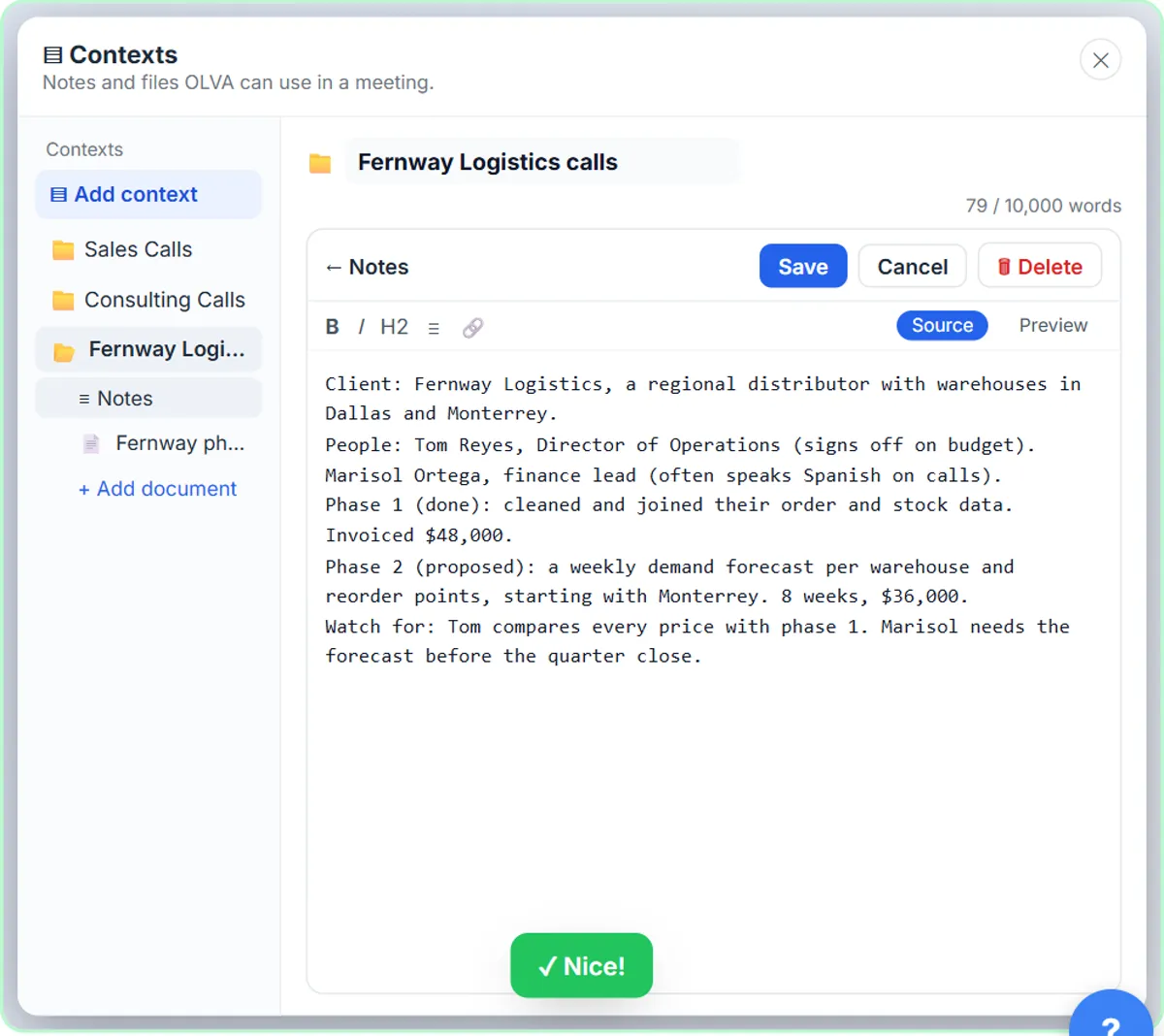 OLVA: A Private AI Assistant on Your Client Calls
Give OLVA your client notes, get private answers and fact checks during a Zoom call, then turn the meeting into minutes, a follow-up email and a PowerPoint deck.
Free · Live ~9 min
All 4 modules in AI Automation for Consulting & Agencies
More ChatGPT tutorials
 Prompt Writing 101: Role, Context, Task, Format
Ask ChatGPT for the same customer email twice, once vaguely and once with a four-part prompt, and see exactly why structure gets a better answer.
Free · Live ~8 min
 Get Your Business Recommended by ChatGPT
Ask ChatGPT who it recommends in your town, see which pages it trusts, then use it to write an FAQ page and Business Profile copy that answer real customer questions.
Free · Live ~10 min
 Reply Faster: Turn a Messy Customer Email Thread into a Clear, Friendly Reply
Turn a messy customer email thread into a clear, friendly reply: give ChatGPT the thread and your facts, check every promise, fix the tone, and send it from Gmail.
Free · Live ~9 min
 ChatGPT Projects: Keep Your Brand Voice, Files and Instructions in One Place
Set up a ChatGPT Project with your brand voice instructions, your price list and your style guide, so every new chat already knows your business.
Free · Live ~9 min
 Analyze a Spreadsheet with ChatGPT: Upload a CSV, Get a Chart and Three Takeaways
Upload a CSV of sales to ChatGPT, have it check the data first, ask your questions, get a chart you can download, and finish with the three takeaways that matter.
Free · Live ~10 min
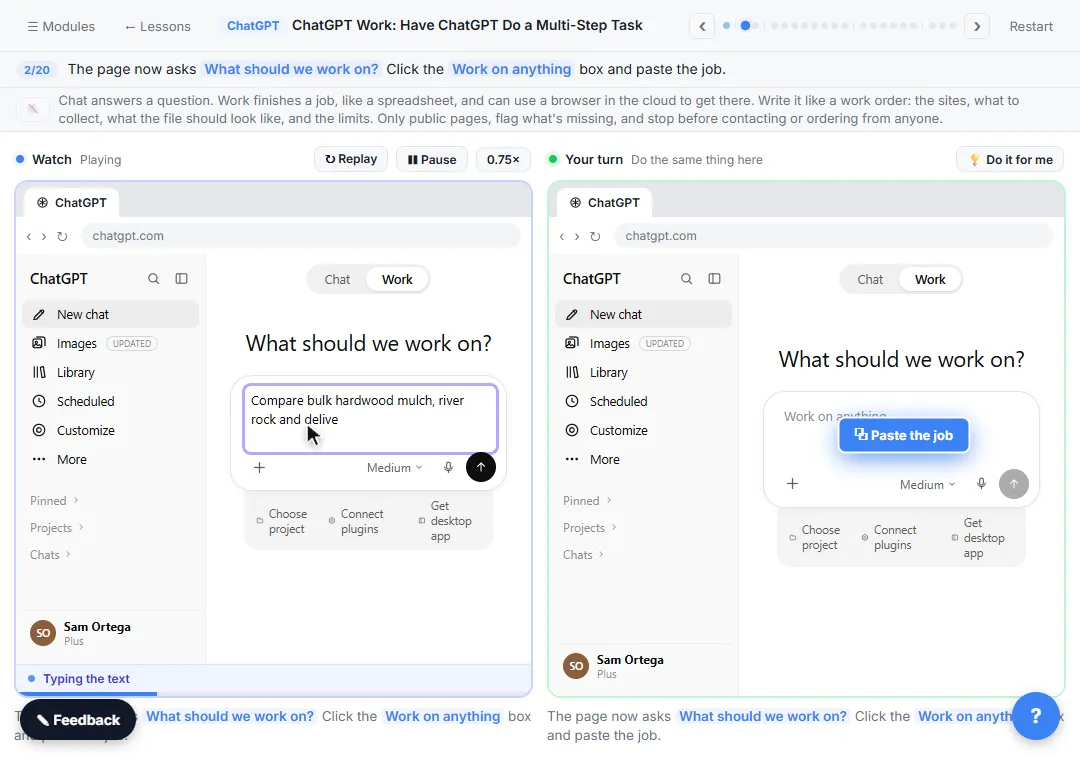 ChatGPT Work: Have ChatGPT Do a Multi-Step Task
Switch ChatGPT to Work, hand it a real job (compare three suppliers into a spreadsheet), approve the sites it opens, skip a login, answer its question, check the file…
Free · Live ~8 min
Visual guides
This lesson’s key ideas as quick visual guides: swipe through the slides, or read the same guide as text.
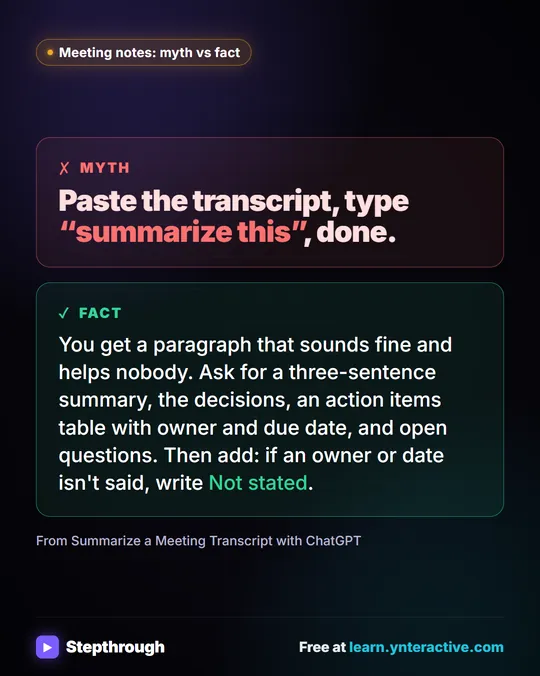 Meeting notes myth: “summarize this” is all ChatGPT needs
Myth: paste a transcript, type “summarize this”, done. Fact: ask for the decisions, an action items table with owners and dates, and open questions.
Myth vs fact One graphic
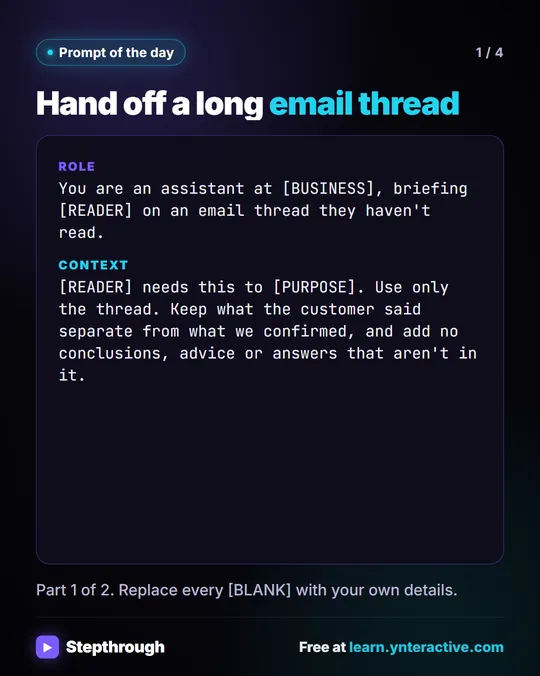 Prompt of the Day: Summarize an Email Thread for a Handoff
A visual prompt card: turn a long email thread into a short handoff with the situation, what was promised and each question marked Answered or Open.
Prompt to copy 4 slides
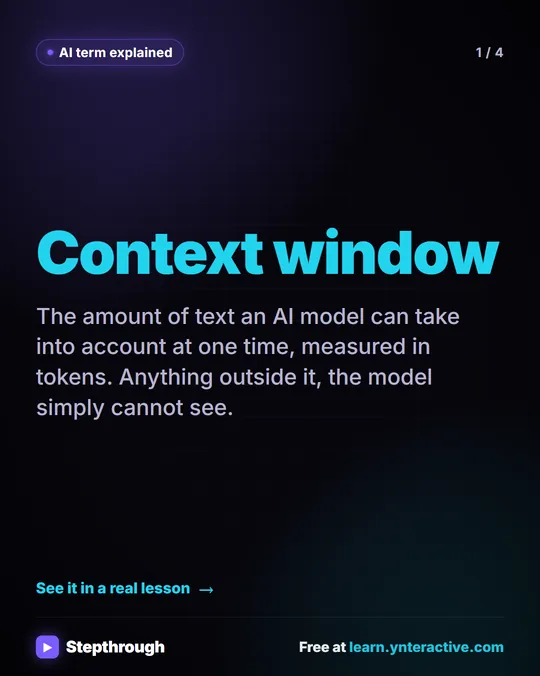 What Is a Context Window? A Visual Guide
A visual guide to the context window: how much text an AI model can see at once, shown with a real ChatGPT meeting summary lesson.
AI term explained 4 slides
Free cheat sheets
Print it or save the PDF: the key steps and checks from this lesson on one page, free.
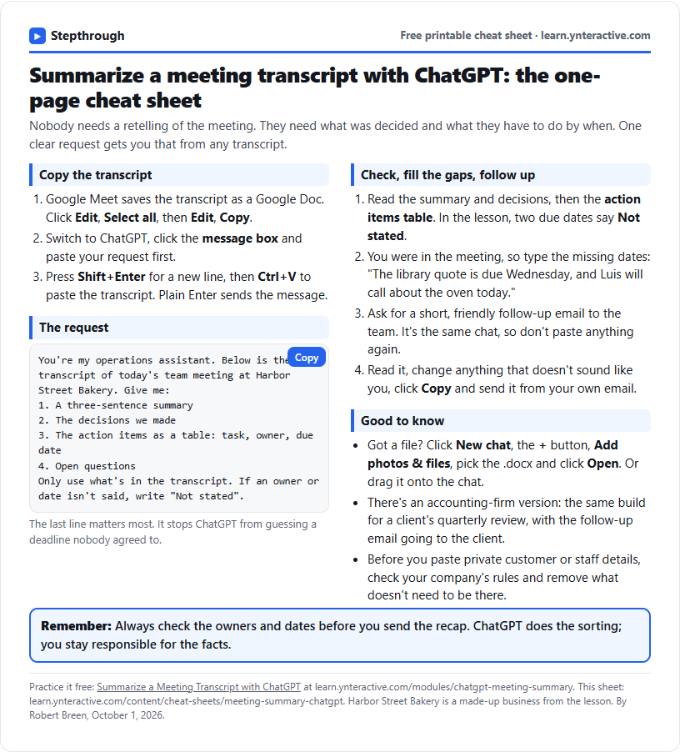 Summarize a Meeting with ChatGPT Cheat Sheet
A free one-page cheat sheet: turn a meeting transcript into decisions, an action items table with owners and dates, and a follow-up email.
Lesson cheat sheet Free PDF
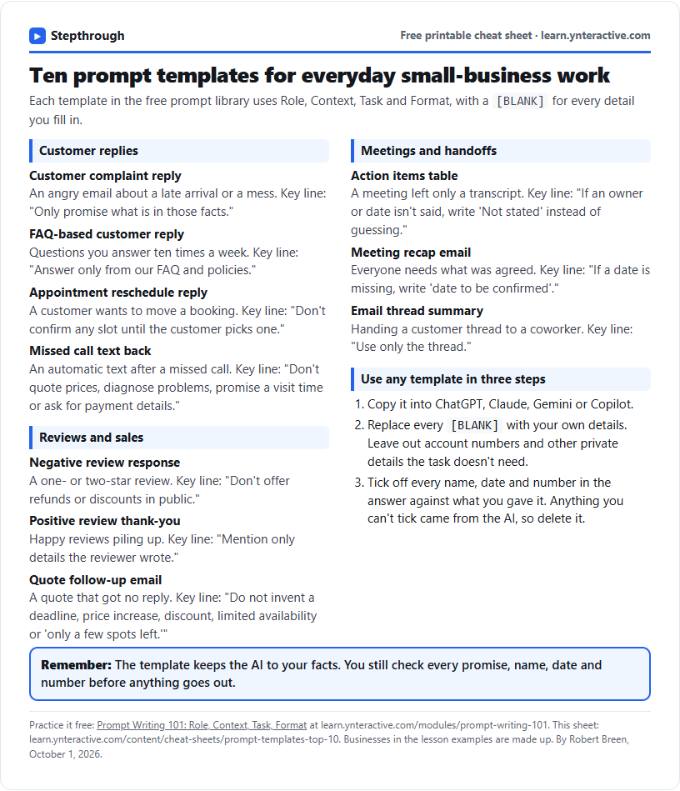 Top 10 Prompt Templates for Small Business: Cheat Sheet
A free one-page cheat sheet of ten copy-ready AI prompt templates: customer replies, reviews, quote follow-ups, meeting recaps and handoffs.
Topic cheat sheet Free PDF
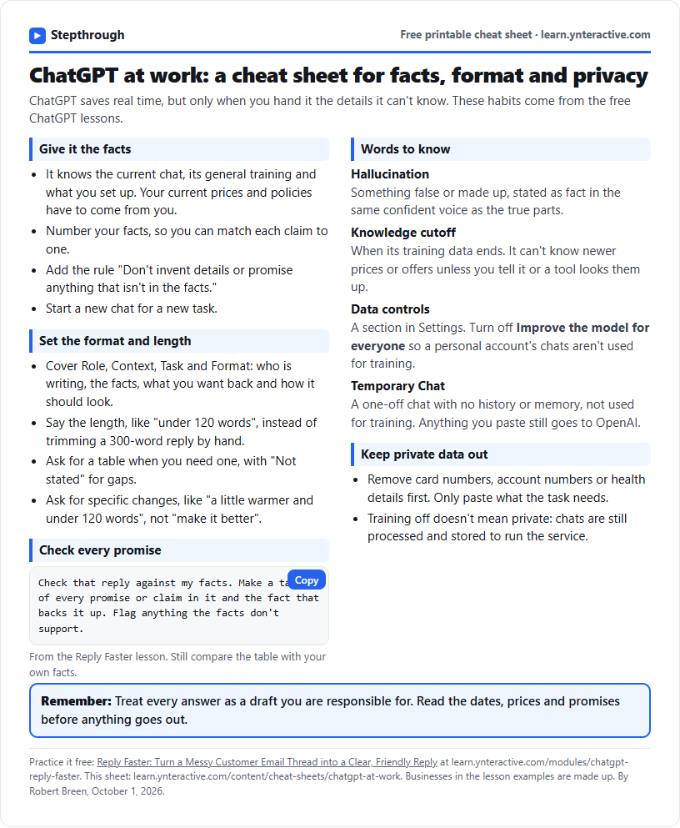 ChatGPT at Work Cheat Sheet: Facts, Format, Privacy
A free one-page cheat sheet for ChatGPT at work: give it facts, set the format and length, check every promise and keep private data out.
Tool cheat sheet Free PDF
All free printable cheat sheets
Terms in this lesson
Plain-English definitions, each with an example from a free lesson.
Related prompts
- Action items table prompt: Paste a meeting transcript or rough notes and get a table of every task, owner and due date, with "Not stated" wherever nobody…
- Feedback conversation script prompt: Plan a short, direct feedback talk with a teammate: the specific moment, why it mattered, a question to hear their side and one…
- Meeting agenda prompt: Turn a list of topics into a timed meeting agenda where every item has an owner, a question to settle and minutes that add up to…
- Project risk register prompt: List what could go wrong with a project from your notes: each risk with likelihood, impact, an early warning sign, a response…