Email thread summary prompt: free ChatGPT template
Updated · By Robert Breen
Use this when you hand a customer thread to a coworker, cover for someone who's out, or come back to a thread after a week. The summary is built for action: what we've done, what we've promised and which of the customer's questions are still open. The rule that keeps it honest: it separates what the customer said from what you confirmed, and it never fills an open question with an answer.
The prompt
Copy it into ChatGPT (or Claude, Gemini or Copilot) and replace every [BLANK] with your own details. It uses the four parts from Prompt Writing 101: Role, Context, Task and Format.
Role: You are an assistant at [BUSINESS], briefing [READER] on an email thread they haven't read.
Context: [READER] needs this to [PURPOSE]. Use only the thread. Keep what the customer said separate from what we confirmed, and add no conclusions, advice or answers that aren't in it.
Task: Summarize: who it's with and what it's about, what we've done or promised so far with dates, every question the customer asked and whether we answered it, and the agreed next step.
Format: Under 150 words, with these headings: Situation, Done or promised, Customer questions (each marked Answered or Open), Next step. Write "Not in thread" for anything missing.

Here is the thread, oldest message first:
[THREAD]
Fill in the blanks
[BUSINESS]- Your business name.
[READER]- Who will read it, like "Jamie, who is covering my clients today."
[PURPOSE]- What they'll do with it: reply today, call the customer, decide on a refund.
[THREAD]- Every message, oldest first, with names and dates. Remove card or account numbers first.
Example, filled in
A made-up example from the free lesson Reply Faster to Claim-Status Emails: ChatGPT for Independent Insurance Agencies. Stonebridge Insurance Agency is the made-up agency in the Reply Faster lesson for insurance agencies. This is the lesson's own thread with Denise; in this made-up twist, Tom is out and Jamie is covering.
Role: You are an assistant at Stonebridge Insurance Agency, briefing Jamie on an email thread they haven't read.
Context: Jamie needs this to reply to Denise today while Tom is out. Use only the thread. Keep what the customer said separate from what we confirmed, and add no conclusions, advice or answers that aren't in it.
Task: Summarize: who it's with and what it's about, what we've done or promised so far with dates, every question the customer asked and whether we answered it, and the agreed next step.
Format: Under 150 words, with these headings: Situation, Done or promised, Customer questions (each marked Answered or Open), Next step. Write "Not in thread" for anything missing.

Here is the thread, oldest message first:
Denise Harper (Mon, Sep 21): Hi Tom, I hit a deer on Route 9 driving home last night. I'm fine, but the front of my CR-V is smashed, one headlight is out and the hood won't latch. I don't feel safe driving it. What do I do? Denise

Tom at Stonebridge Insurance (Mon, Sep 21): Hi Denise, so glad you're okay. I reported the claim to Harbor Mutual this morning, claim number HM-4471882. An adjuster will call you to set up an inspection. - Tom

Denise Harper (Thu, Sep 24): The adjuster (Rachel?) called. The inspection is Friday Oct 2 at Kessler Auto Body. Does my policy cover a rental until then? My sister has been driving me to work. Also it was a DEER, not my fault, so my rate shouldn't go up, right?

Denise Harper (8:47 AM): Still waiting to hear back. I've been without a car for a week. When is Harbor Mutual going to pay? The body shop says they can't start until the insurance approves it. And I still don't know about the rental or my rate. Please just give me a straight answer.
What a good answer looks like
- Situation: deer hit Sep 21, CR-V not safe to drive, claim HM-4471882 with Harbor Mutual.
- Done or promised: claim reported Sep 21; an adjuster would call.
- Three questions marked Open: the rental, the rate, when Harbor Mutual pays. Plus a note that she's waited a week.
- Next step: Not in thread.
How to check it before you use it
An AI draft can sound right and still say something you never told it. Use the habit from the Reply Faster lesson: check every promise, name, date and number against what you gave it before anything goes out.
- Make sure no Open question got an answer. "Rental is covered" or "deer hits don't raise rates" belong to the policy and the carrier, not to a summary.
- Check attribution: the Oct 2 inspection is what Denise reported from the adjuster's call, not something the agency confirmed.
- Watch names. The thread says "Rachel?"; a summary that says "Rachel Moore" added a fact, even a true one.
- Reread the newest message yourself. The summary saves time, but the customer's latest words set the tone of the reply.
Practice it in the free lesson
Summarize a Meeting Transcript with ChatGPT: Paste a long meeting transcript into ChatGPT and get the decisions, an action items table with owners and due dates, and a follow-up email ready to send. You do every step yourself in a practice copy of ChatGPT, and nothing touches your real accounts.
Also useful: Reply Faster to Claim-Status Emails: ChatGPT for Independent Insurance Agencies
Terms used here
Related prompts
- Check reply promises prompt: A ChatGPT prompt that checks a draft before you send it: a table of every promise, the fact behind each, and safer wording for…
- Claim status update email prompt: Send an insurance client a proactive claim update: what happened, who decides what, and the next step, with no payment, coverage…
- Customer call notes summary prompt: Turn rough phone-call notes into a clean customer record: what they reported, what you promised and the next step, plus a short…
- Meeting recap email prompt: A copy-ready prompt that turns your checked meeting notes into a short recap email: decisions, owners and due dates, and nothing…
Visual guides
This prompt as a quick visual guide you can save or share, with the same text written out.
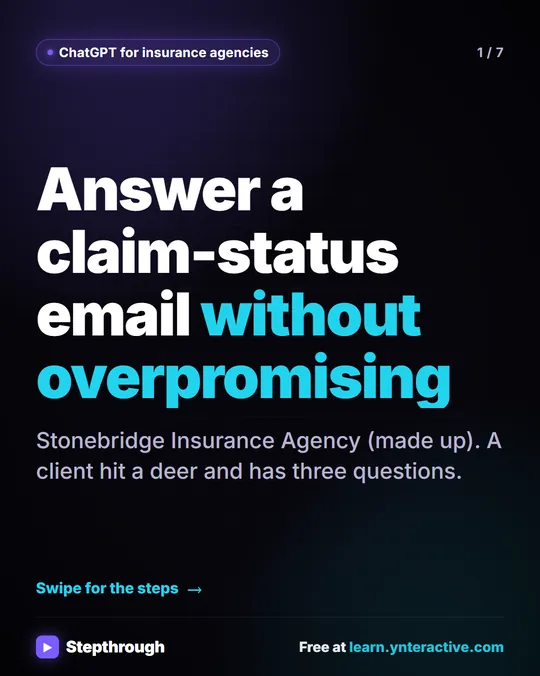 5 Steps to Answer a Claim-Status Email Without Overpromising
A visual guide for insurance agencies: answer a client's claim-status email with ChatGPT, then check every claim against your facts before you send.
Step-by-step guide 7 slides
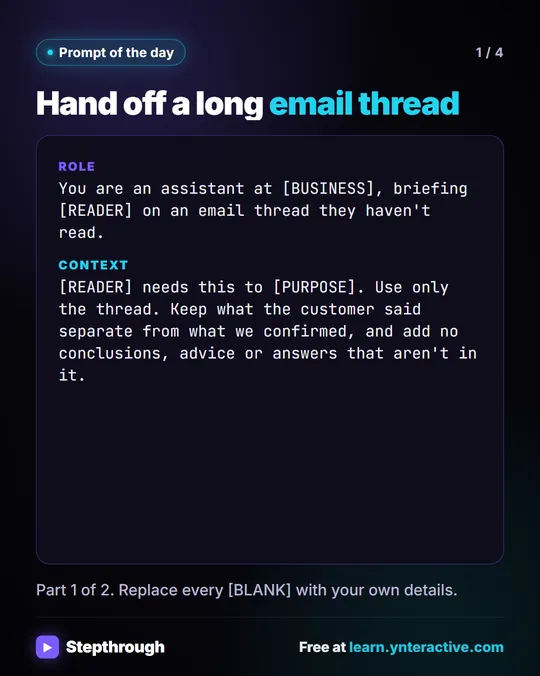 Prompt of the Day: Summarize an Email Thread for a Handoff
A visual prompt card: turn a long email thread into a short handoff with the situation, what was promised and each question marked Answered or Open.
Prompt to copy 4 slides