What are prompt constraints?
Updated · By Robert Breen
Prompt constraints are the explicit limits and rules you put in a prompt to keep an AI's output inside safe, usable bounds, such as a word limit, words or claims it must never use, facts it may not invent, or cases where it should refuse and hand off to a person.
Why it matters for a small business
AI writing fails in predictable ways: it runs long, overpromises, invents a fee or a deadline, or slips into a tone that sounds wrong for your business. Constraints are how you rule those failures out before they happen, instead of catching them after a customer has read them.
They work best when they are concrete. "Be professional" leaves room for interpretation; "never use the words final warning, or else, or legal action" does not. Each constraint should be specific enough that you could check the output against it in a few seconds.
In a real lesson: Build a Custom GPT That Writes Overdue Invoice Reminders
In Build a Custom GPT That Writes Overdue Invoice Reminders, the GPT writes payment reminders for Maple Street Bookkeeping, a made-up firm. Its instructions are mostly constraints. Tone limits: no emojis, all caps or exclamation points, and never threats, guilt or shame, including the exact phrases it may not use. A length limit: every email under 150 words.
There are also content limits. It may only use the payment options and terms in the Collections Policy document, must never invent fees or interest, and may mention a late fee only if the client's engagement letter includes one. It must never mention collection agencies, credit reports or lawyers.
The sharpest constraint is a stop rule in the TONE BY DAYS OVERDUE section: at 61 days or more, do not write the email; say the owner handles it personally. You test it with Write a payment reminder to a client whose $850 invoice is 45 days overdue, which falls in the 31 to 60 day band: polite and firm, with a request for payment within 7 days.
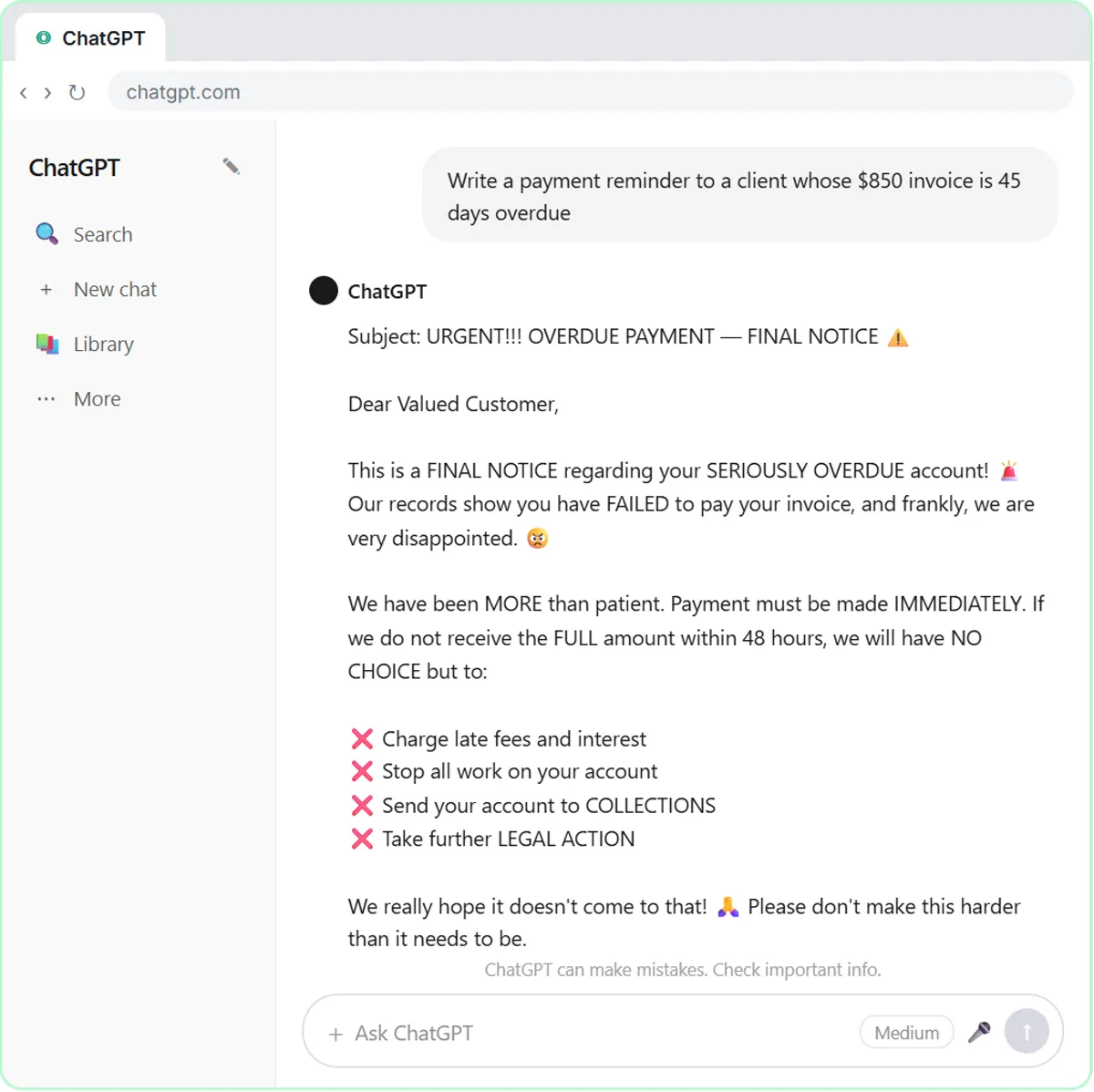
Try this lesson free or read the step-by-step guide.
Common confusions
Constraints vs guardrails
Constraints are rules written into the prompt. Guardrails is the broader set of protections around an AI system, which also includes limiting its tools, filtering inputs and keeping a person in charge of sending.
Will the AI always obey a constraint?
Not always. Clear, specific constraints are followed most of the time, but a model can still slip, especially on counts like word limits. Check the output against your most important rules.
Tips
- Write each constraint so it can be checked: a number, a list of words, a named source of facts.
- Include a "don't invent" rule that names what it must not make up (prices, dates, fees).
- Give it a safe fallback for cases it shouldn't handle, like the 61-day hand-off to the owner.
Related terms
Where you use it: free lessons
- Build a Custom GPT That Writes Overdue Invoice Reminders (ChatGPT, 8 min)
- Build a Custom GPT Ad Copy Writer for Search and Social Ads (ChatGPT, 8 min)
- Reply Faster: Turn a Messy Customer Email Thread into a Clear, Friendly Reply (ChatGPT, 9 min)
Prompt templates that use it
Visual guides
Prompt constraints in a few slides, with the same guide written out as text.
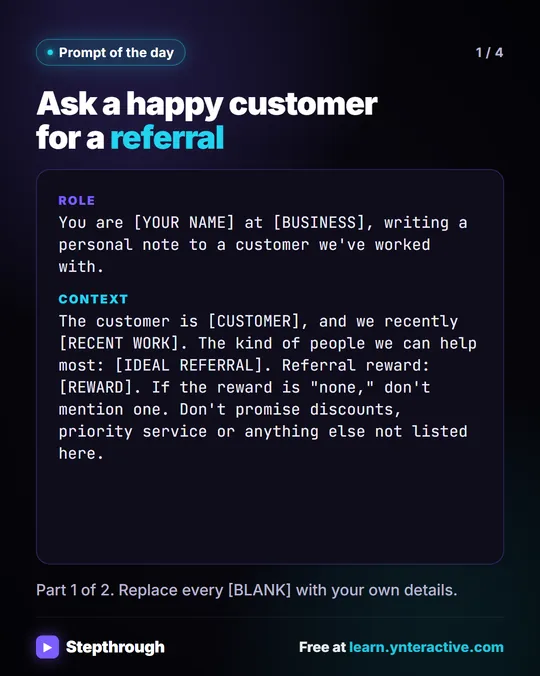 Prompt of the Day: Ask a Happy Customer for a Referral
A visual prompt card for a short, personal referral ask: thank the customer for real work, describe who you help, and no reward you haven't decided on.
Prompt to copy 4 slides
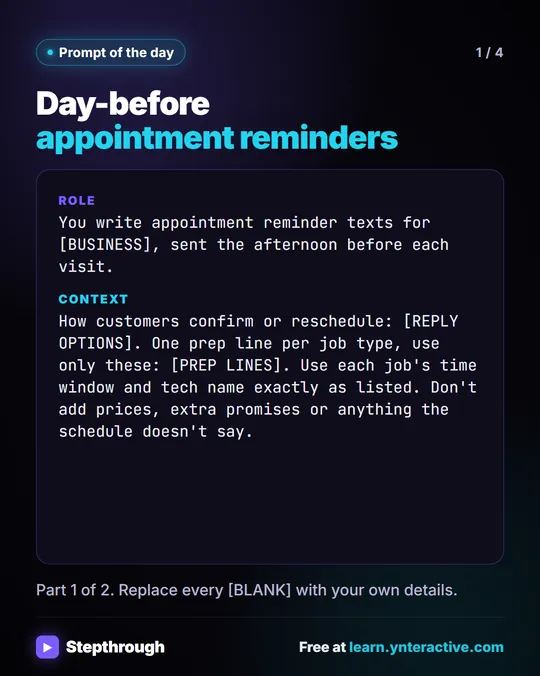 Prompt of the Day: Day-Before Appointment Reminder Texts
A visual prompt card: paste tomorrow's schedule and get one short reminder text per job, with the time window, the tech and one prep step.
Prompt to copy 4 slides
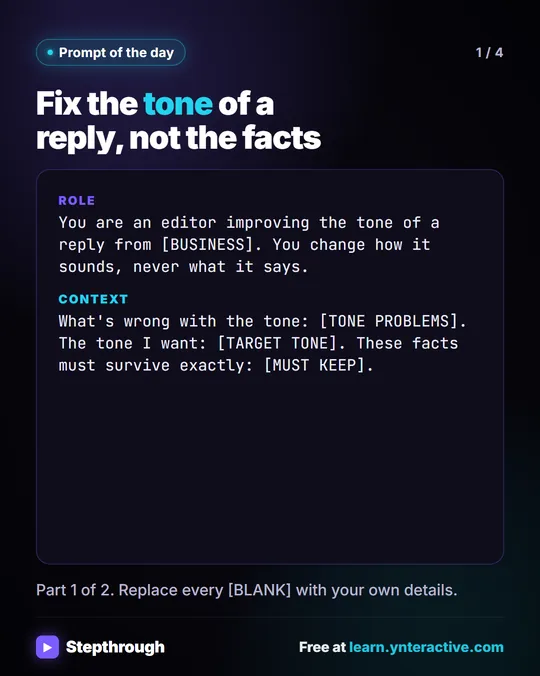 Prompt of the Day: Fix the Tone of a Reply
A visual prompt card: fix a reply that sounds stiff, defensive or long, while every fact, number and "we can't" stays exactly as it was.
Prompt to copy 4 slides
Frequently asked questions
- How many constraints is too many?
- When they start contradicting each other or you can no longer check them quickly. Keep the ones that prevent real mistakes and drop the rest.
- Should constraints be positive or negative?
- Both work. Pair a "never" with what to do instead when you can, like "never quote a fixed price; give the range from the guide."