Updated . Built against the tool’s current screens and checked step by step. How we check this lesson
Which AI assistant is best? For everyday office work, the honest answer is that ChatGPT, Claude, Gemini and Microsoft Copilot are close, and the one you're allowed to use at work matters more than the brand. In this free lesson you give all four the same task, check every answer on the facts, and see how to choose.
At a glance
| Question | Answer |
|---|---|
| What you build | Give one real office task to ChatGPT, Claude, Gemini and Microsoft Copilot, check each answer on the facts, and pick the one to use at work. |
| Tools | ChatGPT, Claude, Gemini and Copilot |
| Time | About 8 minutes, 19 steps in 6 parts |
| Level | Beginner, no coding needed |
| Cost | Free |
| Ways to learn it | Practice it step by step, watch the video, read the guide with screenshots |
The 6 parts, in short
- ChatGPT: Give ChatGPT the task, Send it.
- Claude: Open Claude, Same task, word for word, Send it.
- Gemini: Open Gemini, Same task again, Send it.
- Microsoft Copilot: Open Copilot, Same task in Copilot, Send it.
- Ask for a change: Ask for a change, Send it.
- Compare and choose: Open your scorecard, Check ChatGPT, Check Claude, Check Gemini, and 2 more steps.
Start here first: AI Agent vs Chatbot vs Automation: One Job Done Three Ways (module 1 of AI Basics)
In the course: Part 1 · AI Automation for Beginners (Module 1 of the full course)
Part of: AI at Work: Start Here (step 3 of 9). Next up: Reply Faster: Turn a Messy Customer Email Thread into a Clear, Friendly Reply
Same Task, Four Assistants: ChatGPT vs Claude vs Gemini vs Copilot: step-by-step guide with screenshots
About the screenshots. They come from Stepthrough’s simulated practice environment (a practice copy of ChatGPT, Claude, Gemini and Copilot), not the live tool, so no real account appears. The buttons and labels match the real screens the lesson was built against. Practice it yourself free at learn.ynteractive.com.
- Tools: ChatGPT, Claude, Gemini and Copilot
- Time: about 8 minutes, 19 steps in 6 parts
- Level: beginner, no coding needed
Part 1: ChatGPT
Step 1: Give ChatGPT the task
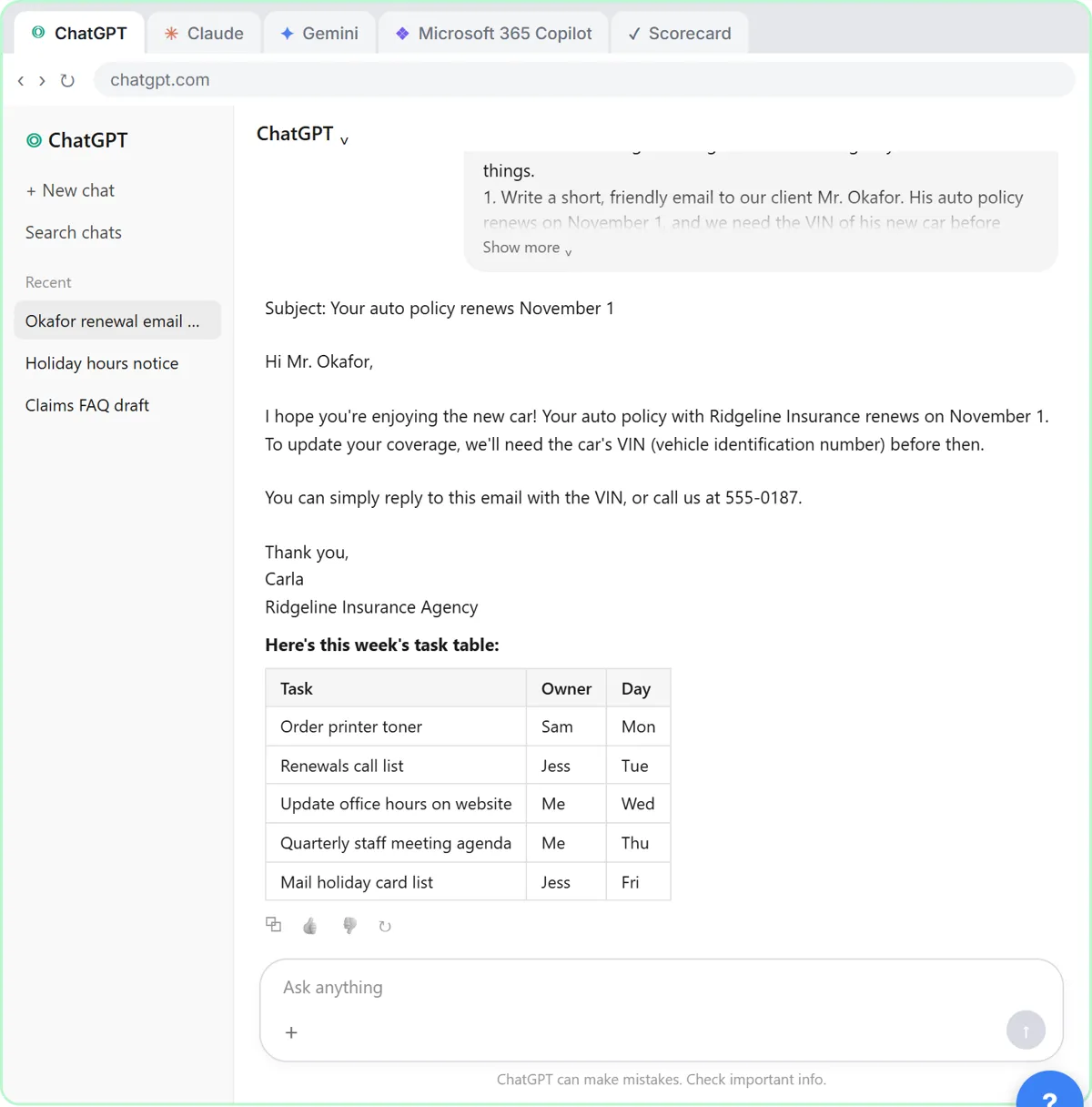
If I started learning AI today, I'd do this first: give the same real task to all four big assistants and see for myself. You're Carla, the office manager at Ridgeline Insurance Agency. The task is a normal one: a reminder email to a client, and a table of this week's tasks.
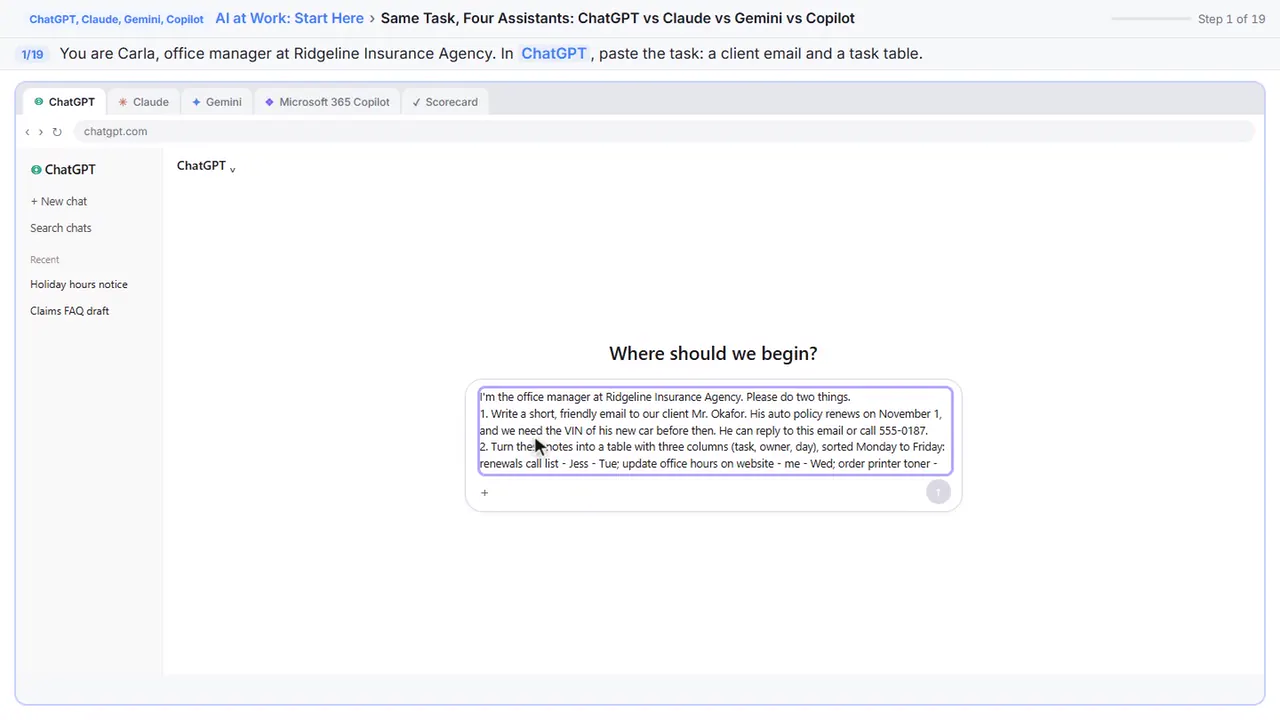
I'm the office manager at Ridgeline Insurance Agency. Please do two things.
1. Write a short, friendly email to our client Mr. Okafor. His auto policy renews on November 1, and we need the VIN of his new car before then. He can reply to this email or call 555-0187.
2. Turn these notes into a table with three columns (task, owner, day), sorted Monday to Friday:
renewals call list - Jess - Tue; update office hours on website - me - Wed; order printer toner - Sam - Mon; quarterly staff meeting agenda - me - Thu; mail holiday card list - Jess - Fri
Step 2: Send it
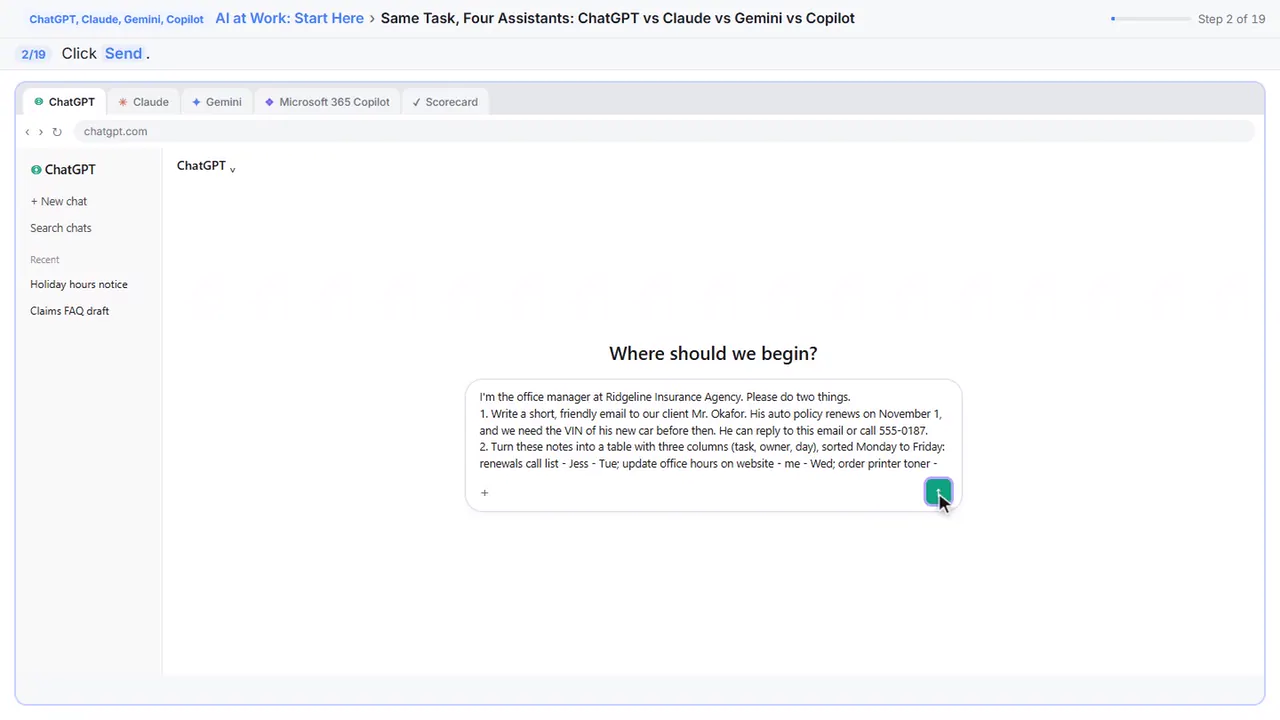
Send it.
Part 2: Claude
Step 3: Open Claude
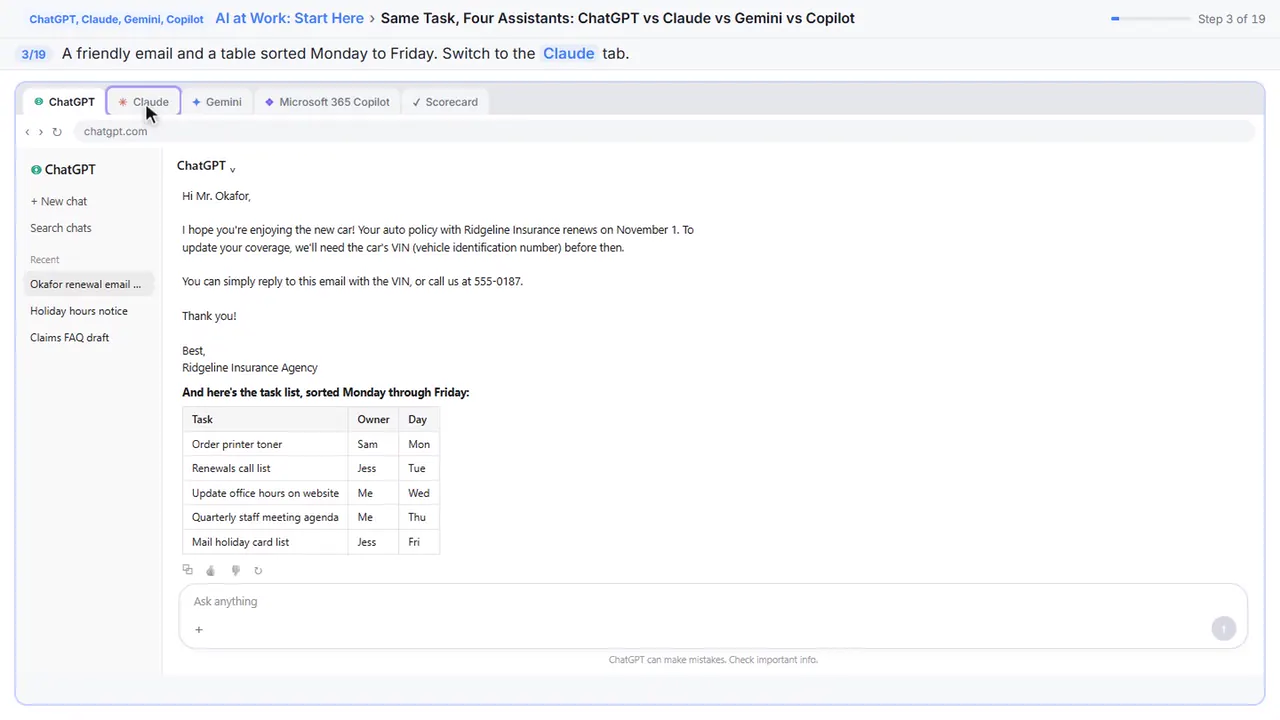
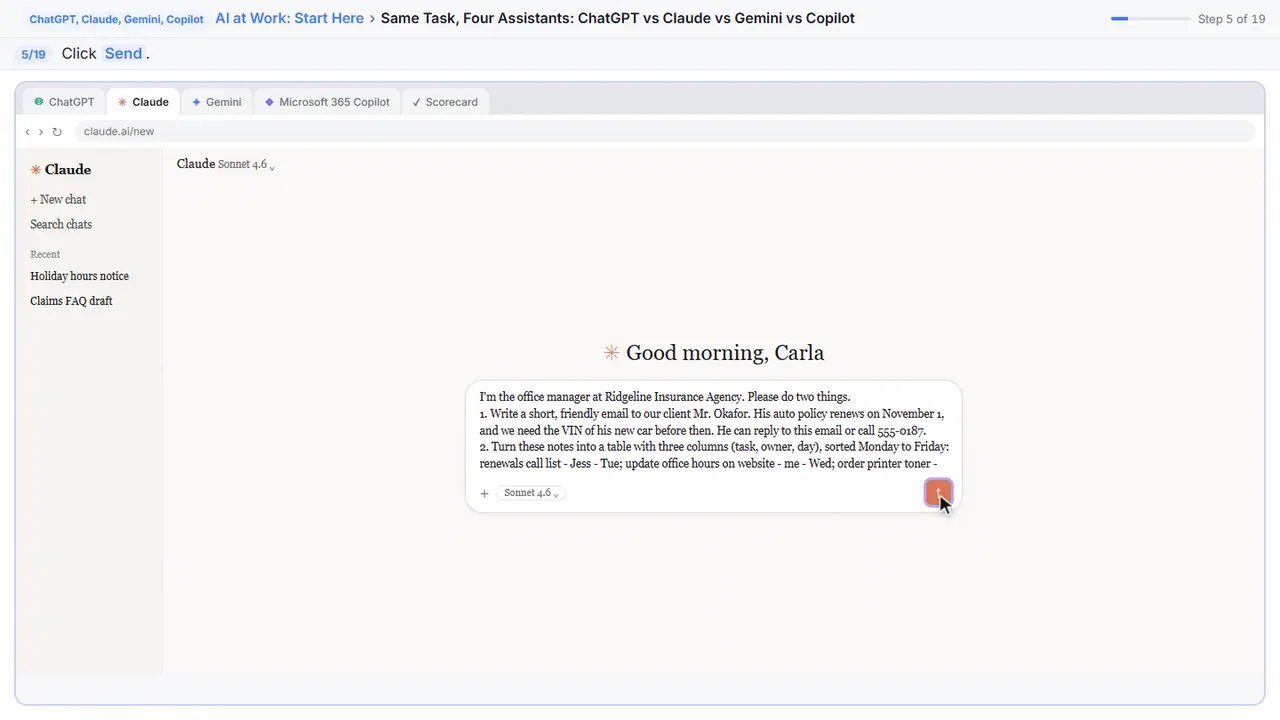
A friendly email, and a table sorted Monday to Friday. Now the same thing in Claude. Switch tabs.
Step 4: Same task, word for word
Same task, fair test.
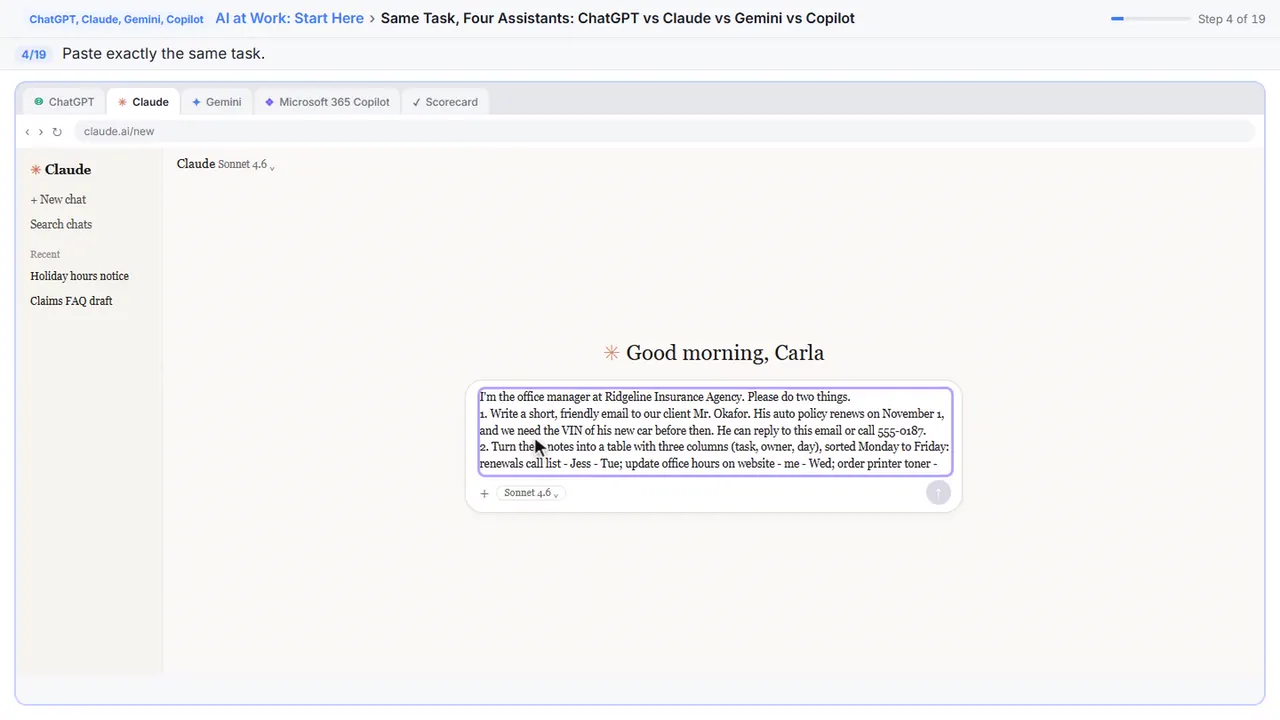
I'm the office manager at Ridgeline Insurance Agency. Please do two things.
1. Write a short, friendly email to our client Mr. Okafor. His auto policy renews on November 1, and we need the VIN of his new car before then. He can reply to this email or call 555-0187.
2. Turn these notes into a table with three columns (task, owner, day), sorted Monday to Friday:
renewals call list - Jess - Tue; update office hours on website - me - Wed; order printer toner - Sam - Mon; quarterly staff meeting agenda - me - Thu; mail holiday card list - Jess - Fri
Step 5: Send it
Send.
Part 3: Gemini
Step 6: Open Gemini
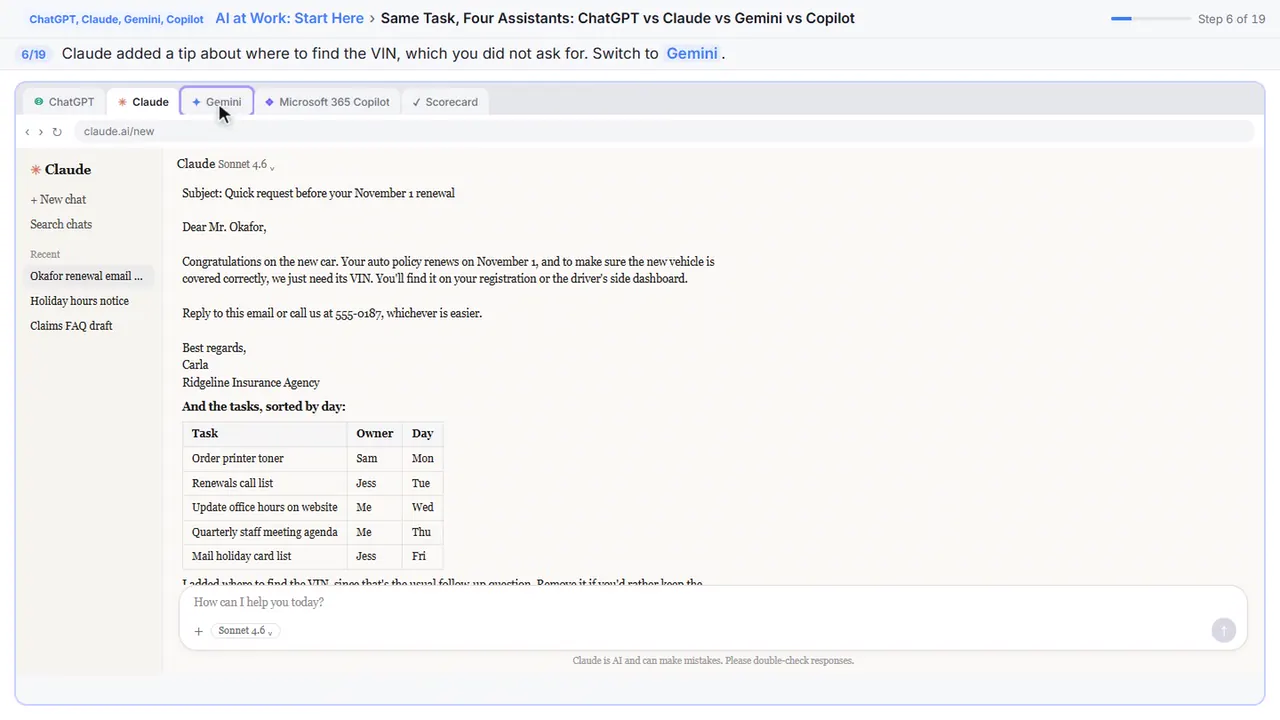
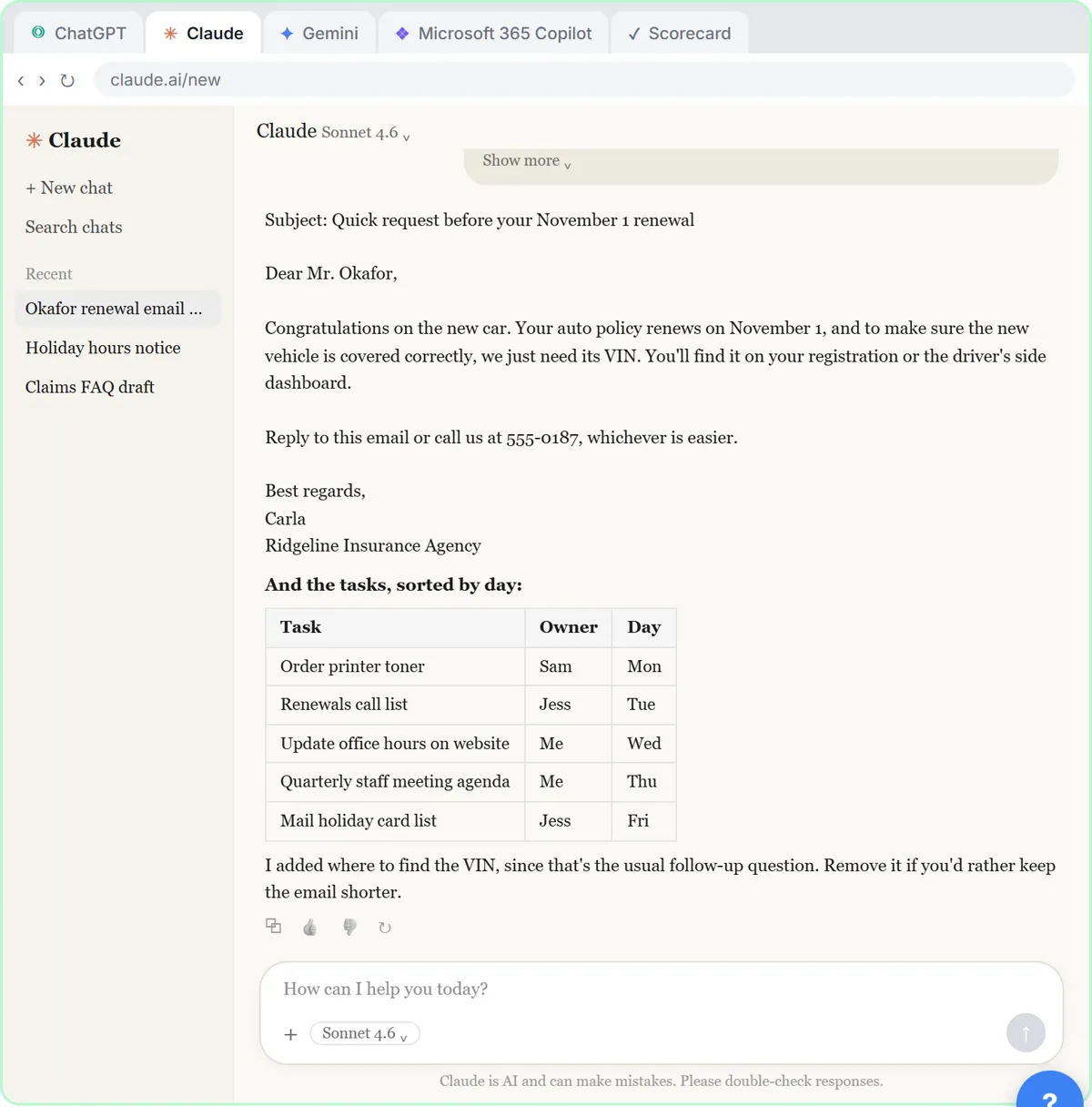
Claude added a tip about where to find the VIN. Helpful, but it's something you didn't ask for, so check it. Now Gemini.
Step 7: Same task again
If Gemini asks to connect Gmail, you can say no thanks and ask it to answer here in the chat.
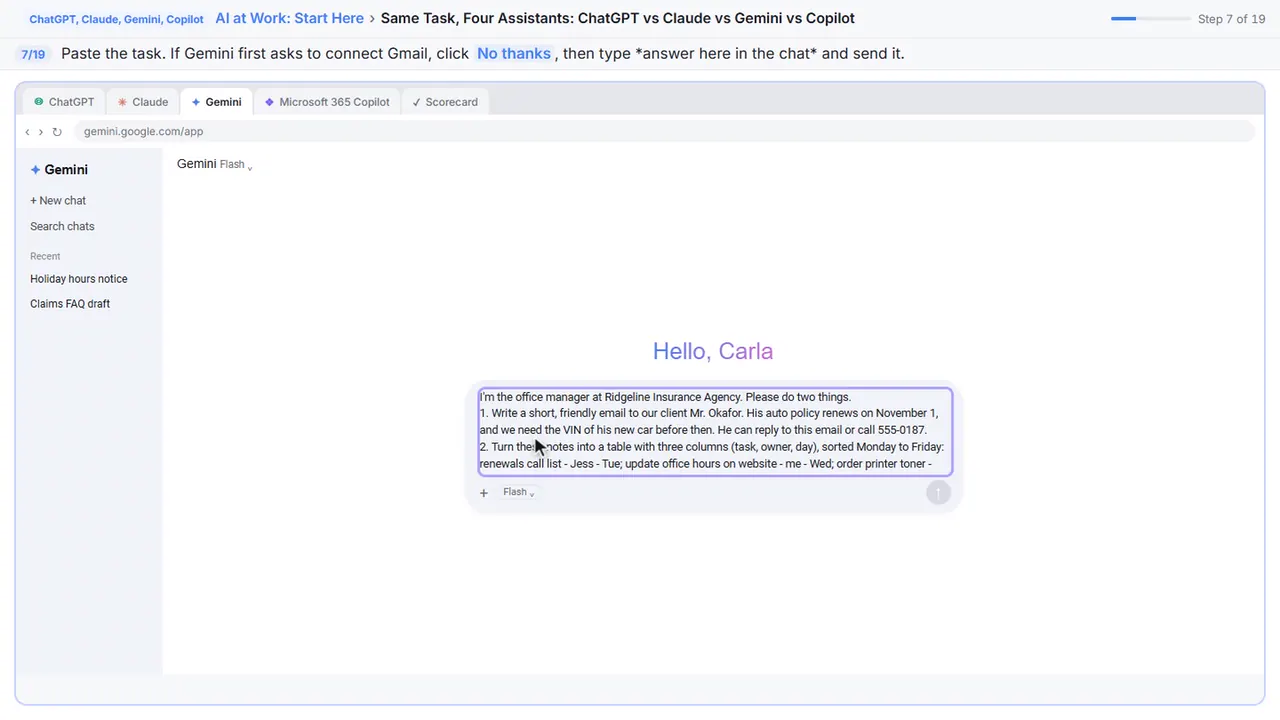
I'm the office manager at Ridgeline Insurance Agency. Please do two things.
1. Write a short, friendly email to our client Mr. Okafor. His auto policy renews on November 1, and we need the VIN of his new car before then. He can reply to this email or call 555-0187.
2. Turn these notes into a table with three columns (task, owner, day), sorted Monday to Friday:
renewals call list - Jess - Tue; update office hours on website - me - Wed; order printer toner - Sam - Mon; quarterly staff meeting agenda - me - Thu; mail holiday card list - Jess - Fri
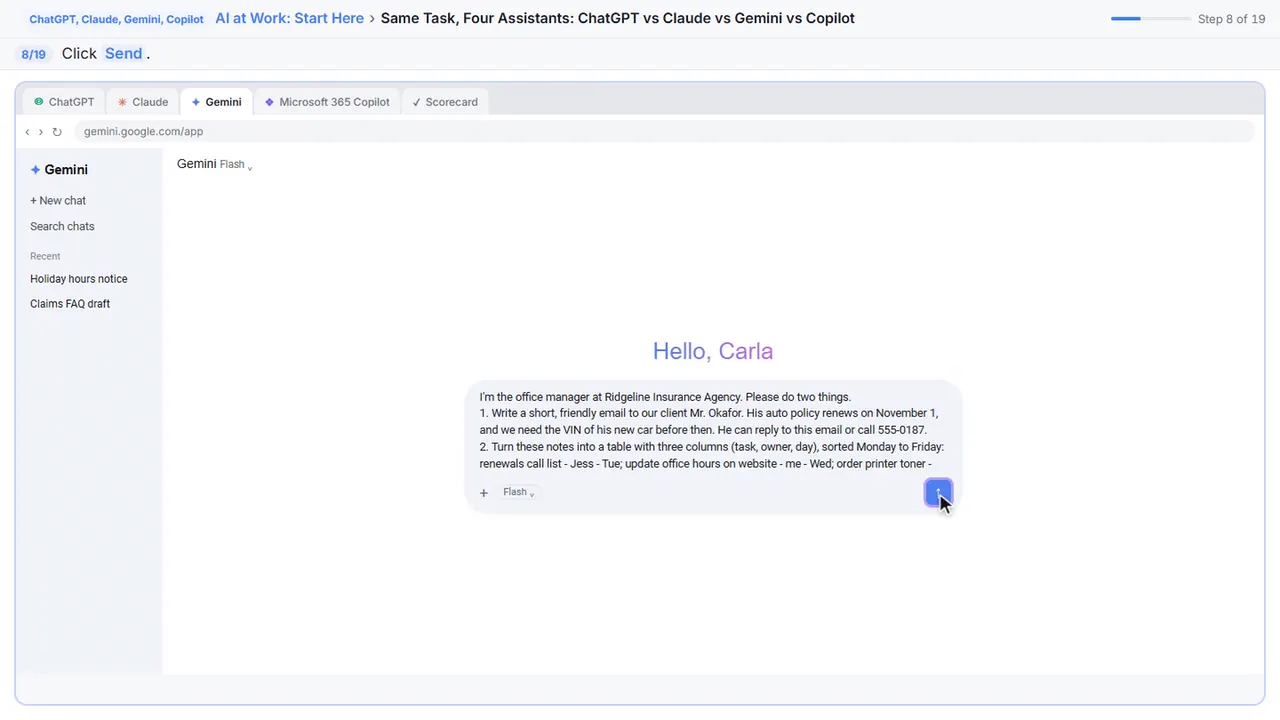
Step 8: Send it
Send.
Part 4: Microsoft Copilot
Step 9: Open Copilot
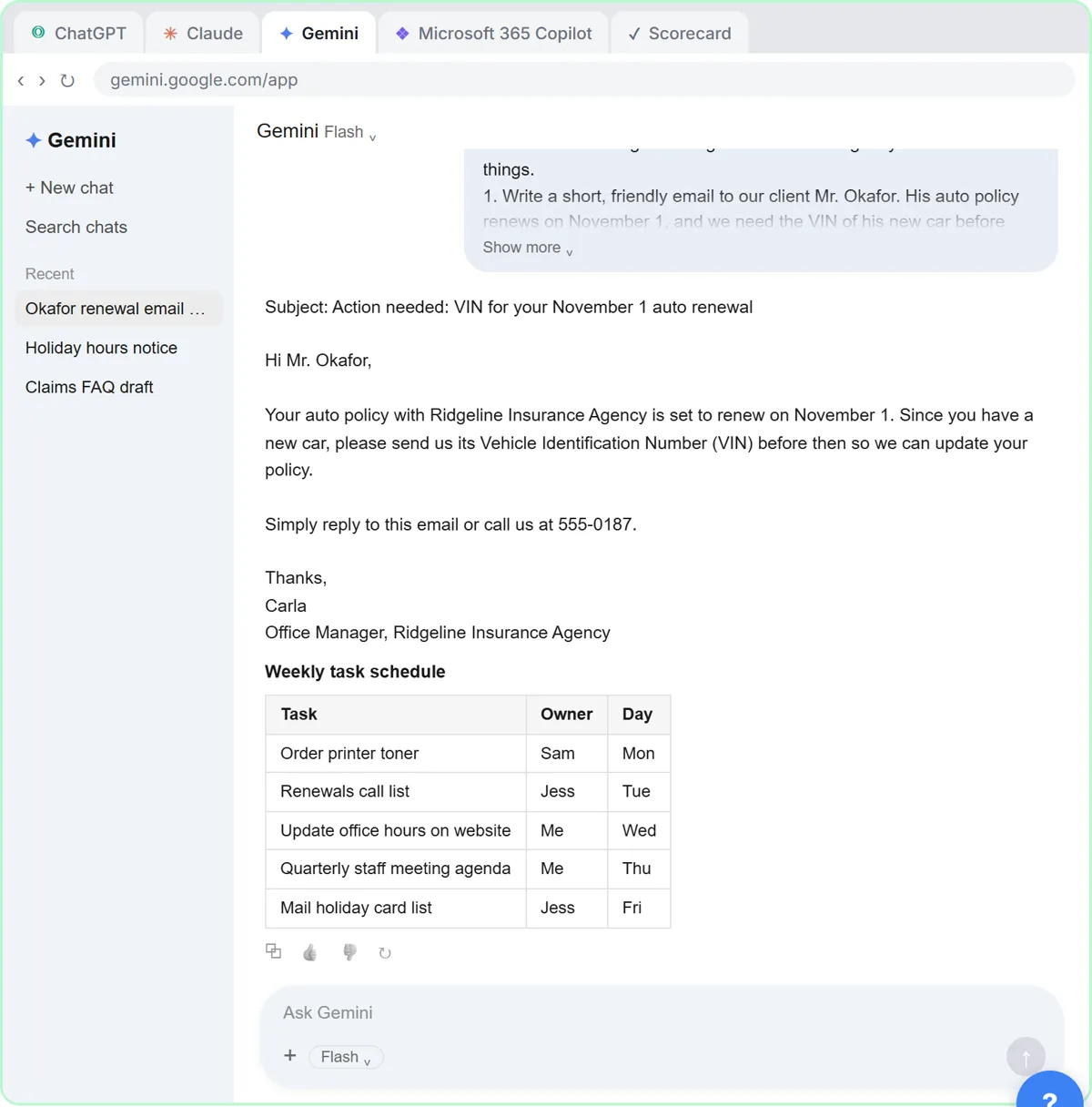
Gemini added your job title and a phone number to the signature. Last one: Microsoft Copilot, on a work account.
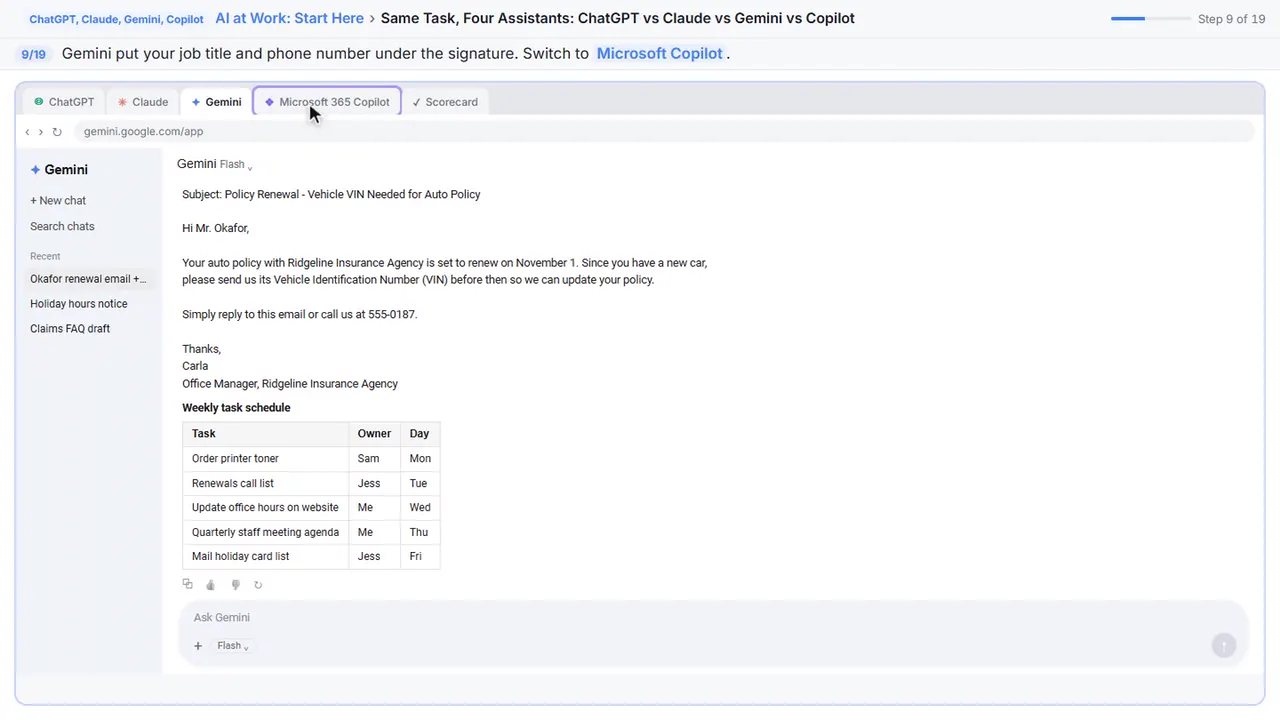
Step 10: Same task in Copilot
Notice the Work badge next to your name. Work means Copilot can use your company's files and email, if your company allows it.
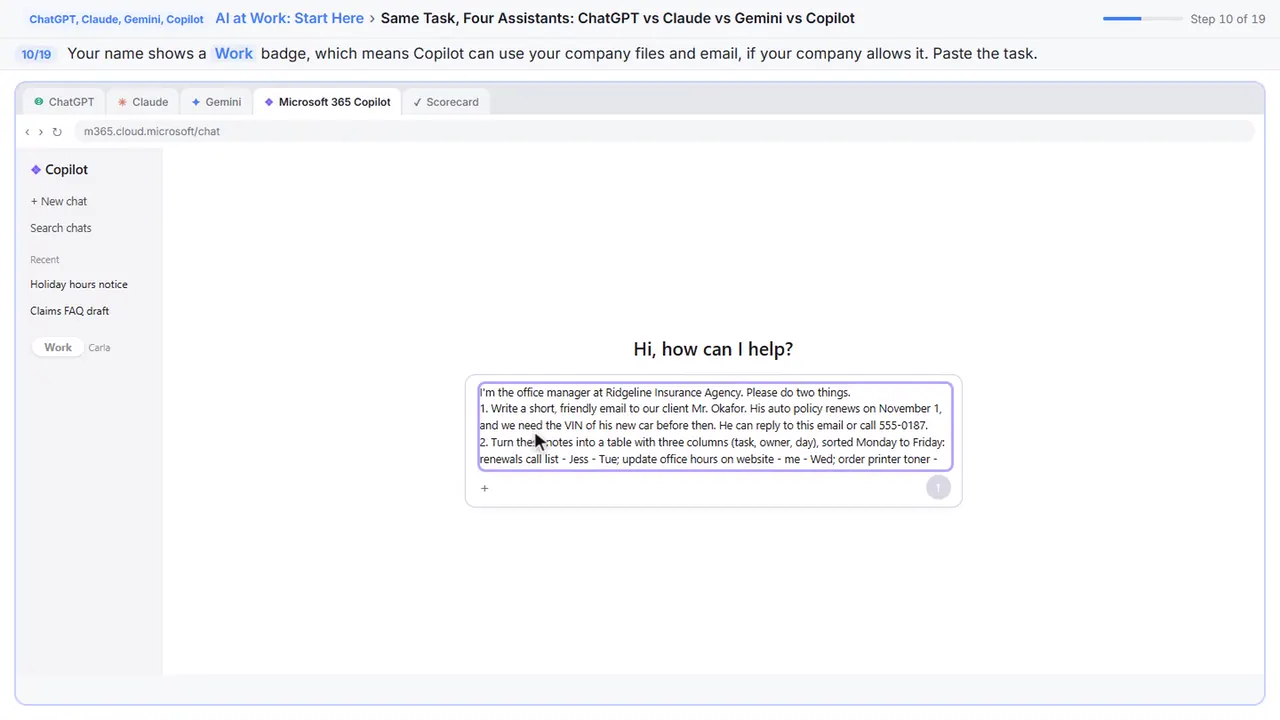
I'm the office manager at Ridgeline Insurance Agency. Please do two things.
1. Write a short, friendly email to our client Mr. Okafor. His auto policy renews on November 1, and we need the VIN of his new car before then. He can reply to this email or call 555-0187.
2. Turn these notes into a table with three columns (task, owner, day), sorted Monday to Friday:
renewals call list - Jess - Tue; update office hours on website - me - Wed; order printer toner - Sam - Mon; quarterly staff meeting agenda - me - Thu; mail holiday card list - Jess - Fri
Step 11: Send it
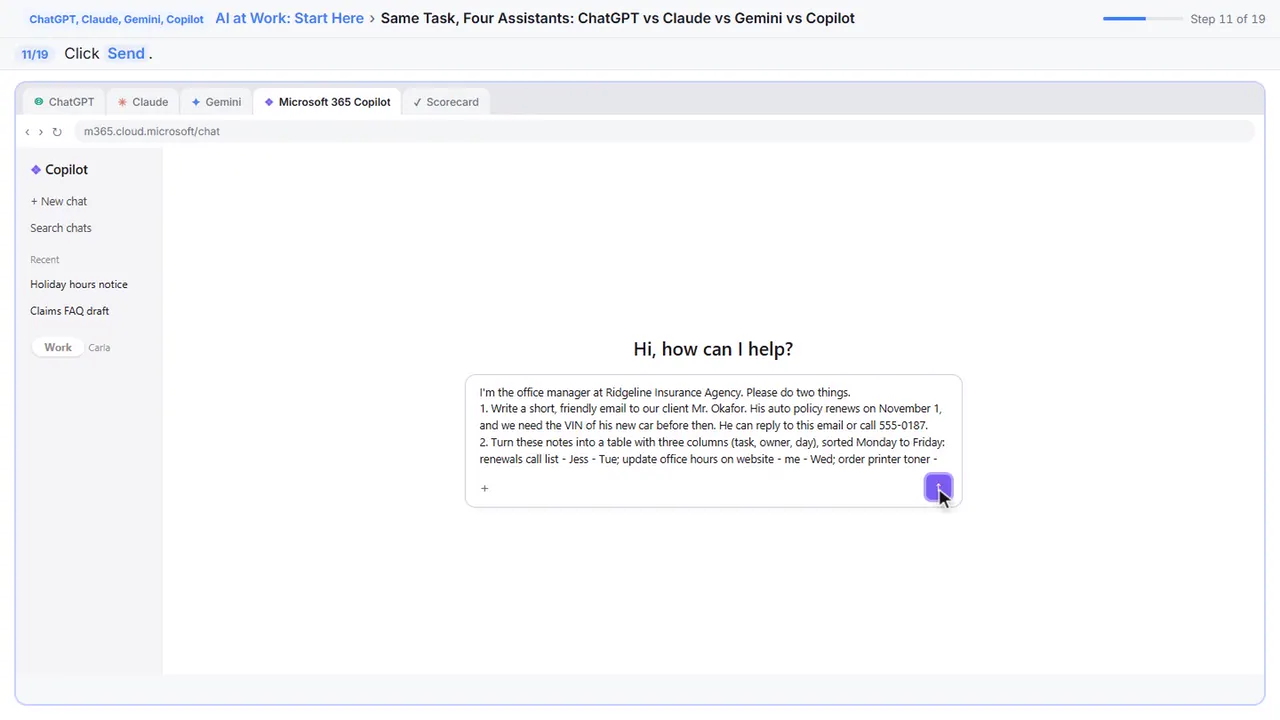
Send.
Part 5: Ask for a change
Step 12: Ask for a change
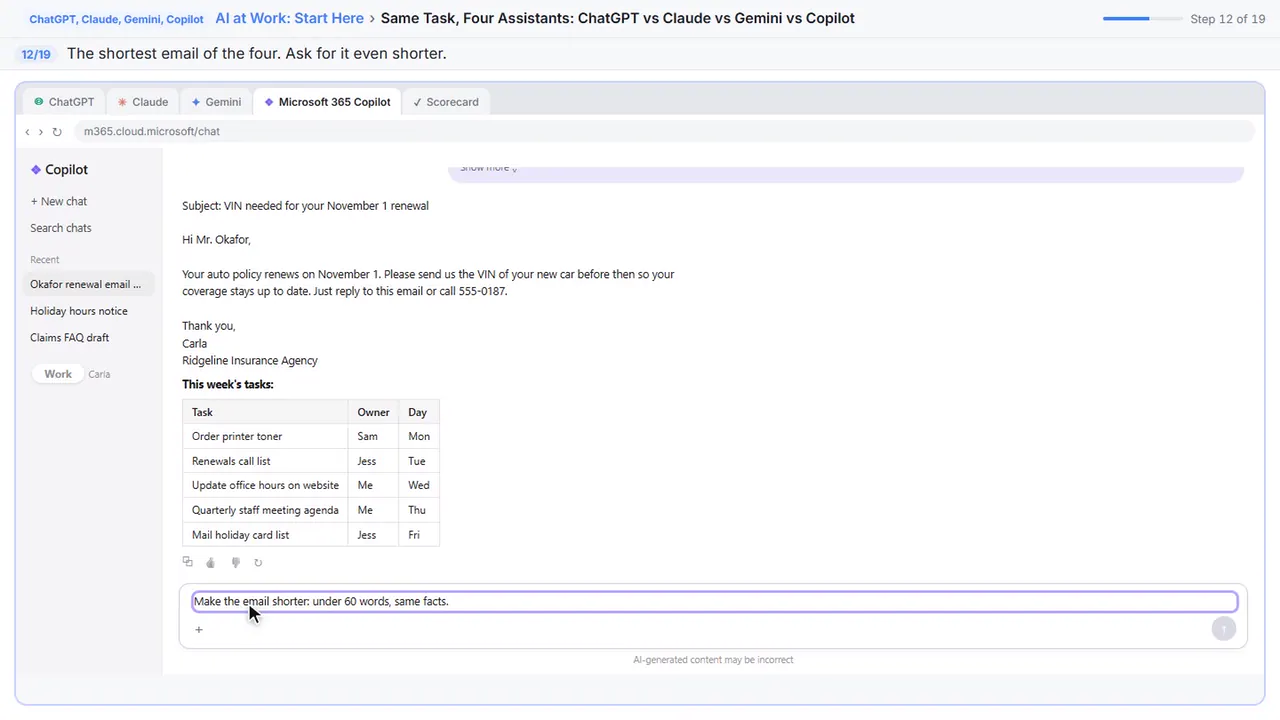
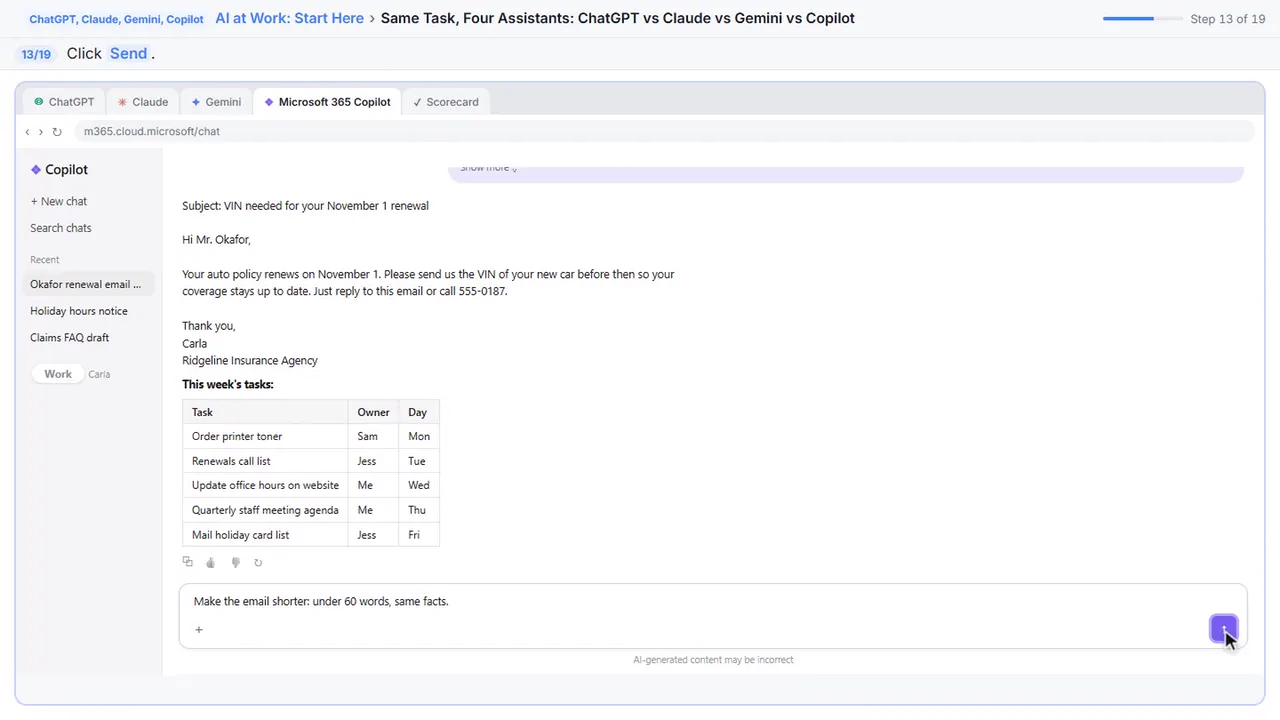
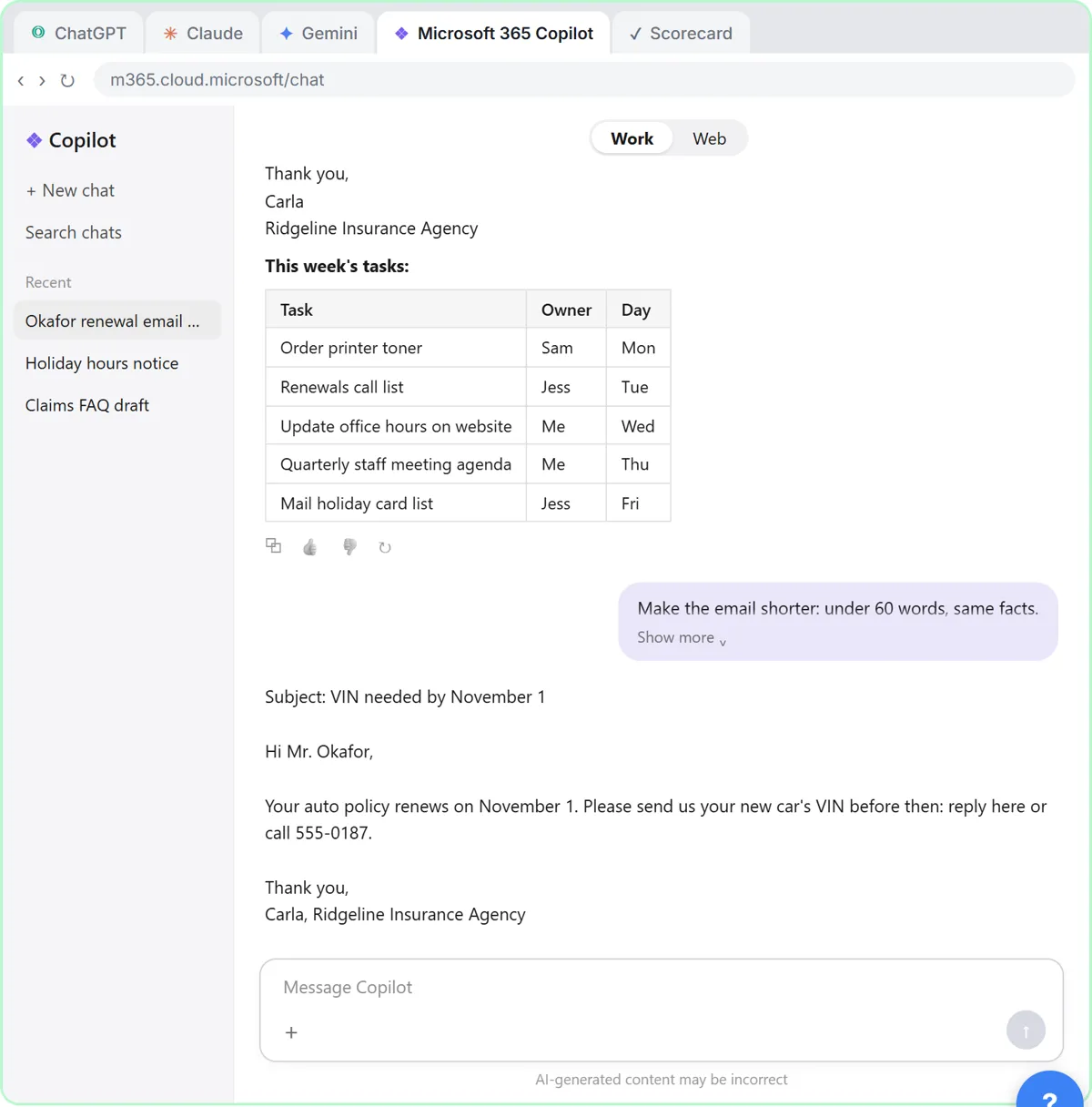
Copilot's is the shortest so far. Here's the real secret: the second message matters more than which assistant you picked. Ask for a change.
Step 13: Send it
Send. Any of the four would do this. What matters is that you check the facts every time.
Part 6: Compare and choose
Step 14: Open your scorecard
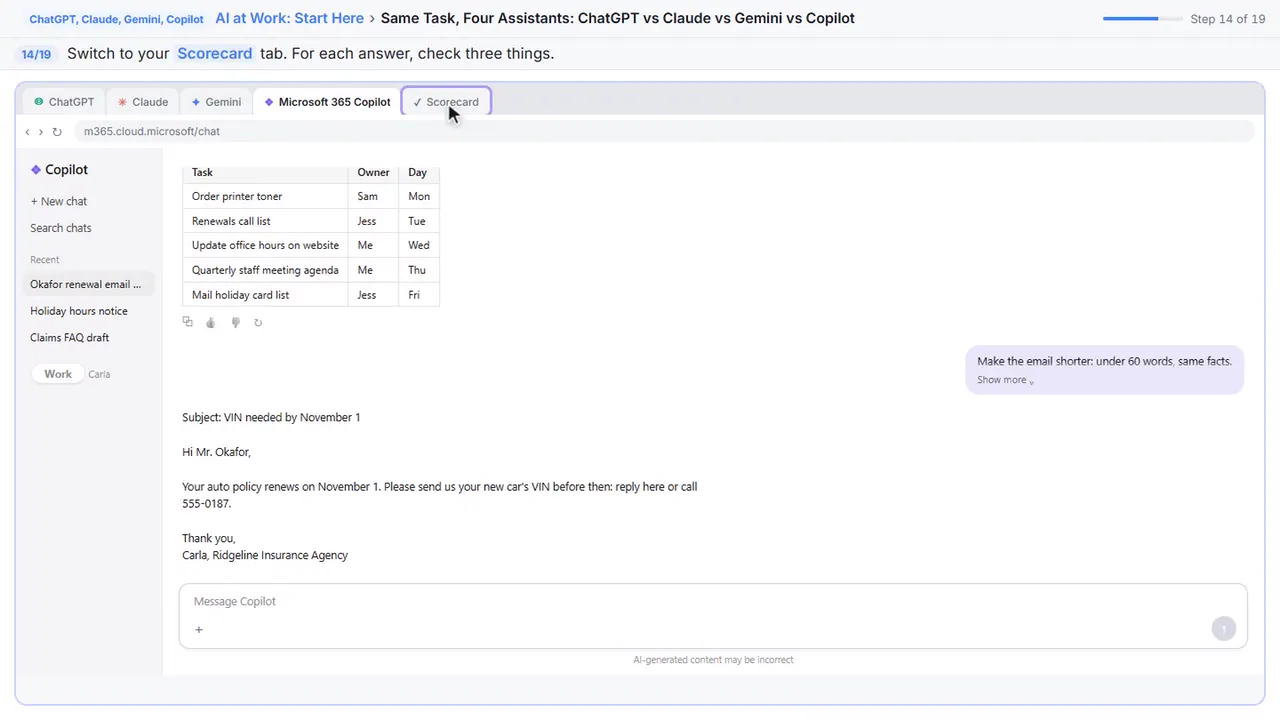
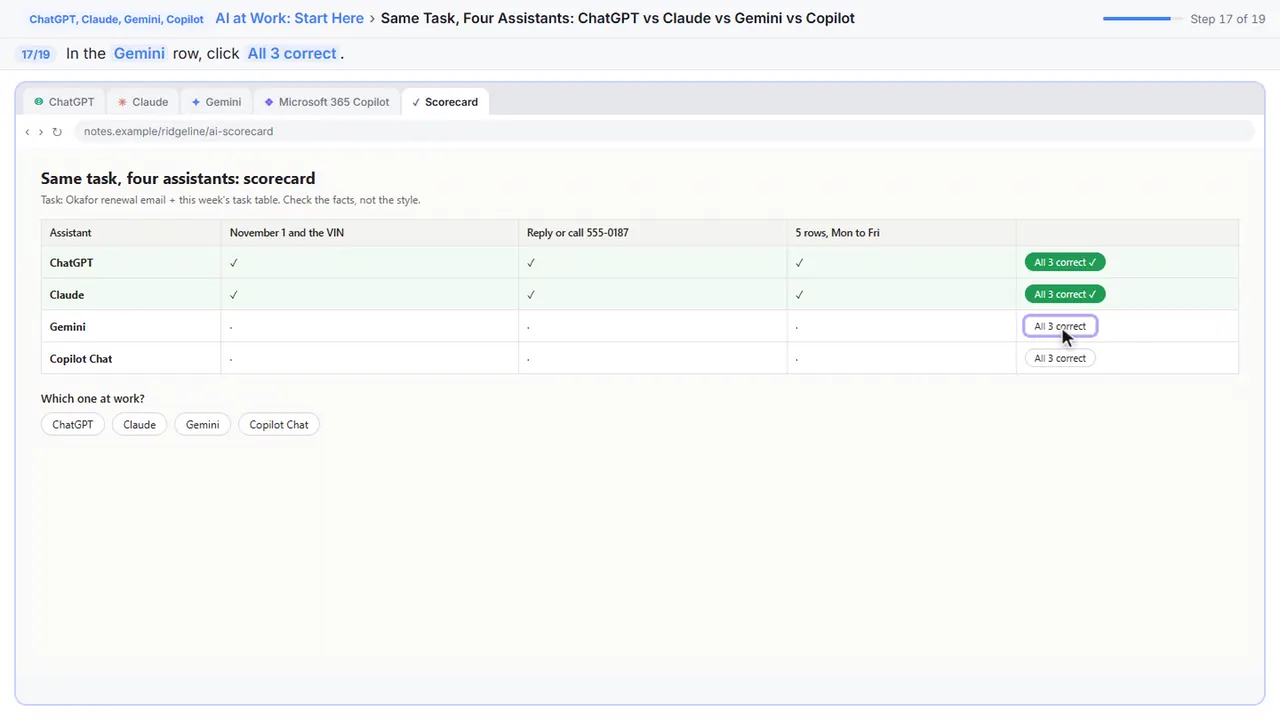
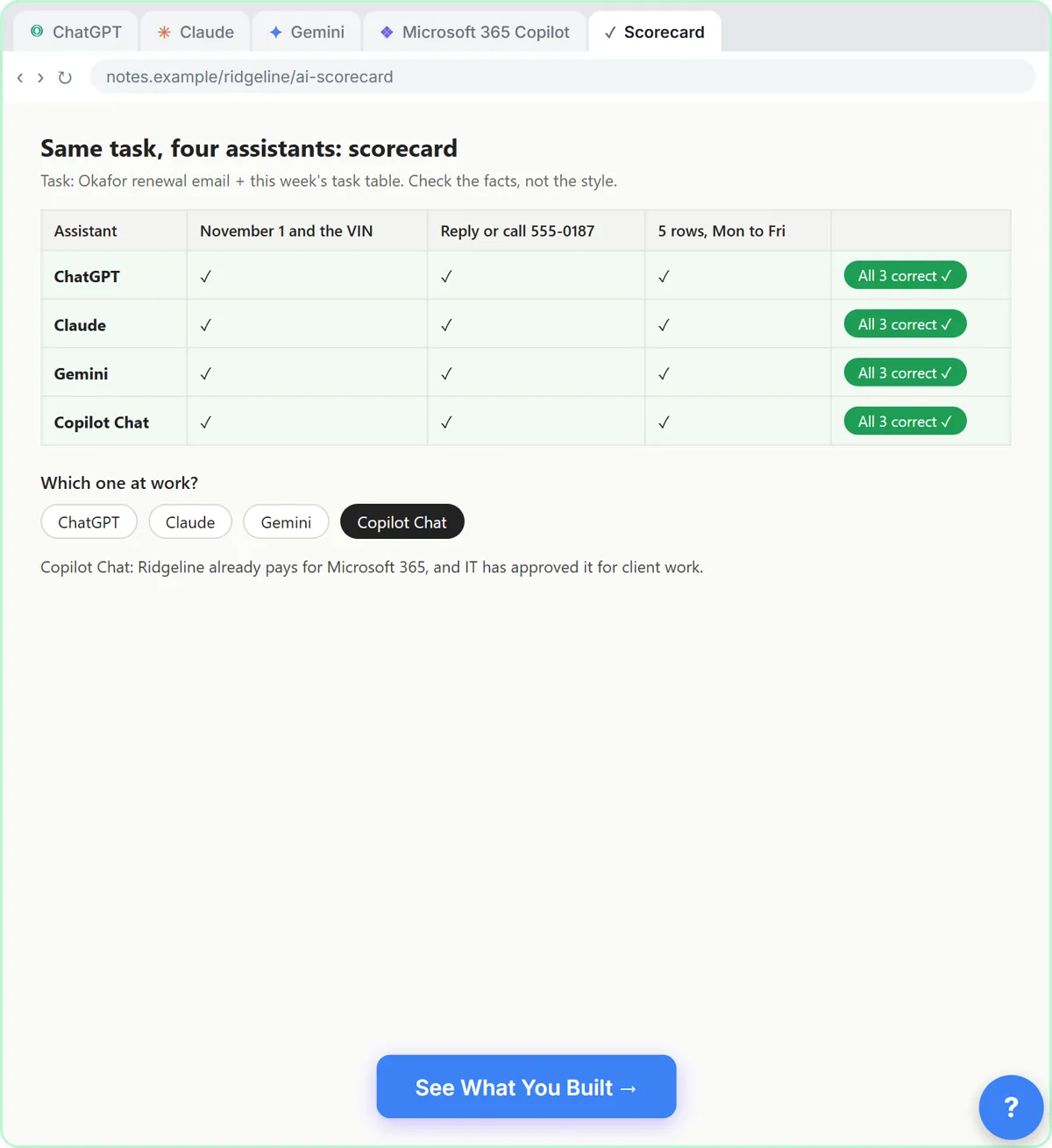
Now score them the boring way, on facts. Switch to your scorecard. For each answer: the date and the VIN, the phone number, and five rows in the right order.
Step 15: Check ChatGPT
ChatGPT got all three.
Step 16: Check Claude
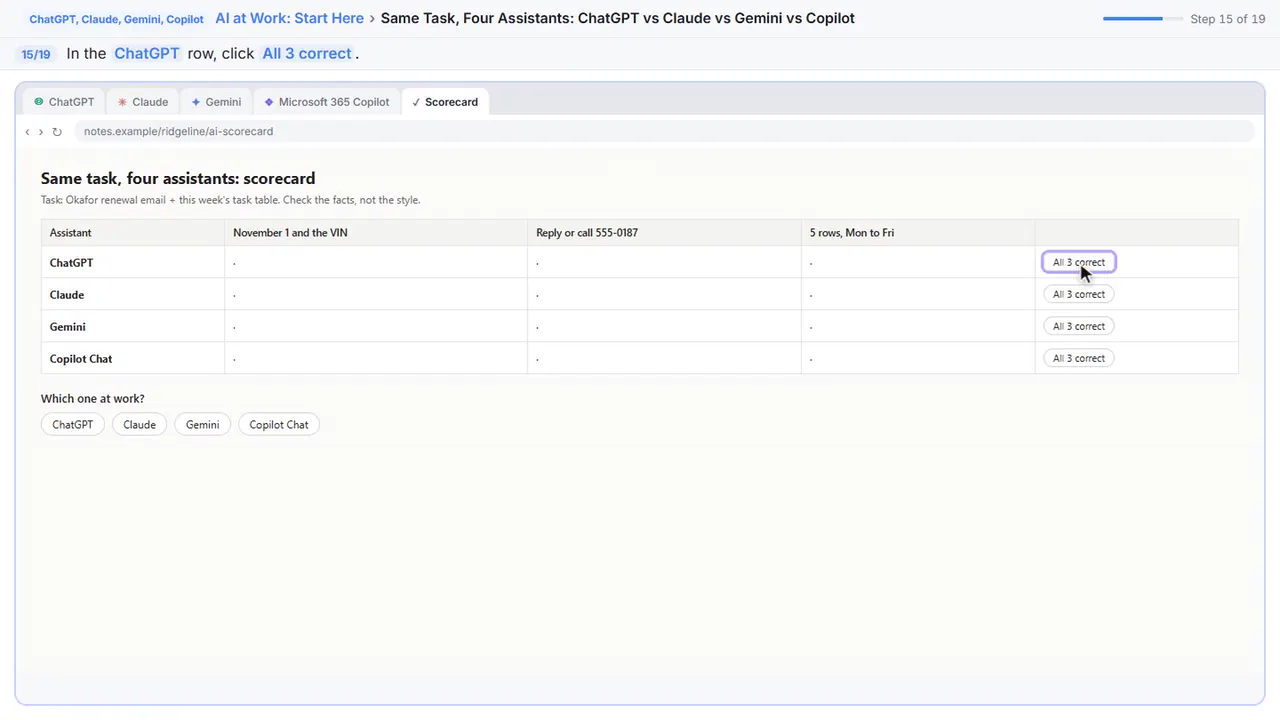
Claude too, plus that extra tip you should double-check.
Step 17: Check Gemini
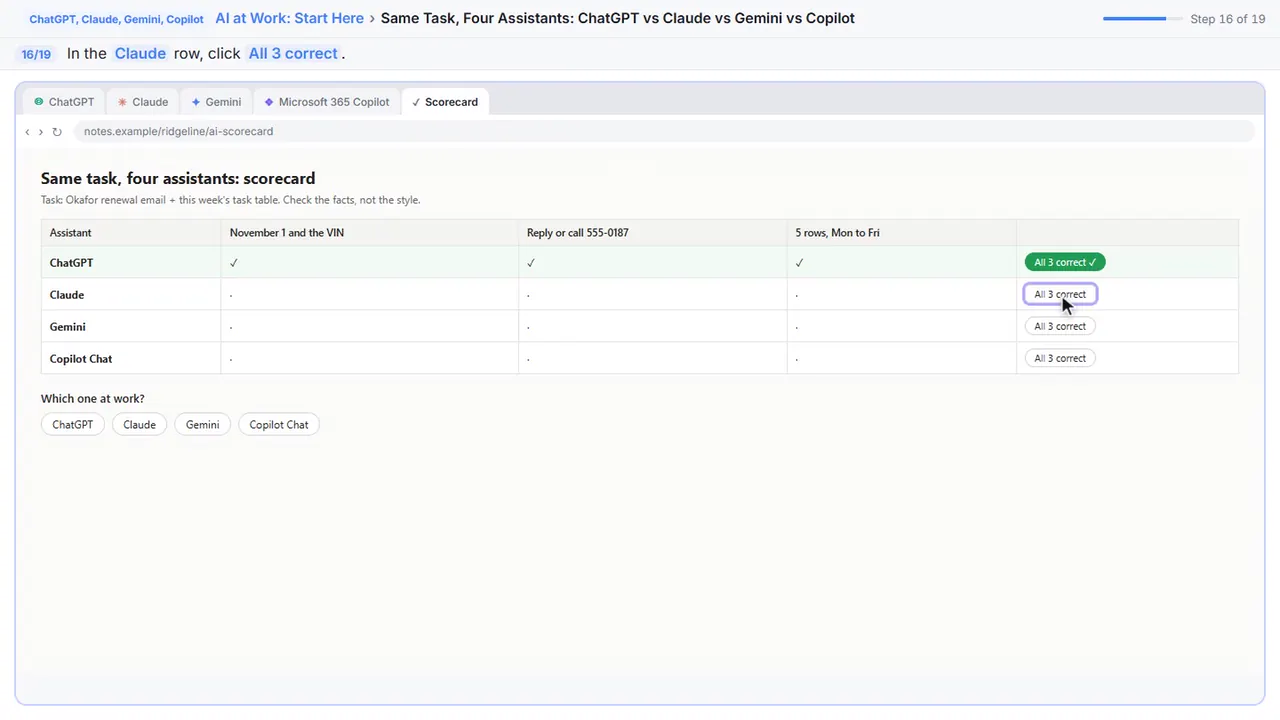
Gemini, all three.
Step 18: Check Copilot
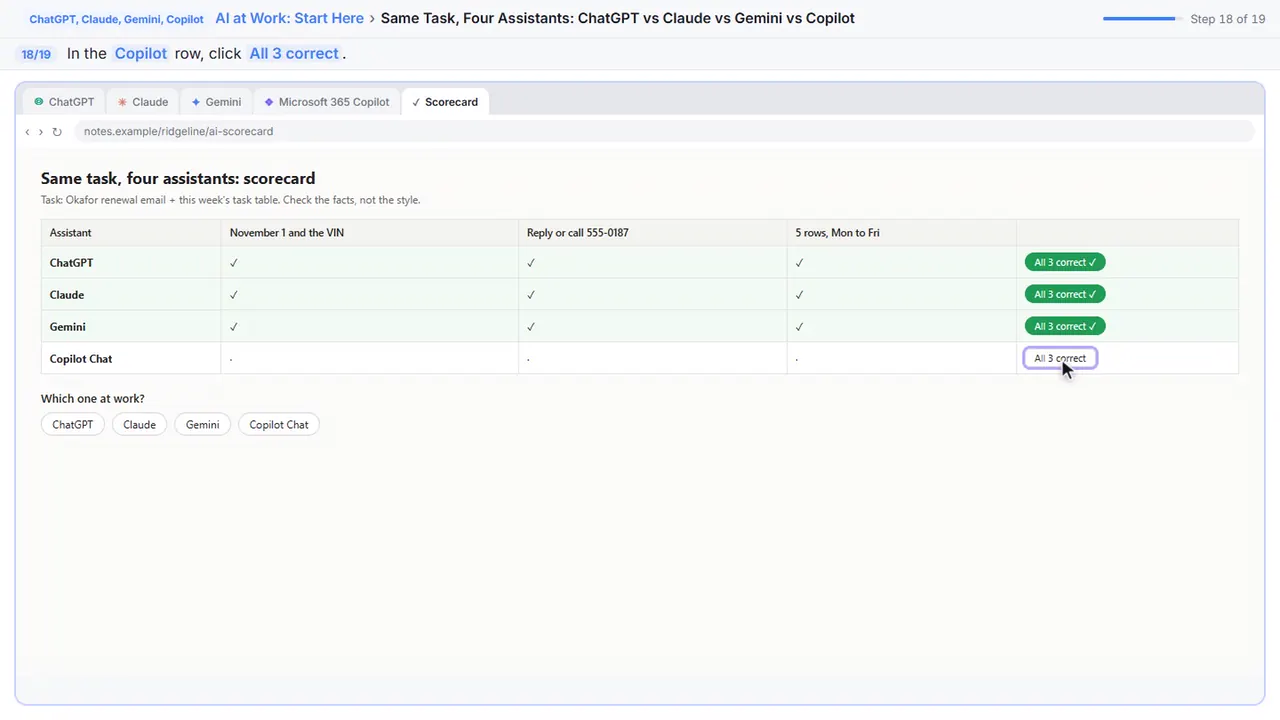
And Copilot. On a task like this, all four do the job. The differences are mostly style.
Step 19: Choose the one you can use at work
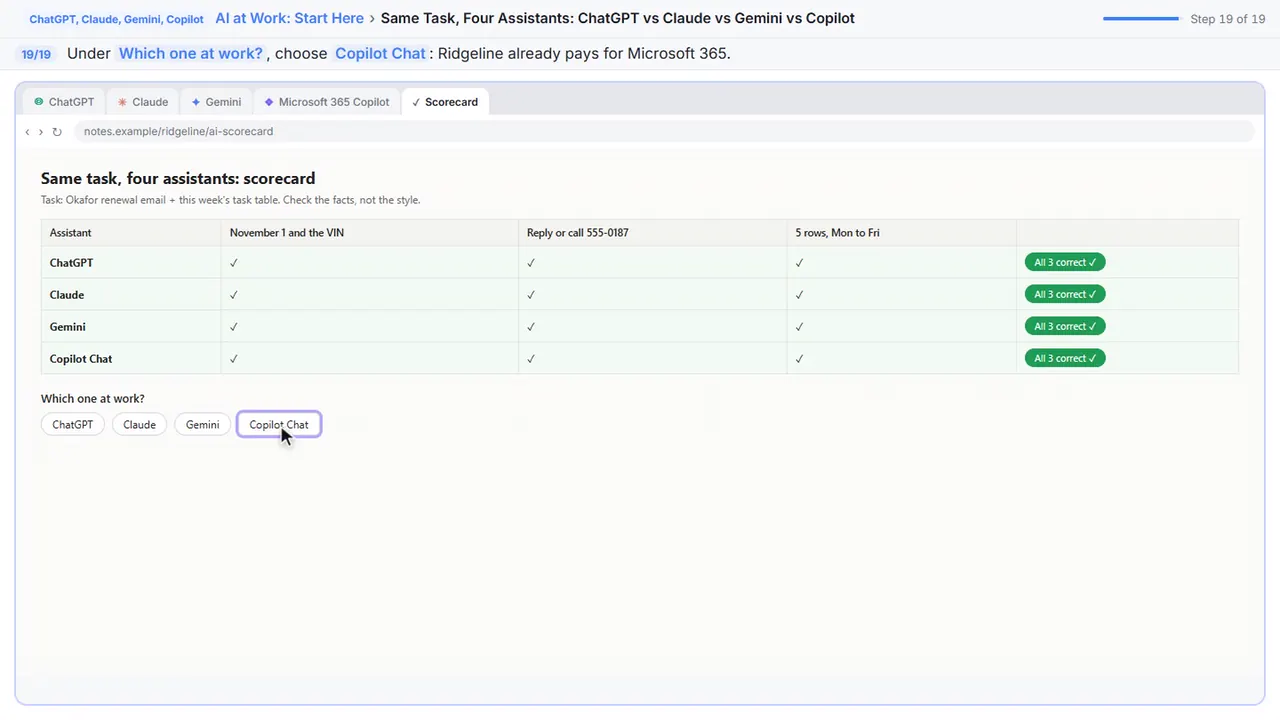
So which one should you use at work? The one your company already pays for and allows, because your company data stays under its rules. Ridgeline runs on Microsoft 365, so Carla picks Copilot Chat. On Google Workspace, that's Gemini. At home, try the free plans and keep the one you like.
Now do it yourself, free
Reading the steps is a start. Doing them is how it sticks. The interactive lesson puts you in a practice copy of ChatGPT, Claude, Gemini and Copilot: you do every step yourself, it checks your work, and “Do it for me” finishes any step you get stuck on. Nothing touches your real accounts.
Practice “Same Task, Four Assistants: ChatGPT vs Claude vs Gemini vs Copilot” step by stepSame Task, Four Assistants: ChatGPT vs Claude vs Gemini vs Copilot: video walkthrough
The whole lesson in 1:47, narrated step by step.
Simulated practice environment. Recorded in Stepthrough’s simulated practice environment, not the live tool. Practice it yourself free at learn.ynteractive.com.
Chapters
Click a chapter to jump the video there.
Now do it yourself, free
Watching is the warm-up. The interactive lesson puts you in a practice copy of ChatGPT, Claude, Gemini and Copilot: you do every step yourself, it checks your work, and “Do it for me” finishes any step you get stuck on. Nothing touches your real accounts.
Practice “Same Task, Four Assistants: ChatGPT vs Claude vs Gemini vs Copilot” step by stepFull transcript
ChatGPT
0:00 If I started learning AI today, I'd do this first: give the same real task to all four big assistants and see for myself. You're Carla, the office manager at Ridgeline Insurance Agency. The task is a normal one: a reminder email to a client, and a table of this week's tasks. Paste it into ChatGPT.
0:17 Send it.
Claude
0:18 A subject line, a friendly email, and a table sorted Monday to Friday. Now the same thing in Claude. Switch tabs.
0:24 Paste exactly the same words. Same task, fair test.
0:28 Send.
Microsoft Copilot
0:29 Claude added a tip about where to find the VIN, and said so. Helpful, but it's something you didn't ask for, so check it. Now Gemini.
0:35 Paste the task.
0:38 Send.
0:39 Gemini made the subject an action line and added your job title. Last one: Microsoft Copilot, on a work account.
0:45 Notice the Work and Web switch at the top. Work can use your company's files and email, if your company allows it. Paste the task.
0:51 Send.
Ask for a change
0:52 Copilot's is the shortest so far. Here's the real secret: the second message matters more than which assistant you picked. Ask for a change.
1:00 Send. Any of the four would do this. What matters is that you check the facts every time.
Compare and choose
1:04 Now score them the boring way, on facts. Switch to your scorecard. For each answer: the date and the VIN, the phone number, and five rows in the right order.
1:13 ChatGPT got all three.
1:14 Claude too, plus that extra tip you should double-check.
1:18 Gemini, all three.
1:19 And Copilot. On a task like this, all four do the job. The differences are mostly style.
1:24 So which one should you use at work? The one your company already pays for and allows, because your company data stays under its rules. Ridgeline runs on Microsoft 365, so Carla picks Copilot Chat. On Google Workspace, that's Gemini. At home, try the free plans and keep the one you like.
1:41 Simple as that. We show you and you do it. Sign up below to learn AI automation for free.
The test
You're Carla, the office manager at Ridgeline Insurance Agency, a made-up agency. The task is a normal Monday one: write a short, friendly email reminding a client that his auto policy renews on November 1 and that the agency needs his new car's VIN, and turn five scribbled notes into a table of this week's tasks (task, owner, day), sorted Monday to Friday.
You paste exactly the same words into ChatGPT, Claude, Gemini and Microsoft 365 Copilot Chat, ask Copilot for a shorter version, and then score each answer on three facts: November 1 and the VIN, the reply-or-call option with the right number, and five rows in the right order.
What the comparison shows
- On a task like this, all four get the facts right. The answers in the lesson are written to show typical differences, and real answers change every time you ask.
- The differences are style: subject lines, length, how formal the greeting is, and whether the assistant adds something you didn't ask for (in the lesson, Claude adds where to find a VIN and says so). Anything extra is something to check.
- Your second message matters more than the brand. Asking for 'under 60 words, same facts' fixed the length in one try.
Which one should you use at work?
Use the assistant your company already pays for and allows, because your company's data then stays under its agreements and settings. If you're on Microsoft 365, that's usually Microsoft 365 Copilot Chat, which can switch between Work (your company's content, if allowed) and Web. On Google Workspace, it's Gemini. Some companies buy ChatGPT or Claude business plans. Don't paste client or customer details into a personal account.
At home, all four have a free version. Try them on a task you really do every week and keep the one whose style you like best.
A fair test for your own team
Pick one task you do every week, write it once, and paste the same words into each assistant on the same day. Score on facts first (dates, names, numbers, nothing invented) and style second. Then ask each one for one change, because that's how you'll really use it. Repeat in a few months: these tools change often.
Try it yourself, free
Reading the steps is a start. Doing them is how it sticks. The interactive module walks you through every click in a practice copy of ChatGPT, Claude, Gemini and Copilot, checks each step, and never touches your real accounts.
Start “Same Task, Four Assistants: ChatGPT vs Claude vs Gemini vs Copilot”Screenshots
Frequently asked questions
- How does the interactive lesson work?
- Each step is shown to you first on the left (Watch). Then you do it yourself in a practice copy on the right (Your turn), and every click is checked. If you get stuck, press Do it for me. It is a practice copy, so no real accounts are touched.
- Is this free?
- Yes. Stepthrough is free, and ChatGPT, Claude, Gemini and Microsoft Copilot all have free versions you can try the same test in.
- Which AI is the best?
- For everyday writing and tables, they're close. Pick the one your company already pays for and approves for work, then get good at asking for changes and checking facts.
- Are these real answers from each assistant?
- No. The answers in the practice copy were written for the lesson to show typical differences in style. Real answers change every time, so run the test yourself.
- Is it safe to paste client details into an AI assistant?
- Only into one your company has approved for that.
More in AI Basics
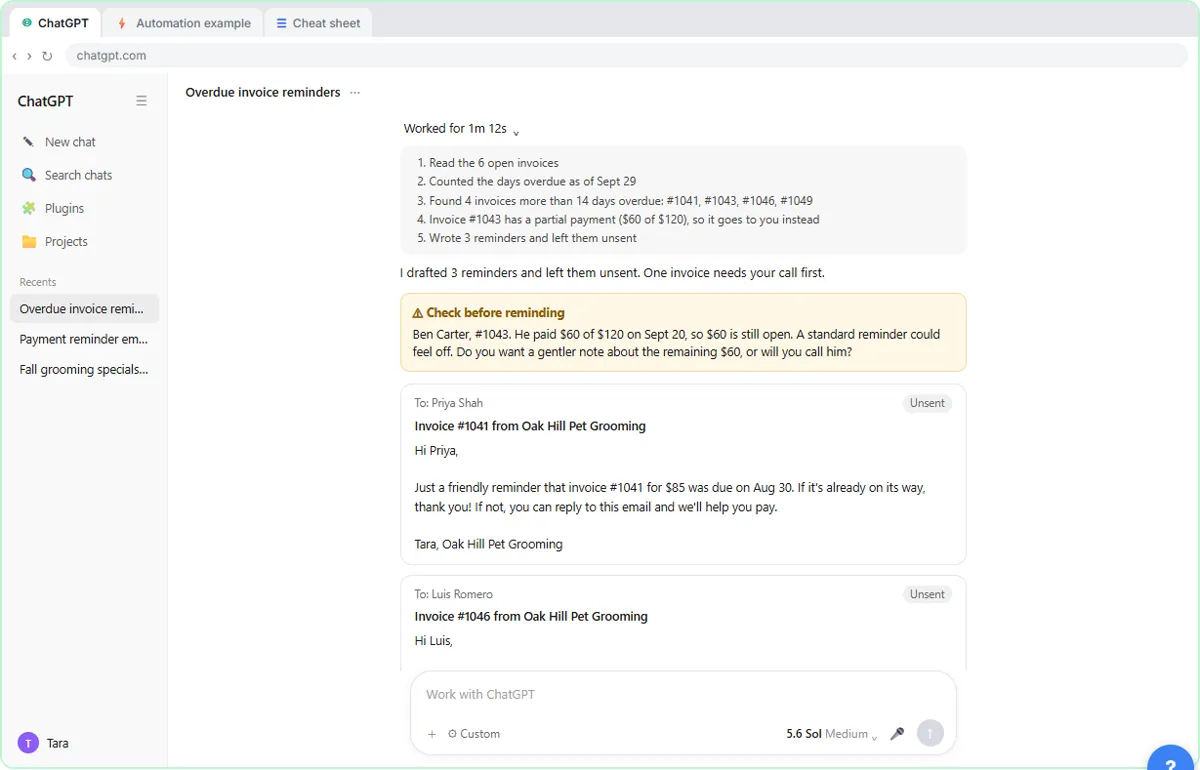 AI Agent vs Chatbot vs Automation: One Job Done Three Ways
Chase six unpaid invoices three ways: a chatbot writes a template, an automation follows a rule, and an AI agent works out the steps and flags the tricky one.
Free · Live ~7 min
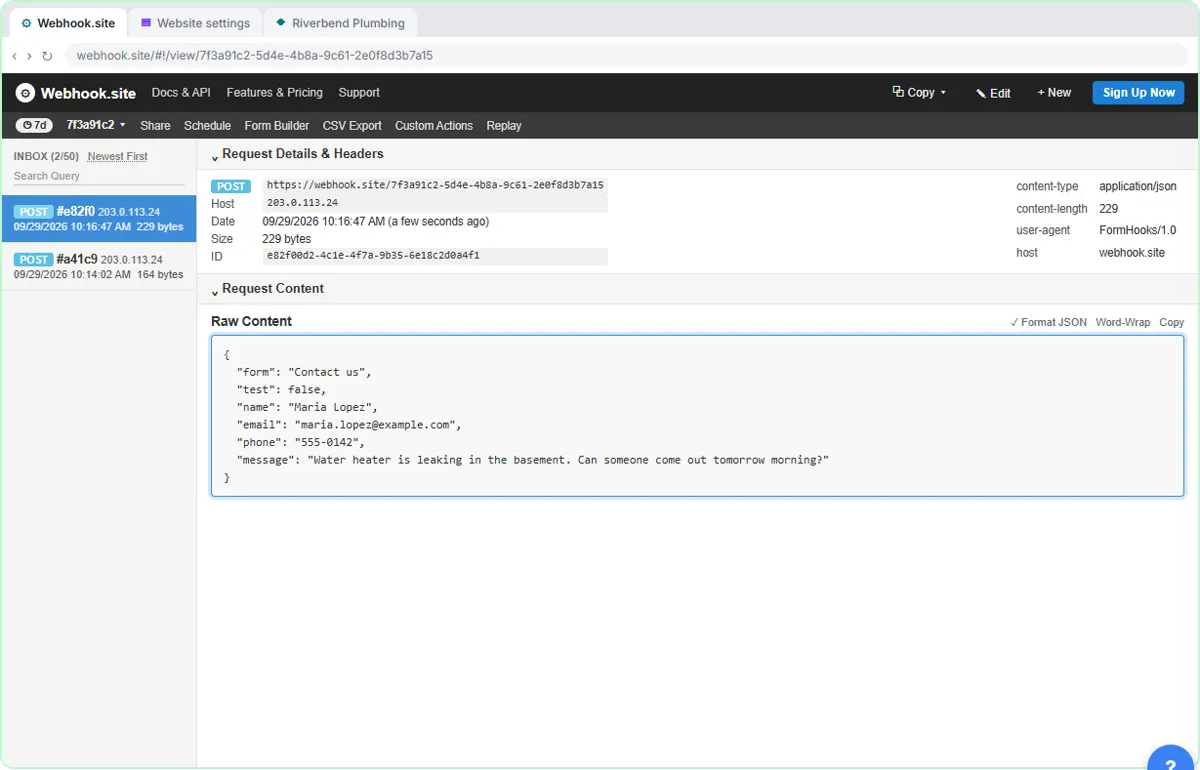 What Is a Webhook? Send a Test and Watch the Data Arrive
Point a plumber's website contact form at a free webhook tester, send a test and a real message, and watch the data arrive the moment it's sent.
Free · Live ~6 min
More ChatGPT, Claude, Gemini and Copilot tutorials
 Prompt Writing 101: Role, Context, Task, Format
Ask ChatGPT for the same customer email twice, once vaguely and once with a four-part prompt, and see exactly why structure gets a better answer.
Free · Live ~8 min
 Get Your Business Recommended by ChatGPT
Ask ChatGPT who it recommends in your town, see which pages it trusts, then use it to write an FAQ page and Business Profile copy that answer real customer questions.
Free · Live ~10 min
 Summarize a Meeting Transcript with ChatGPT
Paste a long meeting transcript into ChatGPT and get the decisions, an action items table with owners and due dates, and a follow-up email ready to send.
Free · Live ~9 min
 Reply Faster: Turn a Messy Customer Email Thread into a Clear, Friendly Reply
Turn a messy customer email thread into a clear, friendly reply: give ChatGPT the thread and your facts, check every promise, fix the tone, and send it from Gmail.
Free · Live ~9 min
 ChatGPT Projects: Keep Your Brand Voice, Files and Instructions in One Place
Set up a ChatGPT Project with your brand voice instructions, your price list and your style guide, so every new chat already knows your business.
Free · Live ~9 min
 Analyze a Spreadsheet with ChatGPT: Upload a CSV, Get a Chart and Three Takeaways
Upload a CSV of sales to ChatGPT, have it check the data first, ask your questions, get a chart you can download, and finish with the three takeaways that matter.
Free · Live ~10 min
Terms in this lesson
Plain-English definitions, each with an example from a free lesson.