ChatGPT vs Claude vs Gemini vs Copilot: One Task, Compared
A visual guide to the same office task in ChatGPT, Claude, Gemini and Copilot: what each one added, what to check, and how to pick the one for work.
Slide 1 of 8 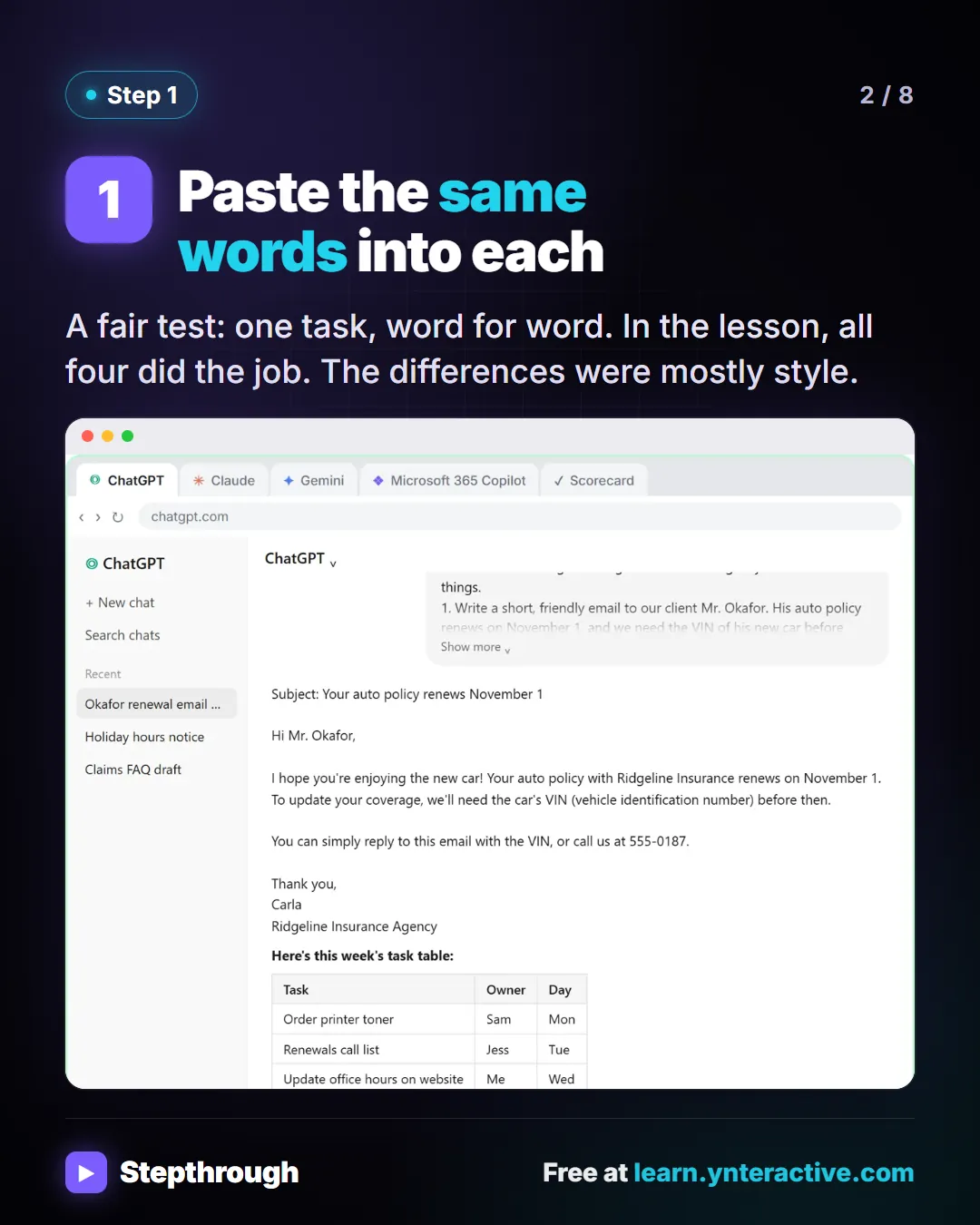
Slide 2 of 8 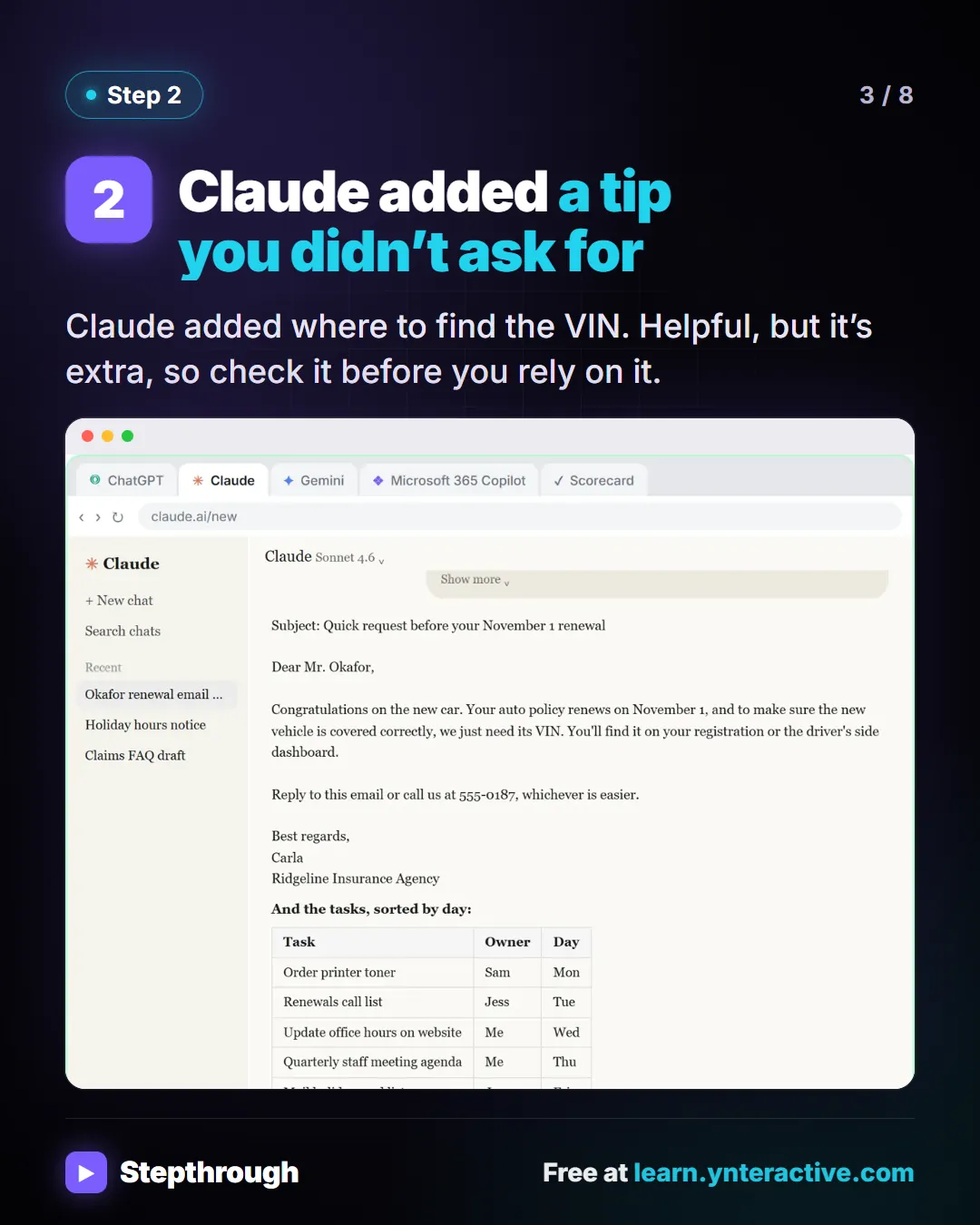
Slide 3 of 8 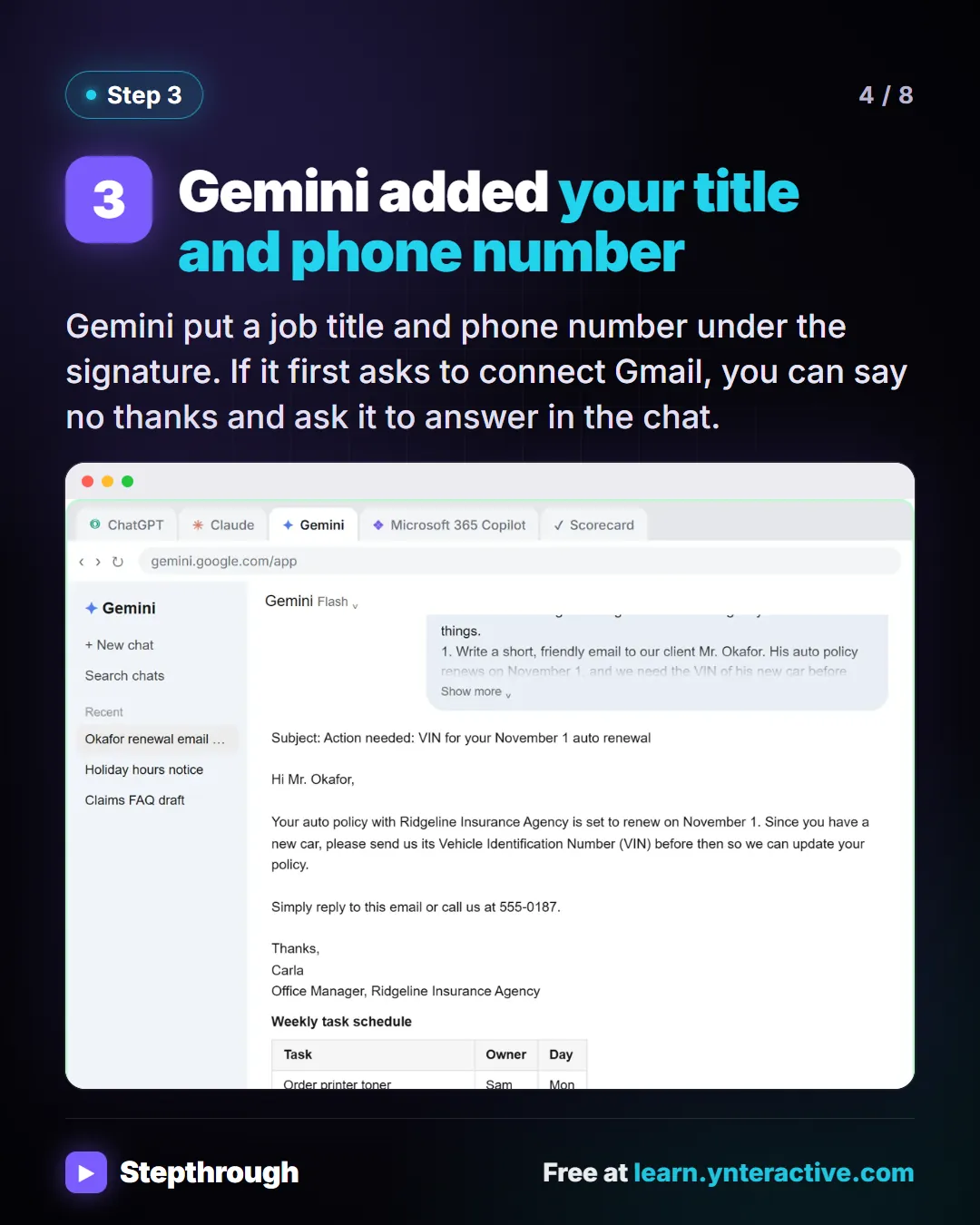
Slide 4 of 8 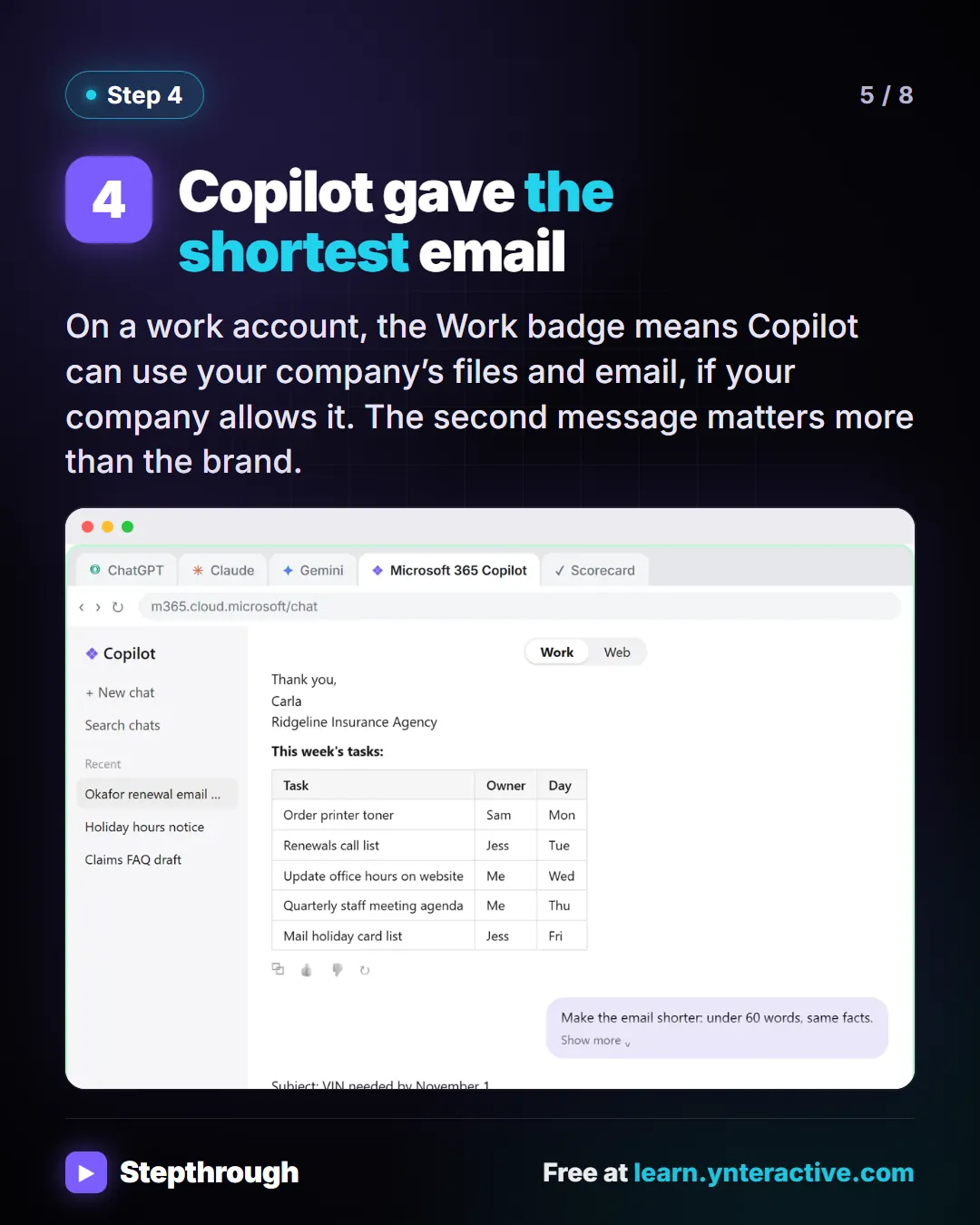
Slide 5 of 8 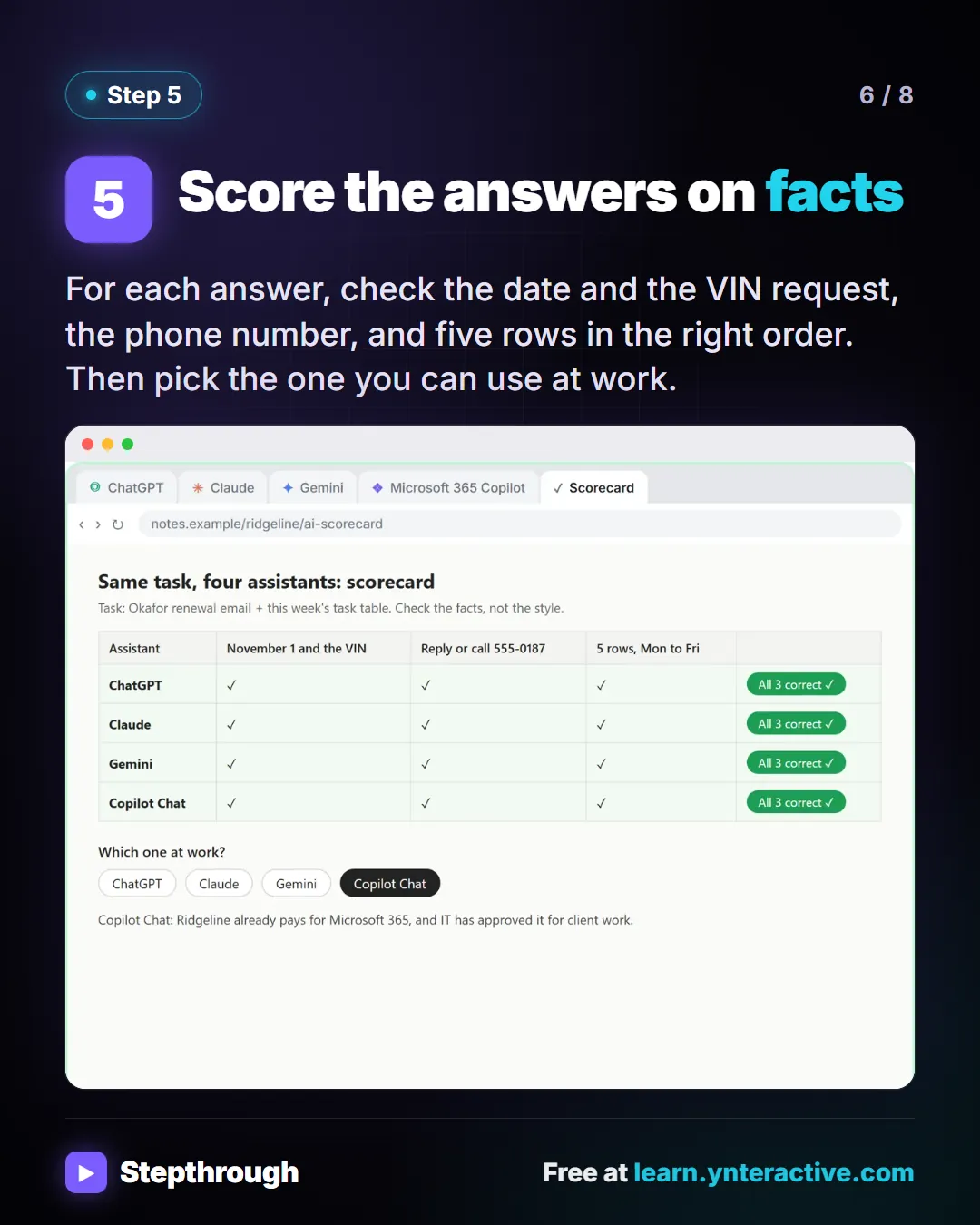
Slide 6 of 8 
Slide 7 of 8 
Slide 8 of 8
The guide in text
A client reminder email and a table of this week’s tasks, for a made-up insurance agency. What differed, and how to choose.
Step by step
Paste the same words into each
A fair test: one task, word for word. In the lesson, all four did the job. The differences were mostly style.
Claude added a tip you didn’t ask for
Claude added where to find the VIN. Helpful, but it’s extra, so check it before you rely on it.
Gemini added your title and phone number
Gemini put a job title and phone number under the signature. If it first asks to connect Gmail, you can say no thanks and ask it to answer in the chat.
Copilot gave the shortest email
On a work account, the Work badge means Copilot can use your company’s files and email, if your company allows it. The second message matters more than the brand.
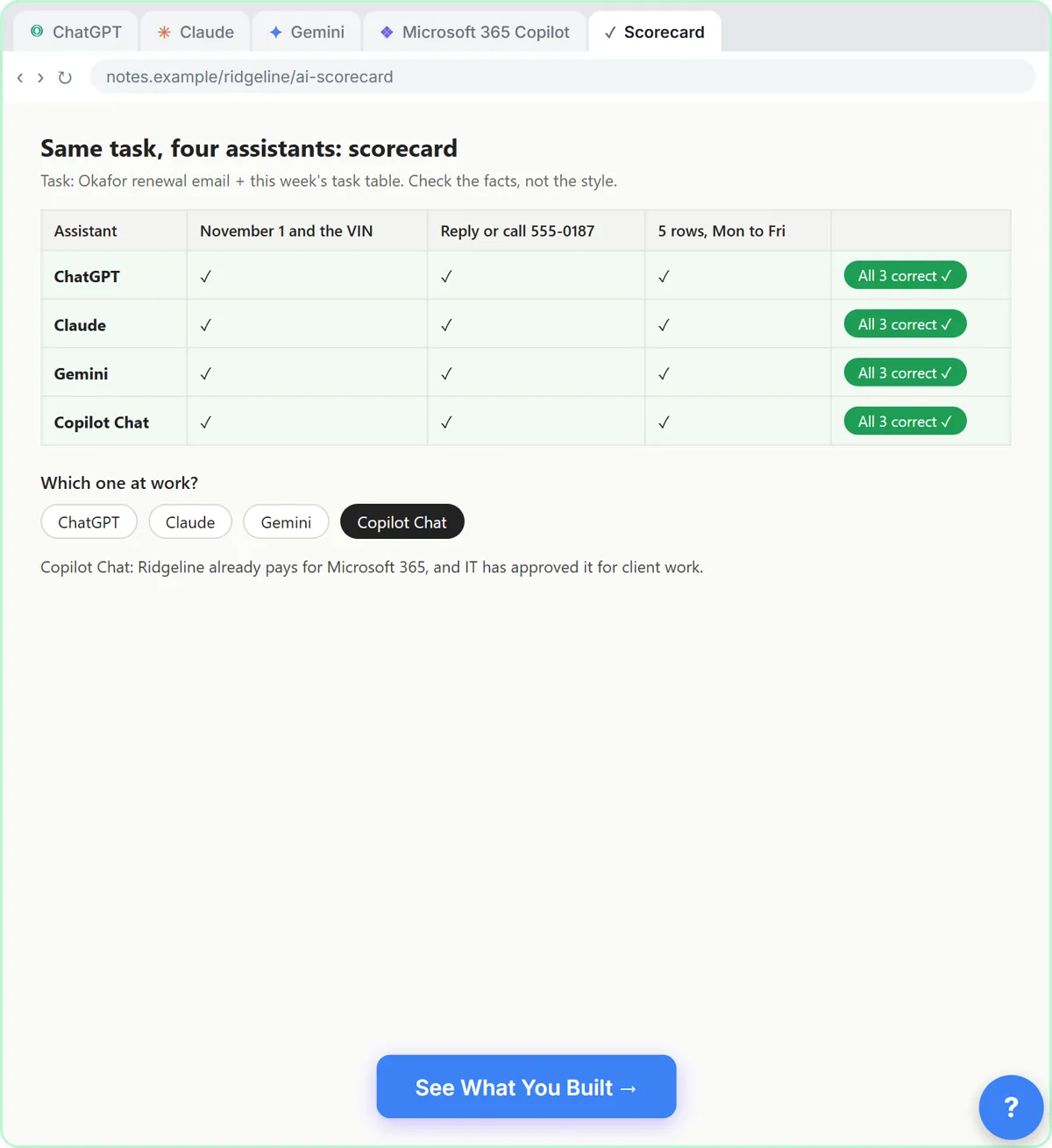
Score the answers on facts
For each answer, check the date and the VIN request, the phone number, and five rows in the right order. Then pick the one you can use at work.
Use the one your company pays for and allows
- Your company data stays under its rules.
- On Microsoft 365, that is Copilot Chat. On Google Workspace, that is Gemini.
- At home, try the free plans and keep the one you like.
Businesses and people in the examples are made up (Ridgeline Insurance Agency is a made-up business). The steps, screens and wording come from the free lesson and the Stepthrough glossary and prompt library.
Do it yourself, free
Same Task, Four Assistants: ChatGPT vs Claude vs Gemini vs Copilot. Give one real office task to ChatGPT, Claude, Gemini and Microsoft Copilot, check each answer on the facts, and pick the one to use at work. You do every step yourself in a practice copy of ChatGPT, Claude, Gemini and Copilot, it checks your work as you go, and “Do it for me” finishes any step you get stuck on. Free, and nothing touches your real accounts.
Start the free lessonRelated terms
Plain-English definitions, each with an example from a free lesson.
From the blog
 How to Check AI Output Before You Use It: 7 Checks
Seven checks for AI output at work, each from a free lesson: totals, promises, rules, extras, numbers, green checks and the final read before you send.
Oct 11, 2026 5 min read
 How to Pick the Right AI Tool for Office Work
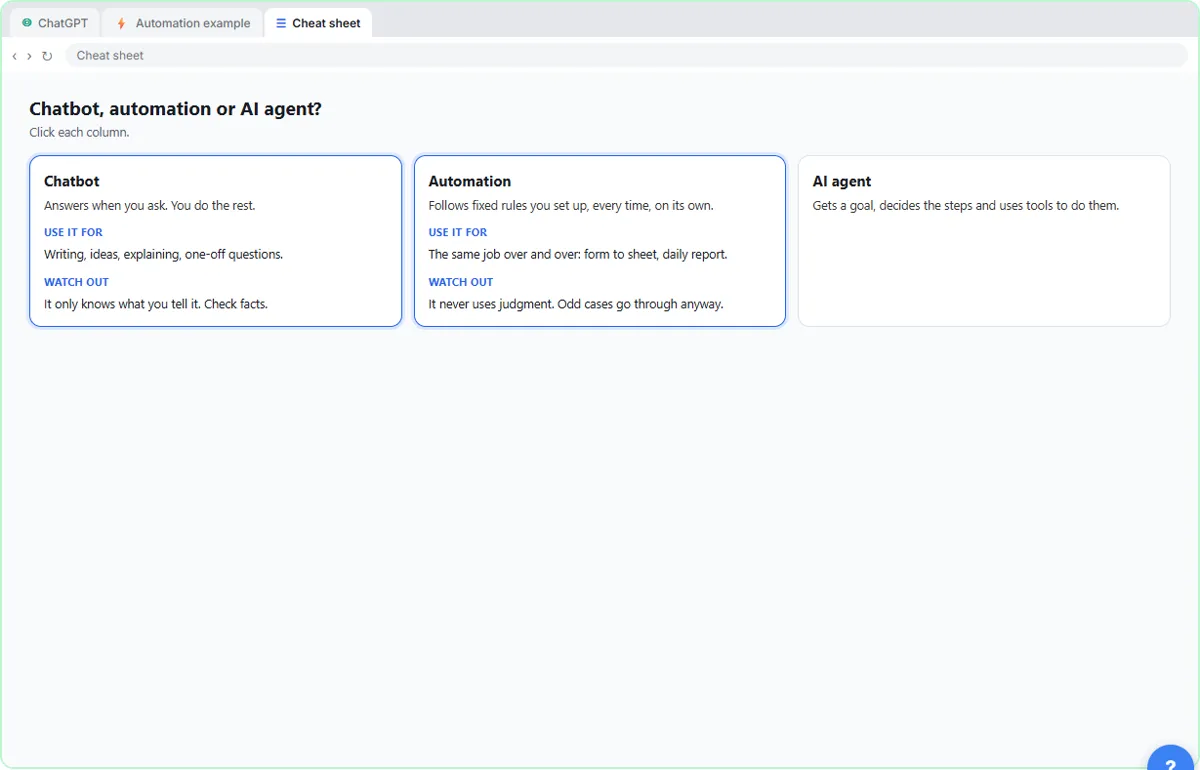
Pick an AI tool by the job: an assistant for drafts, Jotform for intake, Gamma for decks, Flova or DomoAI for video, n8n for rules. With a lesson for each.
Oct 11, 2026 5 min read
More visual guides
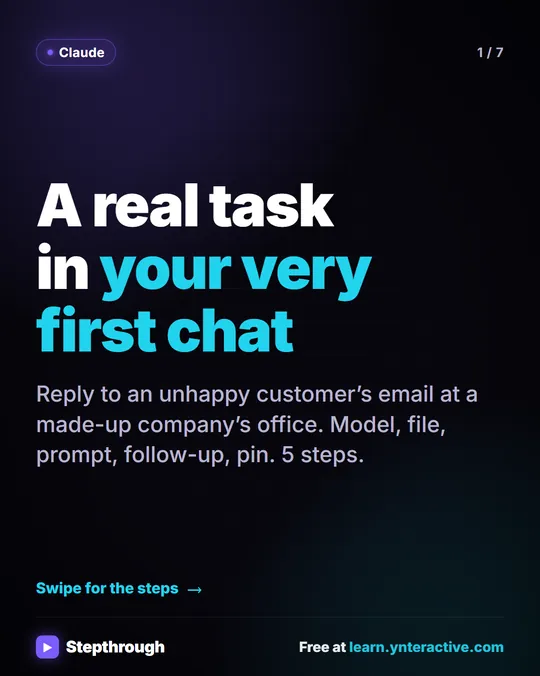 Claude First Chat: Pick a Model, Attach a File, Prompt in 5 Steps
A visual guide to your first chat with Claude: check the model picker, attach an email with +, write a four-part prompt, follow up, then pin the chat.
Step-by-step guide 7 slides
 DomoAI Image to Video: Product Photo to Short Clip in 5 Steps
A visual guide to DomoAI Image to Video: upload a product photo, set 9:16, write a motion prompt, compare two versions and download the better one.
Step-by-step guide 8 slides
 Flova: Plan a Promo Video Before You Spend a Credit
A visual guide to Flova’s AI video agent: paste your exact script, get the storyboard and credit estimate first, then make and fix one reference image.
Step-by-step guide 8 slides