Flova: Plan a Promo Video Before You Spend a Credit
A visual guide to Flova’s AI video agent: paste your exact script, get the storyboard and credit estimate first, then make and fix one reference image.
Slide 1 of 8 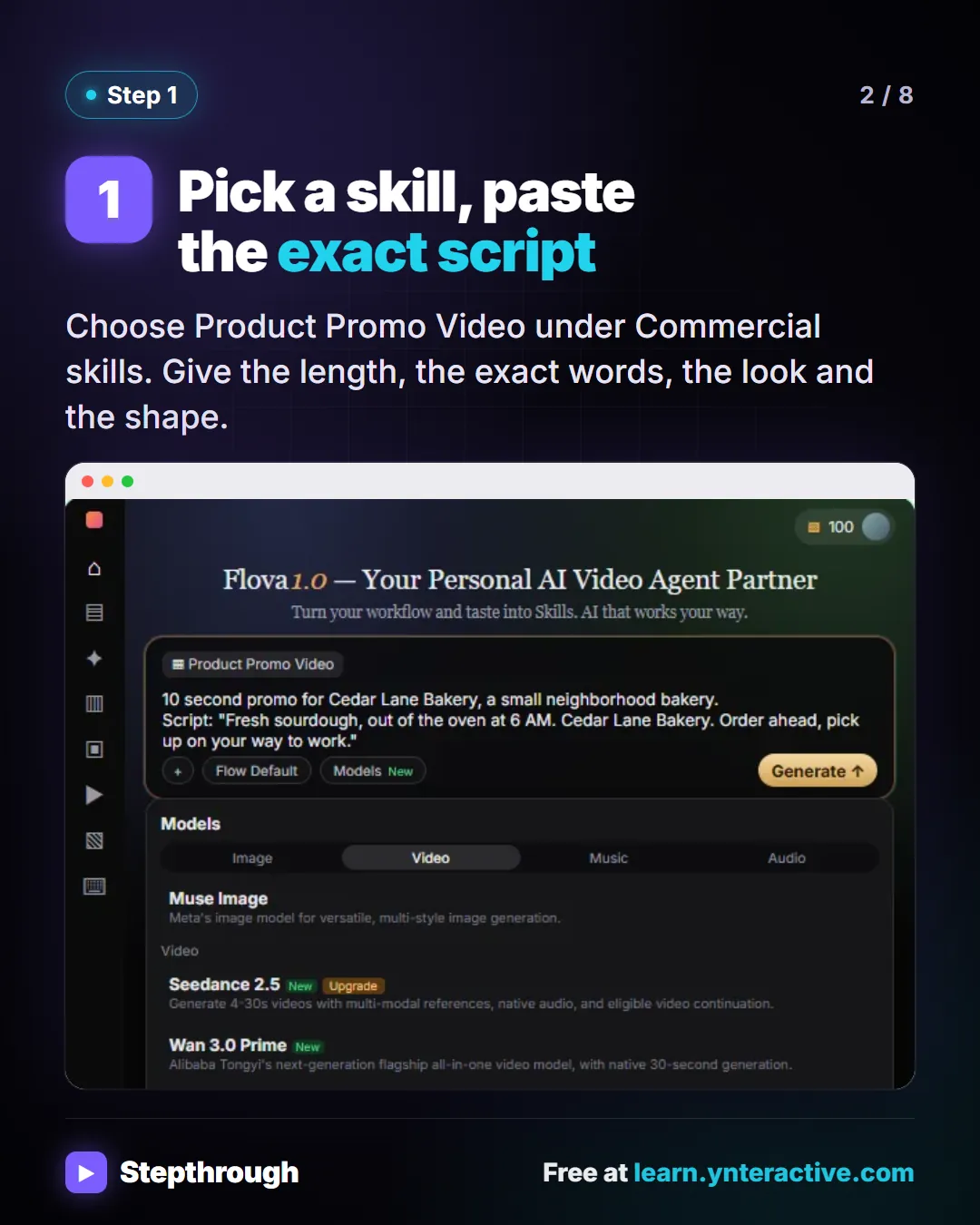
Slide 2 of 8 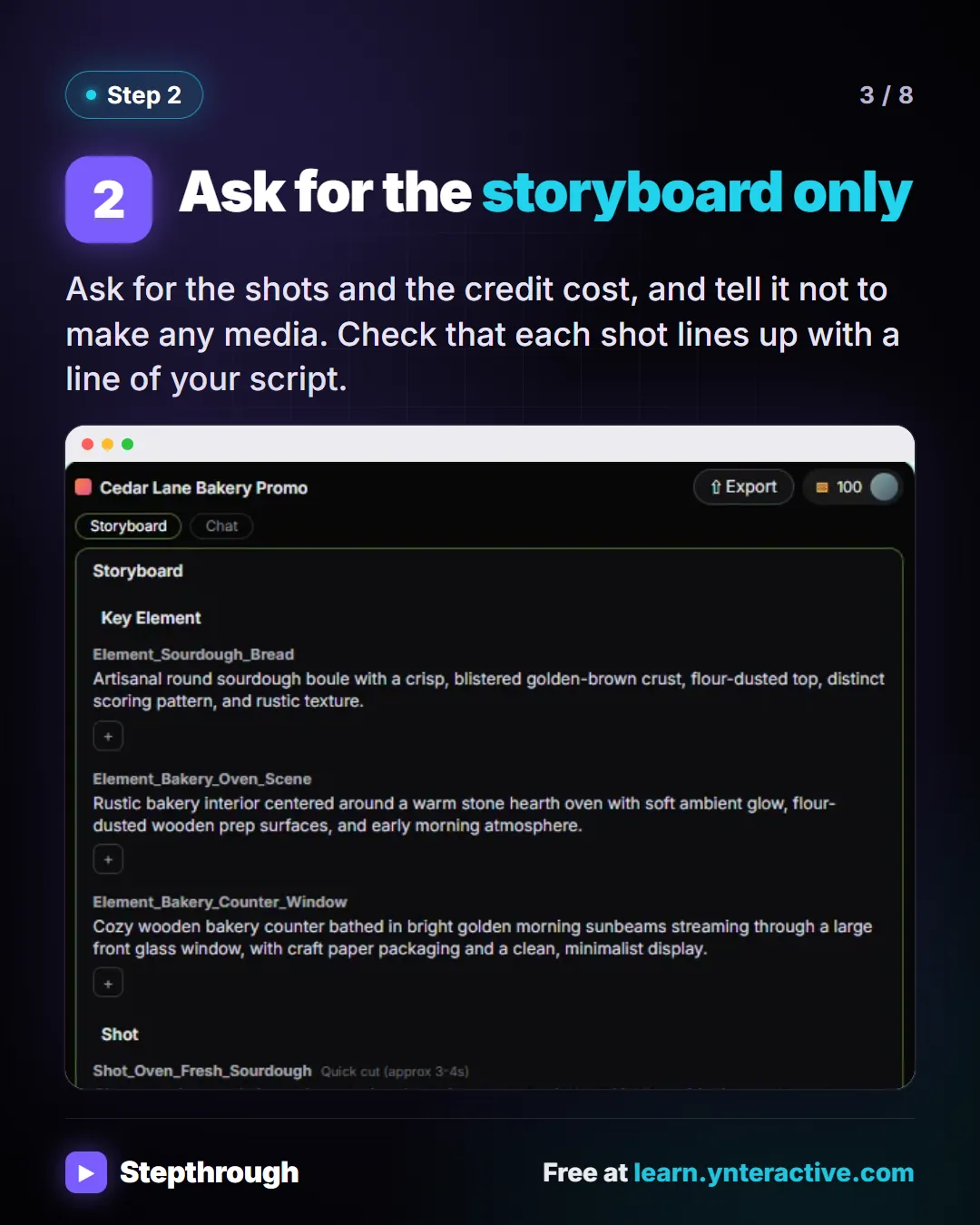
Slide 3 of 8 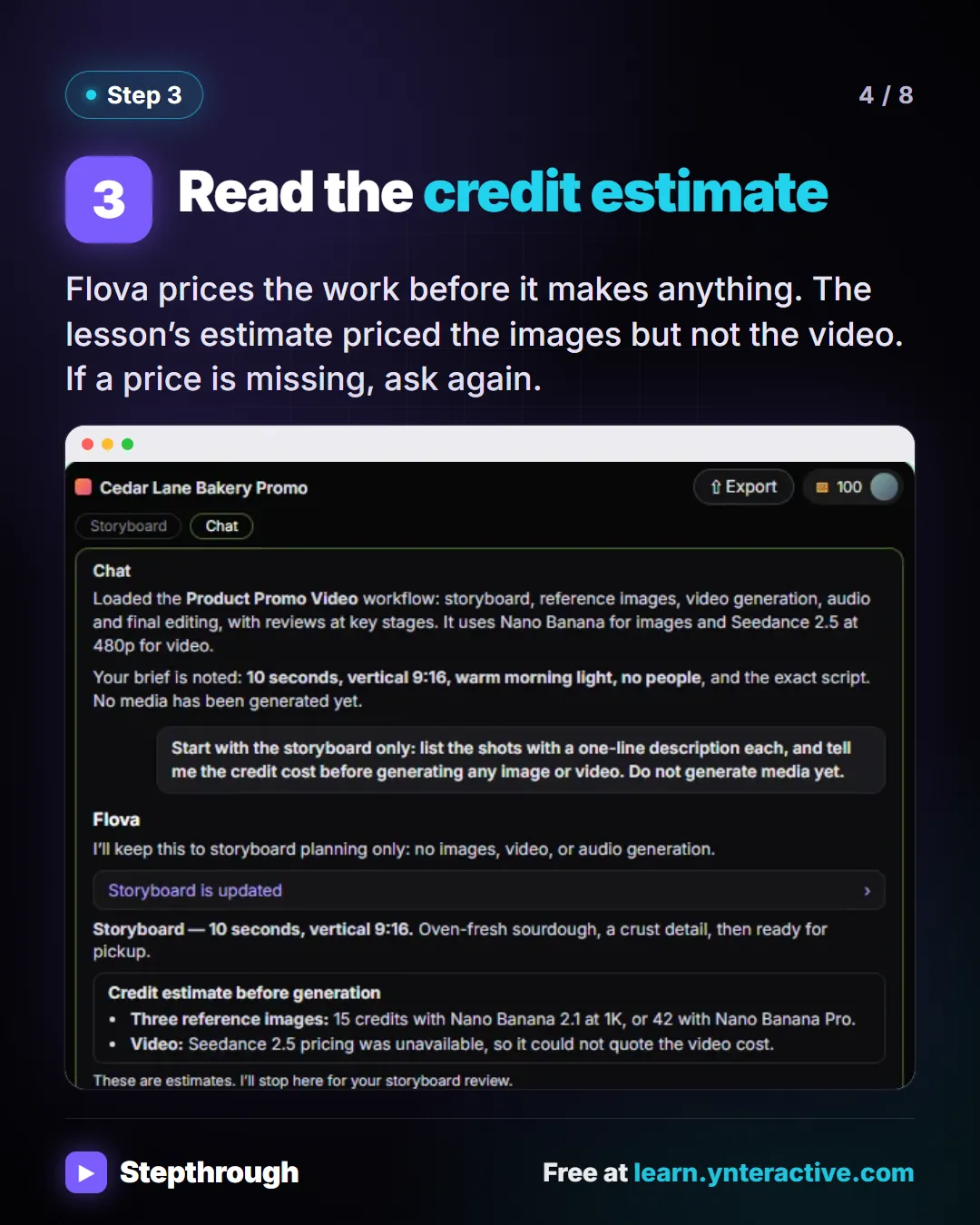
Slide 4 of 8 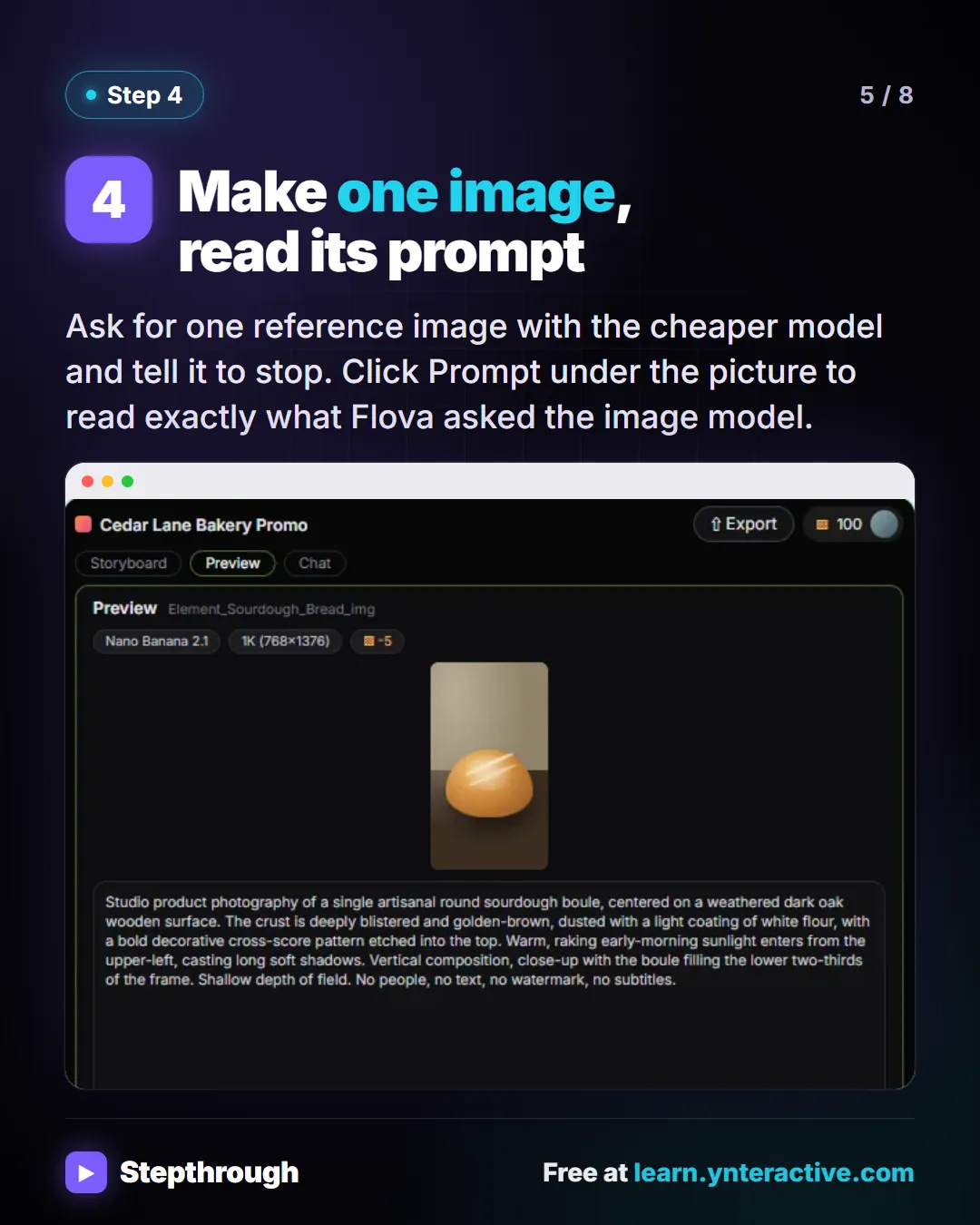
Slide 5 of 8 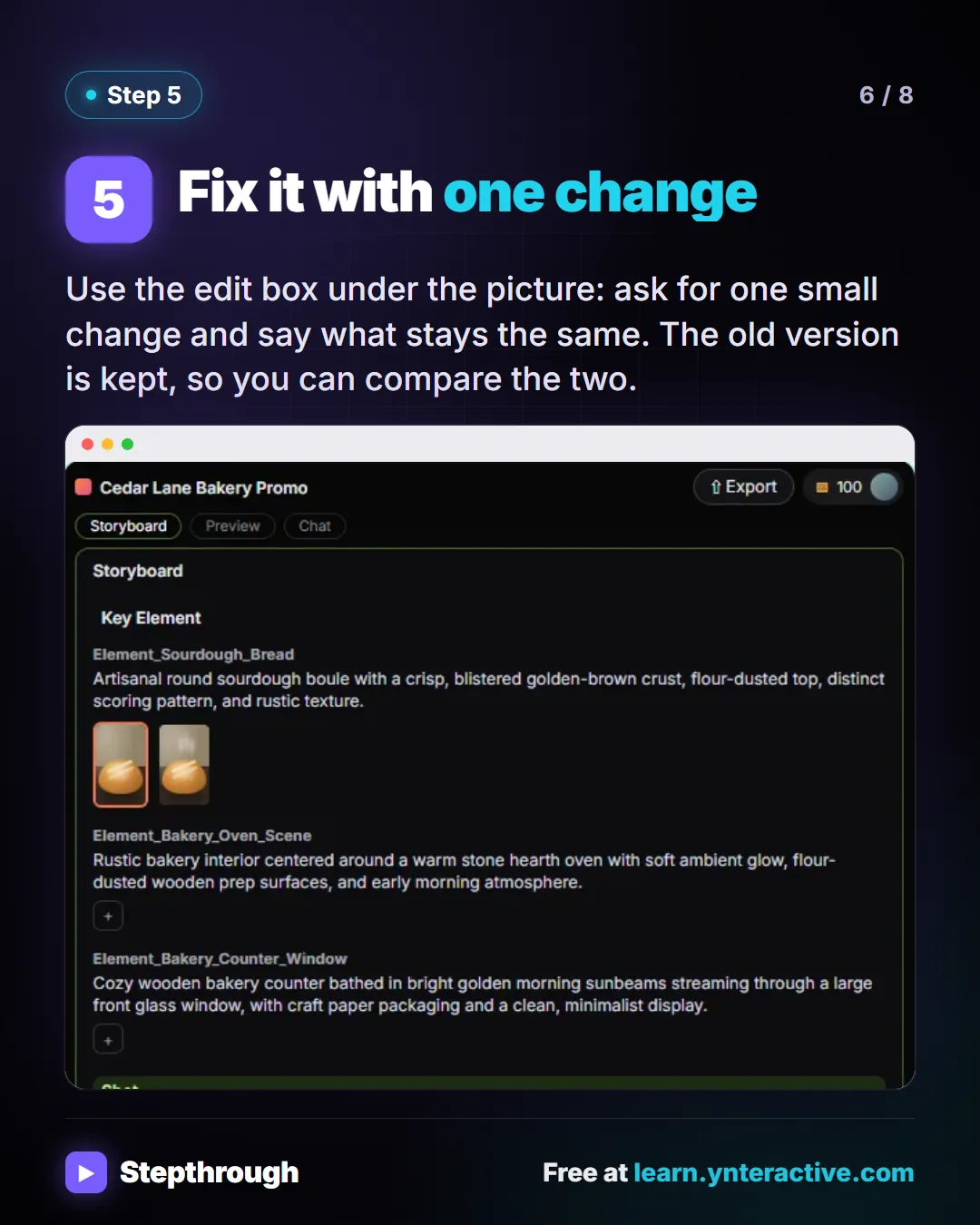
Slide 6 of 8 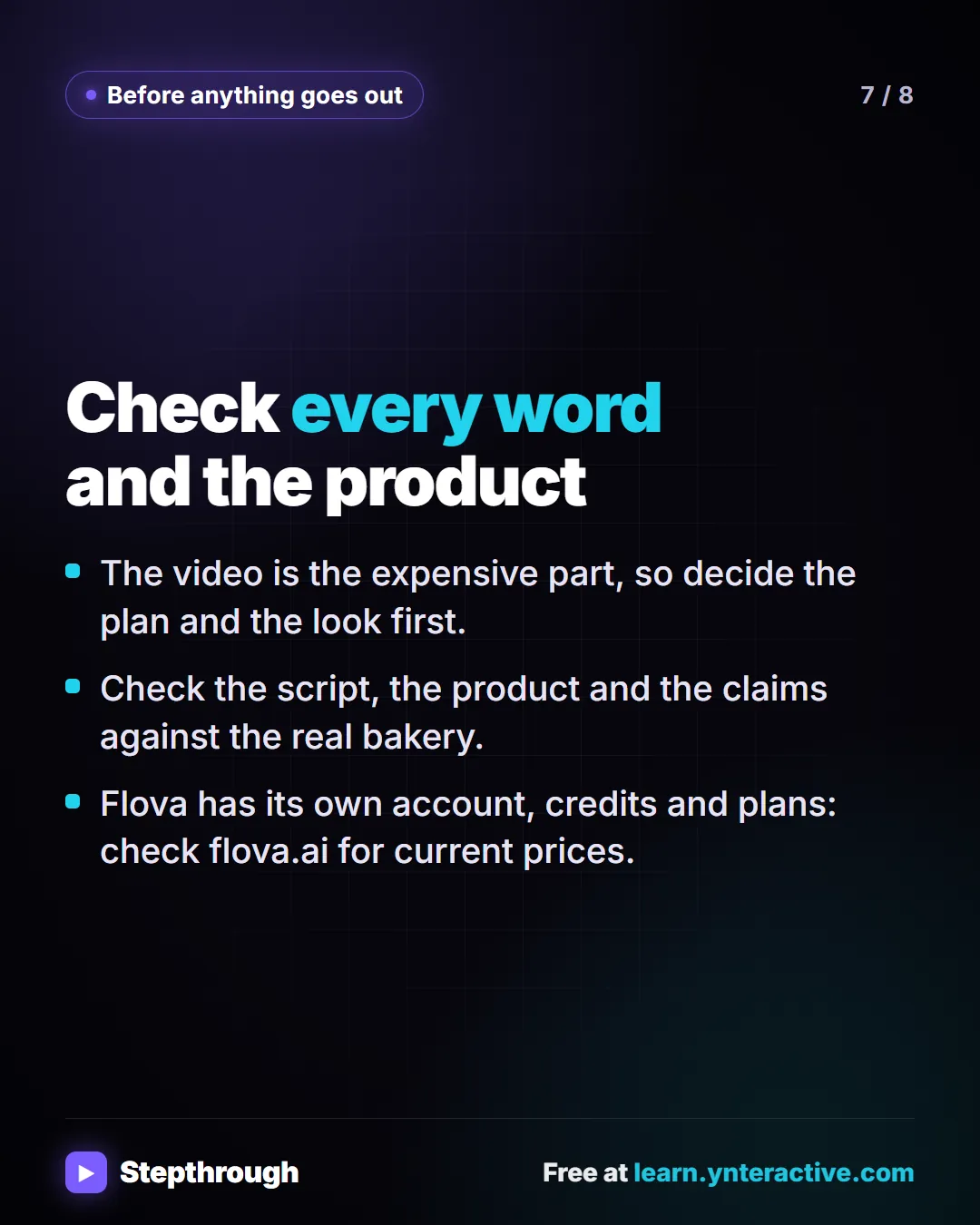
Slide 7 of 8 
Slide 8 of 8
The guide in text
A ten-second Instagram promo for a made-up bakery, Cedar Lane. Script in, a checked plan and one good picture out.
Step by step
Pick a skill, paste the exact script
Choose Product Promo Video under Commercial skills. Give the length, the exact words, the look and the shape.
Ask for the storyboard only
Ask for the shots and the credit cost, and tell it not to make any media. Check that each shot lines up with a line of your script.
Read the credit estimate
Flova prices the work before it makes anything. The lesson’s estimate priced the images but not the video. If a price is missing, ask again.
Make one image, read its prompt
Ask for one reference image with the cheaper model and tell it to stop. Click Prompt under the picture to read exactly what Flova asked the image model.
Fix it with one change
Use the edit box under the picture: ask for one small change and say what stays the same. The old version is kept, so you can compare the two.
Check every word and the product
- The video is the expensive part, so decide the plan and the look first.
- Check the script, the product and the claims against the real bakery.
- Flova has its own account, credits and plans: check flova.ai for current prices.
Businesses and people in the examples are made up (Cedar Lane Bakery is a made-up business). The steps, screens and wording come from the free lesson and the Stepthrough glossary and prompt library.
Do it yourself, free
Flova: Plan a Promo Video from a Script Before You Spend a Credit. Give Flova's AI video agent a ten-second script for a small business, check its storyboard and credit estimate first, then make and fix one reference image. You do every step yourself in a practice copy of Flova, it checks your work as you go, and “Do it for me” finishes any step you get stuck on. Free, and nothing touches your real accounts.
Start the free lessonRelated terms
Plain-English definitions, each with an example from a free lesson.
Related prompts
- Promo video brief and script prompt: Write a promo video brief for an AI video agent: the length, exact script, look and shape, plus a request to plan before it…
More visual guides
 Gamma: Turn Rough Meeting Notes into a Deck in 5 Steps
A visual guide to Gamma: paste rough notes, let it condense them into a deck, change a slide by chatting with Agent, then export to PowerPoint and PDF.
Step-by-step guide 7 slides
 Jotform AI Agent: Answer Client Questions in 4 Steps
A visual guide to a Jotform AI Agent that answers routine client questions: create it, teach it one answer, test it in Test Mode and copy the embed code.
Step-by-step guide 7 slides
 Jotform AI Intake Form: 5 Steps to Build and Share One
A visual guide to building a client intake form with Jotform AI: describe it, read the fields, fix it with Form Copilot, add a rule and share the link.
Step-by-step guide 7 slides