Updated . Built against the tool’s current screens and checked step by step. How we check this lesson
A webhook is a web address that waits for data. When something happens in one app, like a customer sending your contact form, that app posts the details to the address right away, and whatever is listening there gets them. In this free, hands-on lesson you get a listening address from Webhook.site, paste it into a plumbing company's form settings, send a test, then send a real customer message and read exactly what arrives.
At a glance
| Question | Answer |
|---|---|
| What you build | Point a plumber's website contact form at a free webhook tester, send a test and a real message, and watch the data arrive the moment it's sent. |
| Tools | Webhook.site |
| Time | About 6 minutes, 18 steps in 5 parts |
| Level | Beginner, no coding needed |
| Cost | Free |
| Ways to learn it | Practice it step by step |
The 5 parts, in short
- Get a URL that listens: Copy your unique URL.
- Point your form at it: Open your website's settings, Open Integrations, Click the Webhook URL box, Paste your URL, and 1 more step.
- Send a test: Send a test, Go back to the tester, Open the request, Read the data.
- Send a real one: Open the contact page, Fill in the form as a customer, Send the message, Check the tester again, and 2 more steps.
- Clean up: Go back to the settings, Remove the test URL.
Start here first: AI Agent vs Chatbot vs Automation: One Job Done Three Ways (module 1 of AI Basics)
Part of: AI at Work: Start Here (step 8 of 8)
What you will do
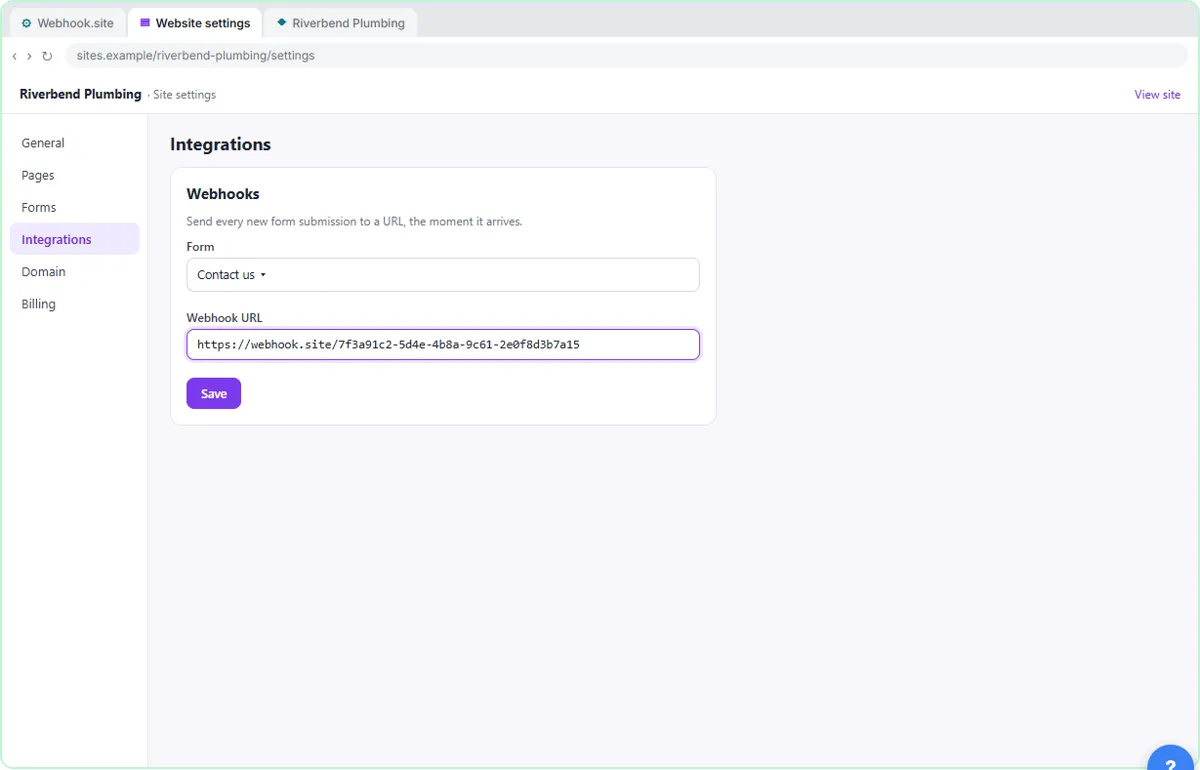
The example business is Riverbend Plumbing, a made-up local plumber with a "Contact us" form on its website. You copy the unique URL that Webhook.site gives you, open the website's settings, go to Integrations, paste the URL into the Webhook URL box and save it. Then you click Send test and go back to Webhook.site, where the request is already waiting in the inbox.
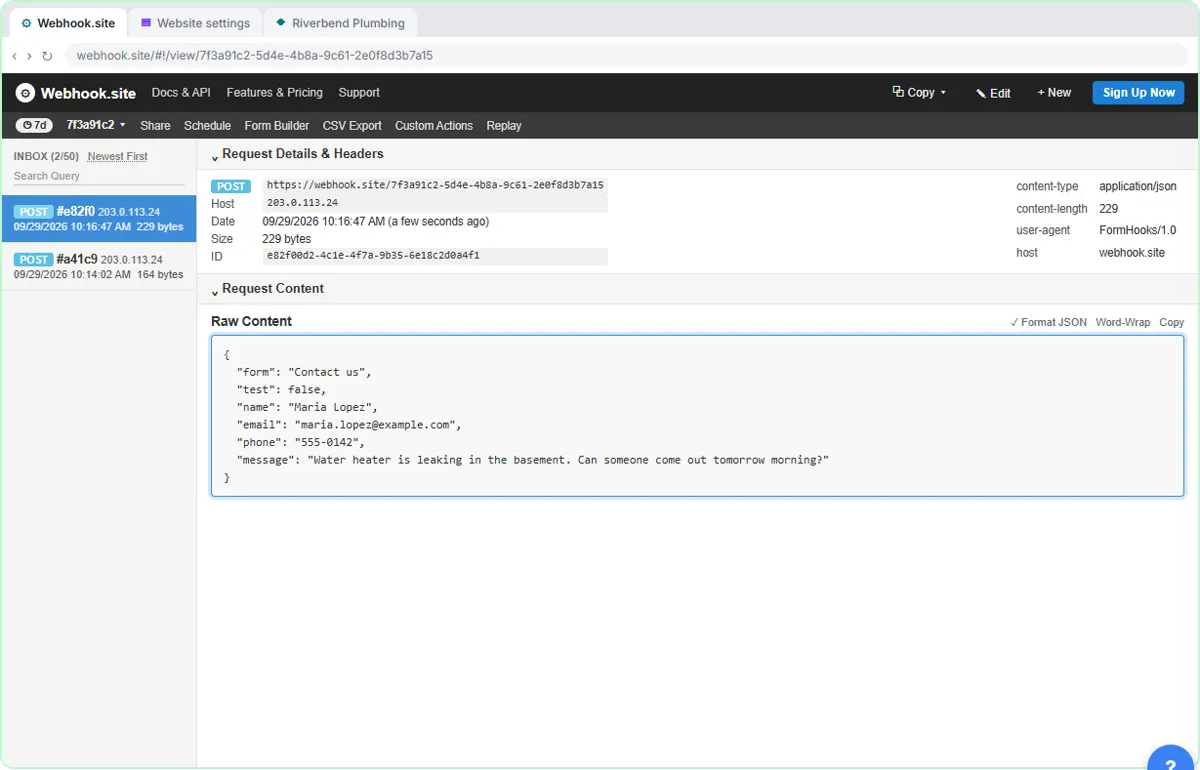
Next you play the customer: fill in the form about a leaking water heater and click Send message. A second request lands in the tester with the customer's name, email, phone and message. Finally you remove the test URL, because anyone with a tester link can see what is sent to it.
A webhook in plain words
Think of a webhook as a doorbell with a note attached. Instead of you checking the form tool every few minutes for new messages, the form tool rings the doorbell the moment a message comes in and hands over the note. The "doorbell" is a URL, and the "note" is the data, sent as a POST request.
The data arrives as JSON: a list of labels and values such as "name": "Maria Lopez" and "phone": "555-0142". You never have to write JSON yourself. When you connect an automation tool, those labels are what you pick from to fill in a spreadsheet row, an email or a text message.
Why test with a webhook tester first
A tester like Webhook.site shows you exactly what an app sends before you build anything on top of it. You see every field, the exact label names and whether anything is missing. That saves a lot of guessing later, when a spreadsheet column comes out blank because a field was called "phone_number" instead of "phone".
Webhook.site is free to start and needs no account: open the site and your unique URL is ready. The free inbox holds up to 50 requests. The page shows each request's details and headers and, under Request Content, the Raw Content with the data itself.
Where the webhook setting lives in real tools
Every form or website tool puts it somewhere slightly different, usually under Integrations, Webhooks, Connections or a form's Settings. The pattern is always the same: paste a URL, choose which form it is for, save, and send a test if there is a button for it. The settings page in this lesson is a generic example so you learn the pattern, not one vendor's menu.
Keep customer data safe
Only send test data to a public tester. Anyone who has a Webhook.site link can see what arrives there, so remove the test URL before real customers use the form, as you do at the end of the lesson. For real work, paste a webhook URL from a tool you control instead.
What to do next
Replace the tester with a webhook address from an automation tool. Zapier's "Webhooks by Zapier", Make's "Custom webhook" and n8n's Webhook node all give you a URL to paste into the same box. Then each new message can become a Google Sheets row, an instant email to your team or a text to the on-call plumber. The Webhooks & Website Forms path walks through each of them.
How the interactive lesson works
Each step is shown first in the Watch panel with a short explanation, then you do it yourself in Your turn on a practice copy. Every click is checked, and Do it for me helps if you get stuck. Nothing is actually sent to Webhook.site or anywhere else.
Try it yourself, free
Reading the steps is a start. Doing them is how it sticks. The interactive module walks you through every click in a practice copy of Webhook.site, checks each step, and never touches your real accounts.
Start “What Is a Webhook? Send a Test and Watch the Data Arrive”Step by step: What Is a Webhook? Send a Test and Watch the Data Arrive
All 18 steps of the interactive module, in order. In the module you watch each one, then do it yourself in a practice copy that checks your work.
1. Get a URL that listens
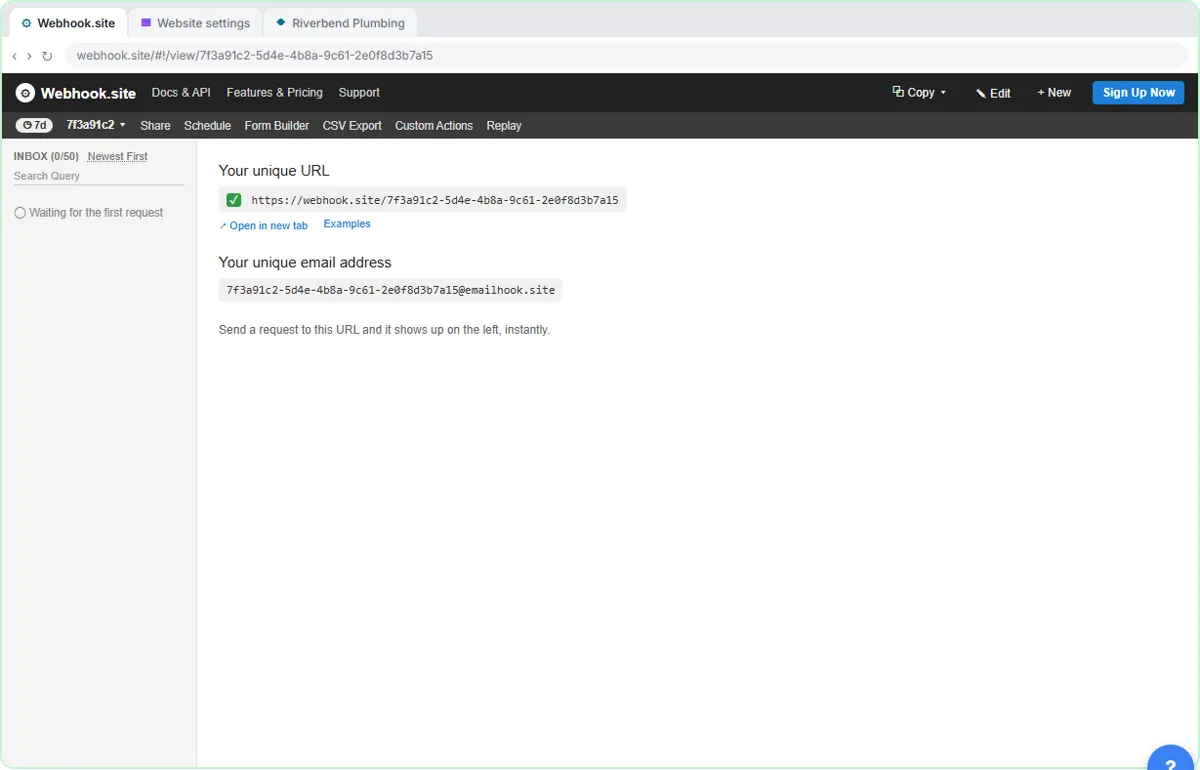
- Copy your unique URL. Webhook.site has already made you a URL. Click the copy icon just before it, under Your unique URL.
A webhook is just a web address that waits for data. When something happens in one app, like a form being sent, that app posts the details to the address, and whatever is listening there gets them instantly. Webhook. site is a free tester that gives you one of those addresses.
2. Point your form at it
- Open your website's settings. Click the Website settings tab.
Now we tell Riverbend Plumbing's website contact form to send each new message to that address.
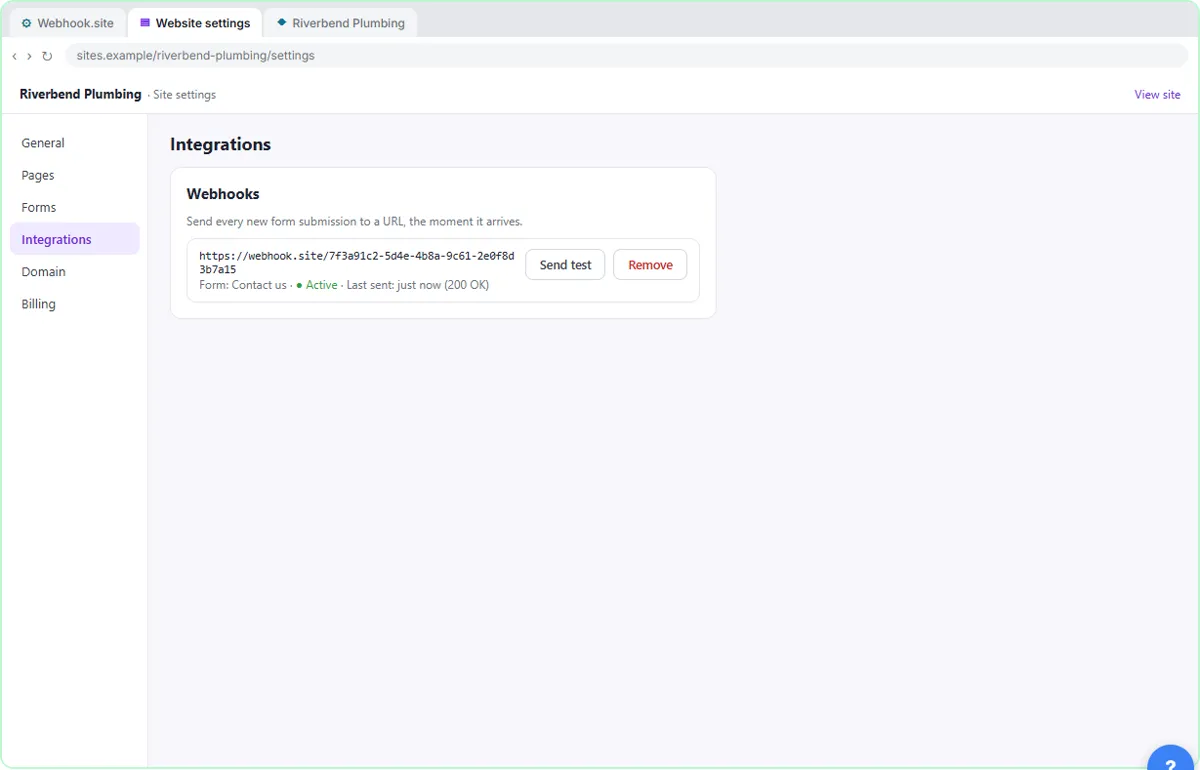
- Open Integrations. In the left menu, click Integrations.
Every form tool puts this in a slightly different place, usually called Integrations or Webhooks. Here it's Integrations.
- Click the Webhook URL box. Click the Webhook URL box.
- Paste your URL. Paste in the URL to drop in the address you copied.
- Save it. Click Save.
Save it. From now on, every message sent through the contact form also goes to that address.
3. Send a test
- Send a test. Click Send test.
Most tools have a button to send a sample, so you can check the connection before a real customer uses it.
- Go back to the tester. Click the Webhook.site tab.
Now let's see if it arrived. site tab.
- Open the request. In the INBOX on the left, click the POST request.
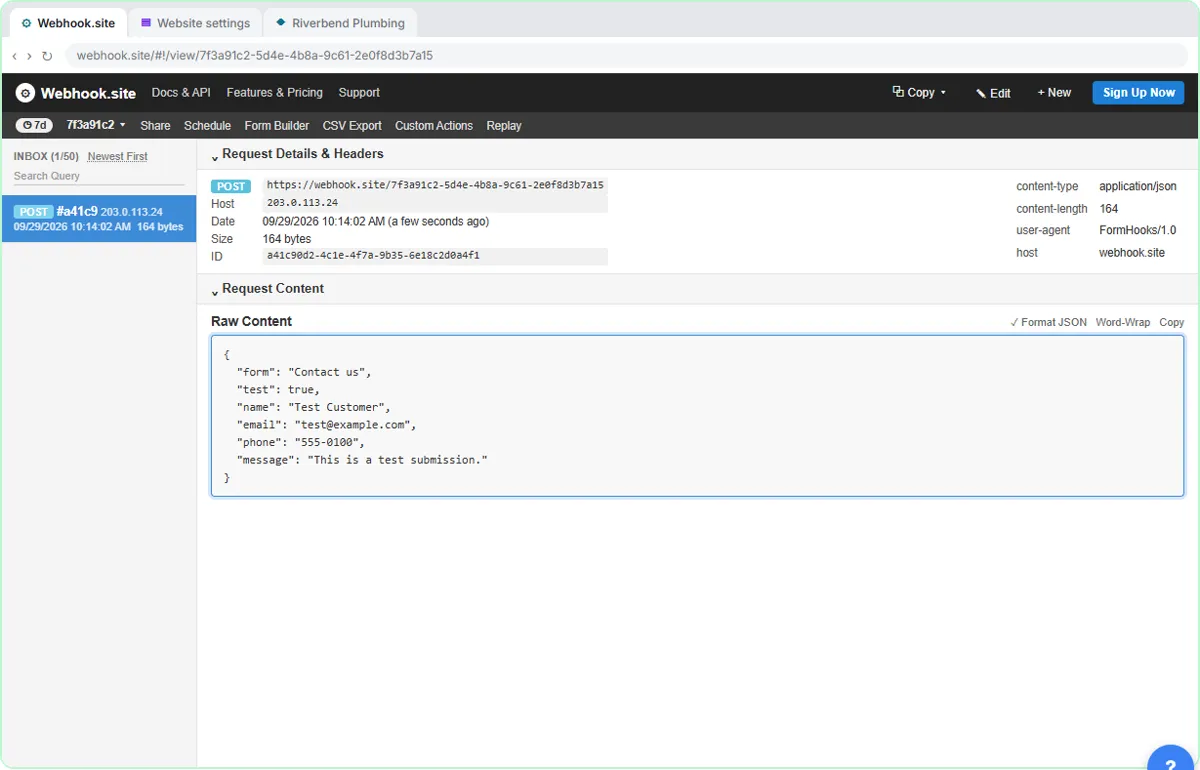
There it is in the inbox, a second after you clicked. POST means the form sent data, as opposed to just asking for a page.
- Read the data. Scroll to Raw Content and click it to read what the form sent.
This is the actual message. Each piece of information has a label and a value: name, email, phone, message. This format is called JSON. When you later connect Zapier, Make or n8n, these labels are what you pick from to fill in a sheet or an email.
4. Send a real one
- Open the contact page. Click the Riverbend Plumbing tab.
The test worked. Now let's send a real one, the way a customer would.
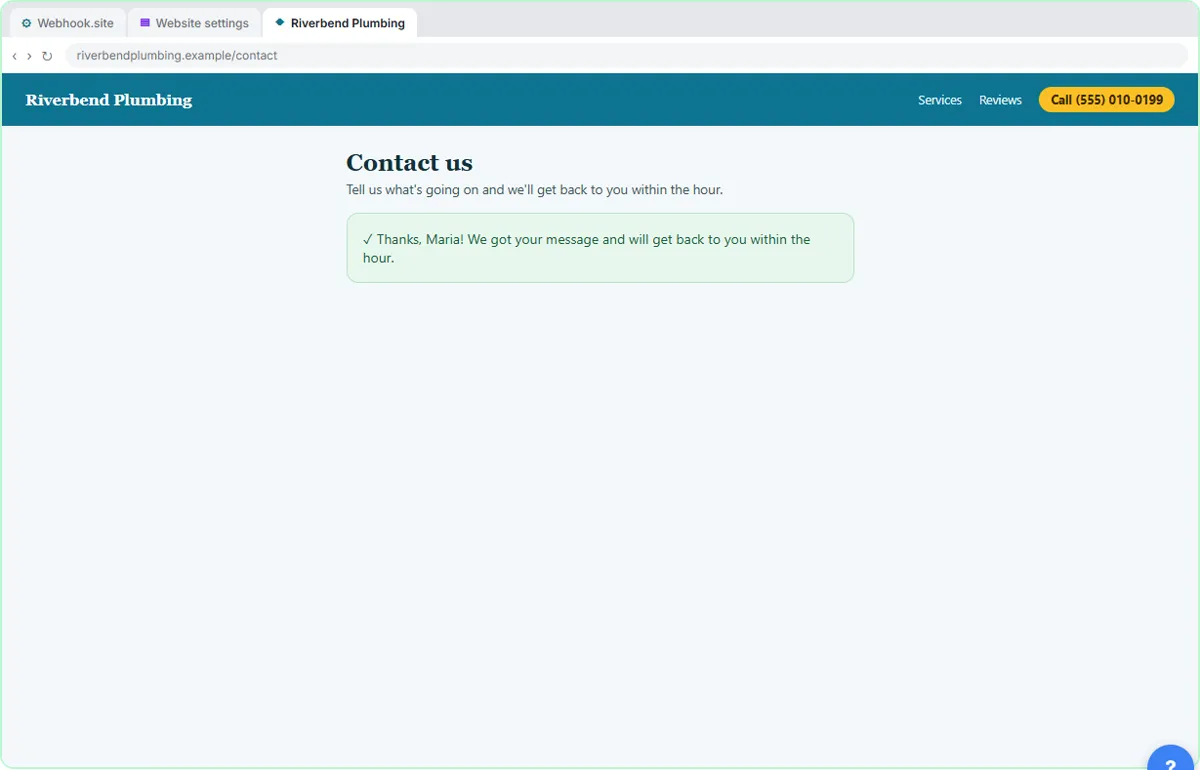
- Fill in the form as a customer. Click Fill in the form to enter a customer's name, email, phone and message.
Pretend you're a customer with a leaking water heater.
- Send the message. Click Send message.
- Check the tester again. Click the Webhook.site tab.
Back to the tester.
- Open the new request. Click the newest POST request at the top of the inbox.
A second request, at the top of the inbox.
- Read the customer's message. Click Raw Content.
Same labels, real details. Maria's name, email, phone and message all arrived the moment she clicked Send. That's all a webhook is: one app telling another, right away, with the details attached.
5. Clean up
- Go back to the settings. Click the Website settings tab.
One last thing. A tester address is fine for practice, but anyone who has the link can see what's sent to it. So don't leave real customer messages going there.
- Remove the test URL. Click Remove next to the webhook.
When you build the real thing, you'll paste a webhook address from Zapier, Make or n8n here instead, and they'll turn each message into a row in a sheet, an email or a text.
Screenshots
Frequently asked questions
- What is a webhook, simply?
- A URL that waits for data. When something happens in one app, such as a form being sent, that app immediately posts the details to the URL, and the tool listening there can act on them.
- What is the difference between a webhook and an API?
- With an API, your tool asks another app for data when it wants it. With a webhook, the other app sends the data to you the moment something happens, so you do not have to keep checking.
- Do I need to know how to code to use webhooks?
- No. You copy a URL from one tool and paste it into another. The data arrives already labeled, and automation tools let you pick the fields from a list.
- Is Webhook.site free and safe?
- It is free to start without an account, and great for testing. The URLs are public to anyone who has the link, so only send test data to it and remove it from your form before real customers use it.
- Is this lesson free?
- Yes. Stepthrough is completely free and the practice copy needs no account.
Terms in this lesson
Plain-English definitions, each with an example from a free lesson.