What is a Custom GPT?
Updated · By Robert Breen
A Custom GPT is your own version of ChatGPT, set up once with a name, standing instructions and reference files, so every chat starts already knowing your business, your rules and your tone. You or your team open it and simply ask for the work.
Why it matters for a small business
Most generic AI output is generic because the request was. A Custom GPT fixes that for jobs you repeat: the estimate, the overdue invoice reminder, the weekly social post. You write the brand rules and upload the price list once, and nobody has to paste them again or wonder which version is current.
It also makes results consistent across people. When three staff members each prompt ChatGPT their own way, you get three tones and three sets of guesses. When they all use one GPT, the same banned words, structure and pricing rules apply to everyone, which matters when the output reaches customers.
In a real lesson: Build a Custom GPT Social Media Assistant
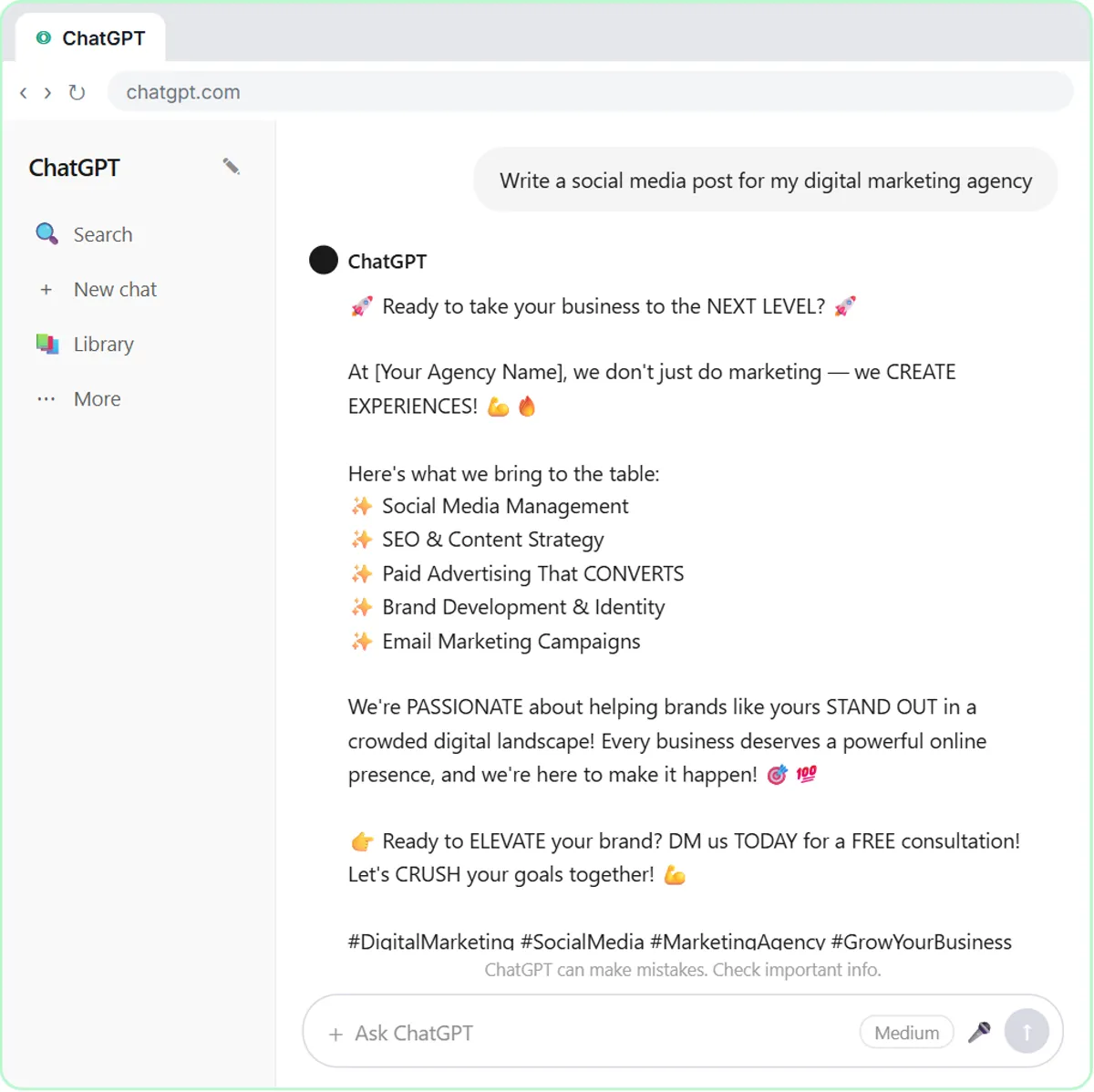
The Custom GPT lesson opens with a bare request: Write a social media post for my digital marketing agency. The reply is full of emojis, hashtags and words like elevate. Then you click More, then GPTs, then + Create, and name the new GPT Social Media Assistant.
In Instructions you paste the rules for Ynteractive, the Lancaster, PA agency the GPT writes for: no emojis, at most 2 hashtags at the very end, never words like synergy or skyrocket, open with the most interesting number, one call to action, under 150 words, and never promise guaranteed results. Then Upload files attaches Ynteractive-Brand-Voice.pdf, which holds tone rules and a sample post.
Finally you test it in the preview panel with the identical request, word for word. Only the setup changed, and the post now sounds like that agency instead of every other marketing account.
Try this lesson free or read the step-by-step guide.
Common confusions
Custom GPT vs custom instructions
Custom instructions change how ChatGPT answers you in every chat. A Custom GPT is a separate assistant for one job, with its own instructions and files, that you open on purpose and can share.
Custom GPT vs fine-tuning
Building a GPT doesn't retrain anything. It wraps the same model in instructions and reference files. Fine-tuning changes a model itself using training examples and is a developer task.
Custom GPT vs an AI agent
A GPT waits for someone to open it and type. An AI agent built in n8n can be started by a form or an incoming email and can write to your tools without anyone opening a chat.
Tips
- Build one GPT per job. An estimate writer and a social media writer need different rules.
- Test with the request your staff will really type, not a perfect one.
- Put rules in the instructions and reference material (prices, samples) in files.
- Keep sensitive data out of uploaded files, since people using the GPT may be able to get at their contents.
Related terms
Where you use it: free lessons
- Build a Custom GPT Social Media Assistant (ChatGPT, 8 min)
- Build an AI Estimate Writer for Your HVAC Company (ChatGPT, 8 min)
- Build a Custom GPT That Writes Overdue Invoice Reminders (ChatGPT, 8 min)
More free tutorials
Prompt templates that use it
Frequently asked questions
- Do I need to code to build a Custom GPT?
- No. You fill in a name, paste instructions and upload files in the GPT builder. Code only comes in if you add advanced actions that call other apps.
- Can my team use the same Custom GPT?
- GPTs can be shared, for example by link or inside a company workspace, depending on your account. Check OpenAI's current plans for who can build and use them.
- Will a Custom GPT always follow its instructions?
- Mostly, not perfectly. Test it on real requests, tighten any rule it breaks, and still read what it writes before a customer sees it.