Updated . Built against the tool’s current screens and checked step by step. How we check this lesson
When ChatGPT doesn't know your business, it guesses, and you get blanks, made-up details and a generic answer. In this free six-minute lesson you ask for a job posting the quick way and see what goes wrong, then use the interview prompt: ChatGPT asks you up to five questions, one at a time, sums up what it understood, and only then writes. You finish with a reusable template you can use for almost any writing task.
At a glance
| Question | Answer |
|---|---|
| What you build | Ask for a job posting the quick way, then with the interview prompt: ChatGPT asks what it needs, one question at a time, and writes a posting you can actually use. |
| Tools | ChatGPT |
| Time | About 6 minutes, 22 steps in 5 parts |
| Level | Beginner, no coding needed |
| Cost | Free |
| Ways to learn it | Practice it step by step |
The 5 parts, in short
- Ask the usual way: Click the message box, Paste a quick prompt, Send it.
- Ask for an interview: Start a new chat, Click the message box, Paste the interview prompt, Send the interview prompt.
- Answer its questions: Answer question 1, Send answer 1, Answer question 2, Send answer 2, and 4 more steps.
- Check it, get the posting: Confirm the summary, Send your OK, Copy the posting.
- Save the template: Open the Google Docs tab, Click into the document, Add a heading, Paste the template.
Start here first: Prompt Writing 101: Role, Context, Task, Format (module 1 of Prompt Writing)
In the course: Part 2 · Better Prompts (Module 6 of the full course)
What you will build
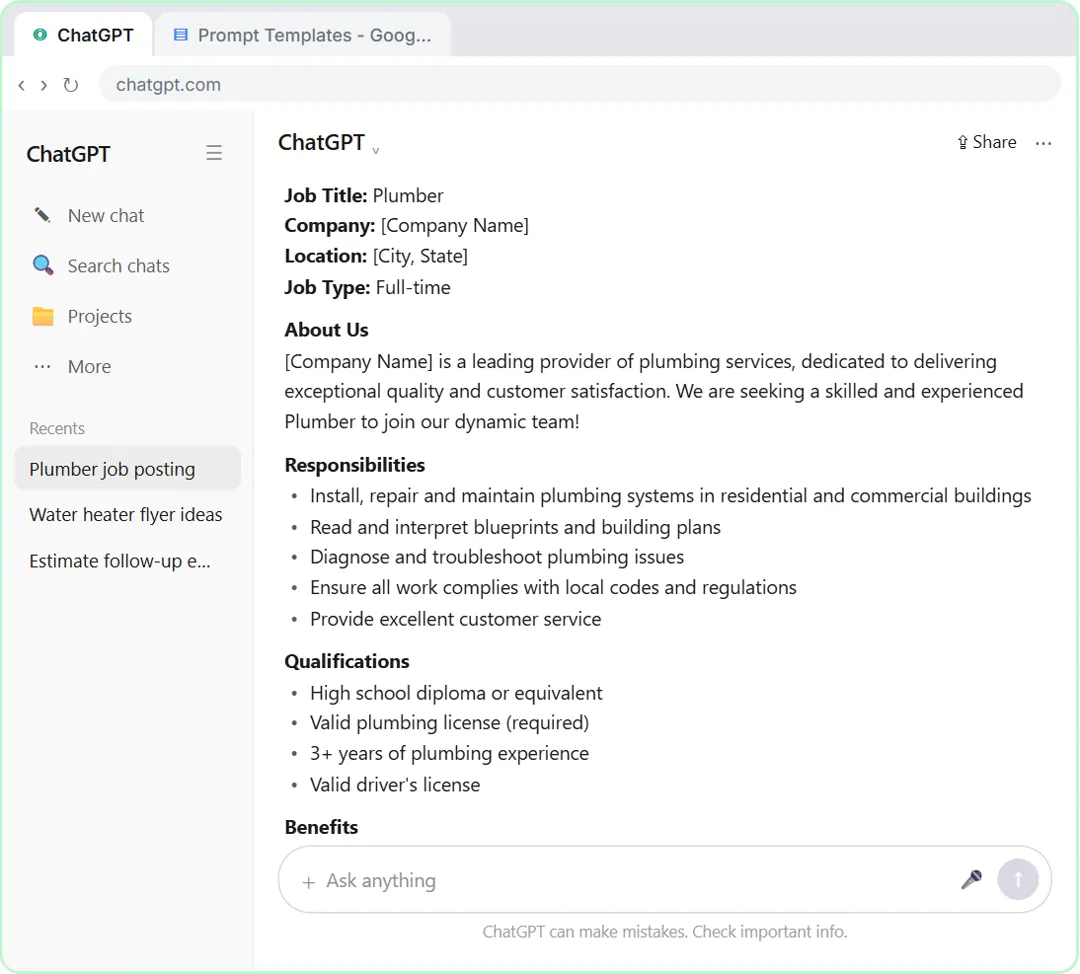
You will write a job posting for Red Oak Plumbing, a small made-up family plumbing company that needs to hire an apprentice. First you type one quick sentence, "Write a job posting for a plumber", and get back a posting that looks finished but isn't: blanks for the company name and email, a plumbing license and three years of experience the owner never asked for, and "competitive salary" instead of real pay.
Then you start a new chat and use the interview prompt. ChatGPT asks about the business, the experience and licensing, the pay, hours and benefits, and who fits the team. You answer in plain, short sentences. It sums up everything in a few bullet points, you check them, and it writes a posting with the real details: an apprentice job with training, $20 to $24 an hour, Monday to Friday, and a phone number to call. Last, you save the prompt as a template in a Google Doc, with two blanks to fill in next time.
Who this is for
This module is for small business owners, office managers and anyone who uses ChatGPT for writing and keeps getting answers that sound like they were written for somebody else. You don't need to know anything about AI or "prompt engineering". If you've ever deleted most of a ChatGPT answer and started over, this is for you.
It is the first module of the Prompt Writing Toolkit: short, practical lessons that use nothing but a chat window.
Why asking first works
A one-line request leaves ChatGPT to fill every gap on its own, so it fills them with the most common answer. For a job posting that means a generic company, a licensed plumber with years of experience, and no pay. None of it is wrong in general. It's just not your job. The interview prompt hands ChatGPT the job of finding the missing information, and you only have to answer questions instead of remembering everything up front.
Two details make it work. "One at a time" keeps it a conversation: ten questions at once feels like a form, and most people skip half of it. And the summary before writing gives you one quick moment to catch a misunderstanding before it ends up in the answer. OpenAI's own prompting guide makes the same point in its own words: tell ChatGPT to flag missing information instead of guessing, and review the result before you use it.
How to use this in your business
Keep the template where you keep your other prompts, and fill in the two blanks: "I need a customer FAQ for my bakery", "I need a flyer for our spring cleanup special", "I need a follow-up email for an estimate". The questions ChatGPT asks change with the task, which is the point. Short answers are fine.
Real ChatGPT may word its questions differently, ask three or five instead of four, or, on some plans and modes, show a question as a card with a few choices and a box to describe something else. Answer what it asks, check the summary, and still read the final answer before you post or send it.
How the interactive lesson works
Every step is shown first on the left, in the Watch panel, with a short voice-over. Then you do it yourself on the right, in Your turn, on a practice copy of ChatGPT and Google Docs. Each click is checked, so you know right away if you picked the right spot. If you get stuck, press Do it for me. Nothing touches a real account and nothing is sent to OpenAI, so practice freely, then do it for real.
Try it yourself, free
Reading the steps is a start. Doing them is how it sticks. The interactive module walks you through every click in a practice copy of ChatGPT, checks each step, and never touches your real accounts.
Start “Make ChatGPT Ask You Questions First: The Interview Prompt”Step by step: Make ChatGPT Ask You Questions First: The Interview Prompt
All 22 steps of the interactive module, in order. In the module you watch each one, then do it yourself in a practice copy that checks your work.
1. Ask the usual way
- Click the message box. Click the message box, where it says Ask ChatGPT.
Red Oak Plumbing needs to hire an apprentice. Let's ask ChatGPT for a job posting the way most people do: one quick sentence.
- Paste a quick prompt. Paste in the prompt to add: Write a job posting for a plumber.
Here's the quick version. It's a fair request, but ChatGPT knows nothing about your business.
- Send it. Click the Send arrow.
Send it, and let's see what comes back.
2. Ask for an interview
- Start a new chat. Read the posting: blanks in brackets like [Company Name] or [CITY, STATE], pay left as a blank or just "competitive" instead of a real number, and it is written for an experienced plumber, not an apprentice. Yours will differ a little. (If ChatGPT's memory is on, it may fill in some details from your past chats.) Then click New chat in the sidebar.
It looks finished, but look closer. Blanks in brackets for things like your company name, your town and how to apply. It's written for an experienced plumber, and you want an apprentice. And instead of real pay, there's a blank, or just the word competitive. ChatGPT had to guess. This time, let it ask you instead.
- Click the message box. Click the message box.
Now for the interview prompt. Instead of guessing, ChatGPT asks you what it needs to know, one question at a time.
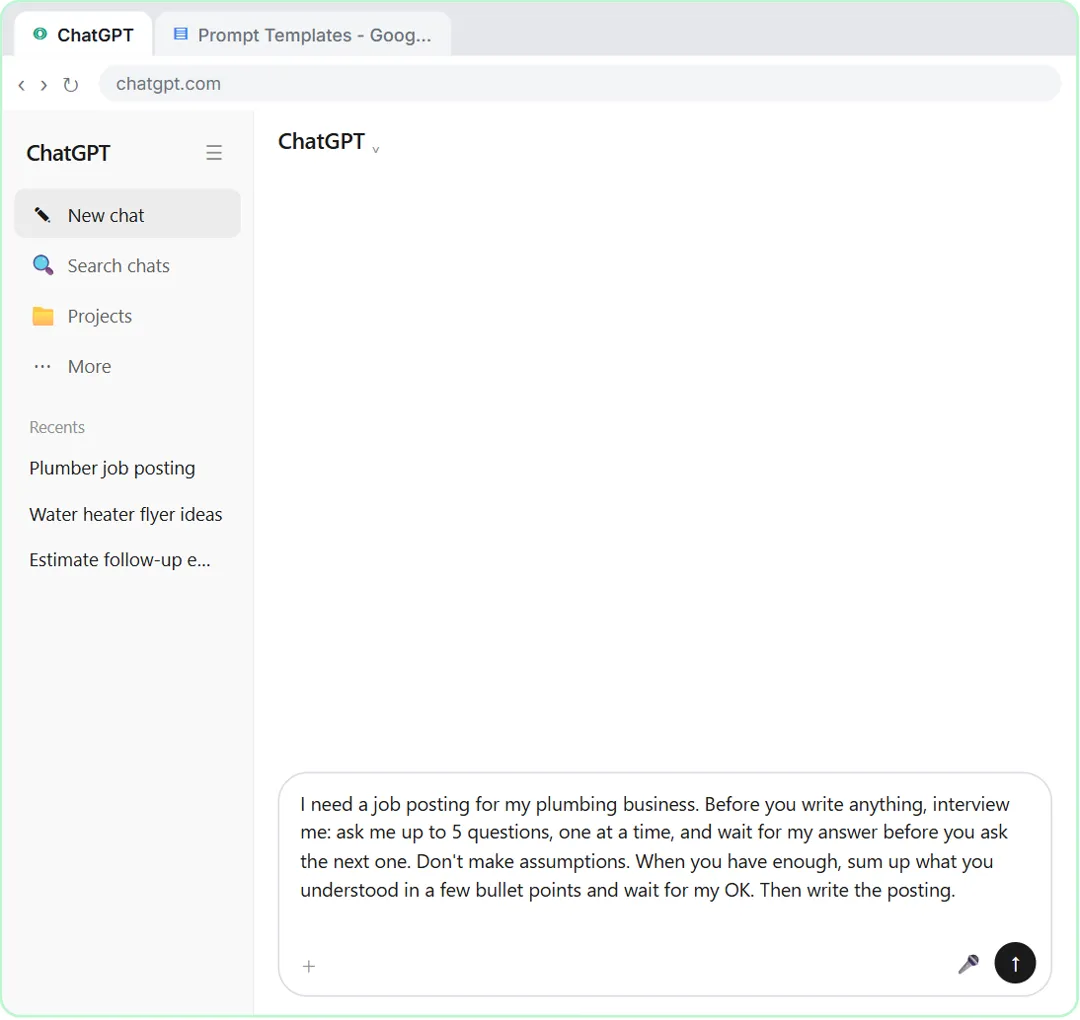
- Paste the interview prompt. Paste in the prompt. It asks ChatGPT to interview you first: up to 5 questions, one at a time, no assumptions, then a summary to confirm before it writes.
Read what it asks for. Up to five questions, one at a time. No assumptions. Then a short summary you can check before it writes anything. One at a time matters: ten questions at once feels like a form, and you'd probably skip half of it.
I need a job posting for my plumbing business. Before you write anything, interview me: ask me up to 5 questions, one at a time, and wait for my answer before you ask the next one. Don't make assumptions. When you have enough, sum up what you understood in a few bullet points and wait for my OK. Then write the posting.
- Send the interview prompt. Click the Send arrow.
Send it.
3. Answer its questions
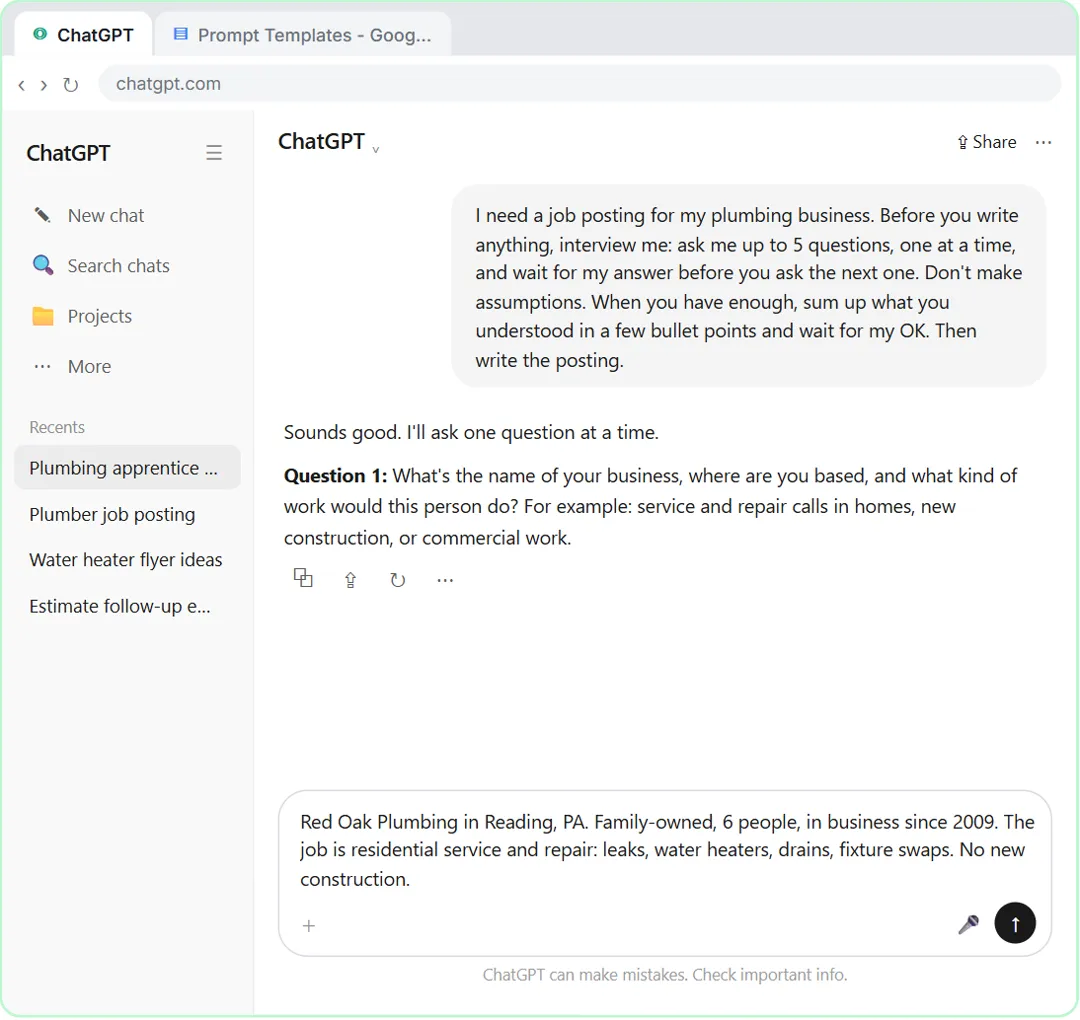
- Answer question 1. ChatGPT doesn't write yet. It asks Question 1: your business, where you are, and the kind of work. Paste in the answer. (In real ChatGPT you just type your answer. Its questions may come in a different order or wording, like the job and experience level first; answer what it asks. On some plans and modes, it shows the question as a card with choices; pick one, or type your own.)
See? No posting yet. Just one question: your business, where you are, and what the job involves. In the real app the questions may come in a different order. Just answer what it asks, like you're telling a friend. Short is fine.
Red Oak Plumbing in Reading, PA. Family-owned, 6 people, in business since 2009. The job is residential service and repair: leaks, water heaters, drains, fixture swaps. No new construction.
- Send answer 1. Click the Send arrow.
Send your answer.
- Answer question 2. Question 2 asks about experience and licensing, which is exactly what the first posting got wrong. Paste in the answer.
Question two is about experience and licensing. That's exactly what the first posting guessed wrong.
An apprentice or helper. No license needed, we train. Must have a valid driver's license and be able to lift 50 lbs. Any trade experience is a plus.
- Send answer 2. Click the Send arrow.
Send it.
- Answer question 3. Question 3 asks for pay, hours and benefits. Paste in the answer.
Now pay, hours and benefits. Real numbers give job seekers a reason to call you.
$20 to $24 an hour depending on experience. Monday to Friday, 7:30 to 4, no weekends. Paid holidays, health insurance after 60 days, and we pay for trade school.
- Send answer 3. Click the Send arrow.
Send it.
- Answer question 4. Question 4 asks who fits your team and how to apply. Paste in the answer.
Last one: who fits your team, and how people should apply.
- Send answer 4. Click the Send arrow.
Send it.
4. Check it, get the posting
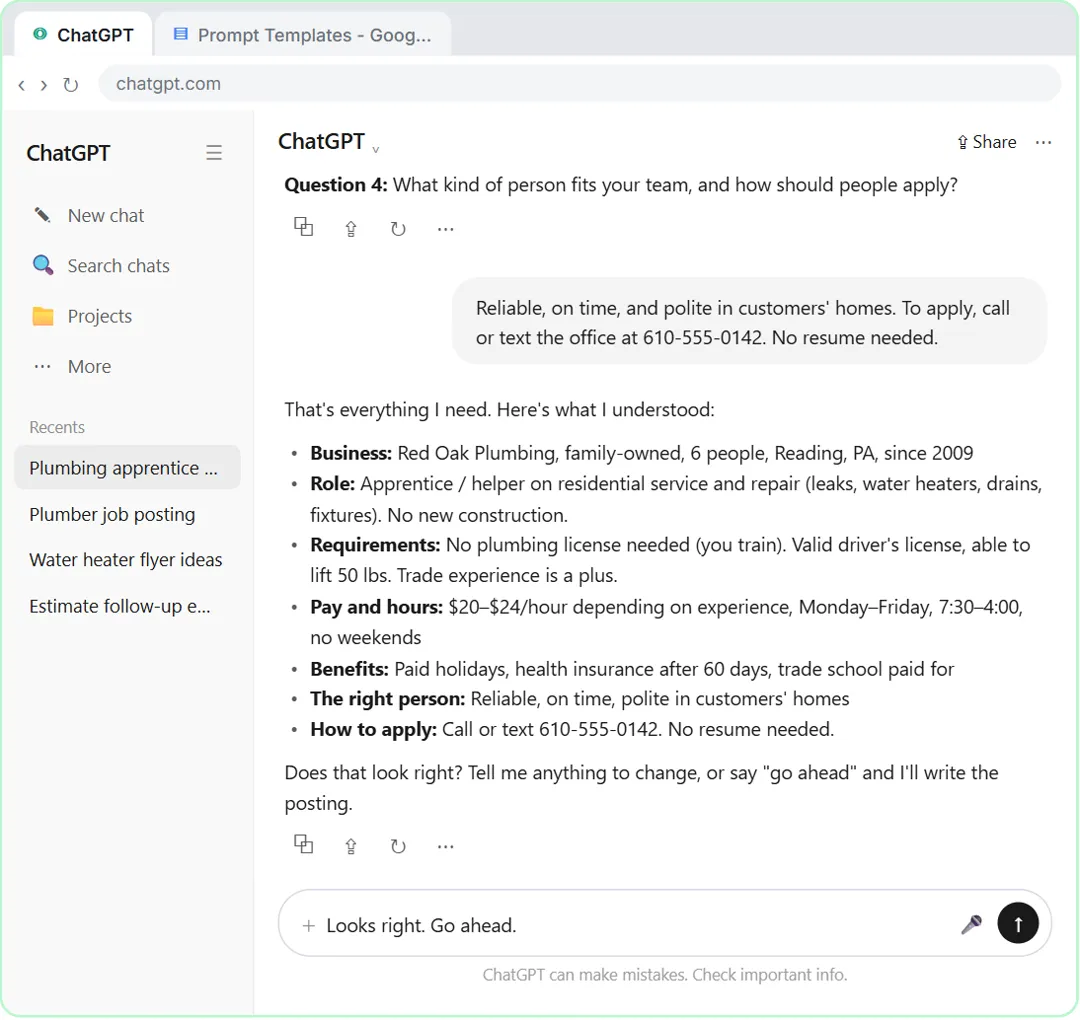
- Confirm the summary. ChatGPT stopped after 4 questions (you said up to 5) and summed up what it understood. Check every line. If something is wrong, say so. Everything is right here, so Paste in the reply.
Here it asked four questions, not five. You said up to five, and that's all it needed. Now it sums up what it understood and waits. This is your chance to catch a mistake before it's in the posting.
- Send your OK. Click the Send arrow.
Send it, and ChatGPT writes the posting.
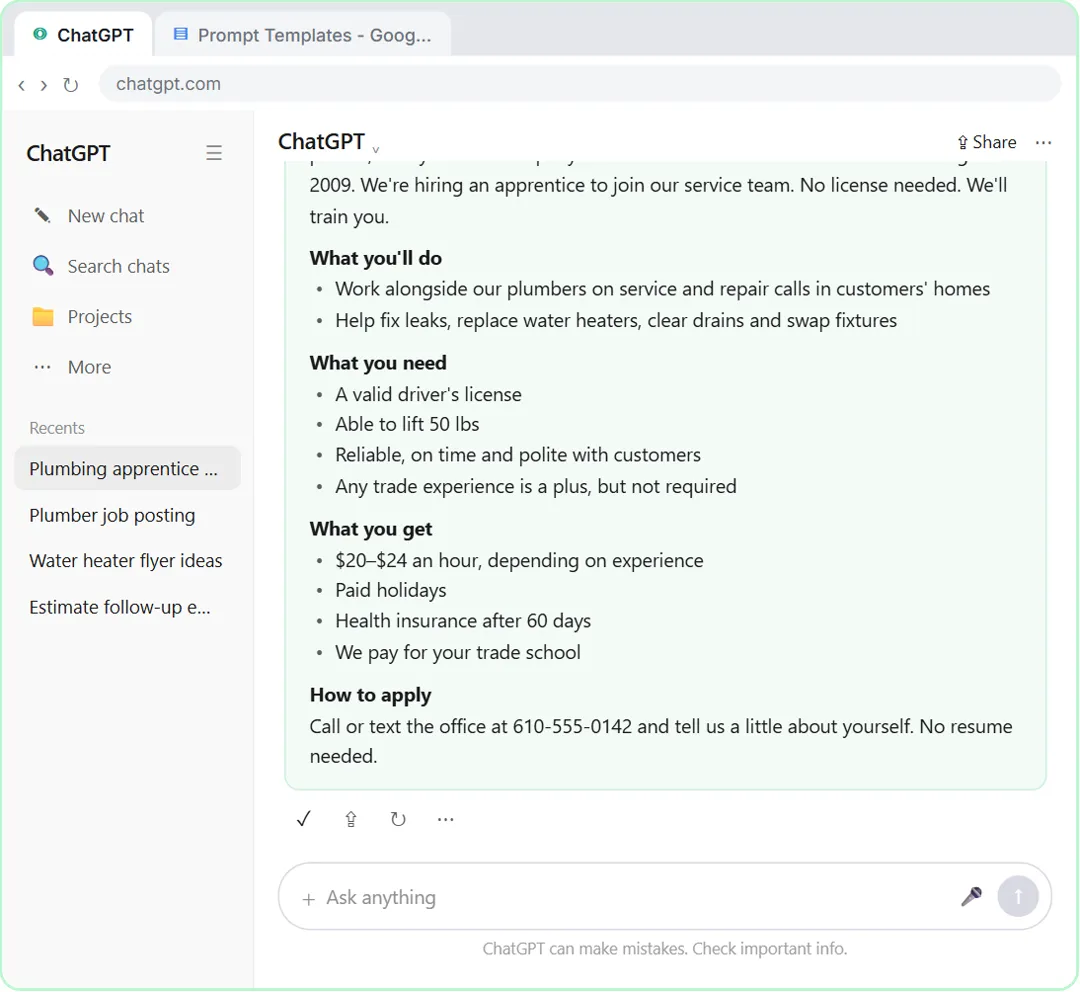
- Copy the posting. Compare it with the first one: your name, real pay, real hours, the right job, and how to apply. Nothing is blank or made up. Click the Copy icon under the posting. (Real ChatGPT may put the posting in its own box with a copy icon at the top right; either works.)
Now compare. Your company name, the real pay and hours, an apprentice job with training, and a phone number to call. No blanks, and nothing it made up. Still read it once before you post it.
5. Save the template
- Open the Google Docs tab. The posting is copied, ready for a job site or your website. Now save the prompt itself. Click the Google Docs tab at the top.
The posting is copied and ready for a job site, Facebook, or your website. But the real win is the prompt. Let's save it so you can use it for anything.
- Click into the document. This is your Prompt Templates doc. Click into the document.
This is a Google Doc called Prompt Templates, for the prompts worth keeping.
- Add a heading. Paste in the heading to add: Interview prompt
Give it a heading, so you can find it later.
- Paste the template. Paste in the template. It's the same interview prompt, with [WHAT YOU NEED] and [MY BUSINESS] left as blanks.
Here's the same prompt, with two blanks: what you need, and your business. Use it for a customer FAQ, a flyer, a quote email, anything where a generic answer won't do.
I need [WHAT YOU NEED] for [MY BUSINESS]. Before you write anything, interview me: ask me up to 5 questions, one at a time, and wait for my answer before you ask the next one. Don't make assumptions. When you have enough, sum up what you understood in a few bullet points and wait for my OK. Then write it.
Screenshots
Frequently asked questions
- What is the interview prompt?
- It's a prompt that tells ChatGPT to ask you questions before it writes: up to five, one at a time, with no assumptions, then a short summary for you to confirm. It's also called reverse prompting or the flipped interaction pattern.
- Why one question at a time?
- Because it keeps it a conversation. A long list of questions feels like a form, and people skip half of it. One at a time also lets each answer shape the next question.
- Does ChatGPT always ask exactly five questions?
- No. "Up to five" lets it stop when it has enough. In this lesson it asks four. In real use it may ask a different number or word them differently.
- Can I use this for things other than job postings?
- Yes. It works for customer FAQs, flyers, emails, quotes, plans and anything else where a generic answer isn't good enough. Just change the first line of the template.
- Is this lesson really free?
- Yes. Stepthrough is completely free, and the practice copy needs no accounts. To do it for real you need your own ChatGPT account; the free plan works for this.
More in Prompt Writing
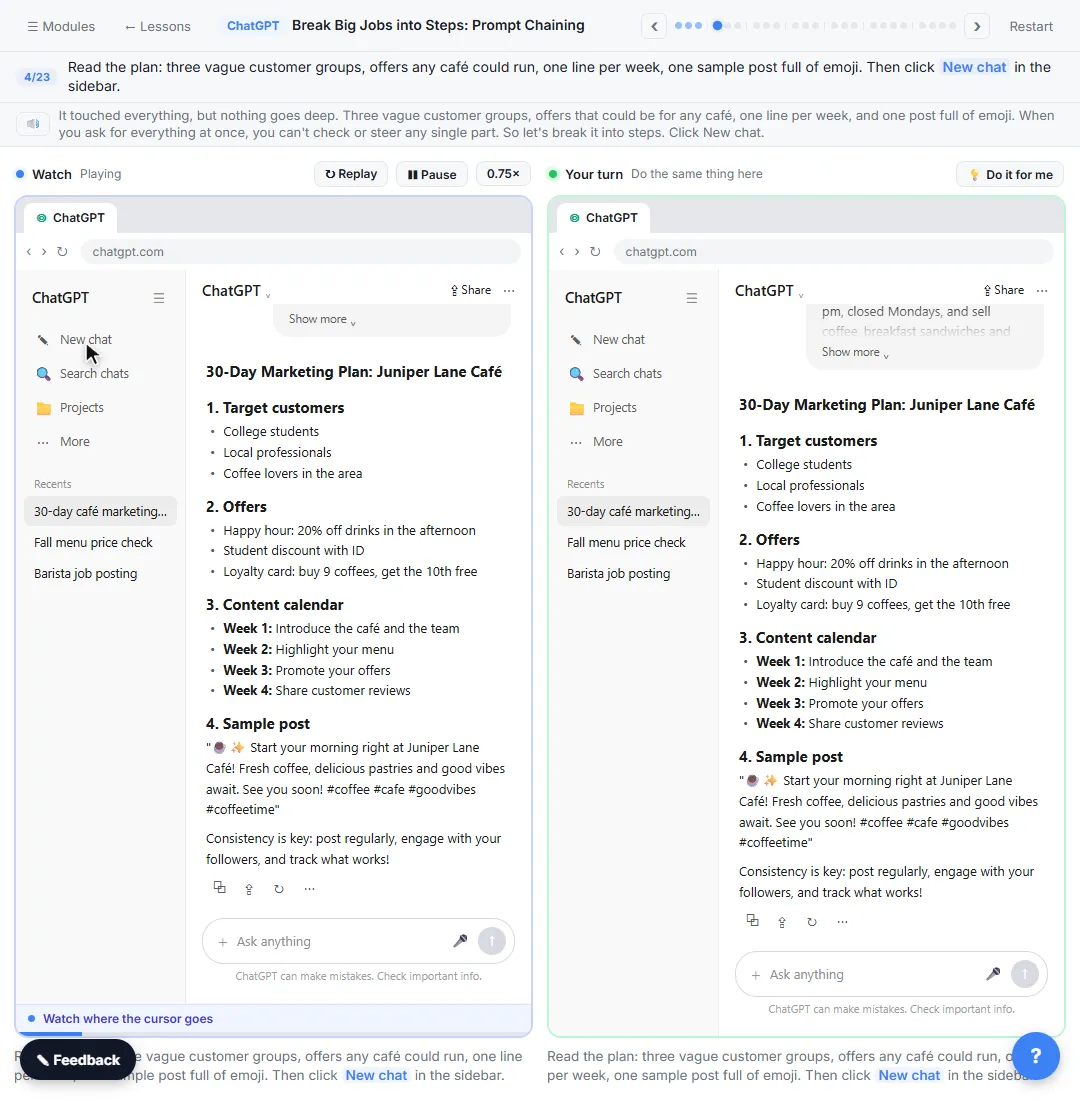 Break Big Jobs into Steps: Prompt Chaining for a Marketing Plan
Ask ChatGPT for a whole marketing plan in one prompt, then build a better one in four small steps: customers, offers, a calendar table and the posts.
Free · Live ~7 min
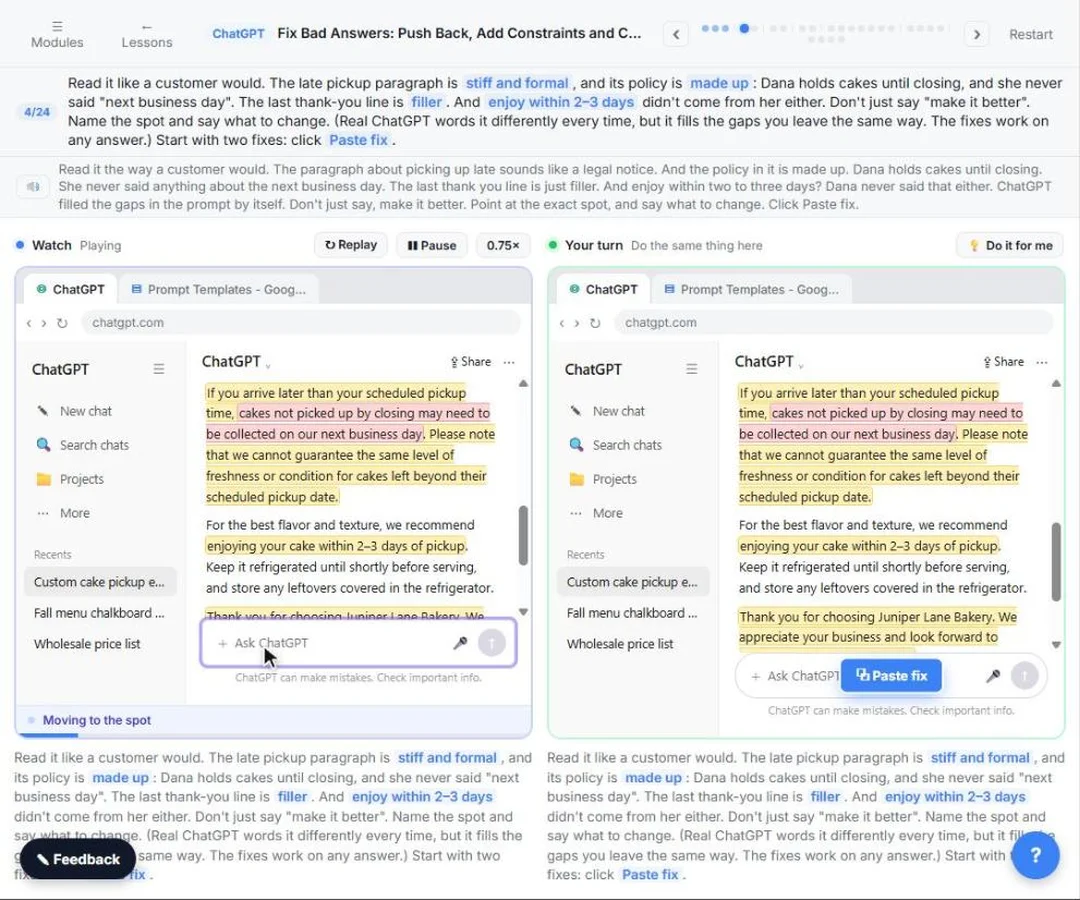 How to Fix Bad ChatGPT Answers: Push Back, Add Constraints and Check Facts
Leave gaps in a prompt and ChatGPT fills them: a stiff paragraph, a made-up policy and a made-up fact. Point at the exact problem, add constraints, ask what it assumed…
Free · Live ~7 min
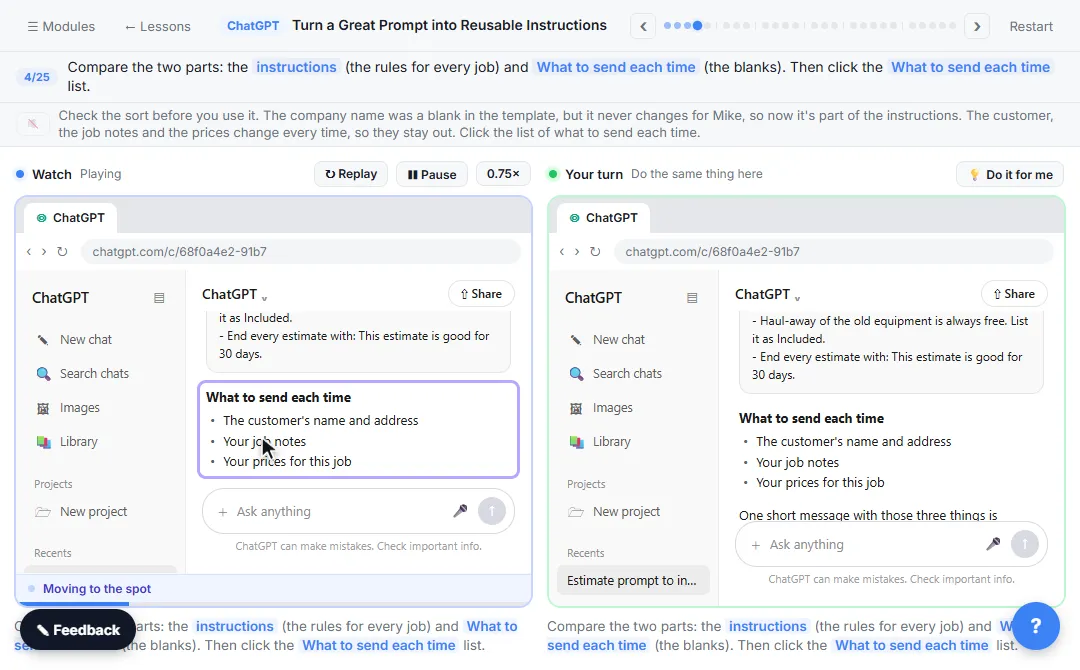 Turn a Great Prompt into Reusable Instructions
Take a prompt you paste every week, sort it into permanent rules and fill-in blanks, put the rules in a ChatGPT Project, and test it with a one-line request.
Free · Live ~7 min
All 6 modules in Prompt Writing
More ChatGPT tutorials
 Get Your Business Recommended by ChatGPT
Ask ChatGPT who it recommends in your town, see which pages it trusts, then use it to write an FAQ page and Business Profile copy that answer real customer questions.
Free · Live ~10 min
 Summarize a Meeting Transcript with ChatGPT
Paste a long meeting transcript into ChatGPT and get the decisions, an action items table with owners and due dates, and a follow-up email ready to send.
Free · Live ~9 min
 Reply Faster: Turn a Messy Customer Email Thread into a Clear, Friendly Reply
Turn a messy customer email thread into a clear, friendly reply: give ChatGPT the thread and your facts, check every promise, fix the tone, and send it from Gmail.
Free · Live ~9 min
 ChatGPT Projects: Keep Your Brand Voice, Files and Instructions in One Place
Set up a ChatGPT Project with your brand voice instructions, your price list and your style guide, so every new chat already knows your business.
Free · Live ~9 min
 Analyze a Spreadsheet with ChatGPT: Upload a CSV, Get a Chart and Three Takeaways
Upload a CSV of sales to ChatGPT, have it check the data first, ask your questions, get a chart you can download, and finish with the three takeaways that matter.
Free · Live ~10 min
 ChatGPT Work: Have ChatGPT Do a Multi-Step Task
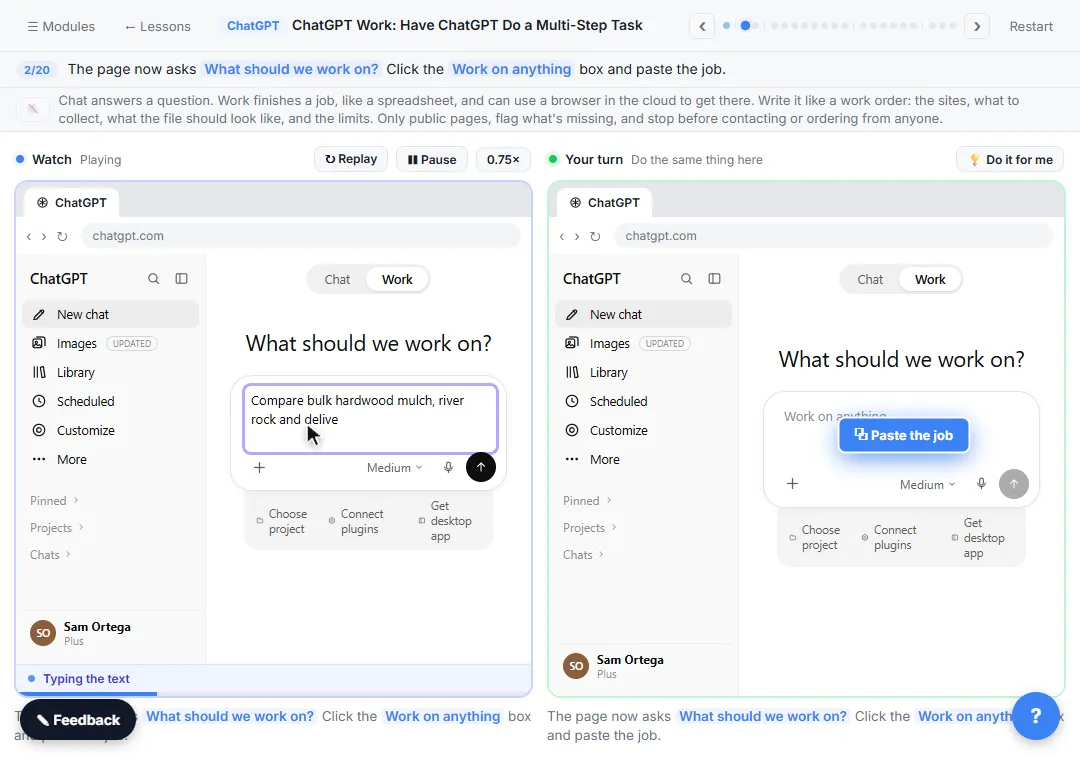
Switch ChatGPT to Work, hand it a real job (compare three suppliers into a spreadsheet), approve the sites it opens, skip a login, answer its question, check the file…
Free · Live ~8 min
Terms in this lesson
Plain-English definitions, each with an example from a free lesson.