If you're new to the idea, the ChatGPT interview prompts pack has the template and 13 variations. This page is about what goes wrong.
Mistake 1: Do you get a wall of questions at once?
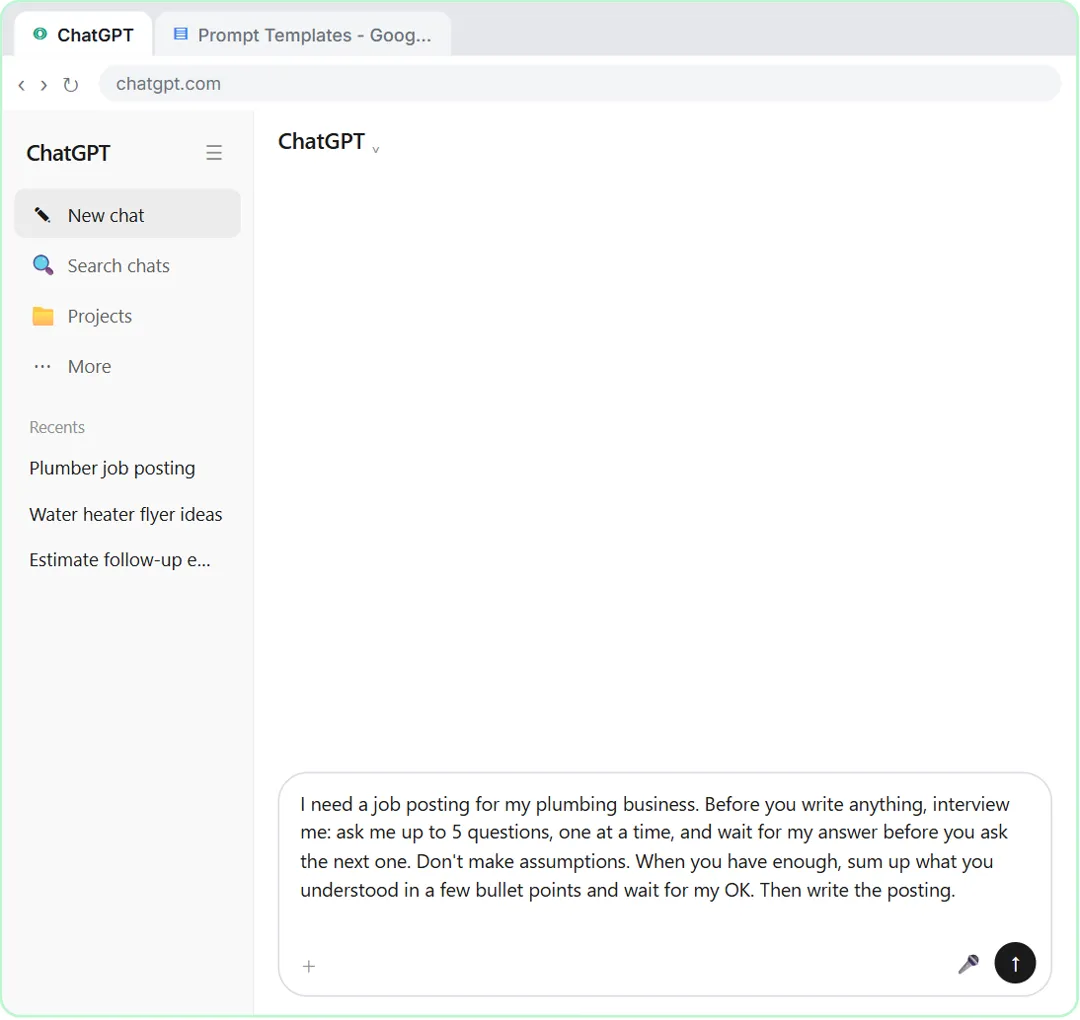
Ask "what do you need to know?" and ChatGPT may list ten questions in one message. That feels like a form, and most people answer half of them. Fix: say "ask me up to 5 questions, one at a time, and wait for my answer before you ask the next one."
The lesson explains why it matters: one at a time keeps it a short conversation, and each answer can shape the next question. In the lesson, once you say the role is an apprentice, the next question changes to match.
Mistake 2: Does ChatGPT start writing before you've finished?
Without a clear stop, ChatGPT may ask one question and then write a full draft anyway, or write after the third answer. Fix: start with "Before you write anything" and end with "When you have enough, sum up what you understood in a few bullet points and wait for my OK. Then write it."
If it still jumps ahead in a long chat, reply with one line: "Stop. Ask your next question and wait for my answer." Then carry on.
Mistake 3: Did you leave out "Don't make assumptions"?
The whole point is to stop ChatGPT guessing, and without this line it can still fill a gap it didn't ask about. Fix: keep "Don't make assumptions" in the prompt every time.
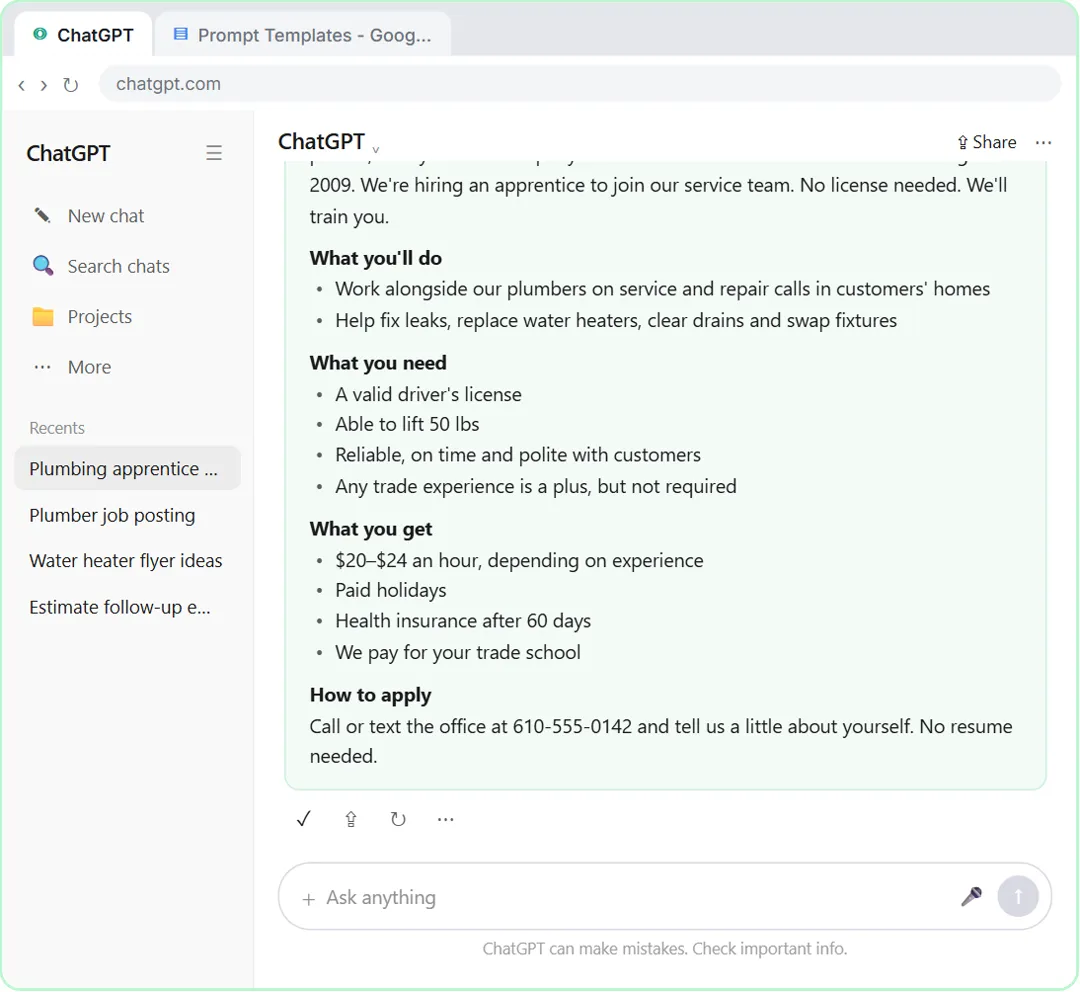
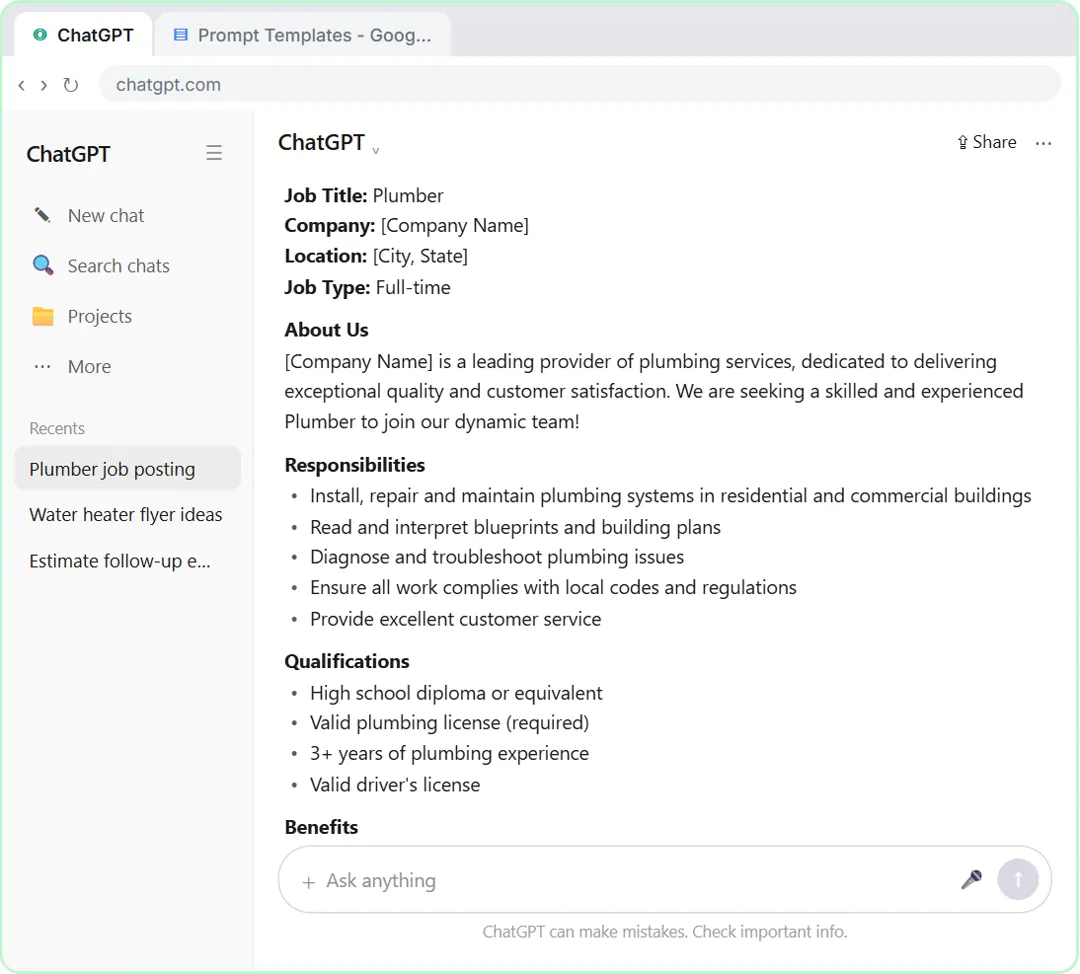
In the lesson, the quick prompt "Write a job posting for a plumber." comes back with blanks like [Company Name] and [City, State], requirements for an experienced, licensed plumber, and "Competitive salary" in place of real pay. Every one of those is a guess. The interview prompt's posting has the real business, the real pay range and hours, and a number to call. A hallucination is less likely when ChatGPT has been told to ask instead of assume.
Mistake 4: Do you skip the summary?
The summary is easy to wave through, since you just answered the questions. But it's your one quick moment to catch a misunderstanding before it ends up in the answer. Fix: read every line of the summary, correct anything wrong, and only then reply "Looks right. Go ahead."
In the lesson, the summary lists seven lines: business, role, requirements, pay and hours, benefits, the right person, and how to apply. Checking seven lines takes seconds. Finding the same mistake inside a finished posting, after it's live, takes longer and costs more.
Try it free, step by step
Make ChatGPT Ask You Questions First: The Interview Prompt. Ask for a job posting the quick way, then with the interview prompt: ChatGPT asks what it needs, one question at a time, and writes a posting you can actually use. You do every step yourself in a practice copy of ChatGPT, it checks your work as you go, and “Do it for me” finishes any step you get stuck on. Free, and nothing touches your real accounts.
Start the free lessonMistake 5: Are your answers too vague, or far too long?
"The usual" or "you know, normal hours" gives ChatGPT nothing, so it guesses again. Pasting a whole page in reply to one question buries what it asked for. Fix: answer each question in a sentence or two, with the real numbers and names.
The lesson's answers are a good model. Asked about pay and hours, the answer is one line with a pay range, the days and times, and three benefits. Asked how to apply: a phone number and "No resume needed." Short is fine. Specific is what matters.
Mistake 6: Do you keep going in the chat with the bad answer?
If you asked the quick way first and got a generic draft, that draft is still in the conversation and can steer what comes next. Fix: click New chat before you paste the interview prompt.
The lesson does exactly that. After the quick prompt's posting comes back full of blanks, the next step is New chat, then the interview prompt. One more thing the lesson points out: if ChatGPT's memory is on, it may fill in some details from your past chats, so the summary check matters even more. New chat or same chat? explains when to start fresh.
Mistake 7: Do you rewrite the prompt from scratch every time?
The interview prompt works for almost any writing job, but only if you can find it. Fix: save it once as a prompt template with two blanks, and reuse it.
The lesson's last step pastes it into a Google Doc called Prompt Templates under the heading "Interview prompt," with [WHAT YOU NEED] and [MY BUSINESS] as the blanks. Next time, fill in the two blanks and paste. The lesson's suggestions for reuse: a customer FAQ, a flyer, a quote email, or anything where a generic answer won't do.
How do you avoid these mistakes as a team?
Share one version of the prompt and agree on a few habits:
- One template: keep the interview prompt in a shared Prompt Templates doc, with the two blanks. Don't let everyone write their own.
- New chat for new work: start each interview in a new chat.
- Short, real answers: a sentence or two, with actual numbers, names and dates.
- Read the summary: nobody says "go ahead" until every line is right.
- Check before it goes out: a person reads the finished answer for names, numbers and promises.
- Leave private details out: answer with what the writing needs, not customer or staff records.
The lesson takes about 6 minutes, runs in a practice copy, and works with a free ChatGPT account when you do it for real. It's module 4 of the Better Prompts course, after Prompt Writing 101.
Key takeaways
- "Up to 5 questions, one at a time" stops the wall of questions.
- "Before you write anything" and "wait for my OK" stop ChatGPT from jumping ahead.
- Keep "Don't make assumptions" in every version.
- Read the summary line by line. It is the cheapest place to fix a mistake.
- Answer briefly with real details, start a new chat, and save the prompt as a template.
Frequently asked questions
- Why does ChatGPT ask all its questions at once?
Because you didn't tell it not to. Add "one at a time, and wait for my answer before you ask the next one" to the prompt.
- Why did ChatGPT ask fewer questions than I said?
The lesson's prompt says "up to 5," so ChatGPT can stop when it has enough. In the lesson it asks four. Real ChatGPT may also word its questions differently or ask them in a different order; answer what it asks.
- What if ChatGPT's summary is wrong?
Say so before it writes. Tell it what's wrong and the right version, and ask it to show the corrected summary and wait again.
- Is Red Oak Plumbing a real business?
No. Red Oak Plumbing and its phone number are made up for the lesson.

![Prompt of the day. The text to send after a missed call. Role: You write the automatic text [BUSINESS] sends when we miss a call. It should sound like a person at our office, not a robot. Context: Our hours: [HOURS]. Our callback promise: [CALLBACK TIME]. For urgent problems: [URGENT OPTION]. Ask the caller to text us: [WHAT TO ASK]. Don't quote prices, diagnose problems, promise a visit time or ask for payment details. Part 1 of 2. Replace every [BLANK] with your own details.](/content/visual/prompt-missed-call-text-back/01-540.webp)