Keep going in the same ChatGPT chat when the next request builds on what's already there, like turning a meeting summary into a follow-up email, and click New chat when a bad answer would steer the next one or when you move on to a different customer or task. This guide is for office staff and owners who use ChatGPT every day, and the free Summarize a Meeting Transcript lesson shows both habits in nine minutes.
It sounds like a small thing. In practice, the choice between "keep going" and "start fresh" decides whether you re-paste a long transcript, whether a vague first answer keeps leaking into later ones, and whether one client's details end up in another client's email.
Does ChatGPT remember what you said earlier in a chat?
Yes. Within one chat, ChatGPT can see everything you and it have already written, so you can ask follow-up questions without repeating yourself. A new chat starts with a blank page.
That is the whole reason the choice matters. Everything in a chat acts as context for the next answer: your facts, your corrections, and also any wrong turns. ChatGPT may also carry some details between chats if its memory feature is turned on in your settings, but you shouldn't rely on that for work. If an answer depends on a fact, put the fact in the chat you're using.
When should you keep going in the same chat?
Stay in the same chat when your next request depends on what's already there. Asking for the next step is faster and more accurate than starting over.
The meeting lesson is built around this. You paste a request and the Harbor Street Bakery transcript (a made-up bakery), and ChatGPT returns a summary, decisions, an action items table and open questions. Two due dates say "Not stated" because nobody said them out loud. Then, in the same chat:
- You fill in the gaps: "The library quote is due Wednesday, and Luis will call about the oven today." ChatGPT updates the table.
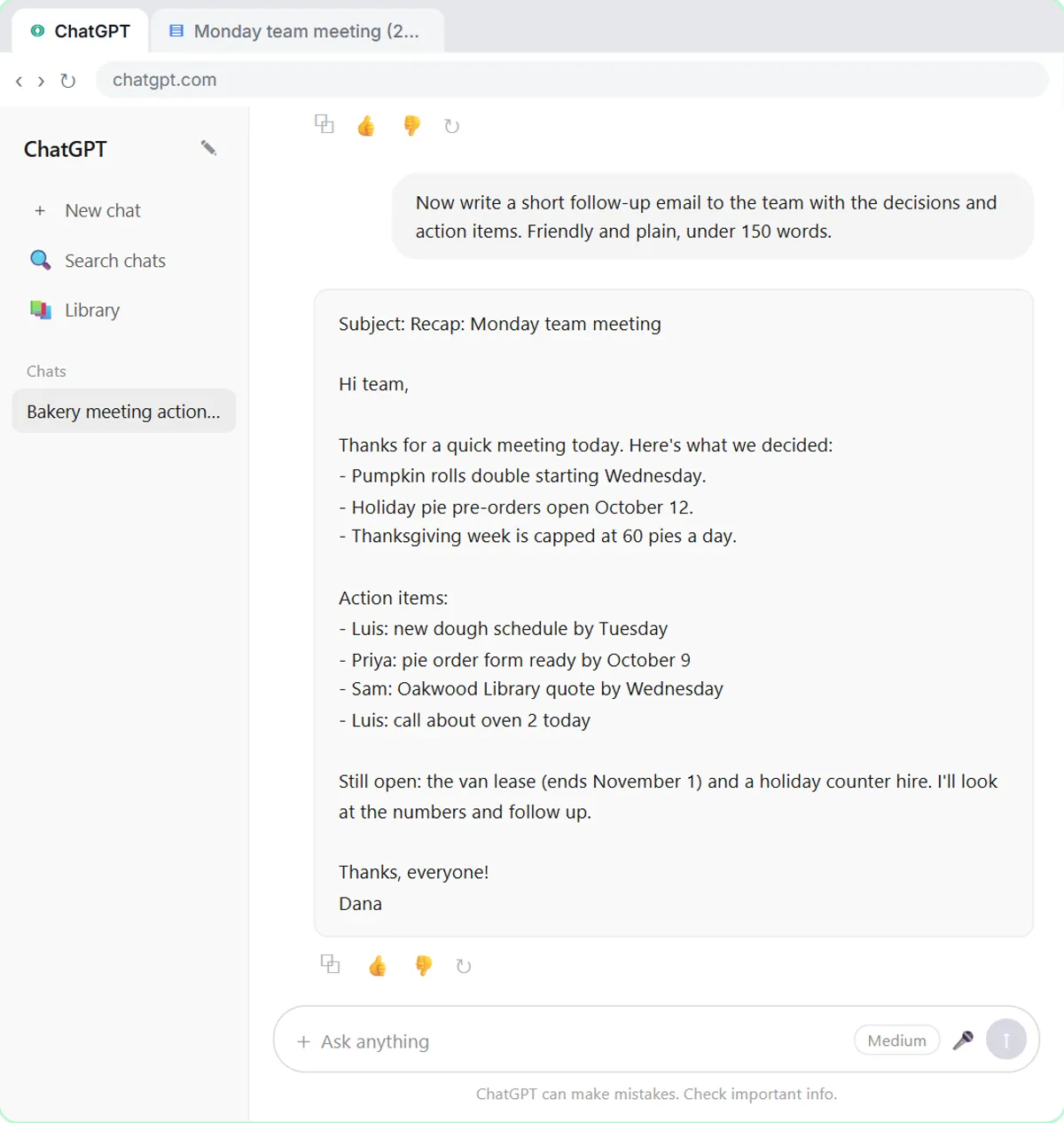
- You ask for the next thing: "Now write a short follow-up email to the team with the decisions and action items. Friendly and plain, under 150 words."
The lesson puts it plainly: because ChatGPT still has the whole meeting in this chat, you don't need to paste anything again. The follow-up email also uses the corrected dates, because the correction happened in the same conversation.
The Reply Faster lesson works the same way. After the first draft of a customer reply, you stay in the chat to ask ChatGPT to check every promise against your facts, then to fix the one line that overpromised. Each step needs the draft and the facts from earlier. A new chat would lose both.
When should you start a new chat?
Start a new chat when the earlier conversation would hurt the next answer. There are three common cases.
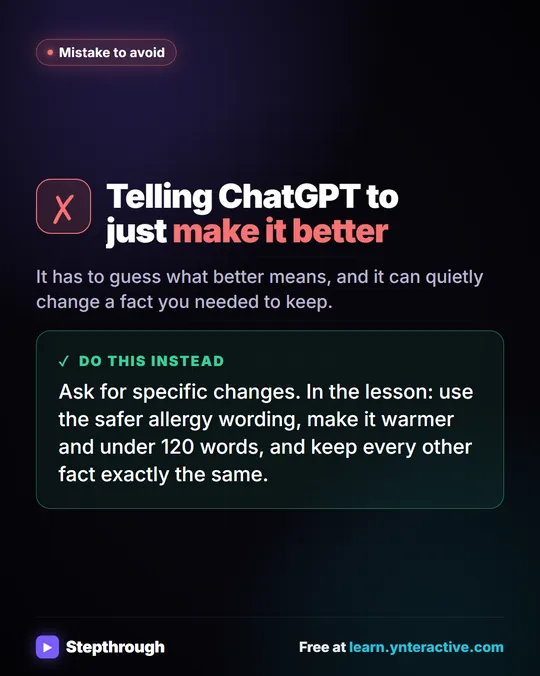
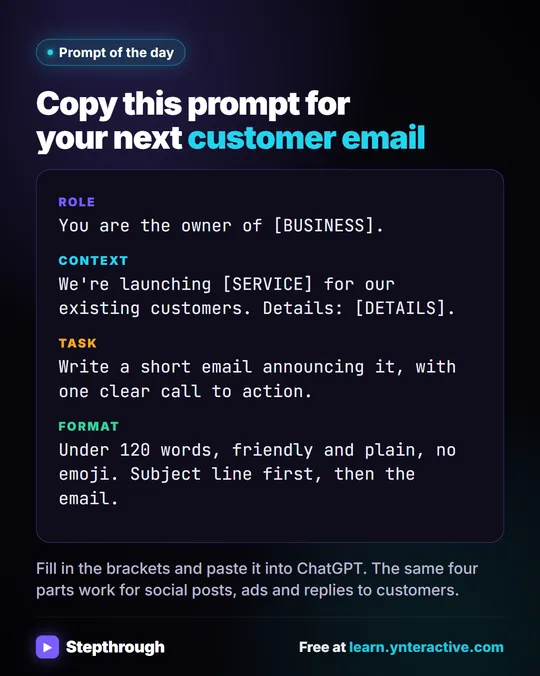
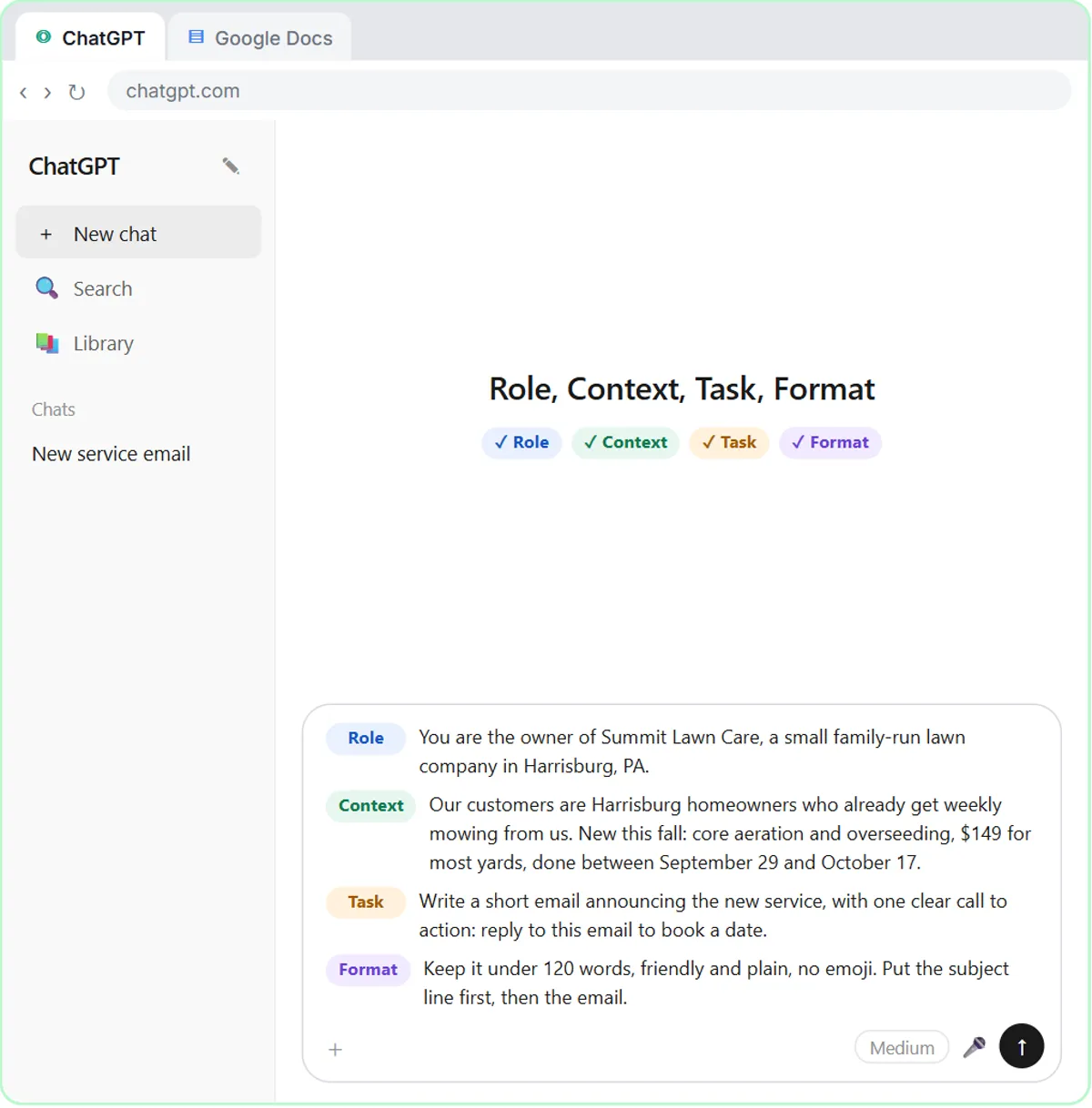
After a bad answer you're replacing, not fixing. In the Prompt Writing 101 lesson, you first send "Write an email to my customers about our new service." The answer is generic, starts with "Dear Valued Customer," has emoji in the subject line and blanks like [Your Company Name]. The lesson then has you click New chat before writing the better, four-part prompt. A clean chat means the structured prompt gets judged on its own, with no leftover generic draft for ChatGPT to lean on.
When you switch customers or clients. Each customer's email thread belongs in its own chat. That keeps one person's order details, names and dates from slipping into another person's reply, and it keeps each conversation easy to find later. It's also a privacy habit: share only what the task needs, leave out card numbers, account numbers and health details, and follow your company's rules. A business ChatGPT account that doesn't train on your data is the safer choice for client work.
When you start a different task. A meeting recap and a customer apology have nothing to share. A fresh chat with one clear request beats a long chat where ChatGPT has to work out which parts still apply.
How do you know a chat has gone wrong?
If you've corrected the same thing twice and it keeps coming back, start over. Signs to watch for:
- The answers keep drifting back to an earlier draft you already rejected.
- ChatGPT mixes up details, such as an old date or a different customer's name.
- You've changed the goal partway through, and the answers still aim at the old one.
When you start over, don't just paste "try again." Write the request properly in the new chat: the role, the facts and the format you want. The four-part prompt from How to Write Better ChatGPT Prompts is a good default.
Try it free, step by step
Summarize a Meeting Transcript with ChatGPT. Paste a long meeting transcript into ChatGPT and get the decisions, an action items table with owners and due dates, and a follow-up email ready to send. You do every step yourself in a practice copy of ChatGPT, it checks your work as you go, and “Do it for me” finishes any step you get stuck on. Free, and nothing touches your real accounts.
Start the free lessonHow do you start a chat cleanly with a file?
When the material is a file, start a new chat and attach it instead of pasting. The meeting lesson shows the steps:
- Click New chat.
- Click the + button on the left of the message box.
- Click Add photos & files, pick the file (in the lesson, Monday team meeting - Transcript.docx) and click Open. You can also drag a file onto the chat.
- Type one line saying what you want, such as: "Summarize this meeting transcript: decisions, action items with owner and due date, and open questions. If an owner or date isn't said, write 'Not stated'."
A new chat plus one file plus one clear request is about as clean a start as you can get.
How do you add text without sending the message too early?
Press Shift+Enter for a new line in the ChatGPT message box; plain Enter sends the message. The meeting lesson points this out right before you paste the transcript under your request.
This matters more than it seems. If Enter sends your request before the transcript is in, ChatGPT answers a half-finished message, and you now have a confusing first answer in your chat. If that happens early, it's often simplest to start a new chat and send the whole thing in one message.
Is there a simple rule of thumb?
Same task, same customer, building on the last answer: stay. New task, new customer, or a bad start you want to forget: new chat.
A few habits help either way:
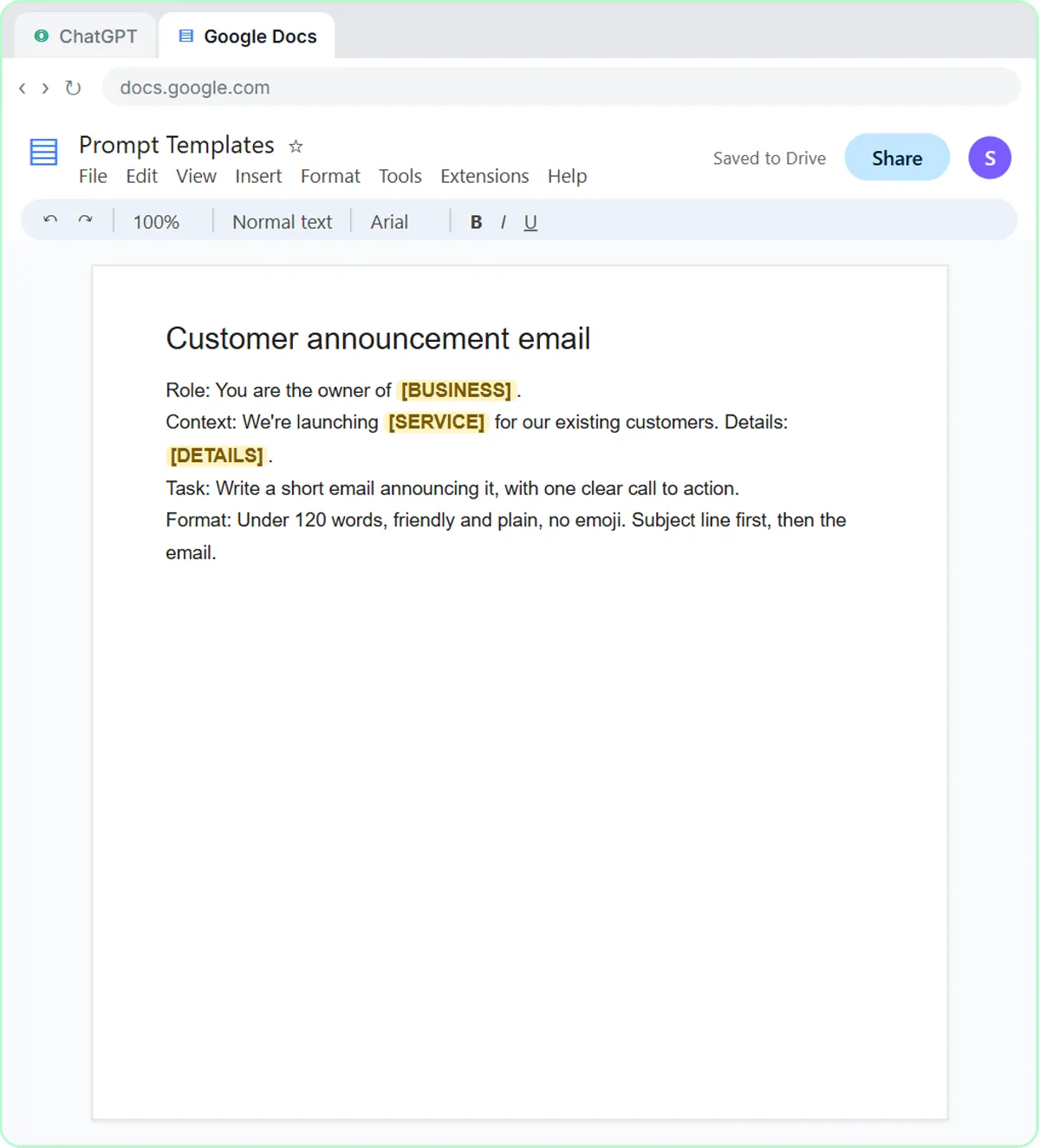
- Keep reusable prompts outside ChatGPT. The prompt lesson saves its template in a Google Doc called Prompt Templates, so starting a new chat costs you one paste.
- Name the facts every time they matter. Don't count on ChatGPT remembering a price from a different chat.
- Read the final answer before it goes anywhere. Whatever chat it came from, you're the one sending it.
All three lessons are free and run in practice copies. Any ChatGPT plan works to start, including the free plan, within its limits; paid and business plans add more. The ChatGPT Jump Start path puts them in order, and How to Use ChatGPT for Work explains what each one teaches.
Key takeaways
- Within one ChatGPT chat, earlier messages act as context, so follow-up requests don't need re-pasted material.
- In the meeting lesson, the follow-up email is requested in the same chat, so it uses the corrected due dates without pasting the transcript again.
- The Prompt Writing 101 lesson clicks New chat after a vague answer so the structured prompt starts clean.
- A separate chat for each customer or client avoids mix-ups and keeps private details out of other conversations.
- In ChatGPT, Shift+Enter adds a new line and Enter sends the message.
Frequently asked questions
- Does ChatGPT remember other chats?
Within a chat, yes. Across chats, only if a memory feature is on in your settings, and even then you shouldn't rely on it for facts like prices or dates. Paste the facts into the chat you're using.
- Is a long chat bad?
Not by itself. A long chat about one task is fine. Start fresh when answers start mixing up details or drifting back to something you rejected.
- Should I use one chat per customer?
Yes. One chat per customer or client keeps details from mixing and makes each conversation easier to find later.
- How do I add a line break without sending?
Press Shift+Enter. Plain Enter sends the message in ChatGPT.
- Is Harbor Street Bakery a real business?
No. Harbor Street Bakery, its team and its meeting are made-up examples used in the lesson.