To write better ChatGPT prompts, give every request four short parts: Role (who is writing), Context (the facts ChatGPT can't guess), Task (exactly what you want back) and Format (length, tone and layout). This guide is for small-business owners and office staff who get generic answers, and the free Prompt Writing 101 lesson lets you practice the four parts in about 8 minutes, with no account.
Ask ChatGPT to "write an email to my customers about our new service" and you'll get something back in seconds. It will start with "Dear Valued Customer." There will be an emoji in the subject line. And there will be blanks everywhere: [Your Company Name], [Service Name], [Date].
That isn't ChatGPT being bad at writing. It's ChatGPT guessing, because the prompt didn't tell it anything. It doesn't know your business, your customers, your price or your dates, so it writes something that fits everyone and no one.
The fix isn't clever wording. It's the four parts, shown below in a real before-and-after from the lesson, plus a template you can reuse.
What does a vague prompt look like?
A vague prompt is one sentence with no facts, and it gets back placeholders and filler. Here's the prompt most people type:
Write an email to my customers about our new service.
It's a real request, but it gives ChatGPT almost nothing to work with. So it fills the gaps with placeholders and marketing filler. You then spend ten minutes rewriting it, which is about how long it would have taken to write the email yourself.

How do I write the same request in four parts?
Write one short sentence for each part (Role, Context, Task, Format) and send them together in one message. In the lesson, you're the owner of Summit Lawn Care, a small family-run lawn company in Harrisburg, PA. You start a new chat and build the prompt one part at a time.
Role: who is writing.
You are the owner of Summit Lawn Care, a small family-run lawn company in Harrisburg, PA.
One line sets the voice for everything that follows. An owner writing to their own customers sounds different from a marketing department.
Context: the facts it can't guess.
Our customers are Harrisburg homeowners who already get weekly mowing from us. New this fall: core aeration and overseeding, $149 for most yards, done between September 29 and October 17.
This is the part most people skip, and it's the part that removes the blanks. Who the customers are, what the service is, what it costs and when it happens.
Task: exactly what you want back.
Write a short email announcing the new service, with one clear call to action: reply to this email to book a date.
Say what to produce and what the reader should do next. One email, one next step.
Format: length, tone and layout.
Keep it under 120 words, friendly and plain, no emoji. Put the subject line first, then the email.
This is where you rule out the things you'd otherwise delete by hand: the emoji, the fluff, the 300-word ramble.
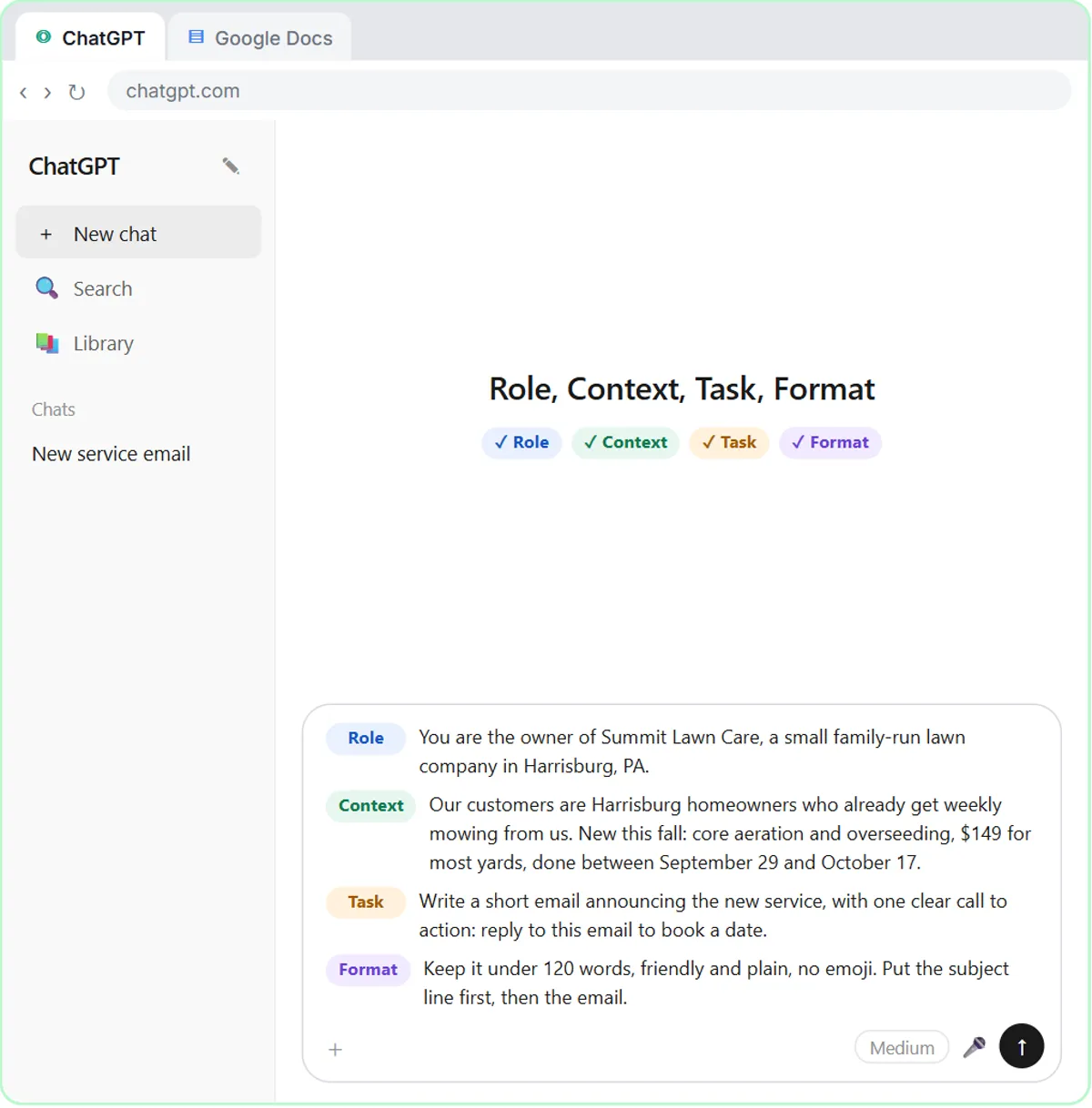
Send that, and you get an email you could actually send: the real company name, the $149 price, the real dates and one clear call to action, in under 120 words.
Why do the four parts work?
The four parts work because they are the briefing you'd give a new employee, and each part removes one kind of guessing. Think about what a new employee would need to write this email. They'd need to know who they're writing as, who the customers are, the details of the offer, what you want the customer to do, and roughly how long and how formal it should be. That's all a structured prompt is: the briefing you'd give a person.
Each part removes one kind of guessing:
| Part | What it answers | What goes wrong without it |
|---|---|---|
| Role | Who is writing? | A generic corporate voice |
| Context | What facts does it need? | Placeholders like [Your Company Name] |
| Task | What exactly should it produce? | No clear call to action |
| Format | How long, what tone, what layout? | Emoji, filler and a reply that's far too long |
Building the prompt one part at a time also makes weak answers easy to fix. If the blanks come back, you left out Context. If the emoji return, you forgot Format. Check which of the four parts is missing, add it, and ask again.
How do I save a prompt as a template?
Paste a prompt that worked into a shared Google Doc, with blanks where the details change. The last step in the lesson is the one that saves you the most time over a year. You open a Google Doc called Prompt Templates, add a heading ("Customer announcement email"), and paste the same prompt with blanks where the details change:
Role: You are the owner of [BUSINESS].
Context: We're launching [SERVICE] for our existing customers. Details: [DETAILS].
Task: Write a short email announcing it, with one clear call to action.
Format: Under 120 words, friendly and plain, no emoji. Subject line first, then the email.
Next time, you copy it into ChatGPT and fill in the brackets. No blank box, no guessing.
Do this every time a prompt gives you a good result, and within a few weeks you'll have a small library your whole team can use: announcements, review replies, job posts, social posts, quote follow-ups. Everyone gets faster, and everything sounds more like your business.
Try it free, step by step
Prompt Writing 101: Role, Context, Task, Format. Ask ChatGPT for the same customer email twice, once vaguely and once with a four-part prompt, and see exactly why structure gets a better answer. You do every step yourself in a practice copy of ChatGPT, it checks your work as you go, and “Do it for me” finishes any step you get stuck on. Free, and nothing touches your real accounts.
Start the free lessonWhat prompt mistakes should I avoid?
The four most common prompt mistakes are asking in one sentence, leaving out your facts, forgetting the next step and not setting a length.
- Asking in one sentence and hoping. ChatGPT can't read your mind, so it guesses.
- Leaving out the facts only you know. Your prices, dates, service area and customers are the whole point of the email.
- Forgetting the next step. If you don't say what the reader should do, the email ends without asking them to do anything.
- Not setting a length. Say "under 120 words" and you won't be trimming a 300-word reply by hand.
Where else can I use the four-part prompt?
The four-part prompt works for meeting notes, customer replies and other AI tools, not just announcements.
- Meeting notes. In Summarize a Meeting Transcript, the request names exactly what to return (a summary, decisions, an action items table and open questions) and adds one rule: write "Not stated" when an owner or date is missing. That's Task and Format doing the heavy lifting.
- Customer replies. In Reply Faster, the Context is a numbered list of facts you're allowed to promise, and the Format sets the tone and a word limit. Then you have ChatGPT check its own draft against those facts.
- Other AI tools. Role, Context, Task and Format work in most AI chat tools, not just ChatGPT. You'll see the same structure in the system prompts inside the n8n tutorials.
If you want to go further, the ChatGPT Jump Start path puts these lessons in order.
Key takeaways
- A good ChatGPT prompt has four parts: Role, Context, Task and Format.
- Placeholders like [Your Company Name] mean the prompt left out Context, such as your business, price and dates.
- Setting a Format, like "under 120 words, no emoji," saves trimming and editing by hand.
- Saving prompts that work in a shared Prompt Templates doc lets a whole team reuse them.
- Role, Context, Task and Format work in most AI chat tools, including Claude, Gemini and Copilot.
Frequently asked questions
- What are the four parts of a good ChatGPT prompt?
Role (who is writing), Context (the facts ChatGPT can't guess), Task (exactly what you want back) and Format (length, tone and layout).
- Why does ChatGPT fill my emails with [Your Company Name]?
Because the prompt didn't include your company name or details. Give it the context, like your business, price and dates, and it writes the real details instead of placeholders.
- How long should a prompt be?
Long enough to cover the four parts. In the lesson that's four short sentences, and the answer improves a lot.
- Do I need a paid ChatGPT plan for this?
No. Structured prompts work on any plan, including the free one. The practice copy in the lesson needs no account at all.
- Does this work in Claude, Gemini or Copilot?
Yes. The four parts aren't a ChatGPT feature. They're just the information any AI assistant needs to stop guessing.



