This guide is for office workers, managers and owners who use ChatGPT a little and want a plan instead of a pile of tutorials.
Why does the order matter when learning AI?
Because every advanced skill is built on the basic ones. An AI agent in n8n is a prompt plus tools; if the prompt is vague, the agent is vague. An automation that drafts emails is only as good as your habit of checking drafts. Skipping ahead means debugging two things at once: the tool and your prompt.
The order below goes from "talk to it well" to "let it work on its own," one new idea per step.
Step 1: How do I write a prompt that works?
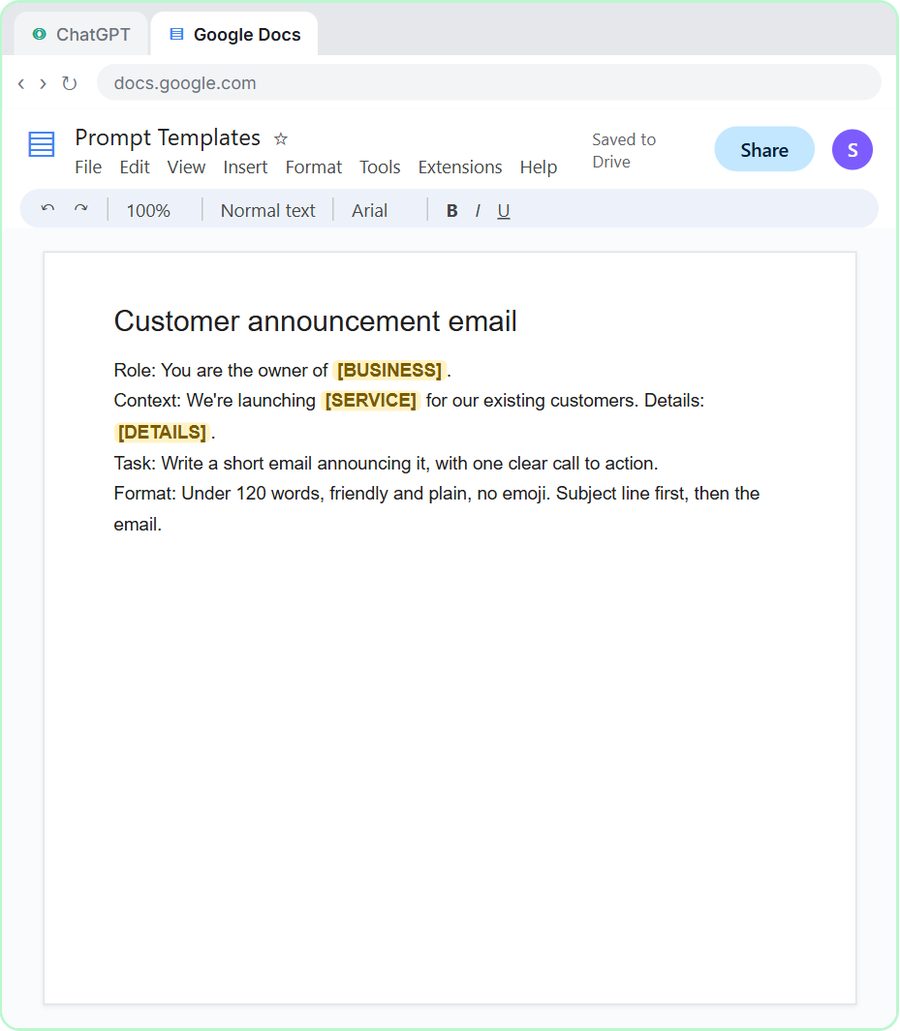
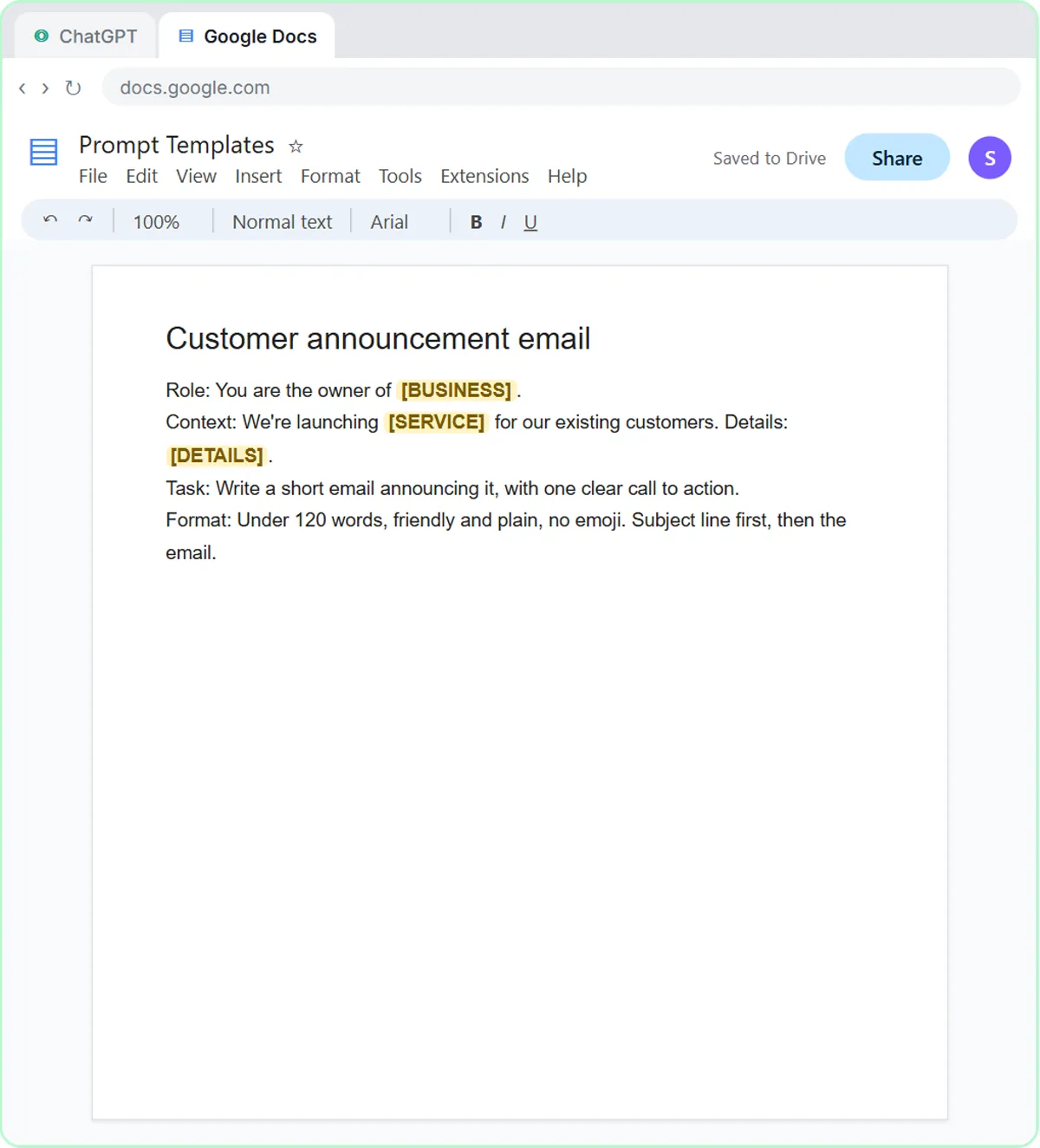
Learn the four parts: Role, Context, Task and Format. Prompt Writing 101 (8 minutes) asks ChatGPT for the same customer email twice. The vague version comes back long, generic and full of blanks like [Your Company Name]. The four-part version comes back specific, short and ready to send. Then you save the prompt as a template in a Google Doc.
That one lesson changes most people's results more than anything else on this list. The lesson's example business is a made-up lawn company; AI for Lawn Care Businesses shows how that kind of business uses the same prompt. How to Write Better ChatGPT Prompts covers the four parts in more depth.
Step 2: Which real tasks should I practice on?
Two you already do every week, so the practice pays off immediately. The most common at work are tricky emails and meeting follow-ups:
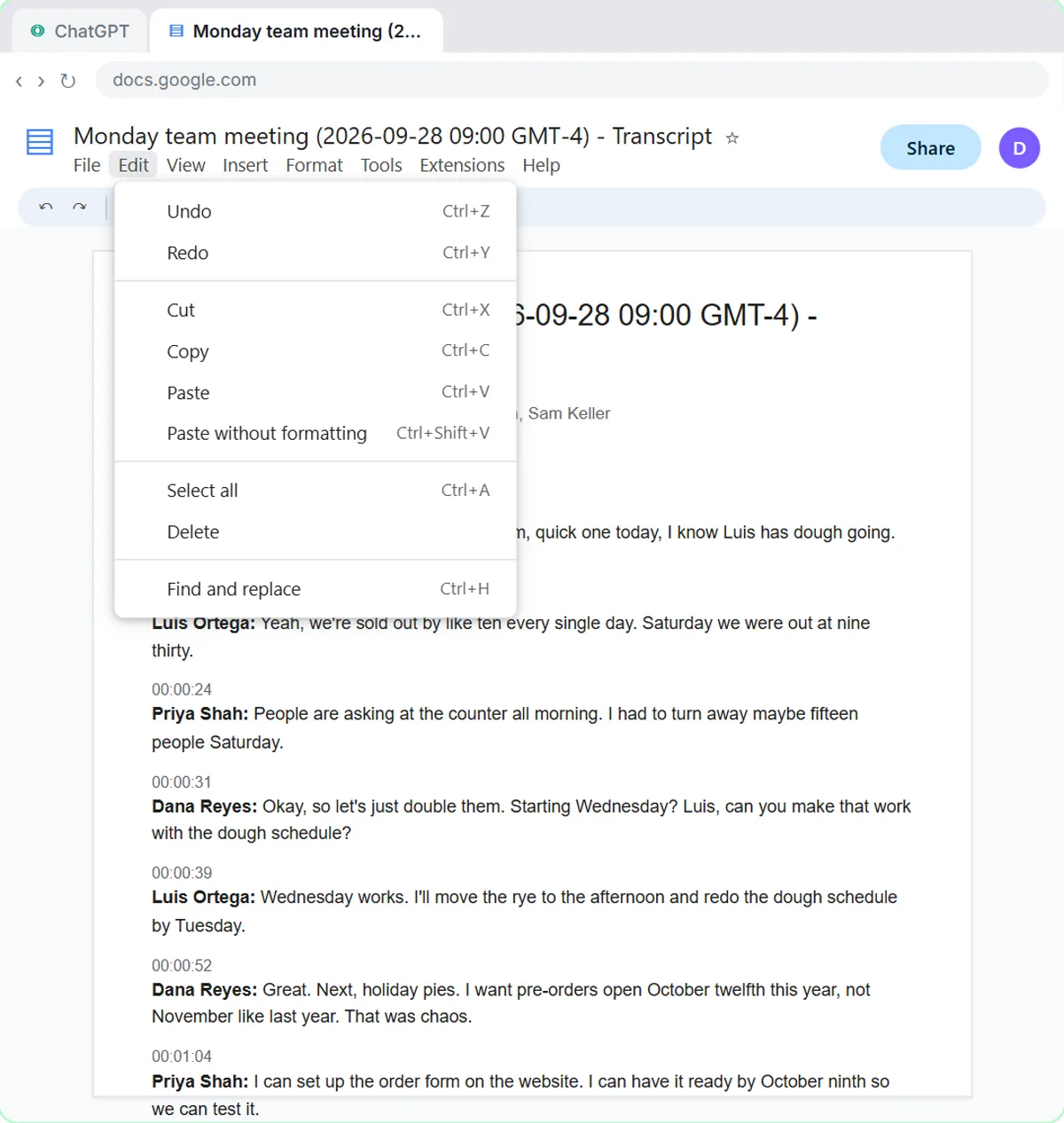
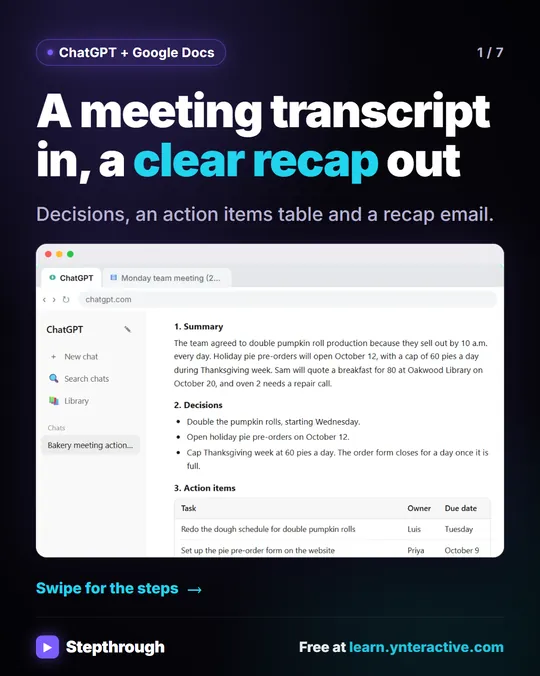
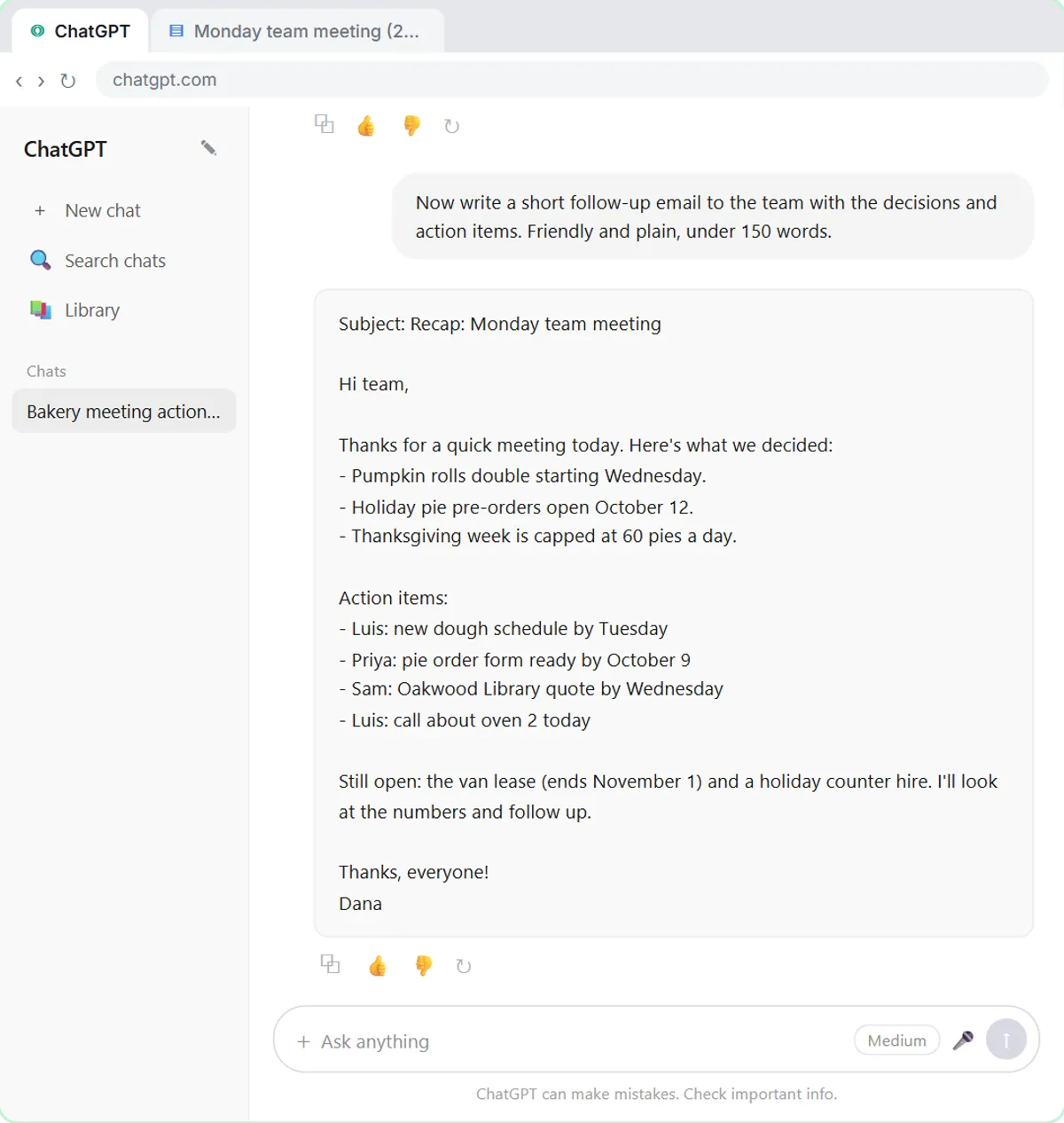
- Summarize a Meeting Transcript (9 minutes): paste a transcript under a request for a summary, the decisions, an action items table with owners and due dates, and open questions, with "Not stated" for anything missing. Then turn it into a follow-up email.
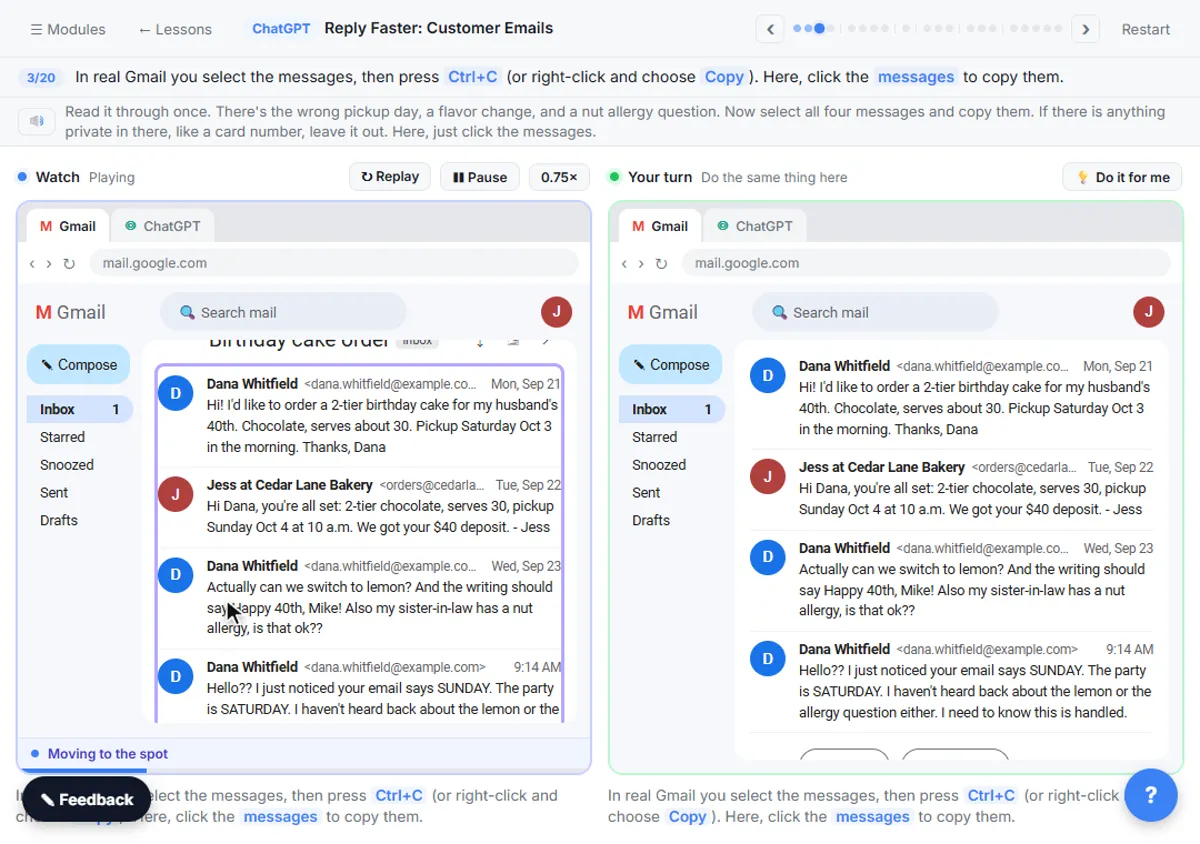
- Reply Faster: Customer Emails (9 minutes): paste a messy thread plus the facts you can promise, and get a calm, accurate reply.
Once those two feel easy, use the same skills on a bigger job, like How to Write an SOP with ChatGPT. There are versions for accounting, law, insurance and recruiting if one fits your job better; the ChatGPT tool page lists them, and the ChatGPT jump-start path puts the basics in order.
Try it free, step by step
Reply Faster: Turn a Messy Customer Email Thread into a Clear, Friendly Reply. Turn a messy customer email thread into a clear, friendly reply: give ChatGPT the thread and your facts, check every promise, fix the tone, and send it from Gmail. You do every step yourself in a practice copy of ChatGPT, it checks your work as you go, and “Do it for me” finishes any step you get stuck on. Free, and nothing touches your real accounts.
Start the free lessonStep 3: How do I know when AI is wrong?
Make checking a habit, with a prompt that does the checking for you. In the Reply Faster lesson, the first draft sounds great and still promises something the facts don't support. The fix is one prompt:
Check that reply against my facts. Make a table of every promise or claim in it and the fact that backs it up. Flag anything the facts don't support.
This is the most important habit in the whole list. It's what makes AI safe to use on real customer emails, and it's what you'll rely on later when an automation drafts replies for you. How to Stop ChatGPT from Making Things Up has more guardrails.
Step 4: What should my first automation be?
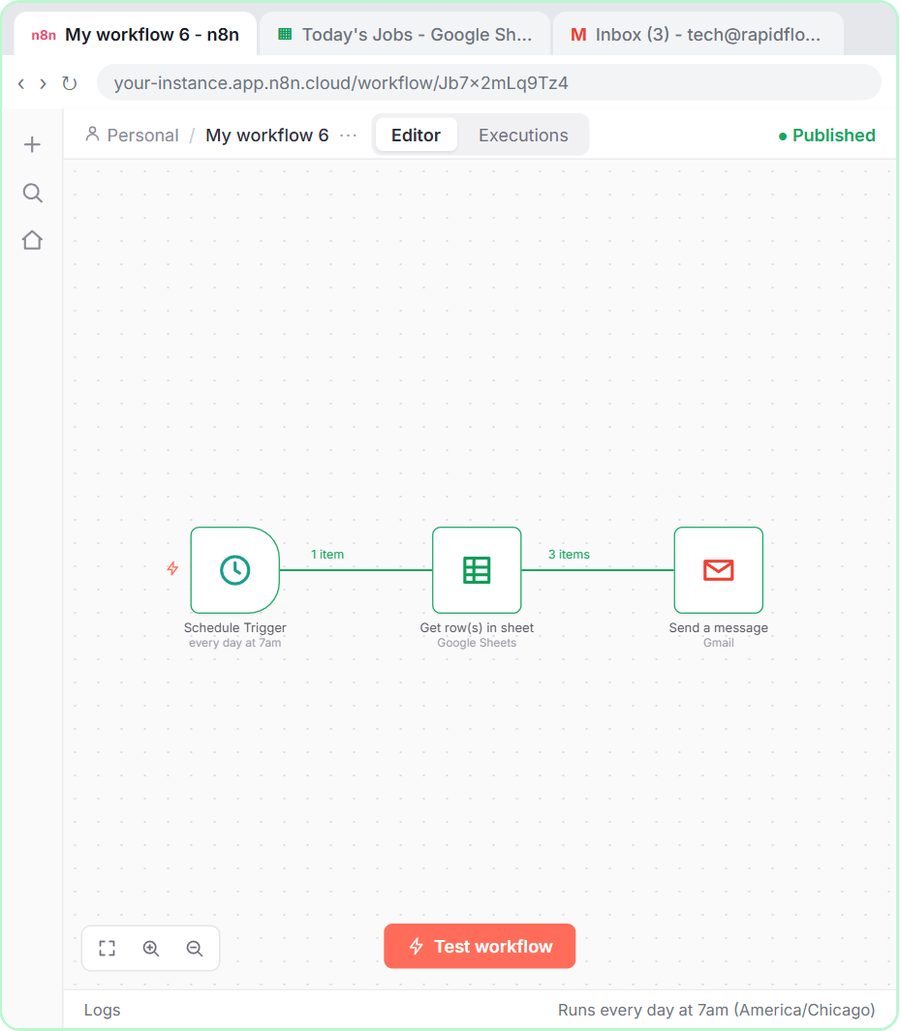
Something simple with no AI in it. Daily Job Alerts (10 minutes) builds an n8n workflow that reads a Google Sheet every morning at 7, skips jobs with no one assigned, and emails each person their jobs. The lesson's company is a made-up plumbing business, but the pattern, trigger, get data, filter, send, works for reminders, reports and invoices too.
Starting without AI means you learn n8n's basics, triggers, expressions like {{ $json.Tech }} and how a step repeats for every row, without wondering whether a problem is the tool or the model. Find and Use n8n Templates is a good next lesson: it imports a ready-made workflow so you don't start from a blank canvas.
Step 5: When am I ready for an AI agent?
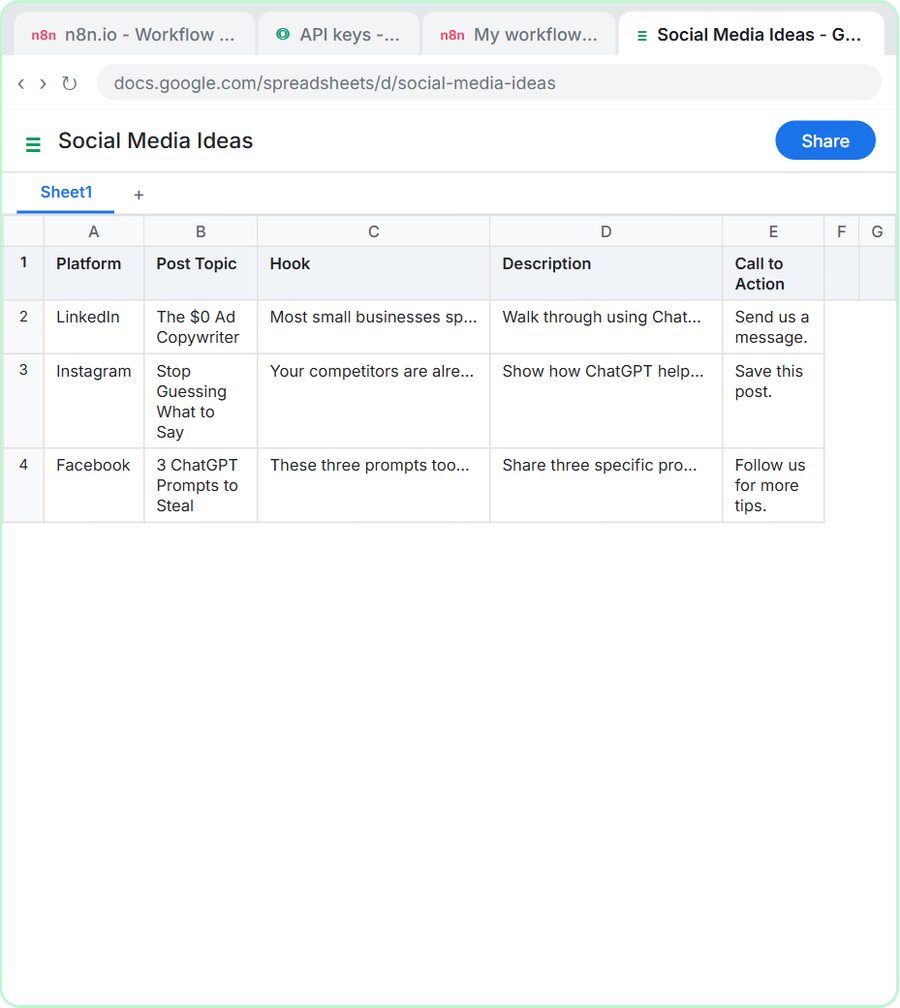
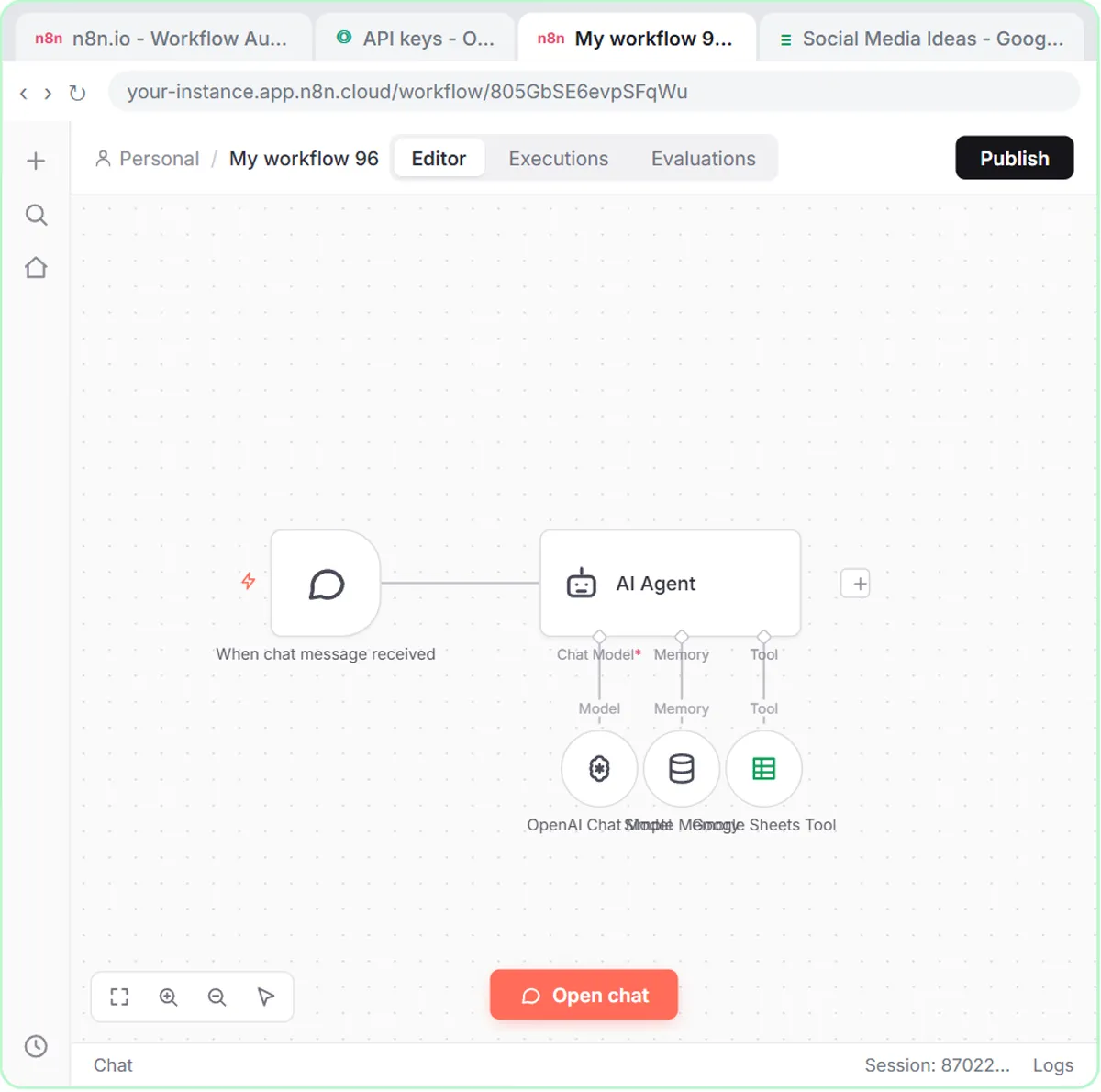
When you can write a clear prompt and build a basic workflow. Then AI Social Media Idea Agent (12 minutes) puts the two together: an n8n AI Agent with a system message, a chat model, memory and a Google Sheets tool, so it writes post ideas for a made-up marketing agency and saves them to a sheet.
You'll recognize everything in it. The system message is a long Role and Context. The output format is a list of fields. The rule "Do not invent statistics or make unsupported claims" is the check habit, written into the agent. The n8n jump-start path continues from there.
How long does it take to learn the basics?
The five lessons above add up to under an hour of practice. Each runs in a practice copy of the real tools, checks your work as you go, and has a "Do it for me" button for any step you get stuck on. Spreading them over a week, one a day, with the real version on your own work in between, sticks better than doing them all at once.
The ChatGPT lessons work on a free ChatGPT plan. The n8n lessons are free to practice; doing them for real needs an n8n account (n8n Cloud is paid after its trial, or self-host it) and, for the AI steps, OpenAI API credit, which is pay-as-you-go and separate from ChatGPT plans. Stepthrough has 355 free lessons live, and the AI at work start-here path is another good first stop. We're Building the Largest Free AI Training explains what Stepthrough is building.
Key takeaways
- Learn AI for work in order: prompts, real weekly tasks, a checking habit, a simple automation, then an AI agent.
- Prompt Writing 101 teaches the four parts of a prompt, Role, Context, Task and Format, in about 8 minutes.
- Practice on tasks you already do, like meeting follow-ups and difficult emails, so the learning pays off right away.
- Asking ChatGPT for a table matching every claim to a fact is the habit that makes AI safe for real work.
- Build a first automation with no AI, such as the Daily Job Alerts workflow, before building an AI agent.
Frequently asked questions
- Do I need to know how to code to learn AI?
No. Every lesson in this order uses ChatGPT, Google Sheets, Gmail and n8n's visual editor. None needs code.
- What should I learn first, ChatGPT or automation?
ChatGPT, specifically how to write a structured prompt. Automations and agents rely on prompts, so a weak prompt makes everything after it harder.
- How long does it take to learn AI for work?
The five lessons in this guide take under an hour in total. Using each skill on your own work for a few days is what makes it stick.
- Are these lessons really free?
Yes. They run in practice copies, so nothing touches your real accounts. Doing the n8n builds for real needs an n8n plan and OpenAI API credit.