The first two tasks use ChatGPT, which you can start on a free plan. The last three use n8n, a workflow tool, and run on their own once they're set up.
Where does AI fit in an office manager's week?
AI fits best where you write the same kind of thing again and again, or copy information from one place to another. Here's a typical week, mapped to the lesson for each task:
| Day | Task | What AI does | Lesson |
|---|---|---|---|
| Monday | Team meeting recap | Pulls decisions, owners and due dates from the transcript | Summarize a Meeting Transcript |
| Tuesday | A messy customer email | Drafts a reply from your facts and checks its promises | Reply Faster: Customer Emails |
| Every morning | Jobs to the techs | Emails each tech their jobs at 7am, no AI needed | Daily Job Alerts |
| All day | Routine questions in the inbox | Drafts a reply under each new email | AI Email Responder |
| Friday | Receipts | Reads each photo and adds a row to a sheet | AI Receipt Extractor |
You don't need all five. Pick the one that eats the most of your week and start there.
How can AI handle Monday's meeting recap?
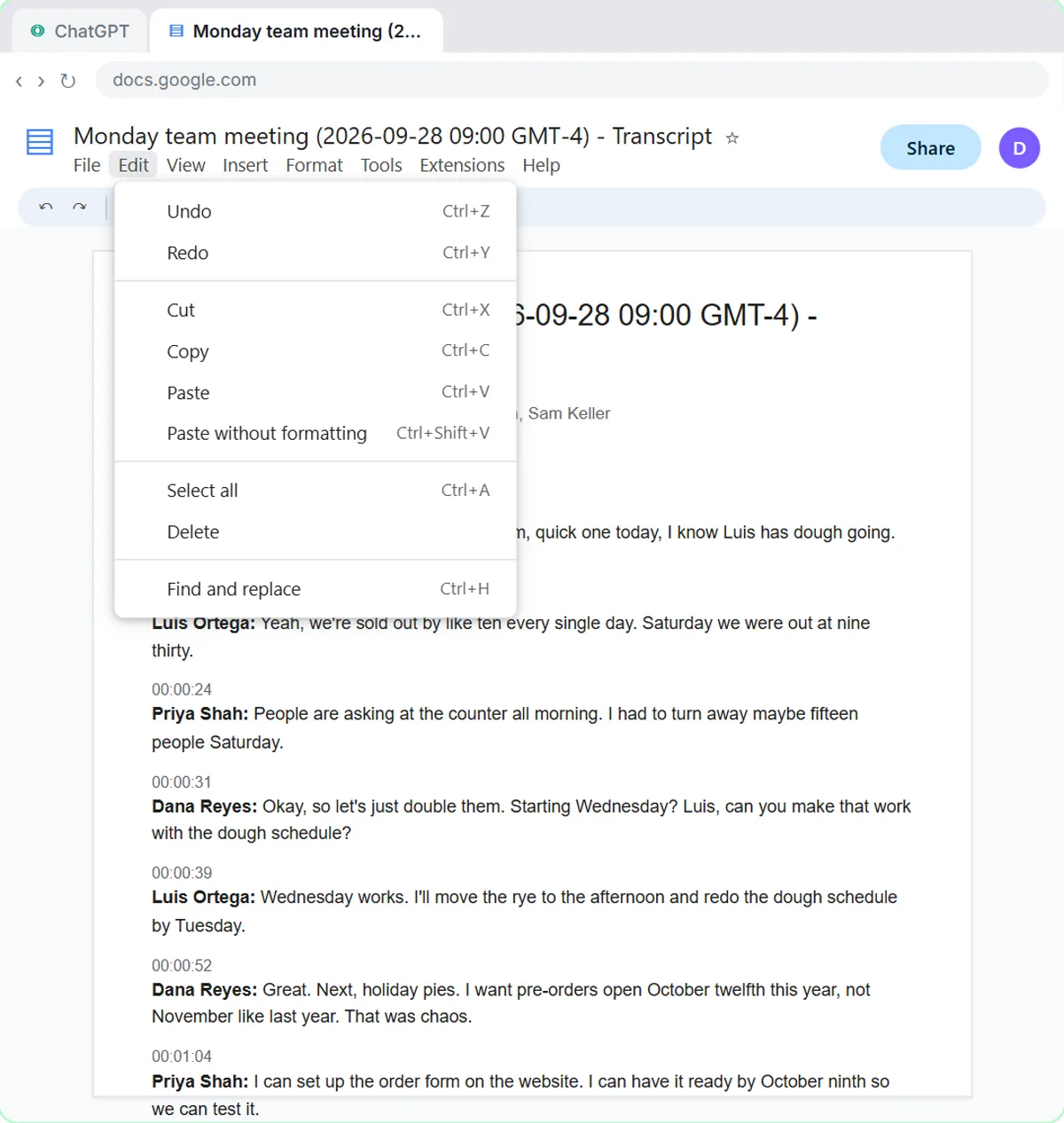
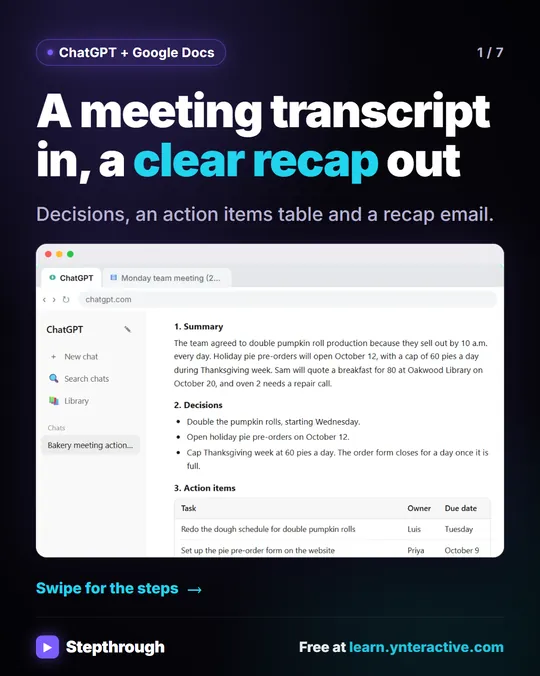
Paste the meeting transcript into ChatGPT under a clear request, and you get a summary, the decisions, an action items table and the open questions. The request in the lesson:
Give me:
1. A three-sentence summary
2. The decisions we made
3. The action items as a table: task, owner, due date
4. Open questions
Only use what's in the transcript. If an owner or date isn't said, write "Not stated".
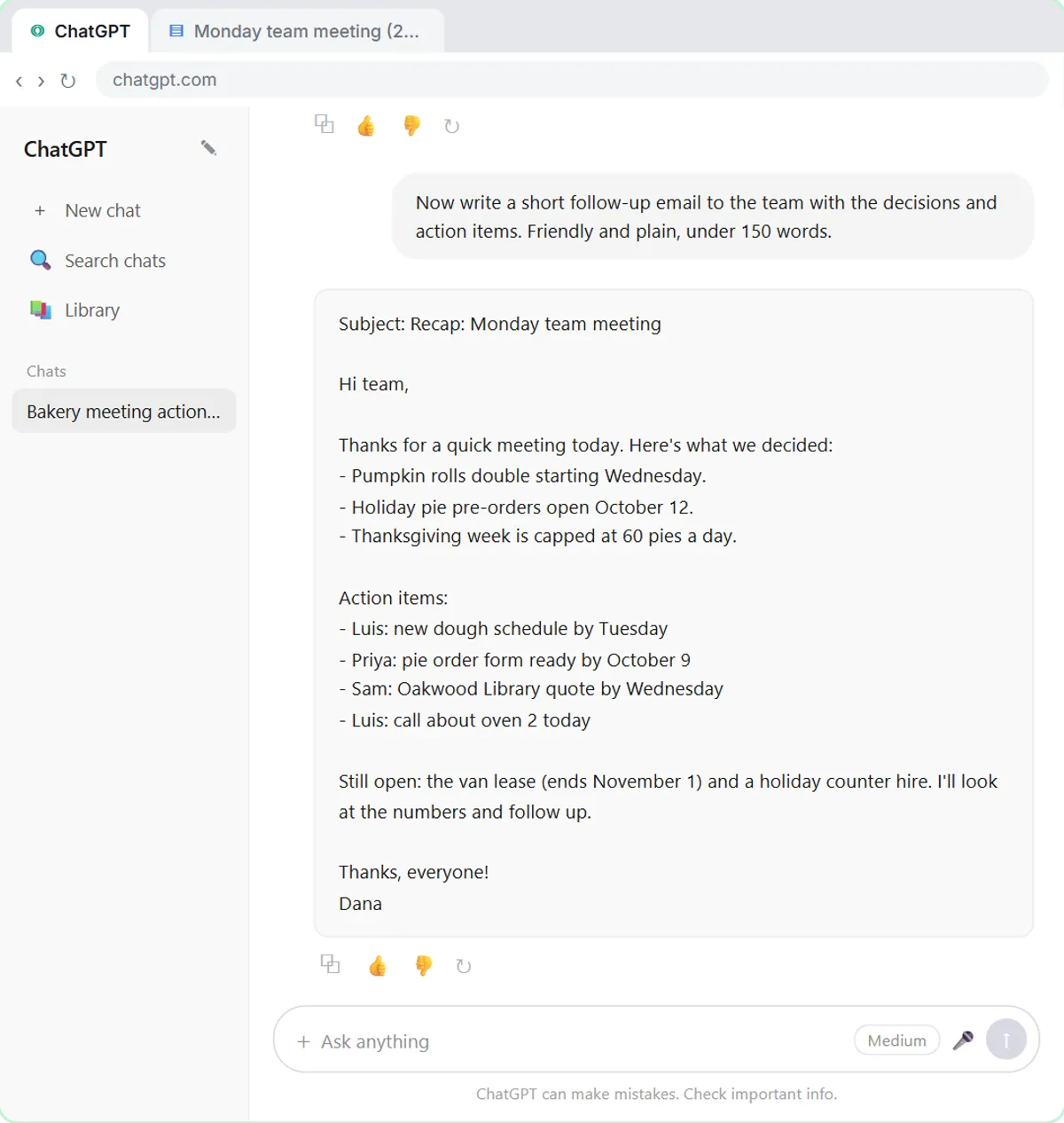
In the lesson, a made-up bakery's Monday meeting comes back with three decisions and four action items, two of them "Not stated" for the due date. You fill in those dates in one sentence, then ask for "a short follow-up email to the team with the decisions and action items." You check owners and dates before it goes out. Turn a Meeting Transcript into Action Items has the details.
How can AI help with a difficult customer email?
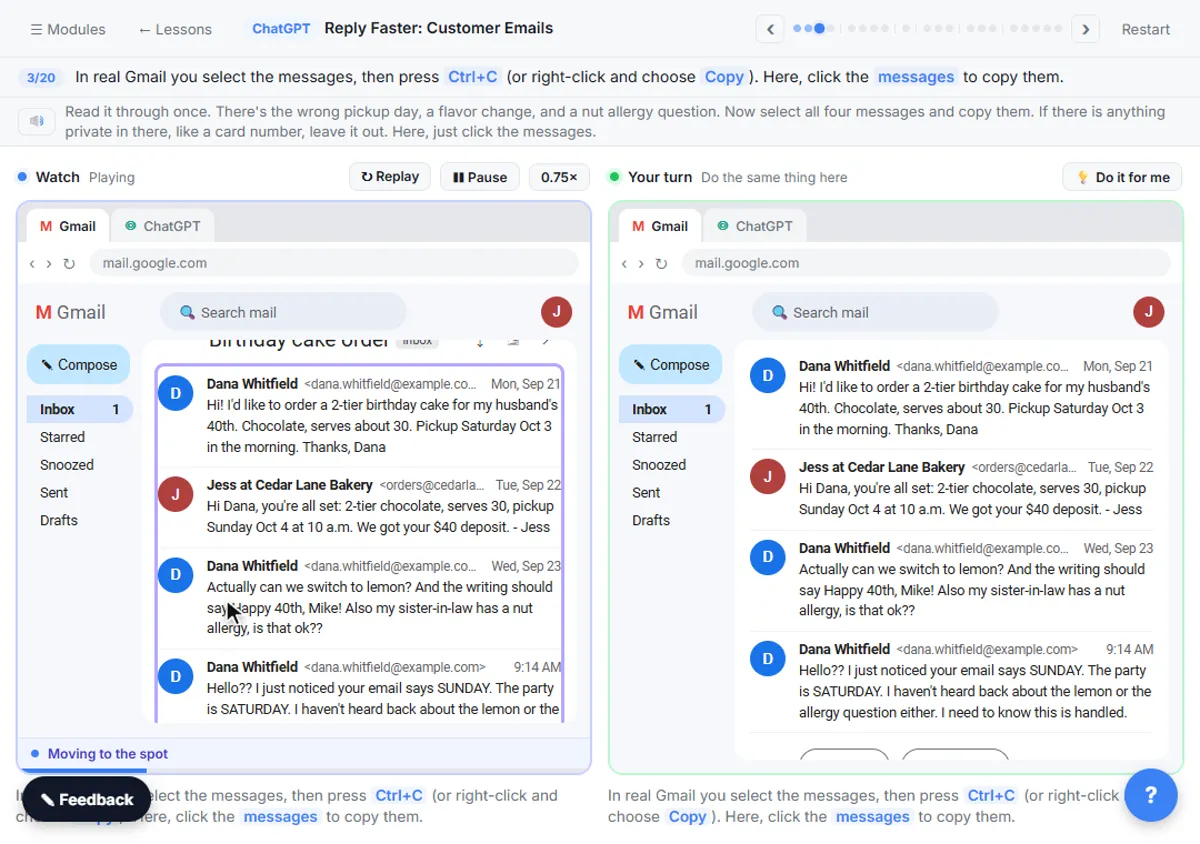
Give ChatGPT the whole thread, a numbered list of facts you can promise, and what a good reply looks like, then have it check its draft against those facts. That's the routine in Reply Faster: Customer Emails.
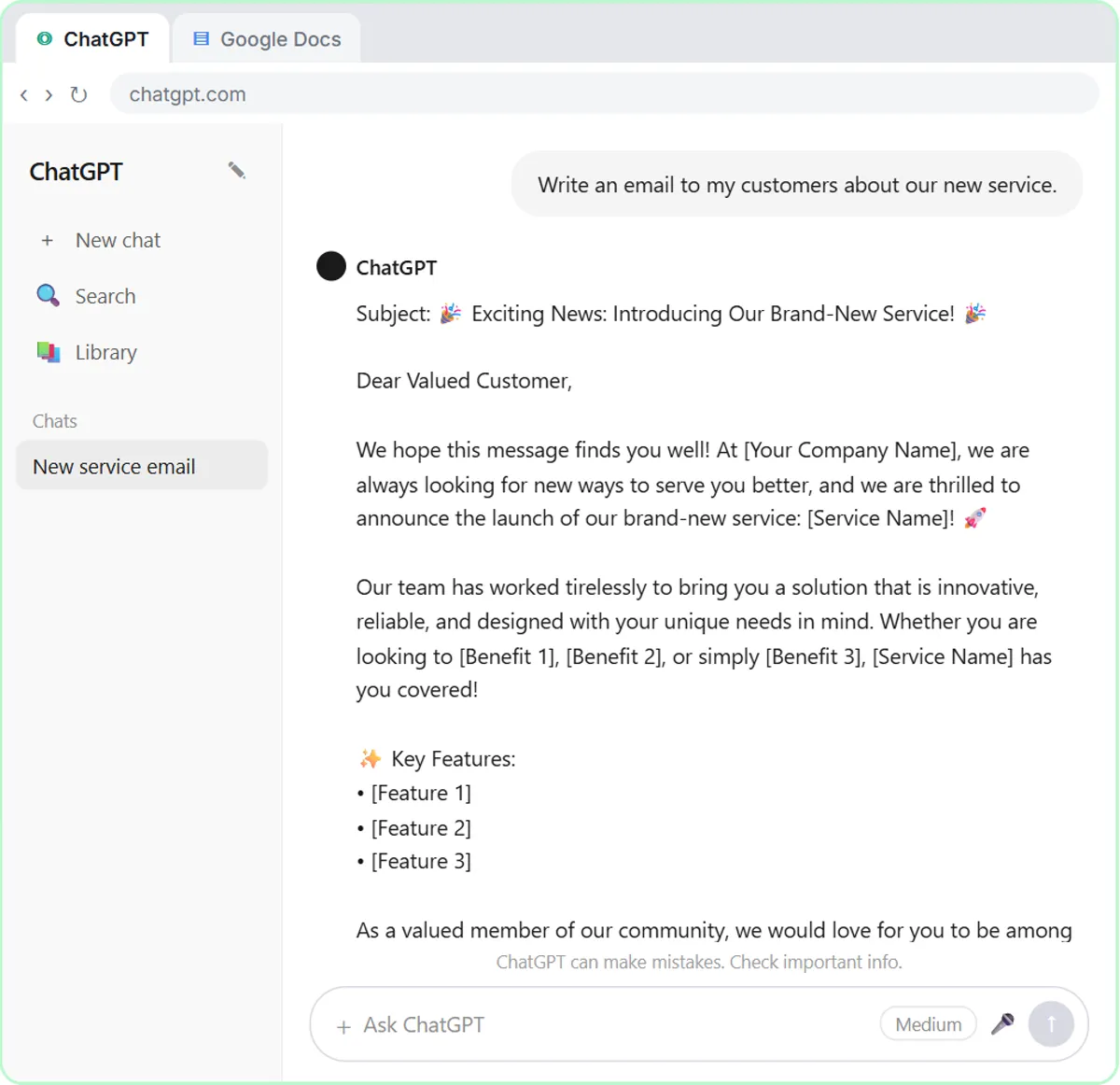
The lesson's thread is a cake order gone wrong at a made-up bakery: the wrong pickup day, a flavor change and an unanswered allergy question. The first draft sounds great and still calls the cake "completely nut-free," which the facts don't support. The check table catches it, you ask for one specific fix, and you send the reply from Gmail. How to Respond to an Angry Customer Email applies the same routine to upset customers.
How can techs get their jobs without the office copying them out?
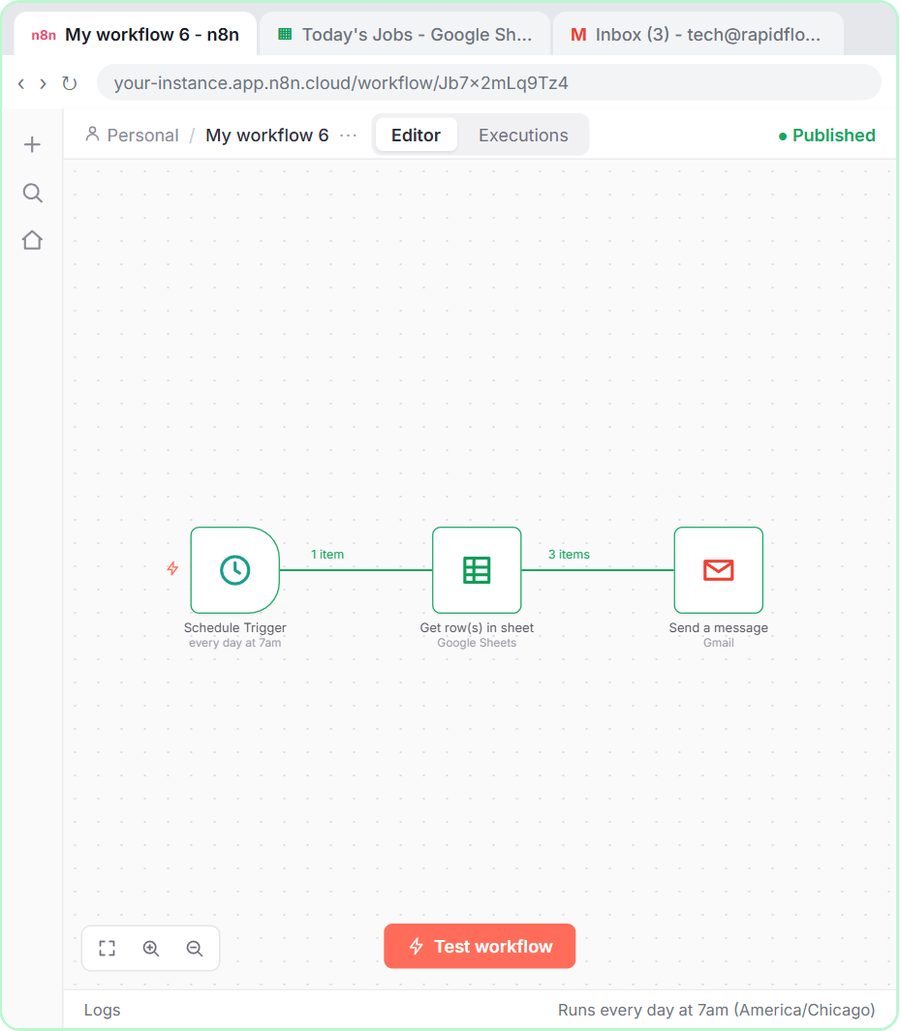
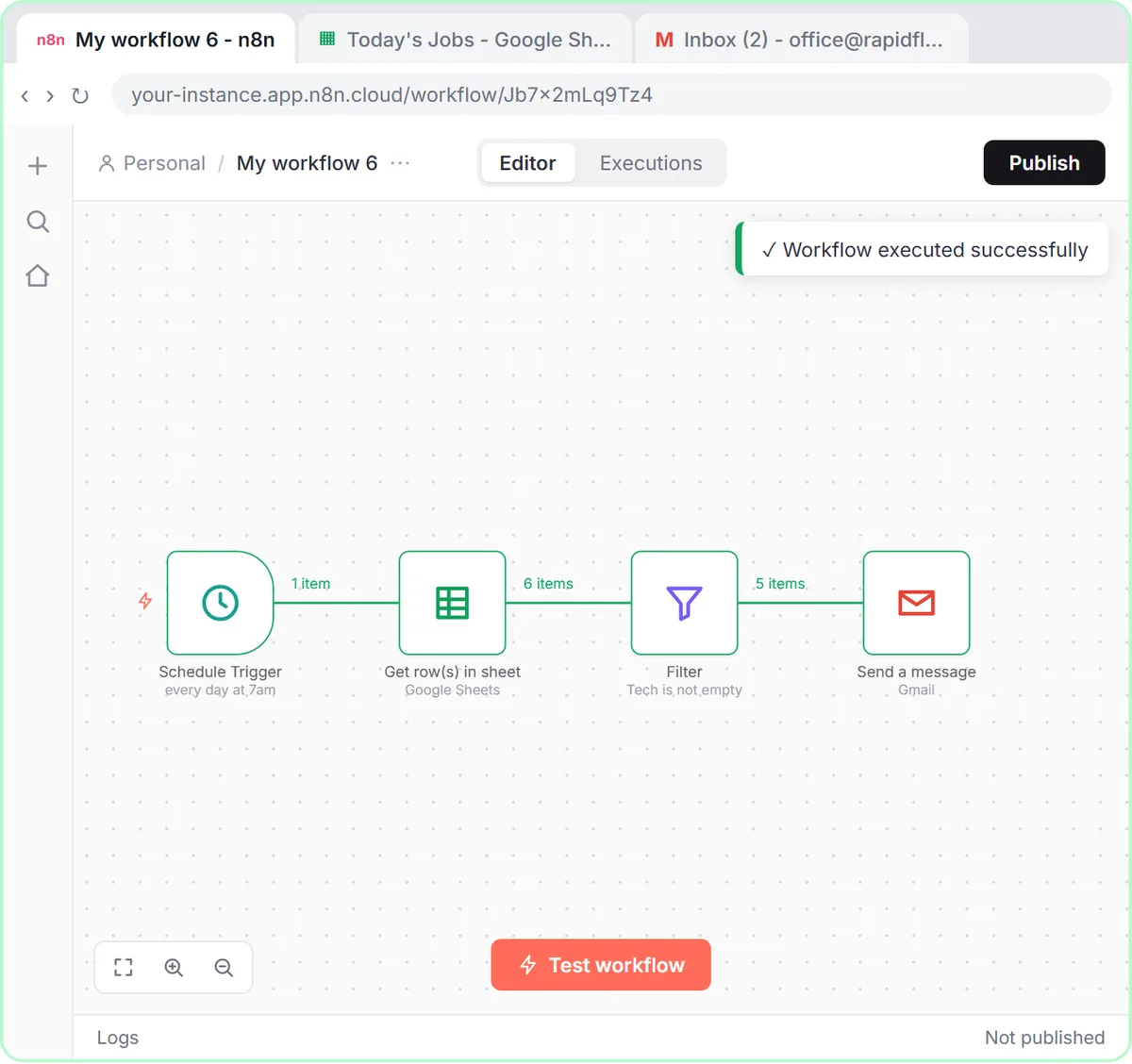
Keep today's jobs in a Google Sheet with a tech on each row, and have n8n email every tech their jobs at 7am. The Daily Job Alerts lesson builds it for a made-up plumbing company.
The workflow reads the sheet, drops any job with no tech assigned (6 jobs in, 5 out in the lesson) and sends one email per job to that tech's address. No AI is involved. When a job moves to another tech, the office changes the name in the sheet and tomorrow's email goes to the right person. Keep the sheet to today's jobs, because it sends every assigned row every day.
Try it free, step by step
Summarize a Meeting Transcript with ChatGPT. Paste a long meeting transcript into ChatGPT and get the decisions, an action items table with owners and due dates, and a follow-up email ready to send. You do every step yourself in a practice copy of ChatGPT, it checks your work as you go, and “Do it for me” finishes any step you get stuck on. Free, and nothing touches your real accounts.
Start the free lessonCan AI draft replies in the office inbox?
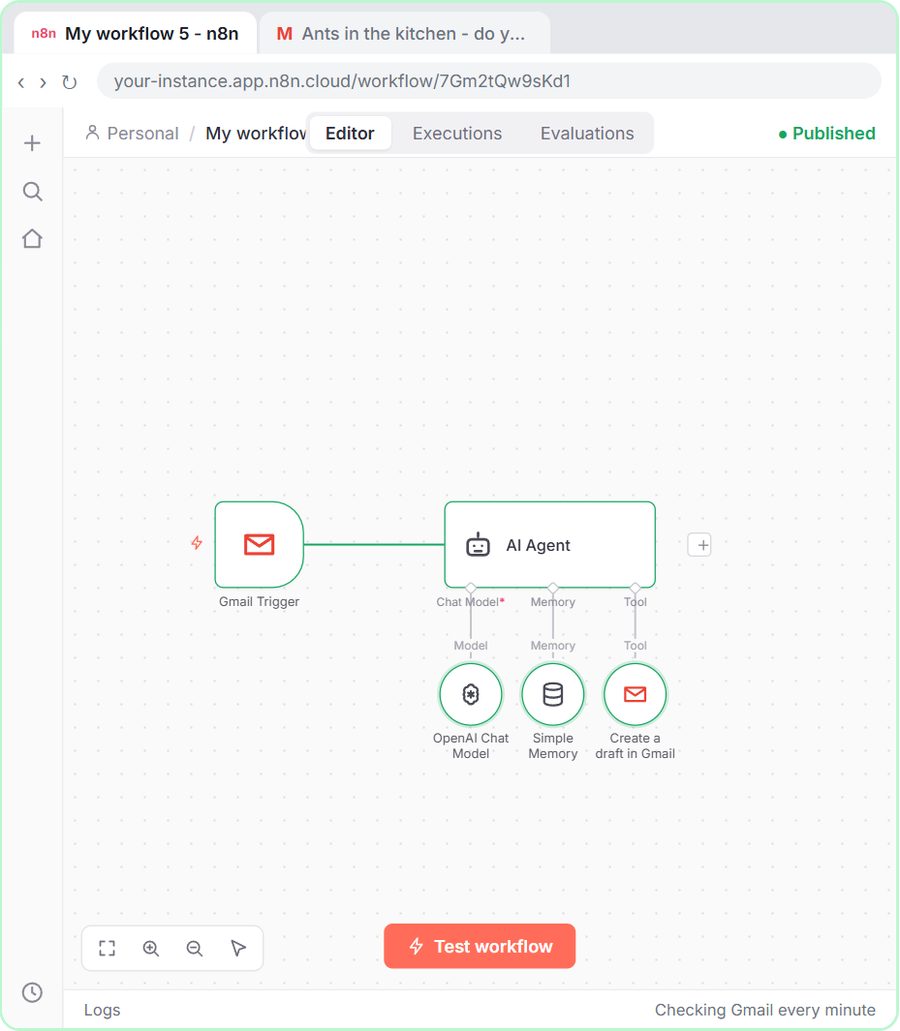
Yes. An n8n agent can check Gmail every minute, read each new email and save a reply as a draft in the same thread, using only the facts you give it. The AI Email Responder builds it for a made-up pest control company.
The agent's facts include service areas, prices, hours and how to book, and its rules say it can only create drafts and must never make up prices, dates or services. When it doesn't know, the draft says someone from the team will follow up. You open Gmail, read the drafts, adjust and send. Nothing goes out on its own.
Can AI get receipts into a spreadsheet?
Yes. An n8n agent can read a receipt photo, pull out the date, vendor and amount, pick a category and add a row to a Google Sheet. The AI Receipt Extractor uses gpt-4o, which reads images reliably.
In the lesson, a Corner Mart receipt becomes a row in the Invoices sheet: the date, Groceries, Corner Mart and 31.57. Check the first rows against the receipts before you rely on it, and keep the sheet in a folder your bookkeeper can see.
What rules should an office set before using AI?
Agree on one short set of rules before anyone starts, so everyone uses AI the same way. A set that matches the lessons:
- Leave private details out. No card numbers, account numbers, ID numbers or health details in a chat.
- Use the business account. A business ChatGPT plan doesn't train on your data by default.
- Give AI the facts. Numbered facts for emails; prices, hours and areas in an agent's system message.
- No guessing. "Not stated" in recaps; "someone will follow up" in drafts.
- A person reads before anything goes to a customer. Drafts, not sends.
- One owner per automation. Someone updates the facts when prices or hours change.
What does AI for the office cost?
All five lessons are free and run in practice copies, so nothing is sent or billed.
- ChatGPT: any plan works to start, including free, within its limits; paid and business plans add more.
- n8n: n8n Cloud is paid after a free trial, or self-host it. The job emails need only n8n and a Google account.
- OpenAI API: the inbox and receipt agents need an API key, pay-as-you-go and billed separately from ChatGPT plans; the lessons suggest about $10 of credit.
If you're picking a first project, How to Start Using AI in a Small Business helps you choose, and How to Use ChatGPT for Work covers the first three ChatGPT lessons in order. The n8n builds are in the Business Automations course.
Key takeaways
- Office managers can map AI to a normal week: meeting recaps, customer replies, morning job emails, inbox drafts and receipts.
- ChatGPT can turn a meeting transcript into decisions and an action items table, writing "Not stated" when an owner or date is missing.
- A daily job email workflow in n8n needs no AI: it reads a Google Sheet and emails each tech their assigned jobs at 7am.
- An n8n email agent can draft replies in Gmail from your real facts, while a person reads and sends each one.
- One shared set of office rules, covering private data, facts, no guessing and human review, keeps everyone using AI the same way.
Frequently asked questions
- What should an office manager automate first?
The task that repeats most with the same steps. For many offices that's the daily job emails, which need no AI, or meeting recaps in ChatGPT.
- Do I need to know how to code?
No. ChatGPT takes plain requests, and n8n workflows are built by clicking nodes and pasting text and expressions.
- Will AI send emails to customers without me?
Not in these lessons. The ChatGPT replies are sent by you from Gmail, and the inbox agent only creates drafts.
- How long do the lessons take?
Between 9 and 12 minutes each. The meeting and reply lessons are 9 minutes; the job alerts lesson is 10; the inbox and receipt agents are 12.