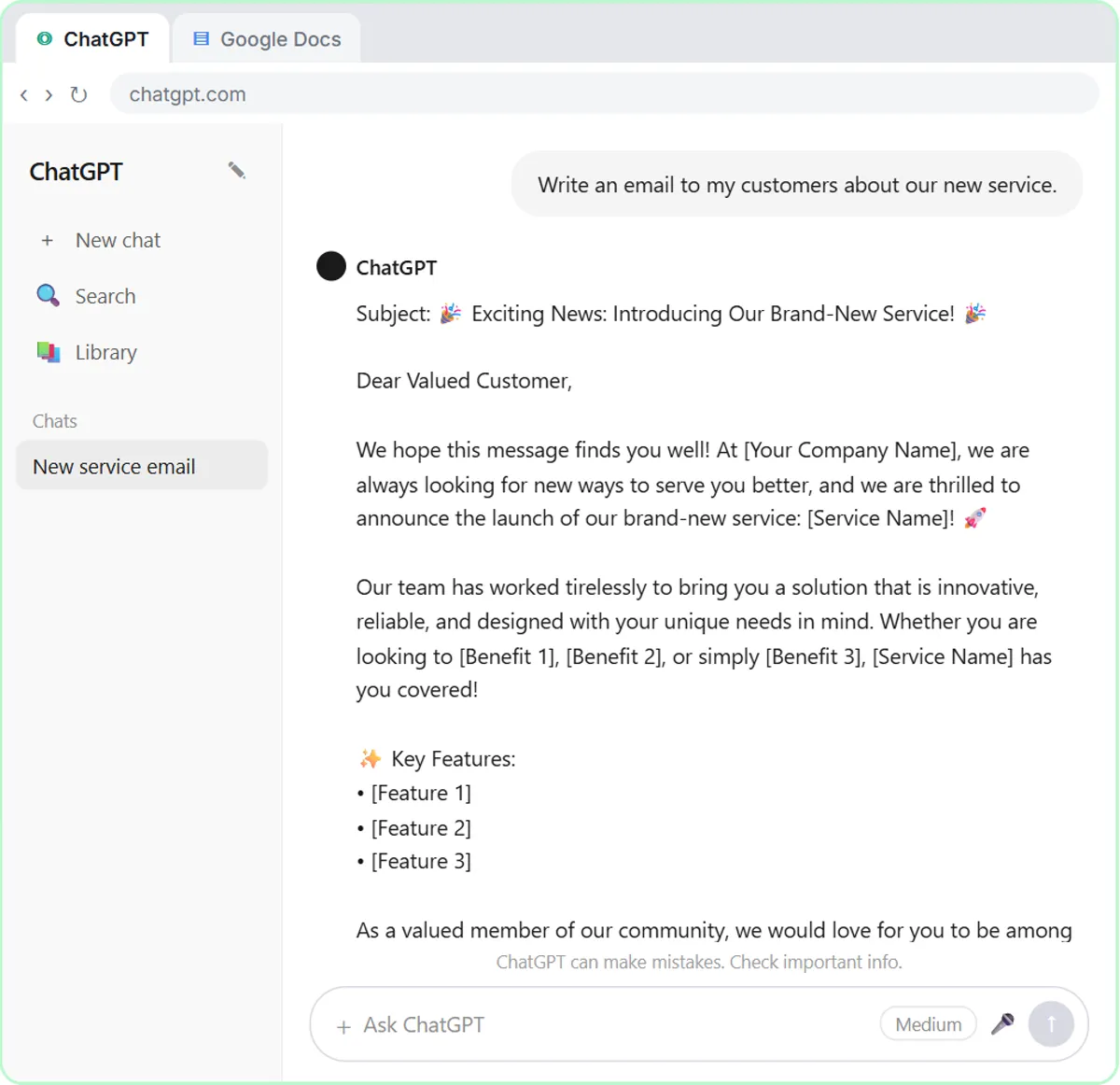
This comparison is for people who already use ChatGPT and keep hearing about n8n.
What is the difference between ChatGPT and n8n?
ChatGPT waits for you; n8n waits for a trigger. In ChatGPT, nothing happens until you type. In n8n, you build a workflow once, publish it, and it runs whenever its trigger fires, whether you're at your desk or not.
| ChatGPT | n8n | |
|---|---|---|
| What it is | An AI assistant you chat with | A workflow automation tool |
| Starts when | You send a message | A trigger fires: a schedule, a new email, a form |
| Who checks the result | You, every time | You decide: drafts for review, or sends on its own |
| Connects to other apps | Some, depending on your plan | Many, such as Gmail and Google Sheets, through nodes |
| Uses AI | It is the AI | Optional: AI is one kind of step |
| Cost | Free plan and paid plans | n8n Cloud is paid after a trial, or self-host; AI steps use API credit |
The glossary has short entries on ChatGPT and n8n.
When is ChatGPT the right tool?
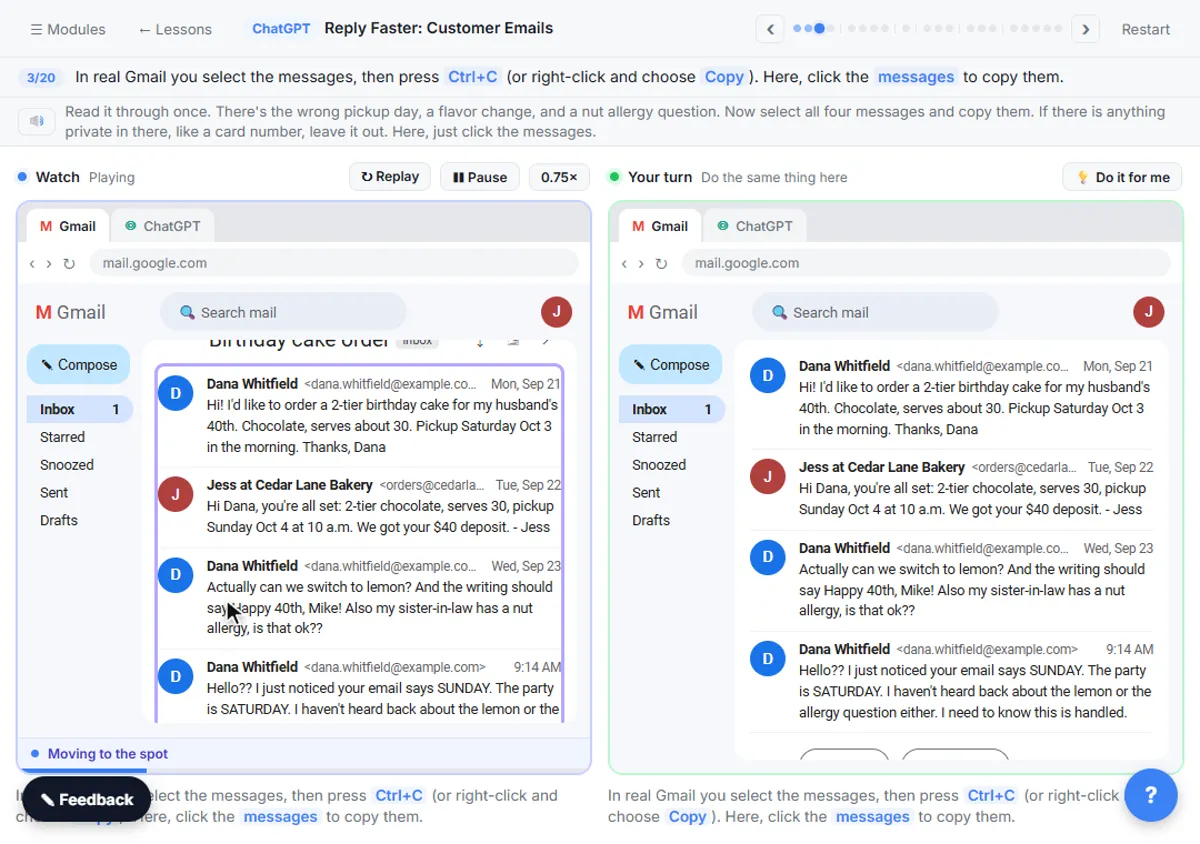
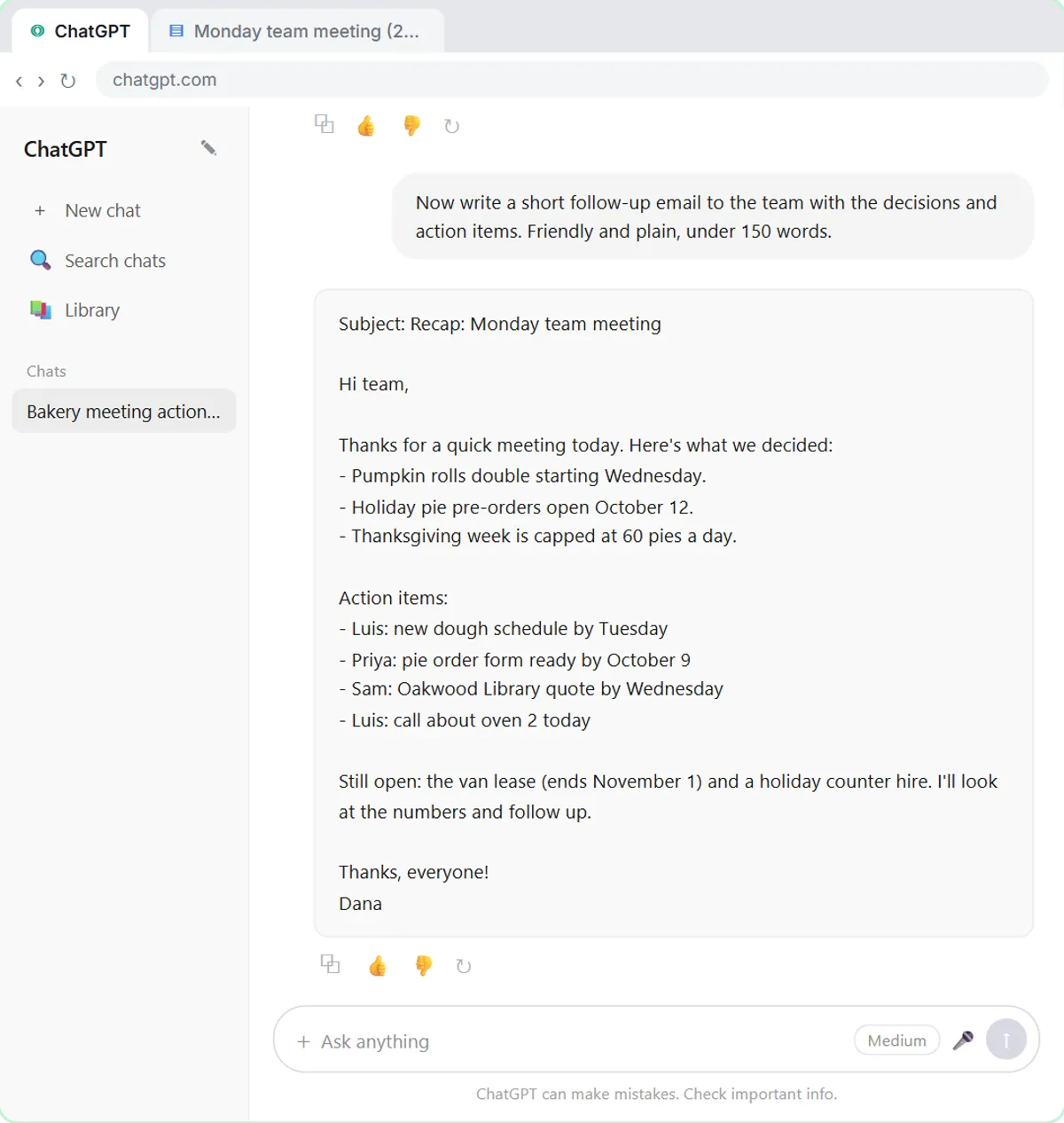
When the task needs your judgment each time, or doesn't happen often. A difficult customer email, a meeting recap, a first draft of a proposal: you want to read the result and change it. In Reply Faster: Customer Emails, you paste a messy thread and your facts, get a draft, ask ChatGPT to check every promise against your facts, fix the one line that overpromises, and send it from Gmail yourself.
That loop of ask, read, check and fix is where ChatGPT shines. It's also the safest way to learn what AI gets right and wrong for your work.
When is n8n the right tool?
When the same task happens again and again, with the same steps, triggered by something you can name. Two lessons show the two kinds:
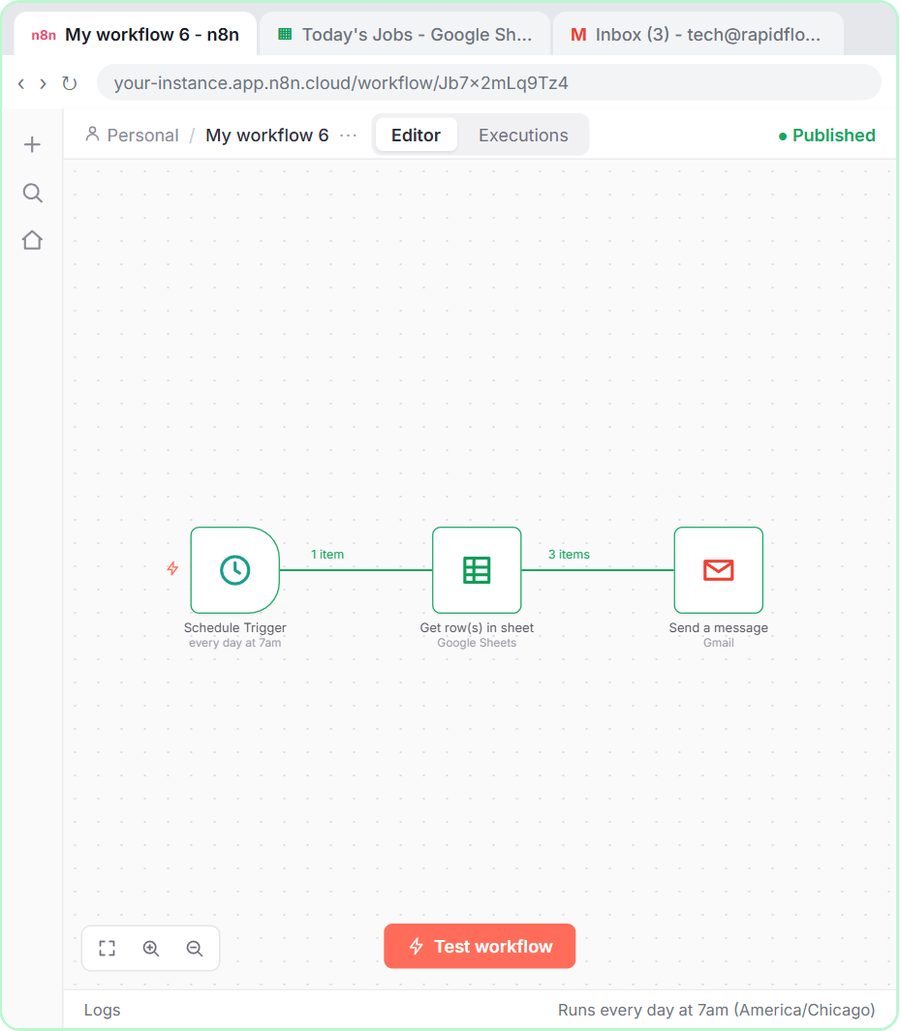
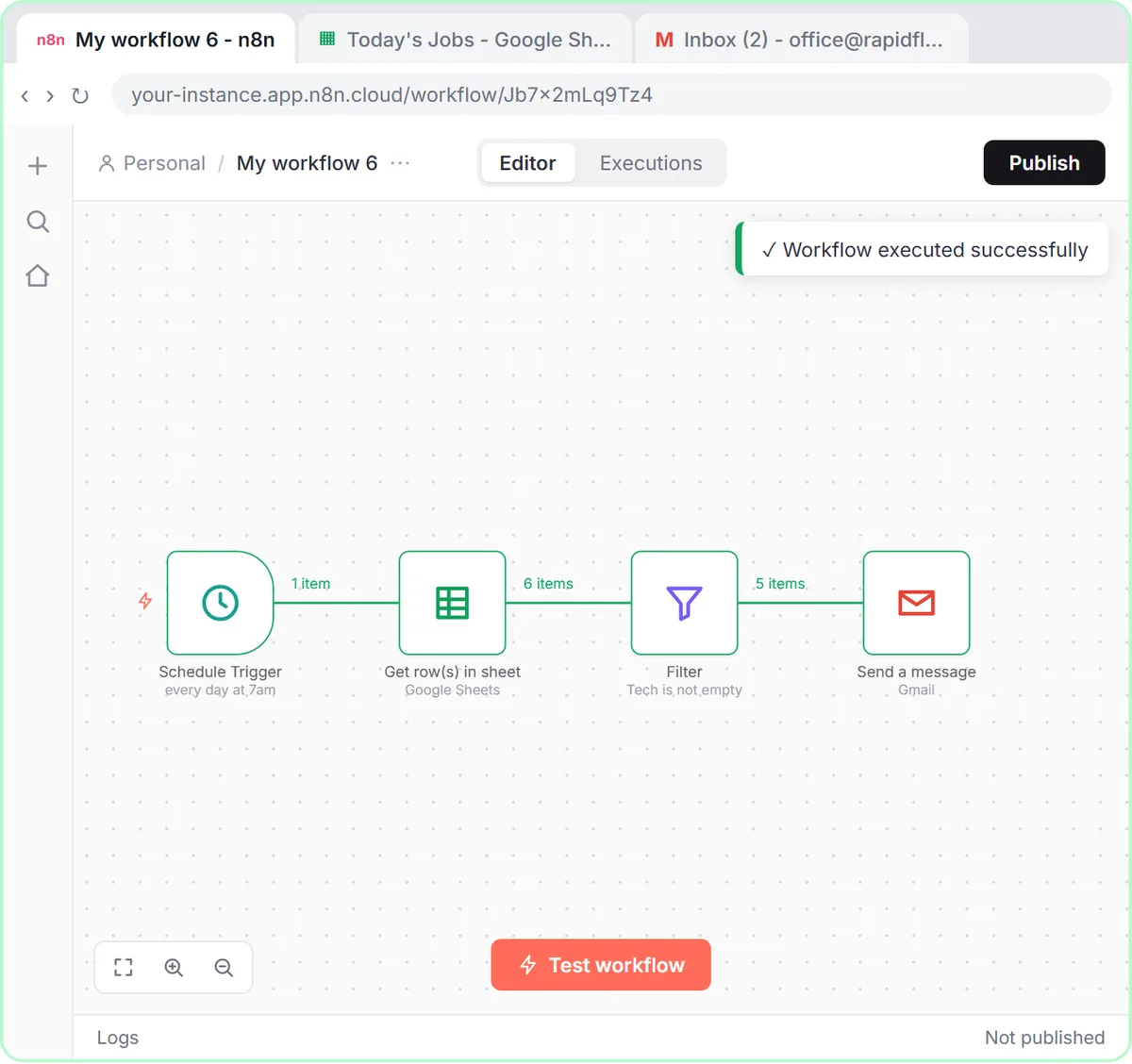
- No AI at all. Daily Job Alerts reads a Google Sheet every morning at 7, skips jobs nobody's assigned, and emails each person their jobs. ChatGPT can't do this: it doesn't run on a schedule, read your sheet and send emails by itself.
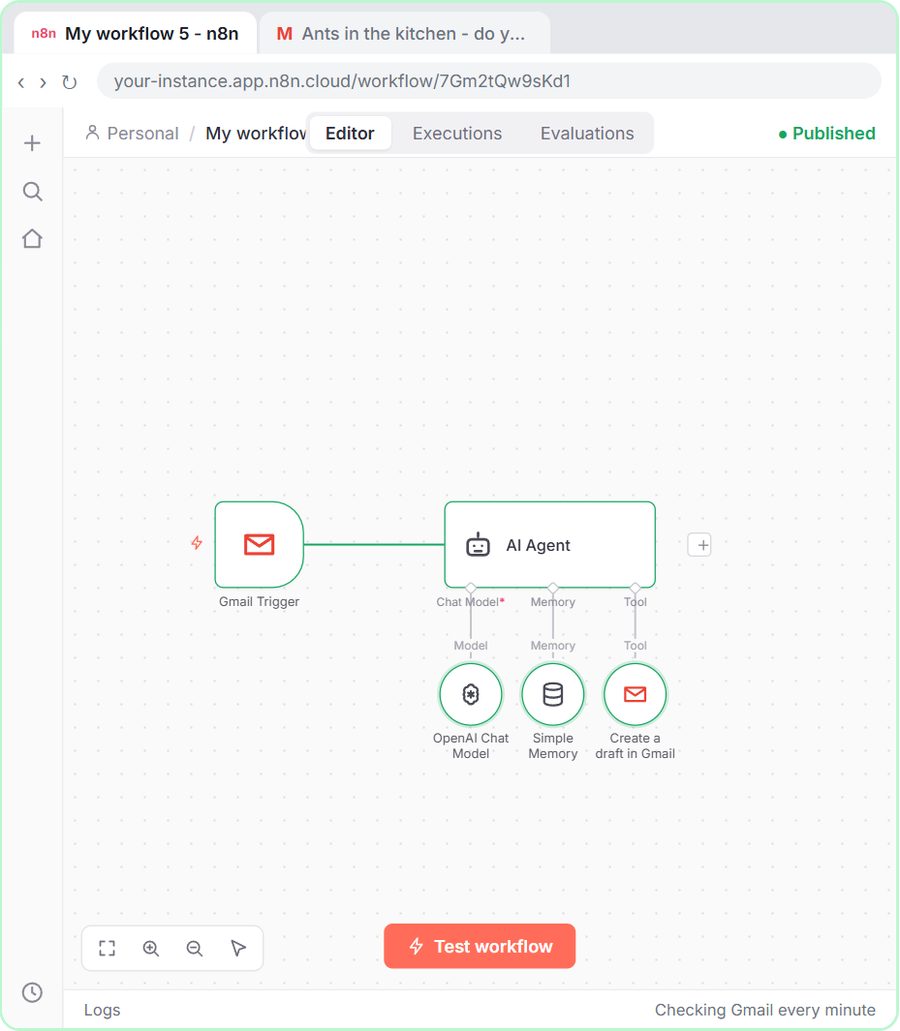
- AI as one step. AI Email Responder checks Gmail every minute, sends each new email to an AI Agent with your business facts, and saves the reply as a draft in the same thread. You still read and send.
A good test: if you've done the same ChatGPT task with the same prompt ten times this month, it's a candidate for n8n.
Try it free, step by step
n8n AI Email Responder: Draft Gmail Replies Automatically. Build an n8n agent that watches your Gmail, reads each new customer email, and writes a reply as a draft in the same thread, ready for you to check and send. You do every step yourself in a practice copy of n8n, it checks your work as you go, and “Do it for me” finishes any step you get stuck on. Free, and nothing touches your real accounts.
Start the free lessonDoes n8n use ChatGPT?
It uses the same company's models, but through the OpenAI API, not your ChatGPT account. In the lessons, an OpenAI Chat Model node connects to an OpenAI API key you create on platform.openai.com. The API is pay-as-you-go and billed separately from ChatGPT plans, so a ChatGPT subscription doesn't cover n8n's AI steps. What Is an API Key? and OpenAI API vs ChatGPT Plus explain the setup and the billing.
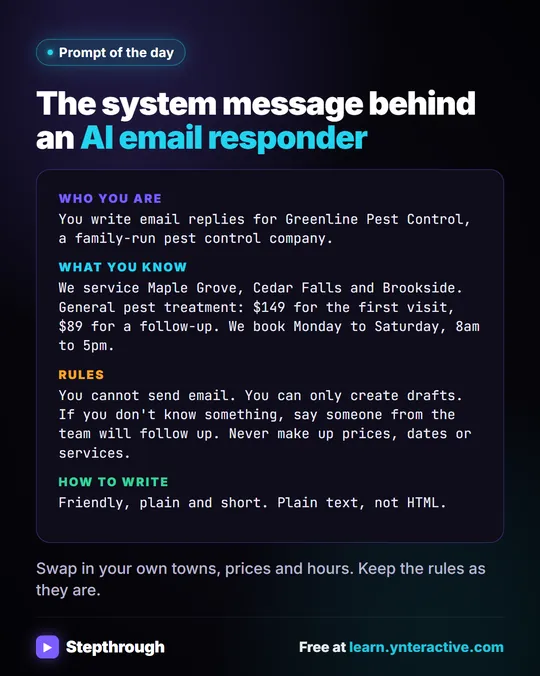
Your prompting skills carry over directly. The AI Agent's system message in the email responder is a Role, the business facts, rules and a style, the same parts you'd write in ChatGPT.
Which is easier to learn?
ChatGPT, by a lot. You can be useful with it in one lesson. n8n has more to learn: triggers, nodes, credentials, expressions like {{ $json.Subject }} and publishing. The free lessons keep each piece small, and n8n's template gallery lets you start from a working workflow instead of a blank canvas.
A sensible order: get good at ChatGPT prompts, then build one n8n workflow without AI, then one with AI. How to Learn AI from Scratch lays out that path.
Can I use ChatGPT and n8n together?
Yes, and that's the usual pattern. Draft and test your prompt in ChatGPT until the output is reliably good. Then move the same prompt into an n8n AI Agent so it runs on every new email, form or row. Keep the habits that made ChatGPT safe: give the AI only facts it may use, tell it not to invent anything, and have a person check before anything external goes out. The email responder does that by only creating drafts.
Email on Autopilot follows exactly this path, from ChatGPT replies to n8n drafts.
What about privacy?
Both handle your data, in different ways. In ChatGPT, you choose what to paste each time. In n8n, you connect accounts, such as a Gmail inbox, and the workflow reads what its trigger gives it. For client data, follow your company's policy and use business accounts. An automation also reads messages from strangers, which is why What Is Prompt Injection? matters once AI is inside a workflow. Is It Safe to Connect Gmail to n8n? covers the n8n side.
If you decide n8n is the right fit but don't have time to build it, see my n8n consulting page.
Key takeaways
- ChatGPT is an AI assistant you chat with directly; n8n is a workflow tool that runs tasks on its own when a trigger fires.
- Use ChatGPT for tasks that need your judgment each time; use n8n for repeated tasks with the same steps and a clear trigger.
- n8n can run with no AI at all, like the Daily Job Alerts workflow, or with AI as one step, like the AI Email Responder.
- n8n's AI steps use the OpenAI API, which is pay-as-you-go and billed separately from ChatGPT plans.
- Test a prompt in ChatGPT first, then move it into an n8n AI Agent once it works reliably.
Frequently asked questions
- Is n8n better than ChatGPT?
They do different jobs. ChatGPT helps you think and write. n8n runs tasks automatically. Many people use both.
- Can ChatGPT automate tasks like n8n?
ChatGPT can help with tasks while you're in a chat, but it doesn't run a workflow on its own every time an email arrives or a schedule fires. That's what n8n is for.
- Do I need ChatGPT Plus to use AI in n8n?
No. n8n's AI steps use an OpenAI API key with credit, which is separate from ChatGPT plans.
- Should I learn ChatGPT or n8n first?
ChatGPT. Writing good prompts is the foundation, and n8n's AI steps depend on it.