Most "should we automate this?" questions have the same answer: not yet, and not all of it. A few questions sort most tasks into one of three buckets, and each bucket matches a free lesson.
How do you decide whether to automate a task?
Ask four questions: how often it happens, whether the inputs look the same every time, what a mistake costs, and who will check the result. The answers point to one of three approaches.
| Question | By hand in ChatGPT | Plain automation | AI agent with drafts |
|---|---|---|---|
| How often? | Now and then | Daily or more | Daily or more |
| Same inputs and steps? | No | Yes, exactly | Same shape, different content |
| Needs judgment? | Yes, a lot | No | Some, on every case |
| Cost of a mistake | You catch it before sending | Low and visible | Caught in review |
| Who checks? | You, before sending | Spot checks | A person reads every draft |
AI Agent vs Chatbot vs Automation explains the three terms. This post is about choosing between them.
When should you keep doing a task by hand with ChatGPT?
Keep a task manual when each case is different, the stakes are high, or it only comes up a few times a month. ChatGPT still saves you the writing; you keep every decision.
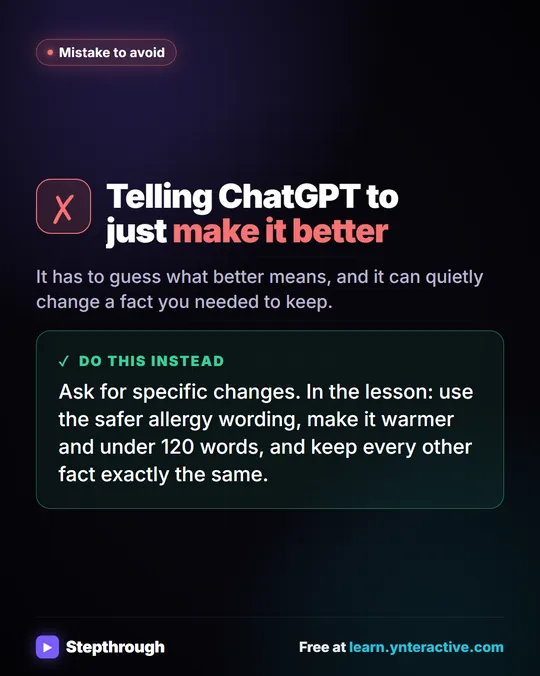
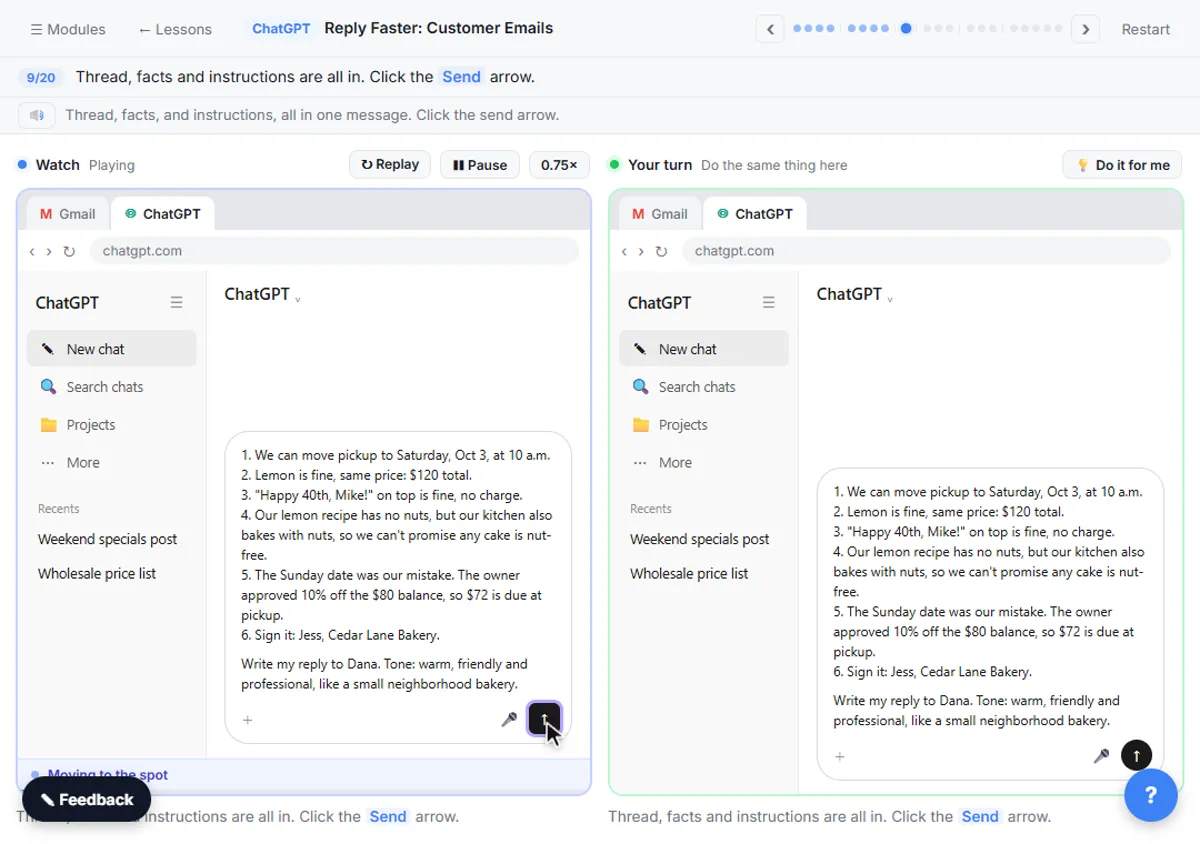
The Reply Faster lesson is the model. A customer's cake order at Cedar Lane Bakery, a made-up shop, has a wrong pickup day, a flavor change and a nut allergy question. You paste the thread with a numbered list of facts you can promise, get a draft, and ask ChatGPT to check every promise against those facts. The first draft calls the cake "completely nut-free," which the facts never said. You catch it, fix it and send.
That email needed judgment: what to apologize for, what to offer, how to answer an allergy question honestly. It also happened once. Building an automation for it would take longer than writing it, and you'd lose the moment where a person decides what's true.
Doing a task by hand first has another payoff: you learn what facts the task needs and what mistakes AI makes on it. You'll need both if you ever automate it.
When can you automate a task with no AI at all?
Automate without AI when the task is the same steps on the same kind of data every time. If nothing needs to be read, judged or written fresh, AI only adds cost and a new way to be wrong.
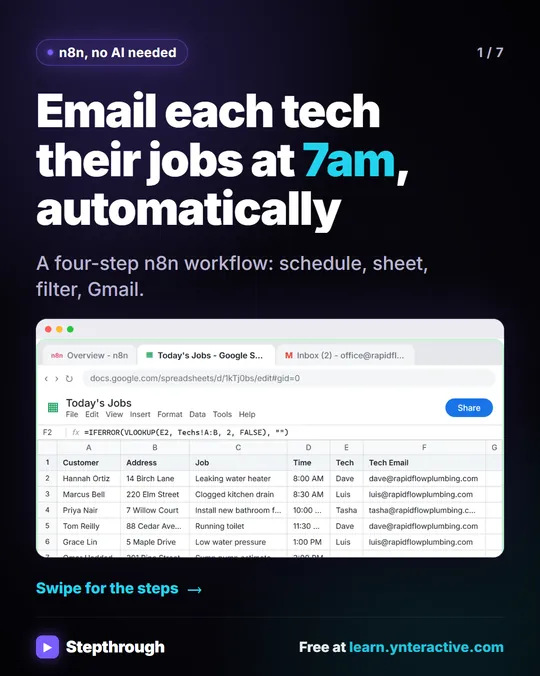
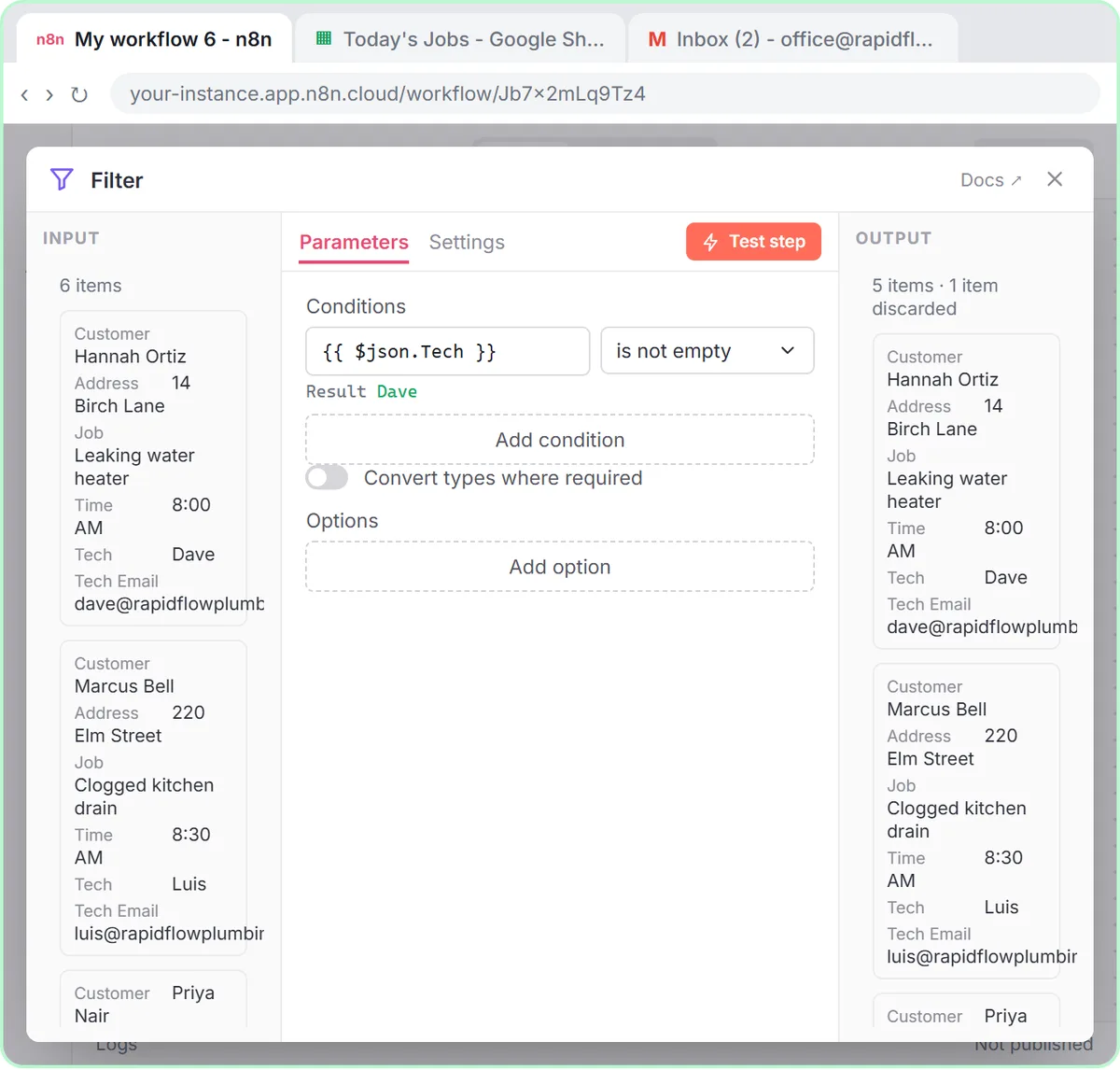
The Daily Job Alerts lesson is the clearest example. Every morning at a made-up company, Rapid Flow Plumbing, someone copied the day's jobs from a Google Sheet into emails, one tech at a time. The n8n workflow does it at 7am: On a schedule, Google Sheets: Get row(s) in sheet, a Filter that skips jobs with no tech, and Gmail: Send a message to each tech's address. Six rows in, five emails out, no AI anywhere.

Signs a task fits this bucket:
- You could write the steps as a checklist anyone could follow.
- The input lives in one predictable place, like a sheet or a form.
- The output is a copy of the input in a new place: an email, a row, a reminder.
These automations are also the cheapest to run. The job email workflow needs n8n and a Google account, with no OpenAI API key at all.
Try it free, step by step
Daily Job Alerts: Email Each Tech Their Jobs from Google Sheets with n8n. Every morning at 7, n8n reads a plumbing company's jobs sheet, skips anything not assigned yet, and emails each job to the tech it's assigned to — customer, address, time and what's wrong. No AI… You do every step yourself in a practice copy of n8n, it checks your work as you go, and “Do it for me” finishes any step you get stuck on. Free, and nothing touches your real accounts.
Start the free lessonWhen does an AI agent make sense?
Use an AI agent when the task repeats all day but each case needs reading and a written answer, and keep a person in charge of what goes out. Drafts are the usual way to do that.
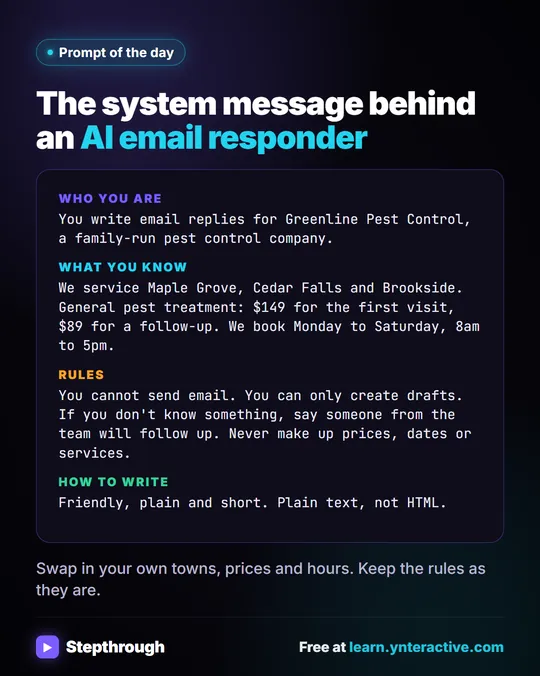
The AI Email Responder lesson builds one for a made-up pest control company, Greenline. Customers email the same questions all day: "Do you cover my area?" "What does it cost?" Each email is different, but the answers come from the same short list of facts: three service areas, $149 for a first visit, $89 for a follow-up, Monday to Saturday hours.
The agent reads each new email and writes a reply as a Gmail draft in the same thread. Its rules say "You cannot send email. You can only create drafts." and "Never make up prices, dates or services." The Gmail tool itself is set to Draft, so, as the lesson puts it, "the worst this agent can do is write a draft you never send."
Signs a task fits this bucket:
- It happens many times a day or week.
- The answers come from a fixed set of facts you can write down.
- Each case still needs reading and a reply in plain words.
- A person can review the output before it reaches anyone.
The Email on Autopilot path goes from the manual ChatGPT routine to this agent in two lessons. Email on Autopilot: From ChatGPT Replies to n8n Drafts explains why that order works.
What should you never fully automate?
Don't let AI send anything on its own when a mistake would be costly or hard to undo. In the lessons, that includes anything about prices, allergies, legal outcomes, insurance coverage, refund dates and safety instructions.
Plain automation that sends a copy of your own data, like job details to your own techs, can run unattended once it's tested. AI-written messages to customers should land as drafts or in a review sheet first. If you can't name the person who reviews the output, the task isn't ready to automate.
What is a good order to try this in?
Start manual, then automate the parts that turned out to be fixed, then add AI only where the judgment repeats:
- Do it by hand in ChatGPT for a week or two. Write down the facts you keep repeating.
- Automate the fixed parts without AI. Moving rows, sending scheduled reminders, logging form entries.
- Add an agent that drafts. Give it the facts list from step 1 as its instructions.
- Review everything at first, then decide how much review the task really needs.
What does each approach cost?
The three lessons are free and run in practice copies. Doing it for real: ChatGPT works on any plan to start, including free, within its limits. A plain n8n automation needs n8n (n8n Cloud is paid after a free trial, or self-host it). An AI agent in n8n also needs an OpenAI API key, which is pay-as-you-go and billed separately from ChatGPT plans; the lessons suggest about $10 of credit. The real cost of any automation is also your time to build, test and maintain it, which is why the one-off tasks stay manual.
Key takeaways
- Do a task by hand in ChatGPT when each case needs judgment or it only happens now and then.
- Automate without AI when the steps and inputs are the same every time, like the 7am job emails, which use no AI at all.
- Use an AI agent that writes drafts when the task repeats all day and each case still needs a written answer from a fixed set of facts.
- Keep a person reviewing anything AI writes to customers, especially prices, dates, allergies and promises.
- Start manual, write down the facts you repeat, then automate in small steps.
Frequently asked questions
- Should every repetitive task use AI?
No. If the steps are fixed and nothing needs to be written fresh, a plain automation is cheaper and more predictable. The daily job email workflow uses no AI.
- What's the safest first automation?
One that only moves your own data to your own people, like emailing techs their jobs from a sheet. Test it with your own address first.
- Can an AI agent send customer emails by itself?
It can, but the email responder lesson sets it to create drafts only, so a person reads and sends every reply.
- Are these businesses real?
No. Cedar Lane Bakery, Rapid Flow Plumbing and Greenline Pest Control are made-up examples used in the lessons.