What is artificial intelligence (AI)?
Updated · By Robert Breen
Artificial intelligence (AI) is software that does tasks that normally need human judgment, such as understanding a written question, sorting messy information or drafting a reply. Instead of following only fixed rules, it works from patterns it learned from large amounts of data.
Why it matters for a small business
For a small business, AI is useful wherever a person currently reads something and decides what to do with it: a customer email, a receipt, a meeting transcript, a form submission. Those jobs are too varied for a simple "if this, then that" rule, which is why they used to need a person every time.
The catch is that AI makes judgment calls, and judgment calls can be wrong. Used well, AI does the first pass (reading, sorting, drafting) and a person checks the result before it reaches a customer. Used carelessly, it sends confident answers nobody reviewed. Knowing which parts of a job are judgment and which are fixed rules tells you where AI belongs.
In a real lesson: AI Email Responder: Draft Gmail Replies Automatically with n8n
The AI Email Responder lesson shows both kinds of software side by side. You play the office at Greenline Pest Control, a made-up pest control company, and build an n8n workflow that starts with a Gmail Trigger set to Every Minute and Message Received. That part is plain automation: a fixed rule that checks the inbox on a timer and never has to understand anything.
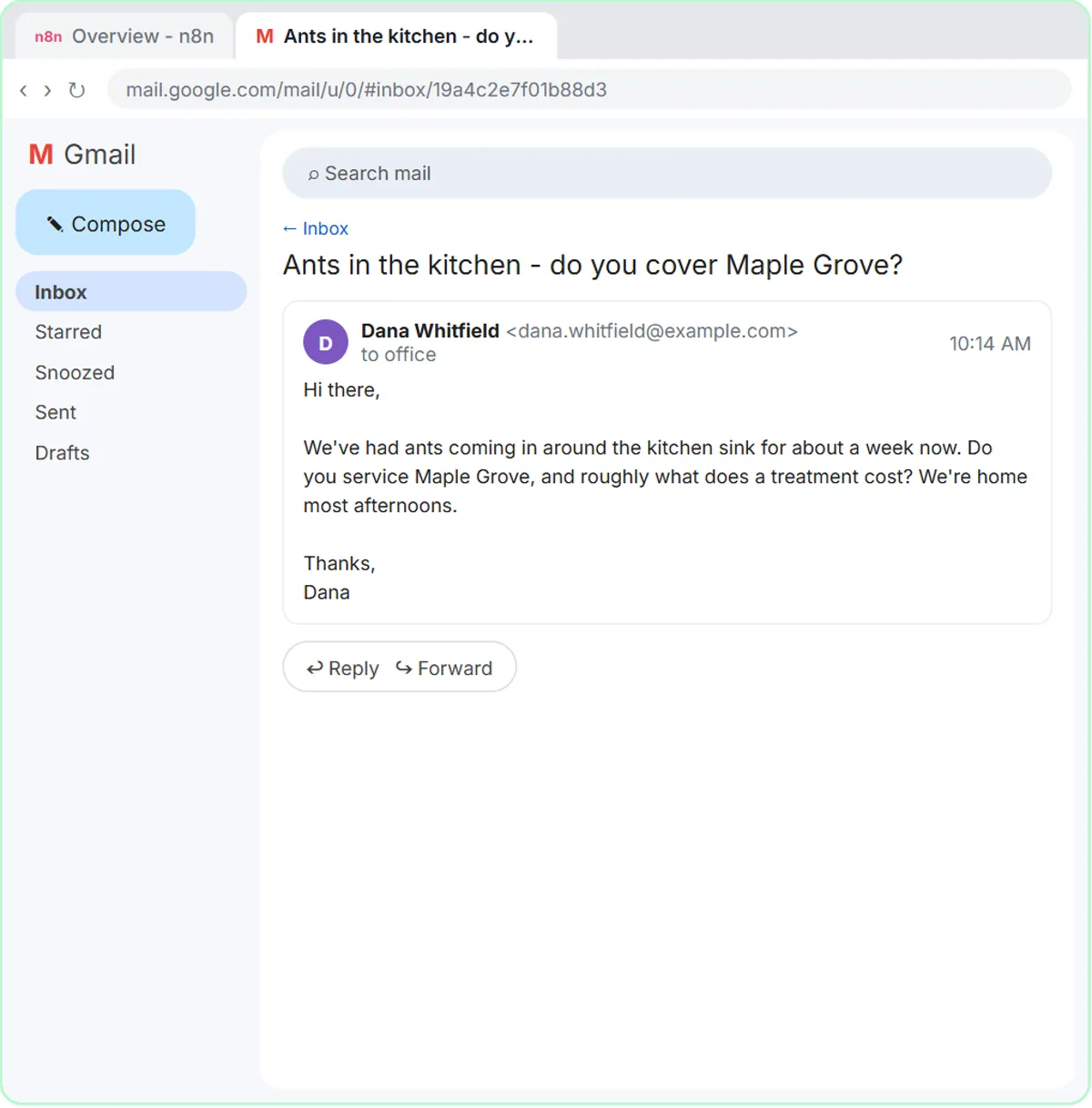
The AI part comes next. An AI Agent node reads Dana's email (ants in the kitchen, is Maple Grove covered, roughly what does it cost) and has to work out what she is asking. You give it a System Message with the real facts: the three towns served, $149 for a first visit and $89 for a follow-up, and the rule "Never make up prices, dates or services."
Finally, you change the Gmail Tool's Resource to Draft, so the AI can only write a reply into the thread, never send one. That split is the practical lesson: rules handle the predictable steps, AI handles the reading and writing, and a person still clicks send.
Try this lesson free or read the step-by-step guide.
Common confusions
AI vs automation
Automation follows steps you define, exactly the same way every time. AI makes a judgment about content it has never seen before. Most useful business workflows combine the two: automation moves the data, and AI reads or writes the parts that need understanding.
AI vs ChatGPT
ChatGPT is one product built on one family of AI models. AI is the whole field, which also includes image recognition, spam filters, voice assistants and the models other companies make. Saying "AI" when you mean "ChatGPT" is common, but the tools and their limits differ.
Does AI understand what it reads?
Not the way a person does. Modern AI predicts likely answers from patterns, which works remarkably well on everyday language but can produce fluent mistakes. That is why the lessons always end with a person checking the output.
Tips
- Start with a task you already do by hand every week, where a wrong first draft costs little because you review it anyway.
- Write down the facts and rules the AI must follow. Most bad AI output comes from missing context, not a weak model.
- Keep a person between the AI and the customer until you have watched it handle dozens of real cases.
Related terms
Where you use it: free lessons
- AI Email Responder: Draft Gmail Replies Automatically with n8n (n8n, 12 min)
- Build a Custom GPT Social Media Assistant (ChatGPT, 8 min)
- AI Receipt Extractor: Receipts to Google Sheets with n8n (n8n, 12 min)
Frequently asked questions
- What does AI mean for a small business?
- Mostly, software that can read, sort and draft: answering routine emails, pulling details from receipts, summarizing meetings and qualifying form submissions. It takes the first pass at work that needs reading, and a person makes the final call.
- Do I need to know how to code to use AI?
- No. Tools like ChatGPT work with plain-English instructions, and n8n lets you connect AI to Gmail or Google Sheets by adding nodes and filling in settings.
- Is AI always right?
- No. It can misread a request or state something that is not true. Give it the facts it needs, tell it not to invent details, and review what it produces before anyone else sees it.