What is a Claude skill?
Quick answer
A Claude skill is a folder of instructions, and sometimes scripts and files, that teaches Claude how to do one kind of task the same way every time. Each skill has a short name and a description. Claude reads the descriptions and opens a skill only when your request matches, so skills do not clutter every chat.
Last updated
Updated · By Robert Breen
Why it matters for a small business
Most people re-explain the same things to an AI again and again: how the weekly report is laid out, which colors a proposal uses, what a finished spreadsheet should look like. A skill writes that down once. Claude then applies it in any chat where the task comes up, and you stop pasting instructions.
Skills sit beside two older tools. A Claude Project holds background knowledge that is always loaded for chats inside it. Custom instructions apply to every conversation. A skill is a procedure for one task, and it loads only when needed. Claude also has built-in skills for Excel, Word, PowerPoint and PDF files, and these need code execution switched on.
Where a skill fits
| Tool | What it holds | When Claude uses it |
|---|---|---|
| Skill | A procedure for one kind of task | Only when your request matches its description |
| Project | Background files and instructions | Always, for chats inside that project |
| Custom instructions | General preferences about you and your style | In every conversation |
Based on Anthropic's help center description of skills, checked in October 2026. Plans and menus change, so confirm in your own account.
In a real lesson: Build Your Own Claude Skill with the Skill Creator: A Weekly Report Template
In the Build Your Own Claude Skill lesson, Brightline Painting, a made-up painting company, turns two crews' Friday notes into a weekly job report by hand every week. The lesson has Claude's skill creator interview the owner, draft a skill from one real week of notes, and test it.
The description matters most. It says to use the skill whenever a week of crew notes is pasted or a weekly report is asked for, which is how Claude knows to pick it up by itself next Friday. The skill also tells Claude to mark gaps with [CHECK] instead of guessing.
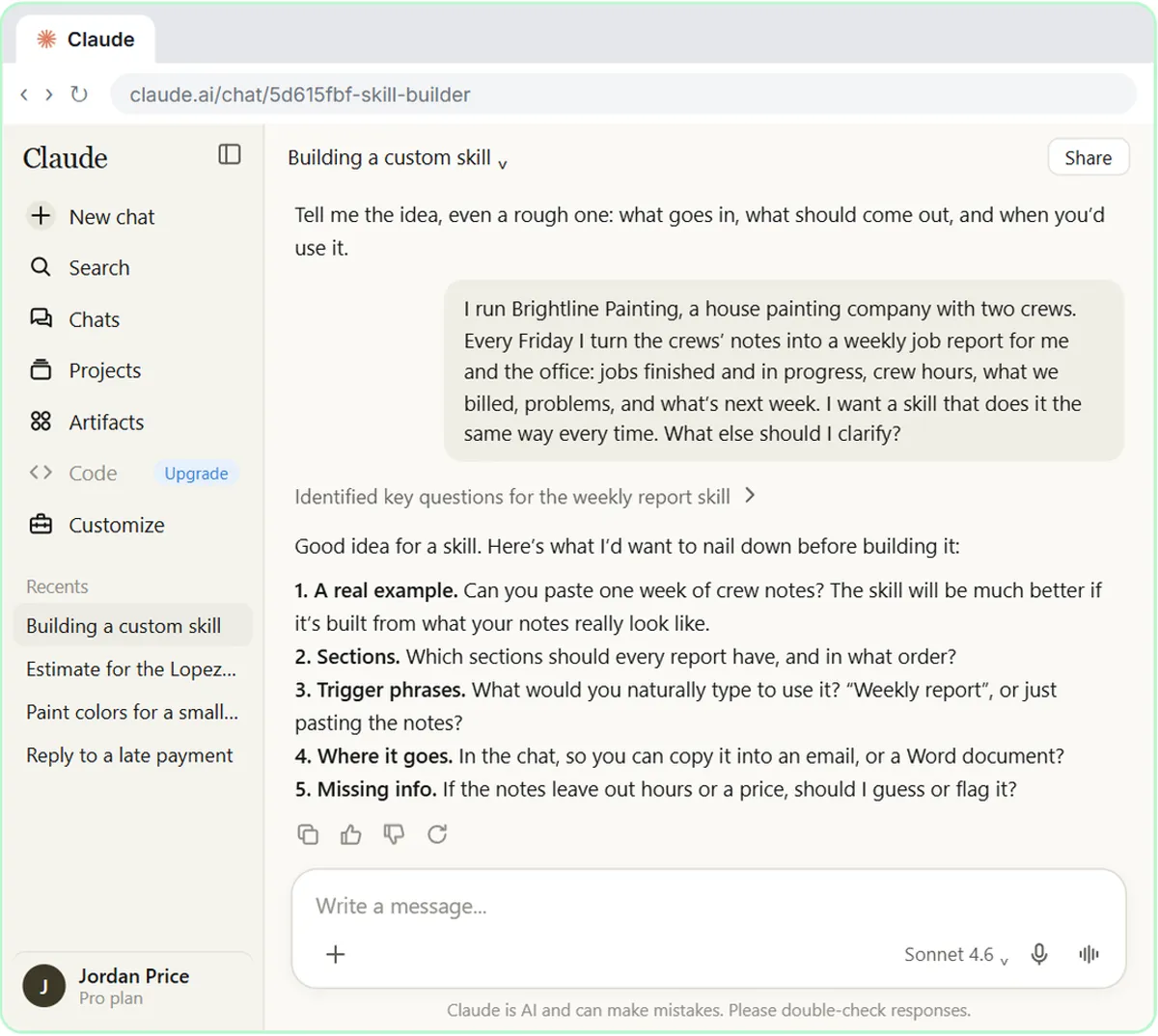
Try this lesson free or read the step-by-step guide.
Common confusions
Skill vs project
A project is a workspace with files and instructions that apply to every chat in it. A skill is a repeatable procedure that works across Claude and loads only when relevant.
Skill vs prompt
A prompt is something you type each time. A skill is a saved set of instructions Claude can reach for on its own, so you can ask for the result in one plain sentence.
Tips
- Keep each skill to one job, and write the description as when to use it.
- Test it on a real example before you save it, and check the numbers it produces.
- Only add skills you trust. A skill can include scripts, so treat an unknown one like unknown software.
Related terms
More AI assistants terms
Where you use it: free lessons
- Build Your Own Claude Skill with the Skill Creator: A Weekly Report Template (Claude, 8 min)
- What Are Claude Skills? Turn One On and Watch It Work (Claude, 7 min)
- Make Every Claude Document On-Brand with a Brand Guidelines Skill (Claude, 7 min)
- How to Install a Custom Skill in Claude (Upload a Skill .zip) (Claude, 6 min)
Prompt templates that use it
Visual guide
Claude skill in a few slides, with the same guide written out as text.
Frequently asked questions
- Do I have to tell Claude which skill to use?
- No. When a skill is switched on and your request matches its description, Claude can use it by itself. You can also type a slash and pick it by name.
- Which Claude plans have skills?
- Anthropic lists Free, Pro, Max, Team and Enterprise plans. Skills need code execution to be enabled, and only Team and Enterprise owners can provision them for a whole organization.
- Can I write my own skill without coding?
- Yes. In the lesson, Create with Claude interviews you in plain words and writes the skill for you. A simple process skill is just instructions in Markdown.