What are custom instructions in ChatGPT?
Updated · By Robert Breen
Custom instructions are a ChatGPT personalization setting where you tell ChatGPT about yourself and how you want it to respond. ChatGPT applies them to your new chats automatically, so you don't have to repeat your role, business or style preferences each time.
Why it matters for a small business
If you use ChatGPT for work, you probably type the same background again and again: what your business does, who your customers are, that you want plain answers without emoji. Custom instructions save that once, so every chat starts with it.
They are personal, though. They shape your own chats, not your coworkers', and they apply to everything you ask, from a customer email to a recipe. For instructions tied to one job, or shared by a team, a Custom GPT is the better home.
In a real lesson: ChatGPT for Electricians: Build an Electrical Bid Writer
Stepthrough doesn't have a lesson on custom instructions. The closest thing to practice is ChatGPT for Electricians: Build an Electrical Bid Writer, which uses the same idea scoped to one job: a Custom GPT's Instructions field.
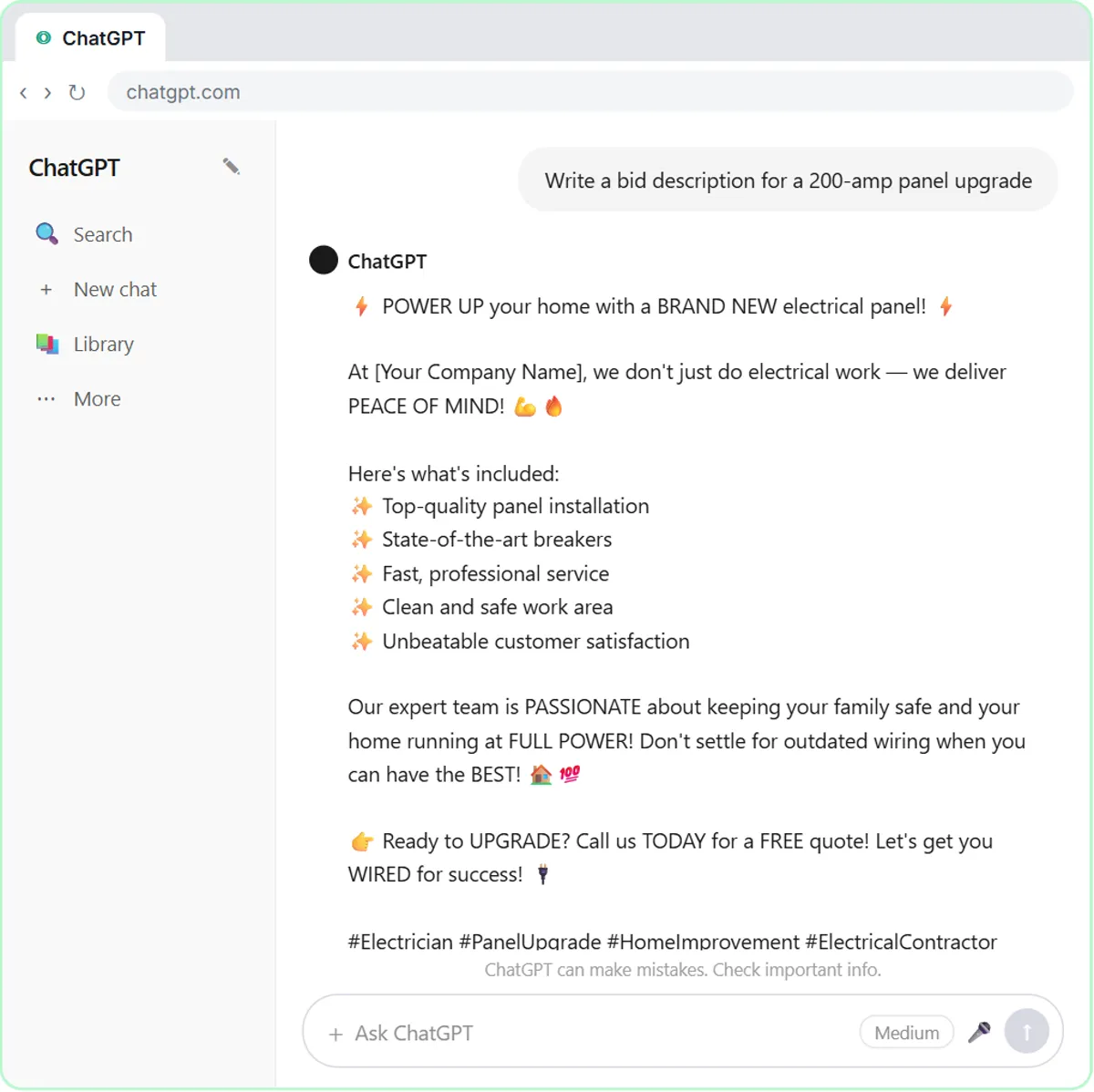
There you name the GPT Electrical Bid Writer and paste standing rules for Oak & Wire Electric, a made-up contractor: explain technical terms like AFCI and GFCI in a few words, never use emojis or hashtags, say who pulls the permit and that the work is inspected, use price ranges from the services guide, and never quote a single fixed price before a site visit. Then Write a bid description for a 200-amp panel upgrade gets an on-brand bid instead of a generic one.
Custom instructions would carry the broad, personal part of that (you run an electrical contracting business and want plain language, no emoji) into every chat. The bid-specific rules belong in a GPT, so they don't leak into unrelated questions.
Try this lesson free or read the step-by-step guide.
Common confusions
Custom instructions vs Custom GPT
Custom instructions apply to all of your own chats. A Custom GPT has its own instructions and knowledge files for one job, and can be shared with others. Use instructions for who you are, GPTs for specific tasks.
Custom instructions vs memory
Custom instructions are text you write and control directly. ChatGPT memory is what ChatGPT picks up and saves from your conversations. Both can shape answers; you can review and change each in settings.
Tips
- Keep them short: your role, your business in one line, and two or three style preferences.
- Leave out client names, account numbers or anything confidential.
- If answers to unrelated questions start sounding oddly businesslike, trim the instructions.
Related terms
Where to learn more
Frequently asked questions
- Do custom instructions apply to old chats?
- They are meant for new conversations. Start a new chat after you change them to see the effect.
- Can my team share my custom instructions?
- No, they are tied to your account. To share standing instructions with a team, build a Custom GPT or keep a shared prompt template.