What is a ChatGPT dot?
Quick answer
A ChatGPT dot is OpenAI's always-on agent. You give it an ongoing goal, and it keeps making progress between your conversations on its own cloud computer, using the apps you connect, then comes back to you for decisions that need a person. OpenAI launched dots on September 29, 2026, powered by GPT-6 Astra.
Last updated
Take the free module →Module 12 of the free ChatGPT for Everyday Work course, about 8 minutes. No account needed.
Updated · By Robert Breen
Why it matters for a small business
Most AI help stops when you close the chat. A dot is built for the work that keeps coming back: a weekly follow-up, an inbox to watch, a deck that has to stay current. It runs reminders and recurring checks, does read-only background research in your connected apps, and can be reached in ChatGPT, Slack and Microsoft Teams, so a recurring office job has an owner even when you are busy.
Access is limited. As of October 2026, dots are on ChatGPT Pro (not in the EEA, Switzerland or the UK), Business Premium, and an Enterprise beta that an admin must switch on. The first dot is included in the plan, and chatting with it does not count toward usage limits. It is an AI agent you keep, with its own memory, rather than one you start for a single task.
A dot next to the ChatGPT features you may already use
| Feature | What it does | Who starts the work |
|---|---|---|
| Chat | Answers and drafts | You, each time |
| ChatGPT Work | Finishes one multi-step job | You |
| Scheduled task | Repeats one saved job on a timer | The schedule |
| Dot | Owns an ongoing goal and plans next steps | The dot, within your rules |
From OpenAI's announcement and help center, checked October 14, 2026. Plans and features change, so confirm in your own account.
In a real lesson: ChatGPT Work: Have ChatGPT Do a Multi-Step Task
In the free ChatGPT Work lesson, Sam at Hollow Oak Landscaping, a made-up company, has ChatGPT compare three suppliers' prices into a spreadsheet, approving each website it opens, and then schedules a recheck every Monday at 7 AM. That works on Plus today.
A dot would take the same job further: it would keep the supplier comparison as an ongoing responsibility, notice when a price changes, and message Sam in Slack with the new numbers, asking before it contacts any supplier.
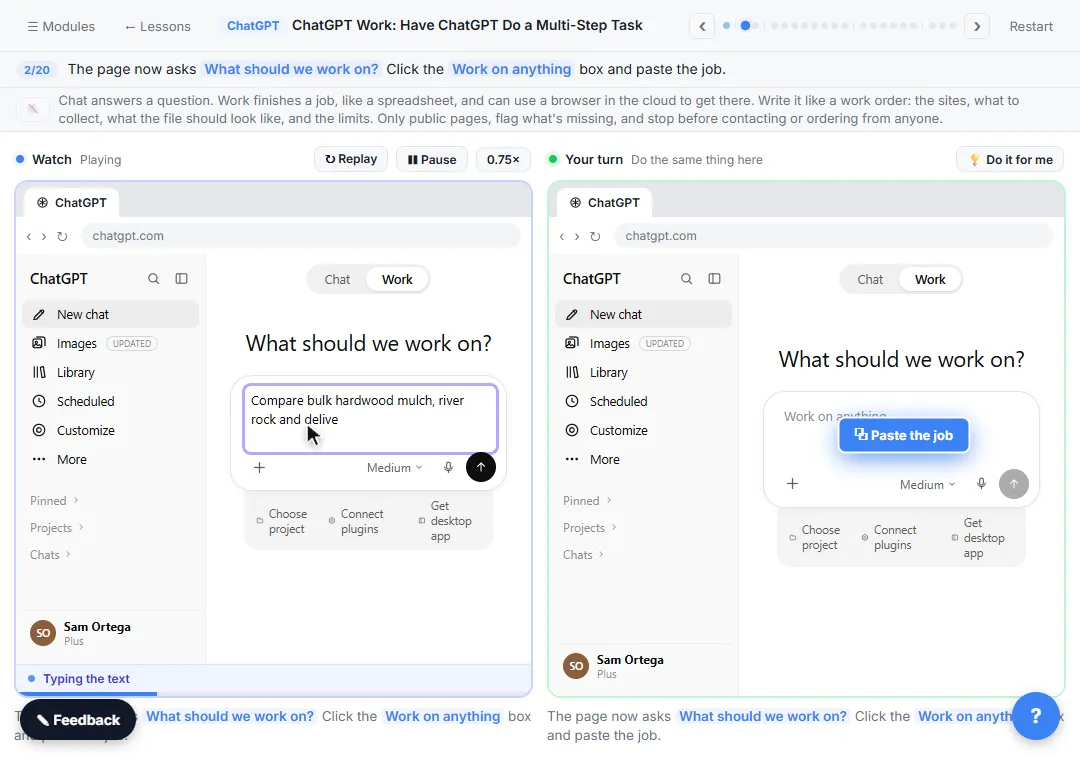
Try this lesson free or read the step-by-step guide.
Common confusions
Dot vs ChatGPT Work
ChatGPT Work, which replaced agent mode, finishes one job you hand it. A dot keeps a goal over days or weeks and decides what to look at next.
Dot vs Custom rules
Custom rules are the settings inside a dot. For an action you choose to let it act, act if pre-approved, ask first or hand off to you.
Tips
- Connect only the apps the job needs, with read access where you can.
- Set Ask before taking action for anything that sends, buys or deletes.
- Disconnecting an app does not delete what the dot already learned from it; resetting the dot does.
Related terms
More AI agents terms
Where you use it: free lessons
- ChatGPT Work: Have ChatGPT Do a Multi-Step Task (ChatGPT, 8 min)
- AI Agent vs Chatbot vs Automation: One Job Done Three Ways (ChatGPT, 7 min)
- ChatGPT: Keep Client Data Safe, Set Up Your Team's Data Controls in 10 Minutes (ChatGPT, 10 min)
- Get On-Brand Social Posts Every Time using a ChatGPT Custom GPT (ChatGPT, 8 min)
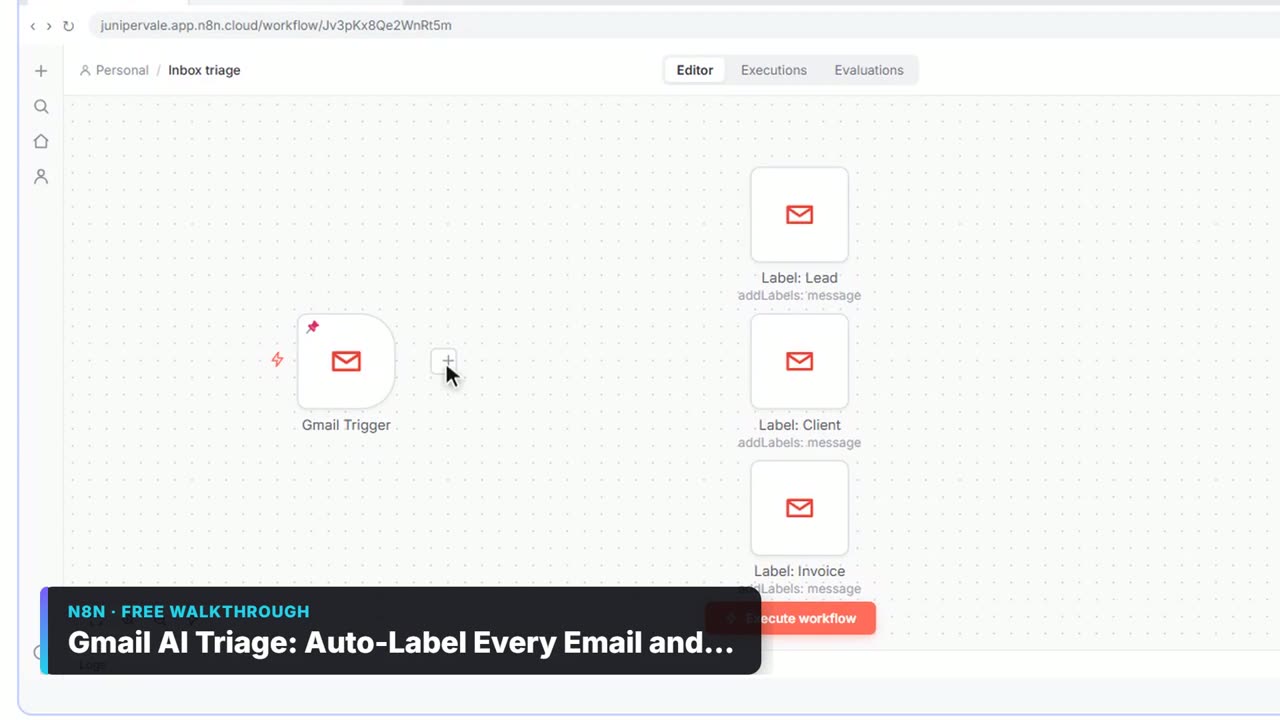
Watch it in a free lesson: Gmail AI Triage: Auto-Label Every Email and Draft Replies
 2:31
2:31Gmail AI Triage: Auto-Label Every Email and Draft Replies: video walkthrough
Build an n8n workflow that reads each new email, sorts it as a lead, a client or an invoice with a Text Classifier, adds the matching Gmail label, and drafts a reply to clients for you to check. The whole lesson narrated step by step, recorded in Stepthrough’s simulated practice environment.
Frequently asked questions
- Can I get a ChatGPT dot on the Plus plan?
- Not yet. As of October 14, 2026, dots are on Pro, Business Premium and an admin-enabled Enterprise beta. OpenAI says it plans to expand to more users but has not given a date.
- What model runs a dot?
- OpenAI says GPT-6 Astra. Some news coverage says GPT-6, but OpenAI's own pages name GPT-6 Astra.
- Does a dot use my own computer?
- Only if you allow it. Each dot has its own cloud computer, and local access starts off. You turn it on from the ChatGPT desktop app on that computer.