Updated . Built step by step in a real Runable Free-plan account on 19 October 2026. Every screen in the practice is a real Runable screen, and every output is what Runable produced in that run. How we check this lesson
A launch needs people to know your products before they meet you. In this free lesson you make a 5-slide Instagram carousel for Harbor & Pine's three scents with Runable's Carousels tool: pick Product Showcase, paste the words for each slide, approve the cover, and let Runable build the rest. Then you read every slide, catch a typo the AI drew into slide 3, ask for the fix, and see what a one-word fix really changes. It used about 450 credits.
At a glance
| Question | Answer |
|---|---|
| What you build | A business case for new founders: make a 5-slide Instagram launch carousel with Runable's Carousels tool, approve the cover before it renders the rest, check every slide for AI typos, and see what a one-word fix really costs. Free plan. |
| Tools | Runable |
| Time | About 10 minutes, 21 steps in 6 parts |
| Level | Beginner, no coding needed |
| Cost | Free |
| Ways to learn it | Practice it step by step |
The 6 parts, in short
- Launch content without a designer: Price your launch content, Meet Runable Carousels, Write the words first.
- Pick a carousel style: Open Carousels, Pick Product Showcase, Use a template, Swap in your slides, and 1 more step.
- Approve the cover, then build the rest: Open the cover, Check the cover, Approve it, Send the approval.
- Check every slide: Look at every slide, Spot the typo, Ask for the fix, Send the fix, and 1 more step.
- Export it and watch your credits: Export the carousel, Check your credits.
- What it saved, and what is next: See what you have now, Up next.
Start here first: Size Up Your Market and 5 Competitors Before You Spend a Dollar using Runable (module 1 of Runable for Entrepreneurs)
Part of: AI Apps Worth Knowing (step 11 of 49)
The business case: launch content without a designer
A freelance designer charges $150 to $300 a carousel, and a launch month might need four. Doing it yourself in a design app takes 3 to 4 hours each. These are example numbers; use your own.
What you do in the lesson
You write the words first, then pick Carousels and Product Showcase and paste them over the template's sample prompt, with the colours and the 4:5 Instagram size. Runable rendered only the cover and stopped, because each page is a paid render. After you approve it, it builds the other four slides.
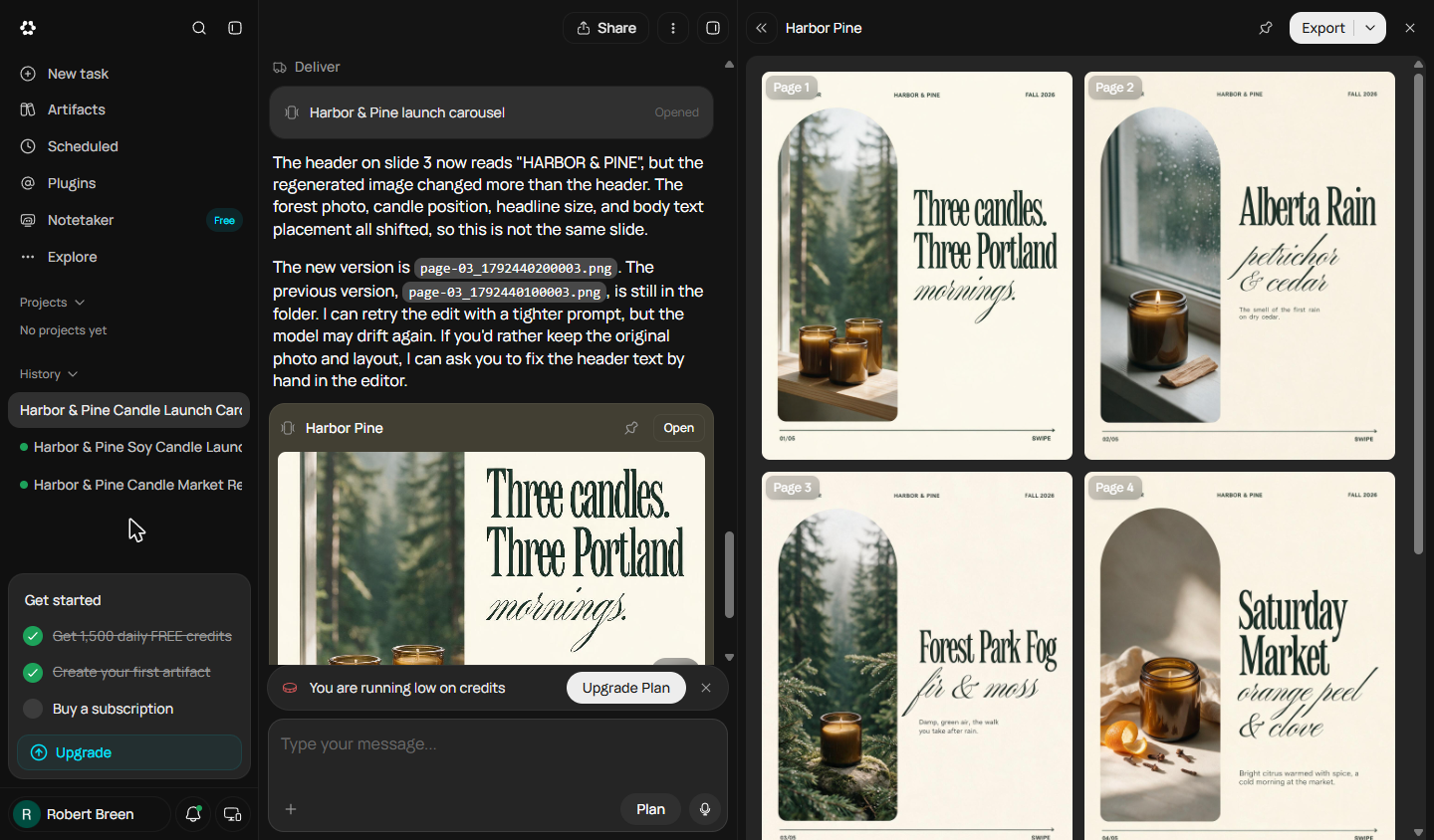
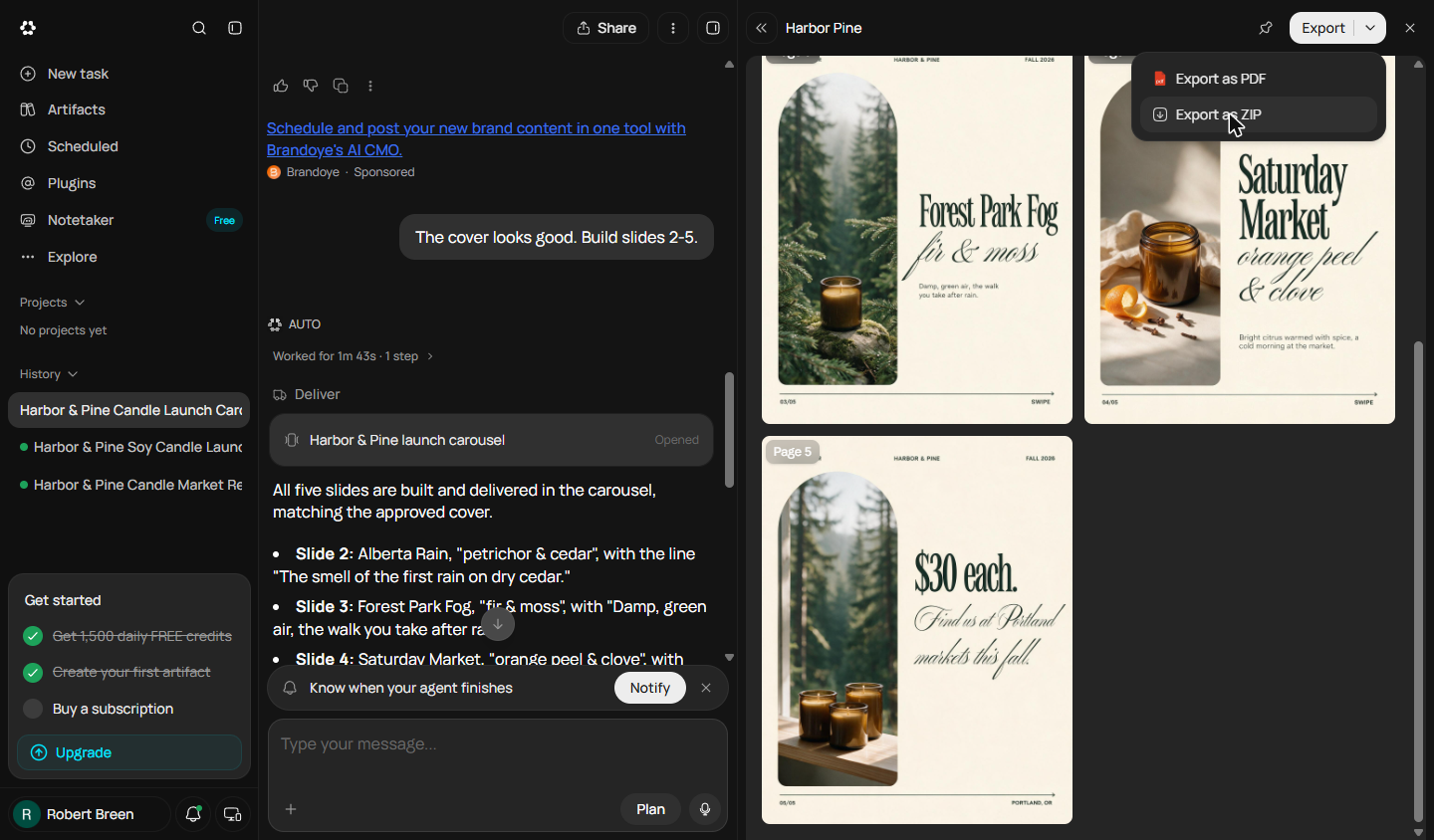
Reading every slide pays off: the small header on slide 3 said HARBOR & PIN2. Asking Runable to fix it changed the header, but it also redrew the slide with a new photo and layout, kept the old version, and suggested fixing small text by hand in the editor. Then you open the Export menu (PDF or a ZIP of images) and check your credits.
Links
- Runable: the AI agent this course teaches. Its Free plan showed 1,500 credits a day when we tested it in October 2026.
- Runable pricing: current plans, credits and limits. Check them before you rely on the Free plan.
Try it yourself, free
Reading the steps is a start. Doing them is how it sticks. The interactive module walks you through every click in a practice copy of Runable, checks each step, and never touches your real accounts.
Start “Make an Instagram Launch Carousel for Your Products using Runable”Step by step: Make an Instagram Launch Carousel for Your Products using Runable
All 21 steps of the interactive module, in order. In the module you watch each one, then do it yourself in a practice copy that checks your work.
1. Launch content without a designer
- Price your launch content. Maya launches three scents at Portland markets this fall. People should know the names, the smell and the price before they reach her stall. A freelancer charges $150 to $300 a carousel; doing it herself takes 3 to 4 hours each. Click the launch month total.
Maya launches three candles this fall. She wants people to know them before they reach her stall. A designer costs up to three hundred dollars a carousel.
- Meet Runable Carousels. Runable's Carousels tool turns a prompt into a set of slides. You approve the cover, it builds the rest, and you check every slide. Click the Runable card.
Runable can build a carousel from a prompt. You approve the cover. It builds the rest.
- Write the words first. Decide the words yourself: five slides, a cover line, one line per scent, and the price. The agent designs; you stay the editor. Download a copy on this page, then click the slide copy.
Write the words yourself first. Five slides. A cover, three scents, and the price.
2. Pick a carousel style
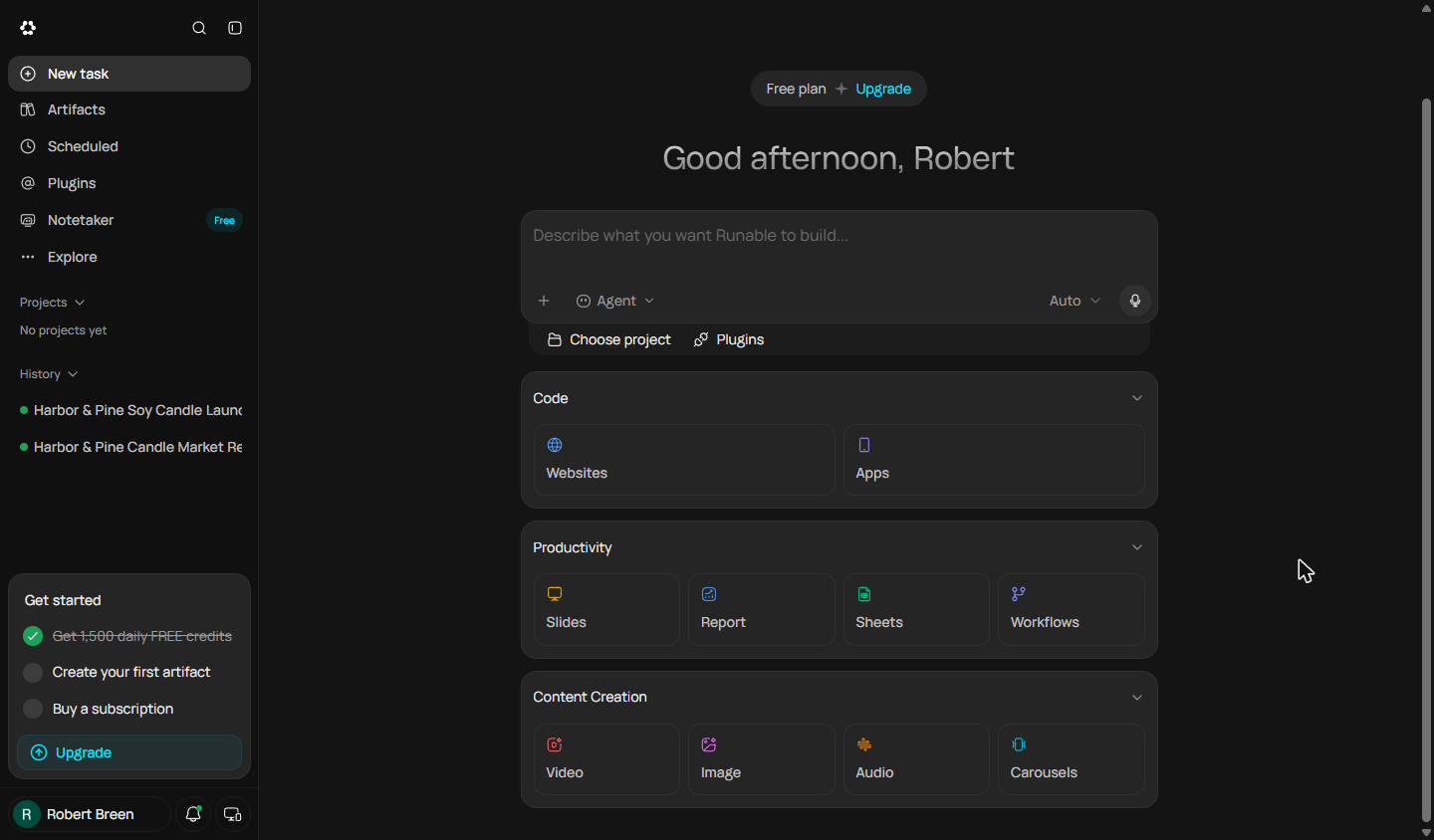
- Open Carousels. On the home screen, under Content Creation, click Carousels.
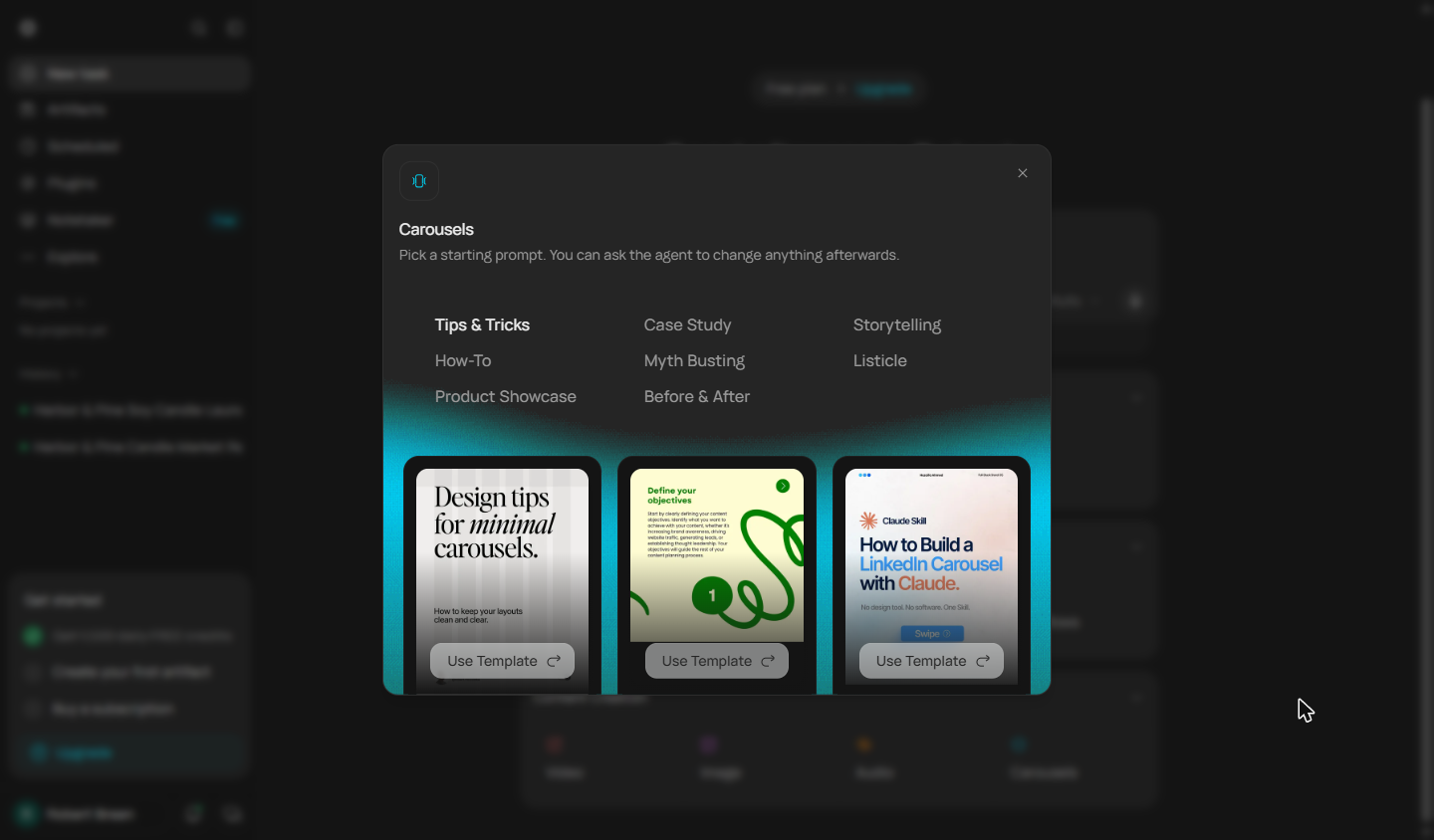
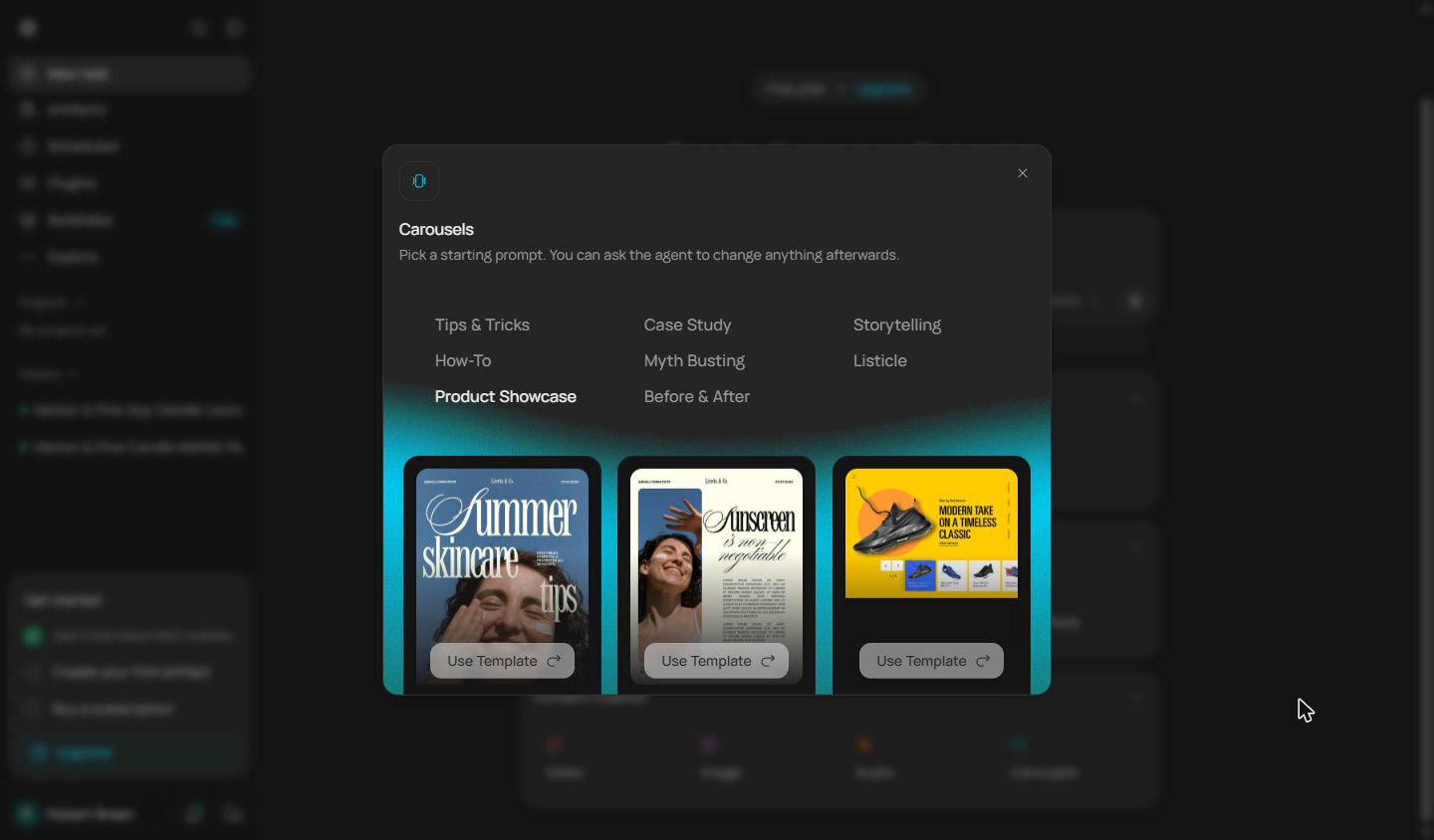
- Pick Product Showcase. Carousels offers styles: Tips & Tricks, How-To, Case Study, Myth Busting, Storytelling, Listicle and more. You are showing products, so click Product Showcase.
You're showing products.
- Use a template. Pick the look closest to your brand. The editorial, cream-coloured one in the middle fits a candle brand. Click its Use Template.
Pick the look closest to your brand.
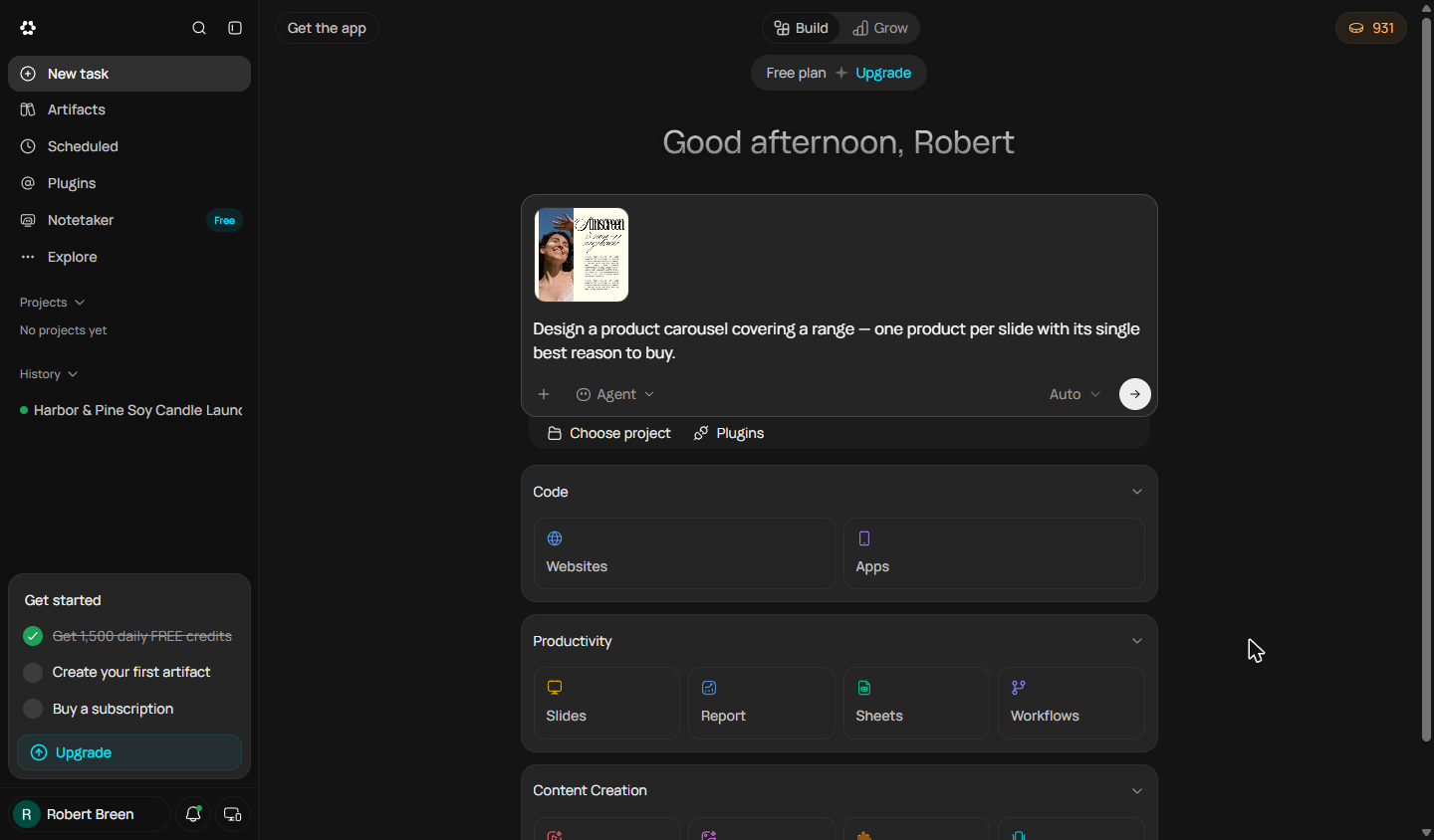
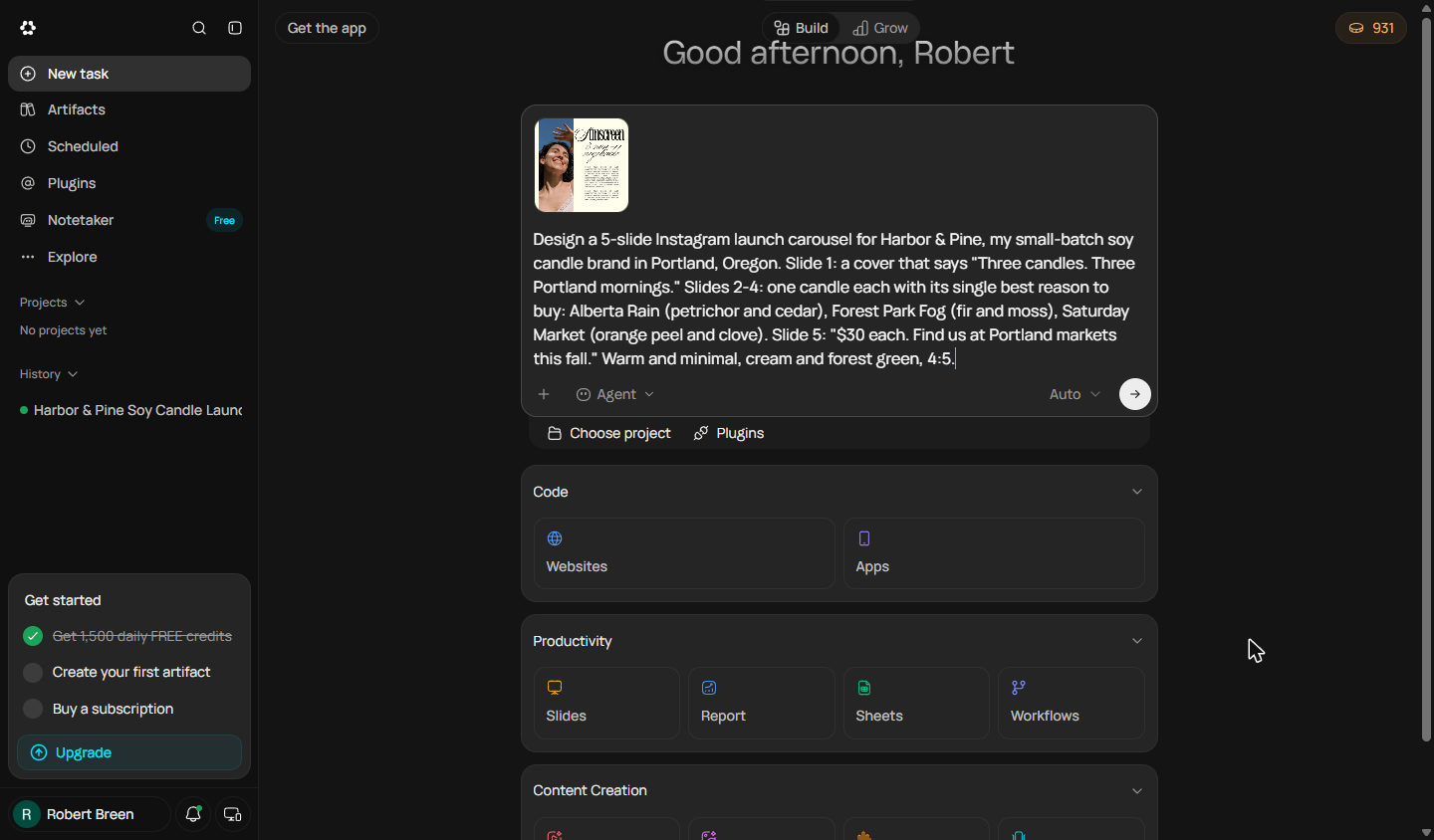
- Swap in your slides. The template adds a sample prompt. Select it and paste yours over it: the slide count, the words for every slide, the colours and the 4:5 size Instagram uses.
Replace the sample prompt with yours. Every slide's words. The colours. And the size.
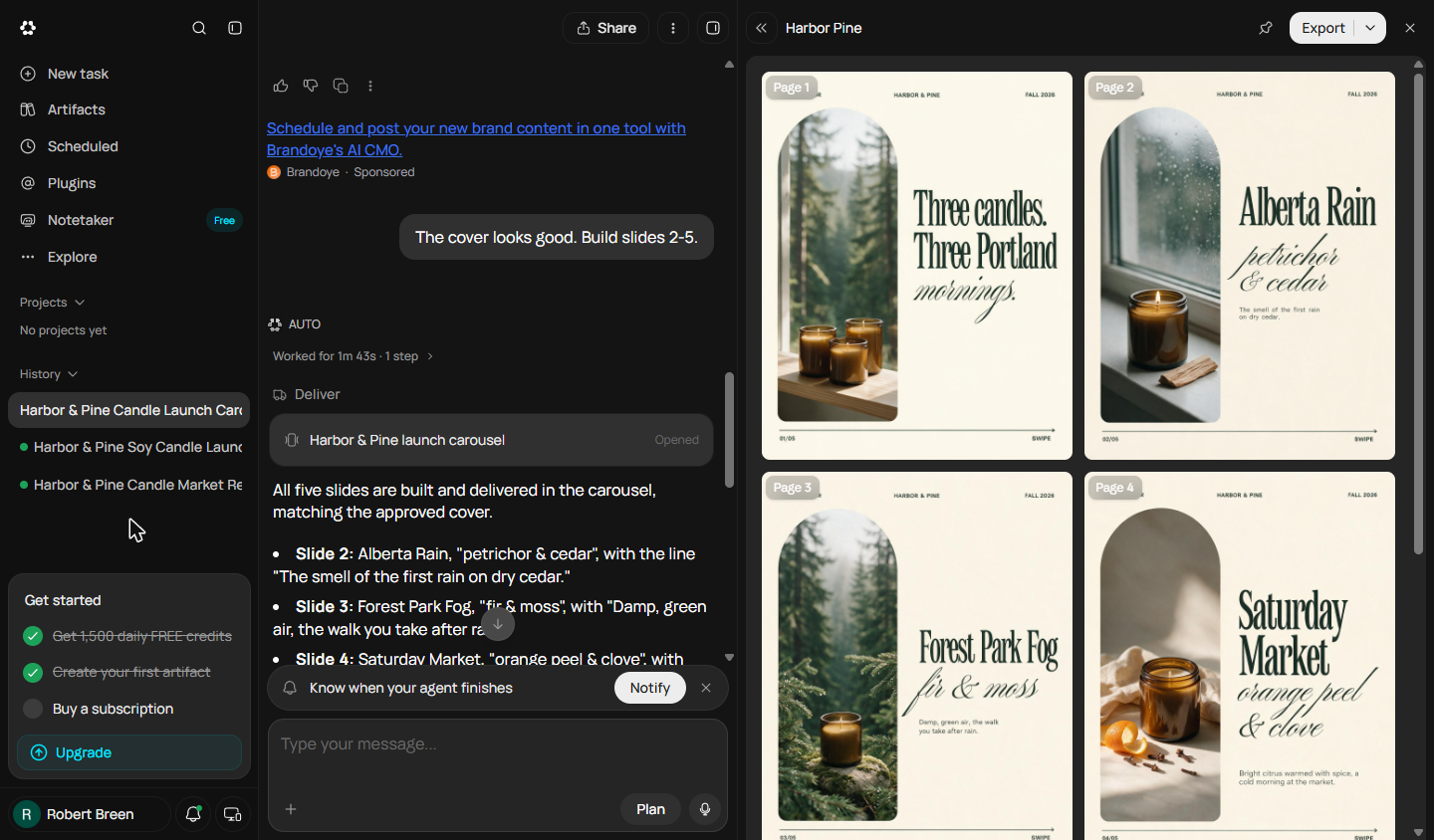
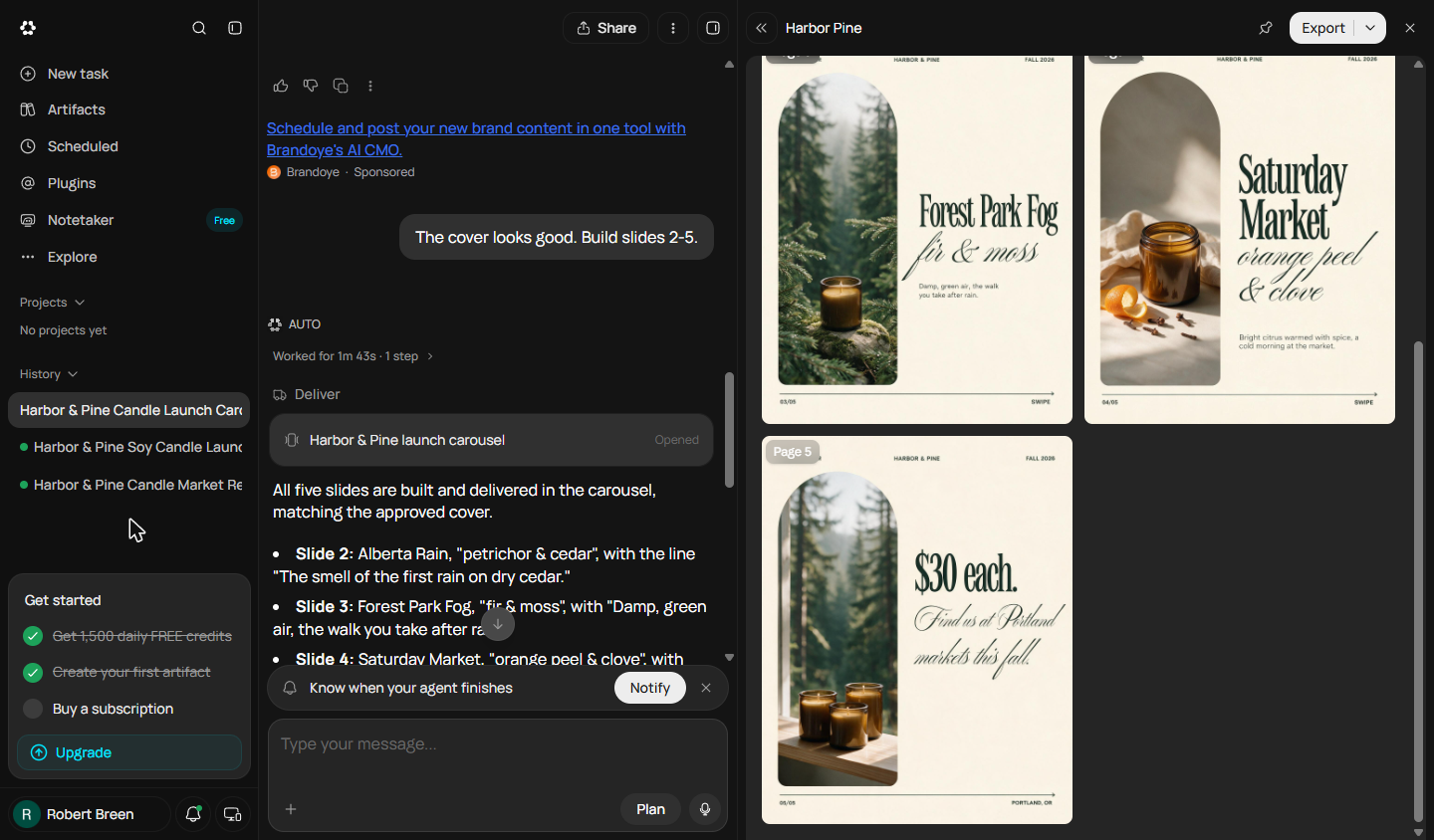
Design a 5-slide Instagram launch carousel for Harbor & Pine, my small-batch soy candle brand in Portland, Oregon. Slide 1: a cover that says "Three candles. Three Portland mornings." Slides 2-4: one candle each with its single best reason to buy: Alberta Rain (petrichor and cedar), Forest Park Fog (fir and moss), Saturday Market (orange peel and clove). Slide 5: "$30 each. Find us at Portland markets this fall." Warm and minimal, cream and forest green, 4:5.
- Send it. Click the arrow to send it.
3. Approve the cover, then build the rest
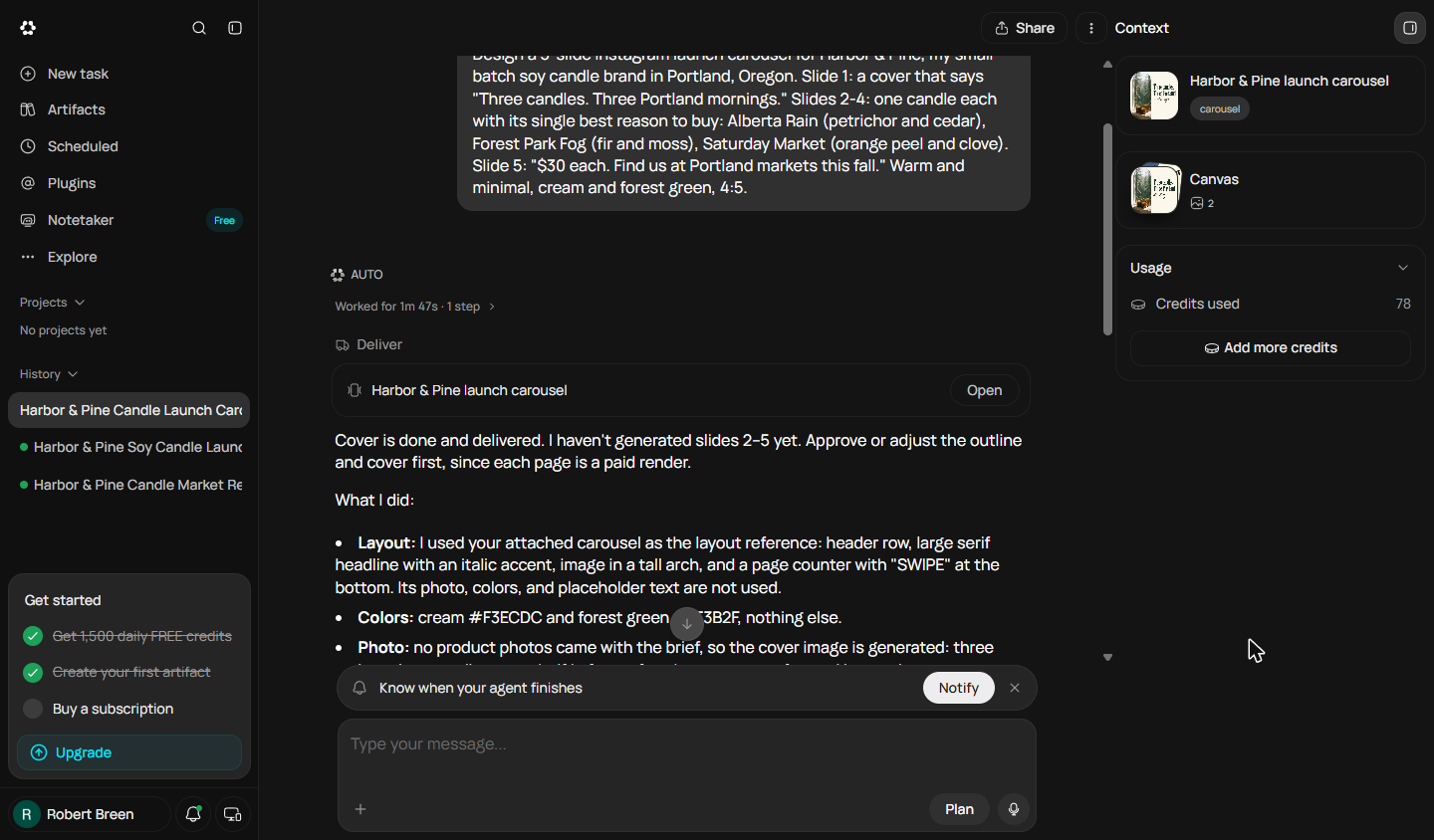
- Open the cover. Runable builds only the cover first and stops: "each page is a paid render", so it asks you to approve the look before it spends more credits. Click Open.
It builds only the cover first. Each slide costs credits, so it asks you to approve the look.
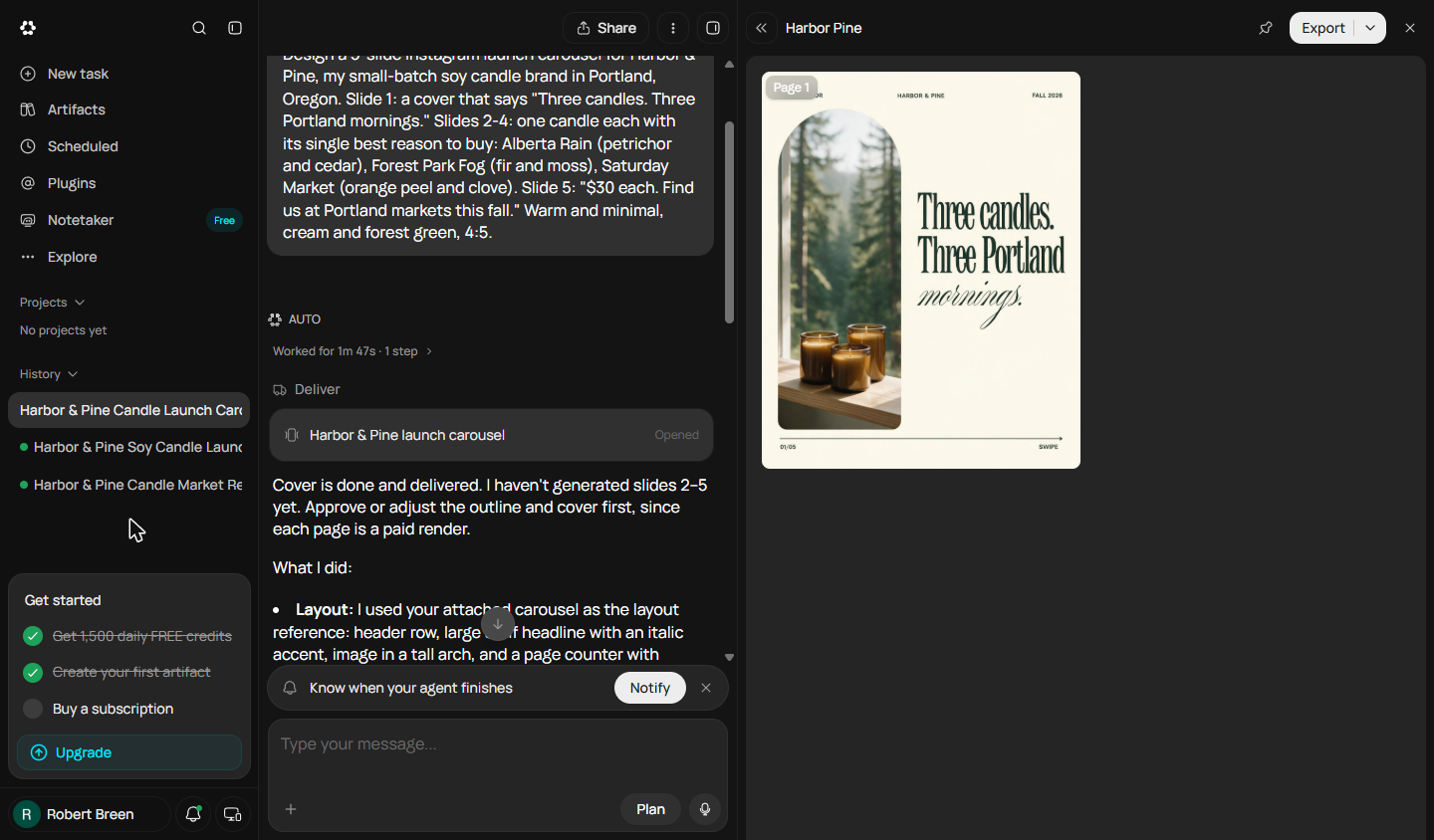
- Check the cover. The cover uses your words, cream and forest green, and a generated photo of three candles in a forest window. Check the words and the look. Click the cover.
Check the words and the look.
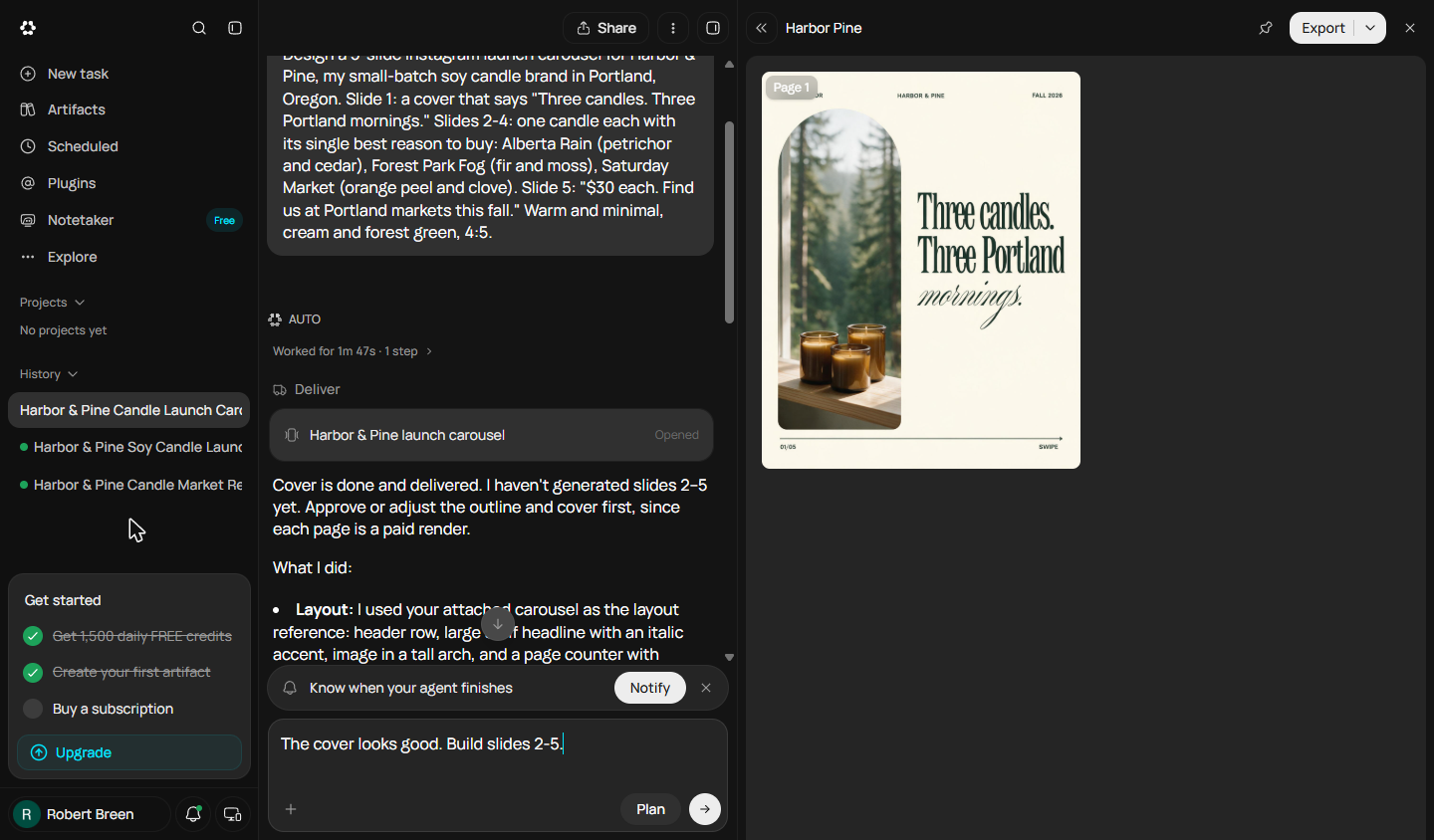
- Approve it. The cover works, so tell Runable to build the rest. Paste the reply into Type your message...
It looks right. Tell it to build the rest.
- Send the approval. Click the arrow to send it.
4. Check every slide
- Look at every slide. All five slides are built: Alberta Rain, Forest Park Fog, Saturday Market and a price slide, matching the cover. Now read every one, including the small text. Click Page 2.
All five slides are done. Now read every one. Even the small text.
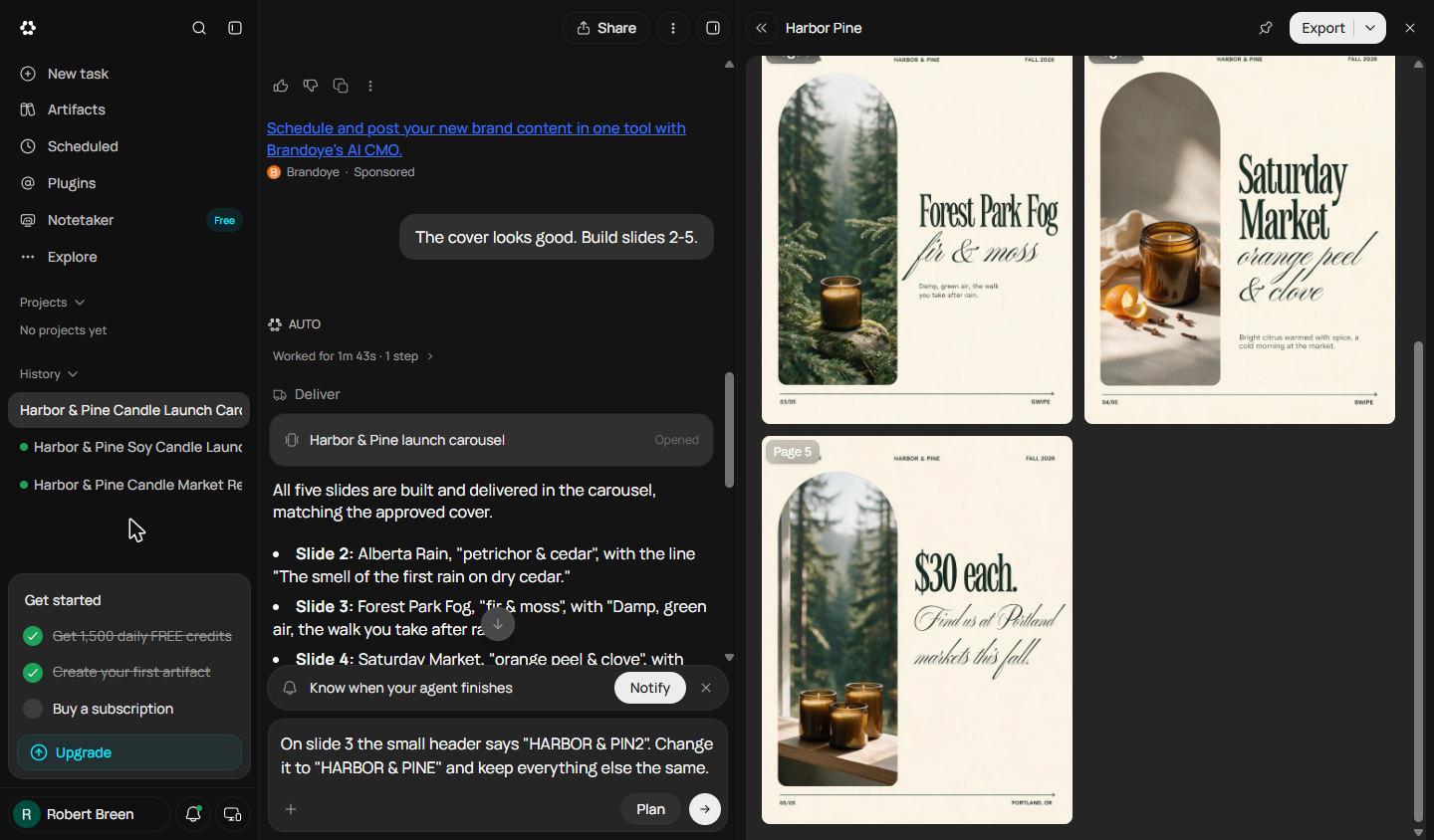
- Spot the typo. Look at the small header on Page 3. It says HARBOR & PIN2. AI image models still misspell small text inside images. Click the header on Page 3.
Look at the small header on page three. It says Harbor and Pin two. AI images still misspell small text.
- Ask for the fix. Say exactly what is wrong and what to keep. Paste the message into Type your message...
Say what's wrong, and what to keep.
- Send the fix. Click the arrow to send it.
- Read what changed. Runable is honest: the header now reads HARBOR & PINE, but the regenerated image changed more than the header: a new photo, new candle position, new text placement. It kept the old version and offers to retry, or suggests fixing small text by hand in the editor. Click its answer.
It fixed the header. But it redrew the whole slide. New photo. New layout. For small text, fixing it by hand is often faster.
5. Export it and watch your credits
- Export the carousel. The Export menu offers Export as PDF or Export as ZIP of the slide images. Instagram wants images, so a ZIP is what you post; PDF works for LinkedIn. Click Export as PDF.
You can export a PDF, or a zip of the images.
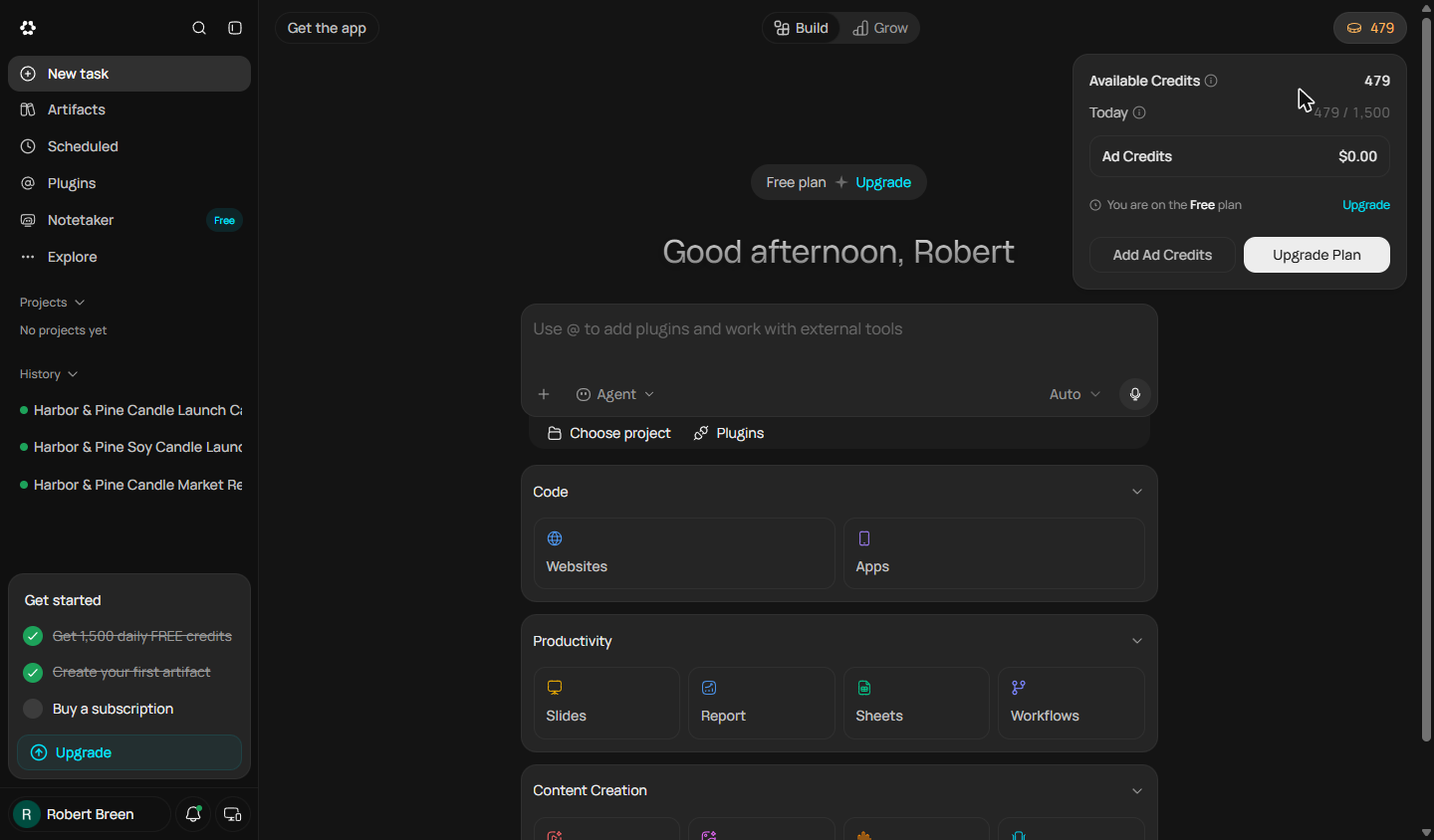
- Check your credits. Back on the home screen, the credits pill shows 479 left of today's 1,500. This carousel and its fix used about 450: images cost far more than text. Click Today.
This carousel used about four hundred and fifty credits. Images cost much more than text.
6. What it saved, and what is next
- See what you have now. Five on-brand slides, one typo caught, and a lesson about regenerating images, for about 450 free credits. Nothing was posted. Click What you have now.
Five slides. One typo caught. And a lesson about fixing images.
- Up next. Coming next in this course: a landing page with a waitlist form. Click Up next.
Coming next, a landing page that collects sign-ups.
Screenshots
Frequently asked questions
- Can Runable make Instagram carousels?
- Yes. Runable's Carousels tool has styles such as Product Showcase, How-To and Listicle. In our test it made a 5-slide 4:5 carousel from a prompt, building the cover first for approval.
- Why does AI spell text wrong in images?
- Image models draw letters as part of the picture, so small text can come out misspelled. Ours read HARBOR & PIN2 instead of HARBOR & PINE. Zoom in on every slide before you post.
- How many credits does a carousel use?
- Our five slides and one fix used about 450 credits, much more than text tasks. The Free plan showed 1,500 credits a day in October 2026.
More in Runable for Entrepreneurs
All 3 modules in Runable for Entrepreneurs
More Runable tutorials
Terms in this lesson
Plain-English definitions, each with an example from a free lesson.