Updated . Built against the tool’s current screens and checked step by step. How we check this lesson
A 12-person accounting firm walks every new hire through the same Week 1 rules by hand. Paste the onboarding SOP into X-Pilot, get a narrated 2-minute training video, check it against the SOP, and add a missing rule by typing one sentence.
At a glance
| Question | Answer |
|---|---|
| What you build | A 12-person accounting firm walks every new hire through the same Week 1 rules by hand. Paste the onboarding SOP into X-Pilot, get a narrated 2-minute training video, check it against the SOP, and add a missing rule by typing one sentence. |
| Tools | X-Pilot |
| Time | About 6 minutes, 13 steps in 3 parts |
| Level | Beginner, no coding needed |
| Cost | Free |
| Ways to learn it | Practice it step by step |
The 3 parts, in short
- Turn the SOP into a video: Paste the SOP, Send, Read the reply.
- Check it against the SOP: Open Details, Check a scene against the SOP, Back to the video, Watch the file naming scene.
- Fix a scene by typing: Ask for a change, Send the change, Read the reply, Check the new scene, and 2 more steps.
Start here first: DeepL: Translate a Client Document and Keep Its Formatting (module 1 of AI Automation for Recruiting & HR)
Part of: AI for Recruiting & HR (step 23 of 24). Next up: Build a Weighted Interview Scorecard with Runable (and Catch What the Averages Hide)
Part of: AI Apps Worth Knowing (step 89 of 123). Next up: PaperOffice AI: Read Every Supplier Invoice and Spot the Ones That Need Approval for Accounting & Bookkeeping Firms
What you'll build
At a made-up 12-person accounting firm, the office manager spends most of a new hire's first morning repeating the same rules: set up multi-factor login, name client files the right way, never email tax documents, log every call. Some rules get forgotten, and every new hire hears a slightly different version. In this lesson you paste the firm's onboarding SOP into X-Pilot, an AI tool that turns documents into training videos. It plans the scenes, writes the narration and builds a 2-minute video. You check the outline against the SOP, add a rule the SOP forgot by typing one sentence, and stop before anything is shared. Every screen is a real X-Pilot screen on the Free plan.
You pasted the SOP, let X-Pilot plan 7 scenes and build a narrated 2-minute video, checked the outline against the SOP rule by rule, and added the "reply with the portal link and delete the attachment" rule to one scene with a single sentence. What it saves: about an hour of the office manager's time per new hire, and every hire hears the same rules. When a rule changes, edit that scene by typing instead of re-recording. Check X-Pilot's plans for MP4 export and watermark options; plans change.
- Tools: X-Pilot
- Time: about 6 minutes, 13 steps in 3 chapters
- Level: beginner, no coding needed
- Price: free
Practice first, then build it for real
Practice copy built from real X-Pilot screens (app.x-pilot.ai, Free plan), captured 27 October 2026. Nothing here touches an X-Pilot account. The SOP and the firm are made up; the outline, scenes and edit are what X-Pilot produced from them. To build it for real you need your own X-Pilot account, and some services charge once you use them for real work, so check each tool's current pricing.
Try it yourself, free
Reading the steps is a start. Doing them is how it sticks. The interactive module walks you through every click in a practice copy of X-Pilot, checks each step, and never touches your real accounts.
Start “X-Pilot: Turn an Onboarding SOP into a Training Video for Recruiting & HR”Step by step: X-Pilot: Turn an Onboarding SOP into a Training Video for Recruiting & HR
All 13 steps of the interactive module, in order. In the module you watch each one, then do it yourself in a practice copy that checks your work.
1. Turn the SOP into a video
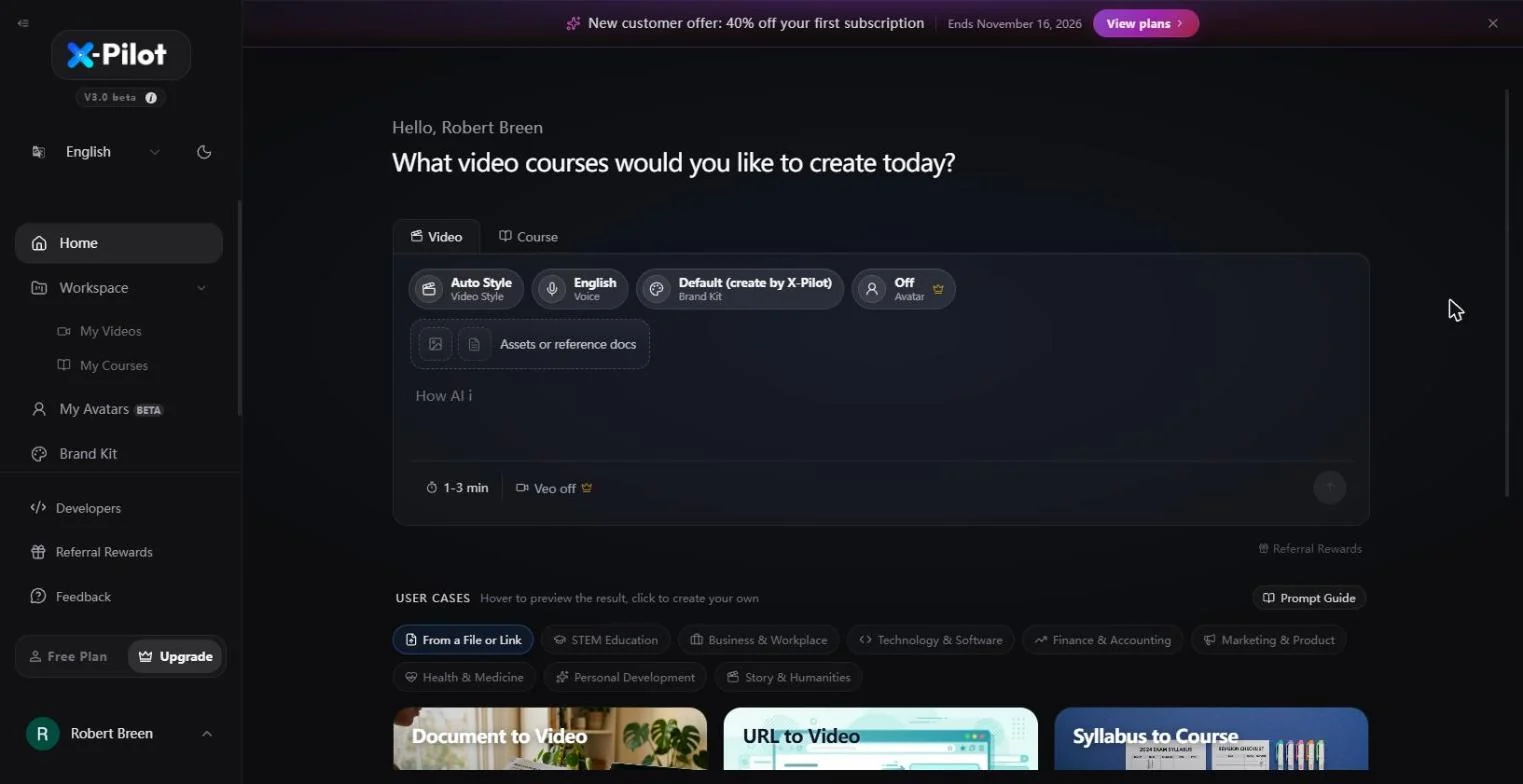
- Paste the SOP. X-Pilot opens on What video courses would you like to create today? with the Video tab picked. Paste your onboarding SOP into the box, with one line on top saying who it is for and how long it should be. (You can also attach the document under Assets or reference docs.)
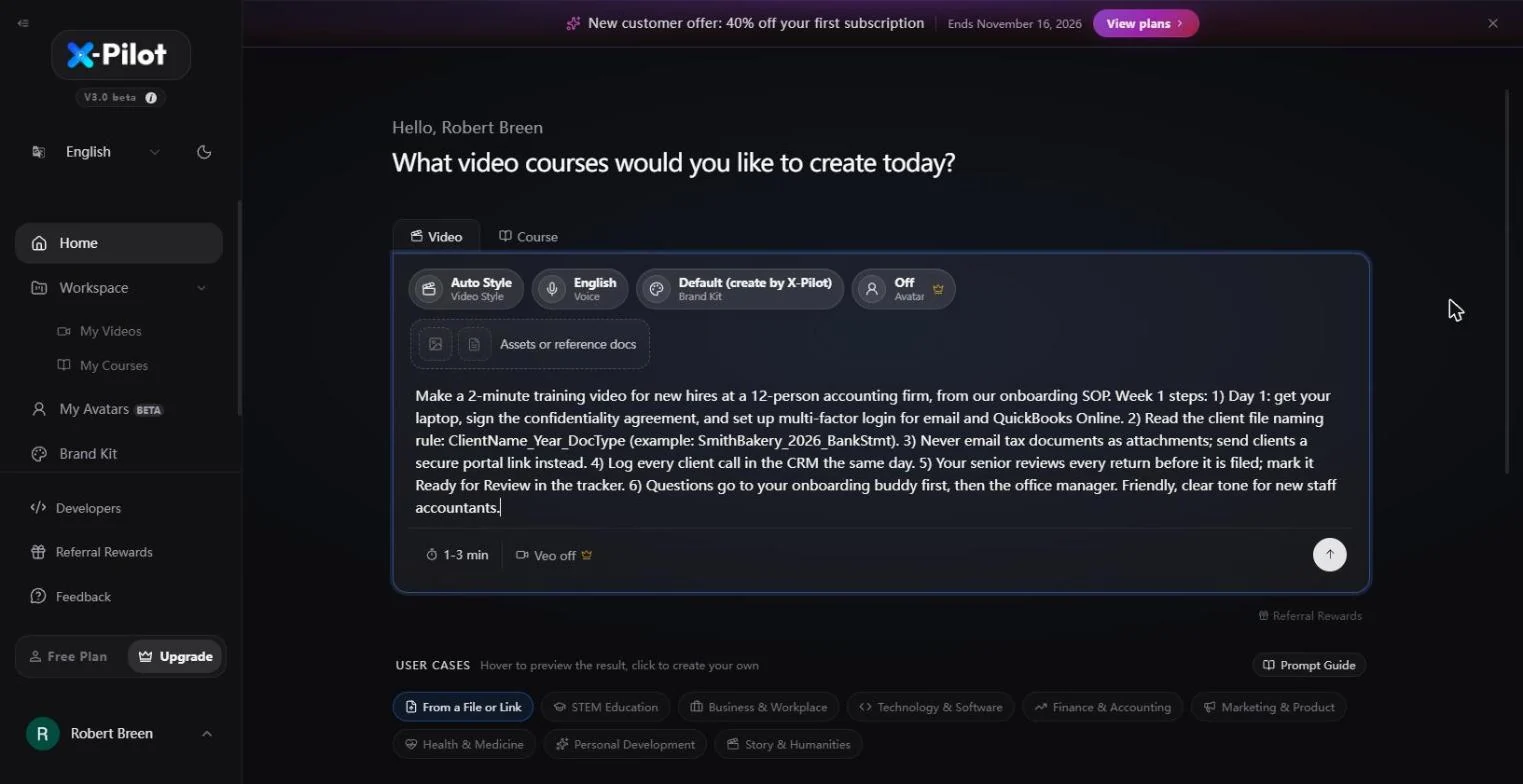
Make a 2-minute training video for new hires at a 12-person accounting firm, from our onboarding SOP. Week 1 steps: 1) Day 1: get your laptop, sign the confidentiality agreement, and set up multi-factor login for email and QuickBooks Online. 2) Read the client file naming rule: ClientName_Year_DocType (example: SmithBakery_2026_BankStmt). 3) Never email tax documents as attachments; send clients a secure portal link instead. 4) Log every client call in the CRM the same day. 5) Your senior reviews every return before it is filed; mark it Ready for Review in the tracker. 6) Questions go to your onboarding buddy first, then the office manager. Friendly, clear tone for new staff accountants.
- Send. Leave Auto Style, English voice, the Default brand kit and 1-3 min as they are. Avatar is a paid option and stays Off. Click the arrow at the bottom right.
Leave the style, voice and length as they are. The avatar is a paid option.
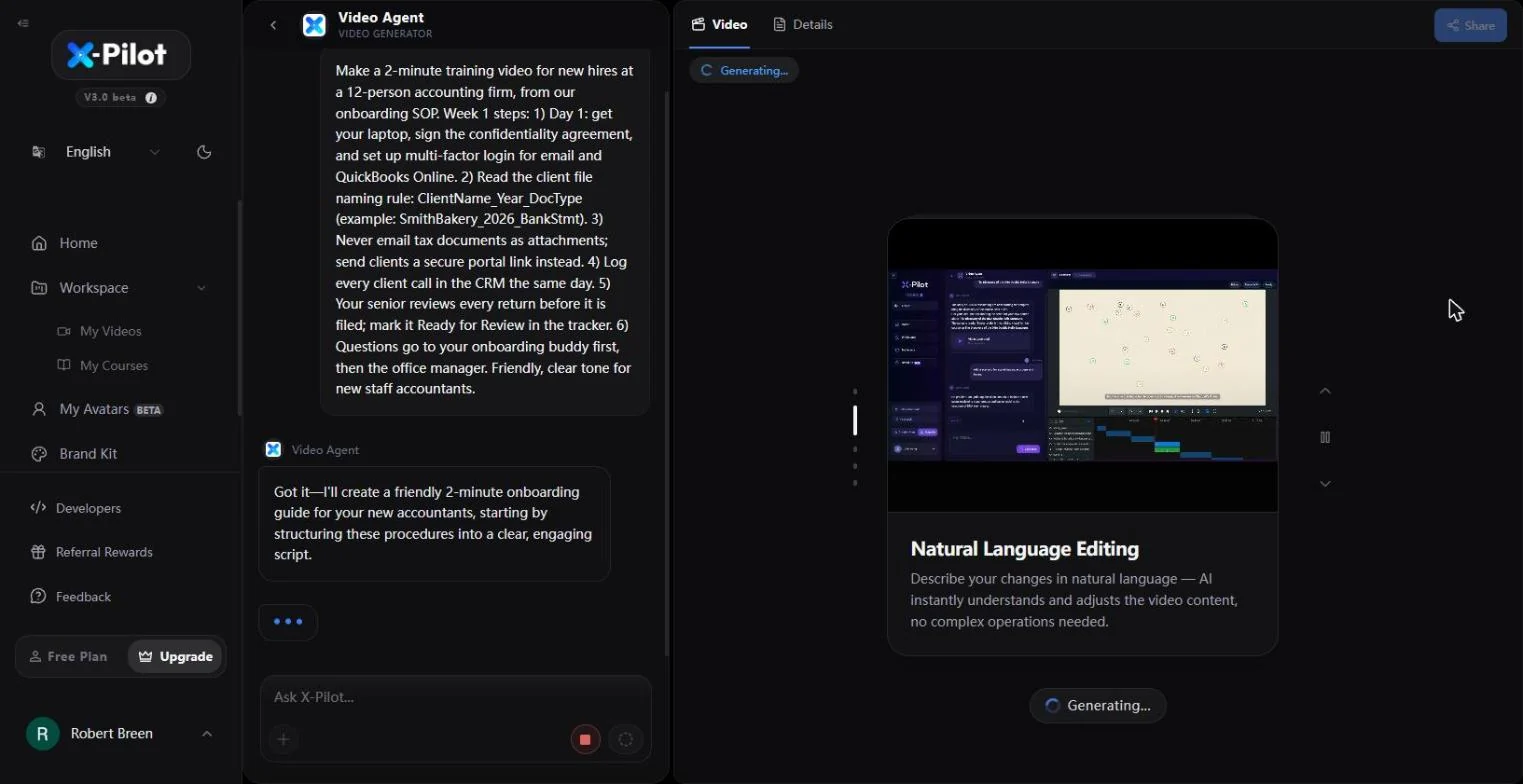
- Read the reply. The chat turns into the Video Agent. It replies that it will structure your procedures into a clear script, and the right panel shows Generating.... Click the agent's message.
The video agent replies that it will turn your steps into a script, and starts generating.
2. Check it against the SOP
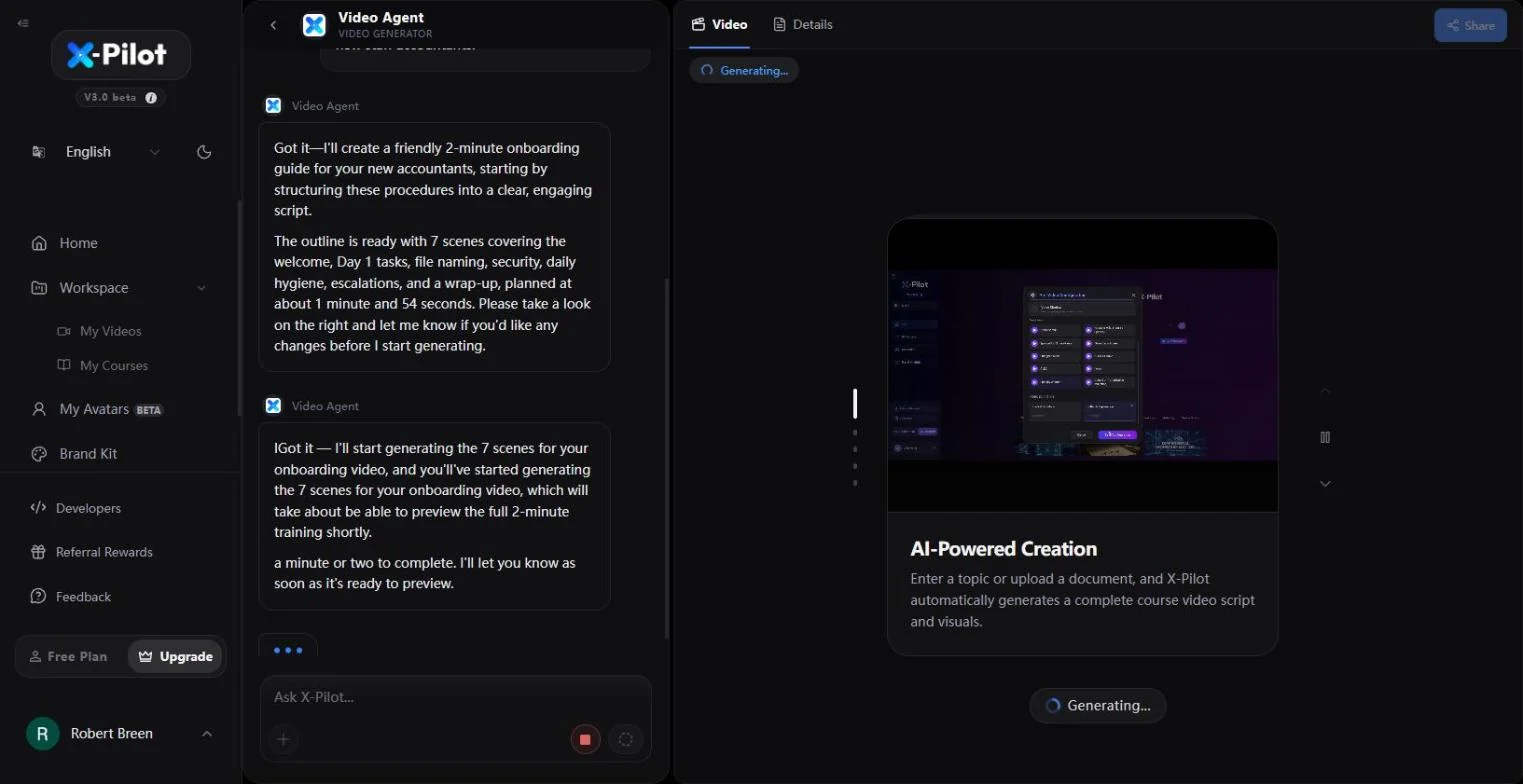
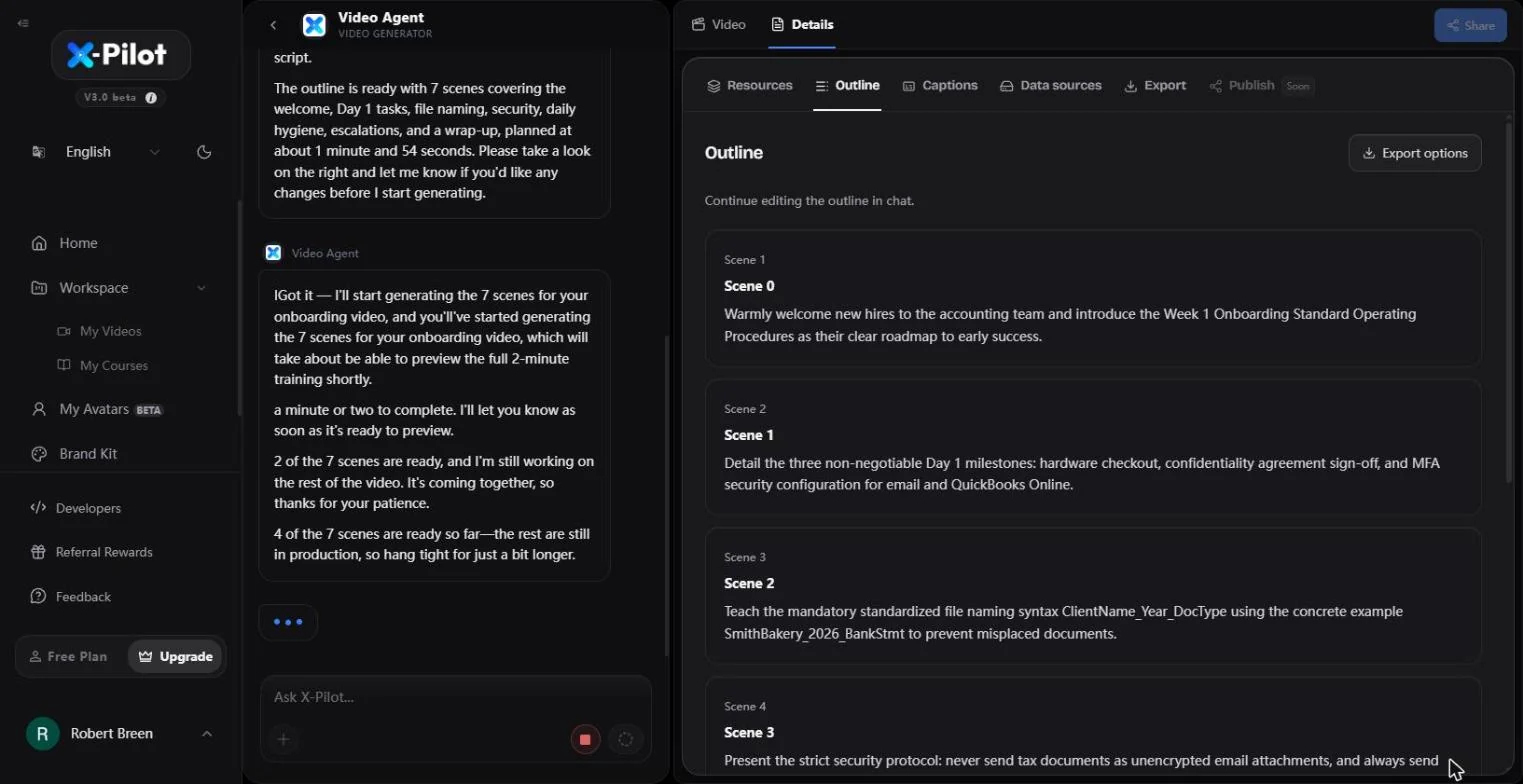
- Open Details. A few seconds later the agent posts the plan: 7 scenes (welcome, Day 1, file naming, security, daily habits, who to ask, wrap-up) at about 1 minute 54 seconds, and starts building them. While they build, check the plan: click Details at the top of the right panel.
The agent plans seven scenes, about two minutes. While they build, check the plan.
- Check a scene against the SOP. The Outline tab lists every scene in one sentence. Compare each one with your SOP. Scene 2 teaches the naming rule ClientName_Year_DocType with SmithBakery_2026_BankStmt, word for word. Click that scene.
The outline lists every scene. Compare each one with your SOP. The file naming rule came through word for word.
- Back to the video. Click Video to go back to the player.
Go back to the video.
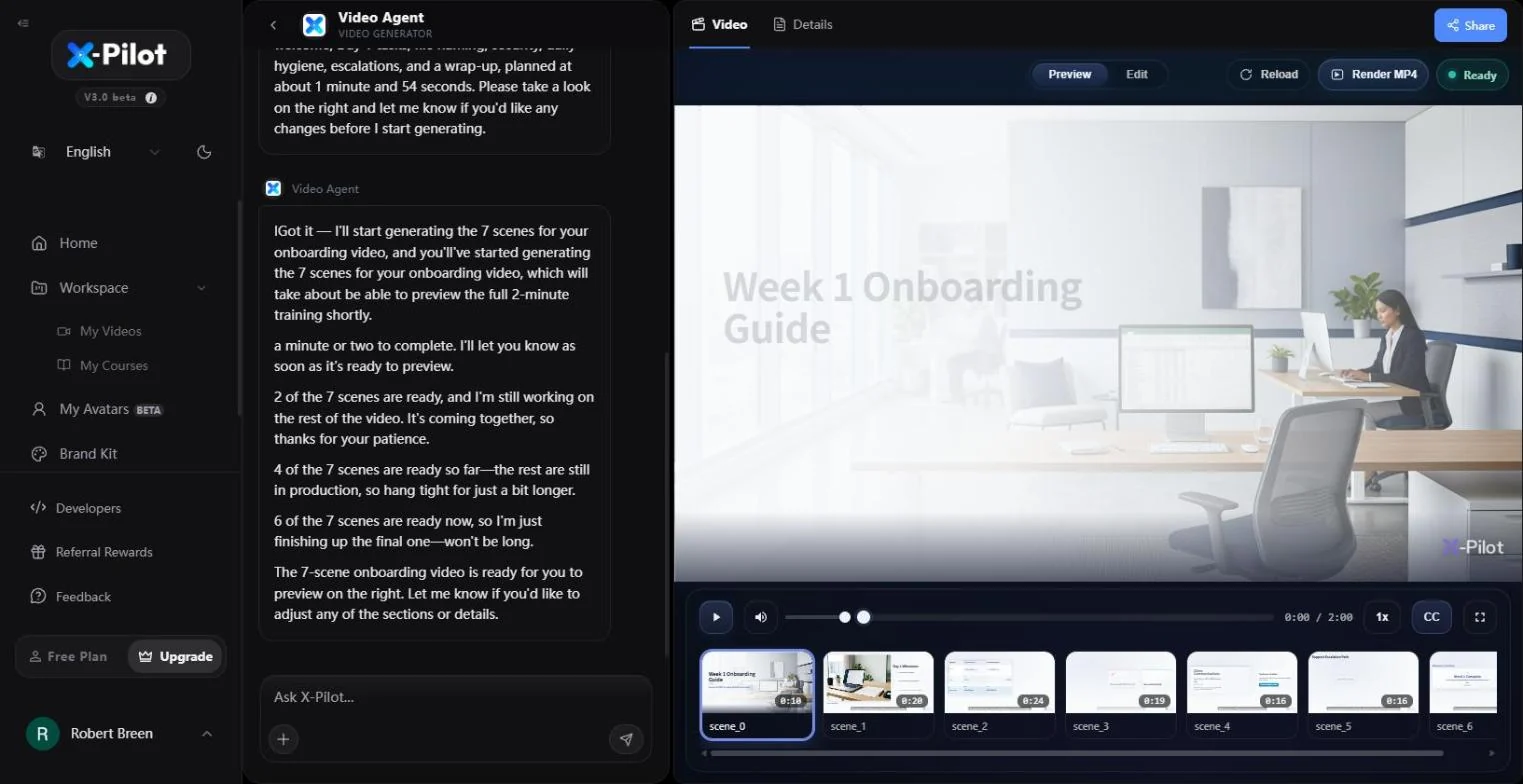
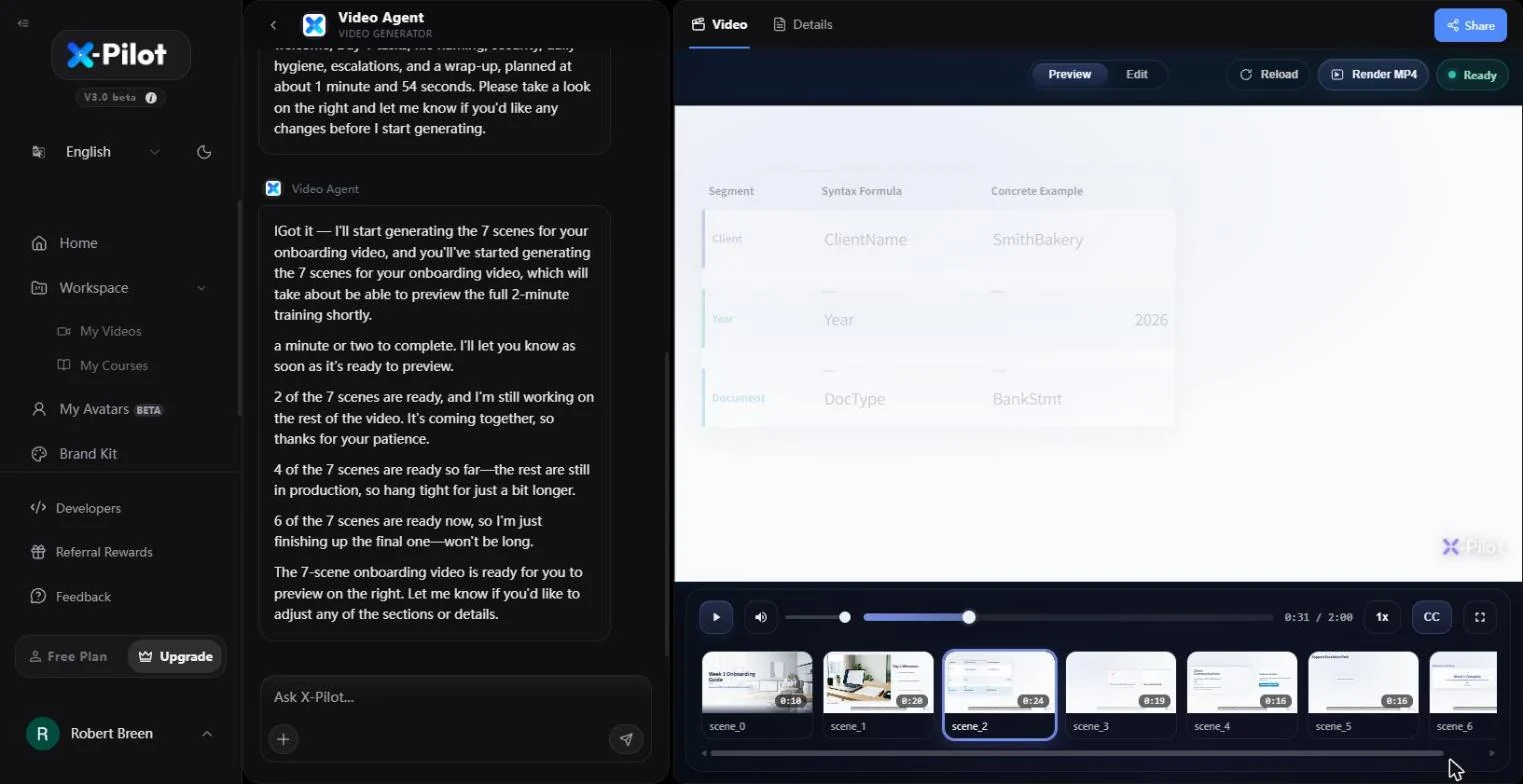
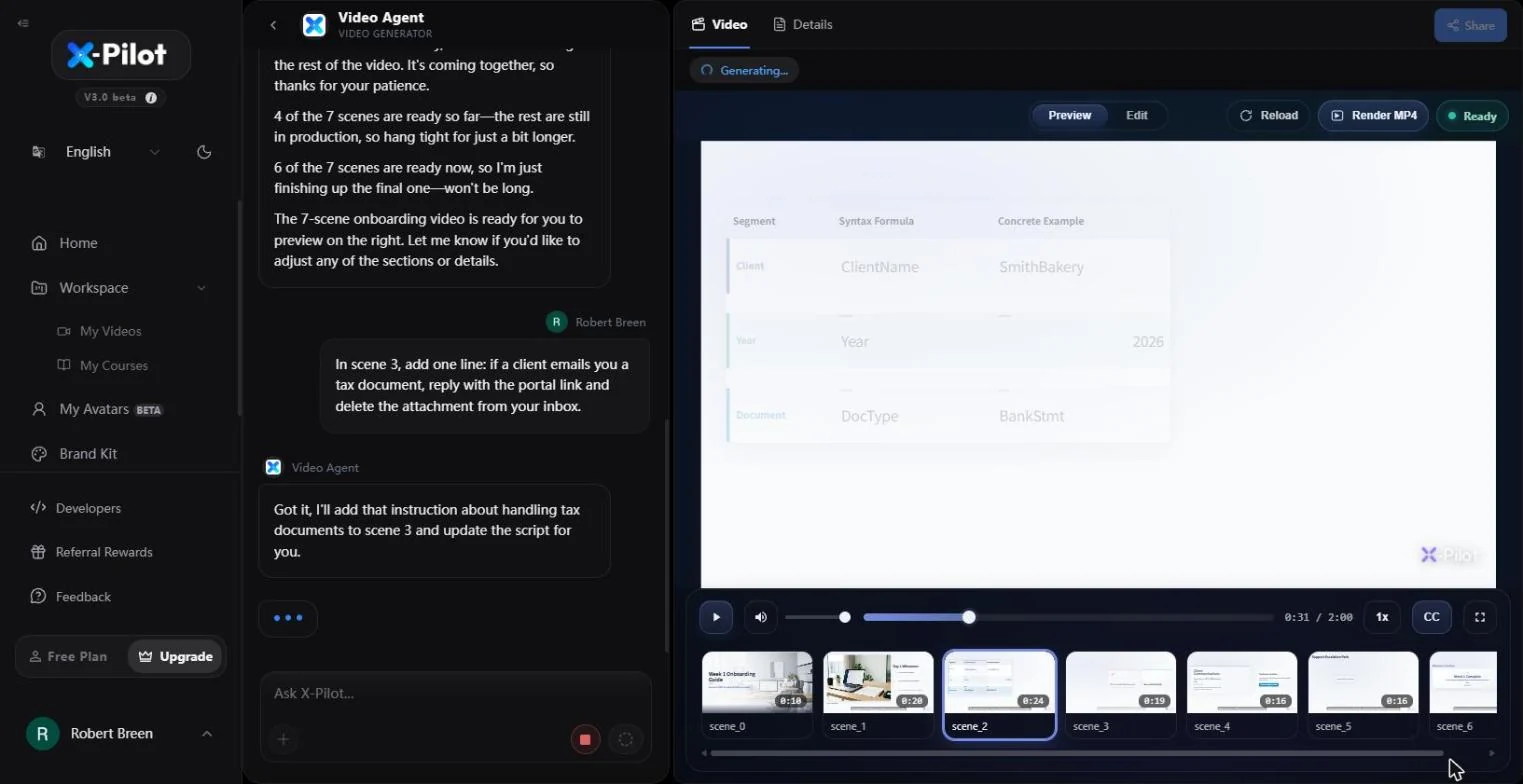
- Watch the file naming scene. In about two minutes the video is Ready: 2:00, seven scenes in the strip at the bottom, a narrated cover and slides built from your rules. Click the third scene (0:24).
About two minutes later the video is ready. Seven scenes.
3. Fix a scene by typing
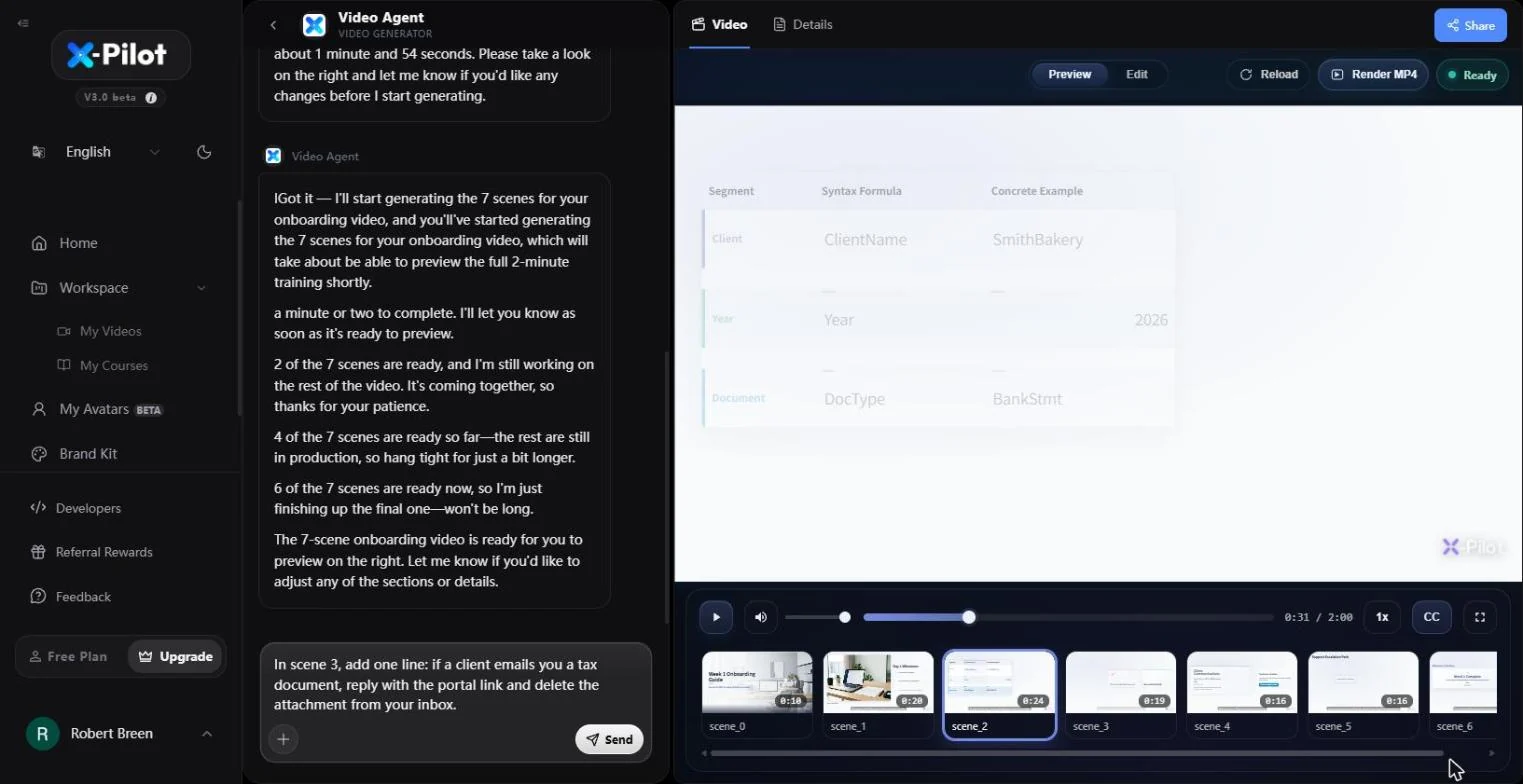
- Ask for a change. The scene shows the naming rule as a table: Client, Year, Document. Now add something the SOP forgot. Type the change into Ask X-Pilot... in plain English, naming the scene.
Now add a rule the SOP forgot.
- Send the change. Click Send.
- Read the reply. The agent confirms the change and rebuilds only that scene: Generating... at the top while the old version stays playable. Click the agent's reply.
The agent confirms and rebuilds only that scene.
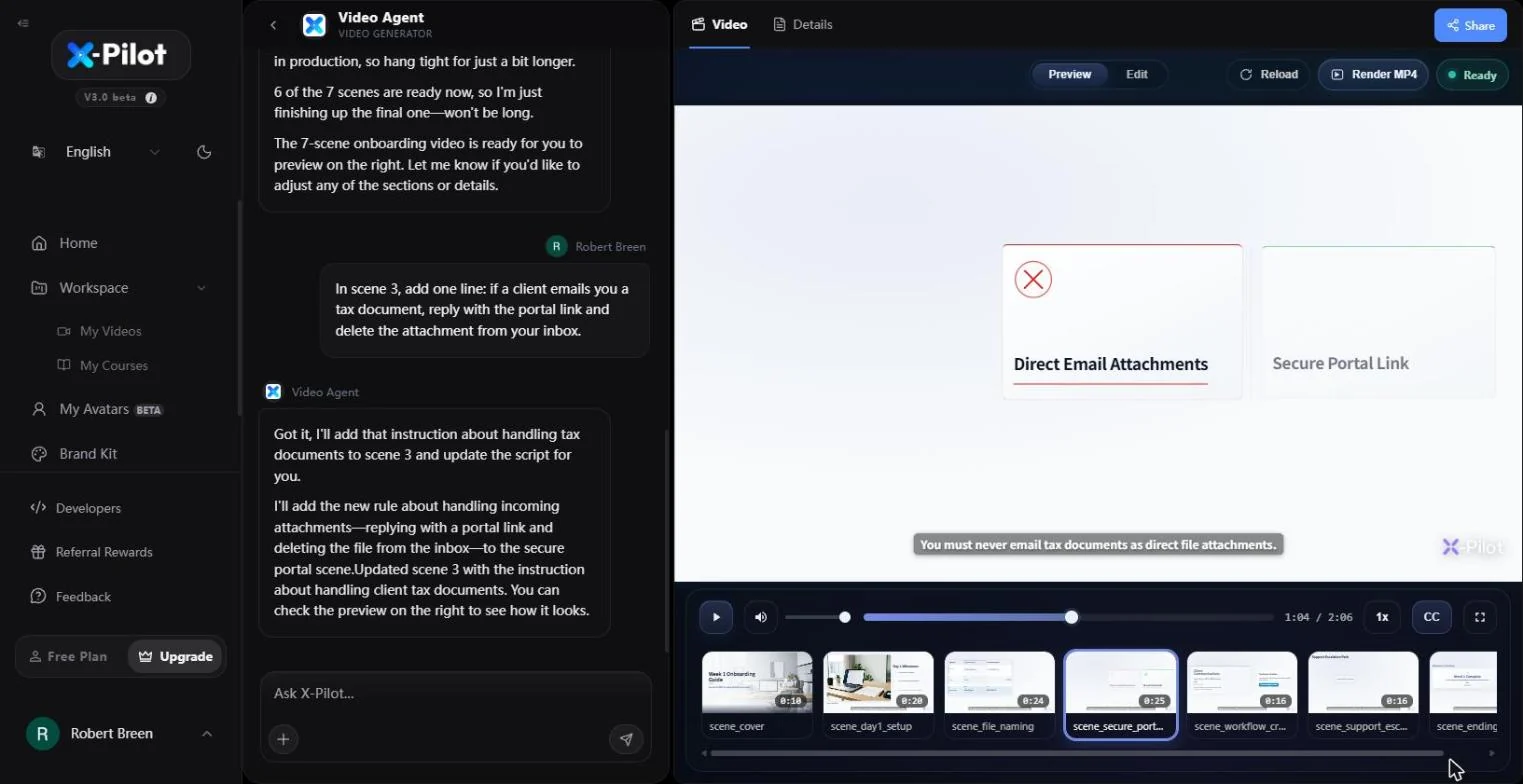
- Check the new scene. The secure portal scene grew from 0:19 to 0:25 and the video is now 2:06. It shows Direct Email Attachments next to Secure Portal Link, with the caption "You must never email tax documents as direct file attachments." Play it once to hear the new line. Click the scene.
The security scene grew by six seconds with the new line. Play it once to hear it.
- Open Details, then Export. Click Details, then the Export tab.
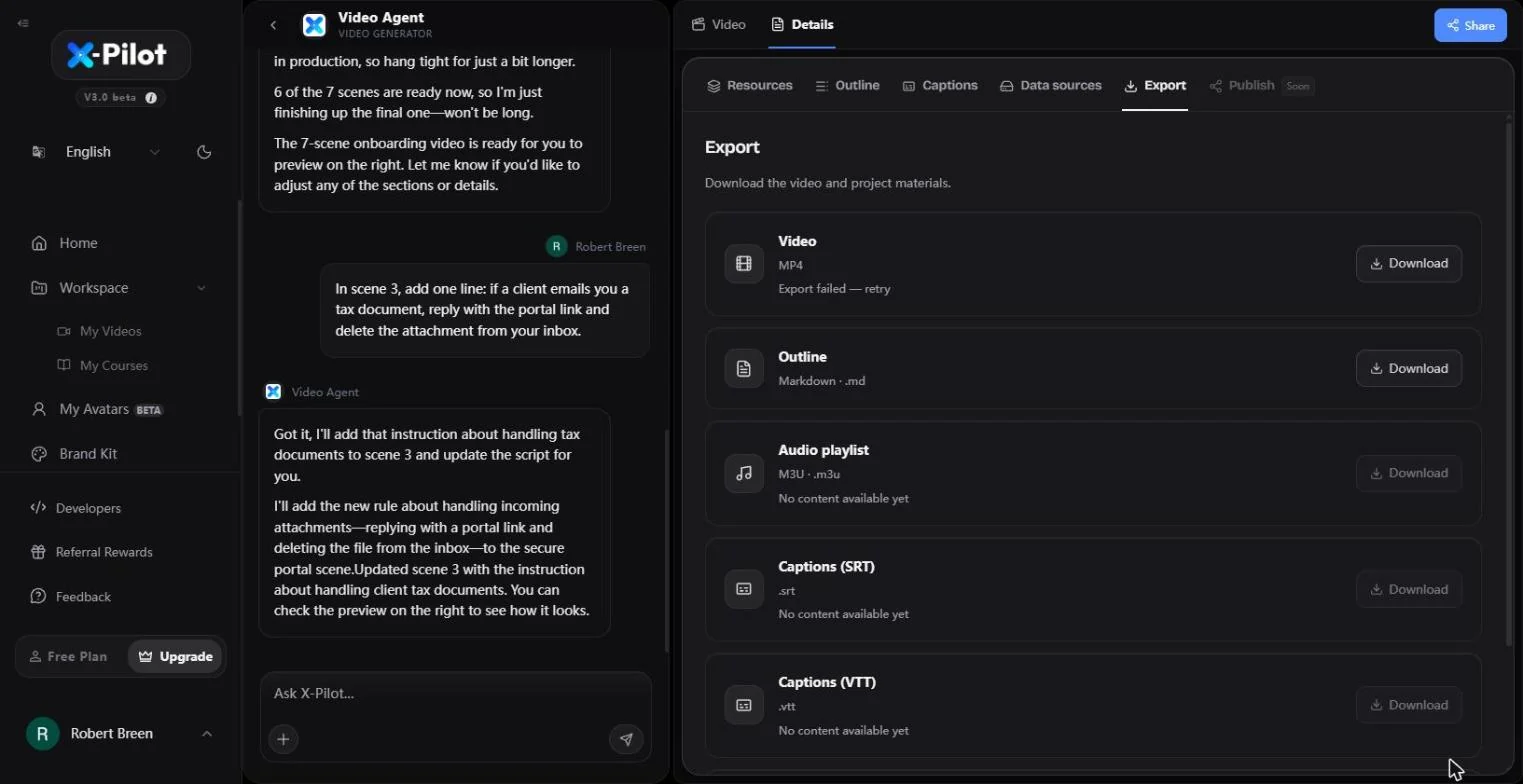
- Stop before you share. Export offers the Video (MP4), the Outline (.md), an audio playlist and captions. When we captured this on the Free plan, the MP4 showed "Export failed - retry", so check your plan for watermark-free MP4 export. This is where the lesson stops: we do not download, click Share, or publish. Before a new hire sees it, have the office manager watch it once against the SOP. Click the Video MP4 row to finish.
Export has the video, the outline and captions. This is where we stop. Have the office manager watch it once against the SOP before new hires see it.
Screenshots
More in AI Automation for Recruiting & HR
Translate a client's Word policy into Spanish with DeepL file translation, keep its headings and table, set a formal tone, then polish the English cover email with…
Free · Live ~5 min Beginner
 Score Every Candidate Fairly After the Interview using ChatGPT
Turn the transcript of an interview panel's debrief into a scorecard against the role's must-haves, the decisions, action items with owners and dates, and a follow-up…
Free · Live ~7 min Beginner
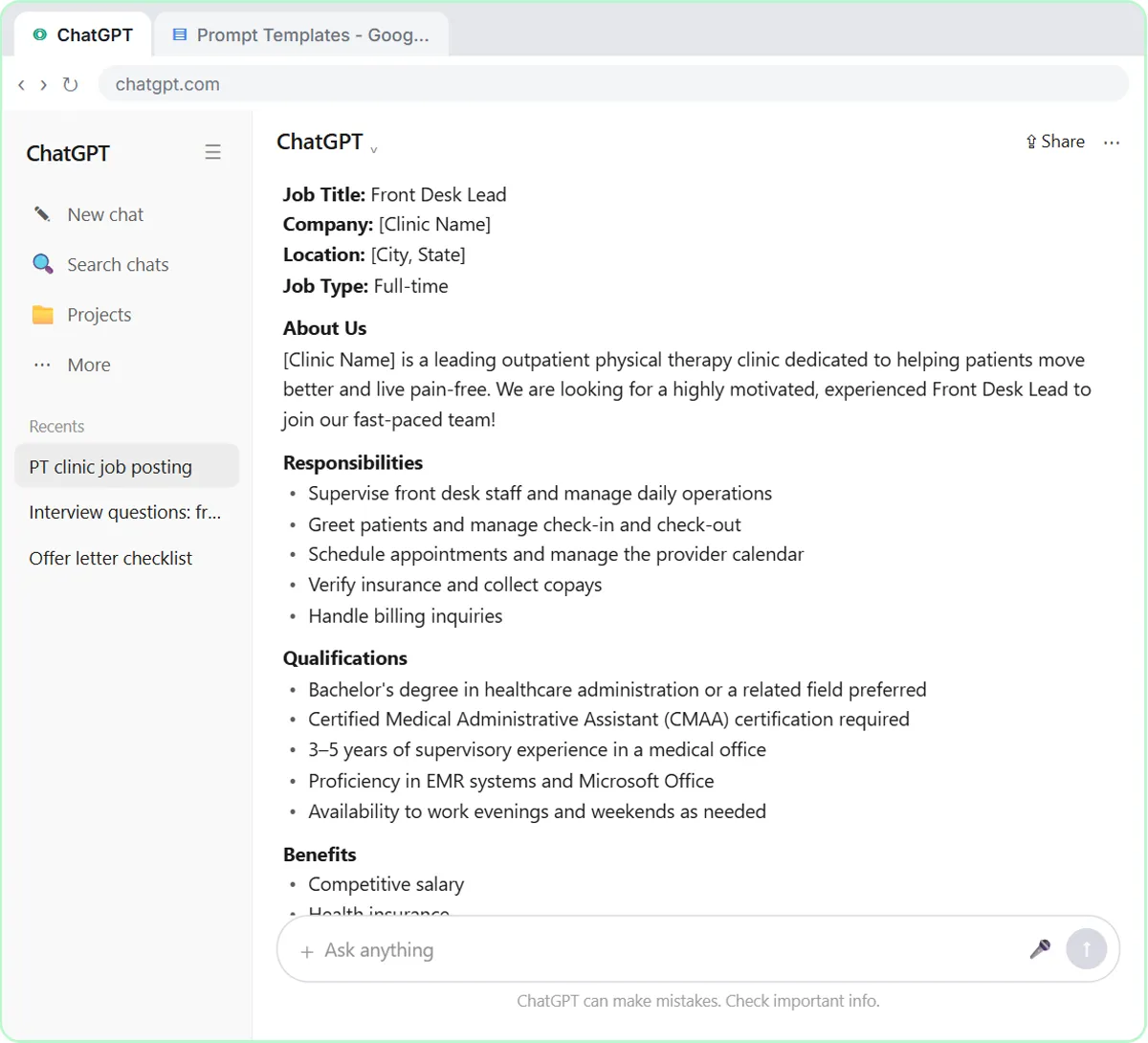 Write a Fair, Job-Related Job Posting with ChatGPT's Interview Prompt
Ask ChatGPT for a front desk lead posting the quick way, then let it interview you: true must-haves only, a real pay range, the work described instead of a personality…
Free · Live ~7 min Beginner
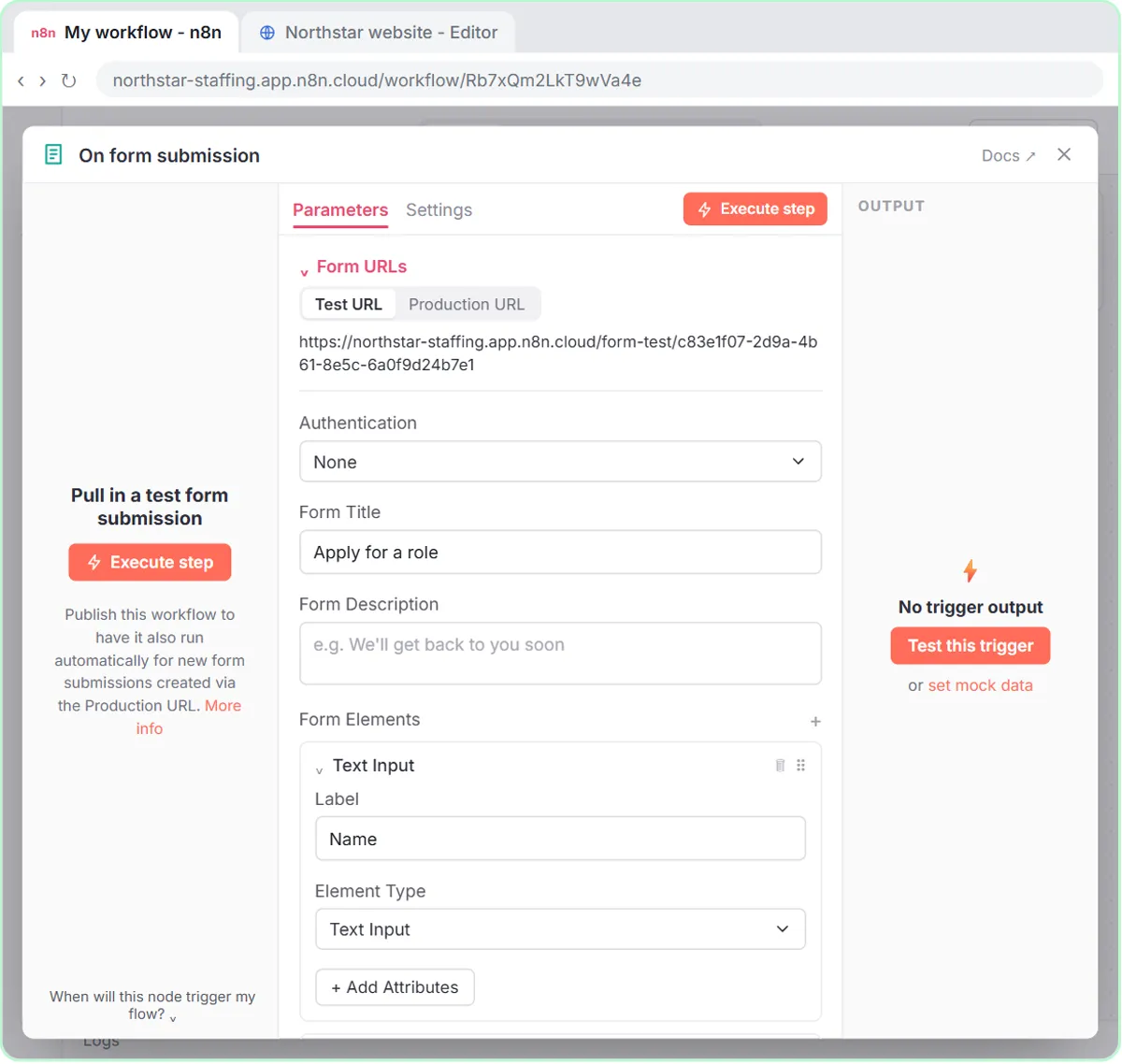 Collect Job Applications in Google Sheets with an n8n Form and a Careers-Page Webhook
Stop losing applicants between job boards and your careers page. An n8n form plus a careers-page webhook put every application in one Google Sheet.
Free · Live ~12 min Advanced
◷Keep Top Candidates Warm with Honest Status Replies using ChatGPTYour best candidate has another offer and wants to know if she got the job, if you'll match her pay and when she can start. Give ChatGPT the thread and the hiring…
Free · Live ~9 min Beginner
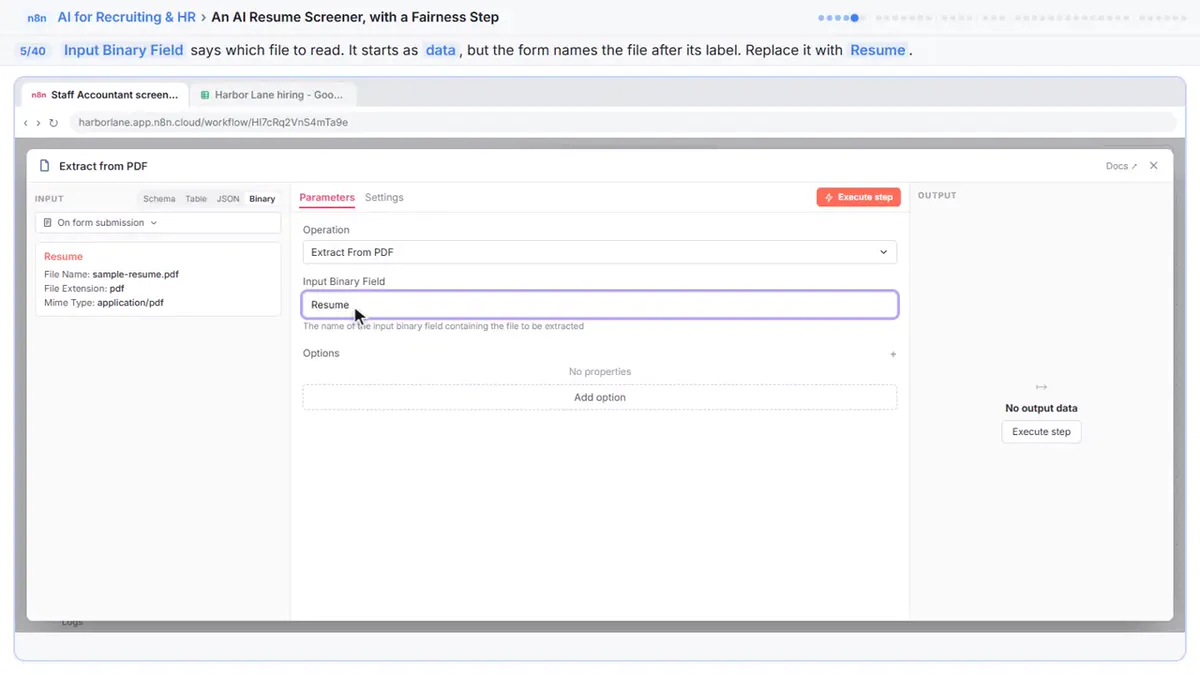 An AI Resume Screener, with a Fairness Step (Recruiting & HR)
Have n8n read each applicant’s PDF resume, score it against the job’s must-haves with the evidence quoted, and rank it in Google Sheets, while a person makes every…
Free · Live ~14 min Advanced
All 15 modules in AI Automation for Recruiting & HR
Terms in this lesson
Plain-English definitions, each with an example from a free lesson.