Updated . Built step by step in a real Felo Free-plan account on 20 October 2026. Every screen in the practice is a real Felo screen, and every answer is what Felo produced in that run. How we check this lesson
Before you quote a new service, you need to know what the market pays. In this free lesson you follow Dana Ortiz (made up), who runs Northfield Bookkeeping, a 6-person firm in Columbus, as she prices a monthly fractional CFO package. You ask Felo, an AI search tool, with Pro Search on, and get a price range and three firms with published prices, each with a numbered source. Then you do the part that matters: check a number against its page, spot a price that came from a comparison article instead of the firm, and ask Felo where every price came from. You finish with a mind map and the export options. Our run used 45 credits on the Free plan.
At a glance
| Question | Answer |
|---|---|
| What you build | A business case for small firms: before you price a new service, ask Felo, an AI search tool, what the market pays and which firms publish prices, with a numbered source on every number. Then check the sources, catch a second-hand price, and save it as a mind map or PDF. Free plan. |
| Tools | Felo |
| Time | About 10 minutes, 27 steps in 6 parts |
| Level | Beginner, no coding needed |
| Cost | Free |
| Ways to learn it | Practice it step by step, read the guide with screenshots |
The 6 parts, in short
- A new service with no price: Put a price on guessing, Meet Felo, Read the question first.
- Ask Felo the question: Paste the question, Turn on Pro, See the model choice, Send it.
- Read the answer and check the sources: Watch it search, Read the estimate, Find a firm and its source, Check the number on the page, and 3 more steps.
- Ask where each price came from: Ask where each price came from, Send the follow-up, Read the new table.
- Turn it into something to share: Turn the answer into something else, Make a mind map, Close the mind map, Find the export options, and 1 more step.
- What it cost, and what is next: Check your credits, See where credits come from, See what each job cost, See what you have now, and 1 more step.
Start here first: Turn a Client Meeting into Action Items and a Follow-Up Email (Accounting Firms) (module 1 of AI Automation for Accounting & Bookkeeping Firms)
Part of: AI for Accounting & Bookkeeping Firms (step 30 of 38). Next up: Guardian: Make Your n8n AI Agent Ask Before It Emails a Customer
Part of: AI for Consulting & Agencies (step 25 of 33). Next up: Tell the Client, the Boss and the Team in One Go using ChatGPT
Part of: AI for Marketing Teams (step 31 of 36). Next up: ChatGPT Projects vs Chats: Keep Each Client's Work Together and Stop Re-explaining
Part of: AI for Sales Teams (step 20 of 23). Next up: n8n + ProLevelMax: Weekly Review Themes From Trustpilot to Google Sheets
Part of: AI for Operations Teams (step 30 of 37). Next up: Kosuke: Let the AI Test Its Own Changes with Automated QA
Part of: AI Apps Worth Knowing (step 56 of 77). Next up: Smallpdf for Beginners: Which Tool for Which PDF Job
Part of: AI Presentations & Client Decks (step 8 of 10). Next up: Presentations.AI for Beginners: Prompt, Brand and Export Explained
Price a New Service in 10 Minutes, with a Source for Every Number, using Felo: step-by-step guide with screenshots
About the screenshots. They come from Stepthrough’s simulated practice environment (a practice copy of Felo), not the live tool, so no real account appears. The buttons and labels match the real screens the lesson was built against. Practice it yourself free at learn.ynteractive.com.
- Tools: Felo
- Time: about 10 minutes, 27 steps in 6 parts
- Level: beginner, no coding needed
Part 1: A new service with no price
Step 1: Put a price on guessing
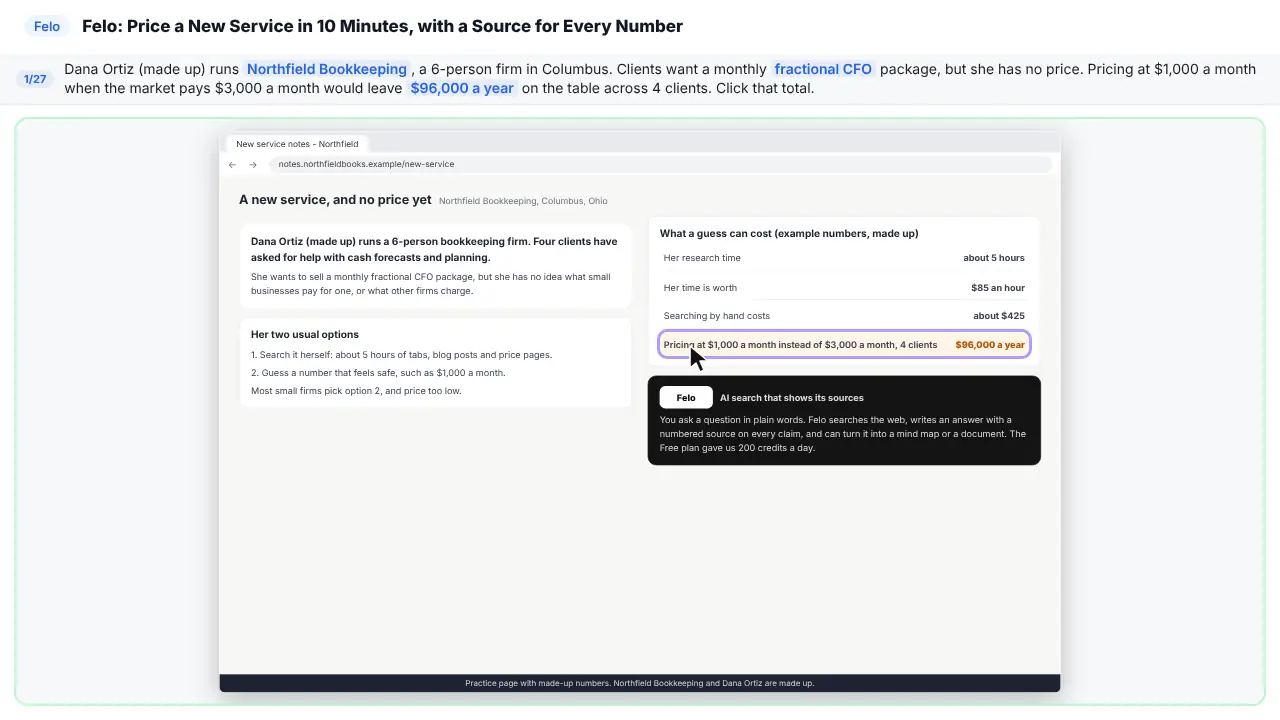
Meet Dana. She runs a small bookkeeping firm. Her clients want a new service. But she has no idea what to charge. Guess too low, and she loses real money.
Step 2: Meet Felo
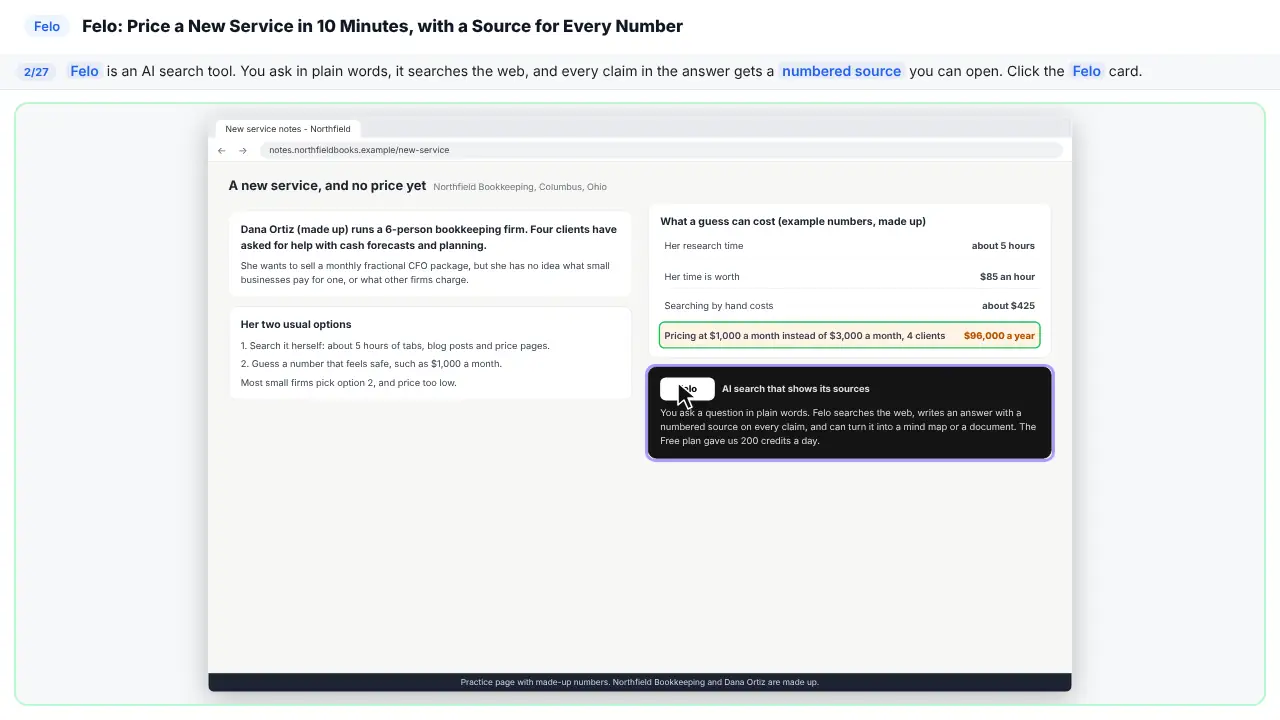
Felo is an AI search tool. You ask a question in plain words. It searches the web. And every claim comes with a numbered source.
Step 3: Read the question first
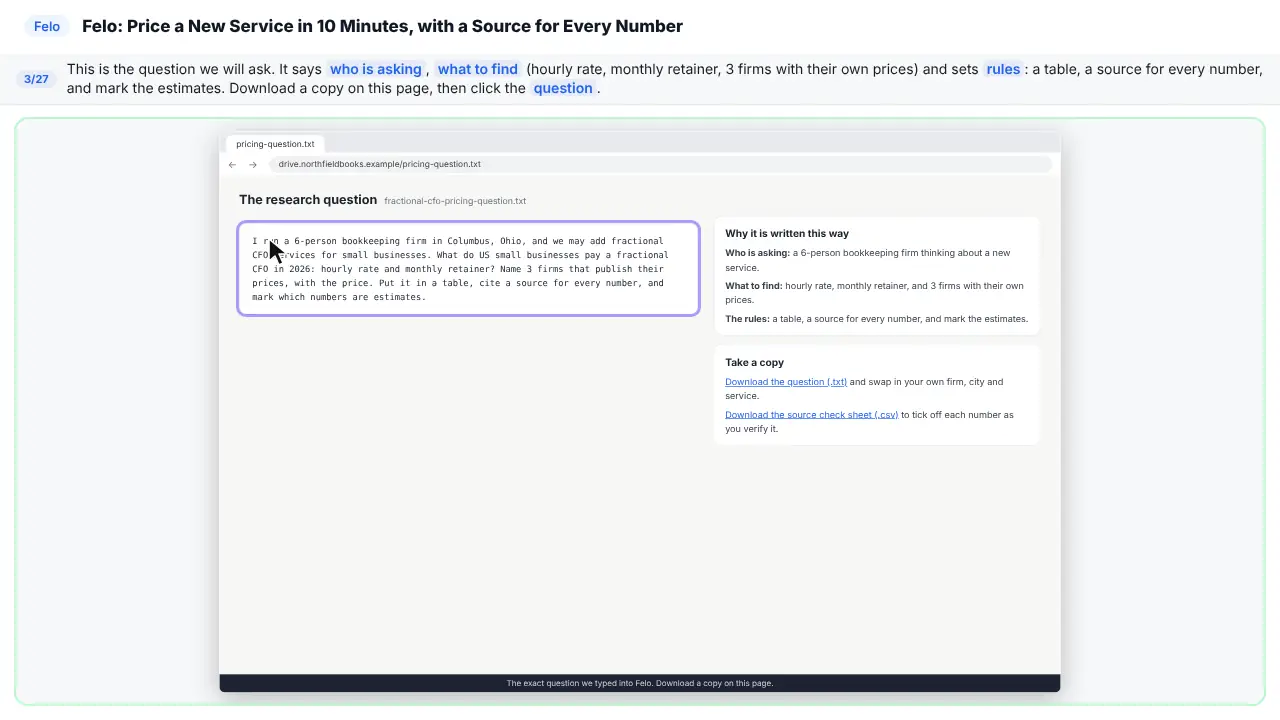
Here's the question we'll ask. It says who's asking. It says what to find. And it sets the rules. A table. A source for every number. Mark the guesses.
Part 2: Ask Felo the question
Step 4: Paste the question
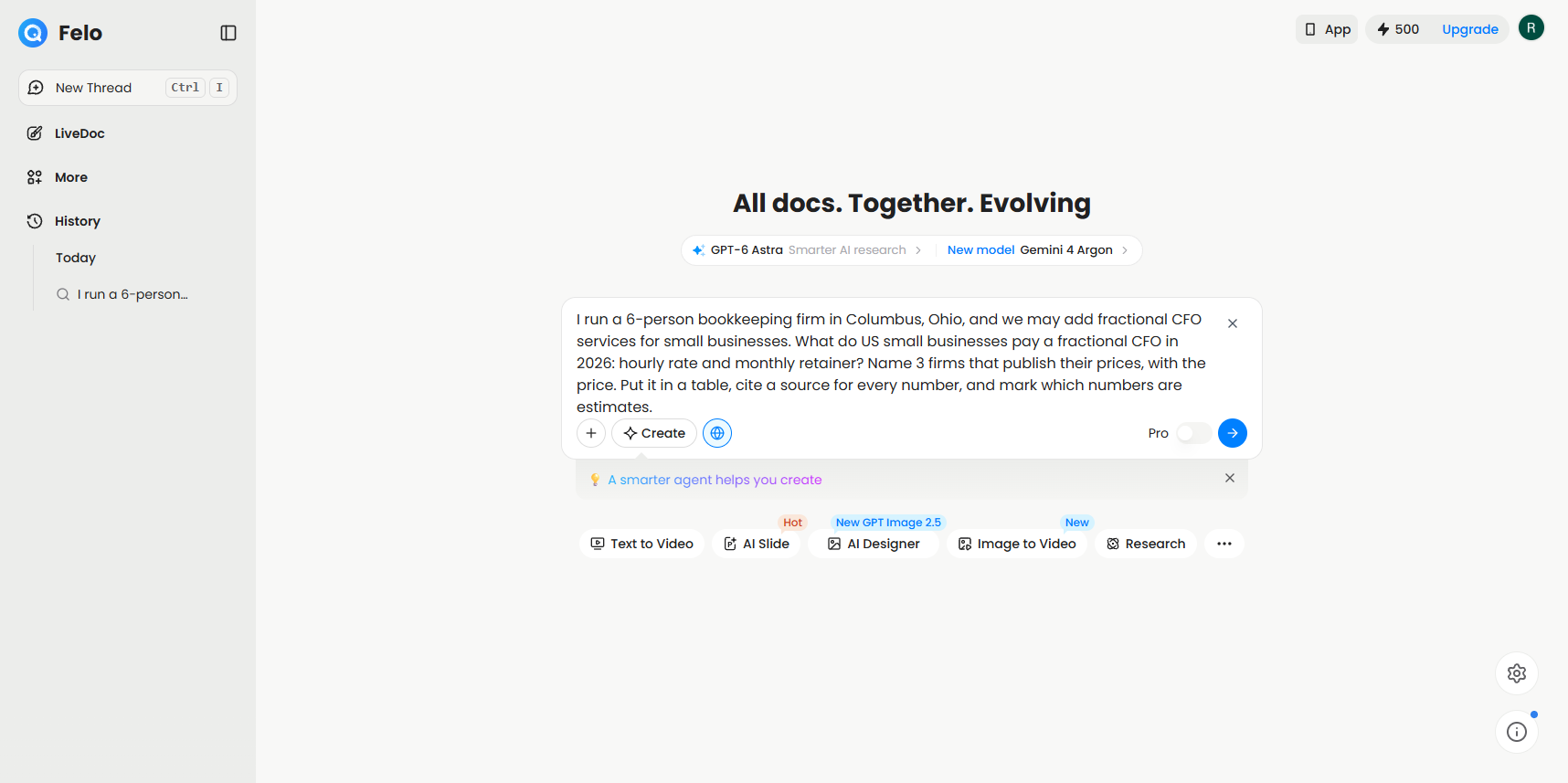
This is Felo's home screen.
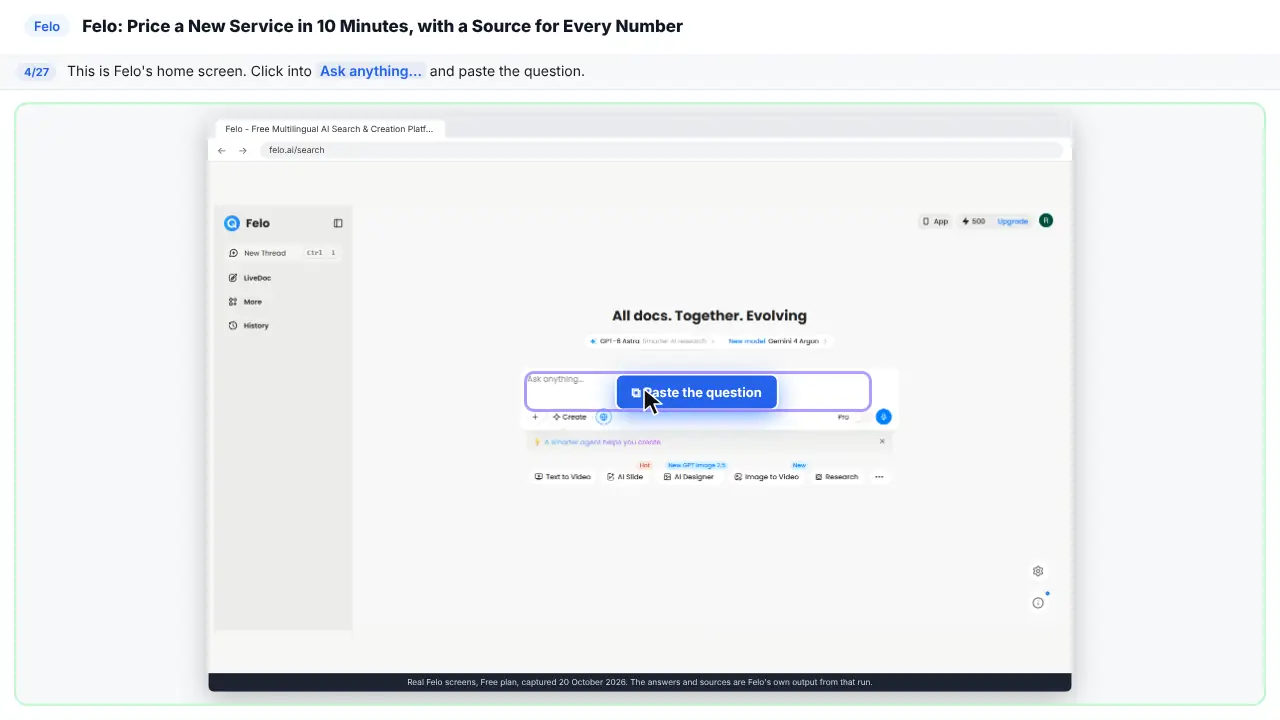
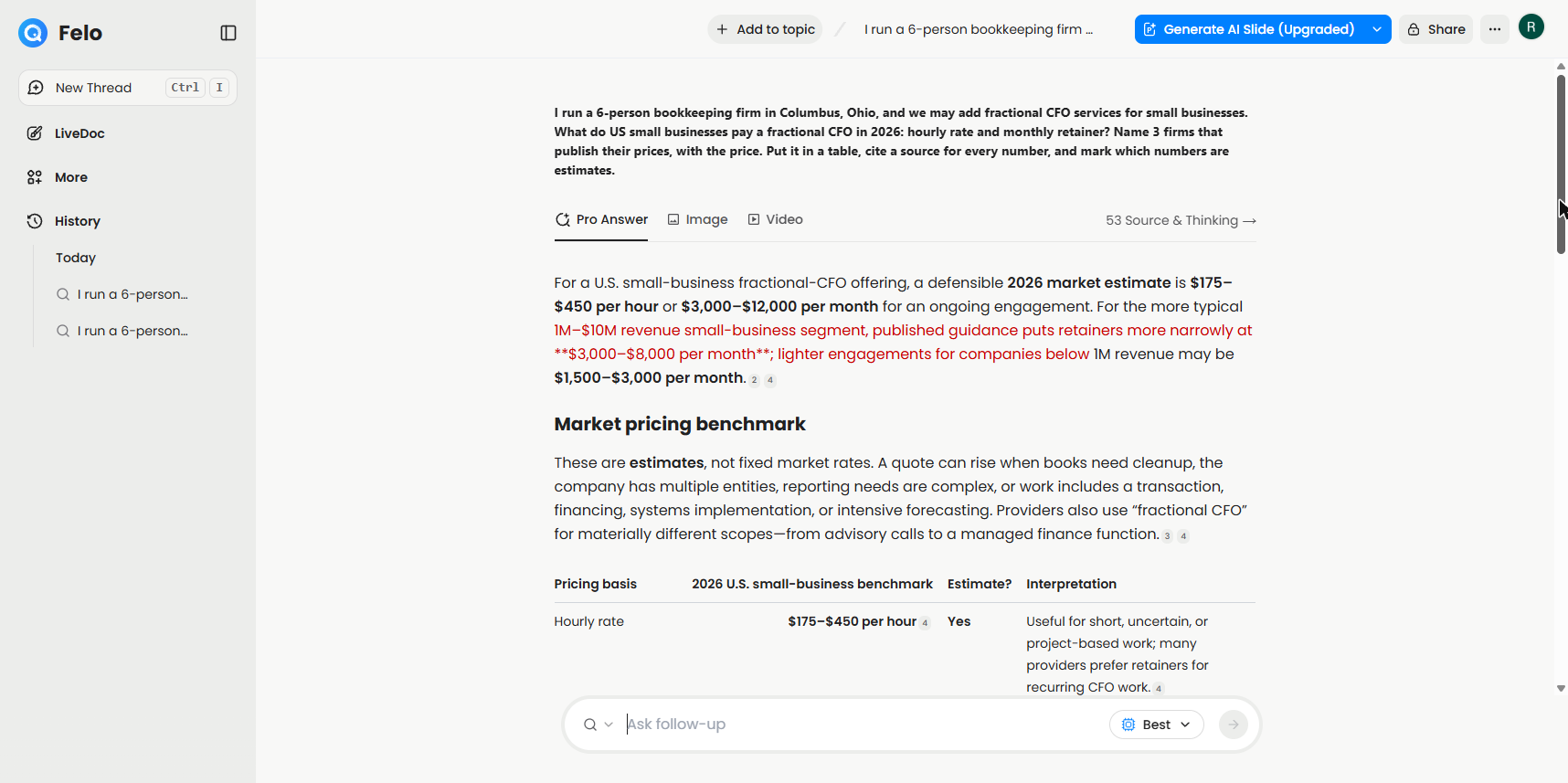
I run a 6-person bookkeeping firm in Columbus, Ohio, and we may add fractional CFO services for small businesses. What do US small businesses pay a fractional CFO in 2026: hourly rate and monthly retainer? Name 3 firms that publish their prices, with the price. Put it in a table, cite a source for every number, and mark which numbers are estimates.
Step 5: Turn on Pro
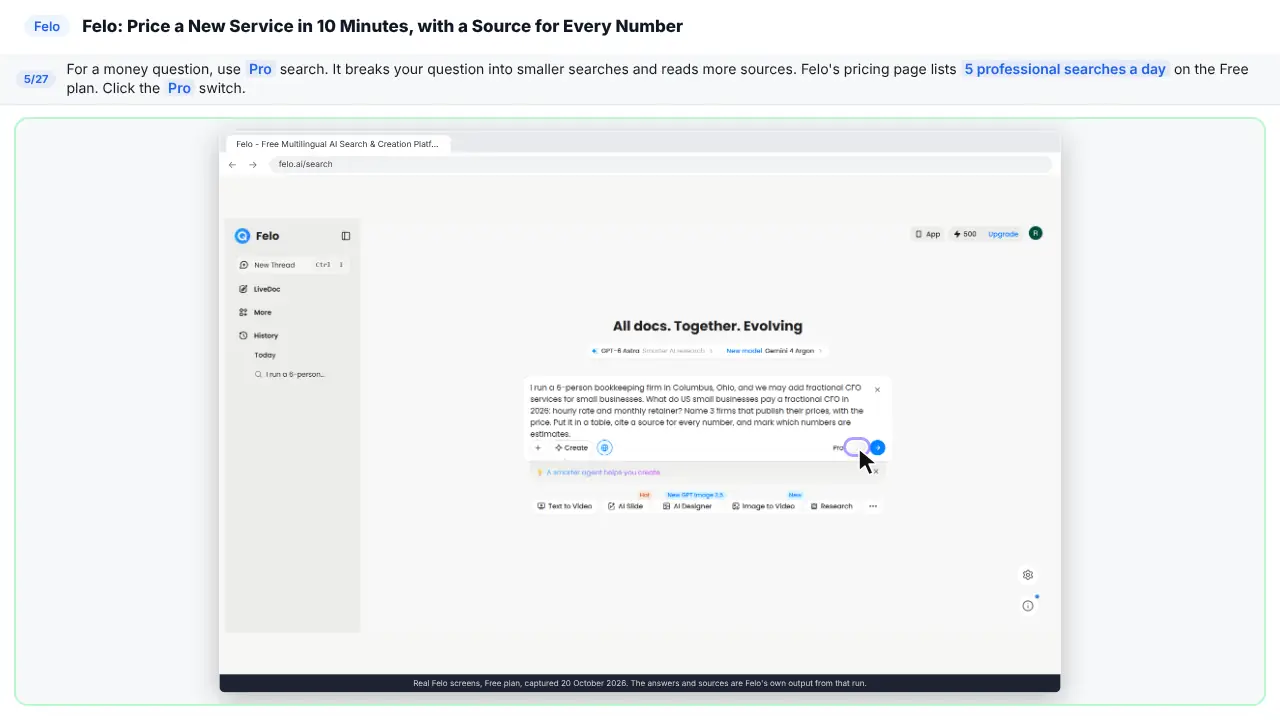
For a money question, use Pro search. It splits your question into smaller searches. And it reads more sources.
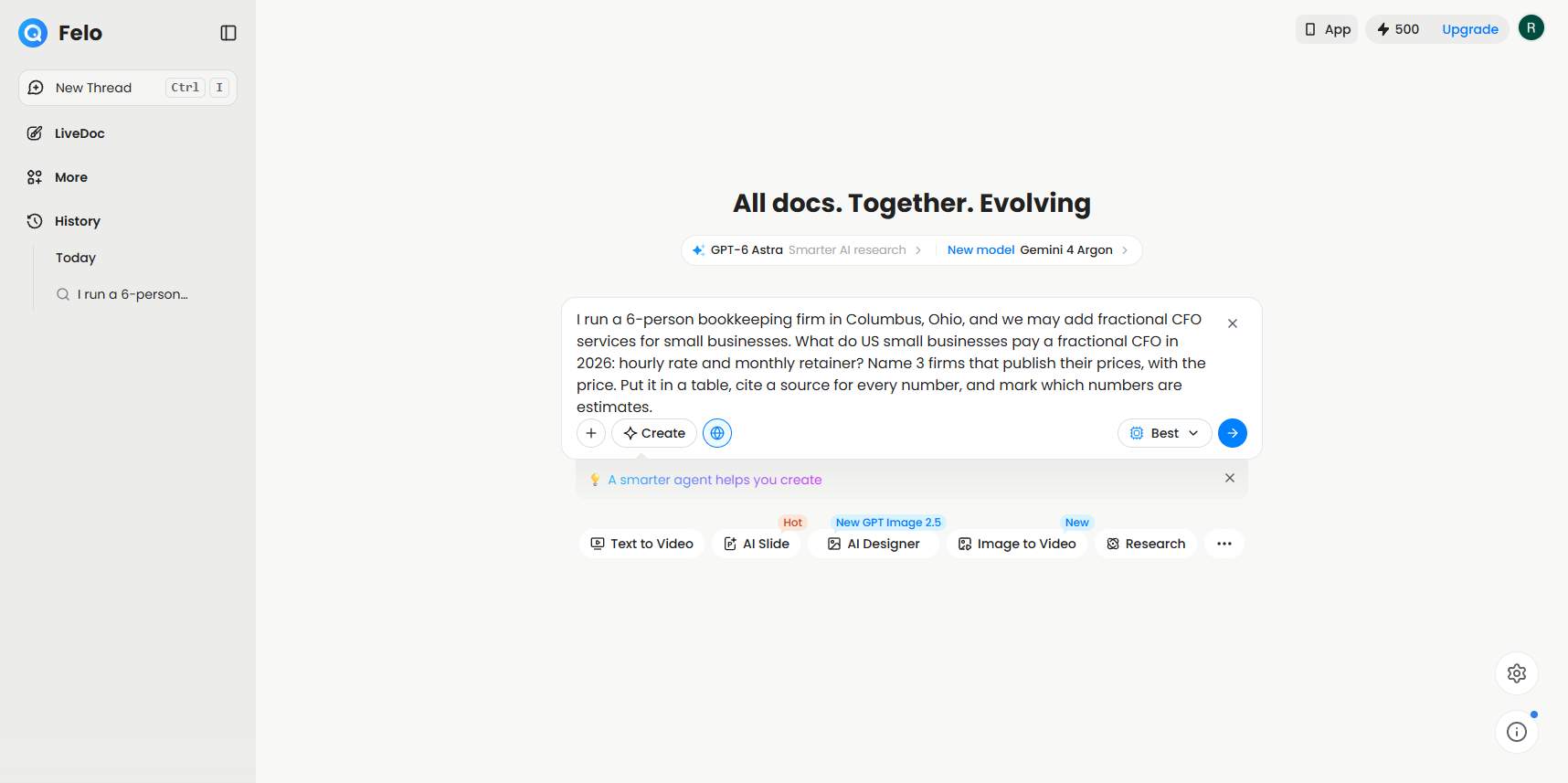
Step 6: See the model choice
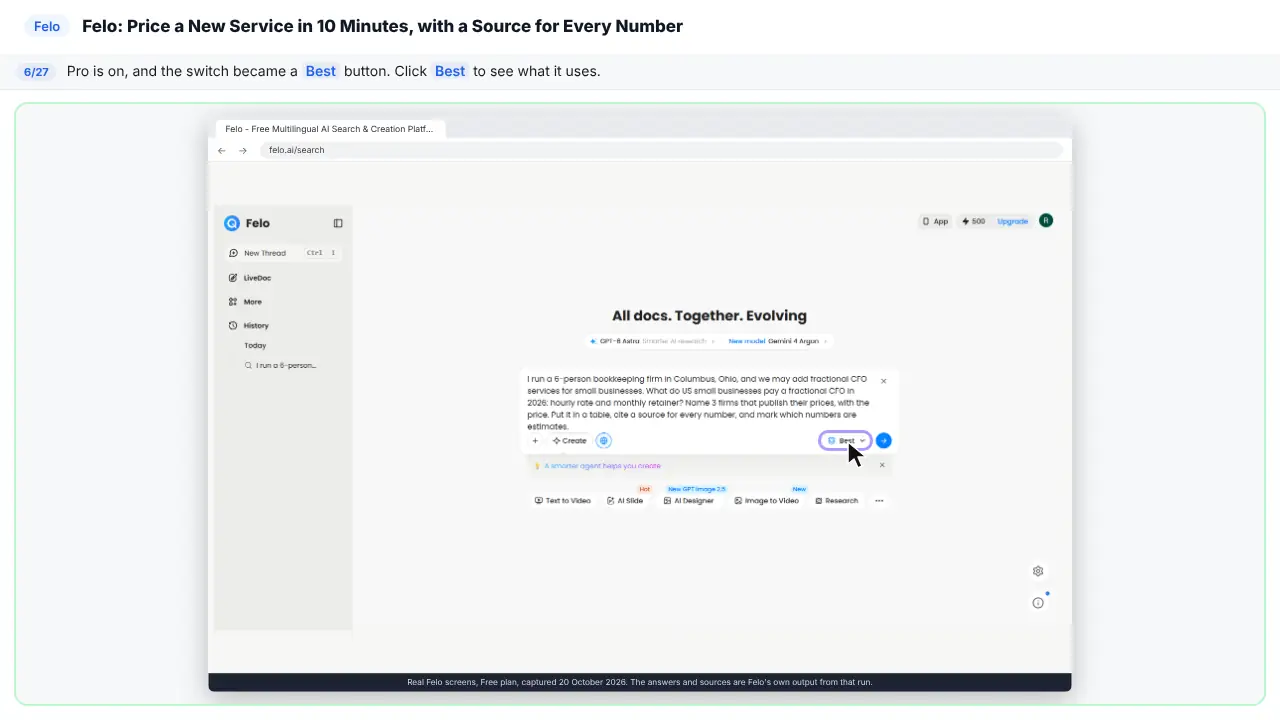
Pro is on. The switch turned into a Best button.
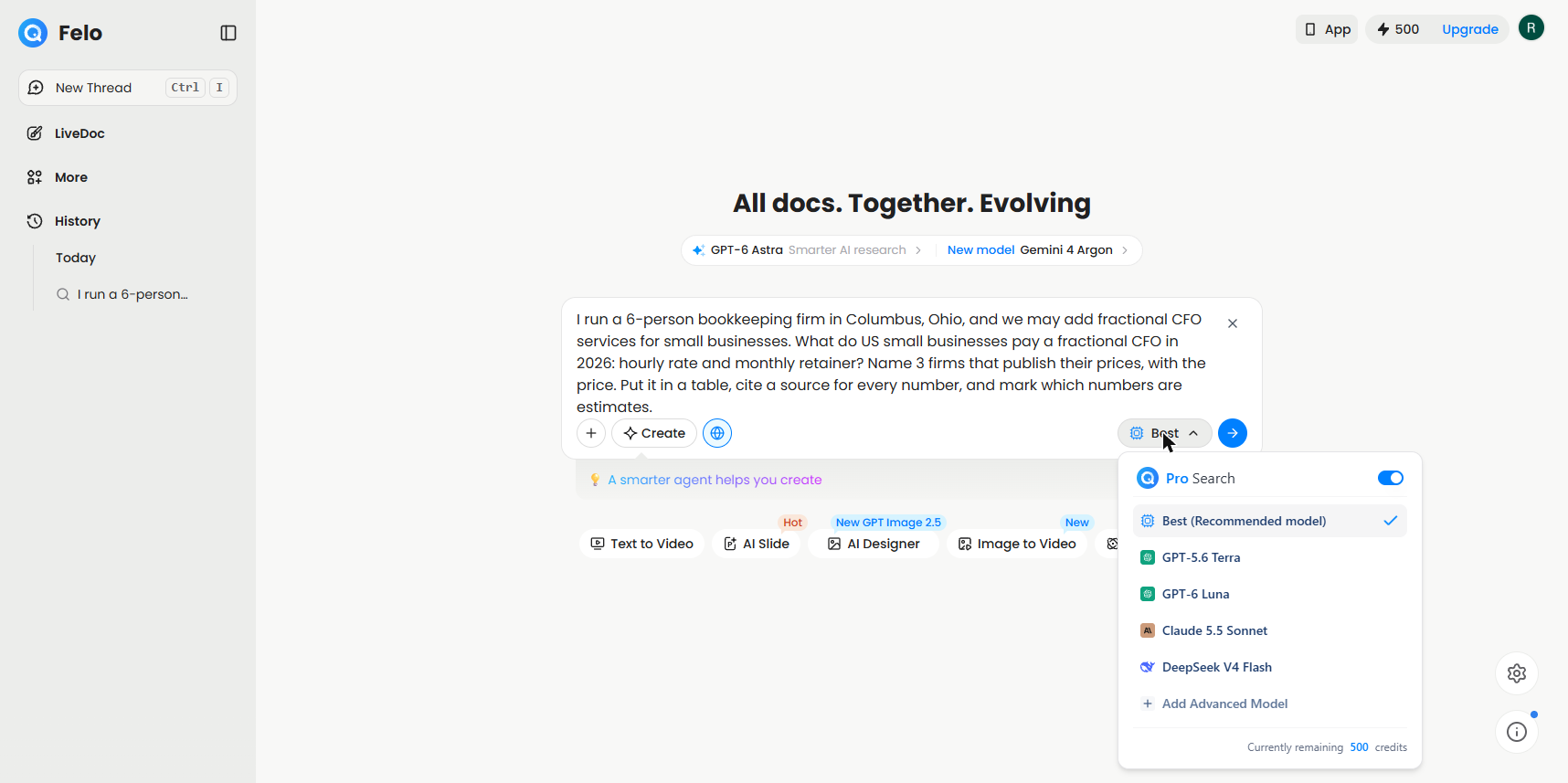
Step 7: Send it
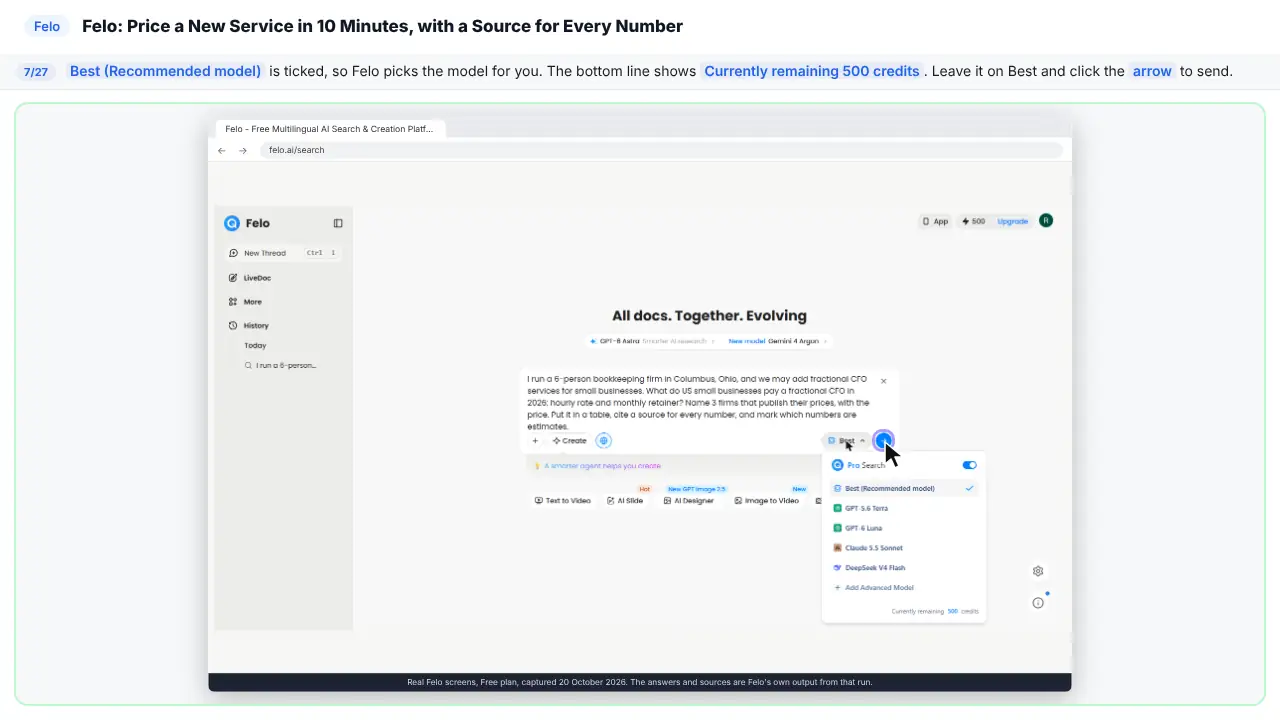
Best is ticked. So Felo picks the model for you. You can see your credits at the bottom.
Part 3: Read the answer and check the sources
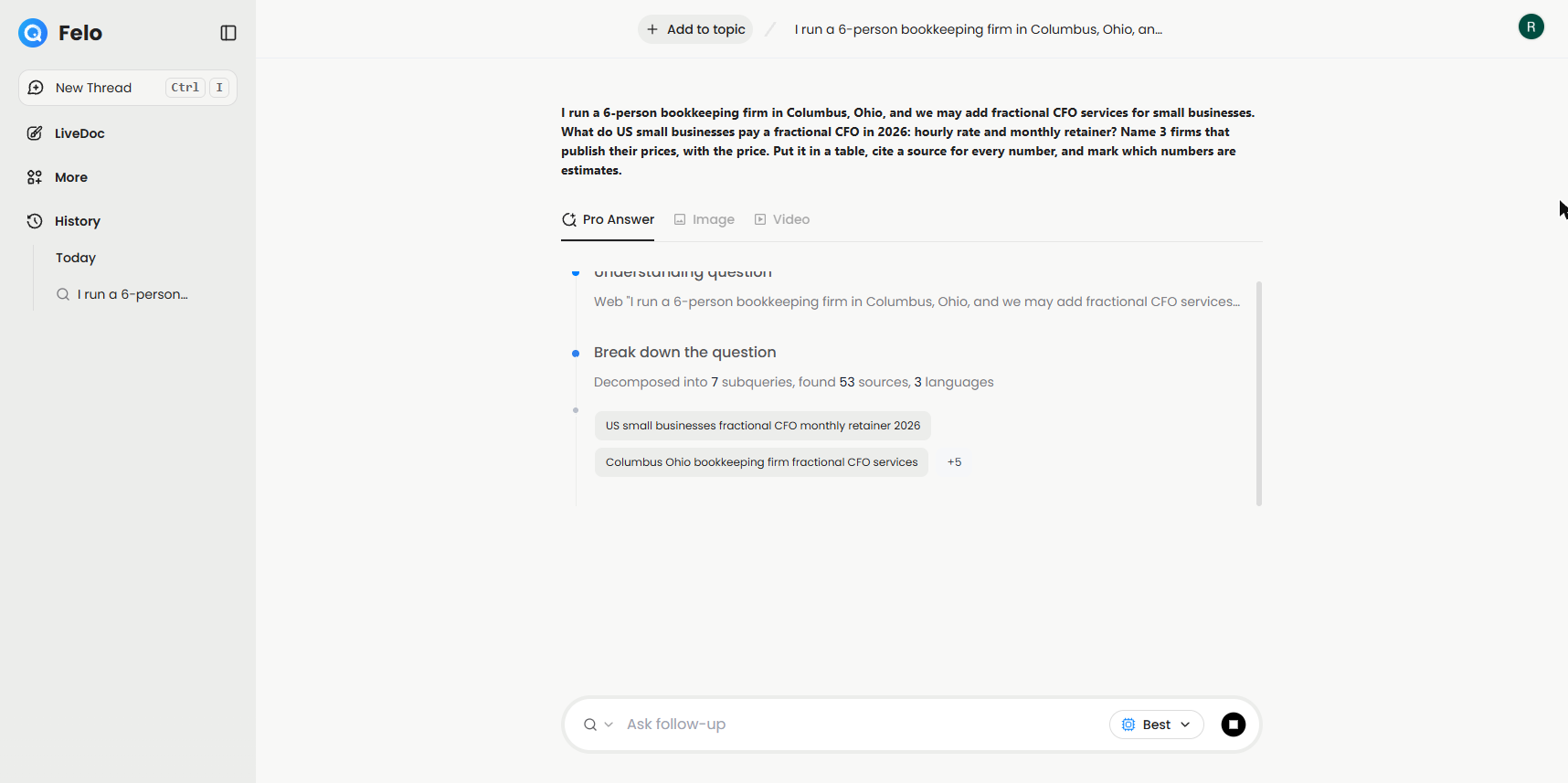
Step 8: Watch it search
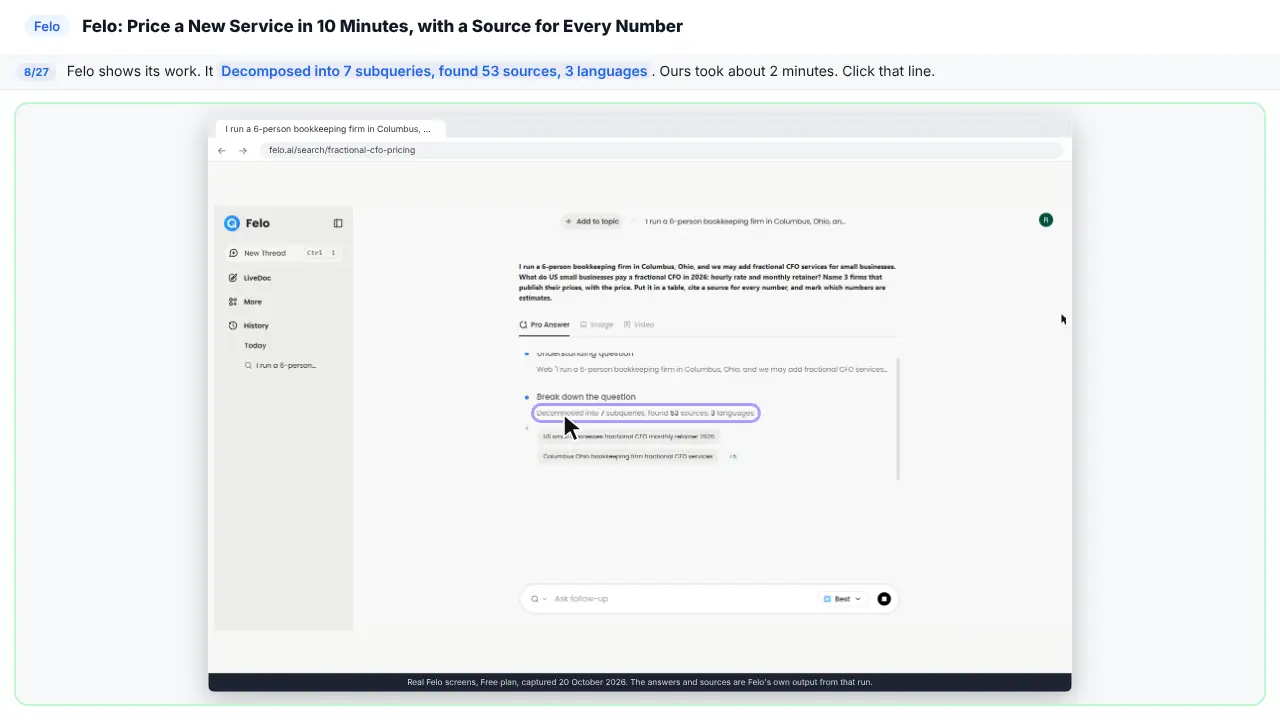
Felo shows its work. It split the question into seven searches. And it found fifty-three sources.
Step 9: Read the estimate
Here's the range. One seventy-five to four-fifty an hour. Or three to twelve thousand a month. And the table marks these as estimates.
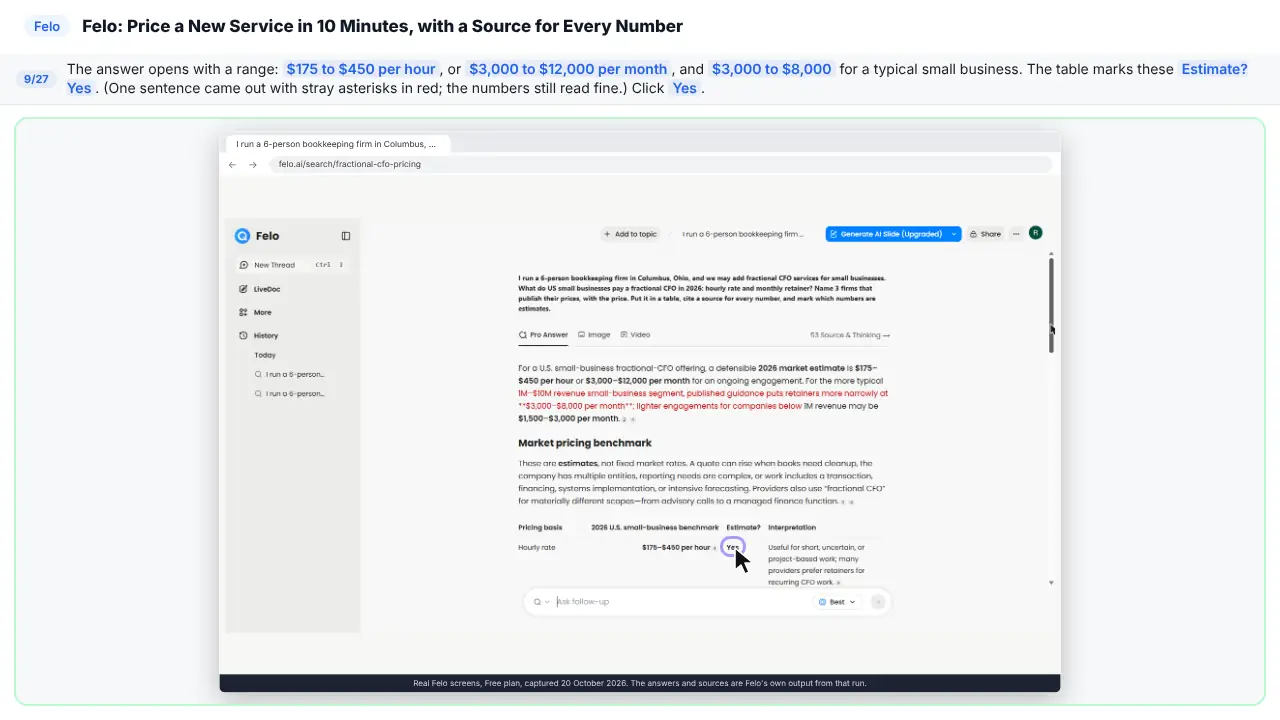
Step 10: Find a firm and its source
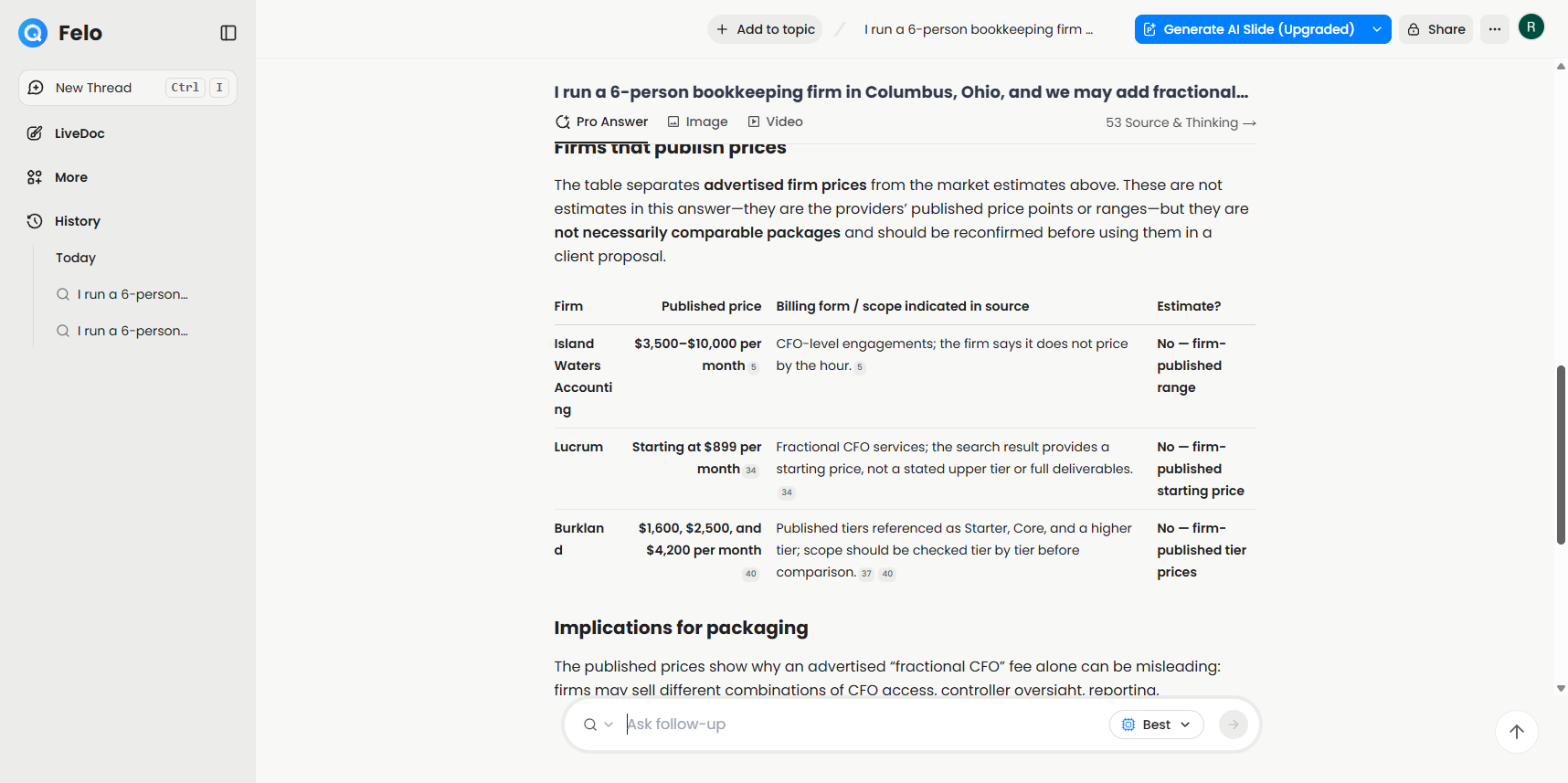
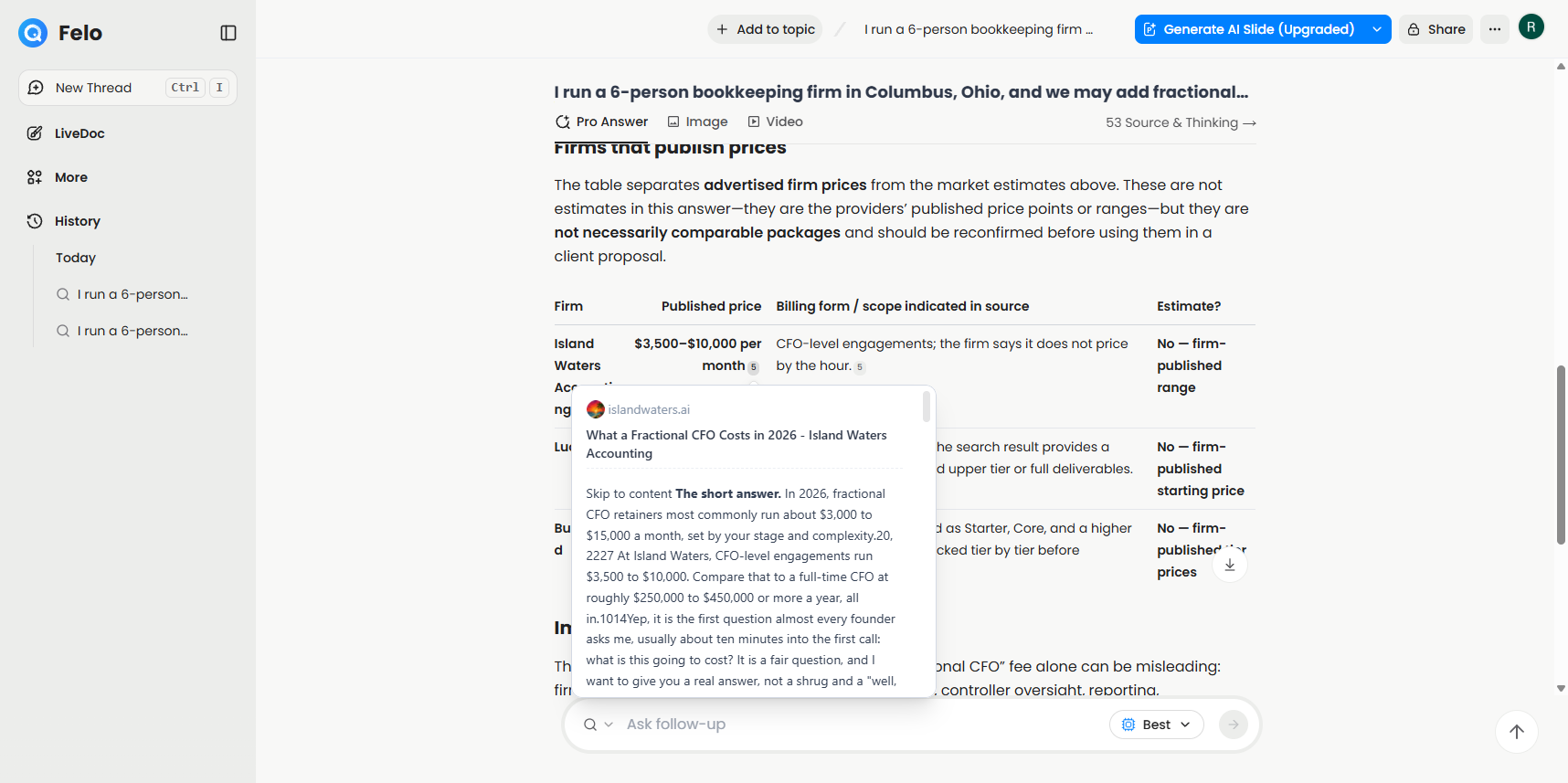
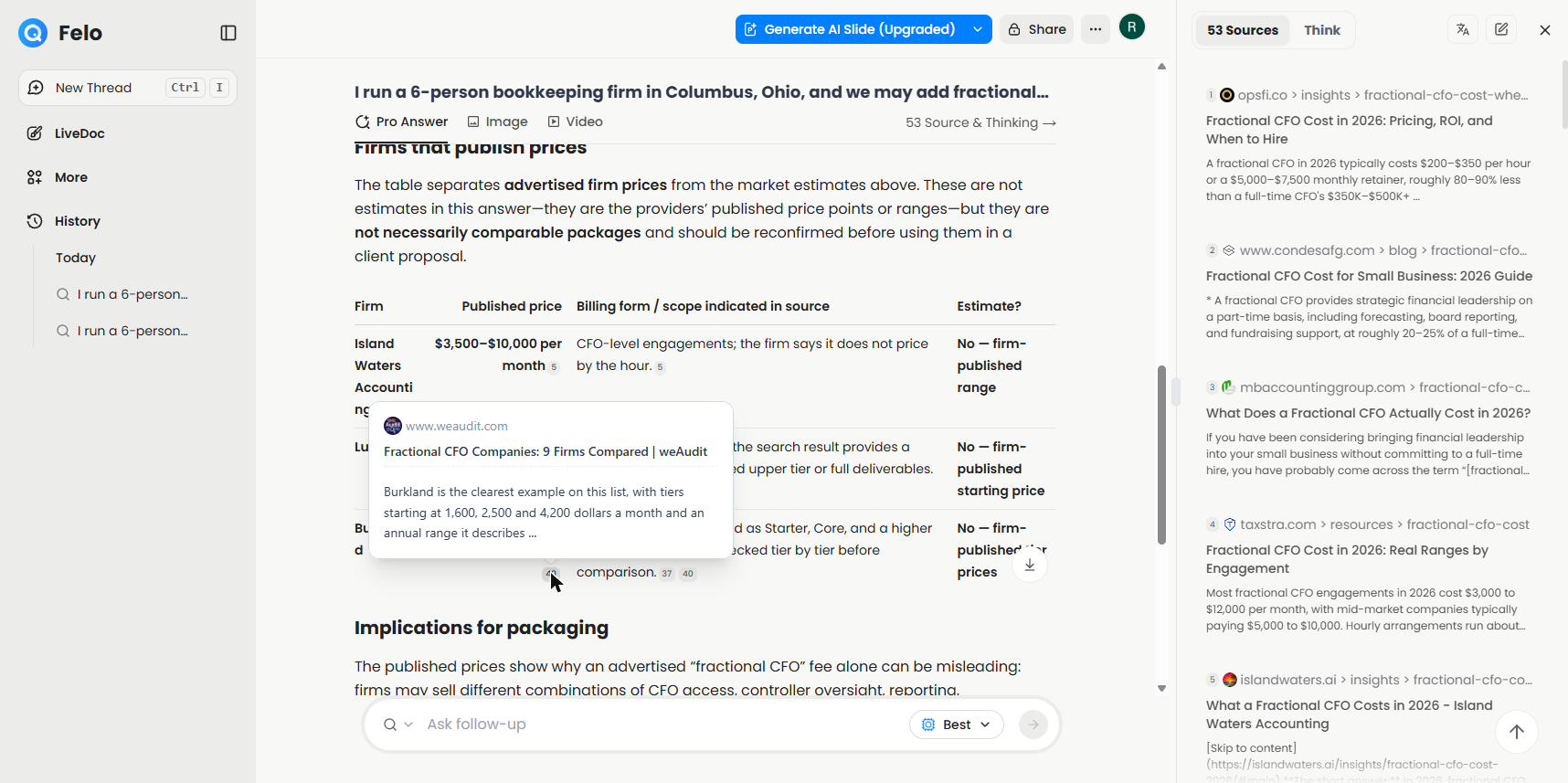
Now the firms. Three of them, each with a price. See the small numbers? Those are the sources. Point at the five next to Island Waters.
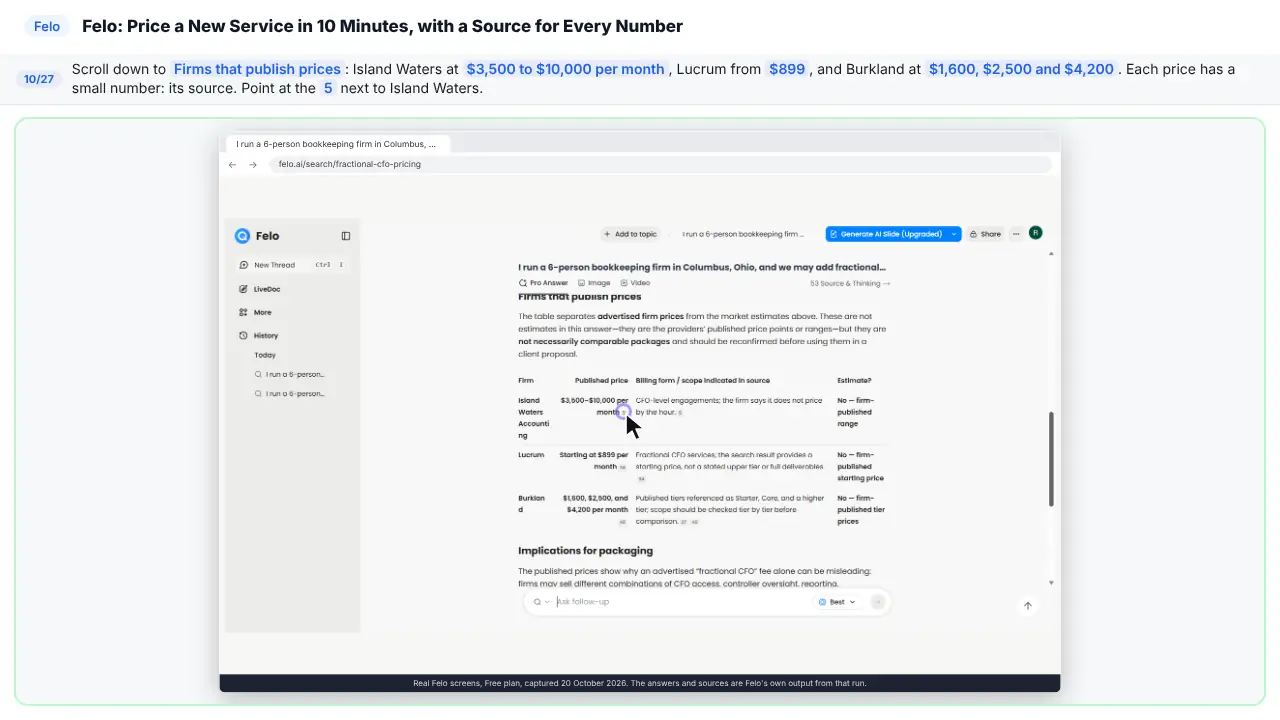
Step 11: Check the number on the page
A card pops up with the page it came from. It says three thousand five hundred to ten thousand. That matches the answer.
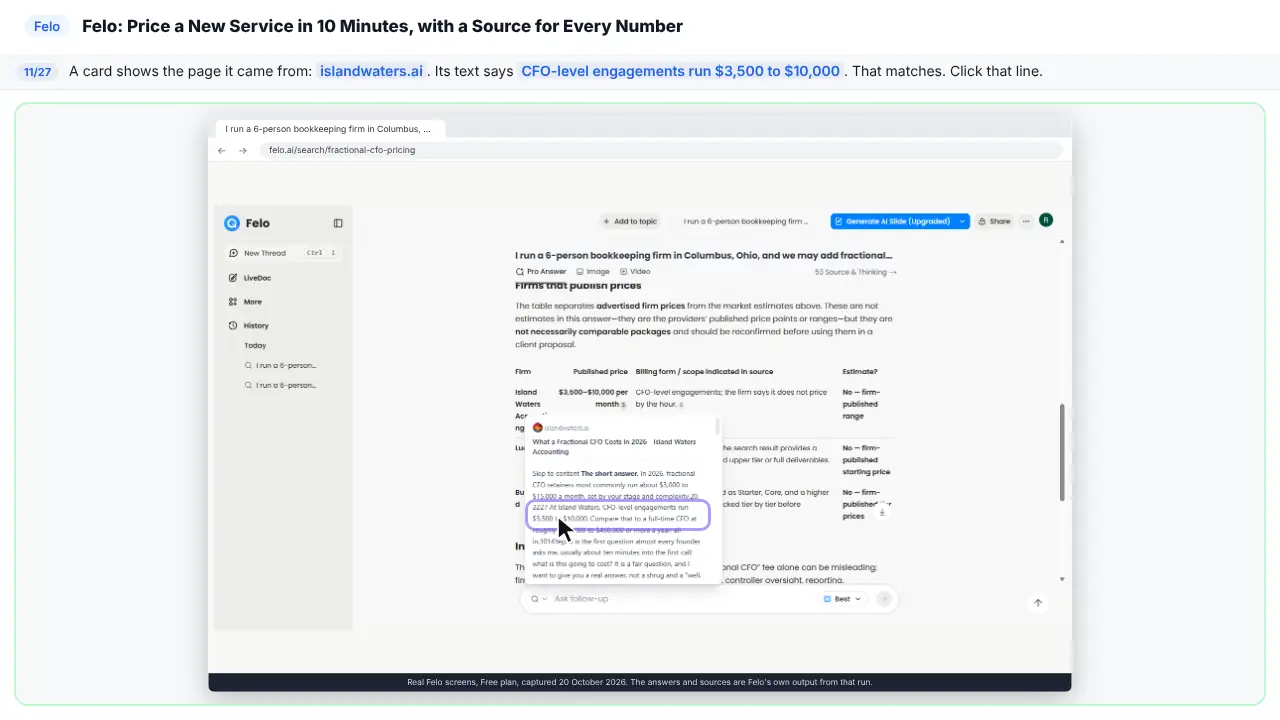
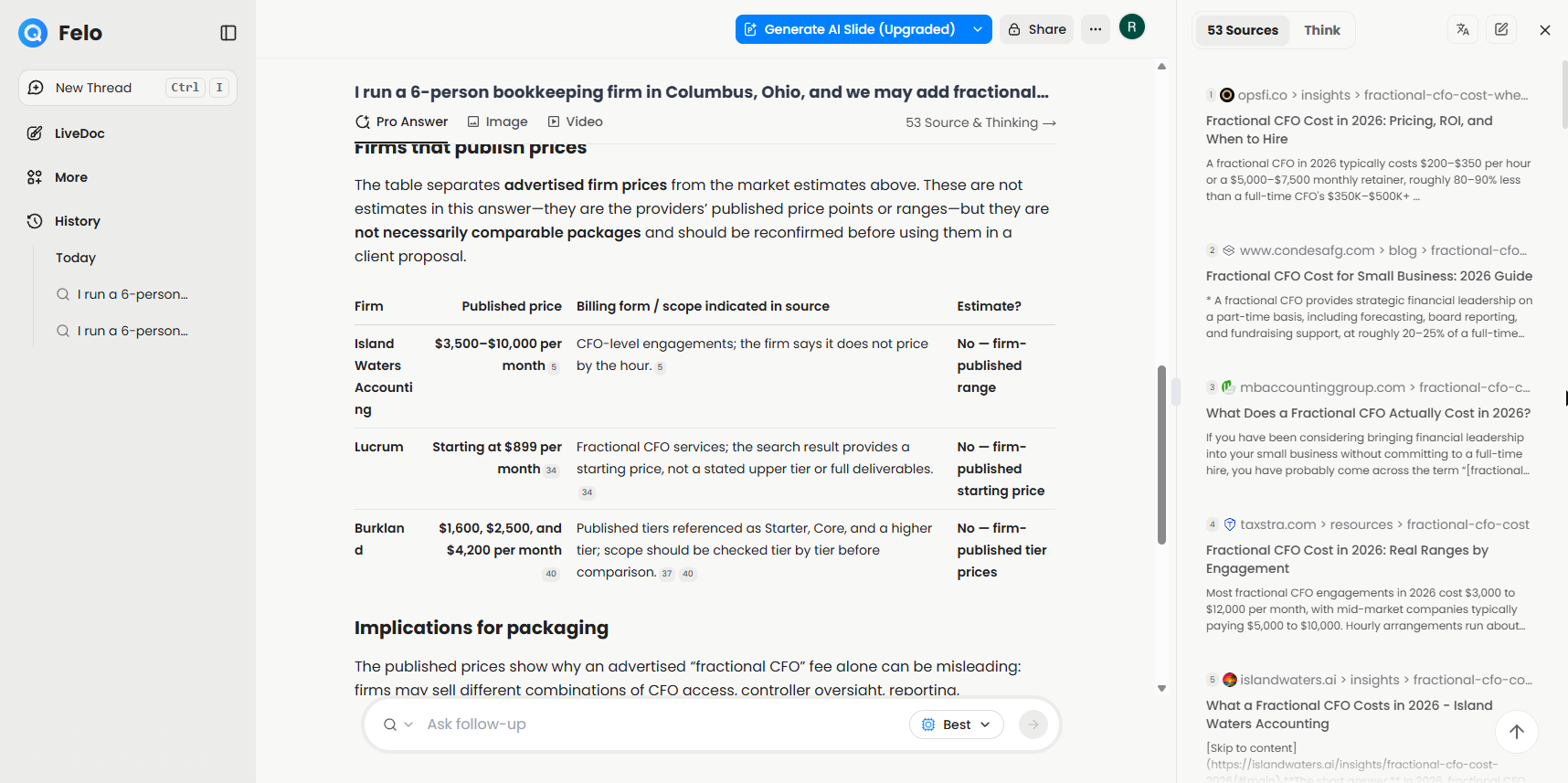
Step 12: Open all the sources
Now see everything Felo read.
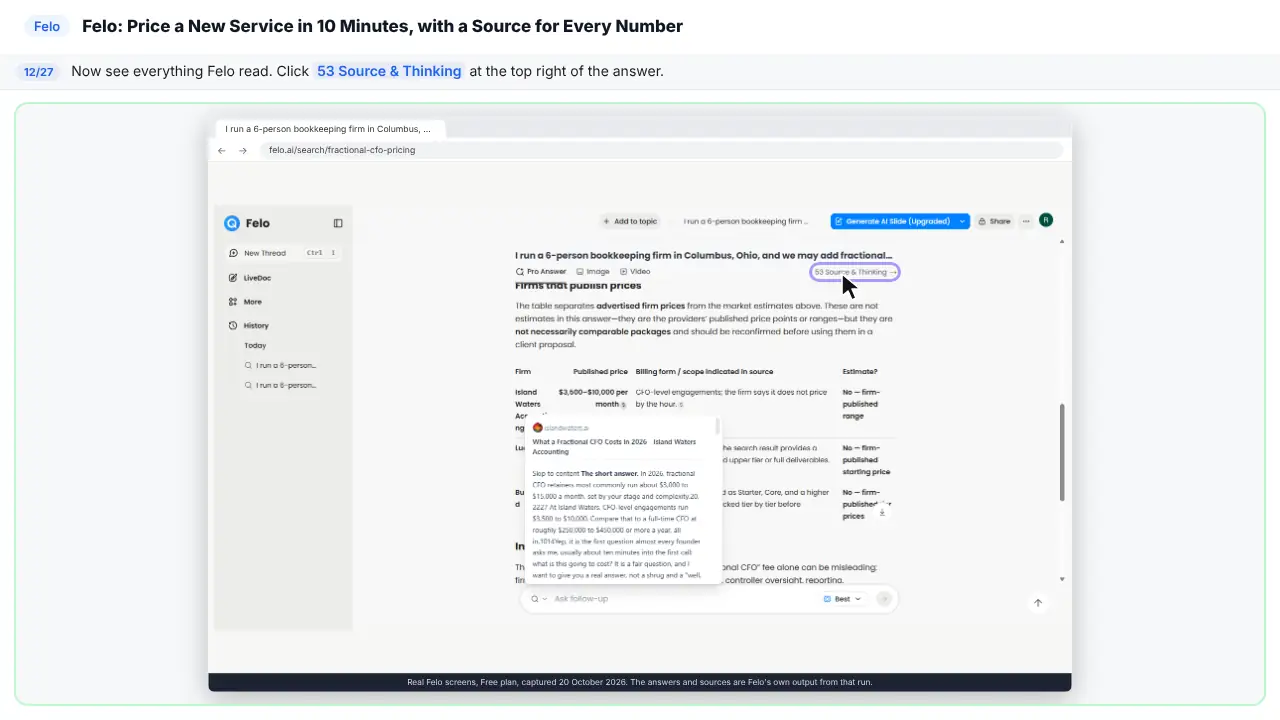
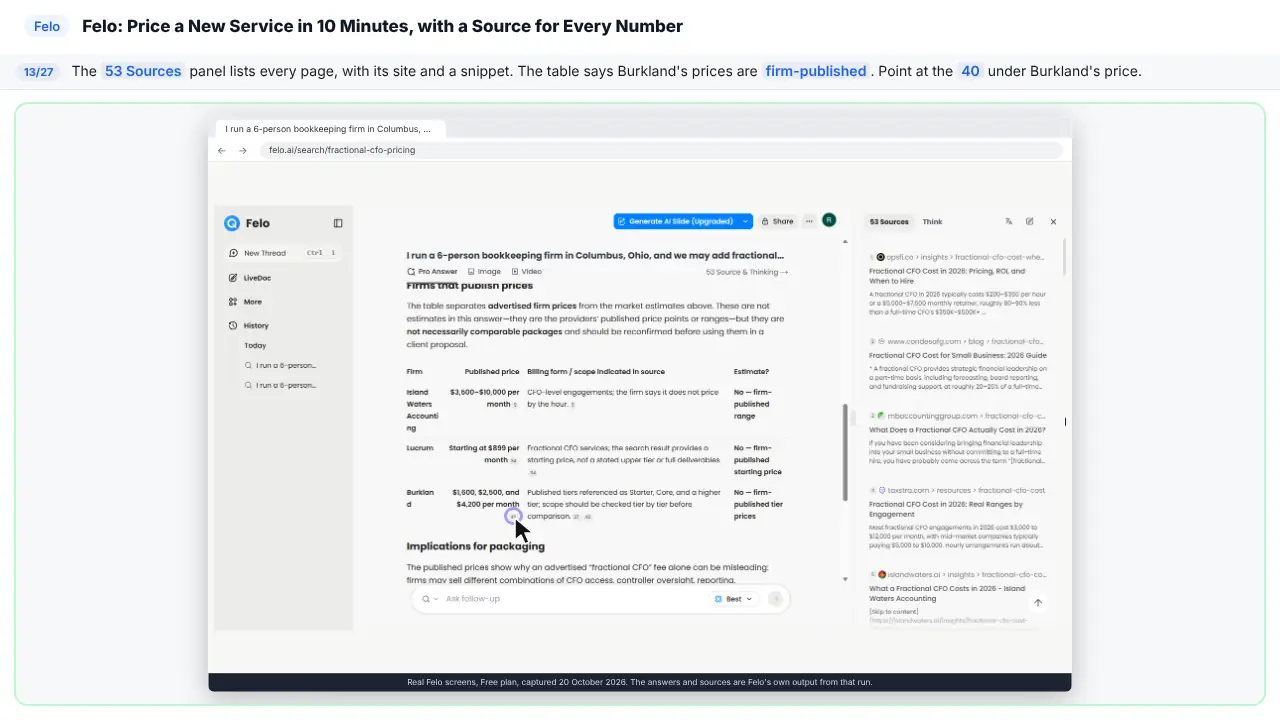
Step 13: Check the Burkland price
Here's every page Felo read. The table says Burkland published its own prices. Let's check. Point at the forty under Burkland.
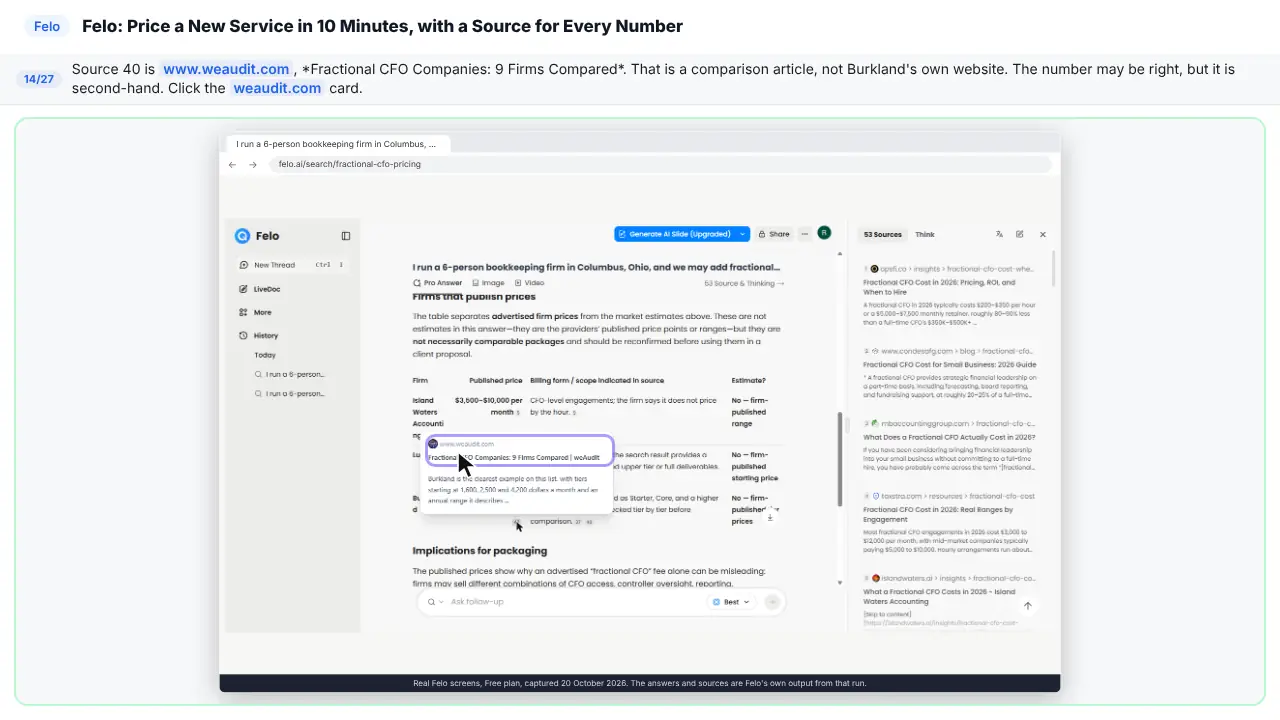
Step 14: Spot the second-hand source
Source forty is a comparison article. Not Burkland's own website. The price might be right. But it's second-hand.
Part 4: Ask where each price came from
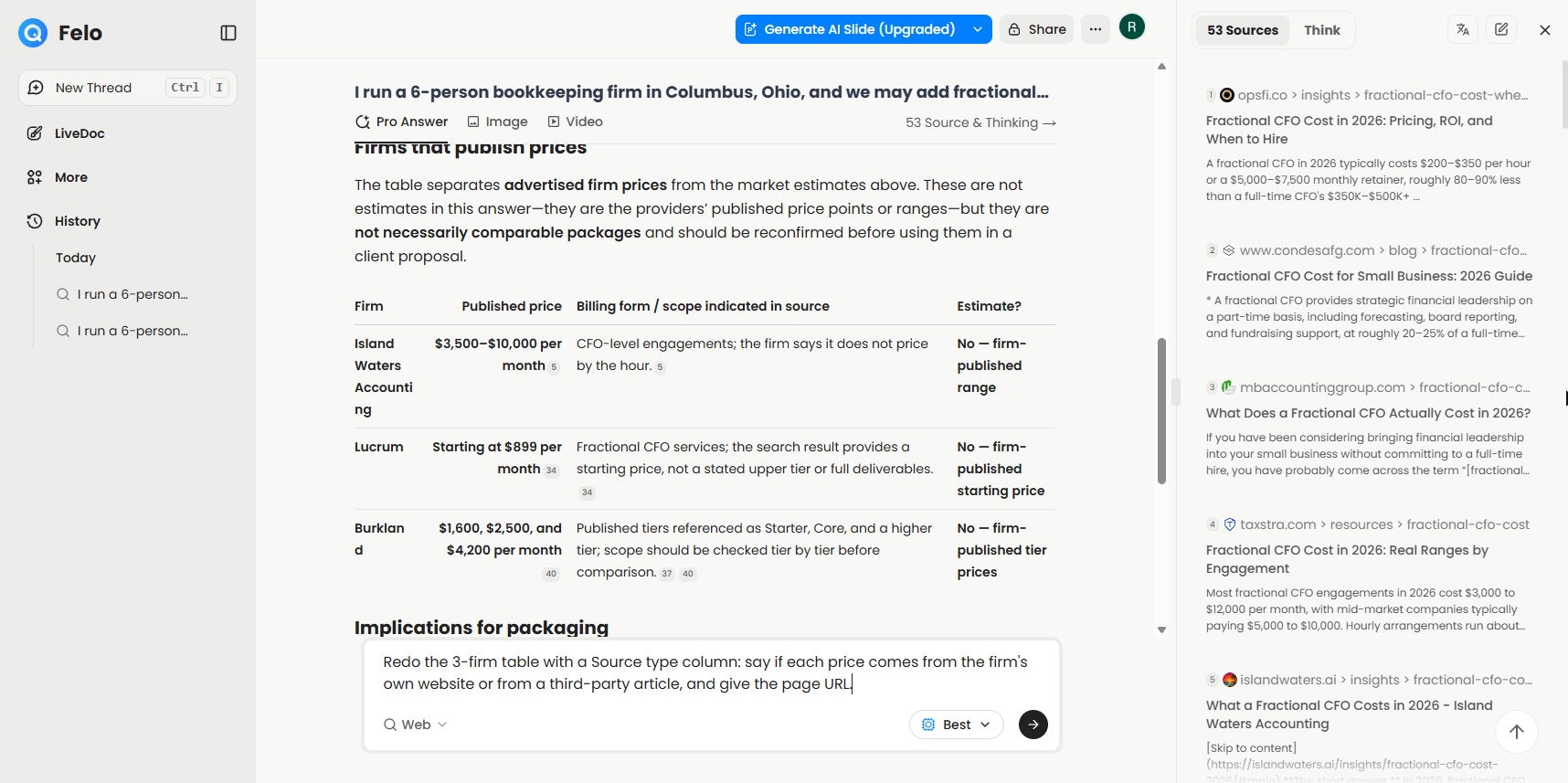
Step 15: Ask where each price came from
So ask Felo where each price came from.
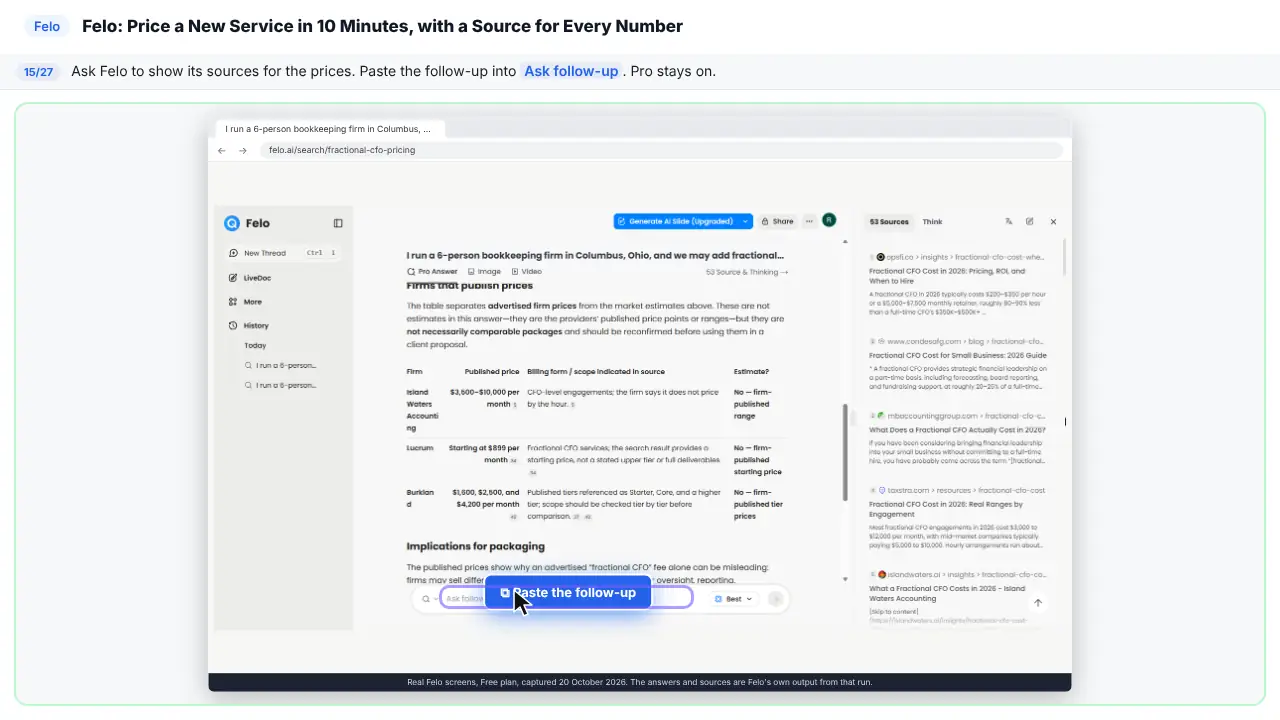
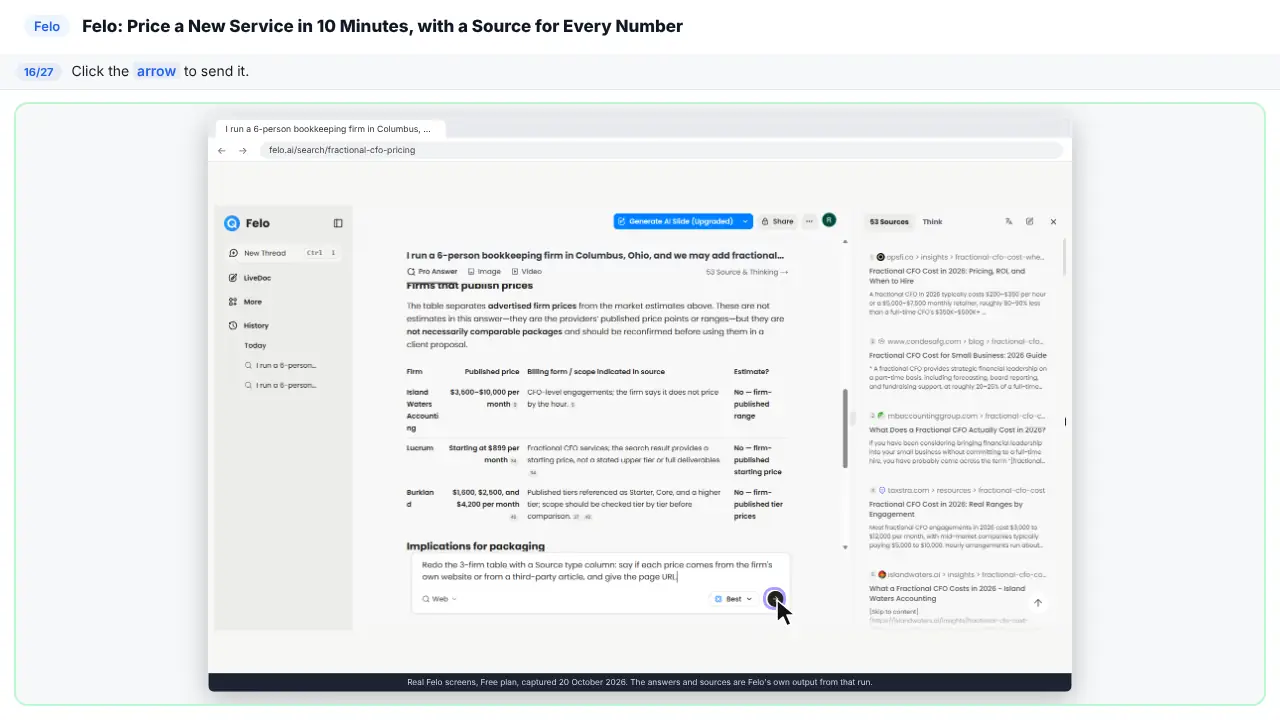
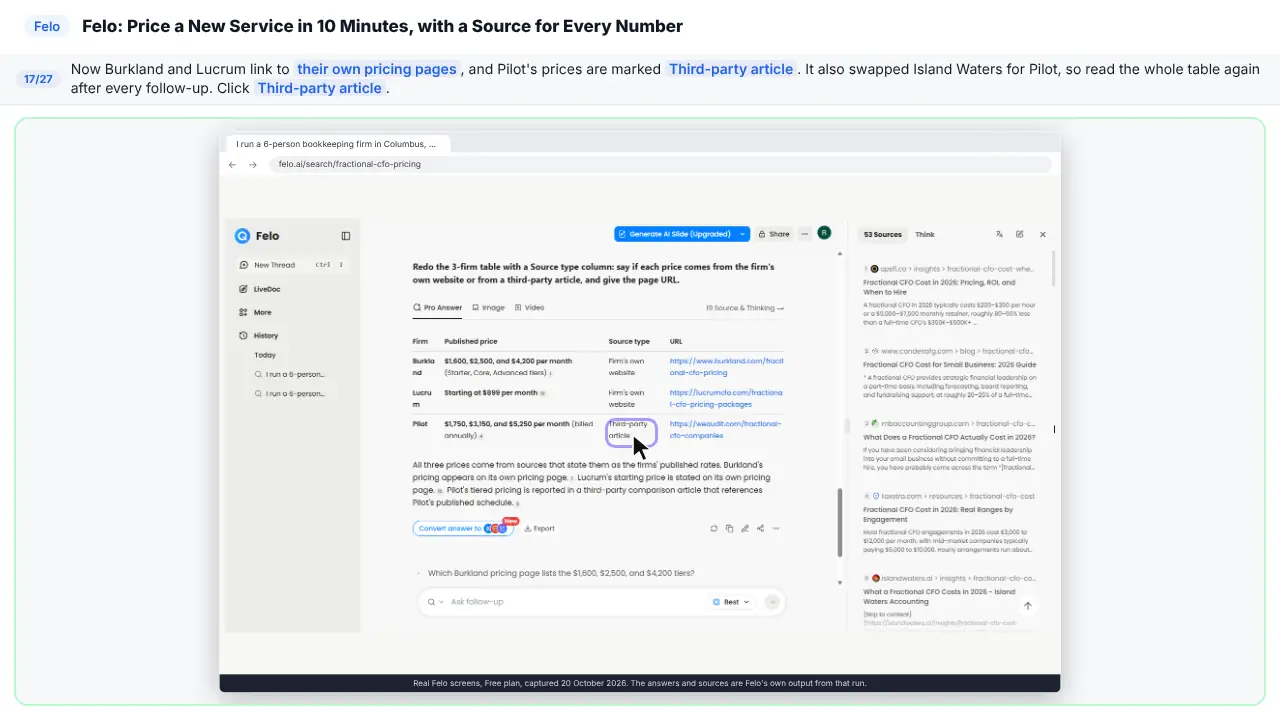
Redo the 3-firm table with a Source type column: say if each price comes from the firm's own website or from a third-party article, and give the page URL.
Step 16: Send the follow-up
Step 17: Read the new table
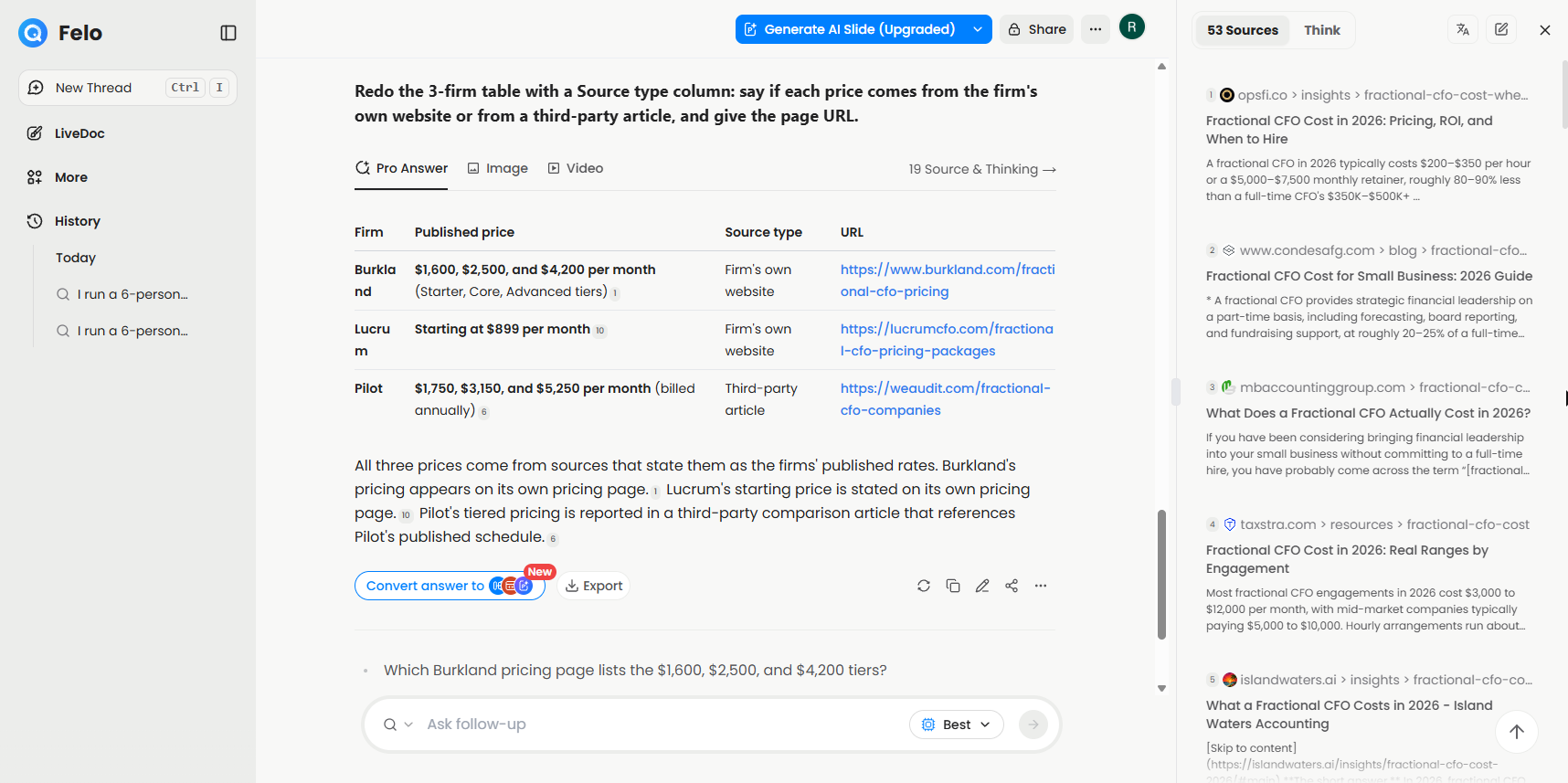
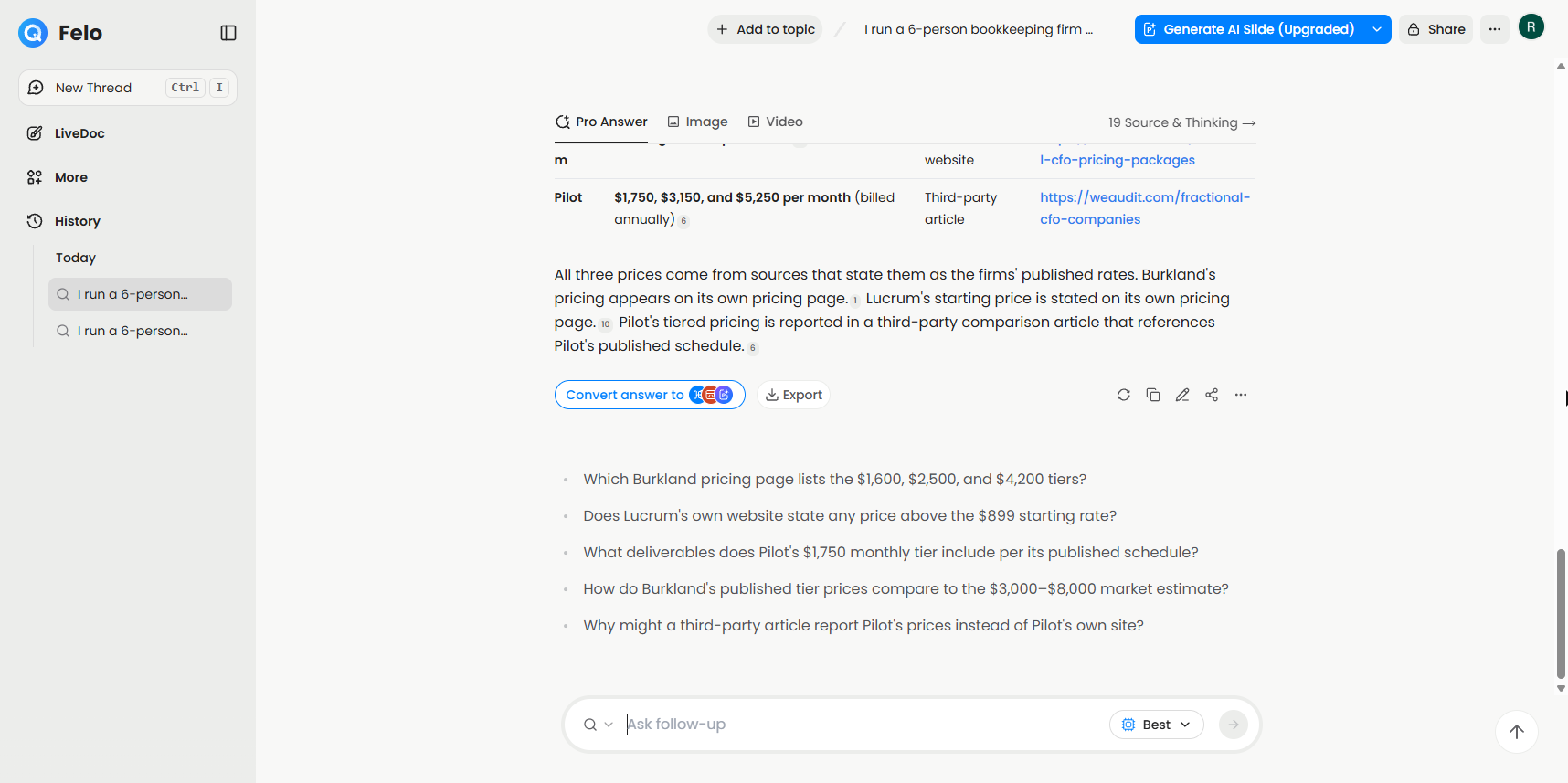
Now each price says where it came from. Two from the firm's own website. One from an article. And notice, it swapped one firm. So always re-read the table.
Part 5: Turn it into something to share
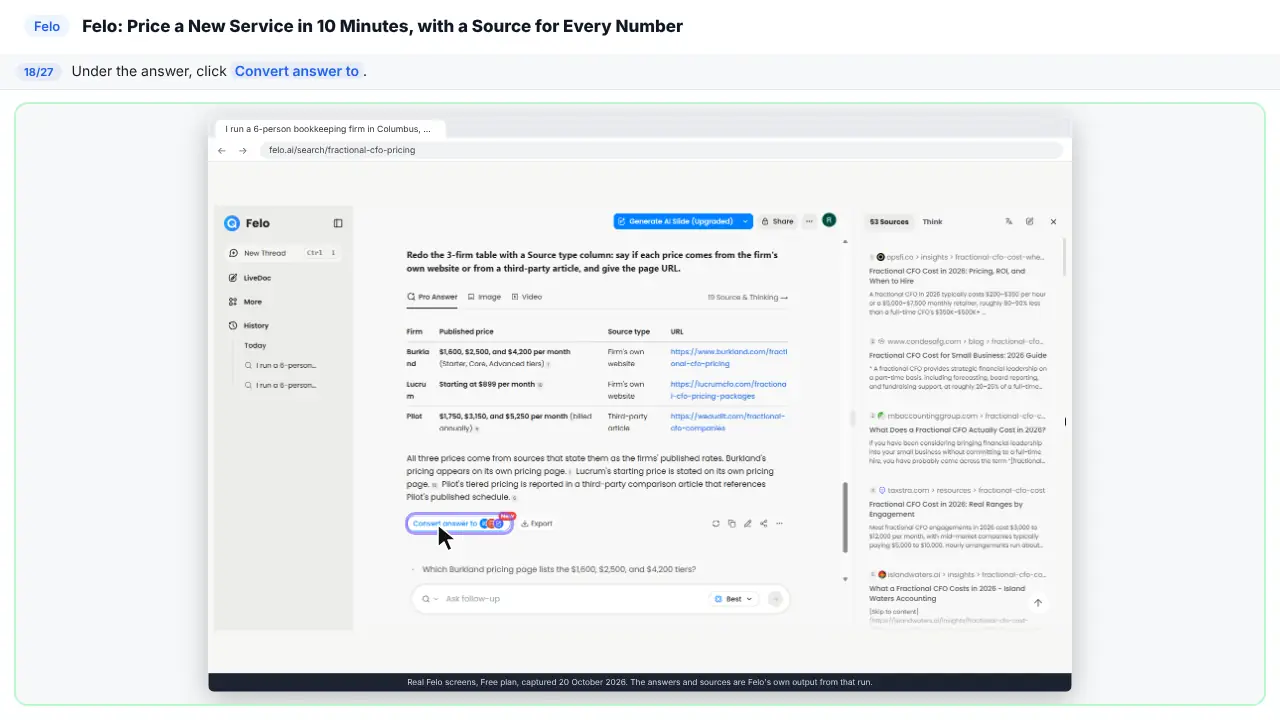
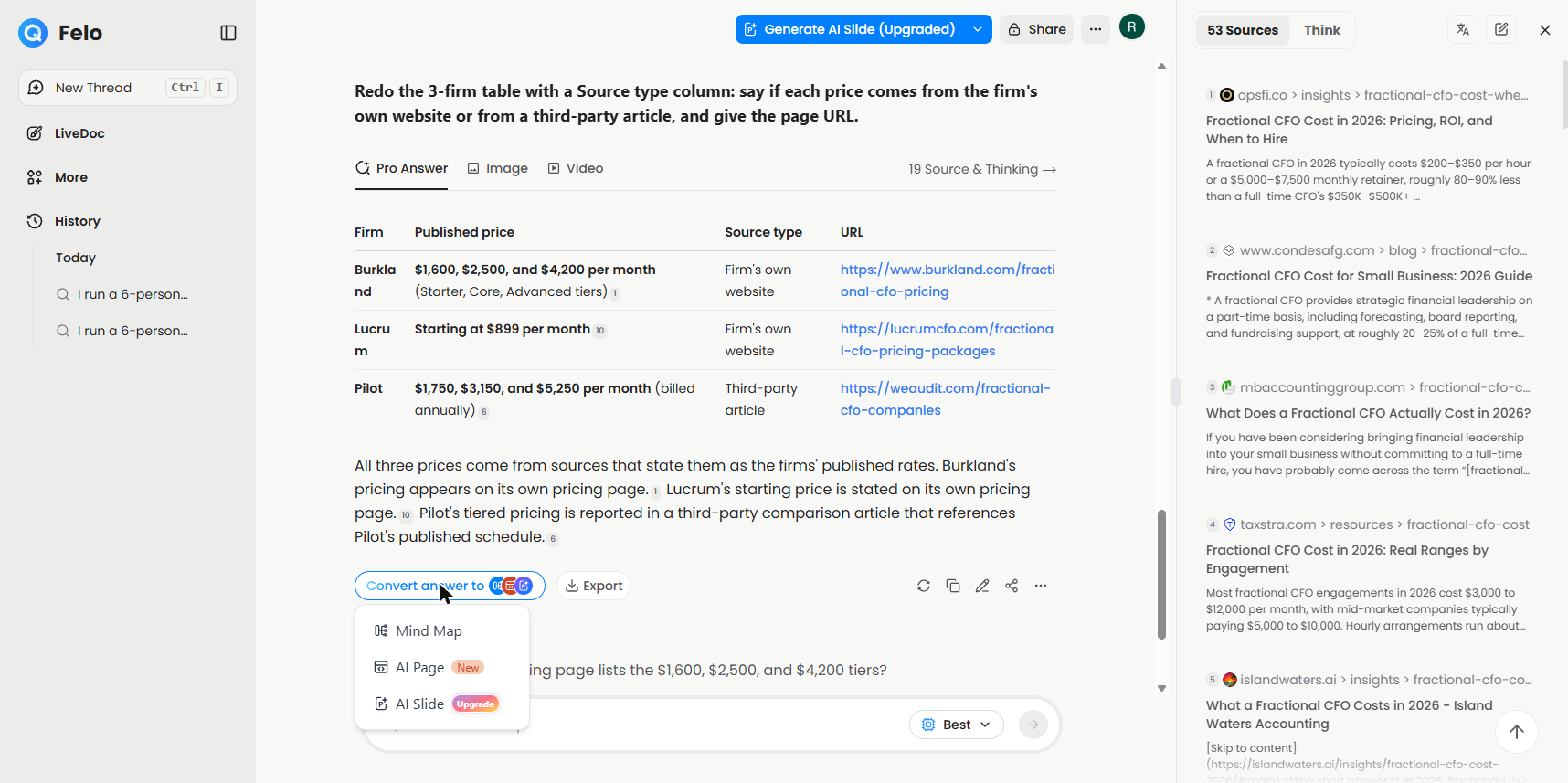
Step 18: Turn the answer into something else
Now let's turn this into something you can share.
Step 19: Make a mind map
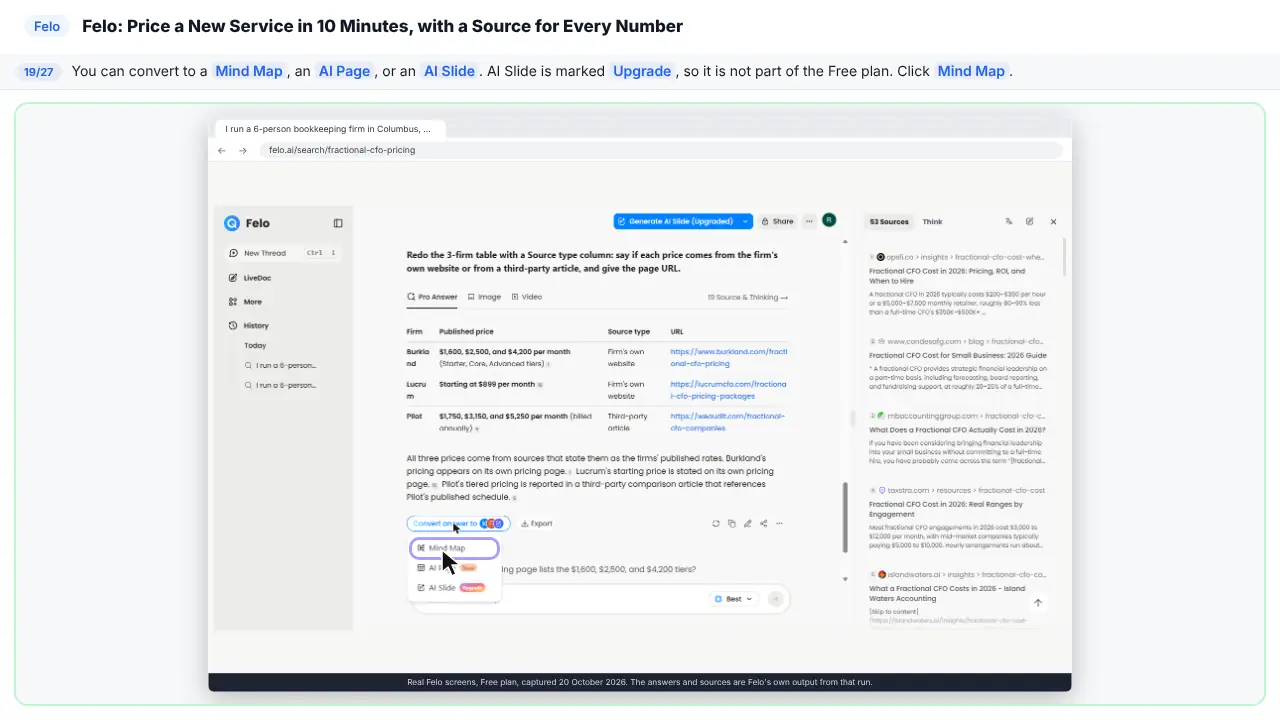
You can make a mind map, a page, or slides. Slides need an upgrade.
Step 20: Close the mind map
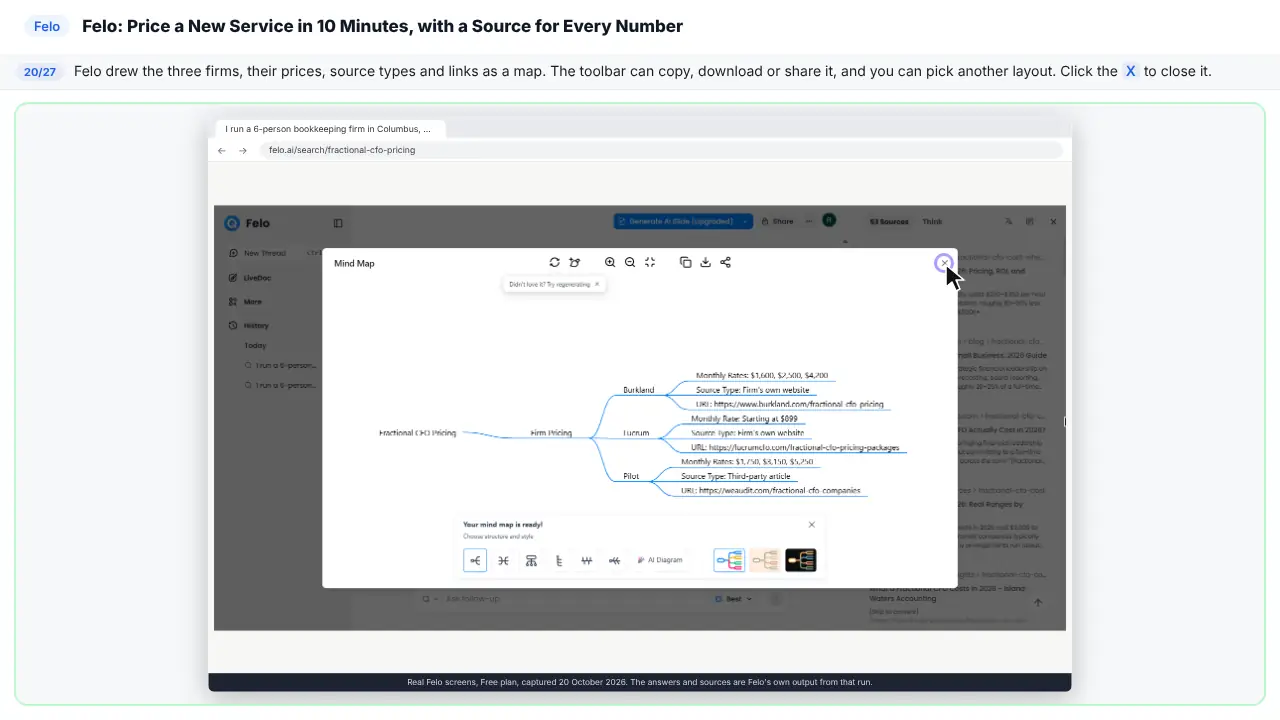
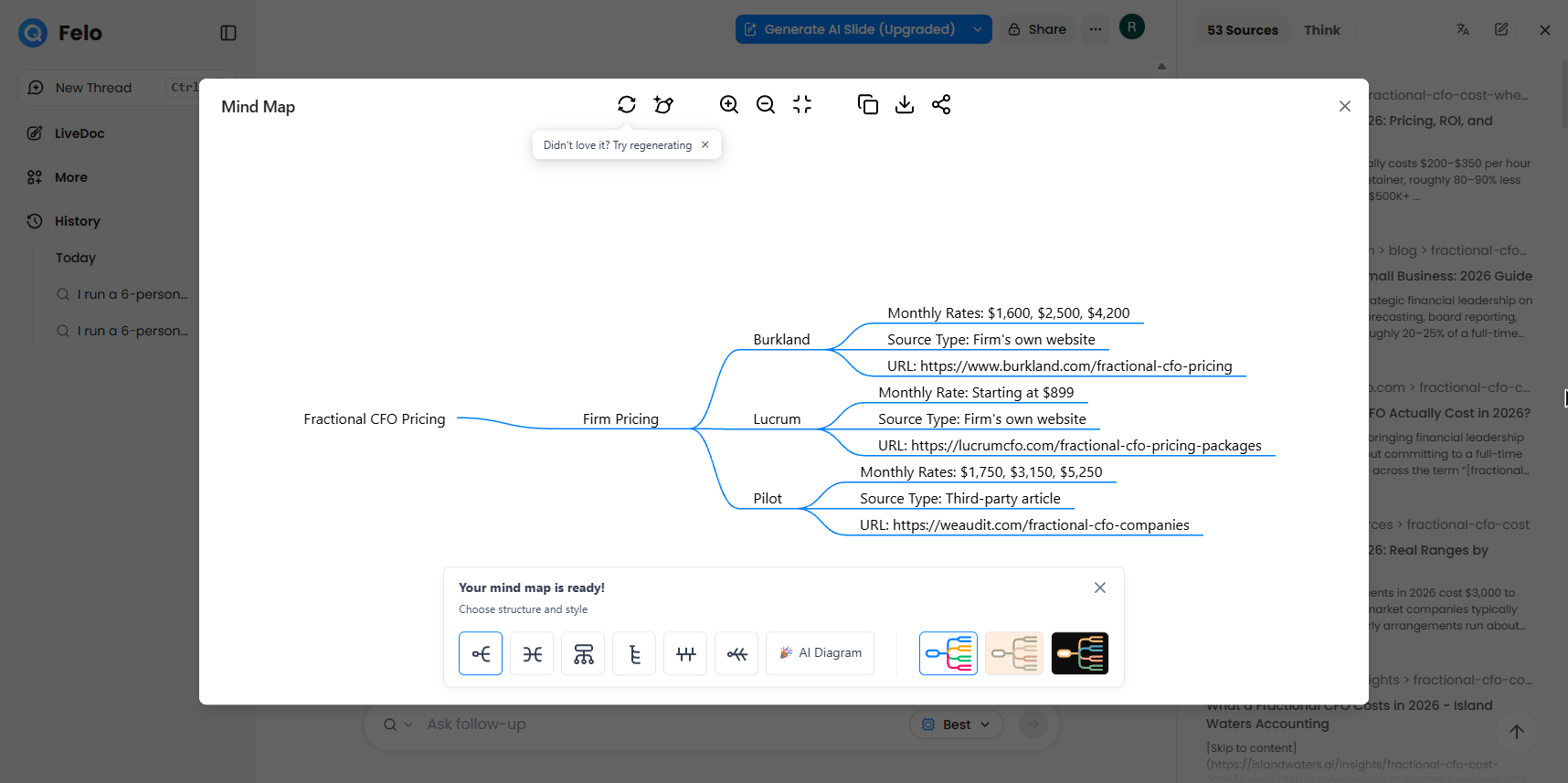
Here's the mind map. Three firms, their prices, and where each price came from. You can copy it, download it, or share it.
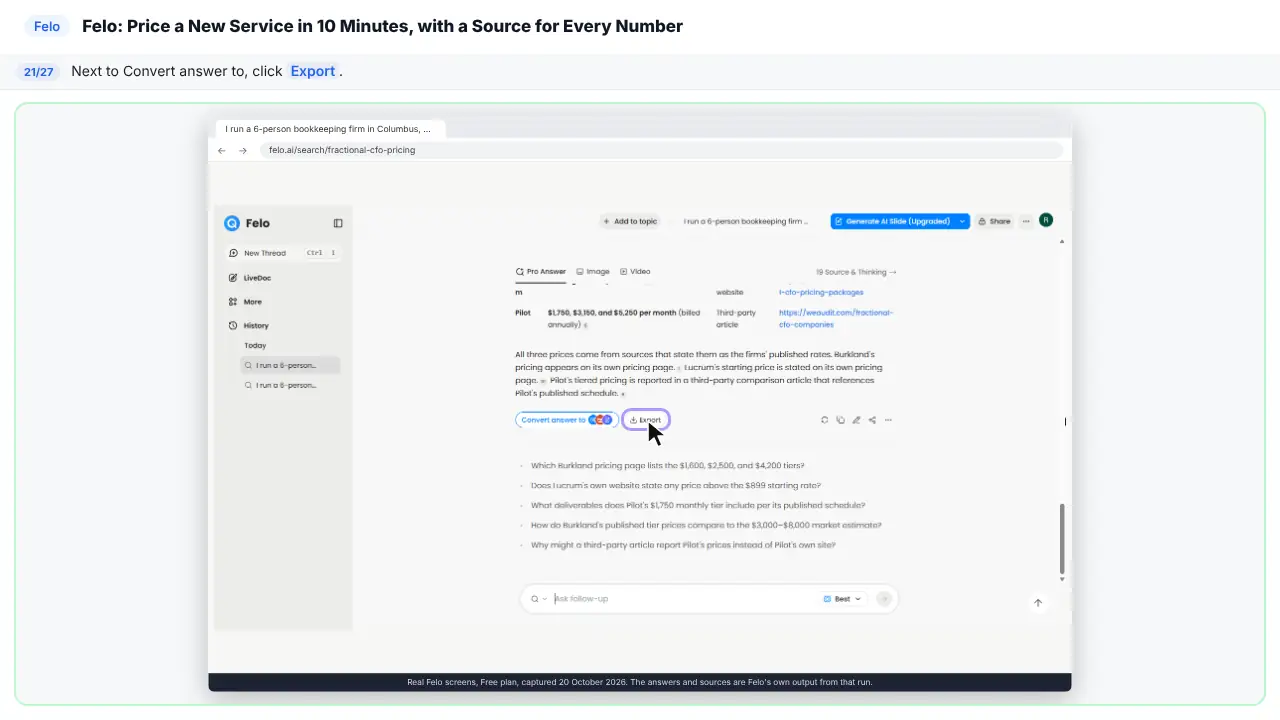
Step 21: Find the export options
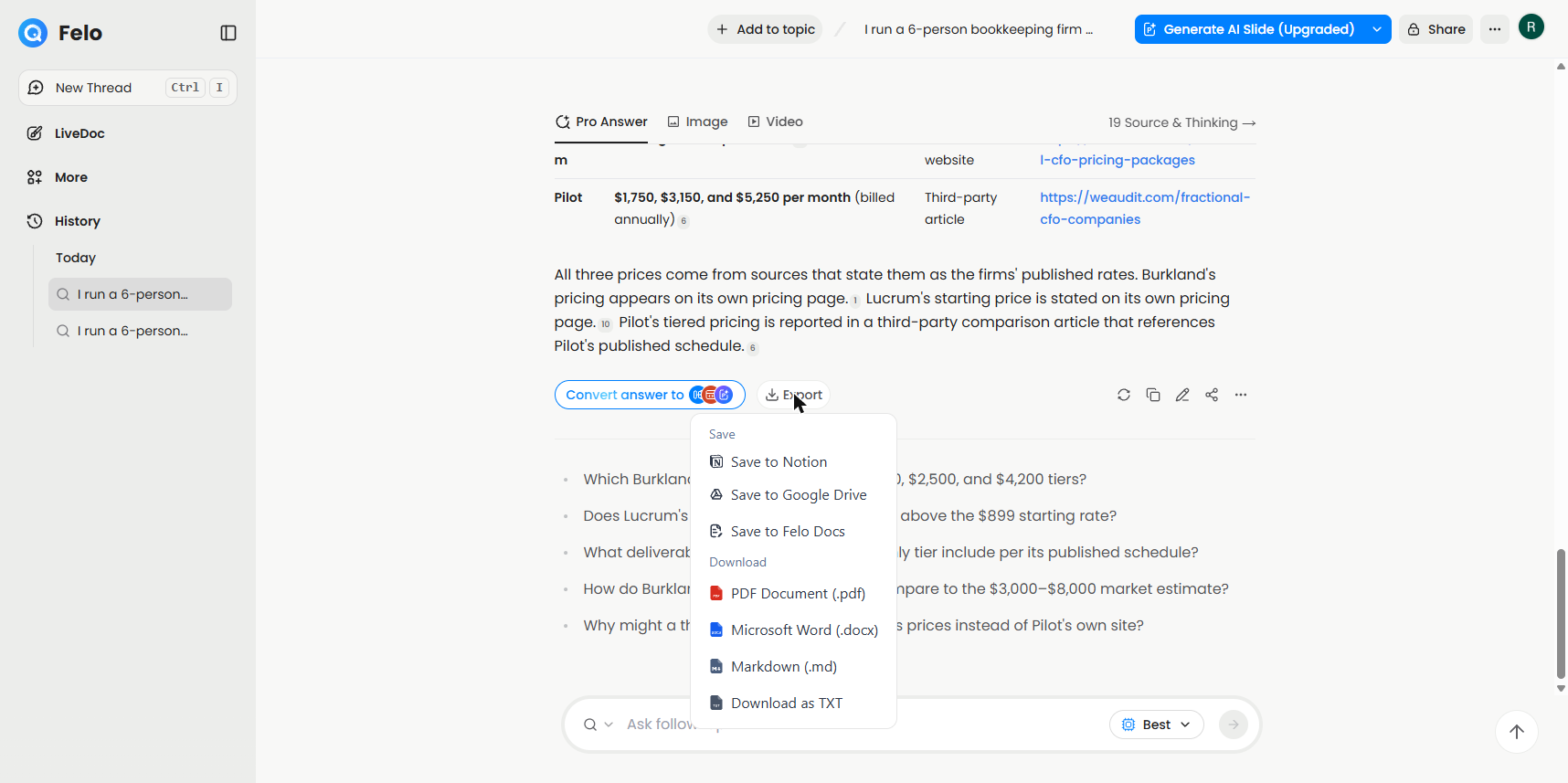
Now save the answer.
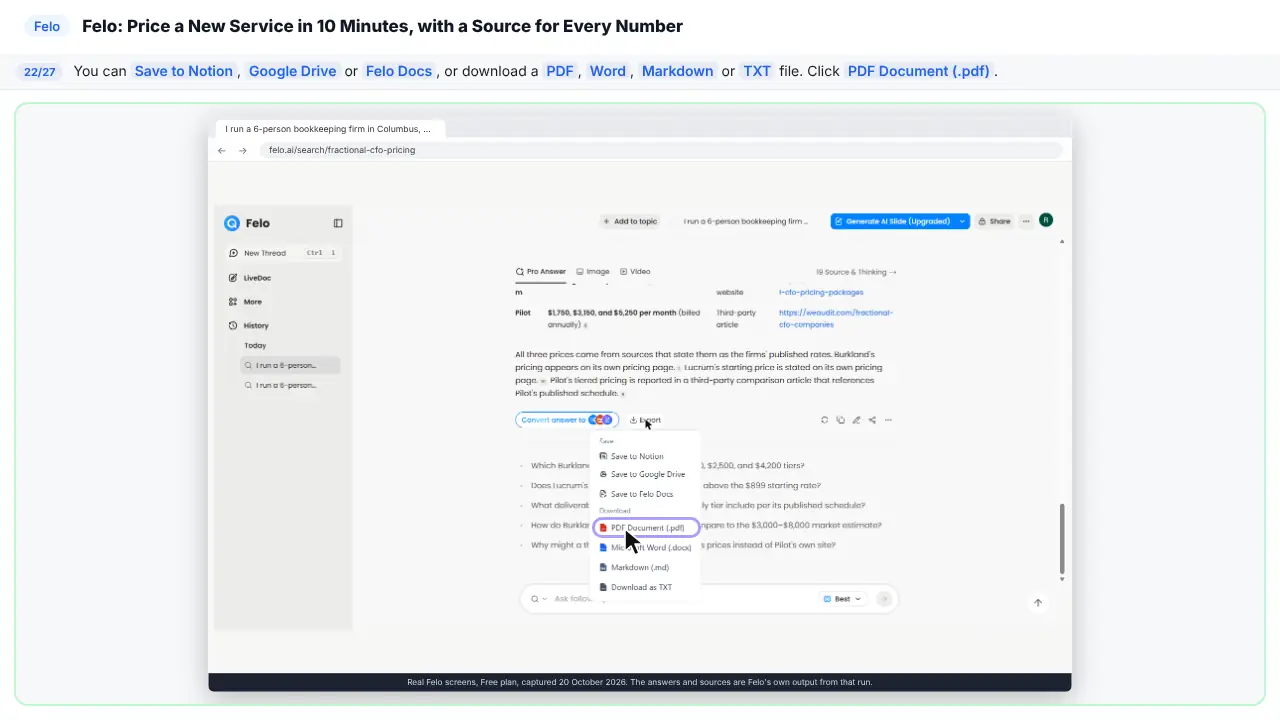
Step 22: Save it as a PDF
Save it to Notion, Google Drive, or Felo Docs. Or download it as PDF, Word, Markdown, or text.
Part 6: What it cost, and what is next
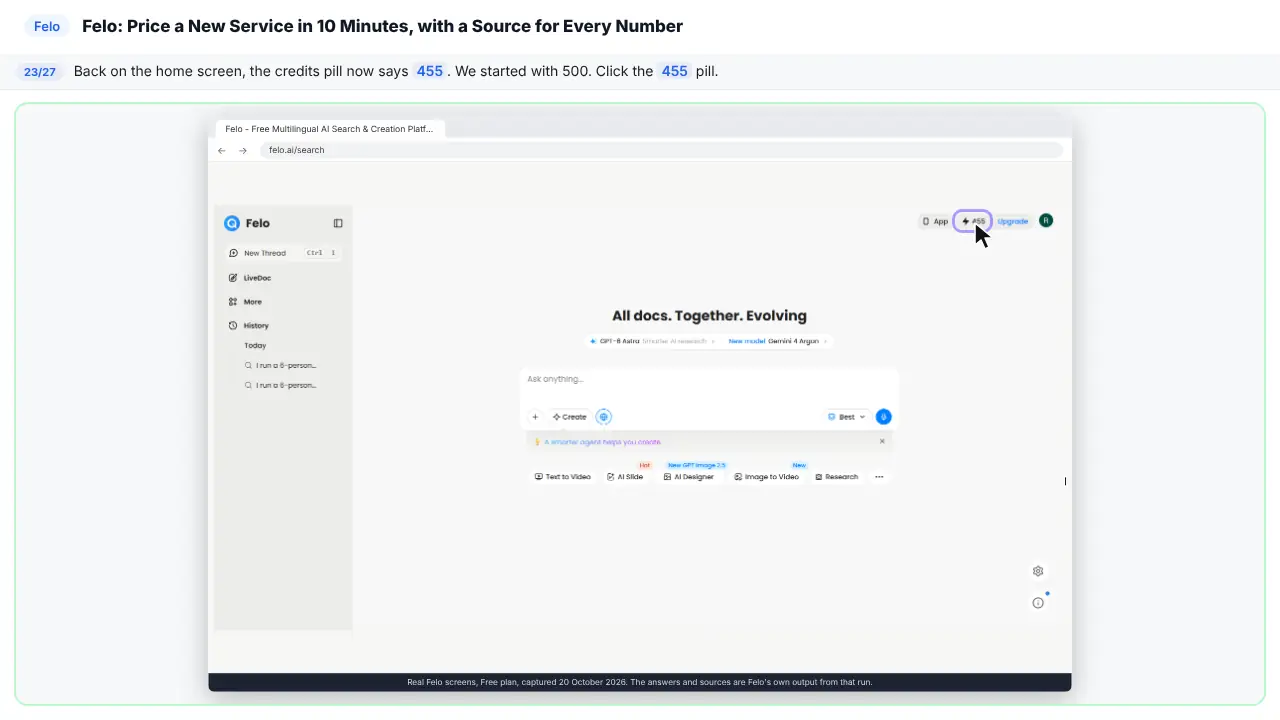
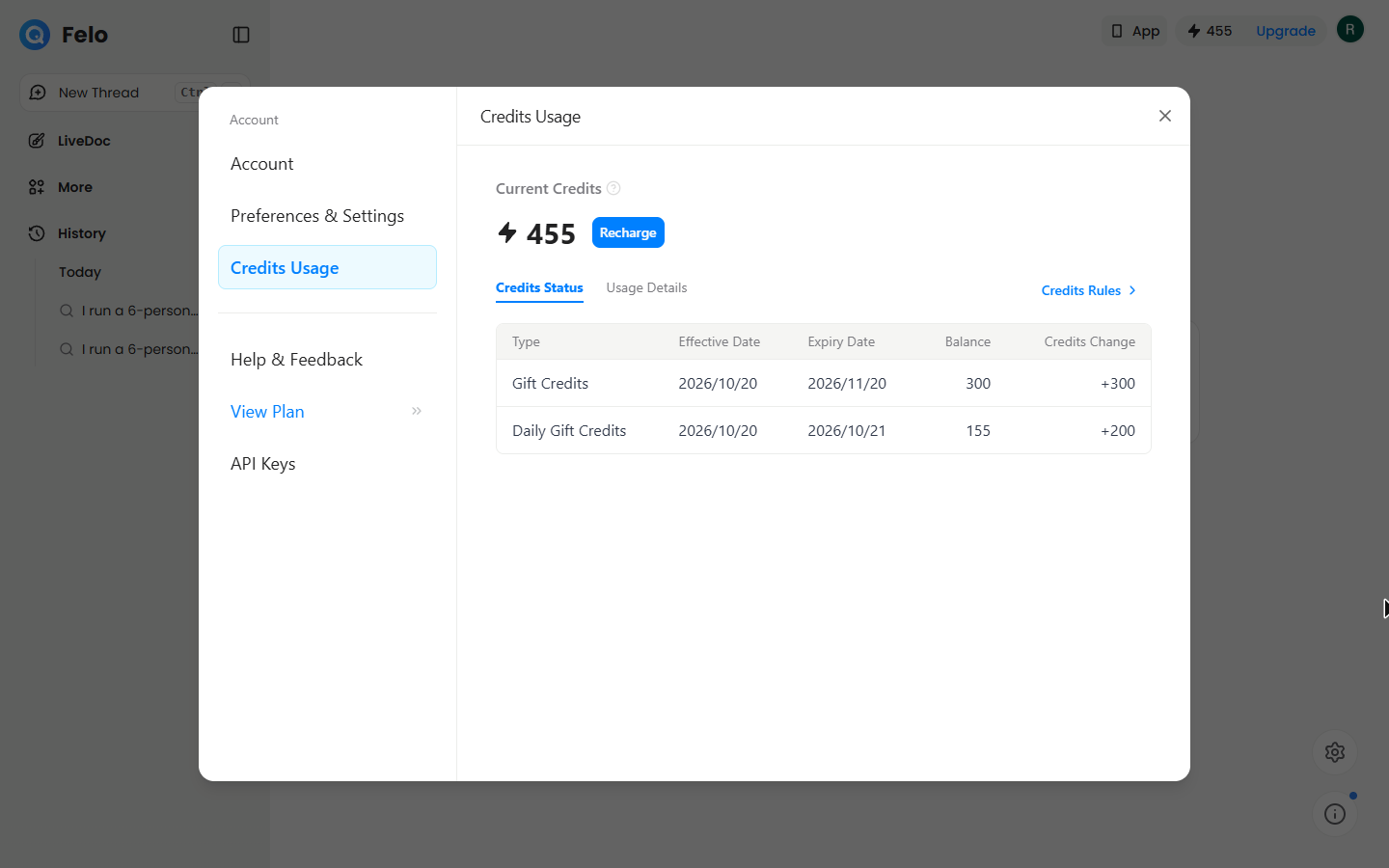
Step 23: Check your credits
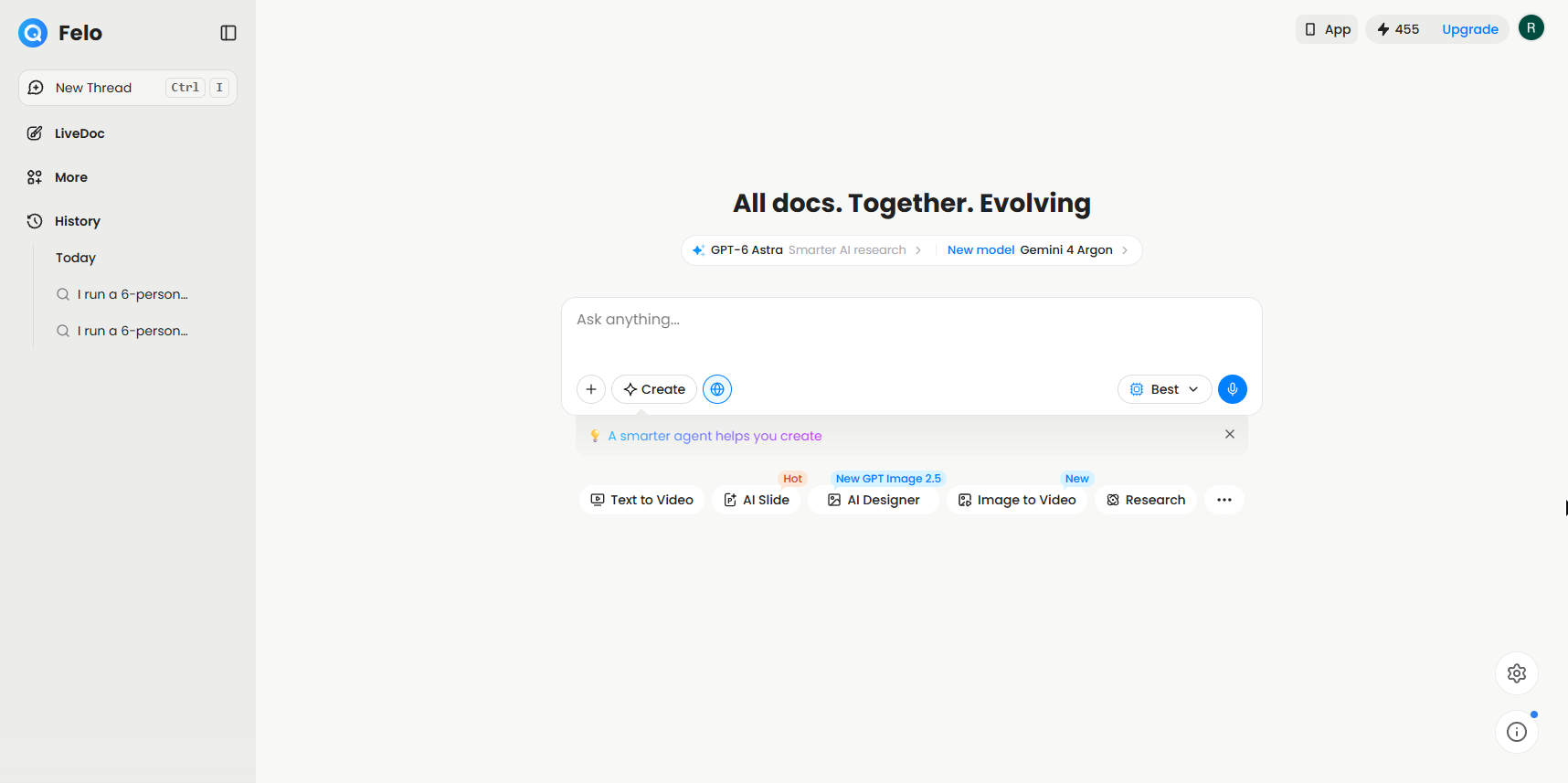
Back on the home screen. We started with five hundred credits. Now it says four fifty-five.
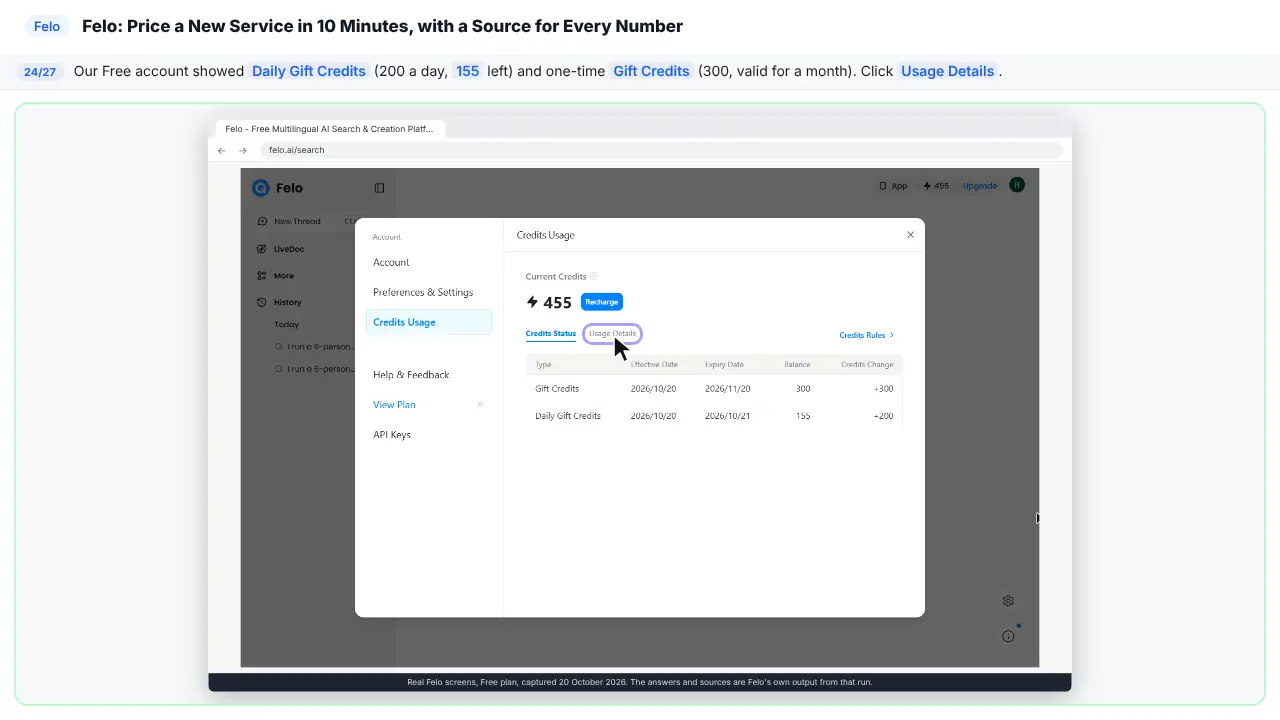
Step 24: See where credits come from
On the free plan you get two hundred credits a day. Our new account also had a one-time gift of three hundred.
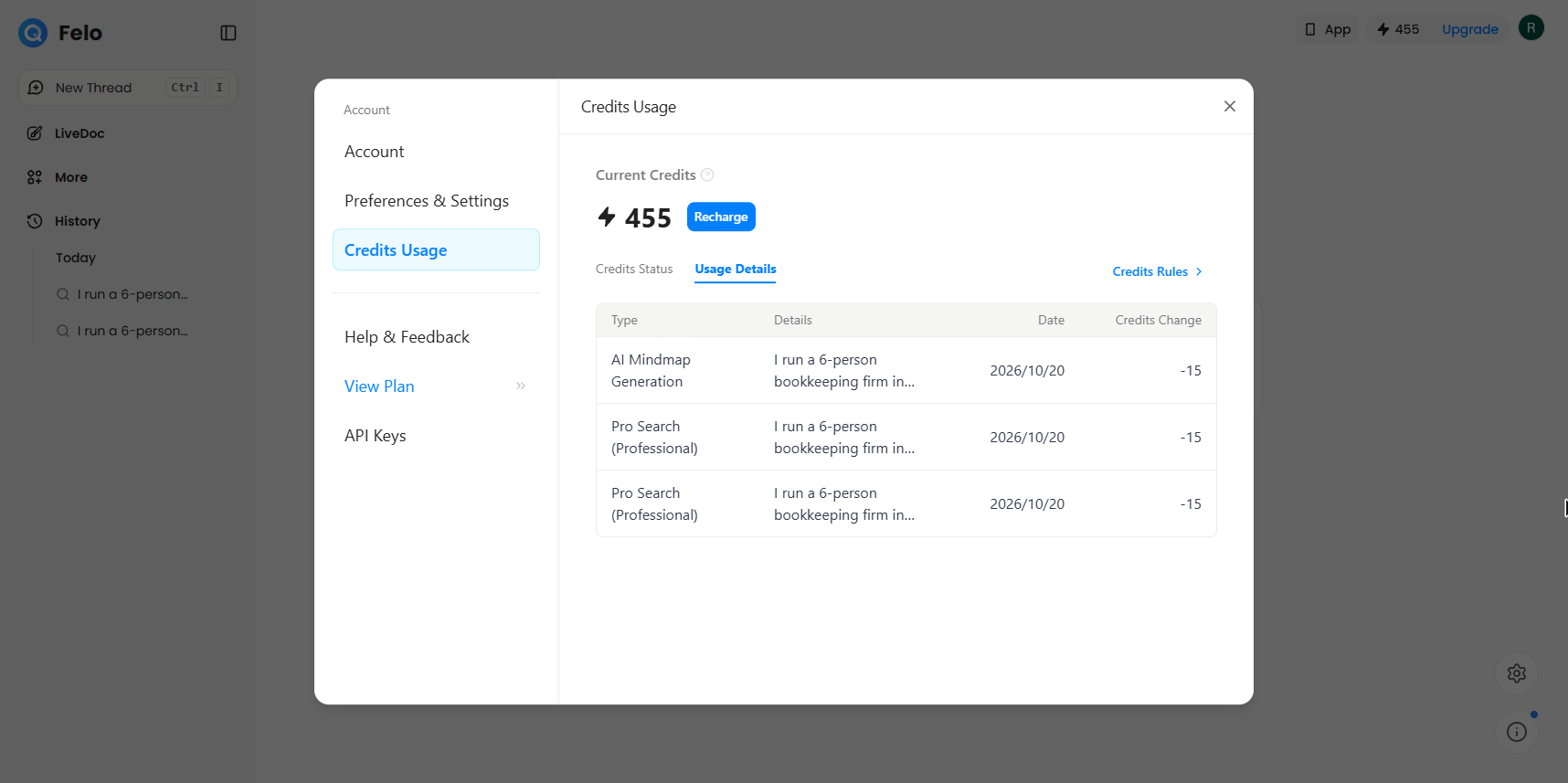
Step 25: See what each job cost
Each Pro search cost fifteen credits. The mind map cost fifteen too. Forty-five in all.
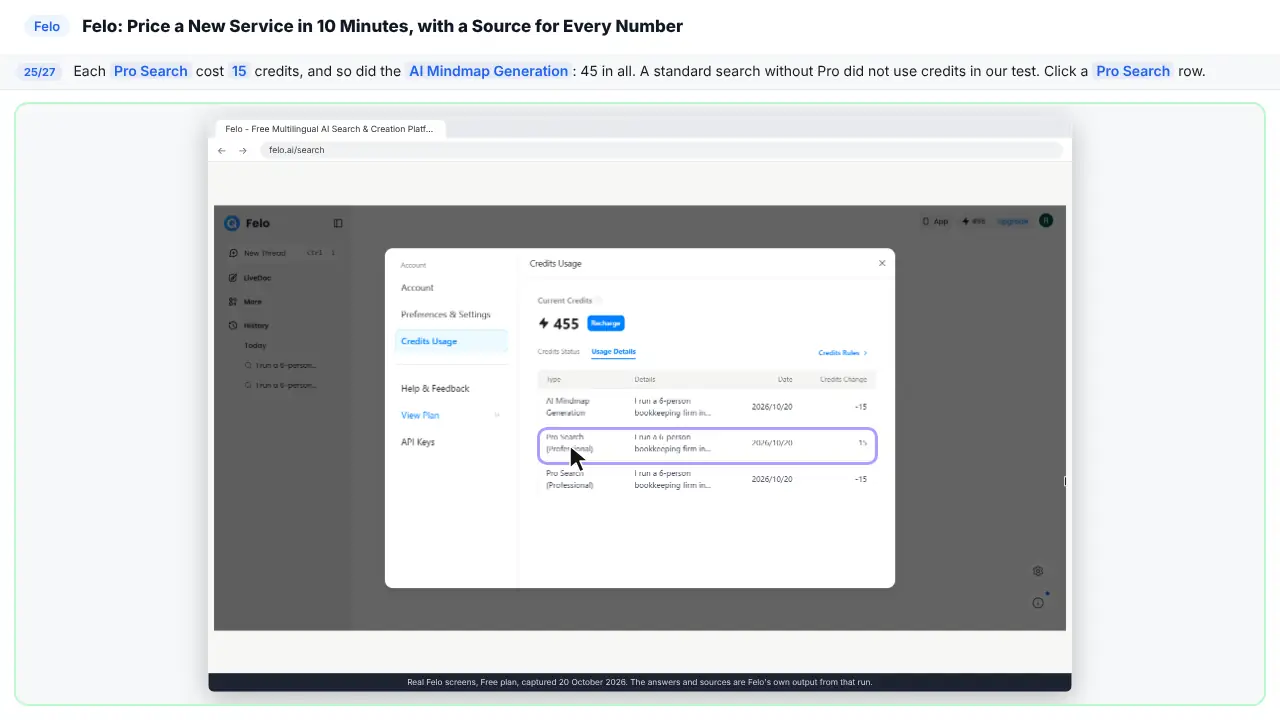
Step 26: See what you have now
A price range with sources. Three firms, and where each price came from. And a mind map. All for free credits.
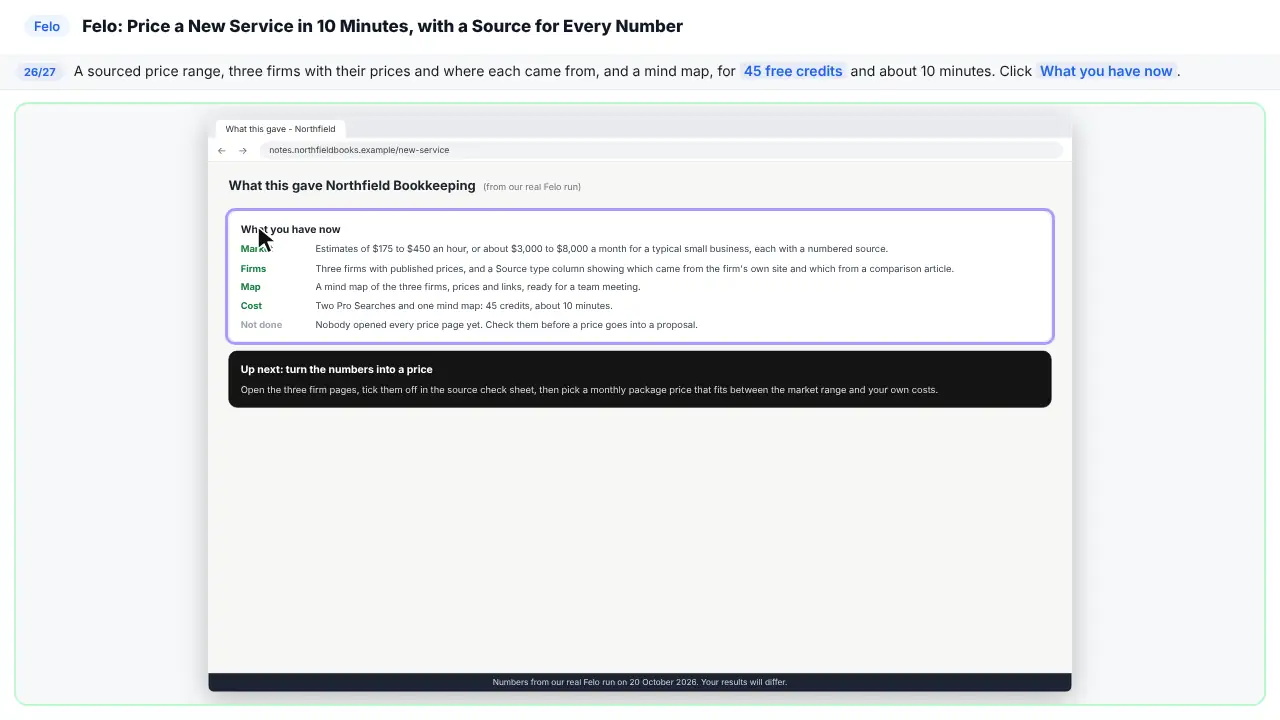
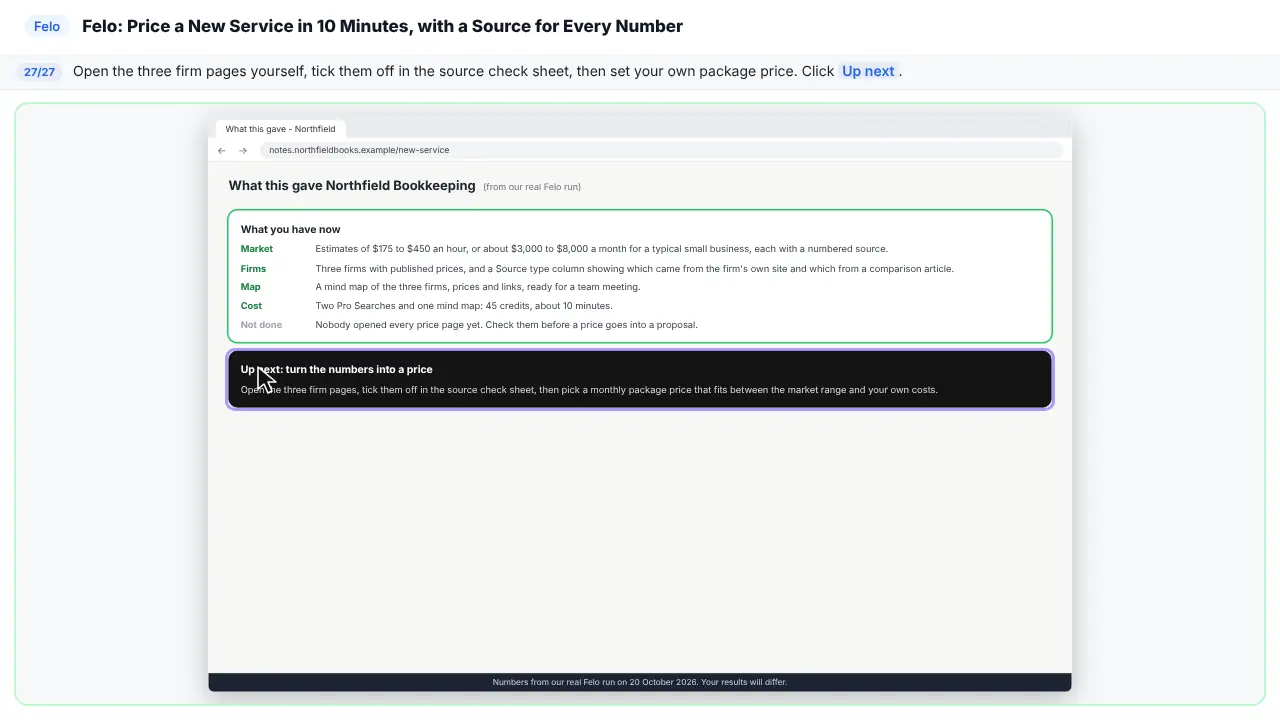
Step 27: Up next
Next, open the three firm pages yourself. Tick them off. Then set your price.
Part of these free courses: Felo Tutorial: Felo Jump Start
Now do it yourself, free
Reading the steps is a start. Doing them is how it sticks. The interactive lesson puts you in a practice copy of Felo: you do every step yourself, it checks your work, and “Do it for me” finishes any step you get stuck on. Nothing touches your real accounts.
Practice “Price a New Service in 10 Minutes, with a Source for Every Number, using Felo” step by step
The business case: a price you can defend
Dana's clients keep asking for help with cash forecasts and planning, so she wants to sell a monthly fractional CFO package. Searching by hand takes about 5 hours of tabs and price pages, about $425 of her time at $85 an hour. Guessing is worse: $1,000 a month when the market pays $3,000 leaves $96,000 a year on the table across 4 clients. These are example numbers; use your own.
The question is narrow and public: what do small businesses pay, and what do other firms charge? That is what AI search is good at, as long as you check the sources behind the numbers you plan to use.
What you do in the lesson
You paste one question that says who is asking, what to find and the rules: a table, a source for every number, and mark the estimates. You turn on Pro, which Felo's pricing page lists at 5 professional searches a day on the Free plan. Felo split the question into 7 searches, found 53 sources in 3 languages, and answered in about two minutes: an estimate of $175 to $450 an hour or $3,000 to $12,000 a month, about $3,000 to $8,000 for a typical small business, and three firms with published prices.
Then you check. The citation card for one firm showed the same range on the firm's own page. But the Burkland prices in the first answer were cited to a comparison article, not Burkland's website. A follow-up asking for a Source type column and the page URL fixed that: two prices linked to the firms' own pricing pages and one was marked as a third-party article. It also swapped one firm for another, which is why you re-read the whole table after every follow-up.
Finally you turn the answer into a mind map with Convert answer to, open the Export menu (Notion, Google Drive, Felo Docs, PDF, Word, Markdown or TXT), and check the cost: each Pro Search and the mind map used 15 credits, 45 in all.
What it does not do
It does not set your price, and a citation is not proof. Open the page behind every number you will put in a proposal, check it is current, and check whether it is the company itself or someone writing about it. The source check sheet on this page has a row for each number from our run.
Links
- Felo: the AI search tool this lesson teaches. Its Free plan showed 200 credits a day when we tested it in October 2026.
- Felo pricing: current plans, credits and limits. Check them before you rely on the Free plan.
Try it yourself, free
Reading the steps is a start. Doing them is how it sticks. The interactive module walks you through every click in a practice copy of Felo, checks each step, and never touches your real accounts.
Start “Price a New Service in 10 Minutes, with a Source for Every Number, using Felo”Screenshots
Frequently asked questions
- What is Felo?
- Felo (felo.ai) is an AI search tool. You ask a question in plain words, it searches the web and writes an answer with a numbered source on each claim. It can also convert an answer to a mind map and export it to Notion, Google Drive, Felo Docs, PDF, Word, Markdown or TXT.
- Is Felo free?
- Felo has a free plan. In October 2026 our Free account showed 200 credits a day, plus a one-time 300 gift credits, and Felo's pricing page listed 5 professional searches a day. Each Pro Search and each mind map used 15 credits in our test. AI Slide was marked Upgrade. Check felo.ai/pricing for current limits.
- How do I check the sources in a Felo answer?
- Point at the small number after a claim to see the page it came from, or click Source & Thinking to open the full sources list. Open the page, find the number, and check whether it is the company's own site or a third-party article.
- Is this lesson free?
- Yes. The practice copy needs no account. To do it for real you need a Felo account; the Free plan is enough.
More in AI Automation for Accounting & Bookkeeping Firms
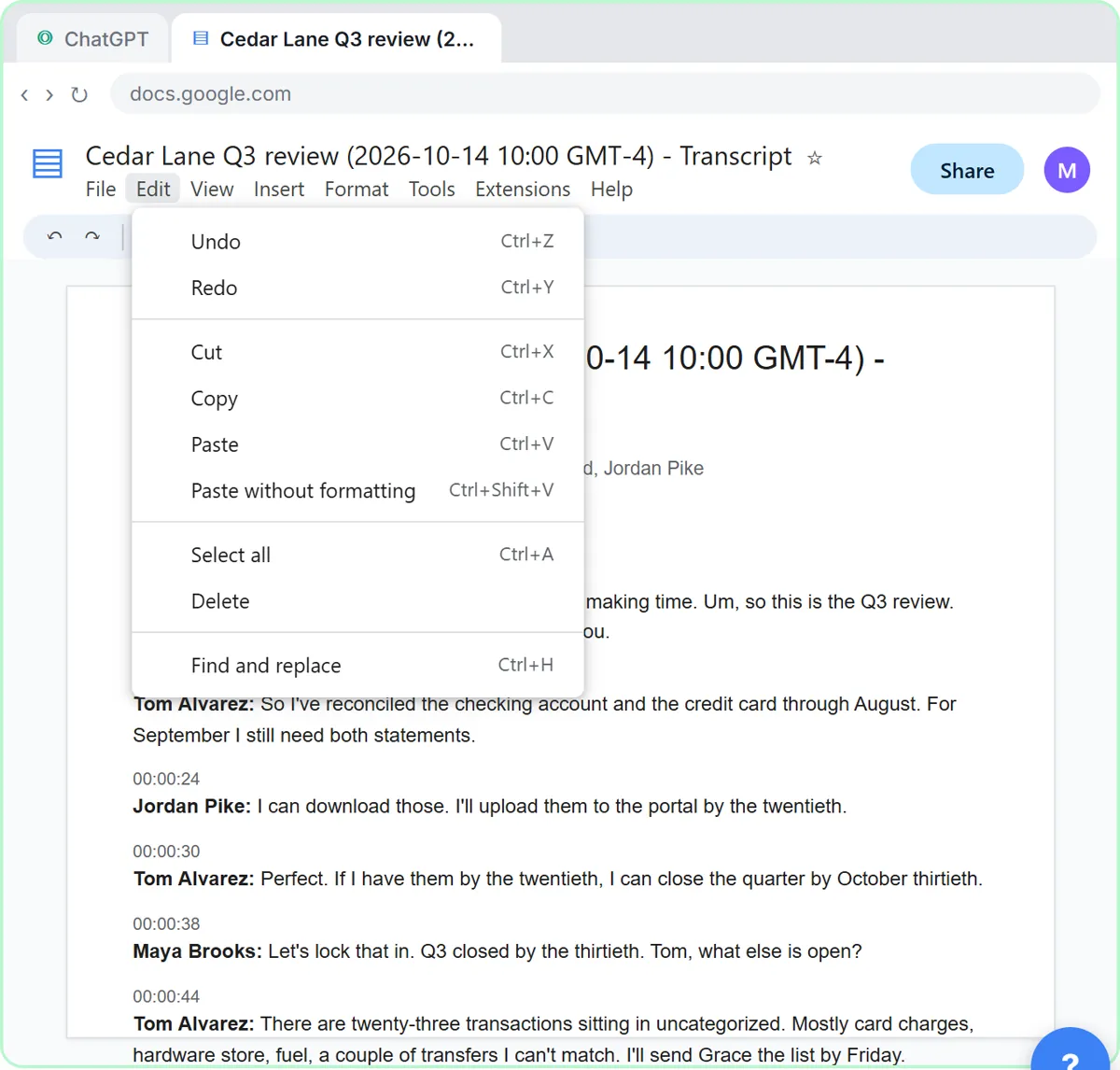 Turn a Client Meeting into Action Items and a Follow-Up Email (Accounting Firms)
Turn the transcript of a client's quarterly review into the decisions, an action items table with owners and due dates, and a follow-up email to the client.
Free · Live ~9 min Beginner
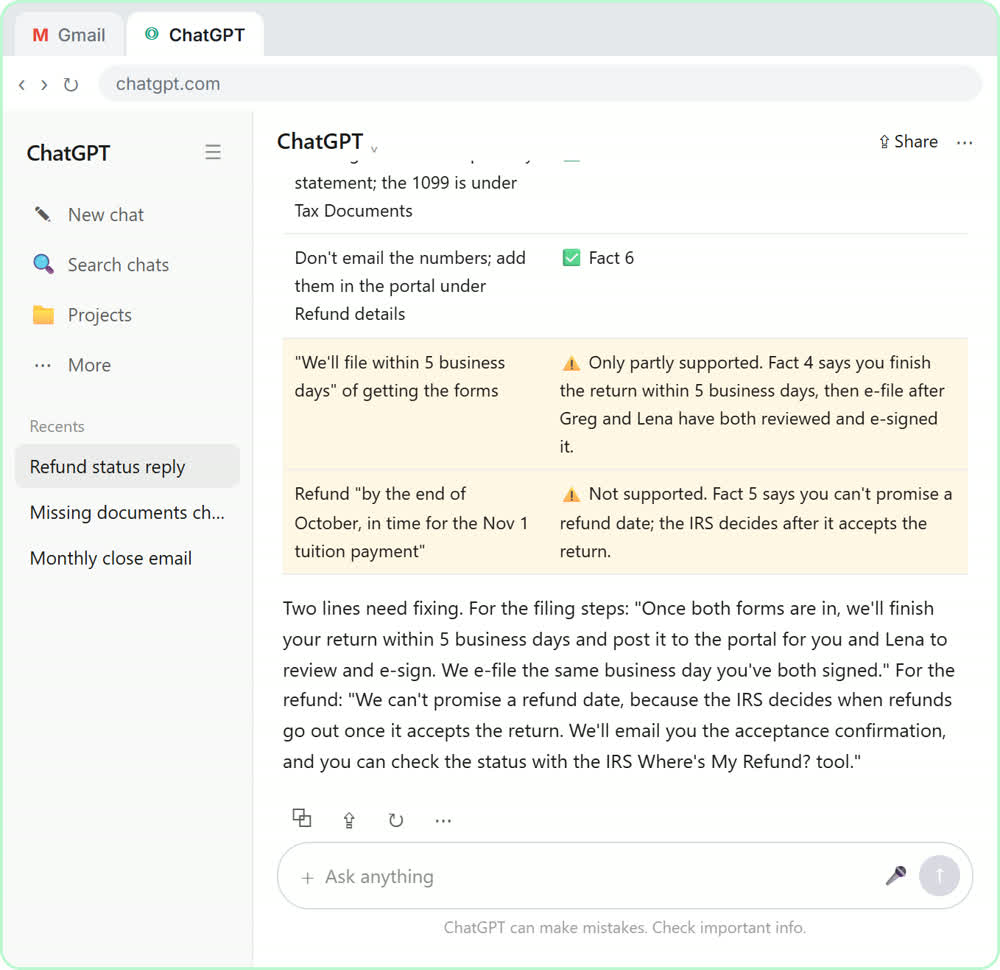 Answer Refund-Date Emails Without Overpromising using ChatGPT
A client wants a refund date while two tax forms are still missing. Give ChatGPT the thread and your firm's facts, catch the date it shouldn't promise, and send a calm…
Free · Live ~10 min Beginner
 Analyze a Client's P&L Export with ChatGPT (Accounting & Bookkeeping Firms)
Upload a client's Profit and Loss Detail export to ChatGPT, catch duplicate bank-feed entries and uncategorized rows first, then get a monthly P&L summary, a chart and…
Free · Live ~11 min Beginner
 A Claude Project for Your Accounting Firm: Fee Schedule, Engagement Terms and Tone
Create a Claude project for your accounting firm, give it your tone and client policies, add your fee schedule and engagement letter terms as project knowledge, and get…
Free · Live ~9 min Beginner
◷Month-End Bank Reconciliation with ChatGPT: 20 Minutes, Not 3 HoursUpload the bank statement and the books, let ChatGPT match every row and list the exceptions, then check the answer and paste a reconciliation summary into the…
Free · Live ~12 min Beginner
◷Collect Overdue Invoices Faster using ChatGPTUpload your aging report, have ChatGPT build this week’s chase list (oldest and biggest first, disputes held back), check it against the file, then draft a friendly…
Free · Live ~12 min Beginner
All 12 modules in AI Automation for Accounting & Bookkeeping Firms
From the blog
Felo Source Check Template: Free CSV and Question FileFree Felo source check CSV and pricing question file: what each column means, the 7 rows from our run, and how to use them to verify AI search prices.
Oct 20, 2026 6 min read
Felo Use Cases for Office Roles: Sourced Price ResearchFelo use cases for bookkeepers, consultants, agency owners, office managers, marketers, sales and founders: one sourced pricing question, adapted per role.
Oct 20, 2026 6 min read
Felo AI Search FAQ: Pro Search, Sources and CreditsHow does Felo work? Answers on Pro Search, numbered sources, follow-ups, mind maps, export and Free plan credits, from a real October 2026 run.
Oct 20, 2026 5 min read
Terms in this lesson
Plain-English definitions, each with an example from a free lesson.