In that run we played Dana Ortiz, who runs Northfield Bookkeeping (both made up), pricing a new fractional CFO package. Your screens and numbers may differ, and Felo can change its plans at any time.
How does Felo work, step by step?
The flow in the lesson has five parts:
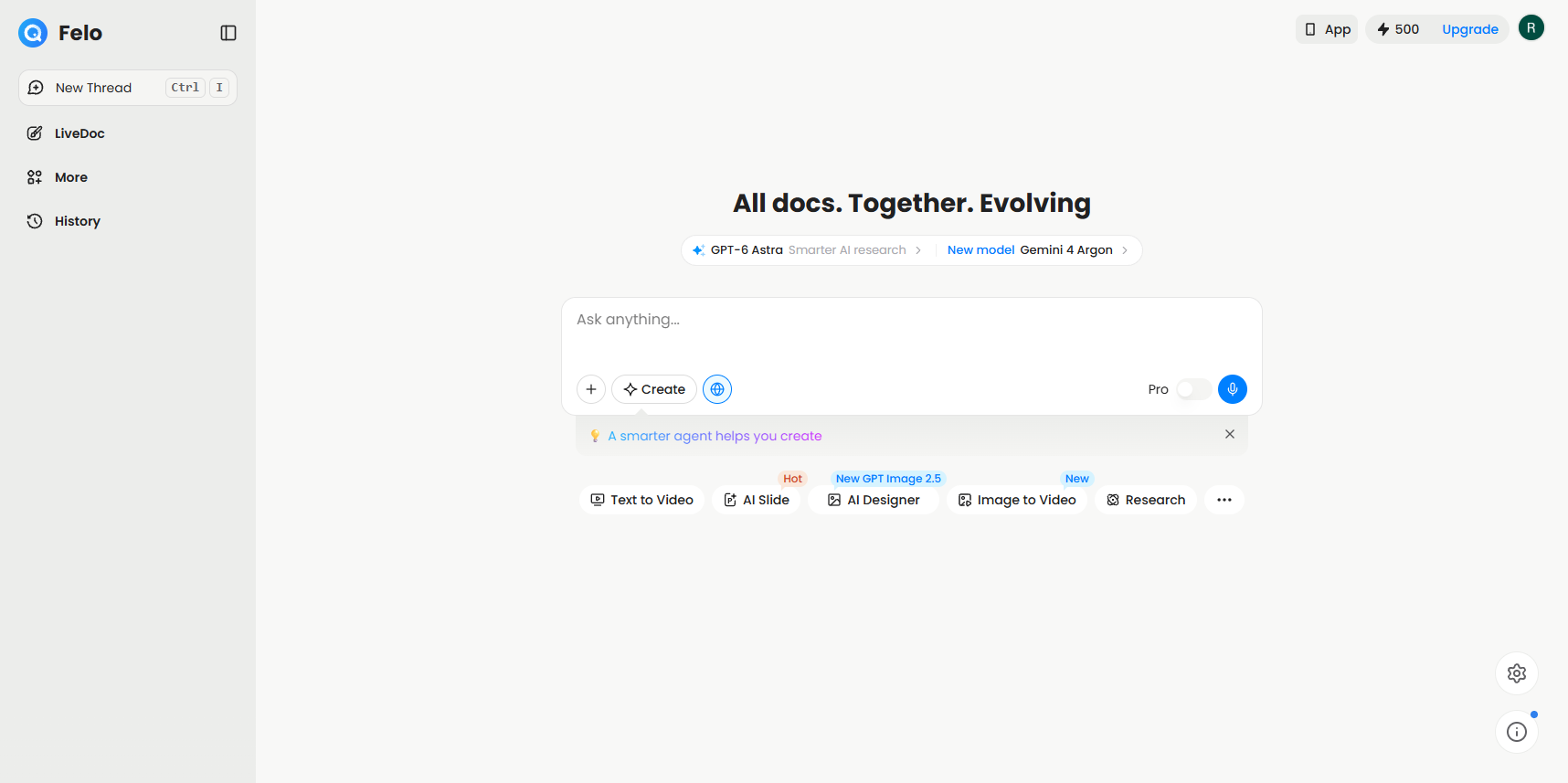
- Ask. Paste a full question into Ask anything... on the home screen.
- Search. With Pro on, Felo shows its work. Ours said Decomposed into 7 subqueries, found 53 sources, 3 languages and took about two minutes.
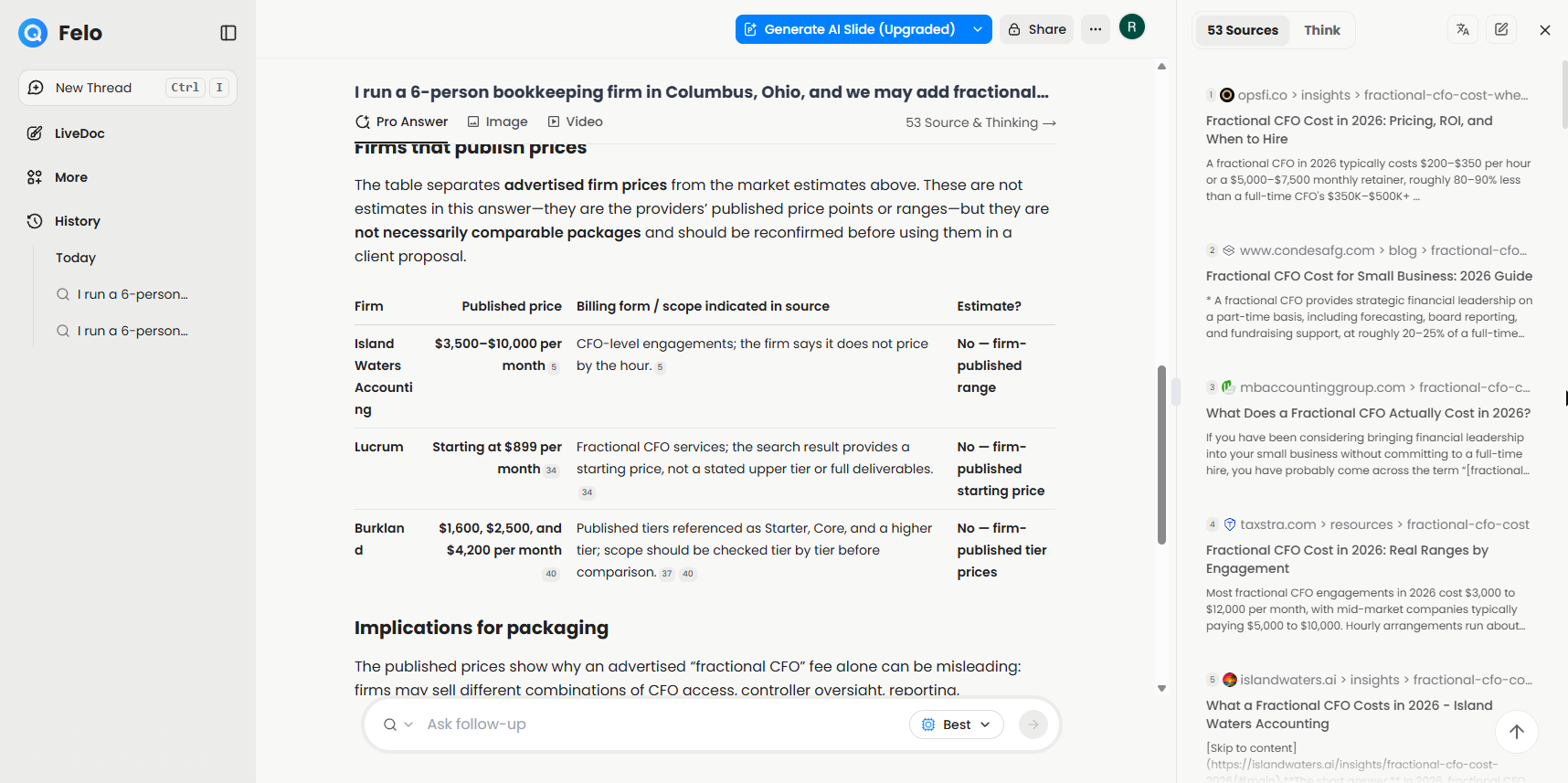
- Answer. Felo writes the answer, with tables when you ask for them, and a numbered source after each claim.
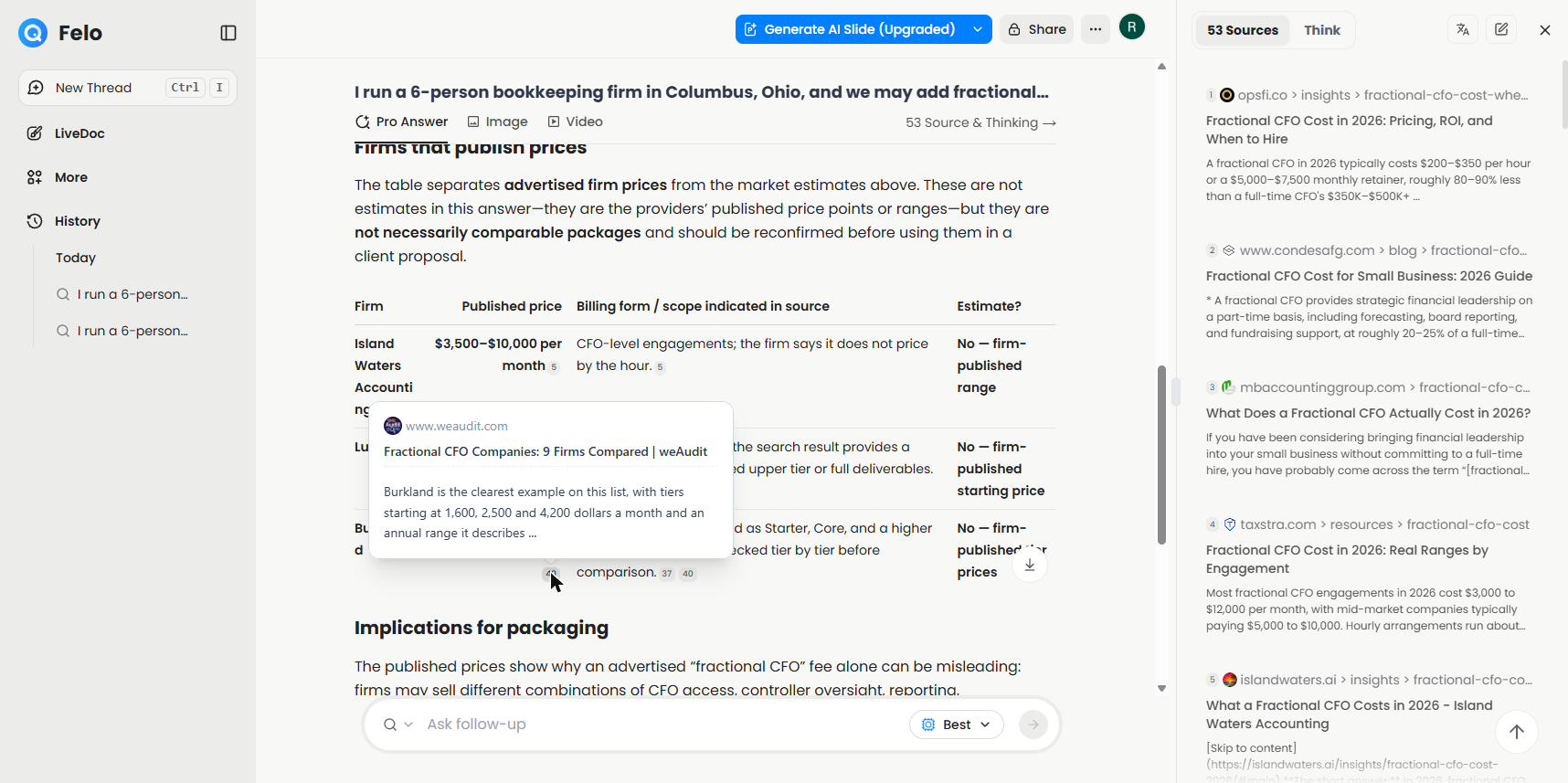
- Check. Point at a number to see a card with the page and a snippet, or open Source & Thinking to see the full list.
- Reuse. Ask a follow-up, use Convert answer to for a mind map, or use Export to save it.
This is the core of AI search: the tool reads the pages so you don't have to open twenty tabs, but every fact still points back to where it came from.
What does Pro Search change?
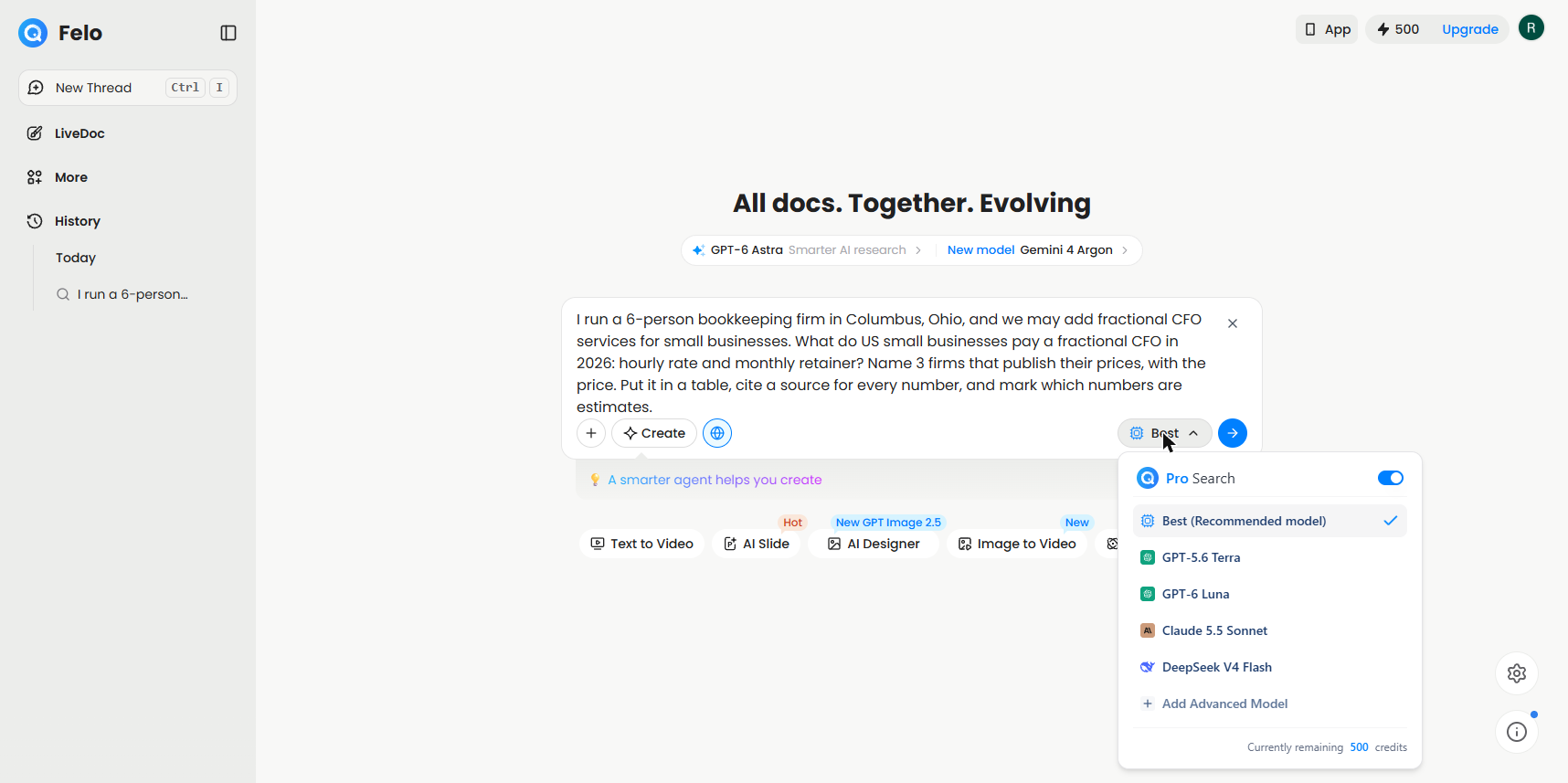
Pro is the switch next to the send arrow. When you turn it on, it becomes a Best button. Clicking Best opens the Pro Search menu, where Best (Recommended model) was ticked and other models were listed, along with a line showing your remaining credits. We left it on Best.
The lesson uses Pro because the question was about money. Pro breaks the question into smaller searches and reads more sources, which is close to what other tools call deep research. The cost is a daily limit and credits, covered in the FAQ below.
Where do the sources show up?
In two places. First, inline: each claim ends in a small number, and pointing at it shows a card with the site, the page title and a snippet of the text. Second, in the panel: clicking 53 Source & Thinking at the top right of the answer opened a 53 Sources list with each page's site, title and snippet.
The card is where you do your quick check. The panel is where you see how wide the search went, and which sites it leaned on.
What can you do with an answer after you have it?
Three things, all shown in the lesson:
- Ask follow-up at the bottom of the answer. Pro stays on. The end of our answer also showed suggested follow-up questions.
- Convert answer to offered Mind Map, AI Page and AI Slide. AI Slide was marked Upgrade, so it was not part of our Free plan. The mind map had a toolbar to copy, download or share it and to pick another layout.
- Export offered Save to Notion, Google Drive or Felo Docs, or a download as PDF, Word, Markdown or TXT. We opened this menu but did not finish a download in our run.
Frequently asked questions
- Is Felo free?
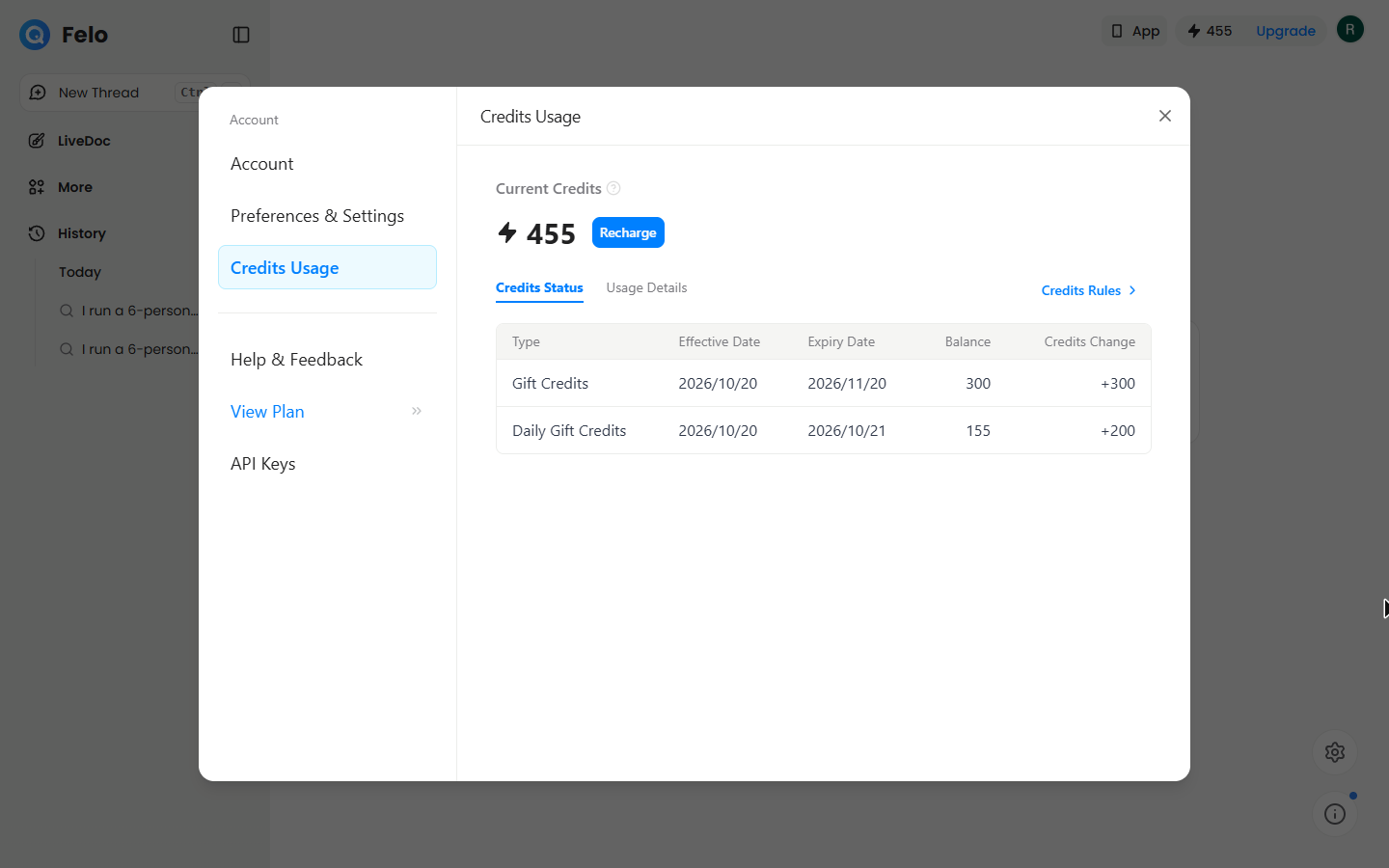
Felo has a Free plan. In October 2026 our new Free account showed 200 credits a day plus a one-time 300 gift credits, and Felo's pricing page listed 5 professional searches a day on the Free plan. Check felo.ai/pricing before you rely on those numbers.
- How many credits does a Felo Pro Search use?
In our run, each Pro Search cost 15 credits, and the mind map cost 15 too. Two Pro Searches and one mind map came to 45, taking us from 500 to 455. A standard search without Pro did not use credits in our test. The AI credits entry explains how credit systems like this usually work.
- Where can I see what my credits were spent on?
Click the credits pill at the top right of the home screen. That opened Credits Usage, which split our balance into Gift Credits and Daily Gift Credits. Usage Details listed each charge: two Pro Search (Professional) rows and one AI Mindmap Generation.
- Do the gift credits expire?
In our account the 300 one-time gift credits were shown as valid for a month, and the 200 daily credits were a daily allowance. Felo sets these rules, so check your own Credits Usage screen.
- Can I trust Felo's answers?
Trust the sources you have opened, not the summary. In our run, one firm's prices were cited to a comparison article even though the table said they were firm-published. Open the page behind every number you will use. That habit is covered in the Felo research mistakes guide.
- Does Felo mark which numbers are estimates?
When you ask it to. Our question said to mark the estimates, and the table had an Estimate? column with Yes next to the market ranges. Put that rule in your question.
- Can Felo tell me if a source is the company itself or a third party?
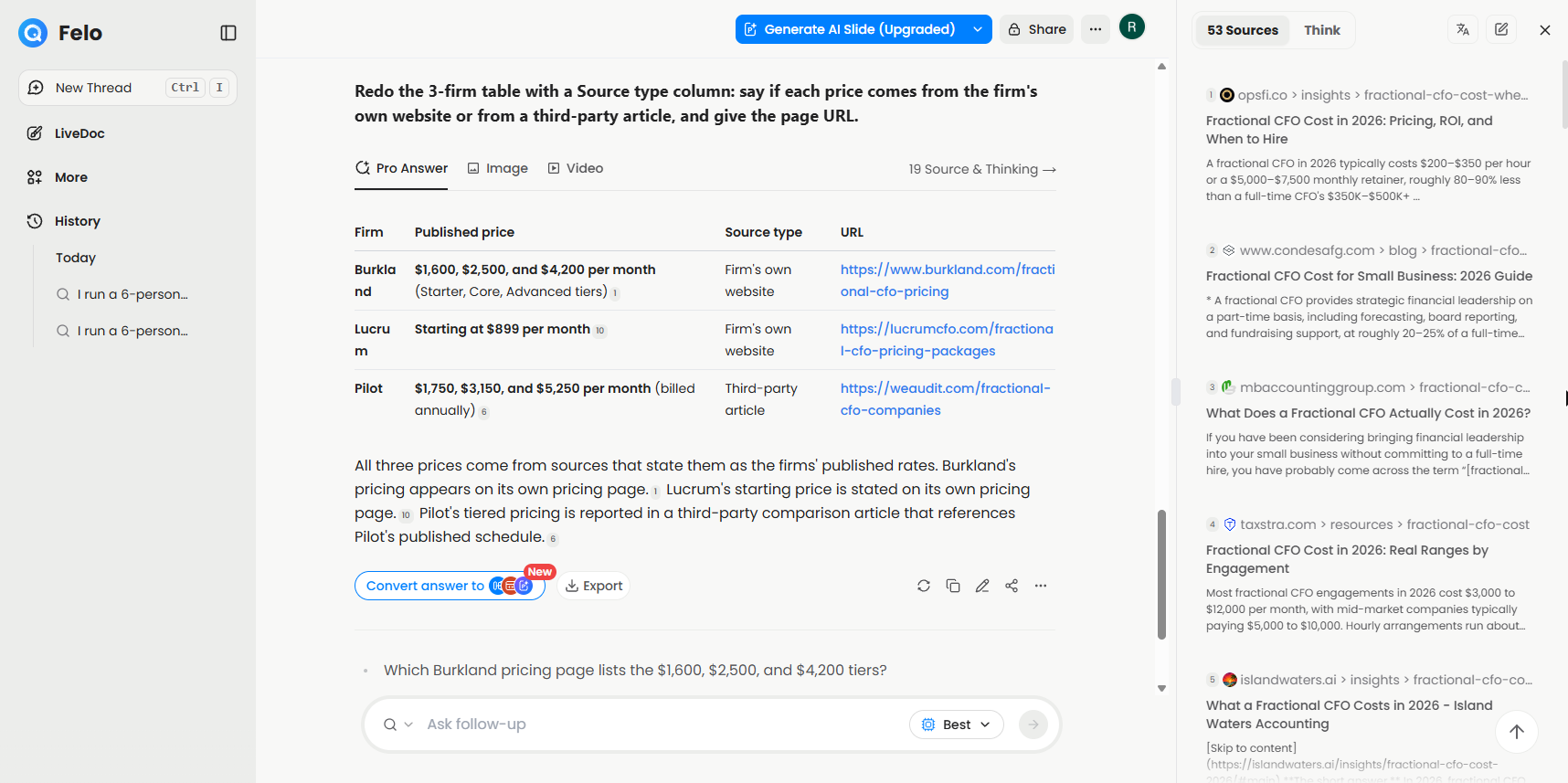
It did when we asked. Our follow-up asked for a Source type column and the page URL, and the new table marked two prices as from the firms' own websites and one as a Third-party article. You should still open the pages yourself.
- Does a follow-up keep the same results?
Not always. Our follow-up kept two firms and swapped the third, so re-read the whole table each time.
- What languages does Felo search in?
Our English question pulled sources in 3 languages, according to the Pro working line. The answer itself came back in English.
- What can I export a Felo answer to?
The Export menu listed Notion, Google Drive and Felo Docs, plus PDF, Word, Markdown and TXT downloads. We only opened the menu, so we can't tell you how each file looks.
- Do I need an account to try the lesson?
No. The practice copy uses real Felo screens and needs no account. To do it for real, you need a Felo account, and the Free plan was enough for our run.
- How long did the whole thing take?
About 10 minutes, including about two minutes for the first Pro answer.
Key takeaways
- Felo answers with a numbered source on every claim. Point at the number to check it.
- Turn on Pro for money questions. It searched 53 sources for ours.
- Follow-ups, mind maps and export all work from the same answer.
- On our Free account, Pro Search and the mind map each cost 15 credits.
To use Felo on your own job, see Felo use cases by role, print the Felo cheat sheet, or browse the Felo entry in the AI research tools directory. Then try the practice.