What is Notion?
Quick answer
Notion (notion.com) is a workspace where a team keeps its docs, wikis, projects and task lists in one place. Pages hold text and other blocks, and databases hold rows of items, each one its own page. Notion AI is built in, and AI Meeting Notes can transcribe a meeting and pull out the key points and action items.
Last updated
Take the free module →Module 17 of the free AI Apps Worth Knowing course, about 8 minutes. No account needed.
Updated · By Robert Breen
Why it matters for a small business
Notes and handouts get lost when they live in email threads and private folders. Notion gives them a home everyone can search: a page for each process, and a database for the work that comes out of it, so a new hire can find last month's training and see who owns what.
A Notion database is more than a table. Notion's help center says every item in a database is a page of its own, and you can show the same data as a board, calendar, list, gallery or timeline, each view with its own filters and sorts. You add one with /database, and you can ask Notion AI to change it for you.
For meetings, Notion's help center says AI Meeting Notes is started by typing /meet on a page in the desktop app, transcribes after you click Start transcribing, and writes a summary when you click Stop. It is on the Business and Enterprise plans.
In a real lesson: CoHear: AI Meeting Notes from a Team Training Session
The CoHear lesson does not use Notion. In it, Priya Nair at Hollis & Grant Property Management, a made-up firm, records a 28-minute maintenance request training on her phone with CoHear. She confirms the keywords, reads What changes and Decisions, checks one rule against the transcript, turns the notes into an Infographic handout and shares it behind a password.
Notion does the part that comes after: keeping it. The handout and the decisions would go on a "Maintenance requests" page in the team wiki, and each action item would become a row in a Notion database with owner, due date and status properties. A board view grouped by status shows the team what is still open, and the one task CoHear marked Not stated gets its date there.
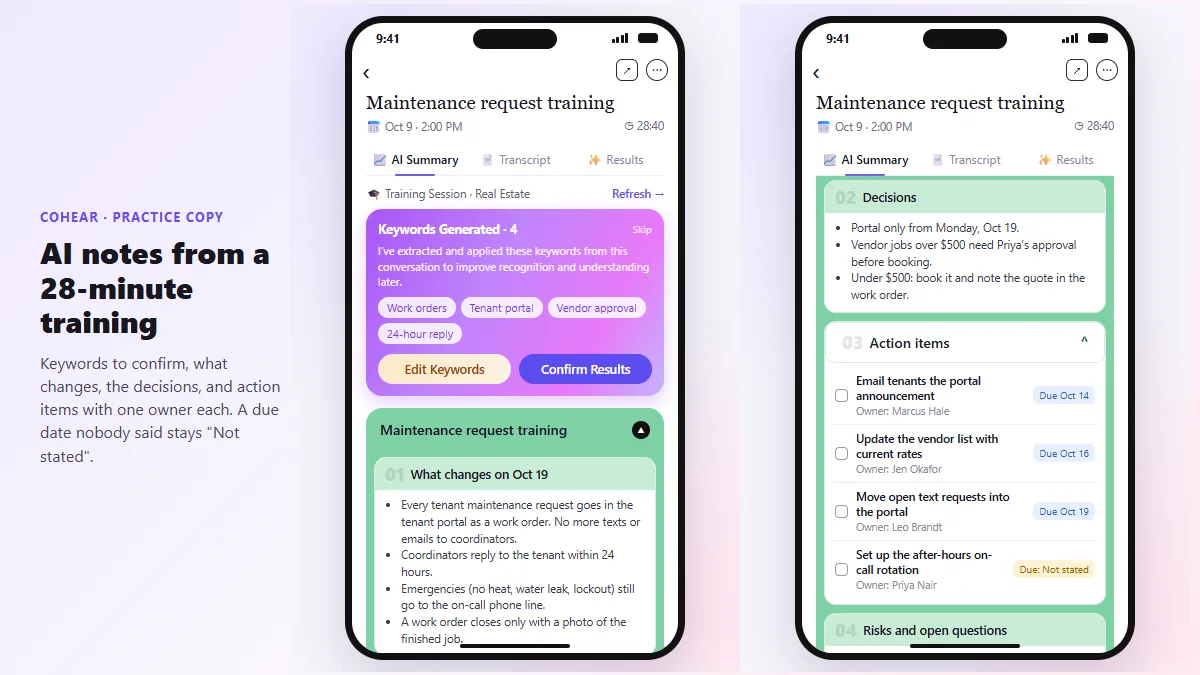
Try this lesson free or read the step-by-step guide.
Common confusions
Notion vs an AI note-taker
An AI note-taker like CoHear or Otter records and summarizes meetings. Notion is mainly where notes, docs and tasks live afterward, though its AI Meeting Notes can also capture a meeting on the Business and Enterprise plans.
A Notion database vs a spreadsheet
Both hold rows. In Notion each row is also a page you can write in, and you can switch between table, board, calendar and timeline views of the same items.
Tips
- Make one page the source of truth for each process, and link to it instead of pasting copies.
- Give every task database an owner, a due date and a status property from day one.
- Use a board view grouped by status for weekly check-ins.
Related terms
More Web apps terms
Where you use it: free lessons
- CoHear: AI Meeting Notes from a Team Training Session (CoHear, 8 min)
- Meeting to Action: Recap, Tracker Rows and a Kickoff Deck (ChatGPT, n8n, Gamma) (n8n, 14 min)
- Summarize a Meeting Transcript with ChatGPT (ChatGPT, 9 min)
- Chatbase: Answer Customer FAQs with an AI Agent (Chatbase, 15 min)
AI tools that use it
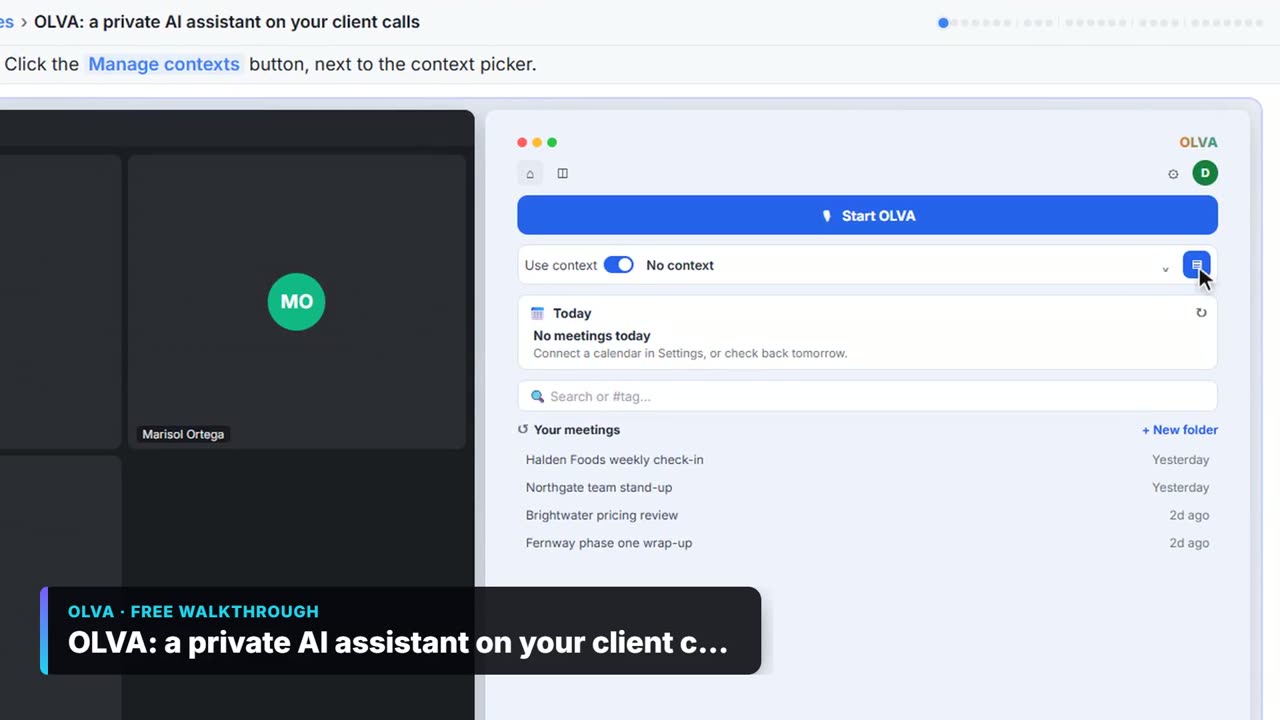
Watch it in a free lesson: OLVA: A Private AI Assistant on Your Client Calls
 3:06
3:06OLVA: a private AI assistant on your client calls: video walkthrough
Give OLVA your client notes, get private answers and fact checks during a Zoom call, then turn the meeting into minutes, a follow-up email and a PowerPoint deck. The whole lesson narrated step by step, recorded in Stepthrough’s simulated practice environment.
Frequently asked questions
- Is Notion free?
- Yes. Notion's pricing page lists a Free plan for individuals, with a trial of Notion AI and limits for teams of two or more members. AI Meeting Notes needs the Business or Enterprise plan. See notion.com/pricing.
- What is Notion AI?
- The AI built into Notion. Notion's pricing page says it can generate docs, autofill databases and find answers across your workspace and connected tools, and on the Business and Enterprise plans it takes AI Meeting Notes.
- Can Notion transcribe a recording I already have?
- Notion's help center says you can upload an AAC, M4A, MP3 or WAV file to a Meeting Notes block and it will transcribe and summarize it. Video files such as MP4 are not supported for upload.