What is Reclaim.ai?
Quick answer
Reclaim.ai is an AI calendar assistant that works with Google Calendar and Outlook. It protects focus time, fits recurring habits into open time, adds buffers around meetings and suggests tasks to work on, and it keeps adjusting as your calendar changes.
Last updated
Take the free module →Module 10 of the free Claude Jump Start course, about 8 minutes. No account needed.
Updated · By Robert Breen
Why it matters for a small business
When every free hour can be booked, deep work and routine jobs like invoicing get pushed out by meetings. Reclaim's answer is to put that time on the calendar for you and defend it, while staying flexible enough to move when a real meeting needs the slot.
In Reclaim 2.0 these jobs are called agents: Focus Time protects blocks for deep work, Habits fits recurring routines into flexible time and Buffers adds prep or recovery time around meetings. Your Settings, then Hours, decide where it may place time. Reclaim says the agents keep adjusting in the background as the calendar changes.
Reclaim Chat, on the right of the Planner, takes plain-language requests. Changes it suggests are staged in Preview Mode, and nothing goes live until you apply them. Tasks can come from Reclaim or from tools like Asana, Todoist, Google Tasks and ClickUp, and Reclaim says it does not use your data to train AI.
In a real lesson: Connect Claude to Google Drive, Gmail and Google Calendar
The Claude connectors lesson does not use Reclaim. At Bright Path Landscaping, a made-up company, you connect Google Drive, Gmail and Google Calendar to Claude, then ask questions. Claude finds a price sheet, sums up a customer thread and lays out the week, flagging Wednesday as too full.
Along the way the lesson shows that Claude asks before it uses each tool, and that creating or changing events needs your approval by default.
Reclaim does the next part of that job. Claude can tell you Wednesday is too full; Reclaim works on the calendar itself, adding buffers around meetings, keeping focus blocks and fitting habits into open time, with Preview Mode so you approve its changes first. The two fit together: ask Claude what your week looks like, and let Reclaim defend the time.
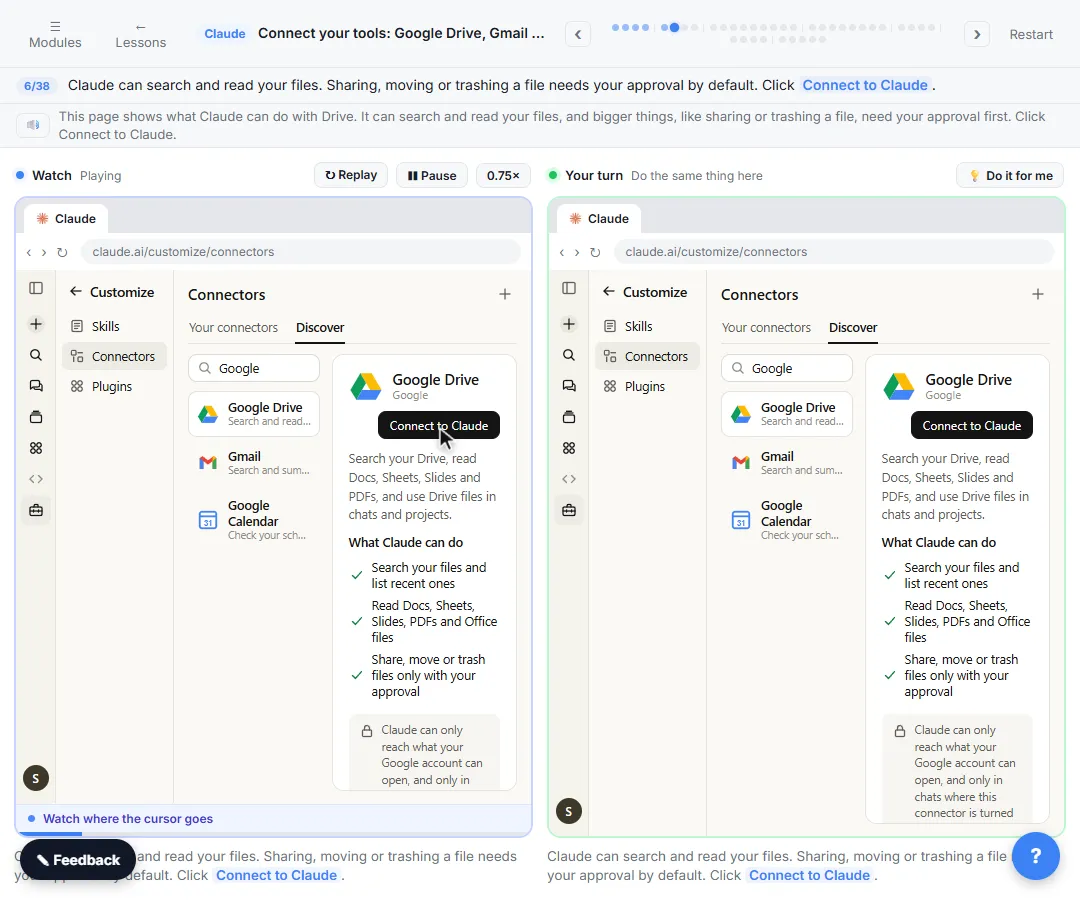
Try this lesson free or read the step-by-step guide.
Common confusions
Reclaim vs a scheduling link
A scheduling link lets other people book a slot. Reclaim also offers scheduling links, but its main job is protecting your own time for focus, habits and tasks.
Reclaim vs an AI connector
An AI connector lets an assistant like Claude read your calendar. Reclaim manages the calendar: it places and moves blocks around your meetings.
Tips
- Set your working and meeting hours first; every agent uses them.
- Start with one Focus Time goal and one habit, then add more.
- Review Preview Mode before applying changes to a shared calendar.
Related terms
More Web apps terms
Where you use it: free lessons
- Connect Claude to Google Drive, Gmail and Google Calendar (Claude, 8 min)
- n8n: Run a Workflow on a Schedule (Every Monday at 8am) (n8n, 6 min)
AI tools that use it
Frequently asked questions
- Is Reclaim.ai free?
- Yes. Reclaim's free plan, Lite, covers calendar basics for one user, including Focus Time, Habits, Buffer Time and Smart Meetings, with limits on scheduling range and connected calendars. See reclaim.ai/pricing for details.
- Does Reclaim work with Outlook?
- Yes. Reclaim works with Google Calendar and Outlook Calendar and can sync several calendars.
- Will Reclaim change my calendar without asking?
- Changes you request in Reclaim Chat appear in Preview Mode first, and nothing goes live until you apply them. Its agents do adjust protected time in the background as your calendar changes.